1
Cranex Panoramic X-ray Series
Contents
Contents
1. The Excel, Excel CEPH and BaseX x-ray units ............................. 1
Introduction ......................................................................................................
Using this manual .............................................................................................
Warnings and precautions...............................................................................
Check list before using the unit ......................................................................
General ..........................................................................................................
If you are using film ........................................................................................
If you are using imaging plates .......................................................................
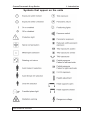
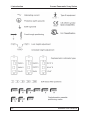
Symbols that appear on the units ...................................................................
1
2
3
5
5
5
6
7
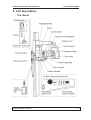
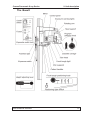
2. Unit description .............................................................................. 9
The Excel .......................................................................................................... 9
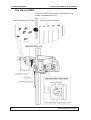
The Excel CEPH .............................................................................................. 10
The BaseX ........................................................................................................ 11
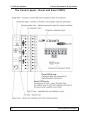
The Control panel - Excel and Excel CEPH .................................................. 12
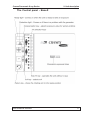
The Control panel - BaseX ............................................................................. 13
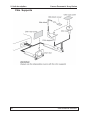
Chin Supports ................................................................................................. 14
3. Using the Unit ............................................................................... 15
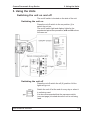
Switching the unit on and off ........................................................................
Switching the unit on .....................................................................................
Switching the unit off ....................................................................................
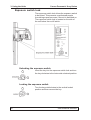
Exposure switch lock .....................................................................................
Unlocking the exposure switch ......................................................................
Locking the exposure switch ........................................................................
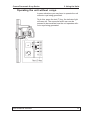
Operating the unit without x-rays .................................................................
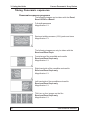
Taking Panoramic exposures ........................................................................
Panoramic exposure programs .....................................................................
Preparing the unit .........................................................................................
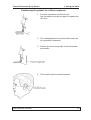
Positioning the patient for a panoramic exposure .........................................
Positioning the patient for a Sinus exposure .................................................
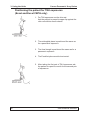
Positioning the patient for a TMJ exposure
(Excel and Excel CEPH only) ...................................................................
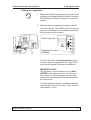
Taking an exposure ......................................................................................
After exposure ..............................................................................................
Taking Cephalometric exposures (Excel CEPH only) ..................................
Cephalometric exposure programs ...............................................................
Taking a cephalometric exposure .................................................................
User’s Manual 8200900
15
15
15
16
16
16
17
18
18
19
24
31
32
33
36
37
37
38
iii