1
System Setup
9.4
•
Arrhythmia Mode
Arrhy Data
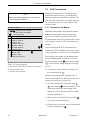
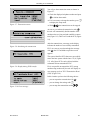
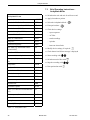
Use the cursor keys to position the bar cursor on
"Arrhythmia" and confirm the selection with
.
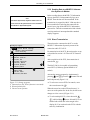
The arrhythmia mode menu will appear.
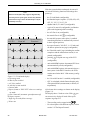
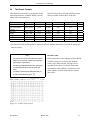
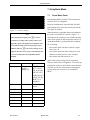
Report Sequence
[STD_C]:
V1, V2, V3, V4, V5, V6
STD_RED:
I, II, III, V2, V4, V6
STD_LI:
I, II, III, aVR, aVL, aVF
CABR_LI:
aVL, I, -aVR, II, aVF, III
HIGH_C:
V1’, V2’, V3’, V4’, V5’, V6’
(C = chest leads, RED = reduced number of leads, LI
= limb leads)
Gain
*auto, 5, [10], 20, 40 mm/mV; with "*auto", the unit
will automatically determine the gain setting.
The recorder will document arrhythmias in the
following situations:
- each time an arrhythmia occurs
- each time an arrhythmia occurs that is different
from the preceding event
- arrhythmias are not documented
all, [unequal], no.
Episodes
Final report includes episode report, with episodes
listed by one of the following criteria
- in chronological order
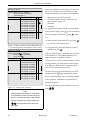
- according to priorities (see table 7-1)
- ventricular beats only
- no episodes
[chron.], prio., ventr., no
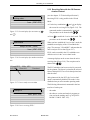
Muscle Filter/AC Filter
Elimination of muscle artifact and AC line interference
Default: muscle filter [No], AC filter [Yes]
Muscle Filter Frequency
Cut-off frequency of the muscle filter ([40 Hz],
20 Hz).
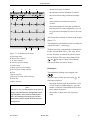
The frequency range is indicated in the lower margin
of the recording strip.
"0.08 - 40 Hz" (40-Hz muscle filter enabled)
"0.08 - 20 Hz" (20-Hz muscle filter enabled)
"0.08 -100 Hz" (muscle filter off).
Trend Recording
The slow trend recording of 5 mm/s automatically
begins at program start ( [No]/Yes).
227 492 04-F
MAC® 1200
51