1
Introduction
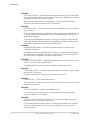
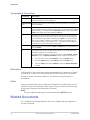
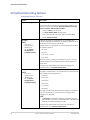
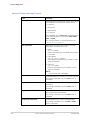
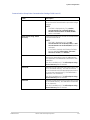
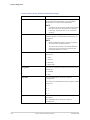
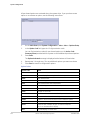
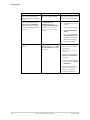
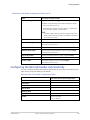
Serial Number Format (cont'd.)
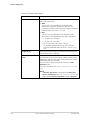
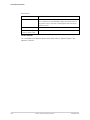
Item
Name
Description
3
Fiscal Week
Manufactured
Two-digit code identifying the week the device was
manufactured.
Values range from 01 to 52. GE Healthcare's fiscal weeks
correspond to the calendar week. For example, 01 = first
week in January.
4
Product Sequence
Four-digit number identifying the order in which this
device was manufactured. Values range from 0001 to
9999.
5
Manufacturing Site
One-letter code identifying the site where the device was
manufactured. For example, F = Milwaukee, N = Freiburg,
P = Bangalore
6
Miscellaneous
Characteristic
For example, P = device is a prototype, R = device was
refurbished, U = device was upgraded to meet the
specifications of another product code, A= device is in
production.
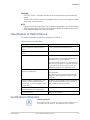
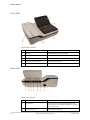
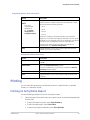
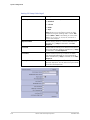
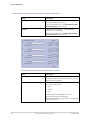
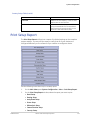
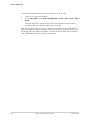
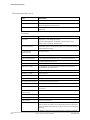
Device Address Label and Rating Plate
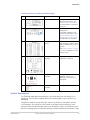
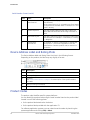
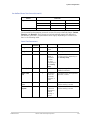
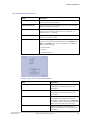
The Device Address label and Rating Plate is laid out in the following format.
Depending on the product, the label may vary slightly in format.
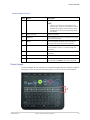
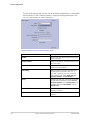
Item
Description
1
Product description
2
Country of origin
3
Symbols
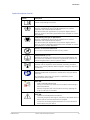
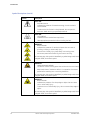
See “Symbol Descriptions” on page 17 for a description of the symbols used on
this label.
4
Electrical rating of the device
5
Manufacturer name and address
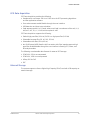
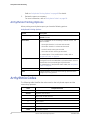
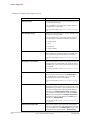
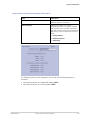
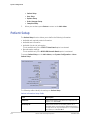
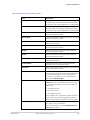
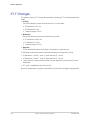
Product Codes
The product code identifies specific system platforms.
You can identify the product code using the serial number listed on the product label
located in one of the following places:
• On the product label attached to the device.
• On the product label provided with the application CD.
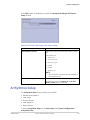
For software application systems, you can view the serial number by launching the
system application and clicking Help > About.
26
MAC™ 2000 ECG Analysis System
2053535-002C