1
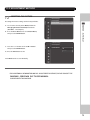
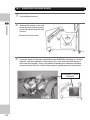
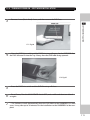
17-2 TURNING POWER ON - SOFTWARE INSTALLATION
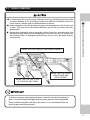
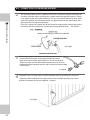
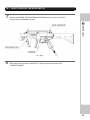
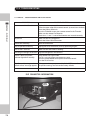
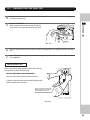
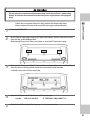
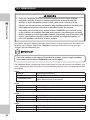
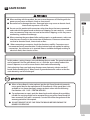
• Be careful not to damage the DVD wire by getting it caught between objects, etc.
Doing so may cause a short circuit or fire.
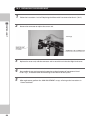
• If you look directly at the laser beam in the DVD DRIVE, you could suffer vision
impairment. Do not look inside the DVD DRIVE.
17
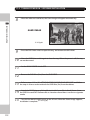
SOFTWARE INSTALLATION
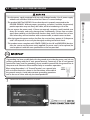
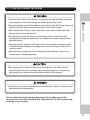
• The following explanation assumes that the product has been assembled properly
as explained above. If there is an error or if the product operates in a manner other
than as indicated below, cut off the power supply immediately. Failure to do so may
result in a fire or electrical shock.
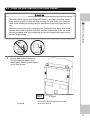
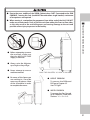
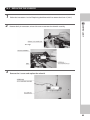
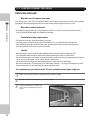
• Do not use or store the DVD Drive or DVD Wire in any of the following locations, as
this may result in serious damage.
- Anywhere which may vibrate or shock the equipment.
- In direct sunlight.
- In damp or dusty places.
- In places with a sharp change in temperature.
- Close to anything that gives of heat. (Heater etc.)
- Close to anything with a strong magnetic field. (magnets, monitors, speakers radio, etc)
- Anywhere that is likely to get wet.
- Anywhere with a slope or incline.
- Anywhere with corrosive in the air. (Chlorine, hydrogen sulfide, ammonia, sulphur dioxide etc)
- Anywhere with strong static electricity.
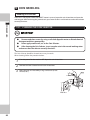
[ Do not use in these locations ]
- Close to anything that is highly retentive of heat. (carpets, sponge, cardboard, etc.)
- Anywhere that blocks the DVD air vent.
• The DVD is a delicate piece of equipment. Avoid the following.
- Dropping or shaking it violently,
- Getting water or liquids on top of it.
- Placing small or large items on top of it
- Drinking of smoking close to the DVD Drive.
• Do not turn off the power to the DVD when it’ s Access Lamp is on or flashing, as this
could cause damage to the device.
• Do not allow any foreign objects, such as liquids, metals, or smoke inside the DVD
drive.
107