1
Installation and Troubleshooting Guide
All rights reserved. Reproduction or use of content, in any manner, without express written permission by CDI Electronics, Inc., is prohibited.
Quick Start
Front Panel Programming Features
For VDO Marine Instrument Module
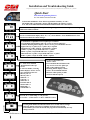
To determine if Module is Front Panel Programmable switch key to “ON”.
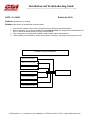
The module will cycle through a self test and then display the software revision
level. This is also indicated on the identification label located next to the harness.
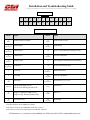
2.3
ProG
A
1
b
0
C
0
d
1
E
0
F
1
END
Software level 2.0 and greater are capable of being configured for the following functions using the
MODE and ADJUST buttons
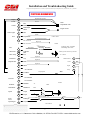
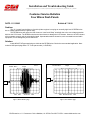
Press MODE and ADJUST buttons and turn on power module. Hold MODE and ADJUST buttons
for five seconds unit the display shows “P r o G”, release buttons. Press MODE button to select
function and ADJUST to make changes.
A= Tachometer: Adjustable from 1-12 pulses per revolution.
Press and hold ADJUST button with “up” arrows to increase pulses per
revolution. Releasing button displays “down” arrows, press and hold to decrease.
Engines: IO 4cyl = 2 pulses, 6cyl = 3 pulses, 8cyl = 4 pulses
OB All Mercury, OMC, Johnson, and Evinrude = 6 pulses
Yamaha = 6 pulses, except 70 HP and lower = 3 pulses
Suzuki = 6 pulses, except 65 HP and lower = 3 pulses
Tohatsu/Nisssan = 6 pulses, except 70 HP and lower = 2 pulses
Honda = 2 pulses, except on 35 HP - 50 HP = 3 pulses
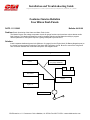
C= Trim: Press and hold
ADJUST button with “up”
arrows
to increase number, releasing
button displays “down” arrows,
press and hold to decrease.
Mercury IO = O
Mercury OB = 1
OMC IO = 2
Volvo IO = 3
OMC OB = 4
Evinrude OB = 5
Johnson OB = 6
Honda OB = 7
Yamaha OB = 8
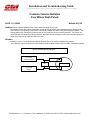
b= Speed: Adjustable from
-50% to +50%.
Press and hold ADJUST button with
“up” arrows to increase pulses per
mile (reduce indicated speed).
Releasing button displays “down”
arrows. Press and hold ADJUST
button to reduce pulses per mile
(increase indicated speed).
D= Fuel, E = Coolant temp, F = Oil pressure
U.S. sensor = 1, VDO sensor = 0. Press ADJUST to select
Pressing both MODE and ADJUST buttons for 2 seconds will save change.
Releasing buttons will exit programming mode and restart module.
If no button is pressed for 20 seconds the program will automatically save any
changes and exit.
CDI Electronics • 111 Commerce Circle • Madison, AL 35758 • Fax 256-772-5701 • www.cdielectronics.com