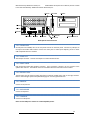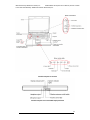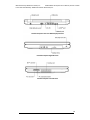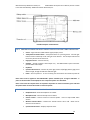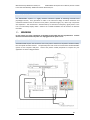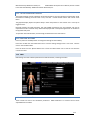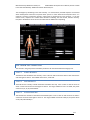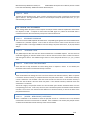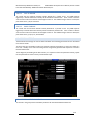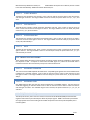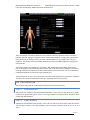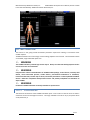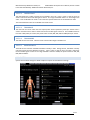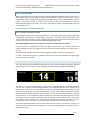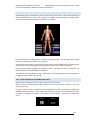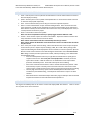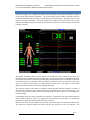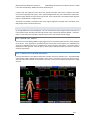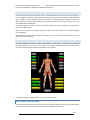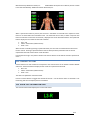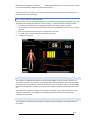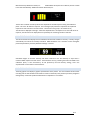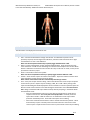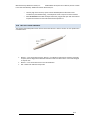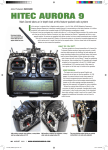
1
® NIM-ECLIPSE SD Surgeon Directed NIOM User’s Manual Software Version 3.5.350 December 2010 P/N 945NESUM Revision (C5) i Manufactured by: Medtronic Xomed, Inc. NIM-ECLIPSE® SD System User’s Manual, Version 3.5.350 In the USA: Distributed by: Medtronic Sofamor Danek USA, Inc. Table Of Contents 1 CUSTOMER SERVICE & LIMITED WARRANTY....................................................... 1-1 1.1 LIMITED WARRANTY ................................................................................................ 1-2 2 PURPOSE OF THIS MANUAL ................................................................................ 2-1 2.1 WHO THIS MANUAL IS FOR ...................................................................................... 2-1 3 INTRODUCTION .................................................................................................. 3-1 3.1 DEVICE DESCRIPTION ............................................................................................... 3-1 3.2 INTENDED USE ......................................................................................................... 3-1 3.3 INDICATIONS FOR USE ............................................................................................. 3-1 3.4 CONTRAINDICATIONS .............................................................................................. 3-1 3.5 SPINAL SURGICAL PROCEDURES .............................................................................. 3-1 4 SAFETY CONSIDERATIONS AND USER RESPONSIBILITIES ..................................... 4-1 4.1 ELECTRO SURGICAL UNIT (ESU) SAFETY CONSIDERATIONS FOR IOM ..................... 4-1 4.2 EXCEPTIONS - NIM-ECLIPSE® SYSTEM EMC IMMUNITY PERFORMANCE ................. 4-1 4.3 USER RESPONSIBILITIES ........................................................................................... 4-2 5 WARNINGS AND CAUTION MESSAGES................................................................ 5-1 5.1 WARNINGS AND PRECAUTIONS ............................................................................... 5-1 5.2 WARNINGS ............................................................................................................... 5-1 5.3 PRECAUTIONS .......................................................................................................... 5-3 5.4 ADDITIONAL PRECAUTIONS ..................................................................................... 5-4 6 SYSTEM ............................................................................................................... 6-1 6.1 COMPONENTS CHECK LIST ....................................................................................... 6-1 6.2 UNPACKING THE SYSTEM ......................................................................................... 6-1 6.3 LIST OF SYSTEM ACCESSORIES ................................................................................. 6-2 7 COMPONENTS DESCRIPTION .............................................................................. 7-1 7.1 OVERVIEW................................................................................................................ 7-1 7.2 NIM-ECLIPSE® SYSTEM CONTROLLER ...................................................................... 7-1 7.2.1 REAR PANEL ............................................................................................................. 7-1 7.3 NIM-ECLIPSE® SYSTEM COMPUTER ......................................................................... 7-3 7.3.1 DESKTOP COMPUTER FRONT PANEL ....................................................................... 7-4 7.3.2 DESKTOP COMPUTER REAR PANEL .......................................................................... 7-4 7.3.3 EXTERNAL MONITOR ............................................................................................... 7-6 7.3.4 DESKTOP KEYBOARD AND MOUSE .......................................................................... 7-6 ii Manufactured by: Medtronic Xomed, Inc. NIM-ECLIPSE® SD System User’s Manual, Version 3.5.350 In the USA: Distributed by: Medtronic Sofamor Danek USA, Inc. 7.3.5 PORTABLE COMPUTER COMPONENT DESCRIPTION ............................................... 7-6 7.3.6 PORTABLE COMPUTER FRONT PANEL DISPLAY CONTROLS AND INDICATORS ........ 7-9 7.3.7 PORTABLE COMPUTER FRONT VIEW CONTROLS AND INDICATORS ........................ 7-9 7.3.8 PORTABLE COMPUTER REAR PANEL CONTROLS AND INDICATORS ...................... 7-10 7.3.9 PORTABLE COMPUTER RIGHT SIDE CONTROLS AND INDICATORS ........................ 7-10 7.3.10 PORTABLE COMPUTER LEFT SIDE CONTROLS AND INDICATORS ........................... 7-10 7.4 PRINTER ................................................................................................................. 7-10 7.5 PATIENT INTERFACE MODULE ............................................................................... 7-10 7.5.1 PIM RECORDING ELECTRODE INPUTS .................................................................... 7-11 7.5.2 PIM ACTIVE ELECTRODES PREAMPLIFIER............................................................... 7-12 7.5.3 PIM STIMULATION PANEL ...................................................................................... 7-13 7.5.4 PULSE OXIMETER ................................................................................................... 7-14 7.5.5 PATIENT INTERFACE MODULE SELF-TESTS............................................................. 7-15 7.6 ELECTRO-SURGERY UNIT MUTE PROBE ................................................................. 7-15 7.7 NIM-ECLIPSE® REMOTE MONITORING CONNECTIONS .......................................... 7-16 7.7.1 MODEM ................................................................................................................. 7-16 7.7.2 NETWORK .............................................................................................................. 7-16 8 INSTALLATION GUIDE ......................................................................................... 8-1 8.1 SITE SELECTION ........................................................................................................ 8-1 8.2 MAIN CONNECTIONS ............................................................................................... 8-1 8.3 PATIENT INTERFACE MODULE CONNECTIONS......................................................... 8-2 8.4 POWER CONNECTIONS ............................................................................................ 8-2 9 QUICK START PROCEDURE .................................................................................. 9-1 10 STARTING THE NIM-ECLIPSE® SYSTEM ...............................................................10-1 10.1 WINDOWS LOGON ................................................................................................. 10-1 10.2 SURGEON LOGON SCREEN ..................................................................................... 10-2 10.3 DISPLAY SCREEN FEATURES ................................................................................... 10-2 10.3.1 SELECT BUTTON BAR .............................................................................................. 10-2 10.3.2 OPTIONS BUTTON BAR .......................................................................................... 10-4 11 STANDARD TEST LIST WINDOW .........................................................................11-1 11.1 PATIENT NAME ...................................................................................................... 11-1 11.2 STANDARD TEST LIST ............................................................................................. 11-2 12 PATIENT DATA LIST WINDOW ............................................................................12-1 12.1 PATIENT AREA ........................................................................................................ 12-1 13 SETTINGS ...........................................................................................................13-1 iii Manufactured by: Medtronic Xomed, Inc. NIM-ECLIPSE® SD System User’s Manual, Version 3.5.350 In the USA: Distributed by: Medtronic Sofamor Danek USA, Inc. 13.1 SETUP ..................................................................................................................... 13-1 13.1.1 TEST NAME............................................................................................................. 13-1 13.1.2 BODY IMAGE .......................................................................................................... 13-1 13.1.3 SETUP HELP ............................................................................................................ 13-2 13.1.4 LEVEL SELECTION ................................................................................................... 13-2 13.1.5 CHANNEL SELECTION ............................................................................................. 13-2 13.1.6 CLEAR ..................................................................................................................... 13-2 13.1.7 SETUP GRAPHICAL DISPLAY ................................................................................... 13-3 13.1.8 EXITING SETTINGS .................................................................................................. 13-3 13.2 EMG ....................................................................................................................... 13-3 13.2.1 EMG STIMULATION ................................................................................................ 13-3 13.2.2 RECORDING ............................................................................................................ 13-4 13.2.3 AUDIO .................................................................................................................... 13-4 13.3 NERVE PROXIMITY ................................................................................................. 13-5 13.3.1 NERVE PROXIMITY STIMULATION .......................................................................... 13-5 13.3.2 NERVE PROXIMITY RECORDING ............................................................................. 13-6 13.3.3 AUDIO .................................................................................................................... 13-6 13.4 SCREW TEST ........................................................................................................... 13-6 13.4.1 SCREW TEST STIMULATION ................................................................................... 13-7 13.4.2 SCREW TEST RECORDING ....................................................................................... 13-8 13.4.3 PASS/FAIL CRITERIA ............................................................................................... 13-8 13.5 NERVE ROOT TEST .................................................................................................. 13-9 13.5.1 NERVE ROOT STIMULATION .................................................................................. 13-9 13.5.2 NERVE ROOT RECORDING .................................................................................... 13-10 13.6 TOF (TRAIN OF FOUR) .......................................................................................... 13-10 13.6.1 TOF STIMULATION ............................................................................................... 13-11 13.6.2 TOF STIMULATION SITE ........................................................................................ 13-12 13.6.3 RESPONSE THRESHOLD ........................................................................................ 13-12 13.6.4 TOF RECORDING SITE ........................................................................................... 13-12 13.7 MEP ...................................................................................................................... 13-12 13.7.1 MEP STIMULATION .............................................................................................. 13-13 13.8 SYSTEM ................................................................................................................ 13-14 13.8.1 HIPPA COMPLIANCE SETTINGS ............................................................................ 13-15 13.8.2 REMOTE MONITORING ........................................................................................ 13-15 13.8.3 MISC SETTINGS .................................................................................................... 13-15 iv Manufactured by: Medtronic Xomed, Inc. NIM-ECLIPSE® SD System User’s Manual, Version 3.5.350 In the USA: Distributed by: Medtronic Sofamor Danek USA, Inc. 13.8.4 PROBE STIMULUS POLARITY ................................................................................ 13-16 13.8.5 DUAL SCREEN ....................................................................................................... 13-16 13.8.6 EMG NOTCH FILTER ............................................................................................. 13-17 13.8.7 SEND ERROR INFO TO FACTORY .......................................................................... 13-17 13.8.8 SUPPORT .............................................................................................................. 13-17 13.9 EXITING SETTINGS ................................................................................................ 13-17 14 TEST WINDOWS .................................................................................................14-1 14.1 SELECT BUTTON BAR .............................................................................................. 14-1 14.2 TRACE AREA ........................................................................................................... 14-1 14.3 STIMULATION AREA ............................................................................................... 14-1 14.4 BODY GRAPHIC AREA ............................................................................................. 14-1 14.5 PULSE OXIMETER/INFORMATION AREA ................................................................ 14-2 14.6 OPTIONS BUTTON BAR .......................................................................................... 14-2 14.7 PROBE CONTROL OF MENU FUNCTIONS ............................................................... 14-2 15 ELECTRODES ......................................................................................................15-1 15.1 STIMULATION ELECTRODES MEASUREMENT AREA ............................................... 15-1 15.2 RECORDING ELECTRODES MEASUREMENT AREA .................................................. 15-2 15.3 ELECTRODES BODY GRAPHIC AREA........................................................................ 15-2 15.4 ELECTRODES OPTIONS BUTTON BAR ..................................................................... 15-2 16 EMG TEST WINDOW ..........................................................................................16-1 16.1 EMG TRACE AREA .................................................................................................. 16-1 16.1.1 FREE RUN EMG ...................................................................................................... 16-2 16.1.2 SIGNAL TRIGGERED EMG ....................................................................................... 16-2 16.2 EMG STIMULATION AREA ...................................................................................... 16-2 16.3 EMG BODY GRAPHIC AREA .................................................................................... 16-3 16.4 PULSE OXIMETER/INFORMATION AREA ................................................................ 16-3 16.5 EMG OPTIONS BUTTON BAR .................................................................................. 16-4 16.6 EMG TEST PROBE CONTROL .................................................................................. 16-4 17 NERVE PROXIMITY .............................................................................................17-1 17.1 NERVE PROXIMITY TRACE AREA ............................................................................ 17-2 17.1.1 NERVE PROXIMITY FREE RUN EMG ........................................................................ 17-2 17.1.2 NERVE PROXIMITY SIGNAL TRIGGERED EMG ........................................................ 17-2 17.2 NERVE PROXIMITY STIMULATION AREA ................................................................ 17-2 17.3 NERVE PROXIMITY BODY GRAPHIC AREA .............................................................. 17-2 17.4 NERVE PROXIMITY OPTIONS BUTTON BAR ............................................................ 17-3 v Manufactured by: Medtronic Xomed, Inc. NIM-ECLIPSE® SD System User’s Manual, Version 3.5.350 In the USA: Distributed by: Medtronic Sofamor Danek USA, Inc. 18 SCREW TEST .......................................................................................................18-1 18.1 SCREW TEST TRACE AREA ...................................................................................... 18-2 18.1.1 SCREW TEST TRACES .............................................................................................. 18-2 18.1.2 SCREW TEST STACKED RESPONSES ........................................................................ 18-2 18.2 SCREW TEST STIMULATION AREA .......................................................................... 18-3 18.3 SCREW TEST BODY GRAPHIC AREA ........................................................................ 18-3 18.3.1 SPINAL LEVEL BUTTONS ......................................................................................... 18-3 18.3.2 CHANNEL BUTTONS ............................................................................................... 18-4 18.4 SCREW TEST INFORMATION AREA ......................................................................... 18-4 18.5 SCREW TEST OPTIONS BUTTON BAR ..................................................................... 18-5 18.6 SCREW TEST PROBE CONTROL ............................................................................... 18-5 19 NERVE ROOT TEST .............................................................................................19-1 19.1 NERVE ROOT TEST TRACE AREA ............................................................................. 19-1 19.1.1 NERVE ROOT TEST TRACES .................................................................................... 19-2 19.1.2 NERVE ROOT TEST STACKED RESPONSES .............................................................. 19-2 19.2 NERVE ROOT TEST STIMULATION AREA ................................................................ 19-2 19.3 NERVE ROOT TEST BODY GRAPHIC AREA .............................................................. 19-3 19.3.1 SPINAL LEVEL BUTTONS ......................................................................................... 19-3 19.3.2 CHANNEL BUTTONS ............................................................................................... 19-4 19.4 NERVE ROOT INFORMATION AREA ........................................................................ 19-4 19.5 NERVE ROOT TEST OPTIONS BUTTON BAR ............................................................ 19-4 19.6 NERVE ROOT TEST PROBE CONTROL ..................................................................... 19-5 20 TRAIN OF FOUR TEST .........................................................................................20-1 20.1 TOF TECHNIQUE ..................................................................................................... 20-1 20.1.1 TOF STIMULATION ARTIFACT ................................................................................. 20-2 20.2 TOF RESPONSES ..................................................................................................... 20-2 20.3 TOF GRAPHIC ......................................................................................................... 20-2 20.4 TOF STIMULATION AREA ........................................................................................ 20-3 20.5 TOF BODY GRAPHIC ............................................................................................... 20-3 20.6 TOF INFORMATION AREA ...................................................................................... 20-4 20.7 TOF OPTIONS BUTTON BAR ................................................................................... 20-4 20.8 TOF TEST PROBE CONTROL .................................................................................... 20-5 21 MEP ...................................................................................................................21-1 21.1 MEP RESPONSE AREA ............................................................................................ 21-1 21.1.1 MEP TEST TRACES .................................................................................................. 21-2 vi Manufactured by: Medtronic Xomed, Inc. NIM-ECLIPSE® SD System User’s Manual, Version 3.5.350 In the USA: Distributed by: Medtronic Sofamor Danek USA, Inc. 21.1.2 MEP TEST STACKED RESPONSES ............................................................................ 21-2 21.2 MEP STIMULATION AREA ....................................................................................... 21-2 21.3 MEP BODY GRAPHIC AREA ..................................................................................... 21-3 21.4 MEP INFORMATION AREA ..................................................................................... 21-3 21.5 MEP OPTIONS BUTTON BAR .................................................................................. 21-3 21.6 MEP TEST PROBE CONTROL ................................................................................... 21-4 22 REVIEWING PATIENT DATA ................................................................................22-1 22.1 TRACE REVIEW AREA.............................................................................................. 22-2 22.2 STIMULATION REVIEW AREA ................................................................................. 22-2 22.3 COMMENT REVIEW AREA ...................................................................................... 22-2 22.4 REVIEW CONTROL AREA ........................................................................................ 22-2 22.4.1 PLAY/STOP PLAYBACK ............................................................................................ 22-2 22.4.2 EVENTS ONLY ......................................................................................................... 22-3 22.4.3 PREVIOUS/NEXT ARROW CONTROLS ..................................................................... 22-3 22.4.4 REVIEW BAR ........................................................................................................... 22-3 23 REPORT GENERATOR .........................................................................................23-1 23.1 TEMPLATES ............................................................................................................ 23-1 23.2 LISTS ....................................................................................................................... 23-2 23.3 EDITING LISTS ......................................................................................................... 23-2 23.4 PRINTING ............................................................................................................... 23-3 23.5 SAVING THE REPORT .............................................................................................. 23-3 23.6 FORMATTING TEXT ................................................................................................ 23-4 23.7 USING TABLES ........................................................................................................ 23-4 23.8 EXAMPLE: TEXT LAYOUT USING TABLES ................................................................ 23-4 23.9 CREATING AND EDITING TEMPLATES .................................................................... 23-5 23.10 ADDING DATA FIELDS............................................................................................. 23-6 24 REMOTE MONITORING ......................................................................................24-1 24.1 OVERVIEW.............................................................................................................. 24-1 24.2 REMOTE MONITORING USING NETOP ................................................................... 24-1 24.2.1 ENABLE REMOTE MONITORING............................................................................. 24-1 24.2.2 HOST PARAMETERS WINDOW ............................................................................... 24-1 24.2.3 GUEST REMOTE CONTROL WINDOW .................................................................... 24-2 24.2.4 CALLING THE NIM-ECLIPSE SYSTEM HOST ........................................................... 24-3 24.3 WIRELESS LAN CONNECTIVITY ............................................................................... 24-4 25 MAINTENANCE ..................................................................................................25-1 ® vii Manufactured by: Medtronic Xomed, Inc. NIM-ECLIPSE® SD System User’s Manual, Version 3.5.350 In the USA: Distributed by: Medtronic Sofamor Danek USA, Inc. 25.1 MAINTENANCE SCHEDULE ..................................................................................... 25-1 25.2 EQUIPMENT CLEANING .......................................................................................... 25-2 25.3 CABLES, LEADWIRES AND ELECTRODES ................................................................. 25-2 25.4 EQUIPMENT TRANSPORTATION ............................................................................ 25-2 26 APPENDIX 1 – REMOTE MONITORING TECHNICAL ASPECTS ..............................26-1 26.1 VIA MODEM ........................................................................................................... 26-1 26.1.1 DIRECT CALL ........................................................................................................... 26-1 26.1.2 INTERNET DIAL UP ................................................................................................. 26-1 26.2 VIA LAN WITH GUEST AND HOST IN SAME LAN SEGMENT .................................... 26-1 26.3 VIA LAN WITH GUEST AND HOST IN DIFFERENT LAN SEGMENTS .......................... 26-1 26.4 SETUP FOR ADDITIONAL ROUTERS (GATEWAYS) ................................................... 26-1 26.5 VIA INTERNET ......................................................................................................... 26-5 26.5.1 GUEST AND HOST ARE CONNECTED TO INTERNET WITHOUT FIREWALL .............. 26-5 26.5.2 GUEST, HOST OR BOTH ARE CONNECTED TO A FIREWALL .................................... 26-6 27 TROUBLESHOOTING GUIDE ...............................................................................27-1 28 APPENDIX 2 - ARTIFACTS ...................................................................................28-1 28.1 OVERVIEW.............................................................................................................. 28-1 28.2 ARTIFACT SOURCES ................................................................................................ 28-1 28.2.1 ELECTRODES AND LEADS ....................................................................................... 28-1 28.2.2 PHYSIOLOGICAL ARTIFACTS ................................................................................... 28-1 28.2.3 ENVIRONMENTAL ARTIFACTS ................................................................................ 28-2 28.2.4 ARTIFACT TYPES ..................................................................................................... 28-2 29 APPENDIX 3 - ABBREVIATIONS AND SYMBOLS...................................................29-1 29.1 ABBREVIATIONS ..................................................................................................... 29-1 29.2 SYMBOLS ................................................................................................................ 29-2 30 APPENDIX 4 - SPECIFICATIONS ...........................................................................30-1 31 APPENDIX 5 - GLOSSARY ....................................................................................31-1 32 APPENDIX 6 – DECLARATION OF ELECTROMAGNETIC IMMUNITY ......................32-1 viii Manufactured by: Medtronic Xomed, Inc. NIM-ECLIPSE® SD System User’s Manual, Version 3.5.350 In the USA: Distributed by: Medtronic Sofamor Danek USA, Inc. 1 CUSTOMER SERVICE & LIMITED WARRANTY US CUSTOMER SERVICE INTERNATIONAL CUSTOMER SERVICE U.S. Customer Service Medtronic Sofamor Danek USA General customer service and technical support are available toll-free: Phone: 800-933-2635 Fax: 800-468-9705 Monday - Friday 7:00 a.m. - 7:00 p.m. CST Microelectronics Repair International customers should contact their local Medtronic Sofamor Danek USA Medtronic Xomed office. Technical Support: 800-933-2635 Fax: 800-468-9705 Monday – Friday 7:00 a.m. - 7:00 p.m. CST Return Address: Medtronic Sofamor Danek USA 1800 Pyramid Place Memphis, Tennessee 38132, USA Attn.: Repair Department ® The NIM-ECLIPSE System Helpline Medtronic Sofamor Danek USA Should you need immediate help with a technical question or guidance through the appropriate ® protocol, just call the NIM-ECLIPSE NS System Help Line at 800-933-2635. Note: When contacting our Customer Service and Technical Support, please have the appropriate product number, product serial number, date of purchase, and nature of inquiry available. 1-1 Manufactured by: Medtronic Xomed, Inc. NIM-ECLIPSE® SD System User’s Manual, Version 3.5.350 In the USA: Distributed by: Medtronic Sofamor Danek USA, Inc. 1.1 LIMITED WARRANTY ® A. This LIMITED WARRANTY provides assurance for the customer who purchases a NIM-ECLIPSE System (hereinafter the “Product”) that should the Product fail to function to Medtronic’s published specifications during the term of this LIMITED WARRANTY (one year from the date of shipment or 90 days from the date of sale of a refurbished or used System Component), Medtronic will either replace, repair, or issue a credit (adjusted to reflect the age of the Product) for the Product or any portion thereof. This LIMITED WARRANTY is extended only to the buyer purchasing the Product directly from Medtronic or from its affiliate or its authorized distributor or representative. B. To qualify for this LIMITED WARRANTY, the following conditions must be met: (1) The Product must be used on or before its “Use By” or “Use Before” date, if applicable. (2) The Product must be used in accordance with its labeling and may not be altered or subjected to misuse, abuse, accident or improper handling. (3) Medtronic must be notified in writing within thirty (30) days following discovery of a defect. (4) The Product must be returned to Medtronic within thirty (30) days of Medtronic receiving notice as provided for in (3) above. (5) Upon examination of the Product by Medtronic, Medtronic shall have determined that: (i) the Product was not repaired or altered by anyone other than Medtronic or its authorized representative, (ii) the Product was not operated under conditions other than normal use, and (iii) the prescribed periodic maintenance and services have been performed on the Product. C. This LIMITED WARRANTY is limited to its express terms. THIS LIMITED WARRANTY IS IN LIEU OF ALL OTHER WARRANTIES, EXPRESSED OR IMPLIED WHETHER STATUTORY OR OTHERWISE, INCLUDING ANY IMPLIED WARRANTY OF MERCHANTABILITY OR FITNESS FOR A PARTICULAR PURPOSE. In no event shall Medtronic be liable for any consequential, incidental, prospective or other similar damage resulting from a defect, failure, or malfunction of the Product, whether a claim for such damage is based upon the warranty, contract, negligence or otherwise. D. The exclusions and limitations set out above are not intended to, and should not be construed so as to, contravene mandatory provisions of applicable law. Users may benefit from statutory warranty rights under legislation governing the sale of consumer goods. If any part or term of this LIMITED WARRANTY is held by any court of competent jurisdiction to be illegal, unenforceable, or in conflict with applicable law, the validity of the remaining portion of the LIMITED WARRANTY shall not be affected, and all rights and obligations shall be construed and enforced as if this LIMITED WARRANTY did not contain the particular part or term held to be invalid. Caution Applicable law may restrict the sale, distribution or use of this device to, by or on the order of a licensed medical practitioner. 1-2 Manufactured by: Medtronic Xomed, Inc. NIM-ECLIPSE® SD System User’s Manual, Version 3.5.350 In the USA: Distributed by: Medtronic Sofamor Danek USA, Inc. Manufactured by: Medtronic Xomed, Inc. 6743 Southpoint Drive North Jacksonville, Florida 32216 USA Telephone: (800)-874-5797 / (904)-296-9600 Fax: (800)-678-3995 In the USA: Distributed by: Medtronic Sofamor Danek USA, Inc. 1800 Pyramid Place Memphis, Tennessee 38132, USA Telephone: 800-933-2635 (in USA) 800-876-3133 (in USA) Fax: 901-396-0356 (in USA) EU Authorized Representative: Medtronic B.V. Earl Bakkenstraat 10 6422 PJ Heerlen The Netherlands Tel: +31 45 566 80 00 Trademarks NIM-ECLIPSE® System is a registered trademark of Medtronic, Inc. Microsoft is a registered trademark of Microsoft Corporation. TM Windows is a trademark of Microsoft Corporation. NetOp is a registered trademark of DanWare Corp. Notice Information contained in this document is subject to change without notice. Names and data used in examples included herein are fictitious unless otherwise noted. No part of this document may be reproduced in any manner, or transmitted by any form or means electronic or mechanical, for any purpose without the express written permission of Medtronic. Medtronic makes no warranty of any kind with regard to this material, including, but not limited to the implied warranties of merchantability and fitness for a particular purpose. Medtronic assumes no 1-3 Manufactured by: Medtronic Xomed, Inc. NIM-ECLIPSE® SD System User’s Manual, Version 3.5.350 In the USA: Distributed by: Medtronic Sofamor Danek USA, Inc. responsibility for any errors that may appear in this document and we make no commitment to update or keep current the information contained in this document. © 2010 Medtronic Xomed, Inc. All rights reserved. 1-4 Manufactured by: Medtronic Xomed, Inc. NIM-ECLIPSE® SD System User’s Manual, Version 3.5.350 In the USA: Distributed by: Medtronic Sofamor Danek USA, Inc. 2 PURPOSE OF THIS MANUAL The objectives of this manual are to instruct you in accomplishing the following: Install all components of the NIM-ECLIPSE® System Describe operation of controls and settings Modify and save Standard Test protocols Start a monitoring session Modify test parameters during the test Recognize artifacts Review patient data and print reports 2.1 WHO THIS MANUAL IS FOR This manual is designed for clinical professionals and qualified medical personnel. Such personnel are expected to have working knowledge of medical procedures, practices and terminology as required for neurological monitoring. 2-1 Manufactured by: Medtronic Xomed, Inc. NIM-ECLIPSE® SD System User’s Manual, Version 3.5.350 In the USA: Distributed by: Medtronic Sofamor Danek USA, Inc. 3 3.1 INTRODUCTION DEVICE DESCRIPTION The NIM-ECLIPSE® System is an eight-channel EMG and evoked potential monitor for intraoperative use during surgeries in which a motor nerve is at risk due to unintentional manipulation. The NIM-ECLIPSE® System records electromyographic (EMG) activity from muscles innervated by the affected nerve. The monitor will assist early nerve identification by providing the surgeon with a tool to help locate and identify the particular nerve at risk within the surgical field. It will continuously monitor EMG activity from the muscles innervated by the nerve at risk to minimize trauma by alerting the surgeon when a particular nerve has been activated. 3.2 INTENDED USE This section not used. See Indications for Use. 3.3 INDICATIONS FOR USE The NIM-ECLIPSE® System is intended for use to record, monitor and stimulate/record biopotential signals including electromyograph (EMG), evoked response and nerve/muscle potentials and for the intraoperative diagnosis of acute dysfunction in corticospinal axonal conduction. The system provides feedback to the surgeon and OR team to assist in the localization and assessment of spinal nerves and verification of placement of spinal instrumentation to avoid injury to at risk nerve roots. 3.4 CONTRAINDICATIONS The use of paralyzing anesthetic agents will significantly reduce, if not completely eliminate, EMG responses to direct or passive nerve stimulation. Whenever nerve paralysis is suspected, consult an anesthesiologist. Comprehensive relative contraindications of TCeMEP include epilepsy, cortical lesions, convexity skull defects, raised intracranial pressure, cardiac disease, proconvulsant medications or anesthetics, intracranial electrodes, vascular clips or shunts, and cardiac pacemakers or other implanted biomedical devices. Otherwise, unexplained intraoperative seizures and possibly arrhythmias are indications to abort TCeMEP. A WARNING The NIM-ECLIPSE® System does not prevent the surgical severing of nerves. If monitoring is compromised, the surgical practitioner must rely on alternate methods, or surgical skills, experience, and anatomical knowledge to prevent damage to nerves. 3.5 SPINAL SURGICAL PROCEDURES Examples of spinal surgical procedures that may require electromyographic (EMG) monitoring and/or the utilization of motor evoked potential (MEP) stimulation: Pedicle screw procedures 3-1 Manufactured by: Medtronic Xomed, Inc. NIM-ECLIPSE® SD System User’s Manual, Version 3.5.350 In the USA: Distributed by: Medtronic Sofamor Danek USA, Inc. 4 4.1 SAFETY CONSIDERATIONS AND USER RESPONSIBILITIES ELECTRO SURGICAL UNIT (ESU) SAFETY CONSIDERATIONS FOR IOM The following safety considerations apply to the use of the NIM-ECLIPSE® System Neurological Monitor for Intraoperative Monitoring (IOM). These guidelines should be followed to insure that the NIMECLIPSE® System is operated safely at all times. 1. Verify that the Electro Surgical Unit’s (ESU) dispersive pad return electrode is properly applied to the patient. Many ESU units will signal the surgeon when the dispersive pad is not making good contact with the patient. However, it is important to confirm this by visual inspection to insure that return currents will flow directly to the pad. Do not activate the ESU for prolonged periods when the ESU pencil is not in direct contact with the patient. Radio Frequency (RF) leakage currents are most hazardous when the ESU pencil is activated, but not in contact with the patient. During this time, leakage currents may flow through the patient and return to earth ground through the lowest resistance path. Prolonged activation may cause leakage current to produce localized tissue heating. 2. Avoid ESU pencil use close to the monitoring or stimulation electrodes. Activating the ESU pencil in the vicinity of the patient electrodes will increase the probability of leakage currents flowing in the electrodes. 3. Use a large area ground electrode for the patient ground. Reducing the leakage current density (Amps/Area) will reduce the possibility of leakage currents flowing in the electrodes. 4. Do not use the ESU return electrode as the patient ground connection. Do not place the ESU return electrode above or near the recording or stimulating electrodes. Both maneuvers will increase the probability of leakage current to flow through the patient electrodes. 5. Never connect the patient or patient ground electrode to grounded metal objects or to earth ground. Great care is taken to isolate the patient from earth ground to maximize protection from both line and RF induced currents. Do not defeat this important safety feature by connecting the patient to earth ground. 6. Leakage currents may exist in recording and stimulating electrode leads even when the NIM-ECLIPSE® System monitor is not powered on. Any source of stray capacitance or impedance to earth ground from the patient may be a path for leakage currents to flow. The NIM-ECLIPSE® System does not have to be powered on and operating for this effect to occur. 7. Periodically verify the ground integrity of the NIM-ECLIPSE® System as well the leakage currents for both AC line and ESU generated RF currents. Check that all O.R. power line receptacles are properly grounded and conform to all applicable safety standards. 8. Avoid using non-approved external patient connected devices. External devices may add significant stray capacitance to earth ground, increasing potential pathways for RF leakage current to flow. 4.2 EXCEPTIONS - NIM-ECLIPSE® SYSTEM EMC IMMUNITY PERFORMANCE IEC60601-1-2 Medical Electrical Equipment, Part 1: General Requirements for Safety, 2. Collateral Standard: Electromagnetic compatibility - Requirements and tests. Section 36.202.a - Radiated Electromagnetic Fields states: For Patient Coupled Equipment and/or systems applicable IMMUNITY levels are under consideration. The 3 volts per meter IMMUNITY level may be inappropriate because the physiological signals measured can be substantially below those induced by field strength of 3 volts per meter. 4-1 Manufactured by: Medtronic Xomed, Inc. NIM-ECLIPSE® SD System User’s Manual, Version 3.5.350 In the USA: Distributed by: Medtronic Sofamor Danek USA, Inc. Users should be aware of known RF sources, such as radio or TV stations and hand-held or mobile twoway radios, and consider them when installing a medical device or system. Be aware that adding accessories or components, or modifying the medical device or system may degrade the immunity performance. Consult with qualified personnel regarding changes to the system configuration. 4.3 USER RESPONSIBILITIES The NIM-ECLIPSE® System is restricted to sale by, or on the order of, a licensed medical professional. This instrument should be used under the supervision of a licensed medical professional. This system equipment and authorized accessories are designed to function as described in this user manual. Read this manual carefully before attempting to use this device. It is important to note that the NIM-ECLIPSE® System is an adjunct and aid for the physician in the establishment of a diagnosis. It does not replace the physician. The user or users of this equipment should not use parts that have failed or are otherwise ineffective. The following list describes the user’s responsibilities. 1. Periodic check and maintenance of equipment and power sources. 2. Replacement of components as required for safe and reliable operation. 3. Replacement of inoperable parts with approved parts. 4. Equipment that is not functioning properly must not be used until all necessary maintenance and testing has been completed. 5. The NIM-ECLIPSE® System, including hardware and software components, and its accessories should not be modified. 6. The user of this equipment shall have the sole responsibility and liability for any injury to persons or damage to property (including this equipment) resulting from: Operation not in accordance with supplied operating instructions. Maintenance not in accordance with authorized maintenance/operational or factory instructions. 4-2 Manufactured by: Medtronic Xomed, Inc. NIM-ECLIPSE® SD System User’s Manual, Version 3.5.350 In the USA: Distributed by: Medtronic Sofamor Danek USA, Inc. 5 WARNINGS AND CAUTION MESSAGES Warning Messages - A warning message describes a condition or situation that may present danger to either patient or operator if an operating procedure is not followed. Caution Messages - A caution message is used to inform of a condition or situation which may result in damage to the instrument(s) or cause data loss. 5.1 WARNINGS AND PRECAUTIONS ® It is important that the NIM-ECLIPSE System operator be familiar with this manual, its precautions, procedures and safety issues. Three labels are used in this manual to identify important concerns, conditions, or procedures: Warnings: Describes serious adverse reactions and potential safety hazards that can occur during the proper or improper use of a device. In the operating instructions warning messages are preceded by the A symbol. Precautions: Any special care to be exercised by a practitioner or patient for the safe and effective use of the device. Caution messages in the operating instructions are preceded by the B symbol 5.2 Additional Precautions: Identifies conditions or practices that could result in damage to the equipment. WARNINGS ® W1. The NIM-ECLIPSE System does not prevent the surgical severing of nerves. If monitoring is compromised, the surgical practitioner must rely on alternate methods, or surgical skills, experience, and anatomical knowledge to prevent damage to nerves. W2. To avoid patient burns: W2a. Do not activate electrosurgical instrument while the stimulator is in contact with tissue. W2b. Do not leave stimulating electrodes or probes in surgical field. W2c. Do not store stimulating electrodes or probes in electrosurgical instrument holder. W2d. Do not allow a second surgeon (i.e. fat harvesting) to use electrosurgical instrument while stimulator is in use. W3. Special operator attention may be required for stimulus currents exceeding 2 mA RMS/cm2. The RMS value of current is generally lower than the stimulator current setting in mA. To calculate RMS current, waveform morphology, pulse width, repetition rate, and the stimulator current delivered must be considered. ® W4. If NIM-ECLIPSE® System accessories are used with stimulators other than the NIM ECLIPSE System, do not exceed an energy level of 50 mJ per pulse (measured into a 1 kilo-ohm load). W5. While Muting is activated, auditory and visual monitoring are disabled. W6. To avoid false negative responses, verify stimulator current setting is high enough, and verify stimulus delivery by observing measured patient current. Low stimulator current may cause a false negative response. W7. High stimulator current and/or transcranial motor stimulation may cause involuntary patient movement resulting in patient injury. 5-1 Manufactured by: Medtronic Xomed, Inc. NIM-ECLIPSE® SD System User’s Manual, Version 3.5.350 In the USA: Distributed by: Medtronic Sofamor Danek USA, Inc. W8. High stimulator current and/or transcranial motor stimulation activating of the fifth cranial nerve or Mastication muscles may cause tongue lacerations. W9. False negative responses (failure to locate nerve) may result from: W9a. Shorted EMG electrode or cabling (conductive parts of applied needle electrodes or cables contacting each other). W9b. Inadequate stimulus current. W9c. Inadequate current for stimulation of nerve through hardware, such as pedicle screws or stimulus dissection instruments, may vary based on the physical size, shape characteristics, and design of the hardware and proximity to the nerve. W9d. Neuromuscular fatigue from prolonged or repeated exposure to electrical stimuli. W9e. Inadvertent simultaneous current delivery from both Stimulator (Patient Interface) probe outputs. This may result in current shunting, division between the stimulator probes (this is referring to monopolar probes only). W9f. Shorted internal amplifier (characterized by baseline activity of < 3 µV p-p). W9g. Improper placement of recording and/or stimulating electrodes W10.Do not power-on the NIM-ECLIPSE® System when the stimulator is in the surgical field. W11.To avoid the risk of fire or explosion, do not use the NIM-ECLIPSE flammable anesthetics and/or oxygen rich environments. ® System in the presence of W12.To avoid electrical shock, do not attach unapproved components or accessories to the NIM-ECLIPSE® System. W13.Direct stimulator contact may disrupt the operation of active implanted devices. W14.Proper handling, insertion, and placement of electrodes and probes is critical for safe and accurate monitoring: W15.Improperly placed or bent needles increase the risk of needle breaking off in the patient. W16.Do not attempt to straighten bent needles because this may cause stress and weaken device, causing needle to break off in the patient. W17.Extreme care must be taken when handling instruments with sharp points or edges. W18.The surgical practitioner must choose the appropriate size and locations of electrodes and probes based on the procedure to be performed and the stimulating current necessary for the application. W19.Avoid trans-thoracic stimulation; when possible, maintain anode and cathode stimulating sites in close proximity. W20.Reuse of single use electrodes and probes increase the risk of infection and may cause degraded or ineffective monitoring. 5-2 Manufactured by: Medtronic Xomed, Inc. NIM-ECLIPSE® SD System User’s Manual, Version 3.5.350 In the USA: Distributed by: Medtronic Sofamor Danek USA, Inc. 5.3 PRECAUTIONS P1. Special care must be exercised to distinguish between the high-pitched beep of the Event Tones (EMG activity over threshold), and the Stimulus Warble Tone (indicates the set current is being delivered). P2. To avoid loud, extraneous monitoring noise during electrosurgical unit activation, ensure the Muting Probe is properly attached to the active electrosurgical lead. P3. Inadequate stimulus current flow may be caused by non-flush contact between the stimulating electrode or probe and the nerve, inadequate stimulator probe electrical contact surface area, or high impedance. P4. Inability to deliver stimulus current flow may be caused by: P4a. Stimulator return electrode not connected, or other incomplete electrical connection ® between the NIM-ECLIPSE System, monitoring electrode and stimulator probe. P4b. Stimulus set to 0.00 mA. P4c. Defective stimulating electrode or probe. P5. To avoid false positive EMG events (stimulus artifacts): P5a. Ensure the recording electrodes and the stimulator (+) or (-) cabling are routed separately and not tangled. P5b. When possible, ensure the EMG ground (green wire) is physically placed between the stimulator return electrode and the EMG channel input electrodes. ® P6. Proper placement and setup of the electrosurgical unit away from the NIM-ECLIPSE System will reduce or minimize unnecessary muting, interference, and offsets. P7. Use of unapproved stimulators, stimulus probes, stimulus-dissection instruments or electrodes may result in compromised NIM-ECLIPSE® System operation, such as, but not limited to, decreased accuracy. P8. Electrode integrity should be checked after electrode insertion and before electrode removal to give additional assurance that electrode continuity was maintained throughout the entire procedure. If electrode impedance is very high, discontinue use and replace. P9. The Patient Interface cable and Muting Probe cable should be secured to the floor with tape or other non-trip device. P10.To avoid excessive muting: P10a. Avoid high-power electrosurgical unit monopolar settings. Note that muting caused by electrode charging may last several seconds after electrosurgical Instrument use. P10b. Avoid accidental contact between connected but unapplied electrodes and other conductive parts. P11.Contaminated single use electrodes and probes must be disposed of in an appropriate sharps biohazard container in accordance with hospital or other user facilities policy. P12.The Patient Interface Module cable and Muting Probe cable should be secured to the floor with tape or other non-trip device. P13.This equipment is not liquid or splash proof. Erratic operation or permanent damage can result if water or liquids enter any of the electronic portions of this equipment 5-3 Manufactured by: Medtronic Xomed, Inc. NIM-ECLIPSE® SD System User’s Manual, Version 3.5.350 In the USA: Distributed by: Medtronic Sofamor Danek USA, Inc. 5.4 ADDITIONAL PRECAUTIONS AP1 To avoid system damage, do not connect any device other NIM-ECLIPSE® System accessories into the inputs on the rear panel of the NIM-ECLIPSE® System controller AP2 Disconnect the power cord of the NIM-ECLIPSE® System or a connected printer before cleaning. To prevent cleaning solutions from seeping into the electronic portions of the instrument, spray cleaner lightly on a cotton cloth, then wipe the instrument with the cloth. Be especially careful around the controls, connectors and panel edges. Do not use abrasive cleaners (especially on the monitor screen). AP3 This system does not contain repairable components. Repair and/or modification to the NIMECLIPSE® System or any accessory by anyone other than qualified service personnel may significantly compromise the unit ability to monitor nerve activity and/or void the equipment warranty. For best performance, it is recommended that all service be performed by Medtronic service personnel. When the protective covers are removed, hazardous voltages may be exposed. AP4 Reasonable care should be made in making electrical connections and handling electrically powered devices. Do not use damaged electrical equipment or frayed electrical cords. During repair or maintenance, turn off the NIM-ECLIPSE® System and disconnect the power. AP5 The NIM-ECLIPSE® System operates from power sources of 50 to 60 Hz at 100/240 VAC. Use only hospital-grade power cords and the connectors supplied with the NIM-ECLIPSE® System. Be sure power cords and connectors are in good condition. Never apply a voltage to the equipment that is outside the range specified for its connectors. AP6 Connection of equipment not tested and found in conformance with the IEC60601 -1 MEDICAL DEVICES AND APPLIANCES standards is strictly prohibited. AP7 To avoid electrical and fire hazard, use only recommended fuses. Fuses must match by type, voltage rating, and current rating. AP8 The NIM-ECLIPSE® System provides no explosion protection from static discharge or arcing components. Do not operate the unit in the presence of explosive gases such as flammable mixtures of anesthetic and air, or nitrous oxide. AP9 To prevent overheating, keep ventilation holes free from obstruction. AP10 Do not connect USB devices while a test is running. AP11 At the end of their life cycle, all NIM-Eclipse system electronic components must be sent to a WEEE recycling center or disposed of according to local regulations. 5-4 Manufactured by: Medtronic Xomed, Inc. NIM-ECLIPSE® SD System User’s Manual, Version 3.5.350 In the USA: Distributed by: Medtronic Sofamor Danek USA, Inc. 6 SYSTEM 6.1 COMPONENTS CHECK LIST The following components and software programs are available with the NIM-ECLIPSE® System. NEUROMONITORING PROGRAMS NIM-ECLIPSE® System software Remote Monitoring COMPUTER NCCPU / 945NCCPU Notebook Portable Computer DCCPU / 945DCCPU Desktop Computer DISPLAY MONITORS MON19 / 945MON19 CONTROLLER ® ECLC / 945ECLC NIM-ECLIPSE System Controller PERIPHERALS OPM660 / 945OPM660 Patient Interface Module SPM608 / 945SPM608 Surface Electrodes Preamplifier (Optional) MDP201 / 945MDP201 ESU Mute Probe MDPA201 / 945MDPA201 Dual ESU Mute Probe Adapter (Optional) CABLES Computer cables Controller cables OTHER P216 / 945P216 or P226 / 945P226 Power Controller (Required for Desktop computer systems) TC32 / 945TC32 Transporter Case Mobile Cart User’s Manual Service Manual 6.2 UNPACKING THE SYSTEM ® When you unpack the NIM-ECLIPSE System, save the cartons and packing material in which your monitor arrived. If the instrument is to be shipped from one location to another, the custom designed shipping package will provide the best protection. When the box is unpacked, check off the contents of the box against the items listed on the packing slip. If the contents are incomplete, or if there is damage, notify Medtronic. If the shipping container is damaged, or the cushioning material shows signs of stress, notify the carrier as well. Keep the shipping materials for carrier inspection. 6-1 Manufactured by: Medtronic Xomed, Inc. NIM-ECLIPSE® SD System User’s Manual, Version 3.5.350 In the USA: Distributed by: Medtronic Sofamor Danek USA, Inc. Shipping and Storage Environment: The items contained herein can be stored or shipped within the following environmental limits. Temperature -20°C to +60°C Humidity 15% to 95% (non-condensing) Note that these limits apply to nonoperational storage and shipping situations. 6.3 LIST OF SYSTEM ACCESSORIES Disposable Subdermal Needle Electrodes: DSN8022, NRE1003, MEP1001, DME1001, DME2002, DSN1260, DSN1280, DSN1299, DSN1299W, DSN2260, DSN2280, DSN2299 945DSN8022, 945NRE1003, 945MEP1001, 945DME1001, 945DME2002, 945DSN1260, 945DSN1280, 945DSN1299, 945DSN1299W, 945DSN2260, 945DSN2280, 945DSN2299 Direct Nerve Probes: BNP2001, CNP2001, FTP1001, MNP1001, PSP1000, PSP1001, PSP1002, SPK1004, BNP2002, CNP2002, FTP2001, MNP2001, PSP2000, PSP2001, PSP2002 945BNP2001, 945CNP2001, 945FTP1001, 945MNP1001, 945PSP1000, 945PSP1001, 945PSP1002, 945SPK1004, 945BNP2002, 945CNP2002, 945FTP2001, 945MNP2001, 945PSP2000, 945PSP2001, 945PSP2002 Surface Electrodes: SRE1002 / 945SRE1002 Pulse Oximeter Sensor: POC1002 / 945POC1002 6-2 Manufactured by: Medtronic Xomed, Inc. NIM-ECLIPSE® SD System User’s Manual, Version 3.5.350 In the USA: Distributed by: Medtronic Sofamor Danek USA, Inc. 7 COMPONENTS DESCRIPTION 7.1 OVERVIEW The main components of the NIM-ECLIPSE® System neurological monitoring system consists of the NIMECLIPSE® System Controller, computer with installed NIM-Eclipse SD software,, patient interface module and optional stimulators. 7.2 NIM-ECLIPSE® SYSTEM CONTROLLER The ECLC / 945ECLC NIM-ECLIPSE® System Controller provides high-speed digital data processing, stimulation generation and audio processing of EMG activity. The NIM-ECLIPSE® System Controller connects to the computer via the high-speed USB interface. The Controller also supplies switched AC power to the computer. 7.2.1 REAR PANEL The NIM-ECLIPSE® System Controller rear panel contains connectors for all optional peripheral components. Only Preamplifier A, Electrical Stimulator Extender and the ESU connectors are used in the NIM-ECLIPSE® surgeon directed system. Refer to the User Manual of NIM-ECLIPSE® neurophysiologist supported system for details of the additional functions. The rear panel also contains the CPU interface, AC power input and output, main system power switch and fuse compartment. Preamplifier A Electrical Stimulator Extender Preamplifier B 7.2.1.1 LED Goggles Earphones Ext Trig in Ext Trig Ext Trig Out 2 Out 1 USB Interface ESU Probe Ext EMG Speaker Audio Input Main Power Switch Potential Equalization Terminal Fuse CPU Power Out AC Power In PREAMPLIFIER Connect the OPM660 / 945OPM660 Patient Interface Module black color-coded connector to Preamplifier A. 7.2.1.2 ELECTRICAL STIMULATOR EXTENDER Connect the OPM660 / 945OPM660 Patient Interface Module red color-coded connector to Electrical Stimulator Extender. 7.2.1.3 ESU PROBE Connect the MDP201 / 945MDP201 ESU Mute probe to this connector to provide audio muting and pausing of stimulation during electrocautery use. 7-1 Manufactured by: Medtronic Xomed, Inc. NIM-ECLIPSE® SD System User’s Manual, Version 3.5.350 In the USA: Distributed by: Medtronic Sofamor Danek USA, Inc. 7.2.1.4 EMG SPEAKER Connect the SPK2 / 945SPK2 External EMG speaker to this connector. Contact the factory for details. When the external speaker is used, the internal speaker located in the NIM-ECLIPSE® System Controller is disabled. 7.2.1.5 USB INTERFACE Connect the NIM-ECLIPSE® System Controller to the computer USB port using the USB jumper cable. 7.2.1.6 POTENTIAL EQUALIZATION TERMINAL The NIM-ECLIPSE® System Controller potential equalization terminal can be used to equalize ground potentials between instruments. Improper or inadequate power grounding can cause a potential difference to exist between the NIM-ECLIPSE® System Controller chassis and earth ground, possibly resulting in line-related interference and artifact. Improper grounding is most often caused by faulty AC outlets. This potential difference can be minimized or eliminated by connecting a heavy gauge wire from the Potential Equalization Terminal to a known high quality earth ground terminal. 7.2.1.7 POWER ON/OFF SWITCH Applies power to the Controller and computer via the Computer Power Outlet. Power to the NIMECLIPSE® System Controller must be applied prior to login to Windows. 7.2.1.8 AC POWER INPUT Connect to AC power source. The NIM-ECLIPSE® System operates from 105 – 240Vac, 50 – 60 Hz. Maximum input power is 300VA. 7.2.1.9 POWER INDICATOR Front panel indicator illuminates when the NIM-ECLIPSE® System Controller power is on. Note. When power is switched ON, there is a 2 to 3 second delay before power is applied. 7.2.1.10 FUSE The NIM-ECLIPSE® System Controller requires two (2) T2.5A250V Type 2 fuses. Replace fuses as follows: 1. 2. 3. 4. 5. Switch Power Off and remove the power line cord. Remove the fuse holder module located to the left of power line cord connector. Replace fuses with appropriate replacement types as stated above. Replace fuse holder. Replace power line cord. A WARNING Use only approved hospital grade plugs and outlets for this system. A WARNING Do not exceed the power rating of the NIM-ECLIPSE® System Controller Output. (200VA). 7-2 Manufactured by: Medtronic Xomed, Inc. NIM-ECLIPSE® SD System User’s Manual, Version 3.5.350 In the USA: Distributed by: Medtronic Sofamor Danek USA, Inc. A WARNING Do not use this system with Multiple Portable Socket-Outlets. A WARNING AC outlets should be periodically checked for improper grounding by qualified personnel. A WARNING Do not connect this instrument to external line-operated equipment without insuring compatibility with IEC60601-1 specifications. To insure patient safety, all peripheral devices, microscope, camera, printer, speakers, etc. connected to the NIM-ECLIPSE® System must meet IEC60601-1 requirements. Consult with your biomedical engineering department to determine if the external devices meet this requirement. A WARNING Do not touch non-medical equipment and patient simultaneously. A WARNING This instrument and accessory components are designed and manufactured with integral patient safety mechanisms. Under no circumstances should the operator modify or attach non approved peripheral equipment, electrode switching boxes, etc., to the instrument. A WARNING Check the polarity and function before inserting peripheral connectors. Digital Preamplifier Module and Stimulator connectors will mate easily if alignment arrows line up. Damage will occur if excessive insertion force is used. 7.3 NIM-ECLIPSE® SYSTEM COMPUTER The NIM-ECLIPSE® System is supplied with either a desktop or portable laptop computer with installed software. The computer provides user interface, data display, communications and output functions. The computer also handles interfaces with external devices, such as printers, LAN or remote monitoring features. The computer is supplied with all necessary software applications preloaded. B CAUTION Do not modify, change, alter or delete the software in this equipment. Third party software may interfere with proper operation of this medical device. Do not install any off-the-shelf software without first consulting the factory. Installing unapproved software may void the warranty. The computer interfaces to the NIM-ECLIPSE® System Controller via the USB port. Refer to section 7.2, NIM-ECLIPSE® System Controller. The following sections describe the use of a typical desktop or portable computer as a component of the NIM-ECLIPSE® System. Note: Your computer may be different from the following descriptions. Consult your computer user manual for details about your specific model. A WARNING Non-medical equipment cannot be used in the patient vicinity (1.5 meter radius from patient). Note: Refer to the respective Computer User’s Manuals and help files for more detailed information. 7-3 Manufactured by: Medtronic Xomed, Inc. NIM-ECLIPSE® SD System User’s Manual, Version 3.5.350 In the USA: Distributed by: Medtronic Sofamor Danek USA, Inc. 7.3.1 DESKTOP COMPUTER FRONT PANEL The front panel of the Main Console has a power ON/OFF button switch. This switch may be kept in the ON position, and the entire system activated from the Power Controller On/Off switch. There are 2 indicator lights, a Main Console power indicator light and a hard drive access light. Note: Power must be applied to the System Controller prior to apply power to the Computer. If power to the Controller is interrupted, be sure to sequence power on as described. Note: In the event the computer does not respond to keystrokes or mouse movements, press and hold the power button for 10 to 20 seconds to restart the system. Desktop Computer Front Panel Controls and Indicators The Desktop front panel contains the Computer power switch, optical and floppy disk, peripheral connectors, power and drive activity indicators. Refer to Desktop Computer Front Panel Controls and Indicators and the following table for locations of these items. Desktop Computer Front Panel Controls and Indicators 1. Optical Drive Busy Indicator – Indicates optical drive activity. 2. Optical Eject Button – Opens optical drive tray. 3. Power-On Light/Diagnostic LED – Indicates computer power is on. 4. Dual-State Power Button – Switches AC power on. 5. Hard Drive Activity Light/Diagnostic LED – Indicates hard drive activity. 6. Microphone Connector – Microphone input for audio chat during remote monitoring. 7. Stereo Headphones Jack – Earphone output for audio chat during remote monitoring. 8. Diskette Drive Activity Light – Indicates floppy disk drive activity. 9. Diskette Eject Button – Ejects floppy disk. 10. USB Connectors – Connects to USB peripheral devices. 7.3.2 DESKTOP COMPUTER REAR PANEL Refer to Desktop Rear Panel Connectors. 7-4 Manufactured by: Medtronic Xomed, Inc. NIM-ECLIPSE® SD System User’s Manual, Version 3.5.350 In the USA: Distributed by: Medtronic Sofamor Danek USA, Inc. Network AGP Video Modem Printer Mouse Keyboard Serial Port VGA Out USB Ports Audio Out Microphone Computer Power In Desktop Rear Panel Connectors 7.3.2.1 USB PORTS Six USB ports are available, four on the rear panel and two on the front panel. Connect any USB port to the System Controller USB interface. Connect the other ports to video input adapters, printer or other USB compatible devices as needed. 7.3.2.2 VGA OUT VGA Output connector. Connect this output to an external VGA monitor. 7.3.2.3 AGP VIDEO High performance AGP video graphics connector. If this connector is present, use it to connect to the system video monitor. The VGA out connector is disabled when the AGP video card is installed. 7.3.2.4 SERIAL PORT The Serial port may be used to transfer data from an external medical device such as vital signs monitor. Refer to the Vital Signs System Setup Notebook page for a list of supported devices. 7.3.2.5 MOUSE Connect to PS/2 mouse. 7.3.2.6 KEYBOARD Connect to keyboard. 7.3.2.7 PRINTER Connects to USB printer. Note: Use the USB port to connect to a USB compatible printer. 7-5 Manufactured by: Medtronic Xomed, Inc. NIM-ECLIPSE® SD System User’s Manual, Version 3.5.350 In the USA: Distributed by: Medtronic Sofamor Danek USA, Inc. 7.3.2.8 MODEM Modem Line and Phone connectors. Connect the line input to Modem Line connector and, if desired, the Phone line connector to a telephone. The Modem Line connector must be used with an analog phone line interface. 7.3.2.9 CPU POWER Connect this to the System Controller power output using the supplied AC power line cord. B CAUTION The Desktop CPU power supply contains an internal, inaccessible fuse. In the event the fuse needs replacement, the CPU must be shipped to the factory for service. 7.3.2.10 NETWORK Network Interface port connector. The network connection cable, if used, is connected here. A WARNING Check the polarity and function before inserting peripheral connectors. Connectors will mate easily if alignment arrows line up. Damage will occur if excessive insertion force is used. 7.3.3 EXTERNAL MONITOR The monitor supplied with your Desktop system may vary in some details. The Portable system does not require an external monitor, however an external monitor may be used if desired. The system uses an UXGA 1600x1200, SXGA 1280x1024 or 1024x768 high resolution monitor. The Monitor is available in sizes 19” and above. (Consult the factory for details.) The monitor has controls for power, brightness, contrast and adjustments for picture size located on the front of the monitor. The monitor power line cord and video cables connect to the power controller power outlet and video monitor port respectively. 7.3.4 DESKTOP KEYBOARD AND MOUSE An external 101 key keyboard and mouse are used with the Desktop system. The main body of the keyboard is used to input patient and test information. The keyboard and mouse are connected to the rear panel connectors. 7.3.5 PORTABLE COMPUTER COMPONENT DESCRIPTION The NCCPU / 945NCCPU Portable Computer is completely self contained and is supplied with a “brick” power supply which is a integral part of the system and has been tested to comply with the leakage requirements of IEC 60601. The power supply can be temporarily mounted to the side of the NIMECLIPSE® System Controller using the attached Velcro discs. A WARNING Substituting for this power supply may compromise patient safety. Refer to the following figures for the location and description of components used with the NIM-ECLIPSE® System. For additional details consult the computer online user manual and guide, located on the computer hard drive. 7-6 Manufactured by: Medtronic Xomed, Inc. NIM-ECLIPSE® SD System User’s Manual, Version 3.5.350 In the USA: Distributed by: Medtronic Sofamor Danek USA, Inc. Portable Computer Front View Portable Computer Front View With Displayed Closed 7-7 Manufactured by: Medtronic Xomed, Inc. NIM-ECLIPSE® SD System User’s Manual, Version 3.5.350 In the USA: Distributed by: Medtronic Sofamor Danek USA, Inc. Portable Computer Rear View With Displayed Closed Portable Computer Right Side View Portable Computer Left Side View 7-8 Manufactured by: Medtronic Xomed, Inc. NIM-ECLIPSE® SD System User’s Manual, Version 3.5.350 In the USA: Distributed by: Medtronic Sofamor Danek USA, Inc. Portable Computer Underside View 7.3.6 PORTABLE COMPUTER FRONT PANEL DISPLAY CONTROLS AND INDICATORS Screen – High resolution (1280 X 800 or higher) display screen. Touchpad and control buttons – Touchpad functions as a pointing device. Left and right buttons function identically to left and right mouse buttons. The Touchpad and external mouse may be used at the same time. Fingerprint sensor – Personal security. Speakers – Provide computer audio output only. The NIM-ECLIPSE® System Controller provides EMG audio output. Keyboard. System Indicator Panel – Contains AC power light, Power On/Off light, Battery light, Hard disk drive light, SD light and Wireless Indicator light. Power – Press to power on. In case of a fault, press and hold for 15 seconds to power off. Note: Power must be applied to the NIM-ECLIPSE® System Controller prior to login to Windows. If power to the Controller is interrupted, be sure to sequence power on as described. Note: In the event the computer does not respond to keystrokes or mouse movements, press and hold the power button for 10 to 20 seconds to restart the system. 7.3.7 PORTABLE COMPUTER FRONT VIEW CONTROLS AND INDICATORS Headphone Jack – External headphones or headset Microphone Jack – External microphone or headset Volume control – Controls volume of internal speaker. Does not adjust EMG audio volume. Wireless Antenna Switch – Switches the wireless antenna On or Off. Switch On for wireless communication. System Indicator Panel – Displays computer status. 7-9 Manufactured by: Medtronic Xomed, Inc. NIM-ECLIPSE® SD System User’s Manual, Version 3.5.350 In the USA: Distributed by: Medtronic Sofamor Danek USA, Inc. 7.3.8 PORTABLE COMPUTER REAR PANEL CONTROLS AND INDICATORS Modem port – Connect to the phone line. The Modem Line connector must be used with an analog phone line interface. RGB monitor port – Connect to external monitor. DC in – Connect to the external DC power supply. USB ports – Connect to NIM-ECLIPSE® System Controller and other USB devices. Network port – Connect to LAN. ILink Port – IEEE 1394 expansion port. 7.3.9 PORTABLE COMPUTER RIGHT SIDE CONTROLS AND INDICATORS Optical Drive – Archive patient data and update program using CD or DVD media. 7.3.10 PORTABLE COMPUTER LEFT SIDE CONTROLS AND INDICATORS PC card slot – Input slot for PCM/CIA card. PC card eject button – Use to remove the PCM/CIA card SD card slot – Input slot for SD card 7.4 PRINTER A printer may be used with the NIM-ECLIPSE® System to provide hard copy test reports. Installed printers are listed in the Printer Selection List Box. B CAUTION Use only approved printers. Consult the factory for details. 7.5 Connecting non-approved printers may compromise patient safety. PATIENT INTERFACE MODULE The Patient Interface Module (PIM), PN OPM660 / 945OPM660, shown below provides the means for connecting the patient to the NIM-ECLIPSE® System. The PIM contains the recording electrode amplifier and electrical stimulator to connect to probes, MEP and TOF electrodes. The Patient Interface Module has inputs for one or two (left and right) pulse oximeters. The PIM accepts recording electrodes from subdermal needle, traditional and No Prep surface electrodes. When No-Prep triple contact surface electrodes are used, the Active Electrodes Preamplifier, PN SPM608 / 945SPM608, must be connected to the Active Electrodes Input connector. Note: When the SPM608 / 945SPM608 Active Electrodes Preamplifier is connected, do not plug additional recording electrodes into the OPM660 / 945OPM660 Patient Interface Module. The PIM connects to the NIM-ECLIPSE® System Controller via a two connector, 20ft cable. 7-10 Manufactured by: Medtronic Xomed, Inc. NIM-ECLIPSE® SD System User’s Manual, Version 3.5.350 In the USA: Distributed by: Medtronic Sofamor Danek USA, Inc. 7.5.1 PIM RECORDING ELECTRODE INPUTS Eight numbered and color-coded recording channels are provided grouped in two sets (left and right) of four channels. Electrode inputs of channels one through four are marked with a black outline to indicate left side electrode placement. Channels five through eight are marked with white outline to indicate right side electrode placement. (Mnemonic: white is right). Color-coded electrode leads connect to their respective color-coded channels. Two electrodes per channel are required. Certain tests may require fewer than eight channels. Note: The electrode inputs are designed to accept single hub, dual twisted pair electrodes. 7-11 Manufactured by: Medtronic Xomed, Inc. NIM-ECLIPSE® SD System User’s Manual, Version 3.5.350 In the USA: Distributed by: Medtronic Sofamor Danek USA, Inc. 7.5.2 PIM ACTIVE ELECTRODES PREAMPLIFIER The Active Electrodes Preamplifier (AEP), PN SPM608 / 945SPM608, allows the use of proprietary, “No Prep” triple contact surface electrodes. The electrodes can be applied to the patient without special skin preparation and yet provide high quality recording. The AEP interfaces to the PIM via a 4 ft cable and connects to the Active Electrodes Input connector. When properly connected, the AEP power on indicator will be illuminated. Eight pods are color-coded and marked with channel numbers. Snap all three contacts of the triple electrode into each of the eight AEP pod receptacles. Remove the plastic backing to expose the electrodes and then apply to the patient. Apply the electrodes such that the two top electrodes are parallel to the muscle belly. If the test protocol uses fewer than eight channels, unused pods may be left open and unconnected. Note: Refer to the Active Electrode instructions for more details. 7.5.2.1 LARYNGEAL ELECTRODE ADAPTER The Laryngeal Electrode Adapter PN LEA300 / 945LEA300 is used with the Active Electrodes Preamplifier to allow connection to laryngeal electrode leads when laryngeal monitoring is used in the procedure. One or two channels of laryngeal monitoring can be accommodated. The LEA300 / 945LEA300 Adapter has a color-coded label to allow left and right channel to be differentiated. Following the monitoring test protocol, snap the LEA300 / 945LEA300 Adapter into the appropriate channel(s) of the Active Electrode Preamplifier pods. Connect the leads of the color-coded Adapter to the corresponding leads of the laryngeal electrodes. 7-12 Manufactured by: Medtronic Xomed, Inc. NIM-ECLIPSE® SD System User’s Manual, Version 3.5.350 In the USA: Distributed by: Medtronic Sofamor Danek USA, Inc. 7.5.3 PIM STIMULATION PANEL The NIM-ECLIPSE® System provides stimulation suitable for peripheral, direct nerve and transcranial electrical motor evoked potentials (TCeMEP). The stimulators are electrically isolated from the patient and the outputs are protected by both hardware and software fault detectors to insure patient safety. Patient current is displayed for both constant current and constant voltage stimulation modes. The PIM stimulation panel contains the connections for probes, and for transcranial motor evoked potentials (TCeMEP) and train of four (TOF) electrodes. A WARNING Do not use high level electrical stimulation to directly stimulate an exposed nerve. A WARNING Comprehensive relative contraindications of TCeMEP include epilepsy, cortical lesions, convexity skull defects, raised intracranial pressure, cardiac disease, proconvulsant medications or anesthetics, intracranial electrodes, vascular clips or shunts, and cardiac pacemakers or other implanted biomedical devices. Otherwise, unexplained intraoperative seizures and possibly arrhythmias are indications to abort TCeMEP. A WARNING Do not use high-level electrical stimulation for trans-thoracic stimulation. 7.5.3.1 PROBE OUTPUTS These outputs connect to the surgeon-controlled probe and electrified instruments. In both cases, a return electrode must be connected from the Stim Return connector to the patient. The Stim Control and Instrument output polarity is negative (-) and the Stim Return reference polarity is positive (+). The single use surgeon controlled probe with detachable tips allows remote adjustment of the stimulation current and control of the test through the user interface. The probe has two buttons for control, a multicolor LED indicator that provides test and status information and a buzzer for button press audio feedback. The surgeon-controlled probe is presterilized and designed for single use only. A warning message will appear on the display screen if the probe is used twice after an 18-hour period. Note: Surgeon Controlled Probe stimulation is automatically halted when ESU is detected by the ESU Mute Probe. 7-13 Manufactured by: Medtronic Xomed, Inc. NIM-ECLIPSE® SD System User’s Manual, Version 3.5.350 In the USA: Distributed by: Medtronic Sofamor Danek USA, Inc. Three detachable, presterilized, single use probe tips are supplied: a 2.3 mm diameter, 223 mm, ball tip probe with bend, 2.3mm, 175 mm ball tip probe and a 100 mm flush tip probe. 7.5.3.2 MEP OUTPUT The MEP output is used to deliver high current, biphasic, transcranial electrical stimulation to elicit motor evoked potentials at selected muscle sites. MEP parameters are defined in Settings > MEP. The MEP output connectors are specially keyed to accept only the MEP electrode. Open the online Setup Help feature to aid in the placement of electrodes. 7.5.3.3 TOF OUTPUT TOF (Train of Four) output is used for peripheral nerve stimulation to evoke a compound motor action potential (CMAP) at the enervated muscle. The TOF test is used as a measure of muscle relaxation to nondepolarizing neuromuscular blockade agents. TOF outputs are polarized. Position the (-) negative patient electrode distal to the recording site. 7.5.4 PULSE OXIMETER The PIM will accept inputs from up to two (left and right) disposable pulse oximeter finger or toe sensors. When the pulse oximeters are used, oxygen saturation information is automatically measured and displayed. Oxygen saturation can be helpful to monitor for low blood flow in extremities due to effects of patient positioning. Connect the pulse oximeter sensors to the left and right input connectors. 7-14 Manufactured by: Medtronic Xomed, Inc. NIM-ECLIPSE® SD System User’s Manual, Version 3.5.350 In the USA: Distributed by: Medtronic Sofamor Danek USA, Inc. 7.5.5 PATIENT INTERFACE MODULE SELF-TESTS The PIM recording and electrical stimulator sections are tested for proper operation during start-up. If, for some reason, the PIM fails the self-test procedure an error message will be displayed. In most cases, this error is caused by a faulty connection or an electrical disturbance. When the error message occurs, check the connections or replace the PIM or cable. Click Reconnect to return to the screen. If the problem persists, contact the factory 7.6 ELECTRO-SURGERY UNIT MUTE PROBE The Electro-Surgery Unit (ESU) mute probe, MDP201 / 945MDP201, senses ESU activity and will stop stimulation and automatically mute the EMG speaker audio, preventing unwanted audible interference. Note: When the ESU mute probe is used and electrocautery is detected, signal triggered traces will not be collected. Clamp the ESU mute probe around the active cable (not the return pad cable) of the electrocautery and as close as possible to the interference generating device’s case. In some cases, it may be necessary to loop the ESU wire around the Probe twice. This technique will improve artifact detection. Connect the MDP201 / 945MDP201 cable connector to the NIM-ECLIPSE® System rear panel connector labeled ESU Probe. When both monopolar and bipolar electrosurgery units are used, and are located near each other, a single mute probe can be connected to both units as follows: Separate the bipolar ESU leads sufficiently and clamp the mute probe around one lead only close to the ESU enclosure. Open the mute probe clamp and place the monopolar ESU lead as described above. In those cases when the monopolar and bipolar electrosurgery units are not located near each other a second mute probe may be used with the Mute Probe Adapter PN MDPA201 / 945MDPA201. Plug the mute probe adapter into the Controller rear panel ESU probe connector and connect each mute probe. B CAUTION The ESU Probe will not work properly if it is placed around the ESU power cord or if the Probe clamp surrounds both of the ESU output wires. Either condition will cause the artifact detection feature to perform erratically or not at all. From ESU Active Electrode ELECTRO-SURGICAL UNIT 89.5% ESU Probe Return Electrode Active Electrode To Eclipse Controller ESU Probe Input 7-15 Manufactured by: Medtronic Xomed, Inc. NIM-ECLIPSE® SD System User’s Manual, Version 3.5.350 In the USA: Distributed by: Medtronic Sofamor Danek USA, Inc. 7.7 7.7.1 NIM-ECLIPSE® REMOTE MONITORING CONNECTIONS MODEM Connect the Modem line input to the incoming telephone line. Modem connections may be used for remote monitoring or factory support. 7.7.2 NETWORK The NIM-ECLIPSE® System has a provision for a standard Ethernet LAN connection. LAN connections are used for Remote Monitoring, if installed. 7-16 Manufactured by: Medtronic Xomed, Inc. NIM-ECLIPSE® SD System User’s Manual, Version 3.5.350 In the USA: Distributed by: Medtronic Sofamor Danek USA, Inc. 8 8.1 INSTALLATION GUIDE SITE SELECTION The NIM-ECLIPSE® System is a highly sensitive instrument capable of detecting microvolt level physiological activity. Every precaution is taken in the instrument design to reduce extraneous and unwanted interference due to electrical noise (motors, fluorescent lights, etc.) which may compromise data acquisition. This interference is characterized by an excessive line frequency signal present in the Live or Current Sweep display modes. Selection of a suitable installation site will minimize or eliminate this effect. A WARNING Do not connect any of the components to the Main Console while that unit is powered on. Connect devices to the Main Console only when it is unplugged from the power source. 8.2 MAIN CONNECTIONS The NIM-ECLIPSE® System has connectors on the rear panel to interface to the patient interface module, ESU mute probe and other devices. The optional printer and mouse are connected to the NIM-ECLIPSE® System via the computer USB ports. Connect the patient related peripherals as required for your application as shown in diagram below. Preamp A 8-1 Manufactured by: Medtronic Xomed, Inc. NIM-ECLIPSE® SD System User’s Manual, Version 3.5.350 In the USA: Distributed by: Medtronic Sofamor Danek USA, Inc. 8.3 PATIENT INTERFACE MODULE CONNECTIONS The PIM is connected to the Controller via a twenty-foot dual cable, enabling you to place the Controller at some distance from the patient. Connect the PIM interface cable connectors to the Preamplifier “A” and Stimulator connectors of the NIM-ECLIPSE® System Controller. 8.4 POWER CONNECTIONS Once all connections have been made, plug the NIM-ECLIPSE® System Controller into a Hospital Grade receptacle only. Press the NIM-ECLIPSE® System Controller rear panel power switch button On, wait five (5) seconds, and then apply power to the computer. \A WARNING Use only approved hospital grade plugs and outlets for this system. 8-2 Manufactured by: Medtronic Xomed, Inc. NIM-ECLIPSE® SD System User’s Manual, Version 3.5.350 In the USA: Distributed by: Medtronic Sofamor Danek USA, Inc. 9 QUICK START PROCEDURE The following are instructions to quickly get “up and running” with the NIM-ECLIPSE® System. These instructions are very general and represent only the basics of operating the system. We encourage you to read the manual thoroughly to make full use of the flexibility and power of the NIM-ECLIPSE® System. 1. Connect the system as described in section 8.2, Main Connections. Power up the system by switching the NIM-ECLIPSE® System Controller On. 2. Wait two to three seconds and then apply power to the Computer. a. If necessary, logon to Windows. The Options Screen will be displayed. b. Select the “Surgeon Directed” option. The Surgeon Sign On screen will be displayed. c. Optional. Enter the information in the Surgeon sign-on screen. This screen is used to allow patient data to be saved securely to the named surgeon folder and is only accessible when the correct user name and password have been entered. 3. Select the Standard Test Protocol corresponding to the surgical procedure. 4. If necessary, open the Settings for this test and modify as needed. 5. Press Run Test. The Electrode screen appears. If necessary, press Setup Help to aid in placing the recording and optional stimulation electrodes. Connect the recording electrodes, surgeon controlled probe and stimulus return electrode to the Patient Interface Module. If all electrodes are properly applied, the EMG Window will be displayed and monitoring started. 6. Increase stimulation current as needed. 7. Monitoring options: a. When applicable, change Scale and Speed to adjust display and time base sensitivities. b. Press Settings to change other test parameters. c. Switch to other test modes if needed. d. Document the procedure by pressing Notes. e. Press the Print Button to print a screen snapshot or summary report, or open the Report Generator to create a professional report. i. Press the F10 keyboard function key to quickly print a snapshot of the screen. f. Press Help at any time for context-sensitive help. i. Press the F1 keyboard function key to open system help 9-1 Manufactured by: Medtronic Xomed, Inc. NIM-ECLIPSE® SD System User’s Manual, Version 3.5.350 In the USA: Distributed by: Medtronic Sofamor Danek USA, Inc. 10 STARTING THE NIM-ECLIPSE® SYSTEM Connect the system as previously described. Power up the system using the rear panel NIM-ECLIPSE® System Controller power switch. Wait two to three seconds and then apply power to the Computer. Note: If the NIM-ECLIPSE® System Controller is inadvertently disconnected during a test, an error message will appear to indicate the problem. 10.1 WINDOWS LOGON If necessary, logon to Windows with a user name and password. The NIM-ECLIPSE® System Options screen will appear. Select the Surgeon Directed option. The Surgeon Logon Screen will appear. If the NIM-ECLIPSE® System Controller is not powered or properly connected to the computer, the following warning message will appear. Click Cancel to return to NIM-ECLIPSE® System Options screen. Connect the controller and click Try Again. Click Continue to work in simulation mode where you can use many system features without the controller. “Not Monitoring” blinking text is displayed in runtime screens when simulation mode is selected. The Options screen will also be displayed when exiting the NIM-ECLIPSE® System. Select Exit to be directed to the Windows desktop or Shut Down to power the computer off. Note: Power off the Controller to completely shut down the system. Prior to starting a test, certain data entry screens are presented. 10-1 Manufactured by: Medtronic Xomed, Inc. NIM-ECLIPSE® SD System User’s Manual, Version 3.5.350 In the USA: Distributed by: Medtronic Sofamor Danek USA, Inc. 10.2 SURGEON LOGON SCREEN This screen is used to allow patient data to be saved securely to the named surgeon folder and is only accessible when the correct user name and password have been entered. Select from the following options: Add – Press Add to enter a new User Name and Password. A dialog box will be display to enter the information. Press OK to accept or Cancel to exit. Edit – Press Edit to change the current user name and password. Press OK to accept or Cancel to exit. Delete – Press Delete to remove the current surgeon name and its patient data and user protocols. Exit – Press Exit to close the NIM-ECLIPSE® Surgeon Directed (SD) module and display the NIMECLIPSE® System options screen. Start – Press Start to begin monitoring or to review patient data. The current patient and Standard Test List are displayed 10.3 DISPLAY SCREEN FEATURES The NIM-ECLIPSE® SD displays consist of Settings windows that are used to define and modify test protocols and Run Windows where test data is presented. Most screens have a similar layout. All contain an upper row of buttons; the Select Button Bar. Below the Select Button Bar is an Information line listing the surgeon, hospital, test names and remote monitoring icon. The main portion of the test screen contains the test response data, graphical representations and information areas and changes depending on the selected test or function. Below the main section of the screen is the Options Button Bar providing additional choices and display editing functions. 10.3.1 SELECT BUTTON BAR The Select Button Bar is displayed on the top row. The buttons and their appearance will change depending on the current screen and Standard Test. All functions and test selections are chosen from the Select Button Bar. 10-2 Manufactured by: Medtronic Xomed, Inc. NIM-ECLIPSE® SD System User’s Manual, Version 3.5.350 In the USA: Distributed by: Medtronic Sofamor Danek USA, Inc. 10.3.1.1 SELECT BUTTON The primary button for choosing test options is the leftmost Select Button. Press this button to display a list of available selections for the current screen. Certain options are always presented: Help – Press Help to open the online User Manual. Exit – Press Exit to return to the surgeon logon screen. 10.3.1.1.1 HELP Press the Select button Help option or the F1 keyboard function key to open the Help Window. The Help Window contains controls to find and print information, access Table of Contents, or move through sections of the on-line manual. The Help Window is divided into left and right panes and a button bar. The left window is used to display Table of Contents, Index or search criteria. The right side window displays the results of the search. Use the button bar to move through the previously selected items and to print selected pages. 10.3.1.1.1.1 CONTENTS Select the Contents tab to display the Table of Contents. Click on the plus sign, if necessary to display subsection items. Click on the section item to display complete information. 10.3.1.1.1.2 INDEX Select the Index tab to display the Indexed items. Highlight an item and click Display or double-click the item to display details. 10.3.1.1.1.3 SEARCH Select Search to find all occurrences of a word or phrase by Section. Enter the word in the Search field and press List Topics. A list of sections appears. Double-click the section or press Display to view the search results. 10.3.1.1.1.4 PRINT Press Print to print a hard copy of the search results. 10.3.1.2 REMOTE MONTORING ICON The remote monitoring icon indicates the current status of remote monitoring. Red – Waiting for call from Guest remote monitoring site Green – Remote connection established. 10-3 Manufactured by: Medtronic Xomed, Inc. NIM-ECLIPSE® SD System User’s Manual, Version 3.5.350 In the USA: Distributed by: Medtronic Sofamor Danek USA, Inc. Press the icon to open the remote monitoring dialog window. Refer to the Remote Monitoring section for more details. 10.3.2 OPTIONS BUTTON BAR The Options Button Bar is displayed on the bottom row and displays additional options or test functions for the current screen. 10-4 Manufactured by: Medtronic Xomed, Inc. NIM-ECLIPSE® SD System User’s Manual, Version 3.5.350 In the USA: Distributed by: Medtronic Sofamor Danek USA, Inc. 11 STANDARD TEST LIST WINDOW The Standard Test List Screen displays the name of the current patient and a list containing factory preset and user defined test protocols. The Window is divided into the Patient Name and Standard Test List areas. Note: If the free hard disk space, used to save patient data, is below 10% a warning message will be displayed. 11.1 PATIENT NAME The current patient name is displayed. Press the arrow at the right to open a list of all patients. If the current patient name has not been entered, the default name “Unnamed” will be displayed. An “Unnamed” patient may be assigned a name and a Patient ID number during or after the test. Additional options are displayed below the Patient Name: Add – Press Add to open the New Patient Information dialog box. Enter the patient information and optionally any pertinent notes. Press: o Save – To save the information o Clear – To erase all information o Cancel – To return to the Standard Test List Edit – Press Edit to change information for the currently selected patient. The Patient Information dialog is displayed. PATIENT AND CASE INFORMATION DIALOG This screen is used to enter and edit personal and insurance data for new and existing patients. Six tabs are located at the top of the screen to select the desired data. The patient information is entered in the screens selected by the first four tabs. The information in the last two tabs is related to the corresponding case. 11-1 Manufactured by: Medtronic Xomed, Inc. NIM-ECLIPSE® SD System User’s Manual, Version 3.5.350 In the USA: Distributed by: Medtronic Sofamor Danek USA, Inc. All entry fields are optional except for Patient Name and ID. Enter data using any alphanumeric characters. Enter or change data in these fields as necessary. Press tab to move from one field to the next, or use the mouse and click on the field where data is to be entered. Export Info - Exports Patient and Case info fields in a file formatted for the Professional Report generator and opens the folder containing the file. Mail Info - Exports Patient and Case info fields in a file, formatted for the Professional Report generator. Opens the default E-mail program and attaches the file to it. 11.2 STANDARD TEST LIST The Standard Test List displays all factory and user defined test protocols. Standard tests are classified as Read Only or User Defined. Highlight the desired test and either double click or press Run to start the test Read only – Factory Preset tests are read only but may be modified and saved with a new name. User defined – User defined tests are created either directly or indirectly by modifying and renaming a factory preset test. The Options Button Bar presents the following choices: Run Test – Press to start the currently selected test protocol. o Note: If the free hard disk space, used to save patient data, is below 10% a warning message will be displayed. If the free disk space fails below 1% during the test a warning message “Patient data not saved” will be displayed. Settings – Press to open the Settings screen to modify the current test. New Test – Press to open the Settings screen to define a new test protocol Delete Test – Press to erase the currently selected test. Press the Select Button to display the following selections: Settings – Press to open the Settings screen to modify the current test. Patients – Press to open the Patient Data List 11-2 Manufactured by: Medtronic Xomed, Inc. NIM-ECLIPSE® SD System User’s Manual, Version 3.5.350 In the USA: Distributed by: Medtronic Sofamor Danek USA, Inc. 12 PATIENT DATA LIST WINDOW The Patient Data List Window displays names of all patients, for the currently logged on surgeon, for whom data was saved or patient information entered. The window is divided into the Patient and Patient Data List areas. 12.1 PATIENT AREA The Patient Area displays the name of the currently selected patient. The “Add” and “Edit” have the same functions as on the Standard Tests screen. The Patient Data List displays the following information: Patient– Name of Patient ID– ID number assigned - any combination of letters, numbers or symbols. Test– Names of test protocols Date – Date the test was run. Time – Time the test began. Size [KB] – Test file size in K Bytes Hospital – Hospital name Use the Patient Data List to review previously saved test results. Open the list box above the patient data list to select another folder to review patient data. Click Review button or double click over a patient data list line to open patient data for review. Click Resume button to continue monitoring that patient. The Resume function is available for up to 24 hours after the start of the patient data recording. Click Copy to backup the selected patient data to another drive. 12-1 Manufactured by: Medtronic Xomed, Inc. NIM-ECLIPSE® SD System User’s Manual, Version 3.5.350 In the USA: Distributed by: Medtronic Sofamor Danek USA, Inc. Click Delete to delete the selected patient data. After the patient data are deleted click Delete again to delete the patient names. 12-2 Manufactured by: Medtronic Xomed, Inc. NIM-ECLIPSE® SD System User’s Manual, Version 3.5.350 In the USA: Distributed by: Medtronic Sofamor Danek USA, Inc. 13 SETTINGS Test protocols are defined and may be edited in Settings. Select Settings from the Select button list or press the Settings button from the Options button bar to enter the test settings screen. The Settings screen is divided horizontally with a graphical representation of a body to the left and controls on the right. A Default button is provided to reset page settings to factory presets. The Select Button Bar highlights the Setup button. 13.1 SETUP The Setup window is the primary settings screen. This screen is employed to define spinal levels used in the procedure, muscle locations to be monitored and optional tests modalities to be included. The screen is divided into a control window and graphical window. Setup Controls are divided into several groups. 13.1.1 TEST NAME The name of the current test is displayed and may be edited if the test is “Used defined”. Changes to the Test Name are automatically saved when exiting Settings. A read only test may be saved with a new name and edited after that. Open the Select button and chose “Save As New”. The test will be saved with the new name and displayed in the Standard Test List as User Defined. 13.1.2 BODY IMAGE Select either a Full or a Half-sized body graphic view to aid in the placement of electrodes. 13-1 Manufactured by: Medtronic Xomed, Inc. NIM-ECLIPSE® SD System User’s Manual, Version 3.5.350 In the USA: Distributed by: Medtronic Sofamor Danek USA, Inc. 13.1.3 SETUP HELP Select a procedure name to open the electrodes setup help screen when applying electrodes. 13.1.4 LEVEL SELECTION Click to place a checkmark at the spinal levels that will be used in the procedure. The level names will be used during the monitoring session to begin a test at that level and to automatically annotate the procedure. Up to ten levels may be selected. Click again to toggle the level off. Default Muscle and Level names for the spinal levels selected are displayed in the corresponding fields. Spinal levels selected will be displayed as buttons in the graphical window. 13.1.4.1 LEVEL ORDER Open the list box and select either Top/Bottom or Left/Right to indicate the surgeon’s preference for testing pedicle screw spinal levels. 13.1.5 CHANNEL SELECTION The Channel Selection controls are used to define channels, channel names, level names and body location for recording electrodes. 13.1.5.1 CHANNELS CHECKBOX Not all channels may be needed for a test. For example, a two level procedure may require only two left/right channels. Place a checkmark in the checkbox to switch a channel on. Remove the checkmark to toggle the channel off. 13.1.5.2 MUSCLE NAME When a spinal Level has been selected, default muscle names of the monitored muscles will be entered. Edit the names as desired. 13.1.5.3 LEVEL NAME Edit or enter a short name for the corresponding Muscle Name. The short name will also appear as a label in the channel buttons of the graphical window. A maximum of eleven characters can be entered. 13.1.5.4 POSITION Select Anterior or Posterior to indicate the electrode position on the body. Electrodes are displayed on the body graphic in a solid or transparent image to indicate the electrode position corresponding to the current or opposite body view respectively. 13.1.5.5 INCLUDE TEST Place a checkmark next to the names of the optional test modalities you wish to include in the test protocol. For each test selected, the Select Button Bar will display that test. 13.1.6 CLEAR Press the Clear button to erase all entries. 13-2 Manufactured by: Medtronic Xomed, Inc. NIM-ECLIPSE® SD System User’s Manual, Version 3.5.350 In the USA: Distributed by: Medtronic Sofamor Danek USA, Inc. 13.1.7 SETUP GRAPHICAL DISPLAY The graphical display includes a depiction of the patient body to aid in the placement of electrodes, spinal level buttons indicating the levels used in test, and color – coded channel buttons with muscle name labels. The graphical display depicts the patient body in either the posterior or the anterior view. Press Flip to toggle the view. Electrode locations for EMG recording, TOF and TCeMEP stimulation sites are indicated and may be repositioned to aid in electrode setup. Electrodes displayed with a transparent appearance are located on the opposite body view. To reposition electrode locations, click and drag the electrodes to the new location. 13.1.8 EXITING SETTINGS Press any other test modality button to change the settings for that modality. Press Save as New from the Select button list to save the Settings changes with a new name. Edit the name in the Test Name field. Press the Close from the Options Button Bar or from the Select button list to save the test with the current test name. 13.2 EMG EMG settings are used to define parameters for EMG stimulation, recording and audio. 13.2.1 EMG STIMULATION These controls are used to set stimulation parameters. EMG stimulation is a constant current source adjustable from 0 to 50mA. 13-3 Manufactured by: Medtronic Xomed, Inc. NIM-ECLIPSE® SD System User’s Manual, Version 3.5.350 In the USA: Distributed by: Medtronic Sofamor Danek USA, Inc. 13.2.1.1 PULSE DURATION This field sets the duration of the electrical stimulation pulse. Enter a value or click the arrow to select a value from the list and click again to select it. The range available is from 50 to 300 µs; the preset values are 50, 100, 200 and 300 µs. 13.2.1.2 RATE The field sets the stimulation rate. Enter a value or click the arrow to select a value from the list and click again to select it. The range available is from 1 to 10 stimuli per second; the preset values are 1, 2, 3, 4, 5 and 10 stimuli per second. 13.2.1.3 MAX INTENSITY The field sets the maximum available stimulation intensity. During the test, stimulation intensity cannot be greater than the Maximum Intensity. Enter a value or click the arrow to select a value from the list and click again to select it. The range available is from 0 to 50mA; the preset values are 5, 10, 15, 20, 25 and 50 mA. 13.2.2 RECORDING These controls are used to define the amplitude threshold criteria and start time for a valid EMG response and optionally to capture the response. A response is found when the EMG signal is above the Threshold value. 13.2.2.1 RESPONSE THRESHOLD This control sets the EMG amplitude threshold value. Only EMG signals greater than this threshold will be considered as a response. Enter a value or click the arrow to select a value from the list and click again to select it. The range available is from 5 to 200 µV; the preset values are 5, 10, 20, 50, 100 and 200 µV. 13.2.2.2 RESPONSE START Only EMG responses after the start time will be considered as a valid EMG response. Use this control to avoid false triggering on stimulus artifact. Enter a value or click the arrow to select a value from the list and click again to select it. The available range is from 0 to 15ms; the preset values are 0, 1, 2, 3, 4, 5, 10 and 15ms. Responses are detected from the Response Start time to 50ms or 90ms when the sweep length is 50ms or 100ms respectively.. 13.2.2.3 CAPTURE WHEN ABOVE THRESHOLD When this control is checked, the last EMG response above threshold will be displayed as a “ghosted” trace in the Trace Window. 13.2.3 AUDIO These controls are used set the parameters for audible EMG and EMG event tones. 13.2.3.1 FREE RUN EMG Check this box to enable free running EMG audio. 13-4 Manufactured by: Medtronic Xomed, Inc. NIM-ECLIPSE® SD System User’s Manual, Version 3.5.350 In the USA: Distributed by: Medtronic Sofamor Danek USA, Inc. 13.2.3.2 MUTE EMG AUDIO BELOW THRESHOLD Check this box to mute the EMG audio when EMG amplitude is below the Threshold. Use this feature to only hear activity deemed significant. 13.2.3.3 BEEP IF ABOVE THRESHOLD Check this box to enable a beep tone indicator when the EMG activity exceeds the Threshold 13.3 NERVE PROXIMITY The settings are used to define parameters for EMG stimulation and recording in the Nerve Proximity monitoring mode. The Nerve Proximity mode automatically changes stimulation intensity directed to an electrified instrument while searching for an EMG response. Responses found at lower stimulation intensities indicate the nerve is closer to the instrument site. Audio feedback indicates nerve proximity. High and low frequency tones indicate a nerve near or more distance to the electrified instrument site respectively. 13.3.1 NERVE PROXIMITY STIMULATION The controls in the group set the parameters for Nerve Proximity Stimulation. 13-5 Manufactured by: Medtronic Xomed, Inc. NIM-ECLIPSE® SD System User’s Manual, Version 3.5.350 In the USA: Distributed by: Medtronic Sofamor Danek USA, Inc. 13.3.1.1 PULSE DURATION This field sets the duration of the electrical stimulation pulse. Enter a value or click the arrow to select a value from the list and click again to select it. The range available is from 50 to 300 µs; the preset values are 50, 100, 200 and 300 µs. 13.3.1.2 RATE The field sets the stimulation rate. Enter a value or click the arrow to select a value from the list and click again to select it. The range available is from 1 to 10 stimuli per second; the preset values are 1, 2, 3, 4, 5 and 10 stimuli per second. 13.3.1.3 MAX INTENSITY The field sets the maximum available stimulation intensity. During the test, stimulation intensity cannot be greater than the Maximum Intensity. Enter a value or click the arrow to select a value from the list and click again to select it. The range available is from 3 to 20mA; the preset values are 5, 10, 15, and 20 mA. 13.3.2 NERVE PROXIMITY RECORDING These controls are used to define the amplitude threshold criteria and start time for a valid EMG response. A response is found when the EMG signal is above the Threshold value. 13.3.2.1 RESPONSE THRESHOLD This control sets the EMG amplitude threshold value. Only EMG signals greater than this threshold will be considered as a potential response. Enter a value or click the arrow to select a value from the list and click again to select it. The range available is from 5 to 200 µV; the preset values are 5, 10, 20, 50, 100 and 200 µV. 13.3.2.2 RESPONSE START Only EMG responses after the start time will be considered as a valid EMG response. Use this control to avoid false triggering on stimulus artifact. Enter a value or click the arrow to select a value from the list and click again to select it. The available range is from 0 to 15ms; the preset values are 0, 1, 2, 3, 4, 5, 10 and 15ms. 13.3.3 AUDIO Three different tone frequencies are used to indicate the stimulus current intensity needed to evoke an EMG response. Tone Threshold Low and Tone Threshold High parameters define the intensity levels at which the audio tone changes. The measured current is displayed with three different colors corresponding to these three regions. 13.4 SCREW TEST The Screw Integrity test settings are used to define stimulation, recording and pass/fail criteria parameters for the automated pedicle screw test mode. The Screw Integrity test stimulation mode combines automatic electrical stimulation and EMG response analysis to speed testing of pedicle screw placement. 13-6 Manufactured by: Medtronic Xomed, Inc. NIM-ECLIPSE® SD System User’s Manual, Version 3.5.350 In the USA: Distributed by: Medtronic Sofamor Danek USA, Inc. The test begins by stimulating at the Start Intensity. For each stimulus, the EMG response is measured within the Response criteria and a response either “passes” or “fails” based on the Pass/Fail criteria. If a response is found at a particular intensity, repeat tests are performed to insure accuracy. In the test review screen, responses are marked with comments indicating the level tested, stimulus intensity, Pass/Fail or No Decision and in the case of a failed test the EMG traces responding. 13.4.1 SCREW TEST STIMULATION The controls in the group set the stimulation parameters for the automated Screw Integrity Test. 13.4.1.1 START INTENSITY The field sets the stimulation start intensity. Enter a value or click the arrow to select a value from the list and click again to select it. The available values are 3, 4 and 5mA. 13.4.1.2 END INTENSITY The field sets the intensity at which automatic stimulation will stop. Enter a value or click the arrow to select a value from the list and click again to select it. The range available is from 5 to 50mA; the preset values are 5, 10, 20, 30, 40 and 50mA. 13.4.1.3 PULSE DURATION This field sets the duration of the electrical stimulation pulse. Enter a value or click the arrow to select a value from the list and click again to select it. The range available is from 50 to 300 µs; the preset values are 50, 100, 200 and 300 µs. 13-7 Manufactured by: Medtronic Xomed, Inc. NIM-ECLIPSE® SD System User’s Manual, Version 3.5.350 In the USA: Distributed by: Medtronic Sofamor Danek USA, Inc. 13.4.1.4 RATE The field sets the stimulation rate. Enter a value or click the arrow to select a value from the list and click again to select it. The range available is from 1 to 10 stimuli per second; the preset values are 1, 2, 3, 4, 5 and 10 stimuli per second. 13.4.2 SCREW TEST RECORDING These settings define the portion of the response to analyze and the maximum amplitude to characterize the response as valid. A response is found when the EMG signal is 1) above the Threshold value 3 consecutive times for the same intensity and 2) occurs after the Start time. 13.4.2.1 RESPONSE THRESHOLD This control sets the EMG amplitude threshold value. Only EMG signals greater than this threshold will be considered as a potential response. Enter a value or click the arrow to select a value from the list and click again to select it. The range available is from 0 to 200 µV; the preset values are 5, 10, 20, 50, 100 and 200 µV. 13.4.2.2 RESPONSE START Only EMG responses after the start time will be considered as a valid EMG response. Use this control to avoid false triggering on stimulus artifact. Enter a value or click the arrow to select a value from the list and click again to select it. The available range is from 1 to 15ms; the preset values are 1, 2, 3, 4, 5, 10 and 15ms. 13.4.2.3 STOP AFTER FIRST RESPONSE Check this box to stop stimulation and auto testing when a response is found. If not checked, the stimulation will continue until the End Intensity is reached. 13.4.3 PASS/FAIL CRITERIA These criteria define the settings for “Pass” and “Fail” based on the stimulus intensity. When a response is found the stimulus intensity is compared with the Pass/Fail criteria values. If the stimulus intensity current is below the “Fail If Below” value the screw test fails for that level. If the stimulus intensity is above the “Pass If Above” value the screw test passes. If the stimulus intensity is between these two values there is no decision. The Screw Integrity test pass/fail criteria can also be based upon stimulus threshold values from the corresponding nerve root. In this case, the nerve root is tested first by direct stimulation and its threshold recorded. The screw is then tested and the difference in stimulus intensity is used as the basis of the pass/fail measurement. 13.4.3.1 (SCREW – NERVE ROOT) DIFFERENCE Place a checkmark in the checkbox to base the pass/fail criteria on a reference nerve root threshold measurement when that measurement is available. If the checkbox is not marked, the pass/fail criteria are based on the absolute stimulus intensity of the screw threshold 13-8 Manufactured by: Medtronic Xomed, Inc. NIM-ECLIPSE® SD System User’s Manual, Version 3.5.350 In the USA: Distributed by: Medtronic Sofamor Danek USA, Inc. 13.4.3.2 FAIL IF BELOW This control sets the maximum stimulus intensity allowed for a “failed” screw. Any EMG response triggered by a stimulus below this intensity will be considered a failed screw. Enter a value or click the arrow to select a value from the list and click again to select it. The available range is from 3 to 12mA; the preset values are 3, 5, 8, 10 and 12mA. 13.4.3.3 PASS IF ABOVE This control sets the minimum stimulus intensity allowed for a “passed” screw. Any EMG response triggered by a stimulus above this intensity will be considered a passed screw. Enter a value or click the arrow to select a value from the list and click again to select it. The available range is from 5 to 30mA; the preset values are 5, 8, 10, 12, 15, 20 and 30mA. 13.5 NERVE ROOT TEST The Nerve Root test settings are used to define stimulation and recording parameters for the automated nerve root test mode. The Nerve Root test stimulation mode uses automatic electrical stimulation to access the health of a nerve root. Healthy nerve roots enervating muscles will generally produce EMG responses at stimulus intensities below 2mA. The test begins by stimulating at the Start Intensity. If a response is found at a particular intensity, repeat tests are performed to insure accuracy and stimulation stops. 13.5.1 NERVE ROOT STIMULATION The controls in the group set the stimulation parameters for the automated Nerve Root Test. 13-9 Manufactured by: Medtronic Xomed, Inc. NIM-ECLIPSE® SD System User’s Manual, Version 3.5.350 In the USA: Distributed by: Medtronic Sofamor Danek USA, Inc. 13.5.1.1 START INTENSITY The field sets the stimulation start intensity. Enter a value or click the arrow to select a value from the list and click again to select it. The range available is from 0.5 to 3mA; the preset values are 0.5, 1, 1.5, 2, and 3mA. 13.5.1.2 END INTENSITY The field sets the intensity at which automatic stimulation will stop. Enter a value or click the arrow to select a value from the list and click again to select it. The range available is from 3 to 15mA; the preset values are 3, 4, 5, 6, 8, 19 and 15mA. 13.5.1.3 PULSE DURATION This field sets the duration of the electrical stimulation pulse. Enter a value or click the arrow to select a value from the list and click again to select it. The range available is from 50 to 300 µs; the preset values are 50, 100, 200 and 300 µs. 13.5.1.4 RATE The field sets the stimulation rate. Enter a value or click the arrow to select a value from the list and click again to select it. The range available is from 1 to 10 stimuli per second; the preset values are 1, 2, 3, 4, 5 and 10 stimuli per second. 13.5.2 NERVE ROOT RECORDING These settings define the portion of the response to analyze and the maximum amplitude to characterize the response as valid. A response is found when the EMG signal is 1) above the Threshold value 3 consecutive times for the same intensity and 2) occurs after the Start time. 13.5.2.1 RESPONSE THRESHOLD This control sets the EMG amplitude threshold value. Only EMG signals greater than this threshold will be considered as a potential response. Enter a value or click the arrow to select a value from the list and click again to select it. The range available is from 0 to 200 µV; the preset values are 5, 10, 20, 50, 100 and 200 µV. 13.5.2.2 RESPONSE START Only EMG responses after the start time will be considered as a valid EMG response. Use this control to avoid false triggering on stimulus artifact. Enter a value or click the arrow to select a value from the list and click again to select it. The available range is from 0 to 15ms; the preset values are 0, 1, 2, 3, 4, 5, 10 and 15ms. 13.6 TOF (TRAIN OF FOUR) The TOF (Train of Four) test is used as a measure of neuromuscular blockade (NMB) to eliminate false negative results that may be caused by the effects of paralytic agents. NMB is monitored by stimulation of an appropriate nerve and recording of the evoked compound motor action potential (CMAP) in the muscle supplied. 13-10 Manufactured by: Medtronic Xomed, Inc. NIM-ECLIPSE® SD System User’s Manual, Version 3.5.350 In the USA: Distributed by: Medtronic Sofamor Danek USA, Inc. TOF is an automatic test that first determines the stimulation intensity required to achieve a maximal muscular response. During the calibration phase, the stimulation applied is a single pulse, repeated two times per second, increasing in intensity until the recorded CMAP in the enervated muscle reaches a maximum. The stimulus intensity and CMAP amplitude are saved. The CMAP amplitude is displayed as a red colored bar. The stimulus pattern then changes to a train of four. With increasing degrees of block, the twitches in train of four progressively fade starting with the fourth and one by one eventually disappear. The ratio of the height of the fourth response to the first has been defined as the train of four ratio. In the absence of nondepolarizing block, the T4/T1 ratio is approximately one. The first twitch will serve as an accurate control only if 12 sec have elapsed since any previous stimulation. Therefore, TOF stimuli should be delivered no more frequently than once every 12 sec. 13.6.1 TOF STIMULATION The controls in this group set the stimulation parameters for the train of four test. 13.6.1.1 PULSE DURATION This field sets the duration of the electrical stimulation pulse. Enter a value or click the arrow to select a value from the list and click again to select it. The range available is from 200 to 500 µs; the preset values are 200, 300, 400 and 500 µs. 13.6.1.2 START INTENSITY The field sets the stimulation start intensity. Enter a value or click the arrow to select a value from the list and click again to select it. The range available is from 0 to 25mA; the preset values are 10, 15, 20, and 25mA. 13-11 Manufactured by: Medtronic Xomed, Inc. NIM-ECLIPSE® SD System User’s Manual, Version 3.5.350 In the USA: Distributed by: Medtronic Sofamor Danek USA, Inc. 13.6.1.3 END INTENSITY The field sets the intensity at which automatic stimulation will stop. Enter a value or click the arrow to select a value from the list and click again to select it. The range available is from 20 to 80mA; the preset values are 20, 30, 40, 50, 60, 70 and 80mA. 13.6.1.4 POLARITY This field determines the polarity of the TOF stimulation. Options are normal (monophasic single polarity pulse) and biphasic (positive pulse followed immediately by a negative pulse of the same intensity and duration). Use the biphasic mode to help reduce stimulation artifact when the stimulation and recording sites are close to each other. 13.6.2 TOF STIMULATION SITE The Body Image graphic can be used as an aid in positioning the stimulation electrode. Use the mouse to click and drag the stimulation electrode icon over the selected muscle site. The recording electrode left/right position will follow the stimulation electrode. 13.6.3 RESPONSE THRESHOLD This control sets the TOF amplitude threshold value. Only signals greater than this threshold will be considered as a potential response. Enter a value or click the arrow to select a value from the list and click again to select it. The range available is from 50 to 500 µV peak-to-peak; the preset values are 50, 100, 200 and 500 µV peak-to-peak. 13.6.4 TOF RECORDING SITE Select the muscle site from which to record the EMG response. The left or right recording site will be selected automatically based on the position of TOF stimulating electrode. 13.7 MEP Transcranial electrical motor evoked potential (TCeMEP) stimulation is a modality designed to monitor motor pathways by stimulating transcranially and recording at appropriate muscle sites. 13-12 Manufactured by: Medtronic Xomed, Inc. NIM-ECLIPSE® SD System User’s Manual, Version 3.5.350 In the USA: Distributed by: Medtronic Sofamor Danek USA, Inc. 13.7.1 MEP STIMULATION The controls in this group provide stimulation parameters required for eliciting a transcranial motor evoked response. TCeMEP stimulation uses a fast charge, constant voltage, biphasic train of stimuli. Two stimulation modes are available, single and double pulse train. A WARNING The TCeMEP stimulator produces high current output. Always use electrodes with appropriate surface area to insure safe current densities. A WARNING Comprehensive relative contraindications of TCeMEP include epilepsy, cortical lesions, convexity skull defects, raised intracranial pressure, cardiac disease, proconvulsant medications or anesthetics, intracranial electrodes, vascular clips or shunts, and cardiac pacemakers or other implanted biomedical devices. Otherwise unexplained intraoperative seizures and possibly arrhythmias are indications to abort TCeMEP. A WARNING Do NOT use TCeMEP stimulation to directly stimulate an exposed nerve. 13.7.1.1 PULSE DURATION This field sets the duration of the TCeMEP stimulation pulse. Enter a value or click the arrow to select a value from the list and click again to select it. The range available is from 50 to 75 µs; the preset values are 50, 60 and 75 µs. 13-13 Manufactured by: Medtronic Xomed, Inc. NIM-ECLIPSE® SD System User’s Manual, Version 3.5.350 In the USA: Distributed by: Medtronic Sofamor Danek USA, Inc. 13.7.1.2 TRAIN COUNT This field selects the number of pulses to be included in the train. Enter a value or click the arrow to select a value from the list and click again to select it. The range of available values is 3 – 8 for Single Train and 3 – 4 for the Double Train mode. Train counts are equal for both trains in the double train mode. The interval between trains for the double train mode is 12ms. 13.7.1.3 TRAIN RATE This field sets the rate at which the train output pulses will be repeated in pulses per second. Enter a value or click the arrow to select a value from the list and click again to select it. The available values are from 100 - 1000 pulses per second; the preset values are 100, 200, 300, 500 and 1000 pulses per second. 13.7.1.4 TRAIN MODE This field sets the train mode. Click the arrow to select either Single or Double train. 13.7.1.5 MAX INTENSITY The field sets the maximum available stimulation intensity in Volts. During the test, stimulation intensity cannot be greater than the Maximum Intensity. Enter a value or click the arrow to select a value from the list and click again to select it. The range available is from 0 to 1000V; the preset values are 200, 400, 600, 800 and 1000 V. 13.8 SYSTEM System controls affect settings for HIPAA compliance reports and miscellaneous settings. 13-14 Manufactured by: Medtronic Xomed, Inc. NIM-ECLIPSE® SD System User’s Manual, Version 3.5.350 In the USA: Distributed by: Medtronic Sofamor Danek USA, Inc. 13.8.1 HIPPA COMPLIANCE SETTINGS These settings affect the printing of patient identification and legal notice in printed reports. 13.8.1.1 INCLUDE PATIENT INFORMATION IN REPORT Place a checkmark in this box to include the patient’s information in reports. If the box is not checked, the patient’s name is hidden. If the box is checked, the Summary report will include all patient information. 13.8.1.2 EDIT LEGAL NOTICE Press this button to open a dialog box with a suggested legal notice that will be included in all reports. Edit the text as desired, and then click OK to save. 13.8.2 REMOTE MONITORING The NIM-ECLIPSE® System can communicate in a two-way link with a second computer using screen transfers. NetOp software is used for remote monitoring. In the remote connection, the monitored system is termed the Host and the calling system the Guest. Guest/Host communications can occur over the telephone line, or Network using the built-in modem or LAN capabilities of the NIM-ECLIPSE® System. Remote monitoring by screen transfer displays screen snapshots of the Host monitoring system on the remote Guest computer. The Guest display monitor must have a resolution of at least the Host display resolution in order to view the entire Host screen without scrolling. 13.8.2.1 ENABLE Place a check mark in the box to enable remote monitoring when the system starts. A telephone icon appears in the Information line indicating remote monitoring is enabled. 13.8.2.2 LOG IN COMMENT HISTORY Click this checkbox to automatically mark the start and end times of the NetOp remote monitoring session. The duration of the connection is automatically calculated and added to the session end-time comment. 13.8.3 MISC SETTINGS These settings control miscellaneous features. 13.8.3.1 VOICE INDICATOR Certain status indicators and test results can be announced by voice. Place a check mark in the box to enable this feature. 13.8.3.2 PROBE BUZZER Certain status indicators can be signaled by the probe buzzer. Place a check mark in the box to enable this feature. 13-15 Manufactured by: Medtronic Xomed, Inc. NIM-ECLIPSE® SD System User’s Manual, Version 3.5.350 In the USA: Distributed by: Medtronic Sofamor Danek USA, Inc. 13.8.3.3 SUPPRESS STIMULUS ARTIFACT Occasionally a large electrical stimulus artifact may obscure early portions of the response. Check the “Suppress Stim. Artifact” checkbox to reduce the artifact’s effect. The Artifact Suppression interval begins after the stimulus onset and ends at the Start Response time or 4ms, whichever is longer. EMG audio is also suppressed in this interval and this feature is a very effective means of reducing unwanted stimulus artifact sounds. During the suppression interval trace data points are held constant and do not represent actual input data. 13.8.4 PROBE STIMULUS POLARITY Select Uniphasic or Biphasic polarity. 13.8.5 DUAL SCREEN Dual screen is used to output a selected rectangular portion of the display during run-time to a secondary display. Check Enable to start the output, uncheck it to stop the output. A WARNING Do not connect this instrument to external line-operated equipment without insuring compatibility with IEC60601-1 specifications. To insure patient safety, all peripheral devices, microscope, camera, printer, speakers, etc. connected to the System must meet IEC60601-1 requirements. Consult with your biomedical engineering department to determine if the external devices meet this requirement. Note: The secondary display must be enabled to use Dual Screen. Note: The output resolution is limited to the lower of the secondary display resolution or 1024x768 pixels. When Dual Screen is enabled and run-time screen is open, the selected output rectangle is highlighted. The highlight will be switched off in 30 seconds if the screen is not clicked or resized. While the Dual Screen rectangle is highlighted, right click over it to open its menu. See the Marquee Menu figure below. The following actions are available for the Dual Screen output: Marquee – Click to stop highlighting. Keep Aspect Ratio - Preserves the vertical to horizontal ratio on the secondary screen. Pointer – Displays a pointer which can be used to indentify a particular object in the marquee area. o Add or remove - Check Pointer in the menu and click over the marquee to add a new pointer or click over an existing pointer to remove it. 13-16 Manufactured by: Medtronic Xomed, Inc. NIM-ECLIPSE® SD System User’s Manual, Version 3.5.350 In the USA: Distributed by: Medtronic Sofamor Danek USA, Inc. o Move the pointer location - Uncheck Pointer in the menu or hold CTRL key down and drag the pointer with the mouse. o Rotate the Pointer - Move the mouse over the Pointer and turn the mouse wheel. Box – Highlights an object in the displayed marquee in a box. o Add or remove - Check Box in the menu and press the left mouse button to define the upper-left corner then drag and release the mouse to set the bottom right corner. Click over an existing box to remove it. Freehand - Highlights an object in the display marquee in a freeform outline. o Add or remove - Check Freehand in the menu and press the left mouse button to begin a new curve, then release the button to close the curve. Click over an existing curve to erase it. Fill – Fills a Box or Freehand curve with color. o Fill the box or the freehand curve - check AutoFill in the menu or hold the SPACE key down while drawing. When AutoFill is checked, hold SPACE key down to prevent filling. Additional Marquee features: To remove all pointers, boxes and freehand curve select Wipe from the menu. To change the color of a box or a freehand curve turn the mouse wheel when the mouse is over the figure. To adjust the marquee transparency turn the mouse wheel when the mouse is ouside of a pointer, box or freehand curve. To resize the output rectangle place the mouse pointer to its border and drag it. Double click over the highlighted rectangle to zoom it. To move the highlighted rectangle click over it and drag it (Tip: hold ALT key down to avoid dragging a pointer under the cursor instead of marquee). Click Help to get a short description of these functions. 13.8.6 EMG NOTCH FILTER Use this feature to remove excessive line-related interference when all other attempts to reduce the interference have been unsuccsesful. Check “Enable” to start using the filter. The notch filter is applied in EMG, Screw, N.Root and N.Proxy modalities. 13.8.7 SEND ERROR INFO TO FACTORY Check Send Error Info to Factory to enable system errors and device status to be sent to the factory. No patient information will be sent. The information will be sent only if the computer is connected to the internet. 13.8.8 SUPPORT Click the Support button to access remote customer support and be automatically connected to the support website. Contact the factory to receive the Support key. Follow the instructions of the Customer Support technician. 13.9 EXITING SETTINGS Press the Close button on the Options Button Bar or Open the Select Button list and select Close to Exit Test Settings. 13-17 Manufactured by: Medtronic Xomed, Inc. NIM-ECLIPSE® SD System User’s Manual, Version 3.5.350 In the USA: Distributed by: Medtronic Sofamor Danek USA, Inc. 14 TEST WINDOWS Test window screens have common features: Select Button Bar, Trace Area, Stimulation Area, Body Graphic, Pulse Oximeter/Information Area and Options Button Bar. 14.1 SELECT BUTTON BAR The Select Button Bar is displayed on the top row. It includes a list of choices and buttons to select the tests defined in the Standard Test. Only buttons for the test defined in Settings Setup will appear. To add a test modality, press Select > Settings > Setup. Press the Select Button to open a list of choices: Settings – Opens the Settings Window for the selected test Patient Info – Opens the Patient Information Window System Info – Opens the System information Window PDF Reports – Opens the folder with saved PDF reports Help – Opens the online help manual Close – Closes the program and returns to the Standard Tests or Patients Window. 14.2 TRACE AREA The Trace Area displays the EMG/Signal Triggered, Train of Four and MEP responses. Up to eight channels can be displayed. Certain test may require, or use, fewer than eight channels. 14.3 STIMULATION AREA The Simulation Area displays the stimulation intensity, measured patient current and depending on the test also displays intensity controls and baseline stimulation values. 14.4 BODY GRAPHIC AREA The Body Graphic Area displays a graphic representation of the patient, locations of recording and stimulation electrodes used in the test and channel buttons. Spinal level buttons are displayed for certain tests. Left and right spinal level and channel button locations are always shown relative to the body view. 14.4.1.1 CHANNEL BUTTONS Channel buttons are color-coded and correspond to the channel colors of the Patient Interface Module and traces. The channel buttons also display status information and test results. Click on a channel button to toggle that channel ON/OFF. 14.4.1.2 SPINAL LEVEL BUTTONS Spinal level buttons are displayed in the Screw Test and Nerve Root Test. The level names displayed are defined in Settings Setup. Spinal levels buttons display the results of Screw Test simulation. 14.4.1.3 FLIP Press the Flip button to toggle between anterior and posterior body views. 14-1 Manufactured by: Medtronic Xomed, Inc. NIM-ECLIPSE® SD System User’s Manual, Version 3.5.350 In the USA: Distributed by: Medtronic Sofamor Danek USA, Inc. 14.5 PULSE OXIMETER/INFORMATION AREA Displays left and right pulse oximeter oxygen saturation in the EMG and Nerve Proximity test modes, test information, spinal level names in the Screw Test and Nerve Root Test and menu options. Oxygen saturation is displayed when pulse oximeter sensors are connected to the patient. Up to two sensors can be used. 14.6 OPTIONS BUTTON BAR The Options Button Bar appears on the bottom row. It allows certain test parameters to be changed and provides additional test capabilities. The Options Button Bar is described in details for each test modality. 14.7 PROBE CONTROL OF MENU FUNCTIONS The surgeon controlled two-button probe can be used to change tests, print a screen report, or request attention from the remote monitoring site. Press and hold both buttons to access the Menu. The information display area will first indicate Menu and then menu options. Click with probe button 1 or 2 to move between tests or other menu options. Press and hold button 1 to select that option. Press and hold button 2 to cancel the menu. If no selection is made within five seconds, the menu area closes without a selection. 14-2 Manufactured by: Medtronic Xomed, Inc. NIM-ECLIPSE® SD System User’s Manual, Version 3.5.350 In the USA: Distributed by: Medtronic Sofamor Danek USA, Inc. 15 ELECTRODES The Electrodes Window is used to test electrode impedances for all recording and patient ground and stimulation electrodes used in the test. When a test is first started, electrodes are measured automatically. If all electrodes impedances are satisfactory, the EMG Window will be displayed and the EMG test started. During the test, electrodes are continuously monitored. If an electrode lead fails or if its impedance becomes too high to provide accurate monitoring a warning message will be displayed. Insure electrode impedances are lower than 5K Ohms and attempt to match impedances of each channel to less than 2K Ohms. Each electrode is measured independently, however at least 3 electrodes, including the Patient Ground electrode must be connected to obtain accurate readings. Proper application of recording electrodes is essential for accurate monitoring and reduction of power line related interference. Power line interference appears as a 60 Hz, or multiples of 60 Hz, periodic waveform “riding” on the trace. It can be caused by either electrostatic or electromagnetic induction from the power line to the patient or instrument. Reducing or balancing electrode impedance or moving the patient position relative to the equipment or changing the site may reduce this artifact. The Electrodes Window is divided into the Impedance Measurement Area and Body Graphic Area. 15.1 STIMULATION ELECTRODES MEASUREMENT AREA The top right portion of the Impedance Measurement Area displays the stimulation electrode impedance of those electrodes used in the test. Each box in the area displays the impedance of the positive, negative or stimulator return electrode. Stimulation electrode impedances should be as low as possible, preferably under 2k Ohms. Impedances above 15K Ohms are indicated by a red color. These electrodes should by reapplied and retested. 15-1 Manufactured by: Medtronic Xomed, Inc. NIM-ECLIPSE® SD System User’s Manual, Version 3.5.350 In the USA: Distributed by: Medtronic Sofamor Danek USA, Inc. 15.2 RECORDING ELECTRODES MEASUREMENT AREA The Recording Electrodes Impedance Area is below the Stimulation Electrodes Area. Each box in the area displays a left and right electrode pin number, corresponding to the channel number found on the Patient Interface Module and the patient ground. Electrode impedances should be as low as possible, preferably under 2k Ohms. Impedances above 100K Ohms or patient ground impedance above 20K Ohms are indicated by a red color. These electrodes should by reapplied and retested. 15.3 ELECTRODES BODY GRAPHIC AREA The Electrodes body graphic area displays a graphic representation of the patient. Color-coded recording and stimulation electrodes are shown on the body in the positions previously assigned in Settings Setup. Electrodes symbols will flash when their impedance is out of limits. Channel buttons are color-coded and correspond to the channel colors of the Patient Interface Module and traces. Press the channel button to toggle that channel Off and On. Use this feature when an electrode is not functioning and the trace display become unreadable. 15.4 ELECTRODES OPTIONS BUTTON BAR Setup Help – Press Setup Help to open a Help window with detailed instructions for recording and stimulating electrodes placement on the body. See figure below. Click on an image to zoom. 15-2 Manufactured by: Medtronic Xomed, Inc. NIM-ECLIPSE® SD System User’s Manual, Version 3.5.350 In the USA: Distributed by: Medtronic Sofamor Danek USA, Inc. Notes – Press the Notes button to open the Notes dialog window. Enter comments and case notes as desired. Click OK to close the dialog. The notes are time stamped, at the moment the Notes button is clicked, and are entered in the comment list. Notes can be displayed in review, or they can be printed to the Summary report. Print – Press print to open the Print dialog. Click on the Select Printer arrow to open the printer list and chose a printer. Reports may be hardcopy, HTML, HL7 or PDF. When printing a PDF report the PDF dialog box will be displayed to choose a location to save the report file. Open the Browse control and save the file to the desired Surgeon Name folder. If the “Do not show Save PDF” dialog is checked the PDF report will be created, without prompting, in the default folder with the default name. o Press the F10 keyboard function key or right click the Print Button to quickly print a snapshot of the screen. When Fast print screen (F10) to PDF is checked, the screen report will be saved in a PDF file. When it is not checked the screen report will be printed on the default printer. Press Shift+F10 to open the Print dialog. o Enter notes and check Include Notes in order to include them with the printout. Select Print Summary to print a summary of the test results with user’s comments or Print screen to print a snapshot of the current screen or press Cancel to close the print dialog. o The first page of the summary report contains detailed patient information and is included only if the HIPAA setting, “Include patient information in report” has been checked. o When Professional is checked the Report Generator program will open with the selected template and Patient and Case Info fields will be imported in it. 15-3 Manufactured by: Medtronic Xomed, Inc. NIM-ECLIPSE® SD System User’s Manual, Version 3.5.350 In the USA: Distributed by: Medtronic Sofamor Danek USA, Inc. 16 EMG TEST WINDOW The EMG Test Window displays free running and stimulus triggered EMG. The screen is divided into four areas: EMG/Signal Triggered Trace area, Stimulation area, Body Graphic area, and Pulse Oximeter/Information area. EMG audio is available for both free run activity and event tones to indicate EMG above a preset threshold. Stimulation begins automatically with parameters defined in EMG Settings. The initial stimulus intensity is set to zero. Press Select > Settings to change the EMG test parameters. Use the Set current intensity arrows or the surgeon controlled probe to adjust the current to the desired level. 16.1 EMG TRACE AREA The EMG Trace area is located in the right center of the window. Up to eight EMG traces may be displayed. The area is divided into left and right sections and traces are color-coded to match the electrode leads and channel colors of the Patient Interface Module. Channels 1 and 5 are red; Channels 2 and 6 blue; channels 3 and 7 violet; and channels 4 and 8 orange. The amplitude of the EMG signal is represented by the vertical portion of the display. The amplitude scale sensitivity is adjustable from 10 µV to 25000 µV per division using the Scale button. The current scale is displayed on lower right side. Click the plus or minus symbol of the Scale button to increase or decrease sensitivity respectively. The sweep speed is adjustable from 0.5sec/div to 5ms/div using the Speed button and is displayed on the lower left side. Using this control the user can quickly switch from free running EMG to signal triggered EMG displays. Click the plus or minus symbol of the Speed button to increase or decrease sweep speed respectively. 16-1 Manufactured by: Medtronic Xomed, Inc. NIM-ECLIPSE® SD System User’s Manual, Version 3.5.350 In the USA: Distributed by: Medtronic Sofamor Danek USA, Inc. 16.1.1 FREE RUN EMG When the sweep Speed is set to either 0.5s/div or 0.2s/div EMG data is displayed in the free run mode. If EMG Settings “Audio – Free Run EMG” is enabled, raw EMG activity will be heard on the speaker. To hear only EMG above the threshold place a checkmark in the EMG Settings control “Mute below threshold”. If “Audio – Beep above threshold” is enabled, an event beep tone will be heard whenever the Free Run EMG amplitude exceeds the threshold. The event is also indicated visually in the Body Graphic area and on the surgeon probe. Stimulus artifacts are automatically suppressed. 16.1.2 SIGNAL TRIGGERED EMG Signal Triggered responses are derived from EMG traces. The Signal Trigger mode captures a segment of an EMG trace, occurring after a stimulus trigger, and displays it in the 50 or 100ms sweep length. If the “Capture when above threshold” control is enabled, signal triggered responses will be captured and saved for review when they exceed the threshold amplitude (Signal Trigger Event). Note: Signal Triggered responses are saved once every three seconds and for each Event. Captured responses are displayed in a similar, but lighter channel color. The captured response will remain displayed until the next triggered response exceeds the preset threshold or the Clear button is pressed. The peak-to-peak amplitude of both the stimulus triggered and captured responses are displayed. If “Audio – Beep above threshold” is enabled, a beep tone will be heard whenever the signal trigger response exceeds the threshold. 16.2 EMG STIMULATION AREA The area directly above the EMG/Signal Triggered area is used to control and display electrical stimulation. EMG stimulation uses a constant current rectangular pulse with parameters defined in EMG Settings. The desired, or set, current is displayed in the right corner. When the EMG test is first selected the Set current is zero. If the test mode is changed, and then returned to EMG, the set current will return to its previous value. Click on the up or down arrows to increase or decrease the Set current respectively. Click and hold to on the arrows to quickly change intensity. Use the mouse wheel to change the intensity. Right click over the intensity buttons to set the intensity to 0. The current delivered to patient is displayed in the yellow box. In normal operation, when the probe tip is connected to the patient and return current is flowing back to the stimulator, the Patient current will be close in value to the Set current. If the probe tip or stimulus return electrode is not connected, the measured current will be zero. When current is reestablished, a short, low frequency tone will be heard indicating that current has been restored. The surgeon-controlled probe can also be used to control the set current. Press button 1 or button 2 to increase or decrease the Set current respectively. Press and hold either button to quickly increase or decrease the current. 16-2 Manufactured by: Medtronic Xomed, Inc. NIM-ECLIPSE® SD System User’s Manual, Version 3.5.350 In the USA: Distributed by: Medtronic Sofamor Danek USA, Inc. 16.3 EMG BODY GRAPHIC AREA The EMG body graphic area displays a graphic representation of the patient. Color-coded recording and stimulation electrodes are shown on the body in the positions previously assigned in Settings Setup. Electrodes symbols will flash when their impedance is out of limits. Press the Flip button to toggle between anterior and posterior views. Left and right channel button locations are always shown relative to the body view. Channel buttons will change to a blue color signifying an event when the EMG activity exceeds threshold. The blue color will remain for approximately five seconds and then revert back to original color. Press the channel button to toggle that channel Off and On. Use this feature when an electrode is not functioning and the trace display become unreadable. The Audio buttons enable/disable the audio output from the corresponding channels. Click these buttons to toggle the channel audio output On/Off. 16.4 PULSE OXIMETER/INFORMATION AREA Displays left and right pulse oximeter oxygen saturation and menu options. Oxygen saturation is displayed when pulse oximeter sensors are connected to the patient. Up to two sensors can be used. If no pulse oximeter sensor is connected to the Patient Module, the display area below the SpO2-Left or SpO2-Right titles will be blank. A white dashed line indicates the patient is not connected to the sensor. A yellow or red dashed line indicates a poor patient-sensor connection. Reconnect or reposition the sensor. 16-3 Manufactured by: Medtronic Xomed, Inc. NIM-ECLIPSE® SD System User’s Manual, Version 3.5.350 In the USA: Distributed by: Medtronic Sofamor Danek USA, Inc. 16.5 EMG OPTIONS BUTTON BAR Scale – Click the plus or minus symbol of the Scale button or use the mouse wheel to increase or decrease display sensitivity. Speed – Click the plus or minus symbol of the Speed button or use the mouse wheel to increase or decrease sweep speed respectively. Clear - Press the Clear button (or the F5 key) to remove the captured responses. Notes – Press the Notes button to open the Notes dialog window. Enter comments and case notes as desired. Click OK to close the dialog. The notes are time stamped, at the moment the Notes button is clicked, and are entered in the comment list. They can be displayed in review, or can be printed to the Summary report. Audio – Press Audio to silence the speaker. Note: Use the F11 keyboard function key to quickly toggle between Audio On or Off. Volume – Press Volume to open the volume control sliders. Adjust the volume as desired. Click away outside the volume controls to close the sliders. Note: Volume control sliders will close automatically after five (5) seconds. Note: Volume button will blink when Tone volume level is below 3 to indicate that the volume may be too low. Print – Press print to open the Print dialog. Click on the Select Printer arrow to open the printer list and chose a printer. Reports may be hardcopy, HTML, HL7 or PDF. When printing a PDF report the PDF dialog box will be displayed to choose a location to save the report file. Open the Browse control and save the file to the desired Surgeon Name folder. If the “Do not show Save PDF” dialog is checked, the PDF report will be created, without prompting, in the default folder with the default name. o Press the F10 keyboard function key or right click the Print Button to quickly print a snapshot of the screen. When Fast print screen (F10) to PDF is checked, the screen report will be saved in a PDF file. When it is not checked the screen report will be printed on the default printer. Press Shift+F10 to open the Print dialog. o Enter notes and check Include Notes in order to include them with the printout. Select Print Summary to print a summary of the test results with user’s comments or Print screen to print a snapshot of the current screen or press Cancel to close the print dialog. o The first page of the summary report contains detailed patient information and is included only if the HIPAA setting, “Include patient information in report” has been checked. o When Professional is checked the Report Generator program will open with the selected template and Patient and Case Info fields will be imported in it. 16.6 EMG TEST PROBE CONTROL The surgeon-controlled probe can be used to control and display EMG Test features. 14.7 for probe menu control functions. Refer to section 16-4 Manufactured by: Medtronic Xomed, Inc. NIM-ECLIPSE® SD System User’s Manual, Version 3.5.350 In the USA: Distributed by: Medtronic Sofamor Danek USA, Inc. Button 1 – Press to increase stimulation intensity. Press and hold to quickly increase stimulation intensity. Button 2 – Press to decrease stimulation intensity. Press and hold to quickly reset stimulation intensity to zero. LED – Changes color to Indicate test status and results. During the EMG test mode the LED color is white. When the free run EMG exceeds the threshold setting an event occurs and the LED color switches to blue signaling the event. After five seconds, the LED color returns to white. 16-5 Manufactured by: Medtronic Xomed, Inc. NIM-ECLIPSE® SD System User’s Manual, Version 3.5.350 In the USA: Distributed by: Medtronic Sofamor Danek USA, Inc. 17 NERVE PROXIMITY The Nerve Proximity Test Mode is designed to provide feedback to indicate proximity to a nerve root during the early portions of the surgical procedure. The surgical instrument is connected to the Stim Control or Instrument output of the Patient Interface Module and is electrified. The program automatically changes stimulation intensity applied to the instrument while searching for an EMG response. The test begins immediately when the Nerve Proximity test mode is selected. Stimulation is applied automatically and EMG responses to stimulation are monitored with parameters previously defined. Responses found at lower stimulation intensities indicate the nerve is closer to the instrument site. Audio feedback provides the indication of nerve proximity. High and low frequency tones indicate a nerve near or more distance to the electrified instrument site respectively. Three different tone frequencies are used to indicate the stimulus current intensity needed to evoke an EMG response. Tone Threshold Low and Tone Threshold High parameters define the intensity levels at which the audio tone changes. When the stimulus intensity decreases, the tone duration and the interval between the tones also decreases. When the measured stimulation intensity is zero, the test Window displays free running and stimulus triggered EMG as described in the EMG Test Window section. EMG activity with amplitudes greater than the preset threshold will be displayed in similar, but lighter channel color. Audible EMG is not available. Press Select > Settings to change the Nerve Proximity test parameters. The screen is divided into four areas: EMG/Signal Triggered Trace Area, Stimulation Area, Body Graphic Area, and Information Area. 17-1 Manufactured by: Medtronic Xomed, Inc. NIM-ECLIPSE® SD System User’s Manual, Version 3.5.350 In the USA: Distributed by: Medtronic Sofamor Danek USA, Inc. 17.1 NERVE PROXIMITY TRACE AREA Up to eight EMG traces may be displayed. The area is divided into left and right sections and traces are color-coded to match the electrode leads and channel colors of the Patient Interface Module. Channels 1 and 5 are red; Channels 2 and 6 blue; channels 3 and 7 violet; and channels 4 and 8 orange. The amplitude of the EMG signal is represented by the vertical portion of the display. The amplitude scale sensitivity is adjustable from 10 µV to 25000 µV per division using the Scale button. The current scale is displayed on lower right side. Click the plus or minus symbol of the Scale button to increase or decrease sensitivity respectively. The sweep speed is adjustable from 0.5sec/div to 5ms/div using the Speed button and is displayed on the lower left side. Using this one control the user can quickly switch from free running EMG to signal triggered EMG displays. Click the plus or minus symbol of the Speed button to increase or decrease sweep speed respectively. 17.1.1 NERVE PROXIMITY FREE RUN EMG When the sweep Speed is set to either 0.5s/div or 0.2s/div EMG data is collected in the free run mode. Stimulus artifacts are automatically suppressed. 17.1.2 NERVE PROXIMITY SIGNAL TRIGGERED EMG Signal Triggered responses are derived from EMG traces. The Signal Trigger mode captures a segment of an EMG trace, occurring after a stimulus trigger, and displays it in the 50 or 100ms sweep length. The peak to peak amplitude of the signal triggered responses is displayed. 17.2 NERVE PROXIMITY STIMULATION AREA The EMG stimulation area displays the Set and Measured electrical stimulation intensity. Intensity changes automatically and cannot be manually controlled. EMG stimulation uses a constant current rectangular pulse with parameters previously defined in Nerve Proximity. The measured current is displayed with a red color when it is below Tone Threshold Low, green color when above Tone Threshold High, and yellow color when between these two thresholds. 17.3 NERVE PROXIMITY BODY GRAPHIC AREA The body graphic area displays a graphic representation of the patient. Color-coded recording and stimulation electrodes are shown on the body in the positions previously assigned in Settings Setup. Electrodes symbols will flash when their impedance is out of limits. 17-2 Manufactured by: Medtronic Xomed, Inc. NIM-ECLIPSE® SD System User’s Manual, Version 3.5.350 In the USA: Distributed by: Medtronic Sofamor Danek USA, Inc. Press the Flip button to toggle between anterior and posterior views. Left and right channel button locations are always shown relative to the body view. Press the channel button to toggle that channel Off and On. Use this feature when an electrode is not functioning and the trace display become unreadable. 17.4 NERVE PROXIMITY OPTIONS BUTTON BAR Scale – Click the plus or minus symbol of the Scale button or use the mouse wheel to increase or decrease display sensitivity. Speed – Click the plus or minus symbol of the Speed button or use the mouse wheel to increase or decrease sweep speed respectively. Clear - Press the Clear button (or the F5 key) to remove the captured responses. Notes – Press the Notes button to open the Notes dialog window. Enter comments and case notes as desired. Click OK to close the dialog. The notes are time stamped at the moment the Notes button is clicked and are entered in the comment list. They can be seen in review, or they can be printed to the Summary report. Audio – Press Audio to silence the speaker. Note: Use the F11 keyboard function key to quickly toggle between Audio On or Off. Volume – Press Volume to open the volume control sliders. Adjust the volume as desired. Click away outside the volume controls to close the sliders. Note: Volume control sliders will close automatically after five (5) seconds. Note: Volume button will blink when Tone volume level is below 3 to indicate that the volume may be too low. Print – Press print to open the Print dialog. Click on the Select Printer arrow to open the printer list and chose a printer. Reports may be hardcopy, HTML, HL7 or PDF. When printing a PDF report the PDF dialog box will be displayed to choose a location to save the report file. Open the Browse control and save the file to the desired Surgeon Name folder. If the “Do not show Save PDF” dialog is checked the PDF report will be created, without prompting, in the default folder with the default name. o Press the F10 keyboard function key or right click the Print Button to quickly print a snapshot of the screen. When Fast print screen (F10) to PDF is checked, the screen 17-3 Manufactured by: Medtronic Xomed, Inc. NIM-ECLIPSE® SD System User’s Manual, Version 3.5.350 In the USA: Distributed by: Medtronic Sofamor Danek USA, Inc. o o o report will be saved in a PDF file. When it is not checked the screen report will be printed on the default printer. Press Shift+F10 to open the Print dialog. Enter notes and check Include Notes in order to include them with the printout. Select Print Summary to print a summary of the test results with user’s comments or Print screen to print a snapshot of the current screen or press Cancel to close the print dialog. The first page of the summary report contains detailed patient information and is included only if the HIPAA setting, “Include patient information in report” has been checked. When Professional is checked the Report Generator program will open with the selected template and Patient and Case Info fields will be imported in it. 17-4 Manufactured by: Medtronic Xomed, Inc. NIM-ECLIPSE® SD System User’s Manual, Version 3.5.350 In the USA: Distributed by: Medtronic Sofamor Danek USA, Inc. 18 SCREW TEST The Screw Integrity Test is designed to quickly and automatically verify proper positioning of pedicle screws during spinal fixation procedures. The Screw Integrity mode combines automatic electrical stimulation and EMG response analysis to speed testing of screw placement. Stimulus parameters and response criteria are adjustable. The Screw Integrity test provides the user with voice or tone status indicators and ability to stop the test after the first response is found or to continue the test until the End Intensity is reached. The surgeon controlled probe is used to contact and stimulate the screw. When the test starts, the stimulus intensity is applied at the Start Intensity value. For each stimulus intensity the EMG amplitude at the selected muscle sites is measured and tested against the Response criteria. If a response is not found, the stimulus intensity is increased. When the response criteria for a trace are met three consecutive times at the same stimulus intensity, a valid response has been found. The response is then tested against the Pass/Fail Criteria and the result displayed and saved. The Pass/Fail criteria can be based on responses meeting absolute stimulus intensities or based on intensity levels required to elicit a response when the corresponding nerve root has been tested. In this case, the nerve root must tested first and the Settings Screw test control (Screw – N. Root Difference” must be enabled. If the Settings Screw Test control “Stop after first response” is checked, the auto test procedure will stop when the first response is found. If a response cannot be elicited or the control is not checked the procedure continues until the End stimulus intensity is reached. When the test ends, the result will be saved, for each spinal level tested as a comment for later review. The end-of-test comment indicates the level tested and test result: Pass, Fail or No Decision. The 18-1 Manufactured by: Medtronic Xomed, Inc. NIM-ECLIPSE® SD System User’s Manual, Version 3.5.350 In the USA: Distributed by: Medtronic Sofamor Danek USA, Inc. comment will also display the trace names and stimulus intensities (mA) when a response was found. Comments are displayed with a green, red or yellow background for Pass, Fail or No Decision respectively. The body image displays the spinal levels to be tested. Press a spinal level or the Options Button Bar Start button, or probe button 1 to begin the test. The Screw Test window is divided into four areas: Signal Triggered Trace/Stack Area, Stimulation Area, Body Graphic Area, and Information Area. 18.1 SCREW TEST TRACE AREA Up to eight EMG traces may be displayed. The area is divided into left and right sections and traces are color-coded to match the electrode leads and channel colors of the Patient Interface Module. Channels 1 and 5 are red; Channels 2 and 6 blue; channels 3 and 7 violet; and channels 4 and 8 orange. 18.1.1 SCREW TEST TRACES The Screw Test mode displays EMG as signal triggered traces or stacked responses with a sweep length of 50 or 100 ms. Trace amplitude is represented by the vertical portion of the display. The amplitude scale sensitivity is adjustable from 10 µV to 25000 µV per division using the Scale button. The current scale is displayed on lower right side. Click the plus or minus symbol of the Scale button to increase or decrease sensitivity respectively. 18.1.2 SCREW TEST STACKED RESPONSES Press the Stack button in the Options Button Bar to display the traces stacked in time. The Stacked EMG mode displays signal triggered traces stacked in time, and is a convenient way to show response history. The most recent trace is shown at the bottom of the stack. Each trace in the stack corresponds to a single stimulus. 18-2 Manufactured by: Medtronic Xomed, Inc. NIM-ECLIPSE® SD System User’s Manual, Version 3.5.350 In the USA: Distributed by: Medtronic Sofamor Danek USA, Inc. 18.2 SCREW TEST STIMULATION AREA The Screw Test stimulation area displays the Set and Measured electrical stimulation intensity while the test is in progress. Intensity changes automatically and cannot be manually controlled. EMG stimulation uses a constant current rectangular pulse with parameters previously defined in Settings > Screw Test. When Difference to Nerve Root is enabled the measured intensities for the nerve root, the screw and their difference will be displayed. Stimulation begins at the Start intensity and either continues to the End Intensity or stops when a response has been found. When the test completes the stimulus intensity needed to elicit the response for the selected pedicle level is displayed. When Difference to Nerve Root is checked in Settings then the nerve root and difference to nerve root intensities are also displayed. 18.3 SCREW TEST BODY GRAPHIC AREA The body graphic area displays a graphic representation of the patient. Color-coded recording and stimulation electrodes are shown on the body in the positions previously assigned in Settings Setup. Electrodes symbols will flash when their impedance is out of limits. Press the Flip button to toggle between anterior and posterior views. 18.3.1 SPINAL LEVEL BUTTONS Spinal level buttons indicate the level used in the test as defined in Settings > Setup. Spinal levels buttons may be used to start a test for the level selected and also display the test result. 18-3 Manufactured by: Medtronic Xomed, Inc. NIM-ECLIPSE® SD System User’s Manual, Version 3.5.350 In the USA: Distributed by: Medtronic Sofamor Danek USA, Inc. When a spinal levels button is pressed, the test starts. Stimulation is increased and a response is either found or not found within the stimulation limits. The measured current value, at which a response was found or maximum current limit was reached, is displayed next to the tested level button. The spinal level buttons display the test results for that level as follows: Red – Fail Yellow – No Decision (Indeterminate) Green - Pass When the test is started by pressing a spinal level button, the test result is marked with that level name for later review. Pressing a spinal level button that has been previously tested will result in the test repeated for that level and the earlier result discarded. Pressing the left or right “Any” button will also start the test but the results will not include a specific level name. 18.3.2 CHANNEL BUTTONS Channel buttons are color-coded and correspond to the channel colors of the Patient Interface Module and traces. The channel buttons display the test results for a particular level tested. Red – Fail Yellow – No Decision (Indeterminate) Green - Pass The colors are updated for each level tested. Press the channel button to toggle that channel Off and On. Use this feature when an electrode is not functioning and the trace display become unreadable. 18.4 SCREW TEST INFORMATION AREA The screw test information displays the current level tested. 18-4 Manufactured by: Medtronic Xomed, Inc. NIM-ECLIPSE® SD System User’s Manual, Version 3.5.350 In the USA: Distributed by: Medtronic Sofamor Danek USA, Inc. 18.5 SCREW TEST OPTIONS BUTTON BAR Start – Press the Start button to start stimulation for the currently selected spinal level. Press it again to stop the stimulation. Note: Use the F2 keyboard function key to quickly toggle Stimulation On or Off. Scale – Click the plus or minus symbol of the Scale button or use the mouse wheel to increase or decrease display sensitivity. Traces/Stack – Press this button to toggle between the Trace and Stack views. The Stacked view displays signal triggered traces stacked in time Notes – Press the Notes button to open the Notes dialog window. Enter comments and case notes as desired. Click OK to close the dialog. The notes are time stamped in the moment Notes button is clicked and are entered in the comment list. They can be seen in review, or they can be printed to the Summary report. Audio – Press Audio to silence the speaker. Note: Use the F11 keyboard function key to quickly toggle between Audio On or Off. Volume – Press Volume to open the volume control sliders. Adjust the volume as desired. Click away outside the volume controls to close the sliders. Note: Volume control sliders will close automatically after five (5) seconds. Note: Volume button will blink when Tone volume level is below 3 to indicate that the volume may be too low. Print – Press print to open the Print dialog. Click on the Select Printer arrow to open the printer list and chose a printer. Reports may be hardcopy, HTML, HL7 or PDF. When printing a PDF report the PDF dialog box will be displayed to choose a location to save the report file. Open the Browse control and save the file to the desired Surgeon Name folder. If the “Do not show Save PDF” dialog is checked the PDF report will be created, without prompting, in the default folder with the default name o Press the F10 keyboard function key or right click the Print Button to quickly print a snapshot of the screen. When Fast print screen (F10) to PDF is checked, the screen report will be saved in a PDF file. When it is not checked the screen report will be printed on the default printer. Press Shift+F10 to open the Print dialog. o Enter notes and check Include Notes in order to include them with the printout. Select Print Summary to print a summary of the test results with user’s comments or Print screen to print a snapshot of the current screen or press Cancel to close the print dialog. o The first page of the summary report contains detailed patient information and is included only if the HIPAA setting, “Include patient information in report” has been checked. o When Professional is checked the Report Generator program will open with the selected template and Patient and Case Info fields will be imported in it. 18.6 SCREW TEST PROBE CONTROL The surgeon-controlled probe can be used to control and display test results of the Screw Integrity Test. Refer to section 14.7 for probe menu control functions. 18-5 Manufactured by: Medtronic Xomed, Inc. NIM-ECLIPSE® SD System User’s Manual, Version 3.5.350 In the USA: Distributed by: Medtronic Sofamor Danek USA, Inc. Button 1 – Controls: o Press to move up through list the spinal levels. o Press and hold to begin the test at the selected level. o Press and hold again to stop the test. Button 2 – Press to move down the list of spinal levels. LED – Changes color to Indicate test status and results. o White – Ready mode o Red – Test fails o Yellow – No decision (Indeterminate) o Green – Test passes 18-6 Manufactured by: Medtronic Xomed, Inc. NIM-ECLIPSE® SD System User’s Manual, Version 3.5.350 In the USA: Distributed by: Medtronic Sofamor Danek USA, Inc. 19 NERVE ROOT TEST The Nerve Root test is used to locate and quantify the health of a nerve root. Results of the Nerve Root test are saved and can be used as a reference when performing the Screw Integrity Test. The Nerve Root test relies on direct stimulation of the nerve root and combines automatic electrical stimulation and EMG responses to quantify results. Stimulus parameters and response criteria are adjustable. The surgeon-controlled probe is used to contact and stimulate the nerve root. When the test starts the stimulus intensity is applied at the Start Intensity value. For each stimulus intensity the EMG amplitude at the selected muscle sites is measured and tested against the Response criteria. If a response is not found, the stimulus intensity is increased. When the response criteria for an EMG trace is met, a valid response has been found and the test ends. If a response cannot be found, the test will stop when the predefined End stimulus intensity is reached. When the test ends, the stimulus intensity required to elicit an EMG response for the corresponding nerve root will be saved for each spinal level tested. This value can be used as a reference during the Screw Integrity test if “Screw – Nerve Root Difference” has been selected in Screw Integrity Settings. The body image displays the spinal levels to be tested and indicates whether a response was found. Press a spinal level or the Options Button Bar Start button, or probe button 1 to begin the test. The Nerve Root Test window is divided into four areas: Signal Triggered Trace/Stack Area, Stimulation Area, Body Graphic Area, and Information Area. 19.1 NERVE ROOT TEST TRACE AREA Up to eight EMG traces may be displayed. The area is divided into left and right sections and traces are color-coded to match the electrode leads and channel colors of the Patient Interface Module. Channels 1 and 5 are red; Channels 2 and 6 blue; channels 3 and 7 violet; and channels 4 and 8 orange. 19-1 Manufactured by: Medtronic Xomed, Inc. NIM-ECLIPSE® SD System User’s Manual, Version 3.5.350 In the USA: Distributed by: Medtronic Sofamor Danek USA, Inc. 19.1.1 NERVE ROOT TEST TRACES The Nerve Root test mode displays EMG as signal triggered traces or stacked responses with a sweep length of 50 or 100 ms. Trace amplitude is represented by the vertical portion of the display. The amplitude scale sensitivity is adjustable from 10 µV to 25000 µV per division using the Scale button. The current scale is displayed on lower right side. Click the plus or minus symbol of the Scale button to increase or decrease sensitivity respectively. 19.1.2 NERVE ROOT TEST STACKED RESPONSES Press the Stack button in the Options Button Bar to display the traces stacked in time. The Stacked EMG mode displays signal triggered traces stacked in time and is a convenient way to show response history. The most recent EMG trace response is shown at the bottom of the stack. Each trace in the stack corresponds to a single stimulus. 19.2 NERVE ROOT TEST STIMULATION AREA The Nerve Root test stimulation area displays the Set and Measured electrical stimulation intensity while the test is in progress. When the test completes the intensity needed to elicit the response for the selected level is displayed. Intensity changes automatically and cannot be manually controlled. EMG stimulation uses a constant current rectangular pulse with parameters previously defined in Settings > Nerve Root Test. Stimulation begins at the Start intensity and stops when a response has been found. 19-2 Manufactured by: Medtronic Xomed, Inc. NIM-ECLIPSE® SD System User’s Manual, Version 3.5.350 In the USA: Distributed by: Medtronic Sofamor Danek USA, Inc. 19.3 NERVE ROOT TEST BODY GRAPHIC AREA The body graphic area displays a graphic representation of the patient. Color-coded recording and stimulation electrodes are shown on the body in the positions previously assigned in Settings Setup. Electrodes symbols will flash when their impedance is out of limits. Spinal level buttons indicate the levels used in the test. The tested levels are shown in a yellow color and the measured current needed to evoke a response is shown next to them. If a level is tested but no response was found, the measured current value will be equal to End intensity setting and the level button will be shown in a gray color. Spinal levels buttons can also be used to start the test for that level. Color-coded channel buttons are displayed. Press the Flip button to toggle between anterior and posterior views. Left and right channel button locations are always shown relative to the body view. Channels buttons may be switched On or Off and are also used to indicate the test result. 19.3.1 SPINAL LEVEL BUTTONS Spinal level buttons indicate the level used in the test as defined in Settings > Setup. Spinal levels buttons may be used to start a test for the level selected and also display the test result. When a spinal levels button is pressed, the test is starts. Stimulation is increased and a response is either found or not found within the stimulation limits. The spinal level button color will change to yellow if a level was tested. When the test is started by pressing a spinal level button, the test result is marked with that level name for later review. Pressing a spinal level button that has been previously tested will result in the test repeated for that level and the earlier result discarded. Pressing the left or right “Any” button will also start the test but the result will not include a specific level name. 19-3 Manufactured by: Medtronic Xomed, Inc. NIM-ECLIPSE® SD System User’s Manual, Version 3.5.350 In the USA: Distributed by: Medtronic Sofamor Danek USA, Inc. 19.3.2 CHANNEL BUTTONS Channel buttons are color-coded and correspond to the channel colors of the Patient Interface Module and traces. The channel buttons display the test results for a particular level tested. When a response is found on some channel, that channel will be displayed with yellow color. The colors are updated for each level tested. Press the channel button to toggle that channel Off and On. Use this feature when an electrode is not functioning and the trace display become unreadable. 19.4 NERVE ROOT INFORMATION AREA The nerve root information displays the current level tested. 19.5 NERVE ROOT TEST OPTIONS BUTTON BAR Start – Press the Start button to start stimulation for the currently selected spinal level. Press it again to stop the stimulation. Note: Use the F2 keyboard function key to quickly toggle Stimulation On or Off. Scale – Click the plus or minus symbol of the Scale button or use the mouse wheel to increase or decrease display sensitivity. Traces/Stack – Press this button to toggle between the Trace and Stack views. The Stacked view displays signal triggered traces stacked in time Notes – Press the Notes button to open the Notes dialog window. Enter comments and case notes as desired. Click OK to close the dialog. The notes are time stamped in the moment Notes button is clicked and are entered in the comment list. They can be seen in review, or they can be printed to the Summary report. Audio – Press Audio to silence the speaker. Note: Use the F11 keyboard function key to quickly toggle between Audio On or Off. Volume – Press Volume to open the volume control sliders. Adjust the volume as desired. Click away outside the volume controls to close the sliders. Note: Volume control sliders will close automatically after five (5) seconds. Note: Volume button will blink when Tone volume level is below 3 to indicate that the volume may be too low. Print – Press print to open the Print dialog. Click on the Select Printer arrow to open the printer list and chose a printer. Reports may be hardcopy, HTML, HL7 or PDF. When printing a PDF report the PDF dialog box will be displayed to choose a location to save the report file. Open the Browse control and save the file to the desired Surgeon Name folder. If the “Do not show Save PDF” dialog is checked the PDF report will be created, without prompting, in the default folder with the default name. o Press the F10 keyboard function key or right click the Print Button to quickly print a snapshot of the screen. When Fast print screen (F10) to PDF is checked, the screen report will be saved in a PDF file. When it is not checked the screen report will be printed on the default printer. Press Shift+F10 to open the Print dialog. 19-4 Manufactured by: Medtronic Xomed, Inc. NIM-ECLIPSE® SD System User’s Manual, Version 3.5.350 In the USA: Distributed by: Medtronic Sofamor Danek USA, Inc. o o o Enter notes and check Include Notes in order to include them with the printout. Select Print Summary to print a summary of the test results with user’s comments or Print screen to print a snapshot of the current screen or press Cancel to close the print dialog. The first page of the summary report contains detailed patient information and is included only if the HIPAA setting, “Include patient information in report” has been checked. When Professional is checked the Report Generator program will open with the selected template and Patient and Case Info fields will be imported in it. 19.6 NERVE ROOT TEST PROBE CONTROL The surgeon-controlled probe can be used to control and display test results of the Nerve Root Test. Refer to section 14.7 for probe menu control functions. Button 1 – Controls: o Press to move up through list the spinal levels. o Press and hold to begin the test at the selected level. o Press and hold again to stop the test. Button 2 – Press to move down the list of spinal levels. LED – Changes color if a response was found. o White – Ready mode o Yellow – Tested 19-5 Manufactured by: Medtronic Xomed, Inc. NIM-ECLIPSE® SD System User’s Manual, Version 3.5.350 In the USA: Distributed by: Medtronic Sofamor Danek USA, Inc. 20 TRAIN OF FOUR TEST Muscle relaxation is commonly used during spinal surgery involving placement of pedicle screws. If used in excess muscle relaxation can result in increased stimulus intensities needed to elicit EMG responses, which can compromise monitoring accuracy and result in false negative findings. The Train of Four (TOF) test is used to provide a quantitative measure of muscle relaxation to nondepolarizing neuromuscular blocking agents. TOF uses peripheral stimulation of the ulnar nerve at the wrist and the peroneal nerve at the fibular head. Single channel EMG responses are recorded from abductor digiti minimi and anterior tibialis muscles, respectively. The ratio of the height of the fourth response to the first has been defined as the train of four ratio. The height of the response is measured as the difference in amplitude from the largest peak to the following trough. In the absence of nondepolarizing block, the T4/T1 ratio is approximately one. The T4 response will disappears with 75% blockade, T3 with 80%, T2 with 90% and T1 disappears with 100% blockade. If the patient’s anesthesia becomes light with 60% or greater blockade, the patient should not be able to lift the arms over the head. When blockade is 40%, the patient may be able to lift the head for 3 seconds. When blockade is between 25% and 30% the patient may be able to lift the head for 5 seconds and complete recovery occurs when blockade is 20% (TOF ratio = 80%). Studies have shown that leg TOF ratios greater than 80% should be used when determining if muscle relaxant levels are adequate for accurately accessing pedicle screw placements during spinal surgery. TOF is an automatic test that first determines the stimulation intensity required to achieve a maximal muscular response. During the first, or calibration, phase, the stimulation applied is a single pulse, repeated twice per second; automatically increasing in intensity until the recorded compound motor action potential (CMAP) in the enervated muscle reaches a maximum. The stimulus artifact is always suppressed with a 3 ms interval regardless of the Stimulus Suppress setting in Settings->System page. Note: The calibration phase should be done only in the absence of any neuromuscular blockade agent onboard. The stimulus intensity and CMAP amplitude are saved. The CMAP amplitude is displayed as a red colored bar. The stimulus pattern then changes to a train of four. With increasing degrees of block, the twitches in train of four progressively fade starting with the fourth and one by one eventually disappear. Press the Options Button Bar Start button or button 1 of the surgeon controlled probe to begin the test. The Train of Four Test window is divided into five areas: TOF response Area, TOF Bar Graphic Area, Stimulation Area, Body Graphic Area, and Information Area. 20.1 TOF TECHNIQUE TOF records the compound muscle action potential (CMAP) which is the cumulative electrical activity generated by individual action potentials of the individual muscle fibers. The amplitude of the TOF CMAP response is proportional to the number of muscle units innervated. Record a baseline TOF response after the patient has been anesthetized and before administration of neuromuscular blocking agents. It is appropriate to record TOF responses from a muscle in the extremity where EMG activity is being monitored. Position the active recording electrode on the belly of the muscle and a reference at the muscle tendon. For upper extremity monitoring, stimulate at the ulnar nerve and record TOF responses from the adductor pollicus muscle. When monitoring the lower extremity, 20-1 Manufactured by: Medtronic Xomed, Inc. NIM-ECLIPSE® SD System User’s Manual, Version 3.5.350 In the USA: Distributed by: Medtronic Sofamor Danek USA, Inc. stimulate the peroneal or tibial nerve at the knee and record TOF responses from the tibialis anterior or gastrocnemius muscles respectively. 20.1.1 TOF STIMULATION ARTIFACT Stimulus artifact may obscure the TOF responses or provide incorrect measurements, especially when the stimulation and recording electrodes are in close proximity. To reduce the effects of stimulus artifact: Prep the skin with abrasive prior to applying stimulation or recording surface electrodes. Do not place the proximal stimulation electrode closer than 2, preferably 3, inches from the recording electrode. Place the stimulation electrode centers no further than 1 inch apart. Use small, 15mm x 20 mm surface area stimulation electrodes. Use biphasic stimulation. 20.2 TOF RESPONSES TOF responses are EMG compound motor action potentials (CMAP) in response to each stimulus in the TOF stimulation pattern. The responses are displayed shifted and superimposed. The maximum peak-topeak amplitude of each response is measured and the T4/T1 ratio is calculated. The scale is automatically calculated and displayed on the lower right. The time base is fixed at 10ms/div and displayed on the lower left. TOF responses are scaled automatically and are based on the higher of the baseline calibration and first response in the TOF train. The CMAP peak-to-peak amplitude must be above the threshold to be considered a valid response. 20.3 TOF GRAPHIC The TOF graphic is a bar graph representation of the peak-to-peak amplitudes of each EMG response to the stimulus. 20-2 Manufactured by: Medtronic Xomed, Inc. NIM-ECLIPSE® SD System User’s Manual, Version 3.5.350 In the USA: Distributed by: Medtronic Sofamor Danek USA, Inc. The first bar is colored red and represents the amplitude of the EMG response during the calibration phase. This is the T0 reference response. The second group of yellow bars represents the amplitude responses to each stimulus in the train of four. The first bar in the group is T1 and the last T4. The TOF ratio is displayed to the right. When the amplitude of the T4 response is less than 20% of the T1 response, the TOF ratio is not displayed but is replaced by the remaining number of twitches. 20.4 TOF STIMULATION AREA The TOF stimulation area displays the Set and Measured electrical stimulation intensity. Intensity changes automatically and cannot be manually controlled. EMG stimulation uses a constant current rectangular pulse with parameters previously defined in Settings > TOF Test. Stimulation begins at the Start intensity and either continues to the End Intensity or stops when a maximum EMG response has been found. The stimulation current, producing the maximum CMAP in the calibration phase, is then increased by 10 mA (limited by the End Intensity setting), and is the supramaximal current used for TOF stimulation. 20.5 TOF BODY GRAPHIC The body graphic area displays a graphic representation of the patient. The color-coded channel used for recording and the TOF stimulation electrode are shown on the body in the positions previously assigned in Settings Setup. Electrodes symbol will flash when its impedance is out of limits. 20-3 Manufactured by: Medtronic Xomed, Inc. NIM-ECLIPSE® SD System User’s Manual, Version 3.5.350 In the USA: Distributed by: Medtronic Sofamor Danek USA, Inc. 20.6 TOF INFORMATION AREA The information area displays the status of the test. 20.7 TOF OPTIONS BUTTON BAR Start – Left click the Start button to begin the TOF test. If a calibration response was not previously acquired, the test begins with calibration, otherwise a TOF test will be done. Right click the button to start a new calibration. Note: Use the F2 keyboard function key to quickly toggle Stimulation On or Off. Notes – Press the Notes button to open the Notes dialog window. Enter comments and case notes as desired. Click OK to close the dialog. The notes are time stamped in the moment Notes button is clicked and are entered in the comment list. They can be seen in review, or they can be printed to the Summary report. Audio – Press Audio to silence the speaker. Note: Use the F11 keyboard function key to quickly toggle between Audio On or Off. Volume – Press Volume to open the volume control sliders. Adjust the volume as desired. Click away outside the volume controls to close the sliders. Note: Volume control sliders will close automatically after five (5) seconds. Print – Press print to open the Print dialog. Click on the Select Printer arrow to open the printer list and chose a printer. Reports may be hardcopy, HTML, HL7 or PDF. When printing a PDF report the PDF dialog box will be displayed to choose a location to save the report file. Open the Browse control and save the file to the desired Surgeon Name folder. If the “Do not show Save PDF” dialog is checked the PDF report will be created, without prompting, in the default folder with the default name o Press the F10 keyboard function key or right click the Print Button to quickly print a snapshot of the screen. When Fast print screen (F10) to PDF is checked, the screen report will be saved in a PDF file. When it is not checked the screen report will be printed on the default printer. Press Shift+F10 to open the Print dialog. o Enter notes and check Include Notes in order to include them with the printout. Select Print Summary to print a summary of the test results with user’s comments or Print screen to print a snapshot of the current screen or press Cancel to close the print dialog. 20-4 Manufactured by: Medtronic Xomed, Inc. NIM-ECLIPSE® SD System User’s Manual, Version 3.5.350 In the USA: Distributed by: Medtronic Sofamor Danek USA, Inc. o o The first page of the summary report contains detailed patient information and is included only if the HIPAA setting, “Include patient name in report” has been checked. When Professional is checked the Report Generator program will open with the selected template and Patient and Case Info fields will be imported in it. 20.8 TOF TEST PROBE CONTROL The surgeon-controlled probe can be used to control the TOF Test. Refer to section 14.7 for probe menu control functions. Button 1 – Press and hold to start the TOF test. If a calibration response was not been previously acquired, the test begins with calibration otherwise a TOF test will be done. Press and hold again to stop the test. Button 2 – Press and hold to start a new TOF calibration. LED – White color indicates ready mode. 20-5 Manufactured by: Medtronic Xomed, Inc. NIM-ECLIPSE® SD System User’s Manual, Version 3.5.350 In the USA: Distributed by: Medtronic Sofamor Danek USA, Inc. 21 MEP The MEP test mode is used to test spinal cord motor pathways. Transcranial electrical stimulation is applied over the scalp motor cortex using two spiral electrodes. A constant voltage, fast charge, biphasic train of pulses is used at selectable intensities to elicit an EMG response. Single train and double train stimulation modes are available. Recording electrodes are placed at muscle locations correspond to the spinal levels at risk during the surgical procedure. The stimulus is triggered and responses are recorded and displayed for analysis. Single and dual beep tones indicate the stimulator has been armed and triggered, respectively. Select Settings > MEP to change the MEP test parameters. Press the Options Button Bar Start button or button 1 of the surgeon controlled probe to begin the test. The first button press sounds a warning signal and arms the stimulator. Press the button again to trigger the stimulator at the selected voltage intensity. The MEP window is divided into four areas: MEP response Area, Stimulation area, Body Graphic Area, and Information area. 21.1 MEP RESPONSE AREA Up to eight EMG traces may be displayed. The area is divided into left and right sections and traces are color-coded to match the electrode leads and channel colors of the Patient Interface Module. Channels 1 and 5 are red; Channels 2 and 6 blue; channels 3 and 7 violet; and channels 4 and 8 orange. 21-1 Manufactured by: Medtronic Xomed, Inc. NIM-ECLIPSE® SD System User’s Manual, Version 3.5.350 In the USA: Distributed by: Medtronic Sofamor Danek USA, Inc. 21.1.1 MEP TEST TRACES The MEP test mode displays EMG responses as single sweep evoked response trace or stacked traces with a sweep length of 100 ms. Trace amplitude is represented by the vertical portion of the display. The amplitude scale sensitivity is adjustable from 10 µV to 25000 µV per division using the Scale button. The current scale is displayed on lower right side. Click the plus or minus symbol of the Scale button to increase or decrease sensitivity respectively. 21.1.2 MEP TEST STACKED RESPONSES Press the Stack button in the Options Button Bar to display the traces stacked in time. The Stacked MEP mode displays evoked response traces stacked in time and is a convenient way to show response history. The most recent MEP trace response is shown at the bottom of the stack. Each trace in the stack corresponds to a single stimulus. 21.2 MEP STIMULATION AREA The MEP stimulation area displays the Set Voltage intensity and patient current. MEP stimulation uses a constant voltage, biphasic pulse train with parameters defined in MEP Settings. The biphasic pulse train provides a positive pulse followed immediately by the same amplitude and duration negative pulse. This mode will simultaneously stimulate both hemispheres non-preferentially. The desired, or set, Voltage is displayed in the right corner. When the test is first selected, the Set voltage is 200 V. If the test mode is changed, and then returned to MEP, the set voltage will return to its previous value. Click on the up or down arrows to increase or decrease the Set voltage respectively. Right click over the intensity buttons to set the voltage to 0 Volts. The current delivered to patient is displayed in the yellow box. The patient current is negative because of the biphasic stimulation pulse. The surgeon-controlled probe can also be used to control the set voltage. 21-2 Manufactured by: Medtronic Xomed, Inc. NIM-ECLIPSE® SD System User’s Manual, Version 3.5.350 In the USA: Distributed by: Medtronic Sofamor Danek USA, Inc. 21.3 MEP BODY GRAPHIC AREA The body graphic area displays a graphic representation of the patient. Color-coded recording and stimulation electrodes are shown on the body in the positions previously assigned in Settings Setup. Electrodes symbols will flash when their impedance is out of limits. Press the Flip button to toggle between anterior and posterior views. Left and right channel button locations are always shown relative to the body view. Press the channel button to toggle that channel Off and On. Use this feature when an electrode is not functioning and the trace display become unreadable. 21.4 MEP INFORMATION AREA Displays test status information. 21.5 MEP OPTIONS BUTTON BAR Stim – Press once Stim button to arm the stimulator. A single beep tone is heard indicated the stimulator has been armed. Press again to trigger the stimulus. A dual beep tone is heard to signal that the MEP stimulation has been delivered. Note: There is a fifteen (15) second timeout period after arming. If the stimulator is not triggered within this time, it must be armed again. Scale – Click the plus or minus symbol of the Scale button or use the mouse wheel to increase or decrease display sensitivity. Traces/Stack – Press this button to toggle between the Trace and Stack views. The Stacked view displays signal triggered traces stacked in time Notes – Press the Notes button to open the Notes dialog window. Enter comments and case notes as desired. Click OK to close the dialog. The notes are time stamped in the moment Notes button is clicked and are entered in the comment list. They can be seen in review, or they can be printed to the Summary report. 21-3 Manufactured by: Medtronic Xomed, Inc. NIM-ECLIPSE® SD System User’s Manual, Version 3.5.350 In the USA: Distributed by: Medtronic Sofamor Danek USA, Inc. Audio – Press Audio to silence the speaker. Note: Use the F11 keyboard function key to quickly toggle between Audio On or Off. Volume – Press Volume to open the volume control sliders. Adjust the volume as desired. Click away outside the volume controls to close the sliders. Note: Volume control sliders will close automatically after five (5) seconds. Print – Press print to open the Print dialog. Click on the Select Printer arrow to open the printer list and chose a printer. Reports may be hardcopy, HTML, HL7 or PDF. When printing a PDF report the PDF dialog box will be displayed to choose a location to save the report file. Open the Browse control and save the file to the desired Surgeon Name folder. If the “Do not show Save PDF” dialog is checked the PDF report will be created, without prompting, in the default folder with the default name. o Press the F10 keyboard function key or right click the Print Button to quickly print a snapshot of the screen. When Fast print screen (F10) to PDF is checked, the screen report will be saved in a PDF file. When it is not checked the screen report will be printed on the default printer. Press Shift+F10 to open the Print dialog. o Enter notes and check Include Notes in order to include them with the printout. Select Print Summary to print a summary of the test results with user’s comments or Print screen to print a snapshot of the current screen or press Cancel to close the print dialog. o The first page of the summary report contains detailed patient information and is included only if the HIPAA setting, “Include patient information in report” has been checked. o When Professional is checked the Report Generator program will open with the selected template and Patient and Case Info fields will be imported in it. 21.6 MEP TEST PROBE CONTROL The surgeon-controlled probe can be used to control and display MEP Test features. Refer to section 14.7 for probe menu control functions. Button 1 – Controls o Press to increase stimulation intensity. o Press and hold to arm the stimulator. A single beep tone is heard indicated the stimulator has been armed. Press again to trigger the stimulus. Press and hold again to deliver the stimulus. A dual beep tone is heard to signal that the MEP stimulation has been delivered. Note: There is a fifteen (15) second timeout period after arming. If the stimulator is not triggered within this time, it must be armed again. Button 2 – Press to decrease stimulation intensity. LED – White color indicate ready mode. 21-4 Manufactured by: Medtronic Xomed, Inc. NIM-ECLIPSE® SD System User’s Manual, Version 3.5.350 In the USA: Distributed by: Medtronic Sofamor Danek USA, Inc. 22 REVIEWING PATIENT DATA The NIM-ECLIPSE® SD review capability allows you to review saved data for any patient. All Patient data including EMG audio is saved for later review. Data can be recalled for review either selectively, by time or comment, or automatically “played back”. For example, EMG data can be reviewed by “playing back” the scrolling EMG as it was recorded. While in the Standard Tests screen, click the Select button and choose Patients to open the patient test list. Open the list box above the patient data list to select another folder to review patient data. Highlight the patient name and either double click or press the Review button to open the data for the selected patient. The Data window is divided into the Trace Area, Stimulation Area, Comment Area and Review Area. 22-1 Manufactured by: Medtronic Xomed, Inc. NIM-ECLIPSE® SD System User’s Manual, Version 3.5.350 In the USA: Distributed by: Medtronic Sofamor Danek USA, Inc. 22.1 TRACE REVIEW AREA Displays the trace data as they were recorded. Use the Options Button Bar controls, when available, to change display scales and speed (timebase) of the reviewed data. Press Notes to add additional comments. Press Print to print a report or screen snapshot, or open the Report Generator for the professional report. 22.2 STIMULATION REVIEW AREA Displays the stimulation Set Intensity and measured Patient current for the selected trace data. 22.3 COMMENT REVIEW AREA Displays automatic comment entries and user case notes describing the test performed and start time of the test, results of Screw test including patient current and levels responding. Comments for the start and end times of a NetOp remote monitoring are automatically generated when “Log in Comment History” in the Settings->System page is checked. These comments are indented to distinguish them from the other comments. Click on any comment to review the data saved at that time. 22.4 REVIEW CONTROL AREA Includes controls to playback and review data. 22.4.1 PLAY/STOP PLAYBACK Data can be reviewed automatically by pressing the Play/Stop Playback control located to the left of the Review Controls Area. Click Play to begin reviewing data automatically starting from the current time, displayed at the right corner of the Title Bar. Press the Stop button to stop. The F2 keyboard function key can be used to quickly toggle between Play and Stop. 22-2 Manufactured by: Medtronic Xomed, Inc. NIM-ECLIPSE® SD System User’s Manual, Version 3.5.350 In the USA: Distributed by: Medtronic Sofamor Danek USA, Inc. 22.4.2 EVENTS ONLY Place a check mark in the Events Only check box to view only those Signal Triggered EMG responses exceeding the preset threshold (Events). This checkmark is enabled only for EMG modality. 22.4.3 PREVIOUS/NEXT ARROW CONTROLS Use the Previous/Next controls to manually review data. Press the Previous/Next arrow buttons to move to the Previous or Next data save from the current time, displayed at the right corner of the Review Bar. A beep, at the beginning or end of the test will signal end-of-data. 22.4.4 REVIEW BAR The Review Bar is located at the top on the Review Controls window and provides a convenient way to quickly move to a particular time, comment or event. Test start time and end times are displayed at the left and right of the bar, respectively. EMG events are displayed with blue color on the Review Bar. Click and drag the Review Bar circle to the desired time to review data. The current time is displayed to the right. Comments corresponding to the position of the Review Bar will be highlighted in the Comment Review Window. 22-3 Manufactured by: Medtronic Xomed, Inc. NIM-ECLIPSE® SD System User’s Manual, Version 3.5.350 In the USA: Distributed by: Medtronic Sofamor Danek USA, Inc. 23 REPORT GENERATOR The Report Generator allows you to create highly customizable reports with a minimum of typing by using templates. 23.1 TEMPLATES A template is a set of forms with placeholders for data. Each template has exactly one form called MAIN – this is the form representing the entire report. When printing, you select the template; Report Generator then takes template’s MAIN form and fills in the data. Once the MAIN form is automatically filled in, the document can be printed or further edited. In many cases the Main form may be all you need to create a report. However, you may also have blocks of text that are specific to certain types of procedures. In this case, you can have a template with a generic Main form and any number of additional secondary forms. You can insert these forms by dragging them from the forms pane onto the document pane. As you drop these forms, all data fields will be automatically filled in. If the template has a large number of additional forms, finding the right one may become difficult. To alleviate that, forms may be assigned a group name. You can then use the FILTER button to show only the forms from a particular group. Use CLEAR FILTER to show all forms again. 23-1 Manufactured by: Medtronic Xomed, Inc. NIM-ECLIPSE® SD System User’s Manual, Version 3.5.350 In the USA: Distributed by: Medtronic Sofamor Danek USA, Inc. 23.2 LISTS Forms are complex blocks of text that may span multiple paragraphs, contain images, tables and data placeholders. However, there may be simple chunks of text that you often use, such as muscle names, diagnoses etc. Instead of typing them, you can insert them from the INSERT / LIST ITEM menu. Lists are customizable via the EDIT LIST button. There are a few system lists that are fixed. Their content can be edited but the lists themselves cannot be deleted or reordered. In addition to them, you can define any number of custom lists containing arbitrary data. Lists are installed with some predefined data. 23.3 EDITING LISTS The button brings up the List Editor. Here you can add lists and add items to existing lists. You can also delete or reorder lists and items by grabbing them by the handle dragging them by the handle delete anything, drag it to the Recycle bin. You can delete items or entire lists. You can add new lists and list members by clicking on the previous item. . To or by pressing Enter while editing the Some lists have a little padlock instead of a drag handle. Those are the system lists and they can’t be deleted or reordered. However, you can still add, remove and reorder the items in these lists. 23-2 Manufactured by: Medtronic Xomed, Inc. NIM-ECLIPSE® SD System User’s Manual, Version 3.5.350 In the USA: Distributed by: Medtronic Sofamor Danek USA, Inc. 23.4 PRINTING Once the report is ready for printing, select the PRINT tab. In the print preview, the pages are shown exactly as they will print. Use the zoom options to inspect your document and then click the PRINT button to send it to the printer. Alternatively, you can go back to the Edit tab for further changes. ® When the Report Generator is opened from within NIM-ECLIPSE SD, it will fill the Main form and if no data is missing, will go directly to the Print tab. If there is missing data, the Report Generator will go to the Edit tab since you most likely will need to edit the missing fields before printing. The missing fields appear highlighted in yellow. 23.5 SAVING THE REPORT You can save the report for further editing or printing. A saved report contains the report document itself, all the patient data and the template to allow further editing of the saved report. When a saved report in opened the forms pane is displayed. Since the patient data is there as well, you can drag-drop additional forms and they will be filled in on the fly. 23-3 Manufactured by: Medtronic Xomed, Inc. NIM-ECLIPSE® SD System User’s Manual, Version 3.5.350 In the USA: Distributed by: Medtronic Sofamor Danek USA, Inc. 23.6 FORMATTING TEXT The Edit tab contains the standard controls for font and paragraph manipulation. You may also include numbered or bulleted lists. The Insert tab allows inserting a table, a page break or a list item. Inserting a page break in edit mode will add a horizontal line where the break will occur. To see what the document will look like when printed, switch to the Print tab. 23.7 USING TABLES Tables can be used to display tabular data, but just as importantly, they can help you with the text layout. To insert a table, position the cursor where you want the table to appear and click TABLE on the Insert tab. From the popup, drag the mouse to determine the size of the table. Click the square that reflects the desired size. When a table is initially inserted, all of its columns are set to “auto width”. The table grid color is light gray which means that the grid won’t be visible when printing; it is only shown in edit mode. Table columns can either have fixed width (in inches) or have “auto width”. When a table contains both fixed and auto width columns, the layout works as follows. First, from the page width the widths of all fixed columns are subtracted. The remaining space is divided equally between the “auto width” columns. You can control the column widths via the table context menu. To bring up the table context menu, right click anywhere in the table. You can add/remove rows, toggle between invisible and visible grid and set column widths. 23.8 EXAMPLE: TEXT LAYOUT USING TABLES In the Report Generator, tables are used to control the layout of text. Suppose you want your company logo to appear on the top right of the first page. To do that, we first insert a table with 2 columns: 23-4 Manufactured by: Medtronic Xomed, Inc. NIM-ECLIPSE® SD System User’s Manual, Version 3.5.350 In the USA: Distributed by: Medtronic Sofamor Danek USA, Inc. Next, we will copy the logo image from another program and paste it in the right column: Columns are “auto width” by default, meaning that they take up the whole page and divide the available space equally. To adjust the right column, position the cursor inside the column and right click to bring up the table menu. Click the plus or minus buttons until the column is the desired size. Now the logo is where we want it. Note that the table grid is light gray, meaning the grid lines will not pint. Anything can be inserted inside a table cell including formatted text with its own alignment, bulleted lists and even nested tables. 23.9 CREATING AND EDITING TEMPLATES Templates are created and edited from within the Report Generator. Click the Edit Template button to toggle the Template editing mode on and off. The template editing mode opens a form editor window under the document window. In addition, each form in the forms pane has two buttons: edit and delete. Use the edit button to modify the form in the form editor. Use the delete button permanently removes the form. 23-5 Manufactured by: Medtronic Xomed, Inc. NIM-ECLIPSE® SD System User’s Manual, Version 3.5.350 In the USA: Distributed by: Medtronic Sofamor Danek USA, Inc. The form editor controls are the same as the document window. The form editor has three additional controls: Group name, New form and Insert field. You can resize the form editor up to the whole available space. The convenience of having the document window open as well is that you can copy and paste between the two windows. For example, while writing a report if you type a paragraph that may be used in other reports you can quickly add it to the template. To do so, toggle TEMPLATE EDIT, copy and paste your paragraph from the document into the form editor, and toggle TEMPLATE EDIT again to close the form editor. Now your paragraph is included in the template and you can just drag and drop it if needed in future reports. 23.10 ADDING DATA FIELDS If the paragraph you want to add to the template contains the patient name, we need to insert a data field that will be filled with the actual patient name for each report. In the form editor, position your cursor where you want the data field to be inserted. Click the INSERT DATA FIELD button. 23-6 Manufactured by: Medtronic Xomed, Inc. NIM-ECLIPSE® SD System User’s Manual, Version 3.5.350 In the USA: Distributed by: Medtronic Sofamor Danek USA, Inc. A popup will appear with a list of available data fields. Click on the data field you need and it will be inserted in the form. Since there are many data fields, it may be difficult to find the one you need. If you know approximately what the field name should be, just start typing it in the search box and the selection will narrow down as you type. 23-7 Manufactured by: Medtronic Xomed, Inc. NIM-ECLIPSE® SD System User’s Manual, Version 3.5.350 In the USA: Distributed by: Medtronic Sofamor Danek USA, Inc. 24 REMOTE MONITORING 24.1 OVERVIEW NIM-ECLIPSE® System provides several flexible approaches to remote monitoring depending upon the remote monitoring connection scheme. Connections between the monitoring site (Host) and the remote review site (Guest) can be made via MODEM, LAN or Internet. Each connection type has advantages and disadvantages such as transmission speed, convenience, etc. that should be considered for your particular application. By default, remote monitoring is enabled when the NIM-ECLIPSE® SD is started. A red telephone icon is displayed on the information line indicating the system is waiting for a call from the remote monitoring location. 24.2 REMOTE MONITORING USING NETOP Screen image transfers capture the Host display screen image and transfer the image to the Guest. This approach provides fast transmission of the complete Host screen. NIM-ECLIPSE® System image transfer uses the NetOp for Windows remote viewing application. NetOp also provides additional features such as remote control of the Host keyboard and voice or keyboard communication (chat) between Guest and Host. Screen transfers do not transfer data to remote site and therefore no data or screen layout manipulations are possible. The screen transfer approach can be used for any connection type. NetOp allows a remote PC (the Guest) to connect to the NIM-ECLIPSE® System Monitoring system (the Host). A Host machine can only be connected to many Guest machines simultaneously. A Guest can monitor several NIM-ECLIPSE® Systems simultaneously. 24.2.1 ENABLE REMOTE MONITORING Prior to a remote monitoring session, the NIM-ECLIPSE® SD Host must be in a mode to accept the incoming call. Place a check mark in the checkbox Settings > System > Misc Settings. By default, remote monitoring is enabled when the NIM-ECLIPSE® SD is started. When this option is selected, the NIM-ECLIPSE® SD will display a red telephone icon in the upper right hand portion of the test window and the system is waiting for a call from the remote monitoring site. Any incoming call from a MODEM or LAN can now be accepted. When a call from the Guest is accepted, the icon color will change to green. Both Guest and Host systems must first be configured with correct LAN addresses or MODEM settings. If this has not been done, refer to this section for details before proceeding. Guest and Host must be set to the same protocol – LAN or MODEM. 24.2.2 HOST PARAMETERS WINDOW 1. You can view the NetOp Host parameters window from NIM-ECLIPSE® SD program by clicking on the telephone icon. The NetOp Host dialog box is shown below. 24-1 Manufactured by: Medtronic Xomed, Inc. NIM-ECLIPSE® SD System User’s Manual, Version 3.5.350 In the USA: Distributed by: Medtronic Sofamor Danek USA, Inc. 24.2.3 GUEST REMOTE CONTROL WINDOW To begin a remote monitoring session, it is first necessary to open the NetOp program on the Guest machine. To do so, double click the Guest icon on the Windows Desktop. If this is the first time you are using NetOp, a Configuration Wizard will prompt you to enter settings for a MODEM and LAN connections. The NetOp Guest Remote Control version 9.0 window is shown below. Below the Title Bar, the screen contains a Menu Bar with drop down lists of functions. Below the Menu Bar is the Icon Button Bar used to access frequently used functions. The Main screen is located below the Button Bar. The Main screen contains a row (or two rows if the Window size is reduced) of tabs with labels and icons. Note: NetOp contains an extensive and detailed help menu. Click on the “?” (Question Mark) icon button or press the F1 function key to access on-line help. Click on the Phonebook label to open the Phonebook. The Phonebook allows you to call the NIMECLIPSE® System Host directly by name. Each Host machine is assigned a name, for example OR 14 or St John’s OR. Each Name will have settings associating the Host Name with the type of connection and the connection parameters. 24-2 Manufactured by: Medtronic Xomed, Inc. NIM-ECLIPSE® SD System User’s Manual, Version 3.5.350 In the USA: Distributed by: Medtronic Sofamor Danek USA, Inc. If necessary, press Connection Properties to enter the connection parameters for each Host Name. If this is a new Host location, enter the parameters as indicated. If it is an existing entry, you may modify parameters. Enter a description in the Description field. This description will appear next to the Host Name in the list. Depending on which communication profile you have chosen, this dialog box will contain just a Name field (for network communications) or a Phone number and a Name field (for dial-up communications). Use the Comments field to enter your personal notes, if any. Press Call to begin a remote monitoring session. Note: For LAN communications, you may enter the Host Name or Host IP address in the Name field. Note: For LAN communications, you must select the TCP/IP communication profile from the Communication profile drop down list. Click OK to accept or Cancel to discard changes. 24.2.4 CALLING THE NIM-ECLIPSE ® SYSTEM HOST The Guest machine must initiate the call to the Host. A remote session cannot be started from the Host. You may call the NIM-ECLIPSE® System Host in several ways. From the Phonebook, double click on the name of the host to call. You may also click on the Host Name to select it and then click on the Remote Control icon in the Button Bar. The Guest will now attempt to call the Host. A message will appear indicating a call is being made. If the connection is successful, the NIM-ECLIPSE® System Host screen will appear on the Guest display. Note: If you are using a LAN or Internet connection, you may call another Host to monitor more than one system simultaneously. If the connection is not successful, a message will appear indicating the reason. Correct the problem and retry. To end the monitoring session click the Hang-up button on the Button Bar, or from the Control Menu select Connection, then Hang-up. 24-3 Manufactured by: Medtronic Xomed, Inc. NIM-ECLIPSE® SD System User’s Manual, Version 3.5.350 In the USA: Distributed by: Medtronic Sofamor Danek USA, Inc. 24.3 WIRELESS LAN CONNECTIVITY The NIM-ECLIPSE® System is equipped with a Wireless LAN adapter to connect to your hospital’s network or Internet. To use the wireless LAN: 1. Ask your network administrator to provide the appropriate parameters for wireless networking. Never communicate over the LAN or Internet without proper protection against unauthorized access; 2. Consult your portable computer user manual for detailed information about the wireless LAN adapter; Standard Speed Range Security 802.11a 54 MB (5.8Hz) 100 ft. (optimal) WEP (known security flaw) 802.11b 11 MB (2.4MHz) 1,000 ft. (optimal) 350 ft. - outdoors 150 ft. - indoors WEP (known security flaw) 802.11g 54 MB (2.4MHz.) 1,000 ft. (optimal) 350 ft. - outdoors 150 ft. - indoors WPA and WEP (known security flaw) 540 MB (2.4MHz 1000 ft 600 ft – outdoors 300 ft – indoors WEP 802.11n or 5.8MHz) WPA WPA2 24-4 Manufactured by: Medtronic Xomed, Inc. NIM-ECLIPSE® SD System User’s Manual, Version 3.5.350 In the USA: Distributed by: Medtronic Sofamor Danek USA, Inc. 25 MAINTENANCE 25.1 MAINTENANCE SCHEDULE An effective maintenance schedule should be established for your monitoring equipment and reusable supplies. This should include inspection of computer operation, for speed and general performance; components, for physical damage; connectors and cables, for wear; as well as general cleaning on a regular basis. On power up, the system performs a series of self-tests of the patient interface module electrical stimulator and data acquisition system and reports any failures on screen and in an error log. Other than basic inspections the system should not require technical maintenance beyond that described in this section. However, it is highly recommended that safety checks, to insure patient and operator safety, be performed every six (6) months, or more often as required by local statutory, hospital administration or business practice. Preventive maintenance including performance tests and calibration should be performed at least once per year or whenever a problem is suspected. In any case, the maintenance schedule must comply with the policies of your institution’s infection control unit and/or biomedical department. B CAUTION Failure on the part of the responsible hospital or institution, employing the use of this monitoring equipment and associated accessories, to implement a satisfactory maintenance schedule may cause undue equipment failure and possible health hazards. Check with your Biomedical Department to be sure preventive maintenance and calibration has been done. Note: Refer to the NIM-ECLIPSE® System Service Manual for more comprehensive checkout procedures. Equipment Inspection Guidelines 1. Inspect the equipment for obvious physical damage and replace damaged items. 2. Inspect all cords for fraying or other damages. Inspect all plugs and connectors for bent prongs or pins. Repair or replacement must be performed by qualified service personnel. 3. Inspect all cable insulation. Qualified service personnel should repair or replace damaged or deteriorated cables. 25-1 Manufactured by: Medtronic Xomed, Inc. NIM-ECLIPSE® SD System User’s Manual, Version 3.5.350 In the USA: Distributed by: Medtronic Sofamor Danek USA, Inc. 25.2 EQUIPMENT CLEANING The equipment should be cleaned on a regular basis. (Comply with the policies of your institution’s infection control unit and/or biomedical department.) The exterior surfaces of the equipment may be cleaned with mild soap in a dampened, lint-free cloth. Disinfect using a 70% isopropyl alcohol solution. B CAUTION Do not sterilize any part. To avoid damage: 1. Always wipe off all the cleaning solution with a dry cloth after cleaning. 2. Never use a cleaning substance containing wax. 3. Never pour or spray water or any cleaning solution on the equipment or permit fluids to run behind switches, into the connectors, or into any ventilation openings in the equipment. 4. Never use these cleaning agents: abrasive cleaners or solvents of any kind, acetone, ketone or, betadine To clean the display screen, use a soft, clean cloth dampened with a glass cleaner. Never spray the glass cleaner directly onto the display, and never use alcohol or hospital disinfectants like Cidex or Betadine. B CAUTION Failure to follow these rules may melt, distort, or dull the finish of the case, blur lettering on the labels, or cause equipment failures. B CAUTION Do not use acetone or ketone solvents for cleaning; do not use an autoclave or steam cleaner. 25.3 CABLES, LEADWIRES AND ELECTRODES Cables and leadwires can be cleaned with a warm, damp cloth and mild soap, or isopropyl alcohol wipes. Follow the manufacturer’s recommend cleaning procedure or refer to the previous section for safe cleaning techniques. 25.4 EQUIPMENT TRANSPORTATION The NIM-ECLIPSE® System portable system is designed for mobile applications, however care should be taken when the equipment is transported. A rugged, heavy duty, carry case should be used at all times when transporting the system. A separate, detachable case is provided for the notebook portable computer. The notebook case should be detached from the main carrying case and placed in a wellcushioned area, if possible, to minimize mechanical shock. To insure that dirt or lint does not get onto connector contacts, pack the cables in a separate plastic bag. We recommend that if traveling by plane remove the notebook case and take it onboard with you. If traveling by car keep the notebook case on a seat. 25-2 Manufactured by: Medtronic Xomed, Inc. NIM-ECLIPSE® SD System User’s Manual, Version 3.5.350 In the USA: Distributed by: Medtronic Sofamor Danek USA, Inc. 26 APPENDIX 1 – REMOTE MONITORING TECHNICAL ASPECTS NIM-ECLIPSE® System remote monitoring uses NetOp for Windows version 9.0. NetOp provides remote monitoring by transmitting screen images of the Patient Monitoring system to the Remote computer. Patient data is not available at the remote site. NetOp Host is installed on the NIM-ECLIPSE® System and NetOp Guest is installed on the remote monitoring computer. A point-to-point connection between the system and the remote computer is required. NIM-ECLIPSE® System has NetOp Host module preinstalled in the system and each user can remotely make a connection to the system through four different physical ways: 1. Via modem 2. Via LAN with Guest and Host in the same LAN segment 3. Via LAN with Guest and Host in different LAN segments 4. Via Internet Note: The settings below are for Windows XP. If you need to set remote monitoring parameters on Windows Vista please contact the factory. 26.1 VIA MODEM Both Guest and Host systems must be connected via modem to the corresponding telephone lines. There are two ways to make the connection: direct call or Dial Up Internet. 26.1.1 DIRECT CALL The Host system must select the Epoch_Modem protocol from the Communication protocol list of the NetOp Host > Tools > Communication profiles dialog. The Guest program must also select a modem-based communication profile. The Guest must enter the Host phone number in Host phone number field. Click Call to make the connection. 26.1.2 INTERNET DIAL UP The Epoch_Modem protocol must be UNSELECTED and the TCP/IP protocol Selected in the Communication protocol list of NetOp Host > Tools > Communication profiles dialog. The guest program must also select a TCP/IP based communication profile. 26.2 VIA LAN WITH GUEST AND HOST IN SAME LAN SEGMENT The guest can browse for all hosts on the LAN and then either double click over selected name or enter the host name or TCP/IP address and then press the Call button. 26.3 VIA LAN WITH GUEST AND HOST IN DIFFERENT LAN SEGMENTS In this case the segments are usually connected with routers. To make a connection with NetOp the user must enter the TCP/IP addresses of corresponding routers on both Guest and Host systems. If there is a firewall between segments, the 6502 UDP input and output ports must be opened. For more detailed info please refer to http://www.netop.com/tech/knowledge.htm. 26.4 SETUP FOR ADDITIONAL ROUTERS (GATEWAYS) Press Start -> Control Panel ->Network connection -> (corresponding LAN connection). In our case, the name of this connection is Axon LAN. 26-1 Manufactured by: Medtronic Xomed, Inc. NIM-ECLIPSE® SD System User’s Manual, Version 3.5.350 In the USA: Distributed by: Medtronic Sofamor Danek USA, Inc. Click over the selected LAN connection. The following dialog will appear: Press Properties. The following dialog will be displayed: In the Properties dialog select (highlight) Internet protocol (TCP/IP). Press Properties. If the system receives the TCP/IP address using DHCP, the following dialog will be displayed. 26-2 Manufactured by: Medtronic Xomed, Inc. NIM-ECLIPSE® SD System User’s Manual, Version 3.5.350 In the USA: Distributed by: Medtronic Sofamor Danek USA, Inc. If the system uses fixed IP address the dialog will be similar to the following: Press Advanced to enter the TCP/IP addresses of the corresponding routers (gateways). The following dialog is displayed. Press Add to enter the TCP/IP address of the first, second, n-th router to reach the corresponding NIMECLIPSE® System Host system . 26-3 Manufactured by: Medtronic Xomed, Inc. NIM-ECLIPSE® SD System User’s Manual, Version 3.5.350 In the USA: Distributed by: Medtronic Sofamor Danek USA, Inc. CONFIGURATION CHECK In order to verify that the configuration is OK, open the Command Prompt window (click Start->All Programs->Accessories->Command Prompt). Use the ipconfig and ping and tracert commands to verify communication with the Host system. See the following figures. Setup the Host TCP/IP parameters in a similar way. The parameters for additional routers (gateways) can be entered in the same way as the Guest system. CALL THE NETOP HOST SYSTEM. Open the NetOp Guest. The following dialog appears. 26-4 Manufactured by: Medtronic Xomed, Inc. NIM-ECLIPSE® SD System User’s Manual, Version 3.5.350 In the USA: Distributed by: Medtronic Sofamor Danek USA, Inc. The dialogs assume the following configuration: Two segments: Guest is in the segment with 192.168.0.202 and router with TCP/IP address 192.168.0.185, and Host is in the segment with 200.200.200.2 and router with TCP/IP address 200.200.200.1. 26.5 VIA INTERNET Connection via Internet uses TCP/IP protocol and is similar to the LAN connection. The communication profile Epoch_Network has to be checked. If Dial Up connection to Internet is used at the Host side, the Epoch_Modem (or any other modem based) communication profile has to be unchecked. Open NetOp Host->Tools->Communication Profiles to do these settings. Start NetOp host again. When a connection is made from Guest to Host via Internet, there are several different situations: 1. Guest and Host are connected to the Internet without firewall; 2. Guest or Host is connected with firewall; 3. Guest and Host are connected with firewall. 26.5.1 GUEST AND HOST ARE CONNECTED TO INTERNET WITHOUT FIREWALL In this case, the Guest can call the Host (NIM-ECLIPSE® System) using the NetOp Name Server (NNS) which provide name resolution of NetOp names and TCP/IP addresses. The DanWare company provides free service of two public NetOp Name Servers that can be reached across the Internet. The corresponding dialogs from NetOp Guest are shown below. Similar dialogs are used for NetOp Host. Press the NetOp Guest Dialog Edit button. The Communication Edit Profile dialog will be displayed: Press the Advanced Button. The following dialog will be displayed: Select the checkbox Use NetOp Name Server and press OK. NetOp Name Server works by storing NetOp name information received from NetOp modules on the NNS. The NetOp Name Server makes this information available (if configured on Guest or Host) to other NetOp 26-5 Manufactured by: Medtronic Xomed, Inc. NIM-ECLIPSE® SD System User’s Manual, Version 3.5.350 In the USA: Distributed by: Medtronic Sofamor Danek USA, Inc. modules using the same name space (see below) by responding to NetOp name queries that are issued automatically when a NetOp module calls another NetOp module by using a NetOp name. The user of a calling NetOp module does not know that the called NetOp name was actually sent to the NNS and resolved into an IP address used for calling. The user only realizes that the desired connection is achieved. A name space on an NNS is automatically created when a NetOp module starts using the NNS specifying a new name space ID. There is no limitation to the number of different name spaces that can exist on the same NNS. A name space ID is case sensitive and may consist of up to 32 characters of any type that can be entered from the keyboard. NetOp names of all NetOp modules specifying a certain name space ID are resolved and provided to all other NetOp modules specifying the same name space ID. This means that NetOp modules specifying the same name space ID can readily connect to each other using the NNS. On the other hand, NetOp modules specifying different name space IDs cannot connect using the NNS. A name space resides on a NNS only as long as at least one NetOp module specifying the ID of this name space uses the NNS. The name space is automatically deleted when the last NetOp module specifying the ID of this name space stops using the NNS. The default Name Space ID is "PUBLIC". For more detailed information about connectivity visit (http://www.netop.com/tech/knowledge.htm). 26.5.2 GUEST, HOST OR BOTH ARE CONNECTED TO A FIREWALL In this case, ask your network administrator to adjust parameters in the firewall to allow traffic from default NetOp configuration. Basically, traffic to or from TCP, UDP port 6502 has to be enabled. Below dialogs for standard Windows firewall are shown. Press Settings. The following dialog will be displayed: 26-6 Manufactured by: Medtronic Xomed, Inc. NIM-ECLIPSE® SD System User’s Manual, Version 3.5.350 In the USA: Distributed by: Medtronic Sofamor Danek USA, Inc. Two additional services, for TCP port 6502 and UDP port 6502 must be added. Press Add. There are different situations with firewalls and NAT. Very detailed information about all situations is explained at http://www.netop.com/tech/knowledge.htm. 26-7 Manufactured by: Medtronic Xomed, Inc. NIM-ECLIPSE® SD System User’s Manual, Version 3.5.350 In the USA: Distributed by: Medtronic Sofamor Danek USA, Inc. 27 TROUBLESHOOTING GUIDE Troubleshooting procedures in this document are intended to isolate a problem to a specific source for correction. ® Many NIM-ECLIPSE Spinal System errors may be resolved or prevented or ensuring that all connections are made securely. As a best practice, before starting the system, consider the following: Power to Controller (green light is illuminated when Controller has power) Power from Controller to Notebook Computer Communication from Pre-Amplifier/Stimulator Unit to Controller Communication from Controller to Notebook Computer (USB cable) ® NIM-ECLIPSE Spinal System Software is current. Check the support section at www.axonsystems.com. Pre-Amplifier Unit and cord are located away from other operating room motors/power sources 27-1 Manufactured by: Medtronic Xomed, Inc. NIM-ECLIPSE® SD System User’s Manual, Version 3.5.350 In the USA: Distributed by: Medtronic Sofamor Danek USA, Inc. SET-UP Problem Potential Cause Solution Unable to connect Stimulator or Digital Pre-Amplifier cables Misaligned connector cable Align red dot on connector cable to white dot on hub and push connector cable straight into hub (Figure 1). CAUTION Figure 1: Align dots to connect Stimulator with Controller. Do not twist the connector cable to insert or remove. Missing USB port on laptop USB ports not located on back of laptop Some versions of the NIM-ECLIPSE® Spinal System are configured with USB ports on the side, rather than the back, of laptop. Electrodes don’t fit in Pre-Amplifier Unit Incompatible electrodes Surgeon-directed Electrodes — NRE1003 / 945NRE1003 and MEP1001 / 945MEP1001 — are only compatible with the Surgeon-directed Patient Interface Box — OPM660 / 945OPM660 (Figure 2). For motor evoked potentials, only Medtronic MEP1001 / 945MEP1001* is compatible with Surgeon-directed Patient Interface Box (OPM660 / 945OPM660). * NIM-SPINE® System electrodes 945002E and Medtronic electrodes DME1001 / 945DME1001 are not compatible. Figure 2: Needle Recording Electrodes (NRE1003 / 945NRE1003) with Surgeon-directed Patient Interface Box (OPM6601 / 945OPM660) 27-2 Manufactured by: Medtronic Xomed, Inc. NIM-ECLIPSE® SD System User’s Manual, Version 3.5.350 In the USA: Distributed by: Medtronic Sofamor Danek USA, Inc. COMPUTER START-UP Problem Potential Cause Solution Unable to log in Incorrect user name or password Check “Caps Lock” status and retype Correct initial username: “administrator” Correct initial password: “eclipse” NIM-ECLIPSE® LOGIN Problem Potential Cause Solution Controller error: Controller is not connected to Is green light on front on Controller on? “Controller is Not Notebook Computer If no: Connected or Check power cord connections between wall unit and Controller Faulty” Ensure that Controller power switch is in “On” position (Figure 3) If yes: Check USB connection between Controller and Notebook Computer (Figure 4), then: Click “Connect” option Still not working? Hardware (Controller or connector cable ) may be faulty Figure 3. Controller power switch Figure 4. USB connection between Notebook Computer and Controller 27-3 Manufactured by: Medtronic Xomed, Inc. NIM-ECLIPSE® SD System User’s Manual, Version 3.5.350 In the USA: Distributed by: Medtronic Sofamor Danek USA, Inc. TEST SELECTION Problem Potential Cause Solution “Run Test” button not shown (Figure 5) You clicked “Continue” at Is green light on front of Controller on? the previous message and, If no: since the Controller is not Check power cord connections between wall unit and connected, the program is Controller in the Review mode only Ensure that Controller power switch is in “On” position If yes: Check USB connection between Controller and Notebook Computer After resolving the Controller connection, exit Test screen, exit surgeon Log-in screen and reselect “Surgeon Directed“ module. Figure 5. Yellow arrow depicts where “Run Test” should be shown in the lower left corner of the Test screen 27-4 Manufactured by: Medtronic Xomed, Inc. NIM-ECLIPSE® SD System User’s Manual, Version 3.5.350 In the USA: Distributed by: Medtronic Sofamor Danek USA, Inc. ELECTRODES Problem Potential Cause Solution Electrode tabs are all red and flashing on patient image Patient Ground is open (Figure 6). Check Ground Pad connection on Digital Pre-Amplifier Unit. Check Ground Pad connection to patient Figure 6: Electrode screen with open Patient Ground One electrode tab is red and flashing on patient image Pre-Amplifier Unit not connected (Communication error 12604 Ensure Pre-Amplifier Unit is properly connected to “Preamp A” port and click “Connect” Electrode connection is open Check electrode connection to Digital Pre-Amplifier Unit. Check electrode-skin connection on patient 27-5 Manufactured by: Medtronic Xomed, Inc. NIM-ECLIPSE® SD System User’s Manual, Version 3.5.350 In the USA: Distributed by: Medtronic Sofamor Danek USA, Inc. EMG NOISE Problem Potential Cause Solution “Faulty Electrode” warning in EMG screen while Electrode screen indicates “Electrodes OK.” and unwanted audio interference Electrocautery Interference Clamp the Electrosurgery Unit (ESU) Mute Probe around the active cable of the electrocautery and as close as possible to the interference generating device’s case. In some cases it may be necessary to loop the ESU wire around the Probe twice. This technique will improve artifact detection (Figure 7). Electrocautery Interference despite use of ESU Mute Probe Improper ESU Mute Probe set-up (see Figure 7 for proper set-up) The ESU Mute Probe will not work properly if it is placed around the ESU power cord or if the Probe clamp surrounds both of the ESU output wires. Either condition will cause the artifact detection feature to perform erratically or not at all Figure 7: Proper Set-Up of ESU Mute Probe EMG Signal on at least one of the channels is wavy/60Hz noise (Figure 8) Excessive electrode impedance Click on “Electrodes” to verify good electrode impedances. In the region of 10k to 20k ohms, any type of noise (especially 50 or 60 Hz) will increase. Attempt to maintain both low (less than 4k ohms) and balanced electrode impedances by fully inserting needle electrodes. Figure 8: EMG test screen with 60Hz interference 27-6 Manufactured by: Medtronic Xomed, Inc. NIM-ECLIPSE® SD System User’s Manual, Version 3.5.350 In the USA: Distributed by: Medtronic Sofamor Danek USA, Inc. EMG NOISE (continued) Problem Potential Cause Solution Source close to electrodes or Pre-Amplifier Unit An OR table contains a number of electrical motors that very often create a large electrical field, inducing power line artifact. To confirm this condition, with the permission of the surgeon or the anesthesiologist, disconnect the table from the wall outlet. If this eliminates the artifact and the patient does not usually need to be moved after the initial positioning, the table may be left disconnected. An electrical device (such as a blood heater, IV pump, microscope, Bair Hugger, etc.) is positioned near the patient’s head. Try repositioning the device further away. The microscope is another potential source of interference. Again, to confirm the possibility, disconnect the microscope power plug and view the screen. If the Pre-Amplifier is the source of the problem, coil or braid the electrode leads from the patient to the Pre-Amplifier. All leads should be routed in similar fashion as far as possible in order to minimize differential pick-up of noise. Avoid using excessively long leads. EMG Response seems to be randomly generated on simultaneous channels Poor grounding Move the NIM-ECLIPSE® Spinal System power line to another outlet, preferably on another isolated power line Cellular device interference (Figure 9) Move cellular device away from the NIM-ECLIPSE® Spinal System Figure 9: EMG test screen with cellular device interference 27-7 Manufactured by: Medtronic Xomed, Inc. NIM-ECLIPSE® SD System User’s Manual, Version 3.5.350 In the USA: Distributed by: Medtronic Sofamor Danek USA, Inc. EMG NOISE (continued) Problem Potential Cause Solution False responses Stimulus artifact amplitude is larger than the Threshold and is treated as a valid response. Reduce stimulus artifact. Stimulus artifact, when it occurs, can be easily recognized because it always appears at the beginning of the trace and does not have the characteristic biphasic or multiphasic appearance of a true EMG response (Figure 10). 1. Ensure that stimulation leads from probe and stimulus return are not in close proximity to the recording electrode leads. 2. Reposition the stimulus return electrode. 3. Replace the stimulus return electrode. 4. In Settings, increase the Response Start Time. Response Start Time should exceed the stimulus artifact response. Be sure not to increase the time so that true physiological responses are missed. See the traces below for an example of true EMG responses (Figure 11) Figure 10: Stimulus artifact in the Left L2 – L3 channel causing false response (note the response begins at the start of the sweep and has a simple uniphasic shape) Figure 11: True EMG responses (note complex responses and increased latency) 27-8 Manufactured by: Medtronic Xomed, Inc. NIM-ECLIPSE® SD System User’s Manual, Version 3.5.350 In the USA: Distributed by: Medtronic Sofamor Danek USA, Inc. COMMUNICATION ERRORS Problem Potential Cause Solution Communication error — 12628 No Stimulator Box Ensure that Stimulator connector cable is properly connected to Controller. Click tab “Connect” Communication error — 12635 USB communication error Is green light on front of Controller on? If no: Check power cord connections between wall unit and Controller Ensure that Controller power switch is in “On” position If yes: Check USB connection between Controller and Notebook Computer Click tab “Connect” Communication error — 1260 Pre-Amplifier Box not plugged into correct hub Disconnect Pre-Amplifier connector cable from hub labeled “Preamp B” and connect to hub labeled “Preamp A” (Figure 12) Figure 12: Preamp A (left) and Preamp B ports on Controller Recurring communication errors after one or more above communication errors resolved Improper communication between Controller and Notebook Computer Choose “Connect” to bypass error message as needed to continue case monitoring. At appropriate moment (when testing not critical to case), exit test, save data, and restart Notebook Computer. Resume test 27-9 Manufactured by: Medtronic Xomed, Inc. NIM-ECLIPSE® SD System User’s Manual, Version 3.5.350 In the USA: Distributed by: Medtronic Sofamor Danek USA, Inc. STIMULATION Problem Potential Cause No stimulation reading in yellow box (Figure 13). See Figure 14 for screen showing delivery of electrical stimulus Stim Return Electrode Check Stim Return Electrode connection to Stimulator unit and needle not connected security on patient Stimulating probe not connected Solution Ensure that stimulating probe is properly connected to Stimulator Unit and to the patient Figure 13: EMG test screen showing no delivery of electrical stimulus Muscle movement when stimulating with probes Stimulation dial-up is not functioning in Screw or Nerve Root screens Figure 14: EMG test screen showing delivery of electrical stimulus Stim Return Electrode Move Stim Return Electrode closer to operating site placed too far from operating site. Stim Return Electrode placed caudal to ground electrode in lumbar case Place Stim Return Electrode in upper lumbar region to dramatically reduce buttock and leg movement No bone impedance when using NIM® Pedicle Probes— Stimulation initiated prior to pedicle penetration Begin stimulation after pedicle penetration Probe not compatible Screw and Nerve Root test screens only function with Medtronic’s Surgeon-controlled Probe Kit (SPK1004 / 945SPK1004). 27-10 Manufactured by: Medtronic Xomed, Inc. NIM-ECLIPSE® SD System User’s Manual, Version 3.5.350 In the USA: Distributed by: Medtronic Sofamor Danek USA, Inc. STIMULATION (continued) Problem Potential Cause Response to pedicle screw stimulations seems abnormal given other known data factors Hydroxyapatite (HA) coated Advise surgeon that electrical stimulation of HA coated screw will produce unreliable results because HA coating acts as an electrical Screw insulator. When using HA coated screws, the NIM® Pedicle Probe technique should be used. Stimulating connected Probe Solution not Ensure that Stimulating Probe SPK1004 / 945SPK1004 (Figure 15) is properly connected to stimulator unit Figure 15: Surgeon-controlled Probe Kit – Catalog Number SPK1004 / 945SPK1004 Electrical shunting Advise field suction and inform surgeon of effects of stimulating in “wet Field”. 27-11 Manufactured by: Medtronic Xomed, Inc. NIM-ECLIPSE® SD System User’s Manual, Version 3.5.350 In the USA: Distributed by: Medtronic Sofamor Danek USA, Inc. REMOTE MONITORING Problem Potential Cause Solution Guest (remote PC) unable to connect to Host (NIM-ECLIPSE® Spinal System) Wireless connection off The PC has a wireless on/off switch on the front, side or on the keyboard layout. Ensure that switch is in the “On” position Wireless connection is on, but still unable to connect to the Internet Ensure that the preferred network has been chosen. Click on the Wireless icon on the taskbar to open available network selections Remote monitoring not enabled on Host (no phone icon on the test page screen) From the Test screen, choose “Select” in the top left corner, then “Settings”. Next, choose “System”, the last tab on the far right. Enable remote monitoring by placing a check in the box under “Miscellaneous Settings” Unable to connect to IP address after virtual private network is established Ensure that the 6502 port is open on the firewall for both incoming and outgoing traffic. Unable to access certain features of the NIMECLIPSE® Spinal System after Windows log-in is changed from “administrator Ensure that new user name and password have “Power-User” privileges in Windows. Guest doesn’t have correct IP address From the Test screen, double-click the telephone symbol on the right side of the screen. The Net-Op host window will open and the correct IP address can be found under the “General” tab in the bottom box labeled “Address”. 27-12 Manufactured by: Medtronic Xomed, Inc. NIM-ECLIPSE® SD System User’s Manual, Version 3.5.350 In the USA: Distributed by: Medtronic Sofamor Danek USA, Inc. PRINTING Problem Potential Cause Solution Documents not printing Printer not connected Ensure that printer is connected via USB or Bluetooth 27-13 Manufactured by: Medtronic Xomed, Inc. NIM-ECLIPSE® SD System User’s Manual, Version 3.5.350 In the USA: Distributed by: Medtronic Sofamor Danek USA, Inc. 28 APPENDIX 2 - ARTIFACTS 28.1 OVERVIEW An artifact is any electrical potential that does not directly relate to the desired signal to be recorded. Three major sources of artifacts are: 1. Electrodes and Leads 2. Physiological interference 3. Extraneous environmental interference 28.2 ARTIFACT SOURCES 28.2.1 ELECTRODES AND LEADS The contact between an electrode and the skin is a critical link in the recording system and requires special care in its application. Even so, many artifacts may arise at this junction. These are caused by movement of the electrode relative to the skin, resulting in a change of contact resistance or a disturbance of the electrode potential. The movements may be too small to be seen, though they may cause large changes in the record. It is very difficult to give criteria for the recognition of all electrode artifacts, some of which are indistinguishable from the trace. Artifact recognition is largely a matter of experience. Electrical events associated with obvious movement are very likely to be artifacts. In the absence of visible movement, any unusual waveform confined to a single electrode should be viewed with suspicion and that electrode should be checked and possibly replaced. When surface electrodes are used, artifacts may arise due to poor or unevenly chlorided electrodes, poor connections at the disc or safety plug, frayed wires, or movement. The use of electrodes of different metallic composition may also result in artifact. Ionic exchange between the metal and skin interface generates a battery-like, DC voltage termed the “half-cell potential”. Half-cell potentials may be positive or negative, depending upon the electrode material, and can vary from tenths of a millivolt to 1 or 2 volts. The algebraic sum of the half-cell potentials is called the electrode offset potential, and it will appear as an equivalent DC voltage in series with the physiologic signal to be recorded. For example, using a gold electrode with a silver-silver chloride electrode will produce an offset potential of about 1.4V. Many commercially available preamplifiers are DC coupled, to maximize common mode interference, with a maximum DC input voltage of 0.3 to 1.0 volts. Any larger DC input will cause the preamplifiers to saturate, resulting in a zero signal output. Fortunately, this large an offset potential is rarely encountered in clinical applications if the electrodes are all of the same type i.e. Ag-AgCl, or stainless steel, or gold. Note that DC offset potentials of this magnitude can be generated for brief intervals (10- 60 sec) in the presence of large stimulation voltages or electrosurgical generators in close proximity to the recording electrodes even if the electrodes are of the same material. This may occur during transcranial electrical stimulation or electrocautery. 28.2.2 PHYSIOLOGICAL ARTIFACTS Artifacts originating from the patient are probably the most prolific variety and often the most difficult to trace and eliminate. Pulse, eye movements, EKG, grinding of teeth, swallowing, and head and limb tremors 28-1 Manufactured by: Medtronic Xomed, Inc. NIM-ECLIPSE® SD System User’s Manual, Version 3.5.350 In the USA: Distributed by: Medtronic Sofamor Danek USA, Inc. are but a few of the most commonly encountered and are relatively easy to control or monitor. Pulsation and EKG artifacts are hard to eliminate but can be reduced or at least monitored. 28.2.2.1 EKG EKG artifacts usually manifest as a rhythmic moderate amplitude slow wave. They most frequently occur in anterior temporal and occipital regions. Moving the electrode away from the nearby artery or raising the patient’s head from the bed or pillow will sometimes eliminate the pulse artifact. 28.2.2.2 EYEBALLS AND EYELIDS The movement of the eyeballs or the eyelids causes a change in the potential field that will affect electrodes in their vicinity. Eye movements should produce equal changes in channels connected to symmetrically placed pairs of electrodes. Anxious patients may produce an ocular tremor when their eyes are closed. A similar artifact may be produced by eyelid flutter. 28.2.2.3 MUSCLES Muscle potential may occur in a variety of forms, occasionally indistinguishable from EEG beta activity, and may be almost continuous in an apprehensive or uncomfortable patient. These artifacts may be reduced by relaxation, by a change of posture or by gently opening the mouth. Facial tics can be the cause of “muscle spikes” and careful observation of these movements can be achieved by attaching electrodes an inch apart over the affected areas. Chewing, sobbing, sucking, respiration, grinding of teeth and tongue movements can all create artifacts. 28.2.3 ENVIRONMENTAL ARTIFACTS 28.2.3.1 AC POWER LINE The most common source of extraneous interference is the AC power line. The power line artifact appears as a high frequency 60 Hz, (50 Hz) or multiple waveforms “riding” on the trace. It can be caused by either electrostatic or electromagnetic induction from the power line to the patient or instrument. Reducing or balancing electrode impedance or moving the patient position relative to the equipment or changing the site may reduce this artifact. 28.2.4 ARTIFACT TYPES 28.2.4.1 EKG EKG contamination occurs when the electrodes are placed either over a major artery or in a position such that they pick up a differential EKG signal. This contamination may occur on one or more channels. The channels that exhibit the artifact give a clue to the electrode that is the culprit. The electrode in question will usually be shared by the affected channels. 28.2.4.2 LINE RELATED INTERFERENCE Line frequency contamination is another very common artifact. Several conditions may produce this artifact. The conditions and their suggested solutions are described below. 28-2 Manufactured by: Medtronic Xomed, Inc. NIM-ECLIPSE® SD System User’s Manual, Version 3.5.350 In the USA: Distributed by: Medtronic Sofamor Danek USA, Inc. 28.2.4.3 POOR GROUNDING A poorly grounded power outlet can result in excessive line related interference. Check the outlet using appropriate testing instruments. The NIM-ECLIPSE® System power line cord may also be moved to another outlet, preferably on another isolated power line, and tested for the same condition. 28.2.4.4 EXCESSIVE ELECTRODE IMPEDANCE Click on Electrodes to verify good electrode impedances. An impedance of less than 5K ohms should be maintained. In the region of 10K - 20K ohms, any type of noise (especially 50 or 60 Hz) will increase. Attempt to maintain both low and balanced electrode impedances. Balanced electrode impedances will produce the lowest line related interference. Electrodes should be balanced to within 2K Ohms. 28.2.4.5 SOURCE CLOSE TO ELECTRODES OR PREAMPLIFIER An OR table contains a number of electrical motors that very often create a large electrical field inducing the power line artifact. To confirm this condition, with the permission of the surgeon or the anesthesiologist, disconnect the table from the wall outlet. (Pull the plug and do not just switch off the table.) If this eliminates the artifact and the patient does not usually need to be moved after the initial positioning, the table may be left disconnected. An electrical device (such as a blood heater) is positioned near the patient’s head. Try repositioning the device further away. The microscope is another potential source of interference. Again, to confirm this possibility, disconnect the microscope power plug and view the input. If the preamplifier is the source of the problem, coil or braid the electrode leads from the patient to the pre-amp. All leads should be routed in similar fashion as far as possible in order to minimize differential pickup of noise. Avoid using excessively long leads. 28.2.4.6 MOVEMENT ARTIFACT Movement artifact may also be a problem with an un-anesthetized patient or one who did not receive a muscular blocking agent. The cortical frontal leads will pick up the movement of the eyes. If the electrode leads are physically moved (by the surgeon or nurse brushing against them) a movement artifact will be created. To prevent movement artifact from electrode displacement, tuck or tape the electrode wires under the pre-amp or the covers. 28.2.4.7 STIMULUS ARTIFACT Stimulus artifact due to electrical stimulation is most common. Stimulus artifact can be recognized because it appears synchronously at the time of stimulation. The amplitude of the artifact will usually decease with decreasing stimulation intensity. The primary cause is volume conduction, through the body, from the stimulation site to the recording electrodes. The artifact can be minimized by insuring low impedance and mismatch of less than 1K Ohms of both the stimulation and recording electrodes including the patient ground electrode. Coupling from the stimulation lead wires to the recording leads will also cause artifact. This can be reduced by increasing the distance between the recording and stimulation leads. If the leads must cross, they should do so at right angles. 28-3 Manufactured by: Medtronic Xomed, Inc. NIM-ECLIPSE® SD System User’s Manual, Version 3.5.350 In the USA: Distributed by: Medtronic Sofamor Danek USA, Inc. 29 APPENDIX 3 - ABBREVIATIONS AND SYMBOLS 29.1 ABBREVIATIONS µs Micro seconds µV Micro Volts A Amperes AC Alternating current C Celsius Cm Centimeters DC Direct current Div Division EKG Electrocardiogram EMG Electromyogram EP Evoked potential Freq Frequency gnd Ground HIPAA Health Insurance Portability and Accountability Act Hr Hour Hz Hertz kHz Kilo Hertz LED Light emitting diode mA Milliampere MEP Motor evoked potential min. Minute mm Millimeter ms Millisecond mV Millivolt NRTL Nationally Recognized Testing Laboratory Sao2 Oxygen saturation sec. Seconds stim. Stimulus TCeMEP Transcranial electrical motor evoked potentials temp. Temperature V Volts 29-1 Manufactured by: Medtronic Xomed, Inc. NIM-ECLIPSE® SD System User’s Manual, Version 3.5.350 In the USA: Distributed by: Medtronic Sofamor Danek USA, Inc. 29.2 SYMBOLS Do not dispose of this product in the unsorted municipal waste stream. Dispose of this product according to local regulations. See http:// Recycling.Medtronic.Com for instructions on proper disposal of this product. Consult instructions for use ! Attention- consult operations or service manual for description Equipotentiality terminal Alternating current Enter key IEC 601.1 Type BF equipment. The unit displaying this symbol contains an F-type isolated (floating) patient-applied part providing a high degree of protection against electric shock Fuse Functional earth ground Protective earth ground Caution-Hazardous voltages. DO NOT use for TransCranial stimulation 29-2 Manufactured by: Medtronic Xomed, Inc. NIM-ECLIPSE® SD System User’s Manual, Version 3.5.350 In the USA: Distributed by: Medtronic Sofamor Danek USA, Inc. OFF position of AC power ON position of AC power 29-3 Manufactured by: Medtronic Xomed, Inc. NIM-ECLIPSE® SD System User’s Manual, Version 3.5.350 In the USA: Distributed by: Medtronic Sofamor Danek USA, Inc. 30 APPENDIX 4 - SPECIFICATIONS Overview Multitasking: Simultaneous acquisition, processing, display, saving and printing or faxing of data. Multimodality: Monitoring of evoked potentials, or EMG. User interface: Keyboard, mouse and Surgeon controlled probe. Probe buttons control test and print functions Multi color LED indicates test result and status. Buzzer provides audible feedback of button press. Data collection modes: Free running or signal triggered responses. Data presentation: Data are displayed in windows: Body Graphic, Trace, Stack, Stimulation and Log History. Body Graphic window Display graphical representation of body and controls to select spinal level and indicate test result. Trace window: Displays continuous and signal triggered EMG, TOF and MEP. Stack window: Displays triggered EMG and MEP traces stacked in time Stimulation window: Log history Displays value of set and measured stimulation intensity. Displays a history of levels tested and test results Saving data: Data is saved automatically. Data review: Previously saved data can be reviewed. Data Recovery: Remote Monitoring: Impedance test: Test protocols: Notes: Quick reports: Help: Setup Help: Automatic recovery of data after power or system failure. Review data remotely via network, modem or Internet. View single or multiple sites. Data can be reviewed simultaneously from many sites. Text and audio chat. Manual and automatic with visual warnings. Standard test protocols are provided and can be modified and saved by user. Free form text entry saved with the test data. Automatically generated for every test. Printer, HTML, PDF, HL7 and FAX output. Context-sensitive. Graphical descriptions of electrode setup. Speaker output: EMG trace or signal triggered tones. Speaker is automatically muted during electrocautery. Voice indicators: Voice indicates test results, settings and status. Suppress stim artifact: Removes stimulus artifact from trace display. EMG Mode Acquisition: Channels: Traces: Display: Quantitative EMG: Free running and stimulus triggered. All data can be saved. 8, Independent On/Off controls 8 free running or stimulus triggered Trace window Stimulus triggered maximum EMG amplitude 30-1 Manufactured by: Medtronic Xomed, Inc. NIM-ECLIPSE® SD System User’s Manual, Version 3.5.350 In the USA: Distributed by: Medtronic Sofamor Danek USA, Inc. EMG scale: EMG Sweep Speed: Preset steps of 10, 20, 50, 100, 200, 500, 1000, 2000, 5000, 10,000, 25,000 µV/div 5 ms/div, 10 ms/div, 0.2 sec/div, 0.5 sec/div, 10 divisions Low pass filter: 3,000 Hz; 24 dB/oct High pass filter: 30 Hz; 6 dB/oct Response threshold: 5 - 200 µV. Preset steps of 5, 10, 20, 50, 100, 200 µV Response start time: 0 – 15 ms. Preset steps of 0, 1 ,2, 3, 4, 5, 10, 15 ms Event capture: EMG Audio output: Volume: Mute below threshold: Beep if above threshold: ESU Muting: EMG stimulation mode: Pulse Duration: Stimulation Rate: Max Intensity: Intensity steps: Polarity: Intensity mode: Stimulation Output: Monitoring: Response Indicators: On/Off On/Off. All EMG channels Two independent controls: EMG audio, Event capture tone EMG audio is muted when EMG is below recording threshold. Indicates EMG trace above threshold. Automatic muting of electrocautery noise using Mute Probe. Constant current, 400V compliance 50-300 µs; Preset steps of 50, 100, 200, 300 µs 1 - 10 stim/sec; Preset steps of 1, 2, 3, 4, 5, 10 stim/sec 0 - 50 mA; Preset steps of 5, 10, 15, 20, 25, 50 mA 0.5 mA from 0 - 2 mA;, 1.0 mA from 2 - 50 mA Normal, Biphasic manual Stim Control and Instrumentation On-screen display of patient current Visual: Color Audible: Variable pitch tone Pulse oximeter SpO2 from two pulse oximeters displayed on screen Nerve Proximity Mode Acquisition: Channels: Traces: Display: Quantitative EMG: EMG scale: EMG Sweep Speed: Free run and Stimulus triggered EMG. All data can be saved 8, Independent On/Off controls 8 free running or stimulus triggered Trace window Stimulus triggered maximum EMG amplitude Preset steps of 10, 20, 50, 100, 200, 500, 1000, 2000, 5000, 10,000 25,000 µV 5 ms/div, 10 ms/div, 0.2 sec/div, 0.5 sec/div, 10 divisions Low pass filter: 3,000 Hz; 24 dB/oct High pass filter: 30 Hz; 6 dB/oct Response threshold: 5 - 200 µV. Preset steps of 5, 10, 20, 50, 100, 200 µV Response start time: 0 – 15 ms. Preset steps of 0, 1 ,2, 3, 4, 5, 10, 15 ms Volume: ESU Muting: Nerve Proximity tone Automatic muting of EMG audio during electrocautery using Mute Probe. 30-2 Manufactured by: Medtronic Xomed, Inc. NIM-ECLIPSE® SD System User’s Manual, Version 3.5.350 In the USA: Distributed by: Medtronic Sofamor Danek USA, Inc. Nerve Proximity stimulation mode: Pulse Duration: Stimulation Rate: Max Intensity: Intensity steps: Polarity: Intensity Mode: Stimulation Output: Monitoring: Response Indicators: Constant current, 400V compliance 50-300 µs; Preset steps of 50, 100, 200, 300 µs 1 - 10 stim/sec; Preset steps of 1, 2, 3, 4, 5, 10 stim/sec 3 - 20 mA; Preset steps of 5, 10, 15, 20 mA 1.0 mA Normal, Biphasic Automatic Stim Control and Instrumentation On-screen display of patient current Visual: Color Audible: Variable pitch tone Pulse oximeter SpO2 from two pulse oximeters displayed on screen Screw Test Mode Acquisition: Channels: Traces: Display: Quantitative EMG: EMG scale: EMG Sweep Speed: Stimulus triggered. All data can be saved. 8, Independent On/Off controls 8, stimulus triggered Trace and Stack windows Stimulus triggered maximum EMG amplitude Preset steps of 10, 20, 50, 100, 200, 500, 1000, 2000, 5000, 10,000 25,000 µV 10 ms/div, 10 divisions Low pass filter: 3,000 Hz; 24 dB/oct High pass filter: 30 Hz; 6 dB/oct Volume: Screw stimulation mode: Pulse Duration: Stimulation Rate: Intensity Start: Intensity End: Intensity steps: Polarity: Intensity Mode: Stimulation Output: Monitoring: Response Threshold: Response Start: Response Criteria Status tone Constant current, 400V compliance 50-300 µs; Preset steps of 50, 100, 200, 300 µs 1 - 10 stim/sec; Preset steps of 1, 2, 3, 4, 5, 10 stim/sec 3 - 5 mA; Preset steps of 3, 4, 5 mA 5 - 50 mA; Preset steps of 5, 10, 20, 30, 40, 50 mA 0.5 mA from 1 - 2 mA;, 1.0 mA from 2 - 50 mA Normal, Biphasic Automatic Stim Control On-screen display of patient current 5 - 200 µV; Preset steps of 5, 10, 20, 50, 100, 200 µV 0 – 15 ms. Preset steps of 0, 1, 2, 3, 4, 5, 10, 15 ms 3 response replications Response Acquisition: Stop after first valid response or continue to End intensity Pass Fail Criteria (Normal and Difference Mode): Fail if Below: 3 - 12 mA; Preset steps of 3, 5, 8, 10, 12 mA 30-3 Manufactured by: Medtronic Xomed, Inc. NIM-ECLIPSE® SD System User’s Manual, Version 3.5.350 In the USA: Distributed by: Medtronic Sofamor Danek USA, Inc. Pass if Above: 5 - 30 mA; Preset steps of 5, 8, 10, 12, 15, 20, 30 mA (Screw – N.Root) Difference Pass Fail Indicators: Selectable Visual: Color Audible: Tone Nerve Root Test Mode Acquisition: Channels: Traces: Display: EMG scale: EMG Sweep Speed: Stimulus triggered. All data can be saved. 8, Independent On/Off controls 8, stimulus triggered Trace and Stack windows Preset steps of 10, 20, 50, 100, 200, 500, 1000, 2000, 5000, 10,000 25,000 µV 10 ms/div, 10 divisions Low pass filter: 3,000 Hz; 24 dB/oct High pass filter: 30 Hz; 6 dB/oct N.Root stimulation mode: Pulse Duration: Stimulation Rate: Intensity Start: Intensity End: Intensity steps manual: Polarity: Intensity Mode: Stimulation Output: Monitoring: Response Threshold: Response Start: Response Criteria Response Acquisition: Test Indicators: Constant current, 400V compliance 50-300 µs; Preset steps of 50, 100, 200, 300 µs 1 - 10 stim/sec; Preset steps of 1, 2, 3, 4, 5, 10 stim/sec 0.5 - 3 mA; Preset steps of 0.5, 1, 1.5, 2, 3 mA 3 - 15 mA; Preset steps of 3, 4, 5, 6, 8, 10, 15 mA 0.5 mA from 0.5 - 2 mA;, 1.0 mA from 2 - 15 mA Normal, Biphasic Automatic Stim Control On-screen display of patient current 5 - 200 µV; Preset steps of 5, 10, 20, 50, 100, 200 µV 0 – 15 ms. Preset steps of 0, 1 ,2, 3, 4, 5, 10, 15 ms 3 response replications Stop after first valid response Visual: Color Audible: Tone TOF Test Mode Acquisition: Evoked Response. EP trace data saved Channels: 1 Traces: 4 Sweeps: 1 Display: Trace: Overlapping, time shifted traces for each stimulus in the train with peak markers Graphical: Amplitude histogram, TOF ratio (%), TOF count ( 0 - 4) TOF scale: TOF Sweep Speed: Auto scale 2.0 ms/div, 10 divisions 30-4 Manufactured by: Medtronic Xomed, Inc. NIM-ECLIPSE® SD System User’s Manual, Version 3.5.350 In the USA: Distributed by: Medtronic Sofamor Danek USA, Inc. Response start 4 ms Stimulus Suppression interval 3 ms Low pass filter: 1,000 Hz; 24 dB/oct High pass filter: 30 Hz; 6 dB/oct TOF stimulation mode: Train count: Train Interpulse interval: Pulse Duration: Stimulation Rate: Intensity Start: Intensity End: Polarity: Intensity Mode: Stimulation Output: Monitoring: Response Threshold Constant current, 400V compliance 4 500 ms 200 -500 µs; Preset steps of 200, 300, 400, 500 µs Single sequence 0 - 25 mA; Preset steps of 10, 15, 20, 25 mA 20 - 80 mA; Preset steps of 20, 30, 40, 50, 60, 70, 80 mA Normal, Biphasic Automatic determination of supramaximal threshold TOF On-screen display of patient current 50 - 500 µV; Preset steps of 50, 100, 200, 500 µV MEP Test Mode Acquisition: Channels: Evoked Response. EP trace data saved 8, Independent On/Off controls Traces: 8 Sweeps: 1 Display: Trace: Left/Right EP responses Stack: MEP scale: Sweep Speed: Stacked EP responses Preset steps of 10, 20, 50, 100, 200, 500, 1000, 2000, 5000, 10,000 25,000 µV 10 ms/div, 10 divisions Low pass filter: 1,000 Hz; 24 dB/oct High pass filter: 30 Hz; 6 dB/oct MEP stimulation mode: Polarity: Pulse Duration: Stimulation Rate: Constant voltage, Fast charge, 1000 mA compliance Biphasic 50 -75 µs; Preset steps of 50, 60, 75 µs Non-repetitive Train Mode: Single Train, Double Train Train Count: Single train:3 - 8; Preset steps of 3, 4, 5, 6, 7, 8 Double train:3 - 4; Preset steps of 3, 4 Train Rate: Double Train Intertrain Interval: Max Intensity: Intensity Steps: Stimulation Output: Monitoring: 100 - 1000 Hz; Preset steps of 100, 200, 300, 500, 1000 Hz 12ms 0 – 1000 V. Preset steps of 200, 400, 600, 800, 1000 V 25 MEP On-screen display of patient current 30-5 Manufactured by: Medtronic Xomed, Inc. NIM-ECLIPSE® SD System User’s Manual, Version 3.5.350 In the USA: Distributed by: Medtronic Sofamor Danek USA, Inc. Patient Interface Module Recording Channels: Input Modes: Indicators: Full Scale Input: 8 Needle or surface electrodes LEDs indicate active electrode inputs 25 mV Noise: 20 nV /√ Hz 30-3000Hz CMRR: > 100 dB @ 60 Hz Impedance: DC input: Bandwidth: A/D converter Stimulator Outputs > 100 Mohms 1.25 V 30 Hz - 3 KHz 20KHz/channel, 16 bit Surgeon controlled probe Electrified instrument Train of four TCeMEP Oximeter: Nonin Xpod Patient Cable Oximeter Rev 29+ Oximeter Inputs: 1 or 2 Population: Adult, pediatric and neonatal Anatomical sites: Fingers and toes Oxygen saturation range: 0 to 100% Isolation: Safety: Connectors: Environmental: Optical and Galvanic Meets or exceeds IEC601-1 DIN 42802 touch-proof Splash proof System Architecture Central CPU: Operating system: Platform Graphics resolution: Display size: Pentium Dual Core, 1.4+ GHz, 1GB+ RAM Windows XP Pro with SP3/Windows 7 Desktop or Laptop Portable 1024 X 768 or higher 15" or larger EMG Speaker: 1 internal Mass storage: 100+ GB HDD, R/W DVD Printer: Modem: Communications: Power: Any Windows supported printer, PDF, HTML output Internal 56K baud fax/modem Network compatible 105-240 VAC, 50-60Hz, < 300W 30-6 Manufactured by: Medtronic Xomed, Inc. NIM-ECLIPSE® SD System User’s Manual, Version 3.5.350 In the USA: Distributed by: Medtronic Sofamor Danek USA, Inc. 31 APPENDIX 5 - GLOSSARY ARTIFACT - Any electrical potential which does not originate by the physiological organ being monitored. BASELINE - Reference data used for future comparisons. BIPHASIC - A potential with two polarity changes. ELECTRODE - A device, usually a metal disc, used to detect muscle activity. ELECTRODE IMPEDANCE - A measure of the quality of the electrode body interface. Lower values indicate a better contact. FILTER - A device or software program used to eliminate certain frequency components to enhance signal quality. GROUND ELECTRODE - Electrode used to provide bias current return path for amplifier. MONITORING - Continuous data collection and analysis. REFERENCE ELECTRODE - Connects to negative input of the amplifier. STACK - Window presentation of stacked signal triggered traces displaying waveform trends over time. STIMULATOR - A device used to elicit evoked potentials. THRESHOLD - A parameter value which when exceeded will cause an indication to occur. TRACES - Data curves. UPDATE - A new value written to the display. WAVEFORM- Data curve. 31-1 Manufactured by: Medtronic Xomed, Inc. NIM-ECLIPSE® SD System User’s Manual, Version 3.5.350 In the USA: Distributed by: Medtronic Sofamor Danek USA, Inc. 32 APPENDIX 6 – DECLARATION OF ELECTROMAGNETIC IMMUNITY Guidance and manufacturer’s declaration – electromagnetic immunity – Part I The NIM-Eclipse is intended for use in the electromagnetic environment specified below. The customer or the user of the NIM-Eclipse should assure that it is used in such an environment. IEC/EN60601-1Electromagnetic environment Immunity test Compliance level 2test level guidance Floors should be wood, concrete, or ±6 kV contact ±6 kV contact Electrostatic discharge ceramic tile. If floors are covered (ESD) IEC 61000-4-2 with synthetic material, the relative ±8 kV air ±8 kV air humidity should be at least 30 %. Electrical fast ±2 kV for power ±2 kV for power Mains power quality should be that transient/burst IEC supply lines supply lines of a typical commercial or hospital 61000-4-4 environment. ±1 kV for ±1 kV for input/output lines input/output lines SurgeIEC 61000-4-5 ±1 kV differential ±1 kV differential Mains power quality should be that mode mode of a typical commercial or hospital environment. ±2 kV common ±2 kV common mode mode <5 % UT (>95 % <5 % UT (>95 % dip in UT) for dip in UT) for 0.5 0.5 cycle cycle Mains power quality should be that of a typical commercial or hospital 40 % UT (60 % dip 40 % UT (60 % dip Voltage dips, short environment. If the user of the in UT) for 5 cycles in UT) for 5 cycles interruptions and NIM-Eclipse requires continuous voltage variations on operation during power mains 70 %UT (30 % dip 70 % UT (30 % dip power supply input interruptions, it is recommended in UT) for in UT) for 25 lines IEC 61000-4-11 that the NIM-Eclipse be powered 25 cycles cycles from an uninterruptible power supply or a battery. <5 % UT (>95 % <5 % UT (>95 % dip in UT) for dip in UT) for 5 sec 5 sec Power frequency magnetic fields Power frequency should be at levels characteristic of (50/60 Hz) magnetic 3 A/m 3 A/m a typical location in a typical fieldIEC 61000-4-8 commercial or hospital environment. Note: UT is the a.c. mains voltage prior to application of the test level. 32-1 Manufactured by: Medtronic Xomed, Inc. NIM-ECLIPSE® SD System User’s Manual, Version 3.5.350 In the USA: Distributed by: Medtronic Sofamor Danek USA, Inc. Guidance and manufacturer’s declaration – electromagnetic emissions The NIM-Eclipse is intended for use in the electromagnetic environment specified below. The customer or the user of the NIM-Eclipse should assure that it is used in such an environment. Emissions test Compliance Electromagnetic environment - guidance RF emissions CISPR 11 The NIM-Eclipse uses RF energy only for its internal function. Therefore, its RF emissions Group 1 are very low and are not likely to cause any interference in nearby electronic equipment RF emissions CISPR 11 Harmonic emissions IEC 61000-3-2 Voltage fluctuationsIEC 61000-3-3 Class A Class A Complies The NIM-Eclipse is suitable for use in all establishments, other than domestic and those directly connected to the public low-voltage power supply network that supplies buildings for domestic purpose. 32-2 Manufactured by: Medtronic Xomed, Inc. NIM-ECLIPSE® SD System User’s Manual, Version 3.5.350 In the USA: Distributed by: Medtronic Sofamor Danek USA, Inc. Recommended separation distances between portable and mobile RF communications equipment and the NIM-Eclipse The NIM-Eclipse is intended for use in the electromagnetic environment in which radiated RF disturbances are controlled. The customer or the user of the NIM-Eclipse can help prevent electromagnetic interference by maintaining a minimum distance between portable and mobile RF communications equipment (transmitters) and the NIM-Eclipse as recommended below, according to the maximum output power of the communications equipment. Rated maximum Separation distance according to frequency of transmitter meters power 150 kHz to 80 MHz 80 MHz to 800 MHz 800 MHz to 2.5 GHz d = 2.3√P oftransmitter W d = 1.2√P d = 1.2√P 0.01 0.12 0.12 0.23 0.10 0.38 0.38 0.73 1.00 1.20 1.20 2.30 10.00 3.80 3.80 7.30 100.00 12.00 12.00 23.0 For transmitters rated at a maximum output power not listed above, the recommended separation distance d in meters (m) can be estimated using the equation applicable to the frequency of the transmitter, where P is the maximum output power rating of the transmitter in watts (W) according to the transmitter manufacturer. NOTE 1 At 80 MHz and 800 MHz, the separation distance for the higher frequency range applies. NOTE 2 These guidelines may not apply in all situations. Electromagnetic propagation is affected by absorption and reflection from structures, objects and people. 32-3 Manufactured by: Medtronic Xomed, Inc. NIM-ECLIPSE® SD System User’s Manual, Version 3.5.350 In the USA: Distributed by: Medtronic Sofamor Danek USA, Inc. The NIM-Eclipse is intended for use in the electromagnetic environment specified below. The customer or the user of the NIM-Eclipse should assure that it is used in such an environment. IEC/EN60601-1-2 Electromagnetic environment Immunity test Compliance level test level guidance Conducted RF 3 Vrms 3 Vrms Portable and mobile RF communications IEC 61000-4-6 150 kHz to 80 MHz 3V/m equipment should be used no closer to Radiated RF 3V/m any part of the NIM-Eclipse, including IEC 61000-4-3 80 MHz to 2.5 GHz cables, than the recommended separation distance calculated from the equation applicable to the frequency of the transmitter. Recommended separation distance d = 1.2 √P d = 1.2 √P 80 MHz to 800 MHz d = 2.3 √P 800 MHz to 2.5 GHz Where P is the maximum output power rating of the transmitter in watts (W) according to the transmitter manufacturer and d is the recommended separation distance in meters (m). Field strengths from fixed RF transmitters, as determined by an electromagnetic site survey, a. should be less than the compliance level in each frequency range. b. Interference may occur in the vicinity of equipment marked with the following symbol: NOTE 1 At 80 MHz and 800 MHz, the higher frequency range applies. NOTE 2 These guidelines may not apply in all situations. Electromagnetic propagation is affected by absorption and reflection from structures, objects and people. a. Field strengths from fixed transmitters, such as base stations for radio (cellular/cordless) telephones and land mobile radios, amateur radio, AM and FM radio broadcast and TV broadcast cannot be predicted theoretically with accuracy. To assess the electromagnetic environment due to fixed RF transmitters, an electromagnetic site survey should be considered. If the measured field strength in the location in which the NIM-Pulse® 3.0 is used exceeds the applicable RF compliance level above, the NIM-Pulse® 3.0 should be observed to verify normal operation. If abnormal performance is observed, additional measures may be necessary, such as re-orienting or relocating the NIMPulse® 3.0. b. Over the frequency range 150 kHz to 80 MHz, field strengths should be less than 3 V/m. 32-4 ©2010 Medtronic, Inc. All rights reserved Printed in the USA 10/2010 REF 945NESUM 68E4154 A Medtronic Xomed, Inc. 6743 Southpoint Drive North Jacksonville, FL 32216-0980 USA www.medtronicENT.com Medtronic B.V. Earl Bakkenstraat 10 6422 PJ Heerlen The Netherlands Tel.: 011-31-45-566-8000 Fax.: 011-31-45-566-8668