1
Chapter 6 - Troubleshooting
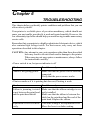
This section shows a list of check points to follow if your printer is not working
properly. It also includes details of some routine maintenance operations you
can perform yourself. It is not, however, a complete service manual. Call
your authorized service center if you are unsure of your ability to carry out
any maintenance or servicing operatioins on the printer.
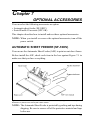
Chapter 7 - Optional Accessories
This chapter explains the optional accessories that are available for your
printer, and how to install and use them.
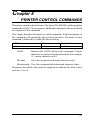
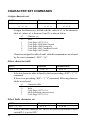
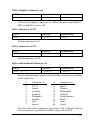
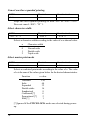
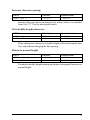
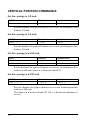
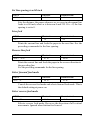
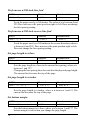
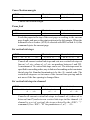
Chapter 8 - Printer Control Commands
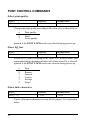
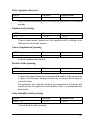
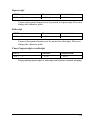
This chapter explains the software commands that are used to drive your
printer. This section is of use if you are writing or modifying programs to
take advantage of the printer’s features.
Chapter 9 - Download Characters
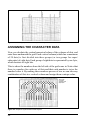
This chapter explains the procedures to create your own characters.
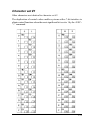
Chapter 10 - MS-DOS and Your Printer
Since the PS/2 or PC-AT family of computers running under MS-DOS is
currently the most popular configuration of microcomputer, we have included
a few hints and tips to help you use your printer with such systems.
Since virtually all PCs are sold with a Microsoft BASIC interpreter, we have
also included some hints, and a sample program in this language to demonstrate
the capabilities of the printer.
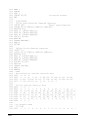
Chapter 11 - Reference
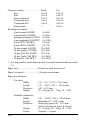
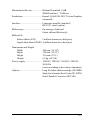
This section provides references for your printer, such as specifications, the
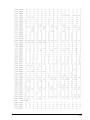
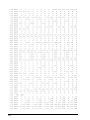
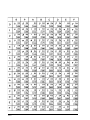
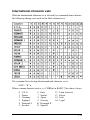
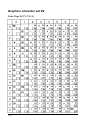
pinout of interface connector, and the character tables.
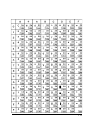
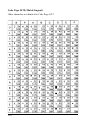
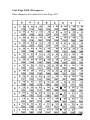
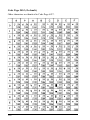
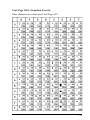
The character table charts give the different character sets available.