1
STAND-ALONE SOFTWARE LOADER
Overview
The Virtuoso and Vx76 consoles will automatically update the Node software when it is connected to the system.
However, the stand-alone loader application (VirtuosoLoader) may be used in place of the console to update the
Node. (The application works the same as the console’s update software feature in the Version Info window.)
When used with Art-Net, the Node software must be loaded with Series 400 software. This can be done using the
VirtuosoLoader.
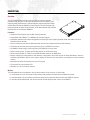
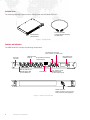
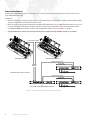
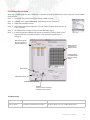
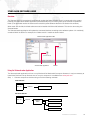
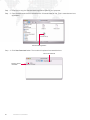
The VirtuosoLoader application will update the connected devices according to the software update *.bin module(s)
contained within its folder. For example, the "Node.srec.bin" module as shown below:
VirtuosoLoader Application Folder
VirtuosoLoader Application
Module
Using the VirtuosoLoader Application
The VirtuosoLoader application will run on any Windows® or Macintosh® computer. However, it may be necessary to
install Java Runtime if the jar file does not run on your computer. It is available from www.java.com.
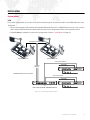
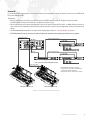
Step 1. Connect computer to devices using one of the following methods:
SINGLE DEVICE
Ethernet
Mac / PC
Node or Node Plus
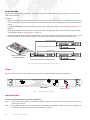
MULTIPLE DEVICES
Mac / PC
Ethernet
Ethernet
Switch
Node or Node Plus
Node or Node Plus
Node or Node Plus
PRG NODE PLUS USER MANUAL
19