1
Troubleshooting
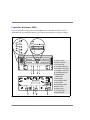
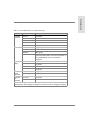
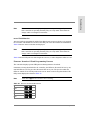
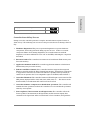
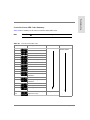
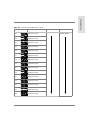
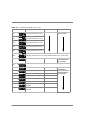
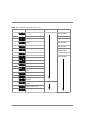
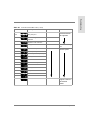
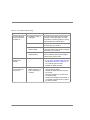
Table 61 Normal LED Status for Controller Enclosure
Module
LED
Normal State
Controller
Enclosure
Power On
On (green)
Power Fault
Off
Fan Fault
Off
Controller Fault
Off
Fast Write Cache
On (green) while data is in cache
Controller Power
On (green)
Controller Fault
Off
Heartbeat
Blink (green)
Status
Green
There are 8 status LEDs. The number and pattern of
these LEDs depend on how your system is
configured.
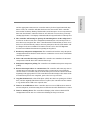
Fault - B
Off
Full Charge - B
On (green)1
Fault - A
Off
Full Charge - A
On (green)1
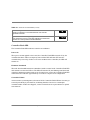
Controller
Power
Assembly
Power 1
On (green)
Power 2
On (green)
Controller
Fan
Assembly
Fan Power
On (green)
Fan Fault
Off
Controller
Controller
Battery
1. Both Full Charge A and Full Charge B LEDs are ON after batteries are fully charged.
The LEDs flash while charging is in progress, and remain on when charging is complete.
Controller Enclosure Troubleshooting
507