1
Replacement Procedure
A57 DC Block Assembly Replacement
A57 DC Block Assembly Replacement
Tools Required
•
•
•
TORX screwdriver, T10, T15, and T20
Flat edge screwdriver
Open-end torque wrench, 5/8 inch (set to 1.97 N-m / 17.4 lb-in)
Removal Procedure
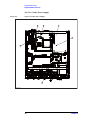
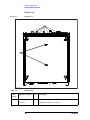
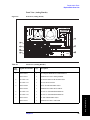
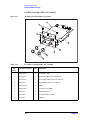
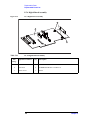
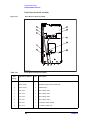
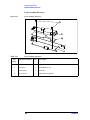
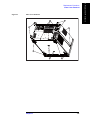
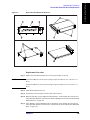
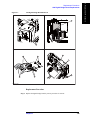
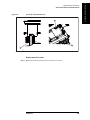
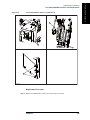
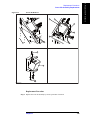
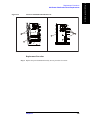
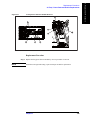
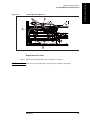
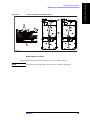
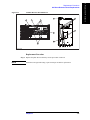
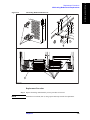
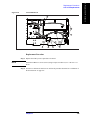
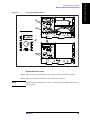
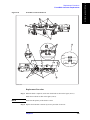
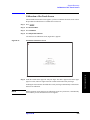
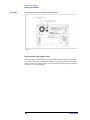
Refer to Figure 6-13 for this procedure.
Step 1. Remove the outer cover as described in “Outer Cover Removal” on page 136.
Step 2. Remove the front panel as described in “Front Panel Removal” on page 138.
Step 3. Disconnect the two cables (item 1) from the DC block assembly.
Step 4. Remove the two TORX T10 screws (item 2) fastening the DC block assembly and
disconnect the two cables.
Step 5. Remove the three TORX T10 screws (item 3) fastening the DC block assembly.
Step 6. Pull the DC block assembly toward carefully (item 4).
160
Chapter 6