1
WORK IN G WITH POWER VISION
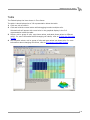
Understanding AutoTune
AutoTune Notes and Tips
• AutoTune can use the ECM's ion sensing knock control strategy in order to remove
timing/adjust spark advance from areas of your calibration where knock was present. This
feature can only remove timing, it will never add it. It is not recommended to use this
feature with AutoTune Basic, only AutoTune Pro. This feature is disabled by default, but
changing the "Max Spark Learn" from 0 to a value such as 10 would make it active.
• If you do not have Wideband O2 sensors installed (ie. those included in the Dynojet
AutoTune kit) select Basic mode.
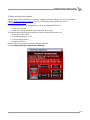
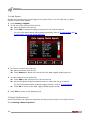
• The default values are acceptable for most big twin models. If you have a V-Rod or
Sportster, you will need to adjust the temperature (in degrees C) and RPM limit to an
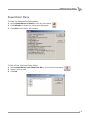
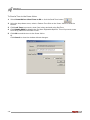
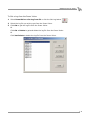
acceptable range. Refer to To Edit AutoTune Settings.
• Knock control on Sportsters is not possible; the ECM does not support this feature and
AutoTune does not support automated spark adjustment based on knock activity.
• In Pro mode, you can tune fuel and spark simultaneously; however, Dynojet recommends
to address fuel first, and then focus on spark. To do this, after you've completed tuning the
fuel (via adjustments to your VE tables) and flashed the corrected tune file to your ECM,
you can then start a new AutoTune session that's focused on spark corrections. In the
settings area of AutoTune you can set Max VE Learn to 0 and Max Spark Learn to 10. This
will disable AutoTune's ability to change fuel, but allow it to monitor, record, and eventually
correct spark advance based on knock activity.
Version 7
WinPV User Guide
4-61