1
13.01.00 paper jam from tray 1
Solution 2
When printing from tray 2, the printer is
showing a 13.01.00 jam in tray 1. You may
also notice a no-pick from tray 2, and the
leading edge of the paper might be slightly
folded.
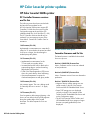
The registration flap may be dislodged and
unable to swing back and forth.
Solution 1
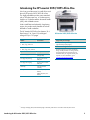
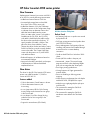
The spring on the manual tray paper presence
sensor has come off, as shown in the photo
below.
Verifications
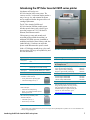
1. Open the front cover and remove the
magenta cartridge to expose the Pickup
Assembly. Verify if either end of the flapper
is dislodged or stuck.
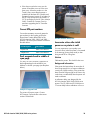
Flapper ends shown in correct position
Both flapper ends are in front of the shaft
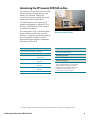
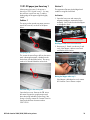
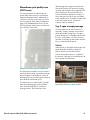
2. Remove tray 2. Reach in under tray 2 and
verify if the flapper is able to move back
and forth as shown below.
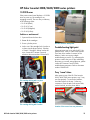
The spring is off
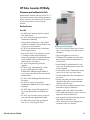
This causes the sensor flag to fall into the sensor
path, indicating that paper is loaded into the
manual tray (see the photo below). The spring
needs to be moved behind the sensor lever.
Moving the flapper under tray 2
If the flapper is dislodged or stuck, contact
HP Customer Care to initiate a repair.
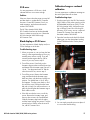
The sensor flag is in the sensor path
Open the front cover. Remove the ETB. Move
the sensor flag into the upright position and
place the spring behind the sensor flag. If the
spring is missing, contact HP Customer Care for
repair and reference document number
C00715232.
HP Color LaserJet 3000/3600/3800 series printers
16