1
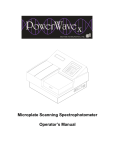
44 | Chapter 4: Instrument Qualification Absorbance Plate Test This test uses BioTek’s Absorbance Test Plate to confirm the mechanical alignment, optical density accuracy/linearity, repeatability, channel-to-channel variation and wavelength accuracy of the PowerWave. The test compares the reader’s optical density and wavelength measurements to NIST-traceable values. If you do not have an absorbance test plate, you can run Liquid Test 2 to test accuracy/linearity, repeatability, and alignment. See page 50. Test Plate and Certificates To run the Absorbance Plate Test, you will need BioTek's Absorbance Test Plate (PN 7260522), with its accompanying certificates. • The Standards Certificate contains standard OD values for the filters at several different wavelengths. • The Peak Wavelength Certificate contains one or more peak wavelength values for the glass filter in position C6 on the plate. Each value has a valid test range associated with it. For example, a Peak Wavelength value may be 586 nm with a test range of 580 to 590 nm (or tolerance values of –6/ +4). The instructions provided below and on the following page are guidelines. Refer to the Gen5 Help system for more information. Enter the Absorbance Test Plate Data Before performing the Absorbance Plate Test for the first time (and after the plate is recalibrated by BioTek), enter data from the Standards and Peak Wavelengths Certificates into Gen5: • Select System > Diagnostics > Test Plates > Add/Modify Plates and click Add. Click Help for guidance when setting the wavelengths and entering the OD and peak wavelength value(s). Run the Absorbance Plate Test Place the Absorbance Test Plate in the carrier so that well A1 is in the right rear corner of the carrier. • Select System > Diagnostics > Test Plates > Run. • If the Instrument Selection dialog appears, select the appropriate reader. • If the Select Test Plate dialog appears, select the appropriate test plate. • Enable ‘Perform peak wavelength test’ and enter any required information • Click Start Test. BioTek Instruments, Inc.