1
2. Hitch Diagnosis Following Display Condition
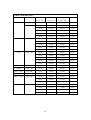
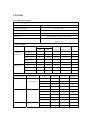
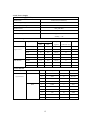
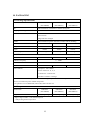
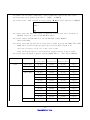
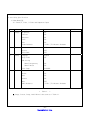
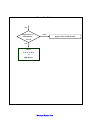
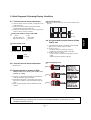
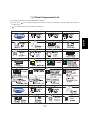
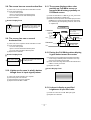
2-1. 1/3 of the screen doesn’t be shown
1) Check the power connector of X B/D, corresponding to the
screen failure part.
2) Check the connector between CTRL B/D and X B/D,
corresponding to the screen failure part.
3) Replace the corresponding X B/D. For X B/D replacement,
check the TCP is correctly connected .
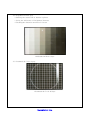
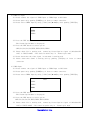
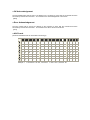
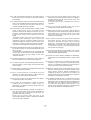
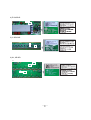
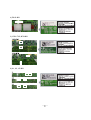
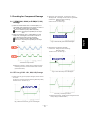
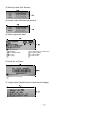
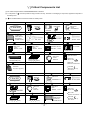
The screen display form
(Anything of the 22 Data TCP can be shown beside below
pictures)
All
Partial
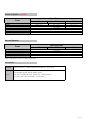
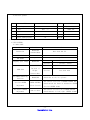
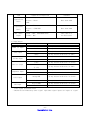
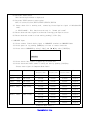
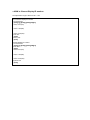
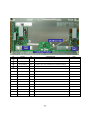
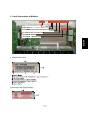
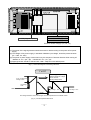
Relationship between screen and X B/D
Screen
X B/D
Left of the Screen 1/3
Center of the Screen 1/3
Right of the Screen 1/3
Right X B/D
Center X B/D
Left X B/D
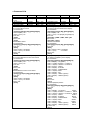
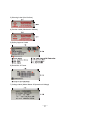
Screen Display Form
i) Left of the Screen(1/3) ii) Center of the Screen(1/3) iii) Right of the Screen(1/3)
Display
Not at all
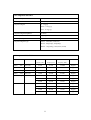
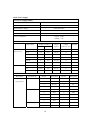
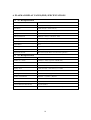
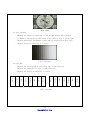
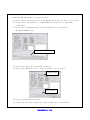
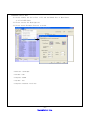
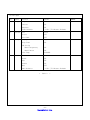
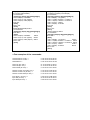
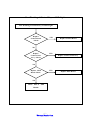
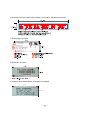
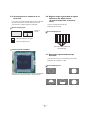
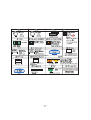
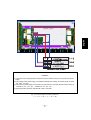
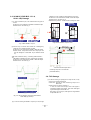
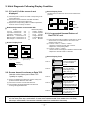
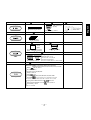
2-4. It is generated Unusual Pattern of Data
TCP IC unit
1) If it happens as line shape or dot shape, screw the X B/D
again, and if no change, replace the X B/D.
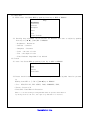
2) For <case 1>
- Check the connection of Data TCP connector
- Replace the corresponding X B/D or CTRL B/D.
3) In case of <case 2>, <case 3>
- Check connector connecting the CTRL B/D to relevant
X B/D.
Replace the relevant X B/D or CTRL B/D.
Not Display
2-2. 1/4 of the screen doesn’t be shown
Identical to 2-1
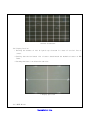
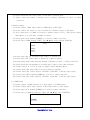
Screen Display Form
case1
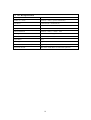
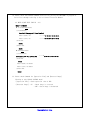
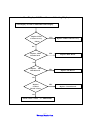
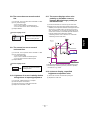
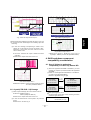
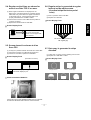
2-3. Screen doesn’t be shown as Data
TCP(Include not be shown part of Data TCP
quantity or a part)
1) If there is no change after replacement of cable between
CTRL B/D and X B/D, replace CTRL B/D.
2) Check Data TCP failures, corresponding part to screen
failure, and if no defects, connect the corresponding TCP
again.
3) If the corresponding Data TCP fails, Module should be
replaced.
case2
case3
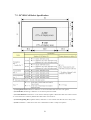
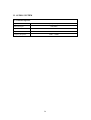
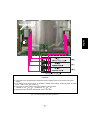
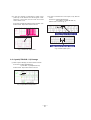
After separating TCP HEAT SINK, replace Silicon tape when the TCP IC marks in Silicon tape of H/S
feel hard.(silicon tape, 7250SC0006C, TP-2460 DOW CORNING 8.0MM T0.50 NON
GRAY,50X3(L363)