1
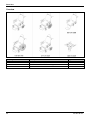
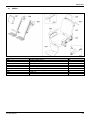
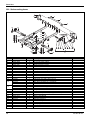
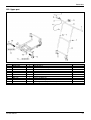
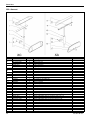
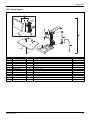
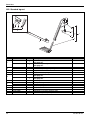
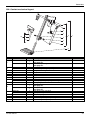
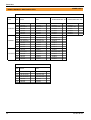
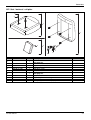
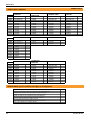
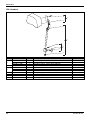
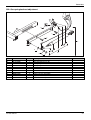
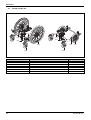
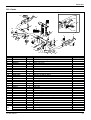
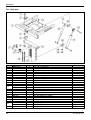
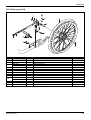
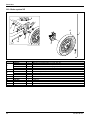
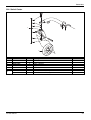
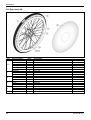
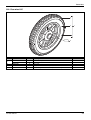
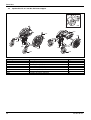
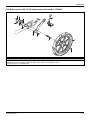
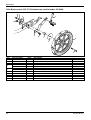
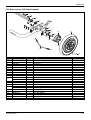
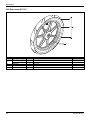
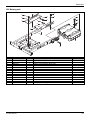
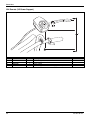
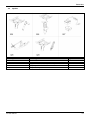
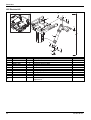
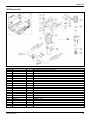
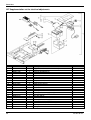
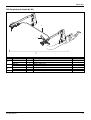
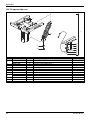
Parts lists
3.2.6
Checking the system
Disconnect the COM-Cable to the Power Support and check the following points
- Turn the system on and check if the system goes on.
- Does the system give support?
- Is there a distinctive difference between the different levels?
3.2.7
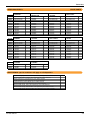
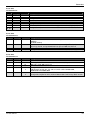
Troubleshooting
Has the check showed the system doesn’t function as it should or the Upgrade gave an
error? Then check the under mentioned table to find the error. After finding the error make
sure to perform the upgrade again from chapter 3.2.
Error
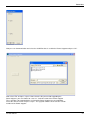
During the upgrade I get a
windows Error on my screen.
Possible cause
Cable from pc/ laptop is not
connected properly.
The wrong COM-Port is
selected
The charger is connected to
the system while upgrading.
Solution
Disconnect the cable
completely and reconnect
the cable. Afterwards,
perform the upgrade again
from chapter 3.2.
Press on Communication in
the power support upgrade
software and select the
COM-Port that is used for
the Power Support , Press
OK . Afterwards, per form
the upgrade again from
chapter 3.2.
Disconnect the Power
Support cable to the Power
Support . Afterwards, perform
the upgrade again from
chapter 3.2.
When checking the system
only 1 of the wheels
functions as it should
The cable between the
wheels is not connected
properly.
Disconnect the cable to the
pc and the reconnect the
cable between the wheels.
Afterwards, perform the
upgrade again from chapter
3.2.
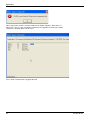
Error : Old PMU version
detected. Please perform
Pre Upgrade first .
Software version on Power
Support is older the 1.2
Perform upgrade with
Pre Upgrade, See sect ion
3.2.5
26
Version 2015v1