1
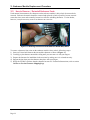
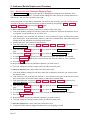
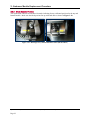
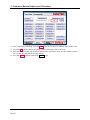
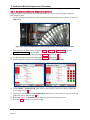
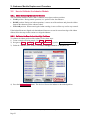
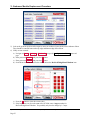
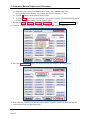
3 - Embosser Module Replacement Procedure 3.6 How to Calibrate the Indenter Module 3.6.1 About Calibrating the Indenter Module The rear indenter module in the EC2000’s embosser moves between three positions: LOAD position: During normal operation, it is “parked” below the embosser. HOME position: During rear indent operations, it moves out of the embosser and places the ribbon between the characters on the embosser wheel. UNLOAD position: When removing the indent cartridge, it moves all the way out for easy removal. If the indent ribbons are aligned such that indented characters are too far toward one edge of the indent ribbon, follow the steps in this section to re-align the indenter. 3.6.2 Calibrate the Rear Indent Cartridge Positions To calibrate the indent position of the indenter, follow these steps: 1) Create a sample card using sample 3 in Menu > Samples . 2) Navigate to Menu > Settings > Service > MCP Cmds to open the Controller Commands page. 3) Under the “Indenter Move” button, select Bot Cartridge Unload in the dropdown list. 4) Press the Indenter Move button. The device will move the indenter to the unload position. ExpressCard 2000| Instant Issuance Card Personalization System | Embosser Module Replacement Procedure Page 22