1
Humidifier (optional)
Setting range: 1 to 9, Off (where 9 is
the maximum humidity).
Navigate to the “Humidity” section.
If the HA 01 humidifier is not
attached to the iSleep 20, the
“Humidity” section will not be available in the menu.
The HA 01 humidifier can only be
activated during operation.
7.3 Viewing Device Information
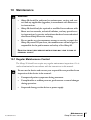
Check the chapter “Using the menu” on page 22 for information about how to
navigate to the device info screen.
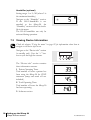
Navigate to the “Device info” section
(in standby only). User the “+” button to cycle through the screens.
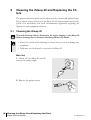
The “Device info” section contains
three information screens:
1 Patient Operating Time:
Total number of hours a patient has
been using the iSleep 20 for CPAP
treatment (ramp and mask off not
included).
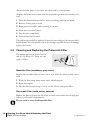
2 Total Operating Time:
Total number of hours the iSleep 20
has been operating.
3 Software version.
32 Setting up the iSleep 20
iSleep 20 users manual
Doc. 004268 En-Eu T-3