1
Data Inputing Introduction
①
(←),
Basic Function
Power on/off
(→)
Move decimal digit left and right;
Press
to turn on or turn off the DCGII. The instrument does a self test
and then shows all applicable data.
②
(↑),
③
(↙)
Confirm the inputting data;
④
(ESC)
Cancel the inputting data.
(↓)
Increase/ decrease the pressure value;
Menu Operation Introduction
①
(Menu)
Pressing it longer to enter the MENU OPTION
(calibration/setting);
Figure 2: The First Screen
②
(↑),
(↓)
Move menu upper or down;
③
(↙)
Enter function;
④
(ESC)
Show the previous menu.
Screen Area
Figure 3: Pressure Measurement Interface
Pressure Measure
Press the buttons to enter the pressure measure menu, the displayed content
includes:
• Battery icon
• Pressure measure value
• Pressure units
• Analogue dial indication
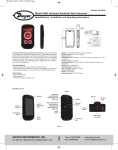
Figure 1: Screen Area
Battery Icon: The battery icon (
) is the indication of full battery; The
battery icon (
) is the indication of low battery (<25%). However, the
DCGII can continually work till it powers off automatically.
Pressure Unit Area: Total 11 units for selection;
In order to avoid the readings overflow or too low to read, only some of pressure
units are selected.
Calibration Icon: The mark or symbol of operating calibration.
Pressure Peak: The mark or symbol of displaying peak value.
Higher Limit: The mark or symbol of high limit pressure
Lower Limit: The mark or symbol of lower limit pressure
Temperature Unit: C, Celsius.
Data Display Area: To display all data or menu.
Analog Dial: Includes 3 types indication: pressure % indication, pressure
swing, overpressure alarm.
The content of the area as below:
① % Indication: The current pressure percentage;
② Pressure Swing: The indication of the pressure fluctuation;
③ Overpressure Alarm: The alarm indication for overpressure (less or more
the limit);
④ Sector Pointer Area: Including 51 segments bars or pointers;
⑤ Scale Bar Graph: It has different definitions under the different operation
condition;
⑥ Scale Midpoint: The middle position of Scale bar graph.
Note: Initially, these register values are set to the factory calibration values.
If the pressure is over 120% × FS, the whole screen will flash to alarm. To
prevent damage of sensor, please release the pressure immediately. While
the alarm happened, the measure speed of DCGII automatically changes to
3 x 1 s for catching up the pressure changing. When the alarm is over, the
speed will go back to normal.
Zeroing
Connect the DCGII with atmosphere via connector coupling. If the current
pressure is in the range of (-1% ~ +1%) × FS, press
button for zeroing
step. Figure 4 shows the zeroing sequence of gage pressure.
Figure 4: The Zeroing Sequence for Gage Pressure DCGII