1
BUNN
®
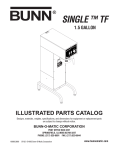
SINGLE TF
™
D
B IS
!
R EFOCO
W
E
P R NN
LA E E
A
C R CT
R
E E
N
M M FR
E O O
IN
N V M
T A
G
O L P
F O O
A F W
N A E
Y N R
C Y S
O PA O
M N U
P E R
O L C
N O E
E R
N
T!
1.75 GALLON
AT
OC
PR
ES
UR
ED
G
!
N
IO
UT
TW
HO
ER
CA
e if .
siz brew
rver s to
OP
k Sefuse
ec
Ch er re
1. ew
ew ± 5°
Br
s Br 0°F
ald' 20
on ture:
McD ra
2. mpe )
Te 8-96
ER
-1
N
(3
IO CANT
IN
AT
ER
!
UT
CA
D DE
AR
DISC
IF: KED D
HE
Y
PT
ACTC Y EM E
. CRRA D DR EN FLAM IC
TR
. SC ILE WH H EC
ED
. BOAT ON HIG
D EL
. HEED POSE
. US EX TS
EN
. OREM
RY
EL
JU
ION
TS
RAT
S IN
EN
RPO
SK
CO
NT
RI
TIC
CO T
LY
-MA
EL HO
MP
N-O
NN E
CO
5 BUN
FU AR
198
TO
RE
ILU
FA
DISCONTINUED VERSION
The information in this manual
is no longer current.
PN:
658
OPERATING & SERVICE MANUAL
BUNN-O-MATIC CORPORATION
POST OFFICE BOX 3227
SPRINGFIELD, ILLINOIS 62708-3227
PHONE: (217) 529-6601 FAX: (217) 529-6644
27118.0000C 10/00 ©1996 Bunn-O-Matic Corporation
INTRODUCTION
This equipment will brew a half-gallon, gallon, or gallon and a three fourths batch of coffee into an awaiting
server at the push of a button and includes a hot water faucet for allied beverage use. The brewer is specifically
designed for use with a BUNN® .5 gallon and 1.75 gallon server. It is only for indoor use on a sturdy counter or
shelf.
WARRANTY
Bunn-O-Matic Corp. (“Bunn”) warrants the equipment manufactured by it to be commercially free from defects
in material and workmanship existing at the time of manufacture and appearing within one year from the date of
installation. In addition:
1.) Bunn warrants electronic circuit and/or control boards to be commercially free from defects in material and
workmanship for two years from the date of installation.
2.) Bunn warrants the compressor on refrigeration equipment to be commercially free from defects in material
and workmanship for two years from the date of installation.
3.) Bunn warrants that the grinding burrs on coffee grinding equipment will grind coffee to meet original factory
screen sieve analysis for three years from date of installation or for 30,000 pounds of coffee, whichever comes first.
This warranty does not apply to any equipment, component or part that was not manufactured by Bunn or that,
in Bunn’s judgement, has been affected by misuse, neglect, alteration, improper installation or operation, improper
maintenance or repair, damage or casualty.
THE FOREGOING WARRANTY IS EXCLUSIVE AND IS IN LIEU OF ANY OTHER WARRANTY, WRITTEN OR
ORAL, EXPRESS OR IMPLIED, INCLUDING, BUT NOT LIMITED TO, ANY IMPLIED WARRANTY OF EITHER
MERCHANTABILITY OR FITNESS FOR A PARTICULAR PURPOSE. The agents, dealers or employees of Bunn are
not authorized to make modifications to this warranty or to make additional warranties that are binding on Bunn.
Accordingly, statements by such individuals, whether oral or written, do not constitute warranties and should not
be relied upon.
The Buyer shall give Bunn prompt notice of any claim to be made under this warranty by telephone at (217)
529-6601 or by writing to Post Office Box 3227, Springfield, Illinois, 62708-3227. If requested by Bunn, the Buyer
shall ship the defective equipment prepaid to an authorized Bunn service location. If Bunn determines, in its sole
discretion, that the equipment does not conform to the warranty, Bunn shall repair the equipment with no charge
for parts during the warranty period and no charge for labor by a Bunn Authorized Service Representative during
the warranty period. If Bunn determines that repair is not feasible, Bunn shall, at its sole option, replace the
equipment or refund the purchase price for the equipment.
THE BUYER’S REMEDY AGAINST BUNN FOR THE BREACH OF ANY OBLIGATION ARISING OUT OF THE SALE
OF THIS EQUIPMENT, WHETHER DERIVED FROM WARRANTY OR OTHERWISE, SHALL BE LIMITED, AS
SPECIFIED HEREIN, TO REPAIR OR, AT BUNN’S SOLE OPTION, REPLACEMENT OR REFUND.
In no event shall Bunn be liable for any other damage or loss, including, but not limited to, lost profits, lost sales,
loss of use of equipment, claims of Buyer’s customers, cost of capital, cost of down time, cost of substitute
equipment, facilities or services, or any other special, incidental or consequential damages.
Page 2
27118 100400
USER NOTICES
The notices on this brewer should be kept in good condition. Replace unreadable or damaged labels.
00658.0000
! WARNING
HOT WATER
00831.0000
20201.5600
00656.0000
ELECTRICAL REQUIREMENTS
CAUTION - The brewer must be disconnected from the power source until specified in Initial Set-Up.
WHITE
NEUTRAL
L1 BLACK
L2 RED
L2 RED
120V.A.C.
WHITE
120V.A.C.
L1 BLACK
200 OR 240V.A.C.
208 or 240V.A.C.
NEUTRAL
120V.A.C.
L1 BLACK
Requires 2-wire, grounded serRequires 3-wire, grounded ser“A" & "B” models require 2-wire,
vice rated 120 volts ac, 20 amp, vice rated 120/208 volts or 120/240 grounded service rated 200 volts ac,
single phase, 60 Hz.
volts ac, 20 amp, single phase, 60 20 amp, single phase, 50 Hz.
Hz.
Page 3
27118 100400
Electrical Hook-Up
CAUTION – Improper electrical installation will damage electronic components.
1. An electrician must provide electrical service as specified.
2. Using a voltmeter, check the voltage and color coding of each conductor at the electrical source.
3. Remove the front panel beneath the sprayhead.
Models with electronic control assemblies:
Place the tank heater switch at the top of the control assembly in the “OFF” position.
Models with electro/mechanical thermostats:
Rotate the control thermostat knob fully counterclockwise to the “OFF” position.
4. Feed the cord through the strain relief and connect it to the terminal block.
5. Connect the brewer to the power source and verify the voltage at the terminal block before proceeding. Replace
the front panel.
6. If plumbing is to be hooked-up later be sure the brewer is disconnected from the power source. If plumbing
has been hooked-up, the brewer is ready for Initial Set-Up.
PLUMBING REQUIREMENTS
This brewer must be connected to a cold water system with operating pressure between 20 and 90 psi (138
and 620 kPa) from a 1⁄2" or larger supply line. A shut-off valve should be installed in the line before the brewer. Install
a regulator in the line when pressure is greater than 90 psi (620 kPa) to reduce it to 50 psi (345 kPa). The water
inlet fitting is 1⁄4" flare.
NOTE – Bunn-O-Matic recommends 1⁄4" copper tubing for installations of less than 25 feet and 3⁄8" for more than
25 feet from the 1⁄2" water supply line. A tight coil of copper tubing in the water line will facilitate moving the brewer
to clean the countertop. Bunn-O-Matic does not recommend the use of a saddle valve to install the brewer. The
size and shape of the hole made in the supply line by this type of device may restrict water flow.
This equipment must be installed to comply with the Basic Plumbing Code of the
Building Officials and Code Administrators International, Inc. (BOCA)
and the Food Service Sanitation Manual of the Food and Drug Administration (FDA).
Plumbing Hook-Up
1. Attach the quickconnect fitting from the tubing (supplied) to the water inlet fitting on the bottom of the brewer.
2. Flush the water line and securely attach it to the flare fitting on the tubing (supplied).
3. Turn on the water supply.
Page 4
27118 100400
INITIAL SET-UP
CAUTION – The brewer must be disconnected from the power source throughout the initial set-up, except when
specified in the instructions.
NOTE: ECA Models Only - This brewer is equipped with a temperature sensor that indicates when to brew and, when
selected, locks-out the start of a brew cycle until the water has heated to the optimum brewing temperature.
1. Remove the front panel beneath the sprayhead.
Models with electronic control assemblies:
Place the tank heater switch at the top of the control assembly in the “OFF” position.
Models with electro/mechanical thermostats:
Rotate the control thermostat knob fully counterclockwise to the “OFF” position.
2. Connect the brewer to the power source. Water will begin flowing into the tank.
3. When water stops flowing into the tank, remove the front panel and proceed as directed:
Models with electronic control assemblies:
Place the tank heater switch at the top of the control assembly in the “ON” position and replace the front panel.
Models with electro/mechanical thermostats:
Rotate the control thermostat knob fully clockwise to the “ON” position and replace the front panel.
4. Wait approximately twenty-five minutes on 208V, 240V Models or fifty minutes on 120V Models for the water
in the tank to heat to the proper temperature.
5. Place an empty server beneath the brew station. Place the Selector switch in the desired position, the On/Off
switch in the upper position and initiate a brew cycle
6. Place the On/Off switch in the lower “OFF” position after water has stopped flowing from the funnel, and check
the water volume in the server. It should be 64 oz -1/2 gallon, 128 oz - 1 gallon or 224 oz - 1-3/4 gallon.
NOTE: Brewer will not operate if the server size does not match the selected batch size.
7. (A) If not, disconnect the brewer from the power source, remove the front panel, and adjust the timer as
required. Refer to Adjusting Brew Volumes. Replace the front panel, connect the brewer to the power source,
allow the water to reheat, start, and measure another brew cycle.
(B) If necessary adjust the needle valve to achieve water volume to be bypassed around the coffee filter in the
funnel.
NOTE: To increase the water bypass turn the needle valve counterclockwise, to decrease the water bypass turn
the needle valve clockwise. An adjustment to the needle valve will require a timer adjustment for volume.
8. Repeat step 7 until the proper water volume is achieved.
9. The brewer is now ready for use in accordance with the coffee brewing instructions.
Page 5
27118 100400
ADJUSTING BREW VOLUMES
CAUTION - Disconnect the power source from the brewer prior to the removal of any panel for the replacement
or adjustment of any component.
NOTE: Prior to setting or modifying batch sizes, check that the brewer is connected to water supply, the tank is
properly filled, and a funnel and server are in place.
1. Modifying batch sizes. To modify a batch volume, first check that the SET/LOCK switch is in the “SET”
position on the circuit board.
To increase a batch size. Press and hold the START or BREW switch until three clicks are heard. Release the
switch (Failure to release the switch within two seconds after the third click causes the volume setting to be
aborted and previous volume setting will remain in memory) and press it again one or more times. Each time
the switch is pressed, two seconds are added to the brew time period. Allow the brew cycle to finish in order
to verify that the desired volume has been achieved.
To decrease a batch size. Press and release the START or BREW switch once for every two-second interval
to be removed from the total brew time period; then immediately press and hold down the START or BREW
switch until three clicks are heard. Release the switch. (Failure to release the switch within two seconds after
the third click causes the volume setting to be aborted and previous volume setting will remain in memory).
Allow the brew cycle to finish in order to verify that the desired volume has been achieved.
2. Setting batch sizes. To set a batch volume, first check that the SET/LOCK switch is in the “SET” position on
the circuit board. Press and hold the START or BREW switch until three distinct clicks are heard, and then
release the switch. (Failure to release the switch within two seconds after the third click causes the volume
setting to be aborted and previous volume setting will remain in memory). View the level of the liquid being
dispensed. When the desired level is reached, turn the ON/OFF switch to “OFF” (lower). The brewer remembers this volume and will continue to brew batches of this size until the volume setting procedure is repeated.
NOTE: When brewing coffee, batch volumes will decrease due to absorption by the coffee grounds.
3. Setting programming disable feature. If it becomes necessary to prevent anyone from changing brew times
once programmed, you can set the SET/LOCK switch to the “LOCK” position. This will prevent any programming to be done until switch is once again placed in the “SET” position.
Page 6
27118 100400
OPERATING CONTROLS
BREW SELECTOR SWITCH
Placing the switch in the 1⁄2 Gal, 1 Gal, or 13⁄4 Gal position selects the amount of coffee to be brewed in
subsequent brew cycles. Repositioning this switch after a brew cycle has been initiated does not change the brew
batch in progress.
ON/OFF SWITCH
Placing the switch in the unlighted lower position cuts power to the server sensor and stops brewing. Stopping
a brew cycle after it has been started will not stop the flow of water from the funnel. Placing the switch in the lighted
upper position supplies power to the server sensor and enables the brew circuit.
START SWITCH
Momentarily pressing and releasing this switch starts a brew cycle when the On/Off switch is in the lighted
upper position.
NOTE: The On/Off switch must be in the lighted upper position to initiate and complete a brew cycle.
COFFEE BREWING
1.
2.
3.
4.
5.
6
7.
Select the desired batch size.
Insert a BUNN® filter into the funnel.
Pour the proper amount of fresh coffee into the filter and level the bed of grounds by gently shaking.
Slide the funnel into the funnel rails.
Place an empty server under the funnel. Make sure server size agrees with batch selection.
Place the On/Off switch in the lighted upper position. Momentarily press and release the start switch.
When brewing is completed, simply discard the grounds and filter.
CLEANING
1. The use of a damp cloth rinsed in any mild, non-abrasive, liquid detergent is recommended for cleaning all
surfaces on Bunn-O-Matic equipment.
2. Check and clean the sprayhead. The sprayhead holes must always remain open.
NOTE – In hard water areas, this may need to be done daily. It will help prevent liming problems in the brewer and
takes less than a minute.
Page 7
27118 100400
TROUBLESHOOTING
A troubleshooting guide is provided to suggest probable causes and remedies for the most likely problems
encountered. If the problem remains after exhausting the troubleshooting steps, contact the Bunn-O-Matic
Technical Service Department.
•
•
•
•
•
•
•
WARNING
•
•
•
•
Inspection, testing, and repair of electrical equipment should be performed only by qualified service
personnel.
All electronic components have 120 - 240 volt ac and low voltage dc potential on their terminals.
Shorting of terminals or the application of external voltages may result in board failure.
Intermittent operation of electronic circuit boards is unlikely. Board failure will normally be
permanent. If an intermittent condition is encountered, the cause will likely be a switch contact or
a loose connection at a terminal or crimp.
Solenoid removal requires interrupting the water supply to the valve. Damage may result if
solenoids are energized for more than ten minutes without a supply of water.
The use of two wrenches is recommended whenever plumbing fittings are tightened or loosened.
This will help avoid twists and kinks in the tubing.
Make certain that all plumbing connections are sealed and electrical connections tight and isolated.
This brewer is heated at all times. Keep away from combustibles.
Exercise extreme caution when servicing electrical equipment.
Disconnect power source when servicing, except when electrical tests are specified.
Follow recommended service procedures.
Replace all protective shields or safety notices.
Problem
Probable Cause
Equipment will not operate. Brew 1. No power or incorrect voltage
cycle will not start.
Remedy
(A1) Check the terminal block for
120 volts across the black and white
terminals on 120 volt two wire brewers.
(A2) Check the terminal block for
120 volts across the red and white
terminals and the black and white
terminals on 120/208 or 120/240
volt brewers.
(A3) Check the terminal block for
200 volts on "B Series" brewers or
240 volts on "A Series" brewers
across the red and black terminals.
(B) Check circuit breakers or fuses.
Brew cycle will not start.
1. Server
Make sure server size agrees with
batch selection.
2. No water
Check plumbing and shut-off valves
Page 8
27118 100400
TROUBLESHOOTING (cont.)
Problem
Probable Cause
Remedy
Brew cycle will not start (cont.)
3. Water strainer/flow control (.500
GPM)
(A) Direction of flow arrow must be
pointing towards brewer.
(B) Remove the strainer/flow control and check for obstructions. Clear
or replace.
Automatic refill will not operate
4. ON/OFF switch
Refer to Service - ON/OFF switch for
testing procedures. See page 31
5. Start switch
Refer to Service - Start switch for
testing procedures. See page 35
6. Timer
Refer to Service - Timer for testing
procedures. See page 38 or 40
7. Dispense Valve
Refer to Service - Dispense valve for
testing procedures. See page 22
8. Control Assembly (Electronic)
Refer to Service - Electronic controls for testing procedures. See
pages 23 thru 27
9. Brew selector switch
Refer to Service - Brew selector
switch for testing procedures. See
page 16
10. Server sensor
Refer to Service - Server sensor for
testing procedures. See page 33
1. No water
Check plumbing and shut-off valves.
2. Water strainer/flow control (.500
GPM)
(A) Direction of flow arrow must be
pointing towards brewer.
(B) Remove the strainer/flow control and check for obstructions. Clear
or replace.
Page 9
27118 100400
TROUBLESHOOTING (cont.)
Problem
Probable Cause
Remedy
Automatic refill will not operate
(cont.)
3. Overflow protection switch
Refer to Service - Overflow protection switch for testing procedures.
See page 32
4. (A) Level control board & level
probe. (Electro/mechanical)
Refer to Service - Level control board
for testing procedures. See page 28
(B) Control Assembly (Electronic)
Refer to Service - Electronic controls for testing procedures. See page
23 thru 27
5. Solenoid Valve
Refer to Service - Solenoid valve for
testing procedures. See page 34
Beverage level will not adjust (Selector switch in any position)
1. Selector switch
Refer to Service - Selector switch for
testing procedures. See page 16
Water flows into tank continuously
(ON/OFF Switch "ON")
1. Timer
Refer to Service - Timer for testing
procedures. See page 38 or 40
Water flows into tank continuously
(ON/OFF Switch "OFF")
1. (A) Level control board and level
probe (Electro/mechanical)
Refer to Service - Level control board
for test procedures. See page 28
(B) Control assembly (Electronic)
Refer to Service - Control assembly
for testing procedures. See page 23
thru 27
Water from tank is not hot
2. Overflow protection switch
Refer to Service - Overflow protection switch for testing procedures.
See page 32
3. Solenoid Valve
Refer to Service - Solenoid valve for
testing procedures. See page 34
1. Limit thermostat
CAUTION - Do not eliminate or bypass limit thermostat. Use only
B.O.M. part #23717.0001
Refer to Service -Limit thermostat
for testing procedures. See page 30
Page 10
27118 100400
TROUBLESHOOTING (cont.)
Problem
Probable Cause
Remedy
Water from tank is not hot (cont.)
2. (A) Control Thermostat (Electro/
mechanical)
Refer to Service - Control thermostat for testing procedures. See page
20
(B) Control assembly (Electronic)
Refer to Service - Control assembly
for testing procedure. See page 23
thru 27
Spitting or unusual steaming from
sprayhead or airvent.
3. Contactor (Electro/mechanical)
Refer to Service - Contactor for test
procedures. See page 18
4. Tank heater
Refer to Service - Tank heater for
testing procedures. See page 36
5. Triac assembly (Electronic)
Refer to Service - Triac assembly for
removal and replacement.See page
27
1. (A) Control thermostat (Electro/
mechanical)
Refer to Service - Control thermostat for testing procedures. See page
20
(B) Control assembly (Electronic)
Refer to Service - Control assembly
for testing procedures. See page 23
thru 27
2. Triac assembly (Electronic)
Refer to Service - Triac assembly for
testing procedures. See page 27
3. Lime build-up
CAUTION - Tank and tank components should be delimed regularly
depending on local water conditions.
Excessive mineral build-up on stainless steel surfaces can initiate corrosive reactions resulting in serious
leaks.
Inspect the tank assembly for excessive lime deposits. Delime as required.
Page 11
27118 100400
TROUBLESHOOTING (cont.)
Problem
Probable Cause
Inconsistent beverage level in server. 1. Strainer/flow control (.500 GPM)
Remedy
(A) Direction of flow arrow must be
pointing towards the brewer.
(B) Remove the strainer/flow control and check for obstructions. Clear
or replace.
2. Improper water pressure
Check the operating water pressure
to the brewer. It must be between 20
and 90 psi (138 and 620 kPa)
3. Dispense valve
Refer to Service - Dispense valve for
testing procedures. See page 22
Consistently high or low beverage 1. Timer adjustment
level in server.
Adjust the timer as required to
achieve the recommended volume
for each brew cycle.
Dripping from sprayhead.
1. Dispense valve
Refer to Service - Dispense valve for
testing procedures. See page 22
Water overflows filter.
1. Bypass valve
Refer to Adjustments on page 5 step
#7. For test procedures see page 15
2. Type of paper filters
BUNN® paper filters should be used
for proper extraction.
3. No sprayhead
Check sprayhead
1. Beverage left in server
The brew cycle should be started
only with an empty server under the
funnel.
2. Timer adjustment
Adjust the timer as required to
achieve the recommended 224 oz
for each 1-3/4 gallon brew cycle.
Refer to Service - Timer for testing
procedures. See page 38 or 40
3. Dispense valve
Refer to Service - Dispense valve for
testing procedures. See page 22
Beverage overflows server.
Page 12
27118 100400
TROUBLESHOOTING (cont.)
Problem
Probable Cause
Remedy
Weak beverage
1. Type of paper filters
BUNN® paper filters should be used
for proper extraction.
2. Coffee
A sufficient quantity of fresh drip or
regular grind should be used for
proper extraction.
3. Sprayhead
B.O.M. sprayhead #01082.0002
should be used to properly wet the
bed of ground coffee in the funnel.
4. Funnel loading
The BUNN® paper filter should be
centered in the funnel and the bed of
ground coffee leveled by gentle shaking.
5. Water temperature
Empty the server, remove its cover.
Place empty funnel over the server
entrance, with ON/OFF switch in the
"ON" position press the start switch
and release it. Check the water temperature immediately below the
sprayhead with a thermometer. The
reading should not be less than 195°
F.
1. Solenoid (Inlet)
The nut on back of the solenoid must
be tight or it will vibrate during operation
2. Plumbing lines
Plumbing lines should not be resting on the counter top.
3. Water supply
(A) The brewer must be connected
to a cold water line.
Brewer is making unusual noises.
(B) Water pressure to the brewer
must not be higher than 90 psi (620
kPa). Install a regulator if necessary
to lower the working pressure to
approximately 50 psi (345 kPa).
4. Tank heater
Remove and clean lime off the tank
heater.
5. Contactor
Check for low voltage.
Page 13
27118 100400
SERVICE
COMPONENT ACCESS
WARNING - Disconnect the brewer from the power
source before the removal of any panel or the replacement of any component.
All components are accessible by the removal of
the top cover, front inspection panel and warmer base
plate.
The top cover is attached with one #4-40 slotted
head screw.
The front inspection panel is attached with four #632 slotted head screws.
The server plateform is attached with seven #6-32
slotted head screws.
L PO
OF OF W
AN AN ER
Y Y SO
CO PA UR
MP NE CE
ON L OR
EN
T!
This section provides procedures for testing and
replacing various major components used in this
brewer should service become necessary. Refer to
Troubleshooting for assistance in determining the
cause of any problem.
WARNING - Inspection, testing, and repair of electrical equipment should be performed only by qualified
service personnel. The brewer should be unplugged
when servicing, except when electrical tests are required and the test procedure specifically states to
plug-in the brewer.
T
DI
SC
!
BE
ON
RE FO NE
PL RE CT
AC RE
EM MO FR
OM
EN VA
ING
RN
WA
TER
T WA
HO
ON
ES
UR
ED
OC
PR
UTI
!
CA
e if w.
G
IN
r siz bre
AT
rve to
ER
Se uses
eck ref
w ± 5°
Ch r
Bre 0°F
1. Brewe
ld's 20
na ure:
OP
Do
Mc perat
2. Tem -96)
18
(3-
!
CA
UT
IO
N
RD
CA
DIS
IF:
D
R
NTE
CA
DE
CKE
HED
TY
. CRAATC
DRY EMP
ME
. SCRLED
EN
WH FLA IC
H
. BOI TED
CTR
HIG
. HEAD ON D ELE Y
UR
OSE
TION
. USEEXP INJ
NTS
KS
PORA
TS
. ORRIS
COR
NTE
MEN
LY
ELE -O-MATIC
L CO T
MP
NE HO
BUNN
CO
FUN ARE
1985
E TO
LUR
FAI
658
PN:
P1014
Contents
Brewer Selector Switch......................................... 16
Bypass Valve ........................................................ 15
Contactor Assembly.............................................. 18
Control Thermostat ............................................... 20
Dispense Valve ..................................................... 22
Electronic Control .................................... 23 thru 27
Level Control Board and Level Probe .................... 28
Limit Thermostat .................................................. 30
ON/OFF Switch...................................................... 31
Overflow Protection Switch .................................. 32
Proximity Sensor .................................................. 33
Solenoid (Inlet) ..................................................... 34
Start Switch (Brew) .............................................. 35
Tank Heater .......................................................... 36
Timer ............................................................... 38,40
Wiring Diagrams ...................................... 42 thru 45
Page 14
27118 100400
SERVICE (cont.)
diagrams and check the brewer wiring harness.
BYPASS VALVE
5. Check for continuity across the bypass valve coil
terminals.
22978.0000
If continuity is present as described, reconnect the
white/green and white/violet wires to the bypass valve,
brew-lock wires if necessary and proceed to #6.
If continuity is not present as described, replace the
bypass valve.
TL1
TL2
TL3
TL4
TL5
6. Check the bypass valve for coil action. Connect
brewer to the power source. With the ON/OFF"
switch in the "ON" position press the start switch.
Listen carefully in the vicinity of the by-pass valve
for a "clicking" sound as the coil attracts and repels
the plunger.
J1
J2
SET
SET
LOCK
LOCK
P999
Location:
The bypass valve is located inside the right front
of the hood.
Test Procedures:
1. Disconnect the brewer from the power source and
place a 1-3/4 gallon server under funnel.
2. Disconnect the white/green wire and the white/
violet wire from the bypass valve.
NOTE: ECA MODELS ONLY - Brewer must be at
operating temperature to perform step #3 or brewlock must be bypassed. To bypass brew-lock
disconnect white/yellow and orange wires from
interlock of ECA and connect harness leads together.
3. Check the voltage across the white/green and the
white/violet wires with a voltmeter. Connect the
brewer to the power source. With the "ON/OFF"
switch in the "ON' position, the selector switch in
the 1 or 1-3/4 gallon position press the start
switch. The indication must be:
a.) 120 volts ac for two wire 120 volt models, three
wire 120/208 volt models and three wire 120/240
volt models.
b.) 200 to 240 volts ac for two wire 200 or 240 volt
models.
4. Disconnect the brewer from the power source.
If the sound is heard as described, there may be a
blockage in the water line before the bypass valve or
the bypass valve may require inspection for wear and
removal of waterborne particles.
If the sound is not heard as described, replace the
bypass valve.
Removal and Replacement:
1. Remove the wires from the bypass valve.
2. Drain enough water from the tank so bypass valve
is above the water line.
3. Remove water lines from valve.
4. Remove two nuts retaining bypass valve inside the
hood and remove bypass valve.
5. Remove hose barb fitting and attach to new bypass valve.
6. Install new bypass valve with hose barb fitting.
7. Reconnect the water tubes and the wires to the
bypass valve.
8. Refer to the illustration below when reconnecting
the wires.
If voltage is present as described, proceed to #5.
If voltage is not present as described refer to the wiring
Page 15
WHI/GRN to Dispense Valve
WHI/VIO to Brew Selector Switch
P774
27118 100400
9. Check for continuity across the pink wire and gray
wire on the selector switch when the switch in the
1 gallon position. Continuity must not be present
in any other position.
10. Reconnect the pink, gray and tan wires on the
selector switch to the pink, gray and tan wires on
the interface.
SERVICE (cont.)
L PO
OF OF W
AN AN ER
Y Y SO
CO PA UR
MP NE CE
ON L OR
EN
T!
BREW SELECTOR SWITCH
T
DI
SC
!
BE
ON
RE FO NE
PL RE CT
AC RE
EM MO FR
OM
EN VA
ING
RN
WA
Bypass Valve:
11. Disconnect the white/violet on the selector switch
from the bypass valve coil and disconnect the
white/red from the dispense valve coil.
12. Check for continuity across the white/violet and
the white red wires when the selector switch is in
the 1 gallon and 1-3/4 gallon position. Continuity
must not be present in any other position.
13. Reconnect the white/violet to the bypass valve coil
and the white/red to the dispense valve coil.
TER
T WA
HO
ON
ES
ED
UR
!
CA
UTI
OC
PR e if
ING r siz brew.
AT
rve to
ER
Se uses
eck ref
w ± 5°
Ch r
Bre °F
1. Brewe
d's 200
nal re:
Do atu
Mc per
2. Tem 96)
18(3-
OP
!
CA
UT
IO
N
RD
CA
DIS
IF:
D
R
NTE
CA
DE
CKE
HED
TY
. CRAATC
DRY N EMP
ME
. SCR
LED WHE FLA IC
H
. BOI TED
CTR
HIG
. HEAD ON D ELE Y
UR
TION
. USE OSEINJ
EXPKS
NTS
PORA
TS
. ORRIS
COR
NTE
MEN
LY
ELE -O-MATIC
L CO T
MP
NE HO
BUNN
CO
FUN ARE
1985
E TO
LUR
FAI
658
PN:
P1014
Location:
The brew selector switch is located in the
front right side of the hood.
Test Procedure:
Timer:
1. Disconnect the brewer from the power supply.
2. Separate the connector on the selector switch
harness from the brew timer circuit board.
3. Carefully slide the plastic cover off of the connector from the switch harness.
4. Check for continuity across the pink and tan wires
on the connector when the switch is in the 1/2
gallon position. Continuity must not be present in
any other switch position.
5. Check for continuity across the pink wire and gray
wire when the switch is in the 1 gallon position.
Continuity must not be present in any other position.
6. Reattach the connector to the brew timer circuit
board.
Grinder Interface:
7. Disconnect the pink, gray and tan wires on the
selector switch from the pink, gray and tan wires
on the interface socket.
8. Check for continuity across the pink wire and tan
wire on the selector switch when the switch is in
the 1/2 gallon position. Continuity must not be
present in any other position.
Server Sensor:
14. Disconnect the yellow, white/orange and the orange wires of the selector switch from the yellow,
white/orange and orange wires of the brewer wiring harness.
15. Check for continuity across the white/orange and
yellow wires on the selector switch when the
switch is in the 1/2 gallon position. Continuity
must not be present in any other position.
16. Check for continuity across the white/orange and
orange wires on the selector switch when the
switch is in the 1 gallon and 1-3/4 gallon position.
Continuity must not be present in any other position.
17. Reconnect the yellow, white/orange and orange
wires.
If continuity is present as described the switch is
operating properly.
If continuity is not present as described, replace the
switch.
Removal and Replacement:
1. Disconnect the connector on the selector switch
harness from the brewer timer circuit board.
2. Disconnect wires from the selector switch, interface socket, dispense valve, bypass valve and
proximity sensor harness.
3. Loosen the set screw on the switch knob.
4. Remove the 9/16" nut and washer holding the
switch to the hood.
27118 100400
Page 16
SERVICE (cont.)
BREW SELECTOR SWITCH (cont.)
5. Remove the switch.
6. Install the new switch. The positioning tab must be
in the hole in the hood for proper switch and knob
alignment.
7. Install the knob so that the arrow lines-up in the 13/4 gallon position when the switch is turned to the
full right position.
8. Reattach the connector to the brew timer circuit
board.
9. Refer to the illustration below when reconnecting
the wires.
P1013
Page 17
27118 100400
a.) 120 volts ac for two wire 120 volt models, three
wire 120/208 volt models and three wire 120/240
volt models.
b.) 200 to 240 volts ac for two wire 200 or 240 volt
models.
5. Disconnect the brewer from the power source.
SERVICE (cont.)
CONTACTOR ASSEMBLY (W/MECHANICAL THERMOSTAT ONLY)
22978.0000
If voltage is present as described, proceed to #6.
If voltage is not present as described, refer to the
wiring diagrams and check the brewer wiring harness.
6. Check for continuity between the two black wires
of the contactor coil.
TL1
TL2
TL3
TL4
TL5
J1
J2
SET
If continuity is present as described, reconnect one
black wire to the white wire or red wire from the
terminal block and the other black wire to the black
wire from the control thermostat. Reinstall capillary
tube into tank to line 7" above the bulb and proceed to
#7.
If continuity is not present as described, replace the
contactor.
SET
.500 gpm FLOW
BUNN
90 psig max operating pressure
(Repl. Screen #23721.0000)
Strainer/Flow Control # 22300.033 0
(Repl. Flow Washer #20526.0330)
LOCK
LOCK
P999
Location:
The contactor assembly is located inside the
hood just behind the dispense valve.
Test Procedures:
Mechanical Thermostat
1. Disconnect the brewer from the power source.
2. Disconnect the white wire of the two pole 120V
terminal block, white wire of the three pole 120/
208V or 120/240V or the red wire of the two pole
200V or 240V terminal block and the black wire of
the contactor coil and disconnect the black wire of
the control thermostat from the remaining black
wire of the contactor coil.
3. Gently remove the capillary bulb and grommet
from the tank.
4. Check the voltage across the white wire from the
terminal block on 120,120/208, 120/240 volt units
or the red wire from 200, 240 volt units and the
black wire from the control thermostat with a
voltmeter when the thermostat is turned clockwise to the "FULL ON" position. Connect the brewer
to the power source. The indication must be:
7. Locate the white wire or red wire on L1 terminal
and black wire on the L2 terminal on the contactor.
8. Carefully check the voltage across the white or red
and black wires with a voltmeter. The indication
must be:
a.) 120 volts ac for two wire 120 volt models, 208
volts ac for three wire 120/208 volt models and
240 volts ac for three wire 20/240 volt models.
b.) 200 to 240 volts ac for two wire 200 or 240 volt
models.
9. Disconnect the brewer from the power source.
If voltage is present as described, proceed to #10.
If voltage is not present as described, refer to the
wiring diagrams and check the brewer wiring harness.
10. Check for continuity across the terminals on the
left side of the contactor by manualy closing the
contacts. Continuity must not be present when the
contact is released.
11. Check for continuity across the terminals on the
right side of the contactor by manualy closing the
contacts. Continuity must not be present when the
contact is released.
Page 18
27118 100400
SERVICE (cont.)
CONTACTOR ASSEMBLY (W/ MECHANICAL THERMOSTAT ONLY) (cont.)
If continuity is present as described, the contactor is
operating properly.
If continuity is not present as described, replace the
contactor.
Removal and Replacement:
1. Remove all wires from the contactor.
2. Remove the two #10-32 slotted head screw securing contactor to the inside of the hood.
3. Securely install the new contactor inside the hood.
4. Refer to the illustration below when reconnecting
the wires.
P828
Page 19
27118 100400
SERVICE (cont.)
If voltage is present as described, reconnect the wire
and proceed to #5.
If voltage is not present as described, refer to the
wiring diagrams and check the brewer wiring harness
CONTROL THERMOSTAT
22978.0000
TL1
TL2
TL3
TL4
TL5
5. Locate the black wires on the control thermostat.
6. Gently remove the capillary bulb and grommet
from the tank.
7. Check the voltage across the black wires of the
control thermostat and the white insert on the two
pole or three pole 120V, 120/208V or 120/240V
terminal blocks and the red insert on two pole
200V/240V terminal blocks with a voltmeter when
the control thermostat is turned "ON" (fully clockwise). Connect the brewer to the power source.
The indication must be:
a.) 120 volts ac for two wire 120 volt models, three
wire 120/208 volt models and three wire 120/240
volt models.
b.) 200 to 240 volts ac for two wire 200 or 240 volt
models.
Voltage must not be indicated across these terminals when the thermostat is turned "OFF" (fully
counterclockwise).
8. Disconnect the brewer from the power source.
J1
J2
SET
SET
.500 gpm FLOW
BUNN
90 psig max operating pressure
(Repl. Screen #23721.0000)
Strainer/Flow Control # 22300.033 0
(Repl. Flow Washer #20526.0330)
LOCK
LOCK
P999
Location:
The control thermostat is located inside the
lower left front of the brewer on the component
bracket.
1. Disconnect the brewer from the power source.
2. Locate the blue wires on the control thermostat.
3. Check the voltage across the blue wires on the
control thermostat and the white insert on the two
or three pole 120V, 120/208V, 120/240V terminal
block and the red insert on two pole 200V or 240V
terminal blocks with a voltmeter. Connect the
brewer to the power source. The indication must
be:
a.) 120 volts ac for two wire 120 volt models, three
wire 120/208 volt models and three wire 120/240
volt models.
b.) 200 to 240 volts ac for two wire 200 or 240 volt
models.
4. Disconnect the brewer from the power source.
If voltage is present as described, reinstall the capillary tube into the tank to the line 7" above the bulb, the
control thermostat is operating properly.
If voltage is not present as described, replace the
thermostat.
Page 20
27118 100400
SERVICE (cont.)
CONTROL THERMOSTAT (cont.)
Removal and Replacement:
1. Remove wires from the control thermostat.
2. Remove the thermostat capillary bulb by firmly
pulling-up on the capillary tube at the tank lid. This
will disengage the grommet from tank lid.
3. Remove the #8-32 slotted head screw holding the
control thermostat to the component bracket.
4. Slide the grommet to the line 7" above the bulb on
the new capillary tube.
5. Insert the capillary bulb through the hole in the
tank lid and press the grommet firmly and evenly
so that the groove in the grommet fits into the tank
lid.
6. Carefully bend the capillary tube so that the tube
and bulb inside the tank are in the vertical position.
NOTE - The capillary tube must be clear of any electrical termination and not kinked.
7. Using a #8-32 slotted head screw fasten the control thermostat to the component bracket.
8. Refer to the illustration below when reconnecting
the wires.
9. Adjust the control thermostat as required.
P842
Page 21
27118 100400
SERVICE (cont.)
DISPENSE VALVE
Location:
Dispense valve is located inside the hood
directly above the sprayhead.
If voltage is not present as described, refer to the
wiring diagrams and check the brewer wiring harness.
4. Check for continuity across the dispense valve coil
terminals.
If continuity is present as described, reconnect the
wires to the dispense valve, brew-lock wires if necessary and proceed to #5.
If continuity is not present as described, replace the
dispense valve.
22978.0000
TL1
TL2
TL3
TL4
TL5
5. Check the dispense valve for coil action. Connect
the brewer to power source. Place the "ON/OFF"
switch in the "ON" position, press and release the
start switch. Listen carefully in the vicinity of the
dispense valve for a "clicking" sound as the coil
magnet attracts and repels the plunger.
6. Disconnect the brewer from the power source.
J1
J2
SET
SET
.500 gpm FLOW
BUNN
90 psig max operating pressure
(Repl. Screen #23721.0000)
Strainer/Flow Control # 22300.033 0
(Repl. Flow Washer #20526.0330)
LOCK
LOCK
If the sound is heard as described, there may be a
blockage in the dispense valve or the water line to the
sprayhead. Remove the dispense valve and inspect for
wear, and remove waterborne particles.
If the sound is not heard as described, replace the
dispense valve.
P999
Test Procedures:
1. Disconnect the brewer from the power source.
NOTE: ECA MODELS ONLY - Brewer must be at
operating temperature to perform step #2 or brewlock must be bypassed. To bypass brew-lock
disconnect white/yellow and orange wires from
interlock of ECA and connect leads together.
2. Disconnect the wires from the dispense valve and
check the voltage across the white/violet wire and
white/green wire. Connect brewer to the power
source. Place the "ON/OFF" switch in the "ON"
position, press and release the start switch. The
indication must be:
a.) 120 volts ac for two wire 120 volt models, three
wire 120/208 volt models and three wire 120/240
volt models.
b.) 200 to 240 volts ac for two wire 200 or 240 volt
models.
3. Disconnect brewer from the power source.
Removal and Replacement:
1. Disconnect wires from dispense valve.
2. Drain enough water from the tank so the dispense
valve is above the water line.
3. Remove water lines and hose barb fitting from
dispense valve.
4. Remove dispense valve from the sprayhead panel.
5. Install new dispense valve .
6. Reconnect the water lines, hose barb fitting and
the wires to the dispense valve.
7. Refer to the illustration below when reconnecting
wires.
If voltage is present as described in step 2 proceed to
#4.
Page 22
WHI/VIO to Timer TL1
WHI/VIO to ON/OFF Switch
WHI/RED to Brew Selector Switch
WHI/GRN to Timer TL4
WHI/GRN to By-Pass Valve
P829
27118 100400
SERVICE (cont.)
ELECTRONIC CONTROL ASSEMBLY
7
5
8
12
9
10
22978.0000
cycle can be initiated.
If the ready light goes out during a brew cycle,the
cycle will continue until it is completed. You must wait
until the ready light glows before starting another brew
cycle.
6
PROBLEM:
LIQUID LEVEL CONTROL SYSTEM DOES NOT REFILL
4
REMOVE POWER
OVERFLOW CUP FULL
(4)
YES
TL1
TL2
TL3
TL4
TL5
11
DRAIN CUP (4)
RETRY
J1
J2
SET
E
SET
O
D
A
E
R
P C
O TI
T O
S N
LOCK
LOCK
OFF
N
!
NO
N itch
IO ated Far Swucet!
UTe Tank He
ene
CA
Th m Op
On Fro
rn mes
T TuCo
NO ter
DO til Wa
Un
e To
lur
Fai
ly
mp
Co
ids
Vo
!
nty
rra
Wa
ING
RN
WA
S
DISCONNECT LEVEL PROBE
(7)
.500 gpm FLOW
BUNN
90 psig max operating pressure
Strainer/Flow Control # 22300.033 0
(Repl. Screen #23721.0000)
(Repl. Flow Washer #20526.0330)
OU
RD E
ZA AG
HA LT
VO
OM
T FR
EC CE
NN UR G!
CO R SO VIN
DIS WE REMO
PO RE
FO
BE
13
14
3
VOLTAGE PRESENT AT
SOLENOID VALVE
(12)
16
15
2
1
Electronic Control
Terminal Block
Timer
Liquid Level Switch
& Overflow Cup
5. Tank Heater
6. Limit Thermostat
7. Liquid Level Probe
DOES WATER FLOW
NO
NO
P1009
1.
2.
3.
4.
YES
8. Temperature Sensor
9. Dispense Valve
10. Bypass Valve
11. Ready Light
12. Solenoid Valve
13. LED
14. Temperature Adjustment
15. Triac Assy
16. Server Sensor
Location:
The electronic control assembly (1) is located
inside the lower left front on the component bracket of
the brewer. Access will also be needed to the temperature sensor (8), liquid level probe (7) located on the
tank lid and to the triac assembly (15) located beneath
the tank.
General:
This system controls the liquid level and water
temperature of the brewer. These two functions act
independently of each other and should be tested
separately.
REPLACE
CONTROL
ASSEMBLY (1)
YES
REPLACE PROBE
(7)
REPLACE
SOLENOID VALVE
(12)
Liquid Level Control Test Procedure:
1. Disconnect brewer from the power source.
2. Check the voltage across terminals 3 & 4 of the
electronic control assembly (1) with a voltmeter.
Connect brewer to power source.The indication
must be:
a.)120 volts ac for two wire 120 volt models,208
volts ac for three wire 120/208 volt models and
240 volts ac for three wire 120/240 volt models.
b.) 200 to 240 volts ac for two wire 200 or 240 volt
models.
3. Disconnect brewer from the power source.
If voltage was present as described, proceed to #4.
If voltage was not present as described, refer to the
wiring diagrams and check the brewer wiring harness.
4. Remove the pink wire from terminal 5 of the
electronic control assembly (1).
5. Check the voltage across terminals 1 & 4 of the
electronic control assembly (1) with a voltmeter.
Connect brewer to the power source. The indicaBREW START - LOCK
tion must be:
The water must be heated to the preset temperaa.) 120 volts ac for two wire 120 volt models,
ture indicated by the glowing ready light before a brew
three wire 120/208 volt models and three wire
27118 100400
Page 23
SERVICE (cont.)
12. Disconnect the brewer from the power source.
ELECTRONIC CONTROL ASSEMBLY (cont.)
120/240 volt models after a delay of approximately
1 second.
b.) 200 to 240 volts ac for two wire 200 or 240 volt
models after a delay of approximately 1 second.
6. Disconnect the brewer from the power source.
If voltage was present as described, reinstall the
probe, the sensing function of the system is operating
properly.
If voltage was not present as described, check the pink
probe wire and the green ground wire for continuity
and/or replace the probe.
If voltage was present as described, the liquid level
control system is operating properly, proceed to
#7.
If voltage was not present as described, replace the
electronic control assembly (1) and temperature
sensor (8) in the tank lid.
NOTE - Each electronic control assembly is calibrated
to a temperature sensor. Both components MUST
be replaced as a set.
7. Reconnect the pink wire to terminal 5 of the
electronic control assembly (1).
8. Remove the liquid level probe (7) from the tank lid,
and inspect it for mineral deposits. Replace it if
necessary. Keep the exposed ends of the probe
away from any metal surface of the dispenser.
9. Check the voltage across terminals 1 & 4 of the
electronic control assembly (1) with a voltmeter.
Connect the brewer to the power source. The
indication must be:
a.)120 volts ac for two wire 120 volt models, three
wire 120/208 volt models and three wire 120/240
volt models after a delay of approximately 1 second.
b.)200 to 240 volts ac for two wire 208 or 240 volt
models after a delay of approximately 1 second.
10. Touch the screw head end of the probe to the
brewer housing. The indication must be 0.
11. Move the probe away from the brewer housing.
The indication must again be:
a.)120 volts ac for two wire 120 volt models, three
wire 120/208 volt models and three wire 120/240
volt models after a delay of approximately 1 second.
b.)200 to 240 volts ac for two wire 200 or 240 volt
models after a delay of approximately 1 second.
PROBLEM:
LIQUID LEVEL CONTROL OVERFLOWS
DRAIN CUP
(4)
RETRY
OVERFLOW
?
YES
DRAIN CUP (4)
DISCONNECT PROBE
WIRE FROM PROBE (7)
SHORT PROBE WIRE
TO CHASSIS
RETRY
OVERFLOW
?
NO
REPLACE PROBE (7)
YES
DRAIN CUP (4)
DISCONNECT WIRE
FROM
SOLENOID VALVE (12)
RETRY
OVERFLOW
?
YES
REPLACE SOLENOID
VALVE (12)
NO
REPLACE
CONTROL
ASSEMBLY (1)
Page 24
27118 100400
SERVICE (cont.)
ELECTRONIC CONTROL ASSEMBLY (cont.)
Temperature Control Test Procedure
1. Disconnect the brewer from the power source.
2. Check the voltage across terminals 3 & 4 of the
electronic control circuit board with a voltmeter.
Connect the brewer to the power source. The
indication must be:
a.) 120 volts ac for two wire 120 volt models, 208
volts ac for three wire 120/208 volt models and
240 volts ac for three wire 120/240 volt models.
b.) 200 to 240 volts ac for two wire 200 or 240 volt
models.
3. Disconnect the brewer from the power source.
PROBLEM
WATER NOT HOT ENOUGH
LED ON CONSTANTLY
NO
TURN TEMPERATURE
ADJUSTING SCREW (14)
CLOCKWISE CONTINUOUSLY
YES
MEASURE VOLTAGE
LED ON
?
AT TANK HEATER (5)
YES
ADJUST FOR CORRECT
WATER TEMPERARURE
NO
YES
REPLACE CONTROL
ASSEMBLY (1)
VOLTAGE PRESENT
If voltage was present as described, proceed to #4.
If voltage was not present as described, refer to the
wiring diagrams and check the brewer wiring harness.
REPLACE TANK
HEATER (5)
NO
LIMIT THERMOSTAT (6)
OK
?
NO
REPLACE LIMIT
THERMOSTAT (6)
4. Connect the brewer to the power source and place
the tank heater switch in the “ON” position.
5. Observe the red LED indicator on the electronic
control circuit board (13).
6. Disconnect the brewer from the power source.
YES
REPLACE CONTROL
ASSEMBLY (1)
MEASURE VOLTAGE
AT TANK HEATER (5)
REPLACE TRIAC (15)
VOLTAGE PRESENT
NO
CHECK FOR SPLIT
TANK HEATER (5)
REINSTALL ORIGINAL
CONTROL ASSEMBLY (1)
YES
RECHECK WATER
TEMPERATURE
P844
PROBLEM:
WATER BOILS
If the indicator was on or blinking, the temperature
sensor is operating properly, proceed to #7.
If the indicator was off, check the sensor connection
on the electronic control circuit board and/or replace
the temperature sensor (8) and the electronic control
assembly (1).
NOTE - each temperature sensor is calibrated to an
electronic control assembly. Both components
MUST be replaced as a set.
DRAIN CUP (4)
RETRY
LED (11)(13) ON
WHILE BOILING
YES
7. Check the voltage across the tank heater (5) terminals with a voltmeter. Connect the brewer to the
power source. The indication must be:
a.) 120 volts ac for two wire 120 volt models, 208
volts ac for three wire 120/208 volt models and
240 volts ac for three wire 120/240 volt models
while the red indicator on the circuit board is on or
blinking.
b.)200 to 240 volts ac for two wire 200 or 240 volt
models while the red indicator on the circuit board
is on or blinking.
8. Disconnect the brewer from the power source.
REPLACE CONTROL
ASSEMBLY (1)
NO
DISCONNECT BLUE WIRE
FROM CONTROL BOARD PIN #7
RETRY
STILL BOILING
?
NO
CHECK FOR SPLIT
TANK HEATER (5)
REPLACE TRIAC (15)
NO
REPLACE CONTROL
ASSEMBLY (1)
P845
Page 25
27118 100400
SERVICE (cont.)
ELECTRONIC CONTROL ASSEMBLY (cont.)
14. Disconnect the brewer from the power source.
If voltage was present as described, the temperature
control of the system is operating properly.
If voltage was not present as described, contact BunnO-Matic to order an electronic control assembly (1),
temperature sensor (8), and triac assembly (15) for
revaluation and proceed to #9.
9. Replace the electronic control assembly (1) and
temperature sensor (8).
NOTE - each electronic control assembly is calibrated
to a temperature sensor. Both components MUST
be replaced as a set.
10. Check the voltage across the tank heater terminals
(5) with a voltmeter. Connect the brewer to the
power source. The indication must be:
a.) 120 volts ac for two wire 120 volt models, 208
volts ac for three wire 120/208 volt models and
240 volts ac for three wire 120/240 volt models
while the red indicator on the circuit board is on or
blinking.
b.) 200 to 240 volts ac for two wire 200 or 240 volt
models while the red indicator on the circuit board
is on or blinking.
11. Disconnect the brewer from the power source.
If voltage was present as described, return the new
triac assembly (15) to Bunn-O-Matic for credit. The
temperature control of the system is operating properly.
If voltage was not present as described, reinstall your
existing electronic control assembly (1) and temperature sensor (8), and proceed to #12.
12. Replace the triac assembly (15).
13. Check the voltage across the tank heater terminals
(5) with a voltmeter. Connect the brewer to the
power source. The indication must be:
a.) 120 volts ac for two wire 120 volt models, 208
volts ac for three wire 120/208 volt models and
240 volts ac three wire 120/240 volt models while
the red indicator on the circuit board is on or
blinking.
b.)200 to 240 volts ac for two wire 200 or 240 volt
models while the red indicator on the circuit is on
or blinking.
If voltage was present as described, the temperature
control of the system is operating properly. Return the
new electronic control assembly (1) and temperature
sensor (8) to Bunn-O-Matic for credit.
Electronic Controls Removal and Replacement
NOTE - each electronic control assembly is calibrated
to a temperature sensor. Both components MUST
be replaced as a set.
1. Remove all wires from the electronic control assembly terminals.
2. Remove the two 8-32 screws holding the electronic control assembly to the component bracket.
3. Disconnect the temperature sensor and ready
indicator wires from the left side of the electronic
control assembly board.
4. Remove the temperature sensor from the grommet in the tank lid.
5. Install the new temperature sensor into the grommet on the tank lid. Route the wires to the location
of the new electronic control assembly.
6. Attach the temperature sensor and ready indicator
wires to the electronic control assembly.
7. Fasten the new electronic control assembly to its
bracket.
8. Reconnect the wires.
9. Refer to the illustrationon next page when reconnecting the wires.
10. Review the initial set-up procedures and adjust the
control as required for the desired temperature.
Page 26
27118 100400
7. Remove the two #8-32 keps nuts securing tank to
tank mounting bracket.
8. Remove the twelve #8-32 slotted head screws
securing the bottom cover.
9. Remove the bottom cover with the four feet, the
tank mounting brackets, triac/heat sink as an
assembly.
10. Remove triac/heat sink from tank mount
ing bracket and discard.
11. Install new triac/heat sink assembly on
tank mounting bracket.
12. Route the wires up around the rear of the
brewer.
13. Reinstall the bottom cover, four feet, tank
mounting brackets and triac/heat sink to the
bottom of the tank using two #8-32 keps nuts.
14. Secure bottom cover to brewer base with
twelve #8-32 slotted head screws.
15. Stand the brewer upright.
16. Reconnect the wires of the new triac assembly.
Refer to the illustration below when reconnecting wires.
SERVICE (cont.)
ELECTRONIC CONTROL ASSEMBLY (cont.)
P924
Triac Assembly Removal and Replacement
NOTE - each triac installation requires the use of an
approved silicone heat sink compound. Bunn-OMatic recommends the use of Dow Corning 340
compound or equivalent. It can be purchased direct
from Bunn-O-Matic (part number M2522.0002).
1. Place the tank heater switch on the electronic
control assembly in the “OFF” position.
2. Completely drain the tank.
3. Place a stryofoam or wood block between the
center of the tank and the rear of the brewer.
4. Disconnect triac wires, white/violet from terminal
block, blue from tank heater, blue from electronic
control and tan from tank heater switch.
5. Carefully set the brewer on its back.
6. Remove the 2" dia hole plug from the bottom
cover.
Page 27
P923
27118 100400
SERVICE (cont.)
5. Reconnect the violet wire to terminal 1.
6. Carefully connect a piece of insulated jumper wire
to terminal 4. Keep the other end of this wire away
from any metal surface of the brewer.
7. Check the voltage across terminals 1 & 3 with a
voltmeter. Connect the brewer to the power source.
The indication must be:
a.)120 volts ac for two wire 120 volt models, three
wire 120/208 volt models and three wire 120/240
volt models after a delay of approximately 1 second.
b.)200 to 240 volts ac for two wire 200 or 240 volt
models after a delay of approximately 1 second.
8. Touch the free end of jumper wire to the brewer
housing. The indication must be 0.
9. Move the jumper wire away from the brewer
housing. The indication must again be:
a.)120 volts ac for two wire 120 volt models, three
wire 120/208 volt models and three wire 120/240
volt models after a delay of approximately 1 second.
b.) 200 to 240 volts ac for two wire 200 or 240 volt
models after a delay of approximately 1 second.
10. Disconnect the brewer from the power source and
remove the jumper wire from terminal 4.
LEVEL CONTROL BOARD AND LEVEL PROBE
(Electro/mechanical only)
22978.0000
TL1
TL2
TL3
TL4
TL5
J1
J2
SET
SET
.500 gpm FLOW
BUNN
90 psig max operating pressure
(Repl. Screen #23721.0000)
Strainer/Flow Control # 22300.033 0
(Repl. Flow Washer #20526.0330)
LOCK
LOCK
P999
Location:
The level control board is located inside the front
in center of the brewer on the component bracket. The
level probe is located inside the hood on the center rear
of the tank lid.
Test Procedure:
1. Disconnect the brewer from the power source.
2. Remove the violet wire from terminal 1 & pink wire
from terminal 4 of the circuit board.
3. Check the voltage across terminals 2 & 3 with a
voltmeter. Connect the brewer to the power source.
The indication must be:
a.) 120 volts ac for two wire 120 volt models, three
wire 120/208 volt models and three wire 120/240
volt models.
b.) 200 to 240 volts ac for two wire 200 or 240 volt
models.
4. Disconnect the brewer from the power source.
If voltage is present as described, proceed to #5.
If voltage is not present as described, refer to the
wiring diagrams and check the brewer wiring harness.
If voltage is present as described, the level control
board is operating properly, proceed to #11.
If voltage is not present as described, replace the level
control board.
11. Reconnect the pink wire to terminal 4.
12. Gently pull the probe out of the tank lid and inspect
for corrosion. Replace it if necessary.
13. Place the probe so that neither end is in contact
with any metal surface of the brewer.
14. Check the voltage across terminals 1 & 3 with a
voltmeter.Connect the brewer to the power source.
The indication must be:
a.) 120 volts ac for two wire 120 volt models,
three wire 120/208 volt models and three wire
120/240 volt models after a delay of approximately
1 second.
b.) 200 to 240 volts ac for two wire 200 or 240 volt
models after a delay of approximately 1 second.
15. Move the probe's flat end to the brewer housing.
The indication must be 0.
16. Move the probe's flat end away from the brewer
Page 28
27118 100400
SERVICE (cont.)
LEVEL CONTROL BOARD AND LEVEL PROBE
(Electro/mechanical only)(cont.)
housing. The indication should again be
a.)120 volts ac for two wire 120 volt models, three
wire 120/208 volt models and three wire 120/240
volt models.
b.) 200 to 240 volts ac for two wire 200 or 240 volt
models after a delay of approximately 1 second.
17. Disconnect the brewer from the power source.
If voltage is present as described, reinstall the probe,
the level control board and level probe are operating
properly.
If voltage is not present as described, check the pink
probe wire for continuity.
Removal and Replacement:
1. Remove all wires from the level control board.
2. Remove two #8-32 slotted head screws and
lockwashers holding level control board to component bracket.
3. Install the new level control board to the component bracket. Make certain that the lockwashers
are between the level control board and the component bracket.
4. Refer to the illustration below when reconnecting
the wires.
P832
Page 29
27118 100400
SERVICE (cont.)
LIMIT THERMOSTAT
Removal and Replacement
1. Remove all wires from the limit thermostat terminals.
2. Carefully remove the two #8-32 nuts securing the
limit thermostat to tank lid and remove limit thermostat.
3. Carefully secure new limit thermostat to tank lid.
4. Refer to the illustration below when reconnectng
the wires.
22978.0000
TL1
TL2
TL3
TL4
TL5
J1
J2
SET
BLK to Terminal
Block (Black Insert)
SET
.500 gpm FLOW
BUNN
90 psig max operating pressure
(Repl. Screen #23721.0000)
Strainer/Flow Control # 22300.033 0
(Repl. Flow Washer #20526.0330)
LOCK
LOCK
BLK to Tank Heater
(Left Terminal)
BLK to Contactor
Terminal
P999
P833
Location:
The limit thermostat is located inside the hood on
the tank lid just to the left of the tank heater.
Test Procedure:
1. Disconnect the brewer from the power supply.
2. Disconnect both black wires from the limit thermostat.
3. Check for continuity across the limit thermostat
terminals with a ohmmeter.
If continuity is present as described, reconnect the
black wires to the limit thermostat , the limit thermostat is operating properly.
If continuity is not present as described, press the
reset button on the limit thermostat and repeat step
#3.
After repeating step #3 no continuity is shown, replace
the limit thermostat.
Page 30
27118 100400
SERVICE (cont.)
L PO
OF OF W
AN AN ER
Y Y SO
CO PA UR
MP NE CE
ON L OR
EN
T!
ON/OFF SWITCH
T
DI
SC
!
BE
ON
RE FO NE
PL RE CT
AC RE
EM MO FR
OM
EN VA
ING
RN
WA
TER
T WA
HO
ON
ES
UR
OC
UTI
!
CA
ED
PR e if
G
w.
IN
r siz bre
AT
rve to
ER
Se uses
eck ref
w ± 5°
Ch r
Bre 0°F
1. Brewe
ld's : 20
na
Do ure
Mc perat
2. Tem -96)
18
(3-
OP
!
CA
UT
IO
N
RD
CA
DIS
IF:
D
R
NTE
CA
DE
CKE
HED
TY
. CRAATC
DRY EMP
ME
. SCRLED
EN
WH FLA IC
H
. BOI TED
CTR
HIG
. HEAD ON D ELE Y
UR
OSE
TION
. USEEXP INJ
NTS
KS
PORA
TS
. ORRIS
COR
NTE
MEN
LY
ELE -O-MATIC
L CO T
MP
NE HO
BUNN
CO
FUN ARE
1985
E TO
LUR
FAI
658
PN:
P1014
Location:
The ON/OFF switch is located on the front of the
hood in the center to the right of the start switch.
Test Procedure:
1. Disconnect the brewer from the power source.
2. Viewing the switch from the back remove the red
or white wire from the upper right terminal and the
black wire from the center terminal.
5. With the black wire removed, remove the white/
violet wire on the switch from the lower left
terminal.
6. Check for continuity across the center and lower
left terminal with switch in the "ON" position.
Continuity must not be present when switch is in
the "OFF" position.
If continuity is present as described, reconnect the
black wire to the center terminal and the white/violet
wire on the switch to the lower left terminal.
If continuity is not present as described, replace the
switch.
Removal and Installation:
1. Remove the wires from the switch terminals.
2. Compress the clips inside the hood and gently
push the switch through the opening.
3. Push the new switch into the opening and spread
the clips to hold switch in the hood.
4. Refer to the following below when reconnecting
the wires.
3. Check the voltage across the red or white wire and
the black wire with a voltmeter. Connect the brewer
to the power source. The indication must be:
a.) 120 volts ac for two wire 120 volt models, three
wire 120/208 volt models and three wire 120/240
volt models.
b.) 200 to 240 volts ac for two wire 200 or 240 volt
models.
4. Disconnect the brewer from the power source.
P1064
If voltage is present as described, reconnect the red or
white wire, and proceed to #5.
If voltage is not present as described, refer to the
Wiring Diagrams and check the brewer wiring harness.
Page 31
27118 100400
SERVICE (cont.)
Removal and Replacement:
1. Disconnect the red leads from the overflow protection switch from the black wire from the terminal block and the blue wire from the thermostat or
black wire from electronic control assembly.
2. Remove the nut beneath the copper overflow cup.
3. Remove the entire switch assembly from the cup.
4. Place the new switch assembly into the cup, wires
first. Make sure that a gasket is in place around the
threaded switch stem.
NOTE - The magnets must be at the top of float and
there must be NO adjusting washers installed for
the overflow protection switch to operate properly.
5. Install the nut beneath the copper overflow cup. Be
sure not to overtighten.
6. Refer to the illustration below when reconnecting
wires.
OVERFLOW PROTECTION SWITCH
22978.0000
TL1
TL2
TL3
TL4
TL5
J1
J2
SET
SET
.500 gpm FLOW
BUNN
90 psig max operating pressure
(Repl. Screen #23721.0000)
Strainer/Flow Control # 22300.033 0
(Repl. Flow Washer #20526.0330)
LOCK
LOCK
P999
Location:
The overflow protection switch is located inside
the hood on the tank inside the copper overflow cup.
To test the overflow protection switch, access will
also be needed to the level control board or electronic
control assembly and terminal block.
RED to BLK Wire from
Terminal Block
RED to BLU Lead
from Thermostat or to
BLK Wire from Electronic
Control Assy
P1065
Test Procedure:
1. Disconnect the brewer from the power source.
2. Remove the wire nuts connecting the red wires
from the overflow protection switch to the black
wire from the terminal block and blue wire from the
thermostat or the black wire from the electronic
control assembly.
3. Check for continuity across the safety overflow
switch red wires only until the plastic float is raised
and check that continuity returns when the plastic
float is again lowered.
If continuity is present as described, reconnect the red
wires to the black wire from the terminal block and the
blue wire from the thermostat or black wire from
electronic control assembly.
If continuity is not present as described, replace the
safety overflow switch.
Page 32
27118 100400
NOTE: ECA MODELS ONLY - Brewer must be at operating
temperature to perform step #5 or brew-lock must be
bypassed. To bypass brew-lock disconnect white/yellow
and orange wires from interlock of ECA and connect
harness leads together.
SERVICE (cont.)
SERVER SENSOR
l
Fai
ING
RN
.500 gpm FLOW
BUNN
90 psig max operating pressure
Strainer/Flow Control # 22300.033 0
(Repl. Screen #23721.0000)
(Repl. Flow Washer #20526.0330)
WA
S
OU
RD E
ZA AG
HA LT
VO
OM
T FR
EC CE
NN UR G!
CO R SO VIN
DIS WE REMO
PO RE
FO
BE
P1009
Location:
The server sensor is attached to the bottom side of
the server platform.
With brew selector switch in the 1/2 gallon position the
server sensor will allow a brew cycle to start with a 1/2
gallon server only.
With brew selector switch in the 1 gallon or 1-3/4
gallon position the server sensor will allow a brew cycle to
start with a 1-3/4 gallon server only.
If the correct server is used for the selected batch size
and the brew cycle will not start, procede with the test
procedures.
Test Procedures:
1. Disconnect the brewer from the power source.
2. Disconnect the terminal plug on the wiring harness
from terminal plug on the server sensor.
3. Check the voltage across the gray wire (pin #1) and the
white wire or red wire (pin #2) on the wiring harness
with a voltmeter and with the "ON/OFF" switch in the
"ON" position. Connect the brewer to the power source.
The indication must be:
a.) 120 volts ac for two wire 120 volt models, three
wire 120/208 volt models and three wire 120/240 volt
models.
b.) 200 to 240 volts ac on two wire 200 or 240 volt
models.
4. Disconnect the brewer from the power source.
If voltage is present as described, proceed to #5.
If voltage is not present as described, refer to the wiring
diagrams and check the brewer wiring harness.
5. Disconnect the white/yellow wire from timer terminal
TL5.
6. Check for continuity between the white/yellow wire
disconnected from timer terminal TL5 and the yellow
wire (pin #4) on the server sensor terminal plug of the
wiring harness with the brew selector switch in the 1/
2 batch position and the start switch depressed.
7. Select the 1 gallon or 1-3/4 gallon setting on the brew
selector switch.
8. Check for continuity between the white/yellow wire
disconnected from timer terminal TL5 and the orange
wire (pin #3) on the server sensor terminal plug of the
wiring harness and the start switch depressed.
9. Reconnect the white/yellow to timer terminal TL5 and
brew-lock if necessary.
10. Disconnect the pink wire from timer terminal TL3.
11. Check continuity between the pink wire removed from
timer terminal TL3 and the pink wire (pin #5) on the
server sensor terminal plug of the wiring harness.
12 Reconnect the pink wire to timer terminal TL3.
If continuity is present as described the server sensor
wiring is operating properly. Replace the server sensor.
If continuity is not present as described refer to the wiring
diagrams and check brewer wiring harness.
Removal and Replacement:
1. Remove the four #6-32 slotted head screws securing
the server platform to the brewer base.
2. Lift server platform high enough to be able to disconnect the server sensor terminal plug from the terminal
plug on the wiring harness. Disconnect the plugs.
3. Turn the server platform over and remove the two #832 Keps nuts securing the server sensor to the weld
stud on the server platform.
4. Remove the server sensor leaving the two spacers in
place.
5. Install new server sensor on the weld studs and secure
with two #8-32 Keps nuts.
6. Reconnect the terminal plug on the server sensor to
the terminal plug on the wiring harness.
7. Reinstall server platform on the brewer base using
four #6-32 Slotted head screws.
Page 33
27118 100400
SERVICE (cont.)
SOLENOID VALVE (Inlet)
4. Disconnect the brewer from the power source
If voltage is present as described, proceed to #5.
If voltage is not present as described, refer to the
wiring diagrams and check brewer wiring harness.
22978.0000
5. Check for continuity across the solenoid valve coil
terminals.
solenoid valve.
TL1
TL2
TL3
TL4
TL5
P999
J
Location:
The inlet solenoid valve is located inside the hood
on the right side of the upper component bracket.
6. Check the solenoid valve for coil action. Connect
the brewer to the power source. Listen carefully in
the vicinity of the solenoid valve for a "clicking"
sound after approximately 1 second, as the coil
magnet attracts.
7. Disconnect the brewer from the power source.
Test Procedure:
1. Disconnect the brewer from the power source.
2. Remove both wires from the solenoid valve coil
terminals.
3. Check the voltage across the removed wires:
a.) White and violet wires on 120, 120/208 and
120/240 volt electro/mechanical controlled brewers.
b.) White and white/blue on 120, 120/208 and
120/240 volt electronic controlled brewers.
c.) Red and violet wires on 200 or 240 volt electro/
mechanical control brewers.
d.) Red and white/blue on 200 or 240 volt electronic controlled brewers.
with a voltmeter. Connect the brewer to the power
source. The indication must be:
e.) 120 volts ac for two wire 120 volt models,
three wire 120/208 volt models and three wire
120/240 volt models.
f.) 200 to 240 volts ac for two wire 200 or 240 volt
models.
If continuity is present as described, reconnect the
white and violet wires on the electro/mechanical controlled 120, 120/208 and 120/240 volt brewers, white
and white/blue on electronic controlled 120, 120/208
and 120/240 volt brewers, red and violet on electro/
mechanical controlled 200 or 240 volt brewers and red
and white/blue on electronic controlled 200 or 240 volt
brewers.
If continuity is not present as described, replace the
If the sound is heard as described and water will not
pass through the solenoid valve, there may be a
blockage in the water line before or after the solenoid
valve or, the solenoid valve may require inspection for
wear, and removal of waterborne particles.
If the sound is not heard as described, replace the
solenoid valve.
Removal and Replacement:
1. Remove all wires from the solenoid valve coil.
2. Turn-off the water supply to the brewer.
3. Disconnect the water lines to and from the solenoid valve.
4. Remove the two #10-32 slotted head screws and
lockwashers holding the solenoid valve to the
upper component bracket.
5. Lift-out the solenoid valve.
6. Securely install the new solenoid valve to the
upper component bracket.
7. Securely fasten the water lines to and from the
solenoid valve.
8. Refer to the illustration below when reconnecting
the wires.
Page 34
WHI to Level Control Board T3
(120V, 120/208V, 120/240V Electro/mechanical)
Whi to Control Assy #4 (120V Electronic)
RED to Level Control Board T3 (200 or 240V
Electro/mechanical) or RED to Control Assy T4
(200 or 240V Electronic)
VIO to Level Control Board T1 (Electro/mechanical)
WHI/BLU to Control Assy #1 (Electronic)
P835
27118 100400
SERVICE (cont.)
START SWITCH
T
DI
SC
!
BE
ON
W
RE FO NE
A
PL RE CT
R
AC RE
N
EM MO FR
IN
OM
EN VA
G
L PO
OF OF W
AN AN ER
Y Y SO
CO PA UR
MP NE CE
ON L OR
EN
T!
3. Push the new switch into the opening and spread
the clips to hold the switch in the hood.
4. Refer to the following illustration when reconnecting the wires.
TER
T WA
HO
OC
ED
UR
ES
!
ON
UTI
CA
PR e if
ING r siz brew.
AT
rve to
ER
Se uses
eck ref
w ± 5°
Ch r
Bre 0°F
1. Brewe
ld's : 20
na
Do ure
Mc perat
2. Tem -96)
18
(3-
OP
!
R
N
IO CANTE
UT RD DE
CA DISCA
IF:
D
CKE
HED
TY
. CRAATC
DRY EMP
ME
. SCRLED
EN
WH FLA IC
H
. BOI TED
CTR
HIG
. HEAD ON D ELE Y
UR
OSE
TION
. USEEXP INJ
NTS
KS
PORA
TS
. ORRIS
COR
NTE
MEN
LY
ELE -O-MATIC
L CO T
MP
NE HO
BUNN
CO
FUN ARE
1985
E TO
LUR
FAI
658
PN:
P1014
P1012
Location:
The momentary start switch is located in front of
hood just to the left of the ON/OFF switch.
Test Procedure:
1. Disconnect the brewer from the power source and
remove the wires from both terminals of the switch.
2. Check for continuity across the two terminals on
the switch when it is held in the lower position.
Continuity must not be present across these terminals in the upper position.
If continuity is present as described, reconnect the
wires, the switch is operating properly.
If continuity is not present as described, replace the
switch.
Removal and Replacement:
1. Remove all wires from the switch terminals.
2. Compress the clips inside the hood and gently
push the switch through the opening.
Page 35
27118 100400
SERVICE (cont.)
TANK HEATER
If voltage is present as described, proceed to #4.
If voltage is not present as described, refer to the
wiring diagrams and check the wiring harness.
22978.0000
4. Disconnect wires from the tank heater.
5. Check for continuity across the terminals of the
tank heater.
TL1
TL2
TL3
TL4
TL5
If continuity is present as described, reconnect the
wires, the tank heater is operating properly.If continuity is not present as described, replace the tank heater.
J1
J2
SET
SET
LOCK
LOCK
P999
NOTE - If the tank heater remains unable to heat,
remove and inspect the heater for cracks in the sheath.
Location:
The tank heater is located inside the hood on the
right rear of the tank lid.
Test Procedure:
Electro/Mechanical Models.
1. Disconnect the brewer from the power supply.
2 Check the voltage across the black and the red wire
on 120V, 208 or 240V models on the tank heaters.
With the control thermostat turned to the "ON"
position (fully clockwise), connect the brewer to
the power supply and check the voltage across the
wires with a voltmeter. The indication should be:
a.)120 volts ac for two wire 120 volt models,208
volts ac for three wire 120/208 volt models and
240 volts ac for three wire 120/240 volt models.
b.)200 to 240 volts ac for two wire 200 or 240 volt
models.
3. Disconnect the brewer from the power supply.
Page 36
27118 100400
SERVICE (cont.)
TANK HEATER (cont.)
Electronic Control Models:
1.
Disconnect the brewer from the power source.
2.
Disconnect wires from heater.
3.
Check for continuity across the tank heater terminals.
If continuity is present as described, the tank heater is
operating properly.
If continuity is not present as described, replace the
tank heater.
Removal and Replacement:
1.
Remove wires from tank heater.
2.
Remove the four #8-32 nuts securing tank heat
to tank lid.
3.
Remove tank heater and gasket.
4.
Install new tank heater and gasket with four #832 nuts on tank lid.
5.
Refer to the illustration below when reconnecting the wires.
NOTE - If the tank heater remains unable to heat,
remove and inspect the heater for cracks in the sheath.
BLK to Limit Thermostat
BLK to Contactor T2
BLU Lead from
Triac Assy
RED to Contactor T1
ELECTRONIC
ELECTRO/MECHANICAL
P837
Page 37
27118 100400
SERVICE (cont.)
TL5 and proceed to #5.
If voltage is not present as described, refer to the
wiring diagrams and check the brewer wiring harness.
TIMER (First Type)
NOTE: ECA MODELS ONLY - Brewer must be at
operating temperature to perform step #5 or brewlock must be bypassed. To bypass brew-lock disconnect white/yellow and orange wires from interlock of
ECA and connect harness leads together.
22978.0000
3
4
2
5
1
.500 gpm FLOW
BUNN
90 psig max operating pressure
(Repl. Screen #23721.0000)
Strainer/Flow Control # 22300.033 0
(Repl. Flow Washer #20526.0330)
S
.5
TE IC
NU AT C
MI -O-M 0 VA
NN - 12
BU 20
26
P/N
P1000
Location:
The timer is located inside the left front of the
brewer on the upper part of the component bracket.
Test Procedures:
1. Disconnect the brewer from the power source.
2. Disconnect the wires from the timer terminals
TL3, TL4 and TL5 and rotate the dial(s) fully
counterclockwise.
3. Check the voltage across terminals TL1 and TL2
with a voltmeter when the "ON/OFF" switch is in the
"ON" position. Connect the brewer to the power
source. The indication must be:
a.)120 volts ac for two wire 120 volt models, three
wire 120/208 volt models and three wire 120/240
volt models.
b.)200 to 240 volts ac for two wire 200 or 240 volt
models.
4. Disconnect the brewer from the power source.
If voltage is present as described, reconnect pink wire
to TL3,white/green wire to TL4, white/yellow wire to
5. Place 1/2 gallon server under the funnel and select
1/2 gallon position on selector switch.
6. Check the voltage across terminals TL1 and TL4
with a voltmeter when the "ON/OFF" switch is in the
"ON" position. Connect the brewer to the power
source and press the start switch. The indication
must be:
a.)120 volts ac for two wire 120 volt models, three
wire 120/208 volt models and three wire 120/240
volt models for approximately 20 seconds for 1/2
gallon batch.
b.)200 to 240 volts ac for two wire 200 or 240 volt
models for approximately 20 seconds for 1/2
gallon batch.
7. Place 1-3/4 gallon server under funnel. Select a 1
gallon batch and repeat #6. The voltage indication
should remain for approximately 40 seconds.
8. Select a 1-3/4 gallon batch and repeat #6. The
indication should remain approximately 1 minute.
9. Reconnect brew-lock wires if necessary.
If voltage is present as described timer is operating
properly.
If voltage is not present as described, replace the
timer.
Removal and Replacement:
1. Remove all wires from the timer.
2. Remove the four #6-32 slotted head screws holding circuit board and dial plate on to the component mounting bracket.
3. Remove circuit board, nylon spacers and dial
plate.
4. Install new dial plate and circuit board with nylon
spacers to component mounting bracket.
5. Refer to the illustration on the following page when
reconnecting wires.
6. Adjust timer dial(s) as required.
Page 38
27118 100400
SERVICE (cont.)
TIMER (First Type)(cont.)
5
IC
AT
-M
-O
4
NN
BU
5
3
2
2
2.5
1.5
6
4
7
3
8
2
6
1
S
E
UT
MIN
1
1
ES
UT
AC
MIN
0V
12
0
ES
00
UT
-0
6
MIN
48
4
2
P/N
3
.5
WHI/VIO TL1 to ON/OFF Switch
WHI/VIO TL1 to Server Sensor
WHI TL2 to Terminal Block and Server Sensor
(120V Two Pole, 120/208V or 120/240V Three Pole
Terminal Block)
RED TL2 to Terminal Block and Server Sensor
(200V or 240V Two Pole Terminal Block)
PNK TL3 to Server Sensor PNK (Pin 5)
WHI/GRN TL4 to Dispense Valve
WHI/YEL TL5 to Start Switch
Page 39
P1011
27118 100400
If continuity is present as described, reconnect the
wires and proceed to #5.
If continuity is not present as described, refer to the
wiring diagrams and check the brewer wiring harness.
SERVICE (cont.)
DIGITAL TIMER (SecondType)
5. Check the voltage across terminals TL1 and TL4
with a voltmeter when the "ON/OFF" switch is in the
"ON" position. Connect the brewer to the power
source. The indication must be zero volts.
TL1
TL2
TL3
TL4
TL5
J1
If voltage indications are other than described, disconnect the brewer from the power source and replace the
timer.
J2
SET
SET
.500 gpm FLOW
BUNN
90 psig max operating pressure
(Repl. Screen #23721.0000)
Strainer/Flow Control # 22300.033 0
(Repl. Flow Washer #20526.0330)
LOCK
LOCK
P999
Location:
The timer is located inside the left front of the
brewer on the upper part of the component bracket.
Test Procedures:
NOTE: Do not remove or install wires while timer board
is installed. Pressure applied to one side may cause
damage to the board.
1. Disconnect the brewer from the power source and
remove the front panel.
2. Check the voltage across terminals TL1 and TL2
with a voltmeter when the "ON/OFF" switch is in the
"ON" position. Connect the brewer to the power
source. The indication must be:
a.) 120 volts ac for two wire 120 volt models, three
wire 120/208 volt models and three wire 120/240
volt models.
b.) 200 to 240 volts ac for two wire 200 or 240 volt
models.
3. Disconnect the brewer from the power source.
If voltage is present as described, proceed to #4.
If voltage is not present as described, refer to the
wiring diagrams and check the brewer wiring harness.
4. Disconnect the WHI/ORA wire from terminal TL3
and the WHI/YEL wire from terminal TL5. Check
for continuity across the two wires when the start
switch is pressed to the "START" position.
6. Check the voltage across terminals TL1 and TL4
with a voltmeter when the "ON/OFF" switch is in the
"ON" position. Connect the brewer to the power
source and press the start switch. The indication
must be:
a.) 120 volts ac for two wire 120 volt models, three
wire 120/208 volt models and three wire 120/240
volt models.
b.) 200 to 240 volts ac for two wire 200 or 240 volt
models.
If voltage indications are other than described, disconnect the brewer from the power source and replace the
timer.
7. Remove the test equipment and connect all wires
as described below.
Removal and Replacement:
NOTE: Do not remove or install wires while timer board
is installed. Pressure applied to one side may cause
damage to the board.
1. Remove the four #6-32 screws securing circuit
board to component mounting bracket.
2. Remove circuit board and nylon spacers.
3. Remove all wires from the timer.
4. Attach all wires to the replacement timer board
prior to installation to the component mounting
bracket. Refer to illustration below when reconnecting the wires.
5. Install new circuit board with nylon spacers to
component mounting bracket using two #6-32
screws.
6. Adjust the timer as described below.
Page 40
27118 100400
SERVICE (cont.)
TIMERS (Second Type)(cont.)
TL5
TL4
SET
J2
TL3
TL2
TL1
J1
SET
LOCK
LOCK
Timer Setting:
NOTE: Check that the brewer is connected to water
supply, the tank is properly filled, and a funnel and
server are in place, prior to setting or modifying
volumes.
NOTE: All volume settings must be done with the
sprayhead installed.
1. Modifying brew volumes. To modify a brew volume, first check that the SET/LOCK switch is in the
"SET" position on the circuit board.
To increase a brew volume, place the ON/OFF
switch in the "ON" position, press and hold the
START switch until three clicks are heard. Release
the switch (Failure to release the switch within two
seconds after the third click causes the volume
setting to be aborted and previous volume setting
will remain in memory) and press it again one or
more times. Each time the switch is pressed, two
seconds are added to the brew time period. Allow
the brew cycle to finish in order to verify that the
desired volume has been achieved.
To decrease a brew volume, place the ON/OFF
switch in the "ON" position, press and release the
START switch once for every two-second interval
to be removed from the total brew time period;
then immediately press and hold down the START
switch until three clicks are heard. Release the
switch. (Failure to release the switch within two
seconds after the third click causes the volume
setting to be aborted and previous volume setting
will remain in memory). Allow the brew cycle to
finish in order to verify that the desired volume has
been achieved.
2. Setting brew volumes. To set a brew volume, first
check that the SET/LOCK switch is in the "SET"
position on the circuit board. Place the ON/OFF
switch in the "ON" position, press and hold the
START switch until three distinct clicks are heard
and then release the switch. (Failure to release the
switch within two seconds after the third click
causes the volume setting to be aborted and
previous volume setting will remain in memory).
TIMER WIRING
WHI/YEL wire to TL5
WHI/GRN wire to TL4
WHI/ORA wire to TL3
WHI wire to TL2 (120V Two Pole, 120/208V or
120/240V Three Pole Terminal Block)
RED wire to TL2 (200V or 240V
Two Pole Terminal Block)
WHI/VOI wire to TL1
P2037
View the level of the liquid being dispensed. When
the desired level is reached, turn the ON/OFF
switch to "OFF". NOTE: Several ounces of water will
continue to syphon from the tank after turning the
switch "OFF". The brewer remembers this volume
and will continue to brew batches of this size until
the volume setting procedure is repeated.
NOTE: When brewing coffee, volumes will decrease due to absorption by the coffee grounds.
3. Setting programming disable feature. If it becomes necessary to prevent anyone from changing brew time once programmed, you can set the
SET/LOCK switch to the "LOCK" position. This will
prevent any further programming.
Page 41
27118 100400
SCHEMATIC WIRING DIAGRAM
SINGLE BREWER ECA-TF W/ SERVER SENSOR
L1
L2
GRN
LIMIT
THERMOSTAT
BLK-12
TANK HEATER
BLK-12
PNK
READY
L.E.D.
GRY
W
t° H
I
TANK HEATER
SW
PNK
GRY
GRY
INTERLOCK
GRY
ASSY
ORA
WHI/YEL
OVERFLOW
PROTECTION SW
BLK
RED
RED-12 (208 OR 240V)
WHI-12 (120V)
BLU-12
W
H
I
7
6
5
4
ELECTRONIC 3
CONTROL ASSY 2
1
N
TAN
BLU
WHI/BRN
PNK 20
(PROBE)
RED (208 OR 240V)
WHI (120V)
BLK
GRN
REFILL
WHI/BLU
SOL
WHI
RED
N.C.
WHI/YEL
BLK
WHI
WHI
START SW.
BLK
TAN
GRY
FRACTIONAL BATCHES
(CONNECT
AS REQUIRED)
FULL BATCH
(NO CONNECTION)
1/4 BATCH
1/3 BATCH
1/2 BATCH
2/3 BATCH
PNK
WHI/VIO
1
BREW 2
TIMER 3
4
5
3/4 BATCH
BATCH COMMON
WHI/VIO
WHI
PNK
WHI/GRN
WHI/YEL
WHI/VIO
WHI
GRY
WHI
1
2
3
4
5
6
TAN
GRN
ORA
YEL
PNK
BLU
SERVER
SENSOR
BYPASS
S
E
L
E
C
T
O
R
WHI/VIO
SOL
WHI/RED
YEL
ORA
WHI/ORA
S
W
GRY
PNK
TAN
4
GRY 3 GRINDER
PNK 2 INTERFACE
CONNECTOR
TAN 1
WHI/GRN
WHI/GRN
WHI/VIO
WHI/RED
YEL
ORA
SOL
DISPENSE
120 VOLTS AC 2 WIRE
120/208 VOLTS AC OR
120/240 VOLTS AC
3 WIRE
27202.0000B 5/96 © 1996 BUNN-O-MATIC CORPORATION
Page 42
27118 100400
SCHEMATIC WIRING DIAGRAM
SINGLE BREWER W/ SERVER SENSOR
L1
L2 N
GRN
LIMIT THERMOSTAT
BLK-12
BLK-12
K1
N.O.
OVERFLOW
PROTECTION SW
BLK
RED
RED
TANK HEATER
BLK-12
RED-12 (208 OR 240V)
WHI-12 (120V)
RED-12
K1
N.O.
READY INDICATOR
SW. & THERMOSTAT
BLU
BLK
WHI
K1
N.C.
REFILL
LIQUID
LEVEL
BOARD
BLK
1
2
3
4
VIO
BLU
WHI
SOL
WHI
PIN-20
PROBE
WHI
START SW.
3-SET SELECTOR SWITCH WITH
GRINDER INTERFACE OPTION
BLK
TAN
GRY
FRACTIONAL BATCHES
(CONNECT
AS REQUIRED)
FULL BATCH
(NO CONNECTION)
WHI
1/4 BATCH
1/3 BATCH
1/2 BATCH
2/3 BATCH
PNK
WHI/VIO
1
BREW 2
TIMER
3
4
5
3/4 BATCH
BATCH COMMON
WHI/VIO
WHI
PNK
WHI/GRN
WHI/YEL
WHI/VIO
WHI
GRY
WHI
1
2
3
4
5
6
TAN
GRN
ORA
YEL
PNK
BLU
SERVER
SENSOR
BYPASS
S
E
L
E
C
T
O
R
WHI/VIO
SOL
WHI/RED
YEL
ORA
WHI/ORA
S
W
GRY
PNK
TAN
4
GRY 3 GRINDER
PNK 2 INTERFACE
CONNECTOR
TAN 1
WHI/GRN
WHI/GRN
WHI/VIO
WHI/RED
YEL
ORA
WHI/ORA
SOL
DISPENSE
120 VOLTS AC 2 WIRE
120/208 VOLTS AC OR
120/240 VOLTS AC
3 WIRE
27202.0001B 5/96 © 1996 BUNN-O-MATIC CORPORATION
Page 43
27118 100400
SCHEMATIC WIRING DIAGRAM
SINGLE BREWER ECA-ATF & BTF W/ SERVER SENSOR
GRN/YEL
L1
LIMIT
THERMOSTAT
BLK-12
TANK HEATER
BLK-12
W
H
I
PNK
READY
L.E.D.
GRY
TANK HEATER
SW
PNK
GRY
GRY
INTERLOCK
GRY
ASSY
ORA
WHI/YEL
OVERFLOW
PROTECTION SW
BLK
RED
RED-12
BLU-12
W
t° H
I
7
6
5
4
ELECTRONIC 3
CONTROL ASSY 2
1
L2
TAN
BLU
WHI/BRN
PNK 20
(PROBE)
RED
BLK
GRN
REFILL
WHI/BLU
SOL
RED
RED
N.C.
WHI/YEL
BLK
RED
RED
START SW.
BLK
TAN
GRY
FRACTIONAL BATCHES
(CONNECT
AS REQUIRED)
FULL BATCH
(NO CONNECTION)
1/4 BATCH
1/3 BATCH
1/2 BATCH
2/3 BATCH
PNK
WHI/VIO
1
BREW 2
TIMER 3
4
5
3/4 BATCH
BATCH COMMON
WHI/VIO
RED
PNK
WHI/GRN
WHI/YEL
WHI/VIO
RED
GRY
RED
1
2
3
4
5
6
TAN
GRN
ORA
YEL
PNK
BLU
SERVER
SENSOR
BYPASS
S
E
L
E
C
T
O
R
WHI/VIO
SOL
WHI/RED
YEL
ORA
WHI/ORA
WHI/GRN
WHI/GRN
WHI/VIO
WHI/RED
YEL
ORA
SOL
DISPENSE
S
W
GRY
PNK
TAN
4
GRY 3 GRINDER
PNK 2 INTERFACE
CONNECTOR
TAN 1
200-240 VOLTS AC
2 WIRE
27202.0002B 5/96 © 1996 BUNN-O-MATIC CORPORATION
Page 44
27118 100400
SCHEMATIC WIRING DIAGRAM
SINGLE BREWER-ATF OR -BTF W/ SERVER SENSOR
L1
L2
GRN
LIMIT THERMOSTAT
BLK-12
BLK-12
K1
N.O.
OVERFLOW
PROTECTION SW
BLK
RED
RED
TANK HEATER
BLK-12
RED-12
RED-12
K1
N.O.
READY INDICATOR
SW. & THERMOSTAT
BLU
BLK
RED
K1
N.C.
REFILL
LIQUID
LEVEL
BOARD
BLK
1
2
3
4
VIO
BLU
RED
SOL
RED
PIN-20
PROBE
RED
START SW.
3-SET SELECTOR SWITCH WITH
GRINDER INTERFACE OPTION
BLK
TAN
GRY
FRACTIONAL BATCHES
(CONNECT
AS REQUIRED)
FULL BATCH
(NO CONNECTION)
RED
1/4 BATCH
1/3 BATCH
1/2 BATCH
2/3 BATCH
PNK
WHI/VIO
1
BREW 2
TIMER
3
4
5
3/4 BATCH
BATCH COMMON
WHI/VIO
RED
PNK
WHI/GRN
WHI/YEL
WHI/VIO
RED
GRY
RED
1
2
3
4
5
6
TAN
GRN
ORA
YEL
PNK
BLU
SERVER
SENSOR
BYPASS
S
E
L
E
C
T
O
R
WHI/VIO
SOL
WHI/RED
YEL
ORA
WHI/ORA
WHI/GRN
WHI/GRN
WHI/VIO
WHI/RED
YEL
ORA
WHI/ORA
SOL
DISPENSE
S
W
GRY
PNK
TAN
4
GRY 3 GRINDER
PNK 2 INTERFACE
CONNECTOR
TAN 1
200-240 VOLTS AC
3 WIRE
27202.0003B 5/96 © 1996 BUNN-O-MATIC CORPORATION
Page 45
27118 100400