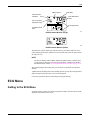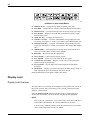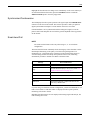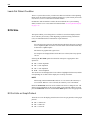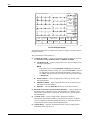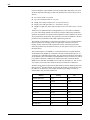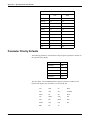
1
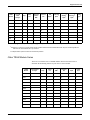
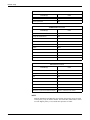
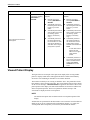
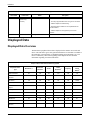
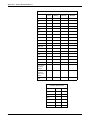
Printing manually stop the graph. Any other alarm graph runs for 20 seconds or until you manually stop the graph. NOTE To convert an arrhythmia alarm graph to a manual graph, you must stop the graph using the Graph Stop key on the writer, then immediately restart the graph. The graph on alarm default is On in Adult-ICU mode, but Off in Neonatal-ICU and Operating Room modes. The Alarm Graph menu option in the Graph Setup menu turns this feature on and off. It can be saved as a monitor default. Invasive BP Only The user has the option to graph invasive blood pressures only. In the graph BP invasive mode, the BP waveforms are the only printable parameters. The waveforms are graphed on one scale using the full grid space. See Chapter 5. Pressure Scales Invasive pressures are graphed on individual mode or full mode scales, depending on the display of the waveforms. If the BP waveform is displayed in full mode or full grid mode, it is graphed in full mode. If the BP waveform is not displayed or displayed in individual mode, it is graphed in individual mode. Invasive pressures are graphed on individual scales as follows: Displayed Scale Graph Scale 30 0-45 (PA, CVP, LA, RA, ICP) 40 0-45 60 0-60 100 0-90 160 0-150 200, 300 0-300 Auto 0-150 (ART, FEM, UAC, SP) 0-45 (PA, CVP, UVC, RA, LA, ICP) Graphing Messages The following messages may appear when graphing: 7-6 SAVING — The device to which you want to print is busy or inoperable. If you are printing an alarm graph, 20 seconds of data are saved until the device can print or another alarm graph occurs. The monitor only saves the most recent alarm data for printing. A manual graph is saved until you press the Graph Go/ Stop button or an alarm graph occurs. GRAPHING BP — Only invasive blood pressures are being graphed. Solar™ 8000M/i 2026265-039A