1
LAMINATING
Only after the machine is loaded with film (see “Loading Film: 1" Mandrel”) and properly
threaded (see “Threading the Film), is
it ready to laminate. If the machine
has not been threaded properly
damage to the machine or operator
may occur. Ensure that the laminator
has reached the preset temperature.
This will be indicated by the ready
light being illuminated. Place
document on the feed table and align
with the feed guide to assure straight
and even lamination. Start the motor
with the "Start" button and adjust the
speed as necessary.
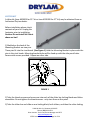
If necessary, adjust the supply roll tension (see E. Supply Roll Tension Adjustment). With both
hands, guide the document into the throat of the laminator. While the document is pulled into
the laminating rollers, keep
document flat on the feed table
while applying a slight back pressure.
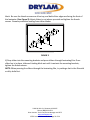
As the document exits the rear
rollers, allow 3" to 6" of film to clear
the rollers at the end of your
document and turn the motor switch
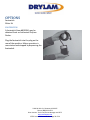
to stop. Using the hand held cutter,
hold tension on the laminated
document and slice through the film
to release the document. Multiple
documents can be run successively if
desired and cut at a later time.
23220 W. 84th St., Shawnee, KS 66227
Phone: (888) 633-1973
Brian Jennett- Tech-Line/Service Manager ext 8575
http://www.DryLam.com
27STA Instruction manual.docx Page 15 of 24