1
Part 1:
Operational Manual
A division of
3.4.
Security Switch Kit Installation:
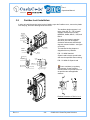
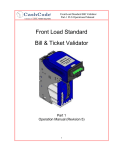
The optional security switch kit (Part Number: OPT-MKFLS-SWH) allows the host machine to
detect whether a cashbox is present in the validator Housing. Security switches can be installed
on one or both sides of the housing, and need to be ordered together with your one™ bill
validator for factory installation. Skip to step 3 unless you are installing the switch inside the
housing yourself:
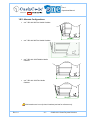
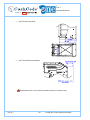
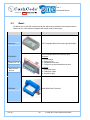
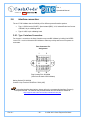
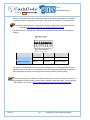
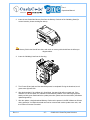
1. Attach the provided cable to the security switch as
shown in the diagram.
2. Use a #2x1/2” wood screw to secure the switch to the
bill validator Housing.
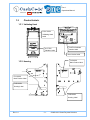
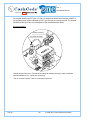
3. Install the housing inside the host machine as shown in
section 3.2.
4. Feed the cable up through the housing and connect the
applicable wires in the appropriate port of your host
machine:
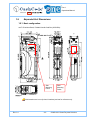
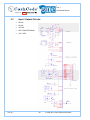
Brown Wire – NC (Normally Closed) Switch: This
contact is opened when a cashbox is inside the housing.
Red Wire – NO (Normally Open) Switch: This contact is
closed when a cashbox is inside the housing.
Orange Wire – Common Ground.
NO
NC
Ground
Rev. 8.1
- 38 -
© 2009~2012 Crane Payment Solutions