1
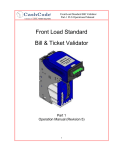
Part 1:
Operational Manual
A division of
7.1.
Operation Mode Diagnostics:
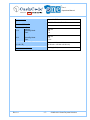
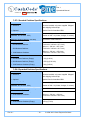
During normal operation, the status light remains a steady green. If an error occurs, it will begin to
flash red. Count the flashes and use the following table to diagnose any problems with your
one™ validator.
Red
Flashes
Error
Solution
1
Cashbox is removed from bill
Validator
Check if Cashbox is installed correctly
2
An error occurred during CPU
exchange with magnetic board
Reset device power; if the problem persists, send device for
repair.
3
Cashbox is full
Remove Cashbox, empty Cashbox and insert empty Cashbox.
4
Mechanical Jam in Cashbox or
Stacker fail
Remove Cashbox from Bill Validator Housing and extract
crumpled or jammed bill.
5
Failure of die-electric Sensor
Reset device power.
6
Failure of Optical Sensor
Open Validator head guide, clean optical sensors (please see
section 5.3 for cleaning details on these sensors).
7
Failure of Magnetic Sensor
Open Validator head guide, clean inductive sensors (please
see section 5.3 for cleaning details on these sensors).
1. Open Validator head guide, clean path.
2. Close Validator head guide.
8
Failure of Transport Motor
3. If Validator does not start, turn off power, release Validator
head and check receiving path.
4. Insert Validator head and turn power on.
9
Speed of Transport motor is too fast
Check power supply voltage.
10
Failure in alignment mechanism
See Solution 8.
11
Bill pathway is not empty
12
Bill jam in entry slot and no credit is
issued
Open receiving path and check that it is clean.
13
Overload of transport motor
Open Validator head guide and check to see if path is clean.
14
System Error
Reset device power.
1. Open receiving path and check that it is clean.
2. Remove Cashbox from bill Validator and clean path.
If any problems persist, contact your nearest service center or CashCode Technical Support.
Rev. 8.1
- 62 -
© 2009~2012 Crane Payment Solutions