1
Mitel NuPoint Messenger Technical Documentation - Release 7.0
Inaccurate Data
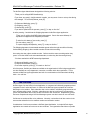
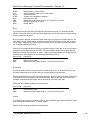
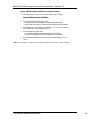
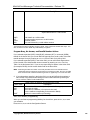
The Statistics Report can display unexpected data for the following reasons:
•
The statistics are not reset when call box programming has changed.
•
The instructions recorded in the Menu differ from the call box programming.
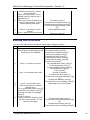
Note: Transfer attempts are based on transfer types: blind, screened, and so on. Transfer attempts
should never total more than the calls connected. This can indicate a port or transfer failure, or a
Menu recording that differs from the Menu programming.
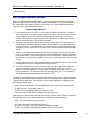
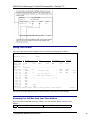
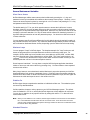
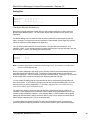
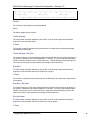
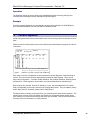
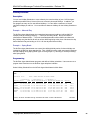
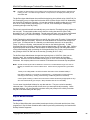
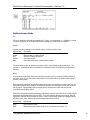
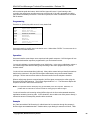
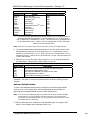
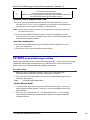
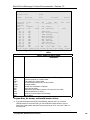
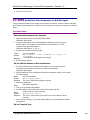
Sample NuPoint Agent Statistics Report
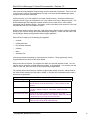
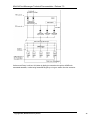
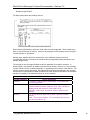
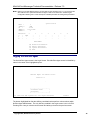
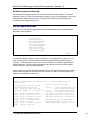
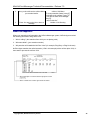
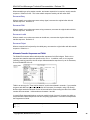
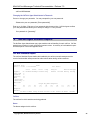
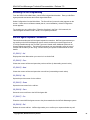
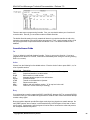
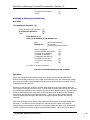
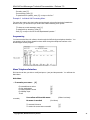
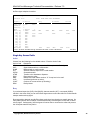
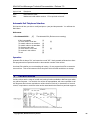
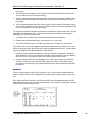
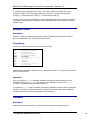
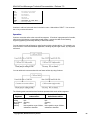
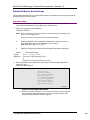
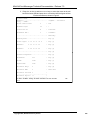
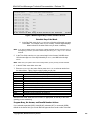
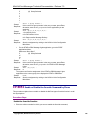
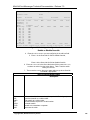
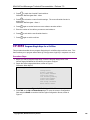
The sample call box below is configured as follows:
•
The Greeting is set to play.
•
The Menu is set to play up to two times.
•
The caller can make an entry by pressing a single key, 0, 1, 2, or 3, to reach the appropriate
extension.
•
The Auto-Exit is set to transfer the call to another call box if the caller does not make an entry
by the time the Menu plays twice.
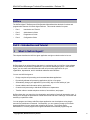
NuPoint Agent
Configuration
Callbox: 10004
Segment
Over-ride
Schedule
Greeting
Menu
Multi-key
key [0]
key [1]
key [2]
key [3]
key [4]
key [5]
key [6]
key [7]
key [8]
key [9]
Name:
On Action
N SUP
N
Y
Y Repeat
N SUP
BLND
MBX
BLND
BLND
UND
UND
UND
UND
UND
UND
UNDERGRAD LIBRARY
Busy
10004
2
XXXX
43773
32667
60001
32667
No Answer
Invalid
MBX
10004
MBX
10004
DISC
MBX
DISC
DISC
XXXX
MBX
DISC
DISC
XXXX
CONT
DISC
DISC
DISC
Auto-Exit
CBX
31192
S1-Act S2-Prev S3-Next S4-Up S5-Down S6-Save S7-Prn S8-Del
DISC
S0-Exit
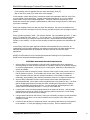
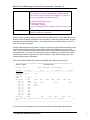
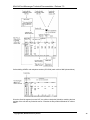
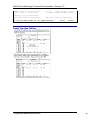
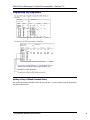
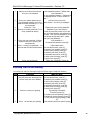
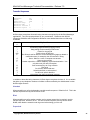
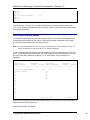
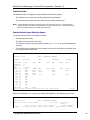
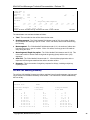
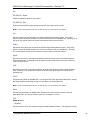
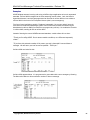
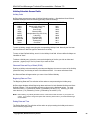
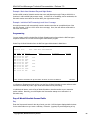
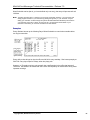
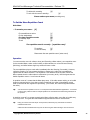
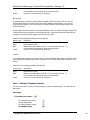
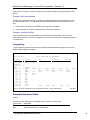
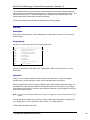
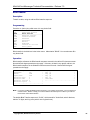
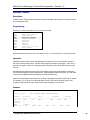
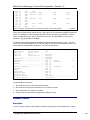
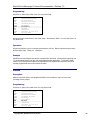
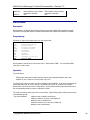
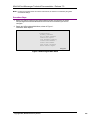
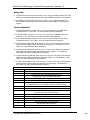
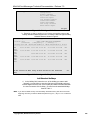
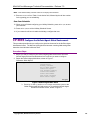
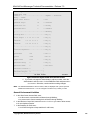
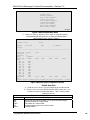
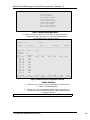
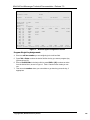
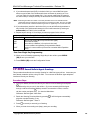
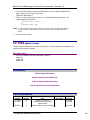
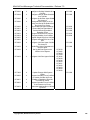
When the administrator runs a report, the following data appears in the statistics report screen:
NuPoint Agent
Callbox: 10004
Total: 134 calls
Segment
Statistics Report
Name:
49.30 minutes
UNDERGRAD LIBRARY
Last Reset:
Calls
Trans
Calls
Ring
On Handled Attempt Connect Busy
©Copyright 2002, Mitel Networks Corporation
4-Oct-1997
14:29:11
Ring-no
Entries Hangups
Answer Invalid During During
44