1
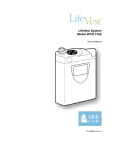
LifeVest System WCD 3100 Operator’s Manual
How to put the monitor in setup mode
Before entering new patient information, follow this procedure to place the
monitor in setup mode.
View the navigation buttons from the top of the monitor with the display
facing you.
1
Remove and reinsert the battery.
2
While the opening screen is displayed, hold the response buttons and
hold ◄ at the same time. Continue holding these buttons until the
screen changes.
This screen may be displayed for more than 10 seconds.
3
Press ▲ or ▼ to choose a language, then press ►.
Note: The language you choose only affects the setup screens and
will not affect the patient screens.
4
The main menu displays, showing that the monitor is in setup mode.
You may now proceed to program the monitor. See page 4-4 for
details on setting up a new patient.
Page 4-2
1-800-LIFECOR