1
S-12
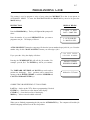
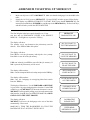
ERROR--CORRECT POSITION UNKNOWN
MICROCUT has lost the ability to know where the backgauge is accurately. It will be necessary to
turn the power off and start again. Refer to other sections of this manual--BASIC
TROUBLESHOOTING and THE SHAFT ENCODER.
FAST DRIVE PROB.
MICROCUT has not detected any motion during a period of time when the backgauge should have
been moving. This may be due to either a drive or a counting error. If the backgauge moves a bit
and then stops, MICROCUT is not seeing the motion and has a counting problem. If no motion
occurs then MICROCUT is suffering from a drive error. Refer to other sections of this manual-BASIC TROUBLESHOOTING and THE SHAFT ENCODER.
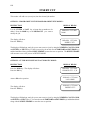
FRONT LIMIT ERROR
MICROCUT has sensed that the front limit has tripped even though it should not have. Check the
switch carefully.
FRONT LIMIT HAS A WIRING PROBLEM
MICROCUT senses that the front limit is tripped when it is not supposed to be. Check the wires for
proper connection (see the INSTALLATION MANUAL).
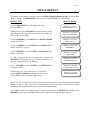
INVERT CLEAR AND BLUE WIRES
The shaft encoder is counting in the wrong direction (SET-UP ROUTINE for new installations
only). It will be necessary to invert the signal A and B wires from the encoder to continue. Refer to
the SHAFT ENCODER (SERVICE and INSTALLATION MANUALS) and the WIRING and
CABLES sections (INSTALLATION MANUAL) elsewhere in this documentation. NOTE: On
some cables these wires are white and yellow.
INVERT MOTOR WIRES
The motor is driving in the wrong direction (SET-UP ROUTINE for new installations only). It will
be necessary to invert the motor wires so that the motor can drive in the right direction before setting
up MICROCUT to operate on its new machine.
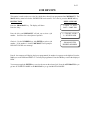
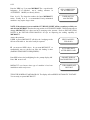
JOB NOT FOUND
The old job that was manually selected is not in the job memory. Try a different job number or
review all of the jobs.
JOB NUMBER USED
The new job that has been manually selected is already programmed. It will be necessary to choose
a different number or erase this number before programming.
KNIFE DOWN
MICROCUT will display this prompt after a knife stroke is performed in either the PROGRAM or
AUTOMATIC MODES of operation. The prompt will clear and operation will continue normally as
soon as MICROCUT senses that the knife is no longer down.