Download Section 3 - Neopost Technologies Ltd
Transcript
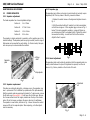
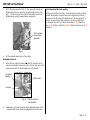
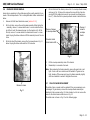
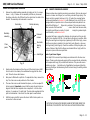
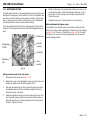
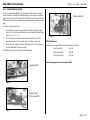
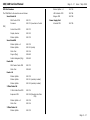
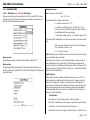
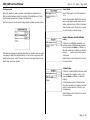
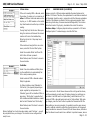
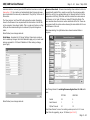
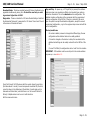
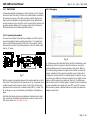
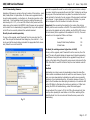
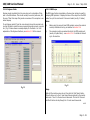
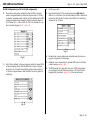
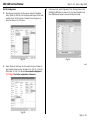
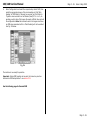
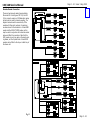
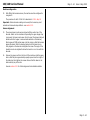
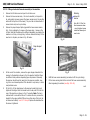
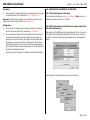
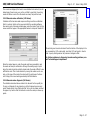
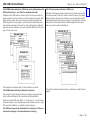
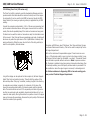
100/140 Service Manual Page 3 - 28 Issue 7 Sep 2008 3.14.4 Engineer Mode 3.14.5 OMR Scope Engineer mode is available from the menu bar, and is a duplicate of Engineer in the GUI software. This should normally be used in preference, but the use of Trace Tools may offer greater convenience if the computer is connected anyway. The OMR scope function is available on the menu bar and can be used for analysing OMR problems. It displays the trace of the output from the OMR reader for up to the most recent 10 document reads (see Fig. 21 below). To use Engineer, select it from the menu bar and choose the required module. Use the tabs to select the area concerned (solenoids, sensors, currents etc.). Fig. 20 below shows an example display for the feeder - for a full explanation of the Engineer functions, see section 3.13 of this manual. Fig. 20 Notes: a) Before using the scope to trace OMR problems, ensure the reader is correctly installed and set up, as described in section 3.16. b) The computer must be connected directly to the OMR-reading unit (usually a 3-plate folder) - see section 3.14.1 for details of connecting to the machine. Fig. 21 Usage Wait until the machine comes to rest, then click the ‘Get Traces’ button. This will retrieve up to the 10 most recent traces captured by the module electronics. Trace 0 is the most recent document. Click on the ‘Previous’ and ‘Next’ buttons to step through the 10 most recent documents. cont. Page 3 - 28