1
TKR-850
OPERATING FEATURES
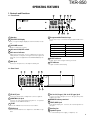
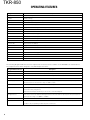
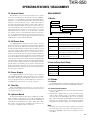
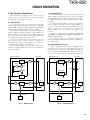
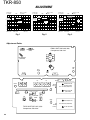
1. Controls and Functions
1
1-1. Front Panel
2
9
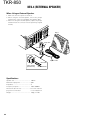
1 Speaker
3
8
4
7
5
6
7 Programmable Function keys
2 CH/STATUS Display
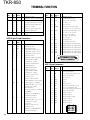
Two, 7-segment digits display the channel number or status.
3 VOLUME control
Rotate to adjust the volume.
4 DC source ON/OFF switch
5 DC source indicator
Lights green when DC source is applied from the DC
13.6V jack (DC 13.2V jack on E type versions). Lights red
when DC source is applied from the BACKUP battery terminal.
Press these keys to activate their programmable functions.
PF1 key (left side)
Default : None (No function)
PF2 key
Default : Repeat disable/enable
PF3 key
Default : TX disable/enable
PF4 key
Default : Take over
PF5 key
Default : Monitor on/off
PF6 key (right side)
Default : Channel up
8 BUSY indicator
Lights green while a signal is being received.
6 MIC jack
9 TX indicator
Connect a microphone to this 8-pin modular jack.
Lights red while transmitting.
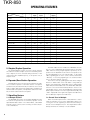
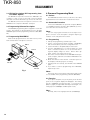
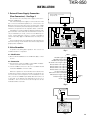
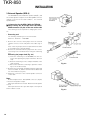
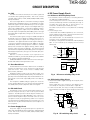
1-2. Rear Panel
1
2
8
7
3
4
6
9
5
1 TX OUT jack
Connect a TX antenna or a duplexer to this receptacle.
2 CONTROL I/O jack
Connect an external programming device or repeater
controller to this DB-25 interface.
3 FUSE
Insert 15 A blade fuses into these fuse holders.
4 RX IN jack
Connect a RX antenna or a duplexer to this BNC receptacle.
5 DC 13.6V (K type) / DC 13.2V (E type) jack
Connect a 13.6 V (K type) or 13.2 V (E type) DC power
supply to this jack.
6 BACKUP battery terminal
7 TEST/SPKR jack
Test input/output jack. Connect an external speaker to
this jack.
8 Cooling fan
9 Optional space
For external DC power supply, or duplexer, etc.
3