1
Tornado M10/M20 Digital Media Center User Manual – Ver. 1.00.01
97
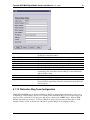
5.1.30. Remote Configuration Extract
Users can reboot the device at any time without danger to the data in the configuration or the Voicemail
files, utilizing two procedures:
1. By unplugging its power supply.
2. Using the “Reboot Device” option in the START menu. To use the Web software reboot the use
must select the “Reboot Device” option and then press OK when prompted. The device will reboot
automatically. After the device comes back online the user must login utilizing the standard login
procedure.
5.1.31. Saving the Configuration Changes
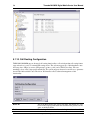
Users can submit all changes without the need to reboot by pressing the SAVE button in all supported
dialogs. The only exceptions are the dialogs that support the Remote Configuration Upgrade, Remote
Firmware Upgrade, or the Reboot Device dialogs.
5.2. Remote Configuration and Firmware Upgrade
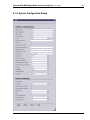
SysMaster Corporation TORNADO M10/M20 can be automatically configured from a central provisioning
server by setting the proper Remote URL Locations in the System Configuration dialogs.
The default values for these locations are:
1. For the Remote Configuration and Auto Provisioning
http://server_ip/cgi-bin/if.cgi?run=mgetcf
SysMaster Corporation