1
Diagnostics
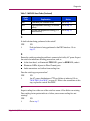
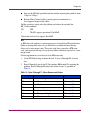
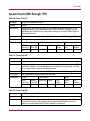
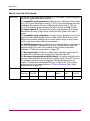
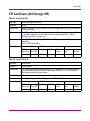
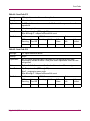
Table 10: Invalid Attachment Reasons and Actions (Continued)
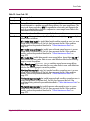
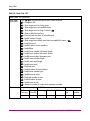
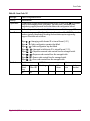
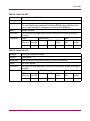
Reason
Action
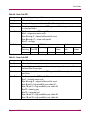
Authorization failure reject.
Go to step 28.
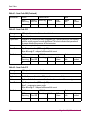
Unauthorized switch binding WWN.
Go to step 32.
Fabric mode mismatch.
Go to step 25.
CNT WAN extension mode mismatch.
Go to step 33.
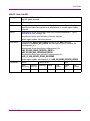
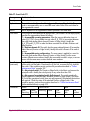
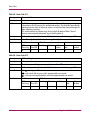
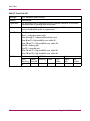
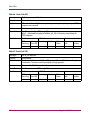
24
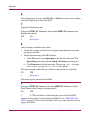
The port connection conflicts with the configured port type and an ISL connection
is not allowed. Either an expansion port (E_Port) is incorrectly cabled to a Fibre
Channel device or a fabric port (F_Port) is incorrectly cabled to a fabric element.
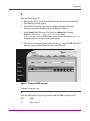
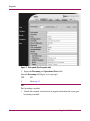
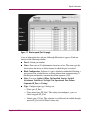
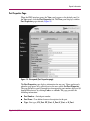
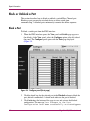
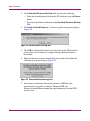
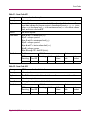
1. At the EWS interface View panel, select Configure at the left side of the
panel. The Configure panel opens with the Ports page displayed.
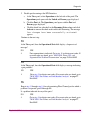
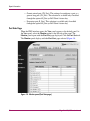
2. At the Type column, click the arrow adjacent to the list box for the port and
select a port type as follows:
— Select fabric port (F_Port) if the port is cabled to a device (node).
— Select expansion port (E_Port) if the port is cabled to a fabric element
(director or switch) to form an ISL.
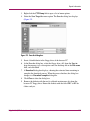
3. Click Activate to save the change. The message Your changes to the
Port Configuration have been successfully activated
appears.
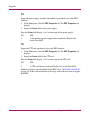
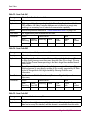
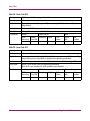
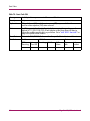
Did reconfiguring the port type solve the problem?
NO
YES
↓
The switch appears operational. Exit MAP.
Contact the next level of support. Exit MAP.
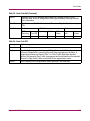
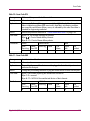
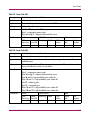
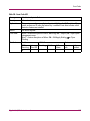
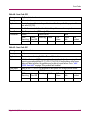
25
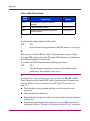
One of the following mode-mismatch conditions was detected and an ISL
connection is not allowed:
66
■
The switch is configured for operation in Open Fabric 1.0 mode and is
connected to a fabric element not configured to Open Fabric 1.0 mode.
■
The switch is configured for operation in Open Fabric 1.0 mode and is
connected to a legacy switch at the incorrect Exchange Link Parameter (ELP)
revision level.
Edge Switch 2/12 Service Manual