1
!"#$%
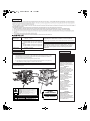
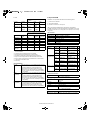
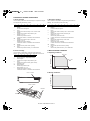
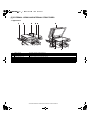
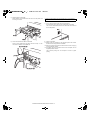
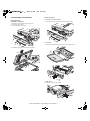
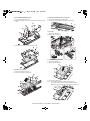
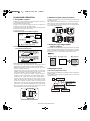
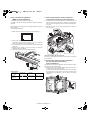
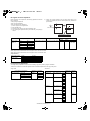
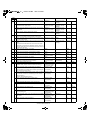
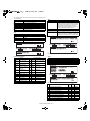
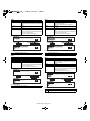
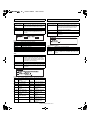
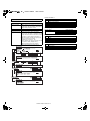
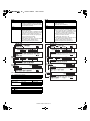
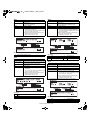
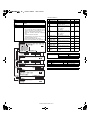
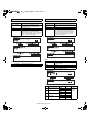
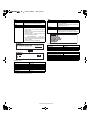
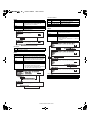
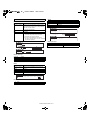
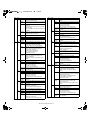
(1) Test chart setting
(2) Density adjustment procedure
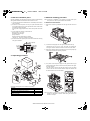
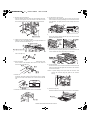
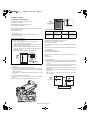
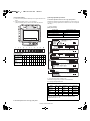
1) Place a test chart (UKOG-0162FCZZ) on the original table as shown
below.
2) Place several sheets of A3 (11 x 17) white paper
(Sharp's specified paper) on the test chart at the rear reference.
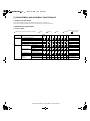
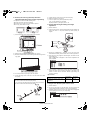
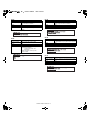
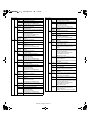
a. Collective adjustment of two or more copy quality modes
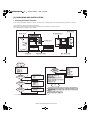
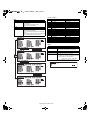
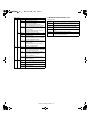
Normally this adjustment is performed with SIM 46-2. In this method, two
or more copy density adjustments in different modes can be adjusted
collectively.
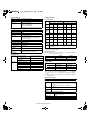
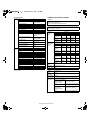
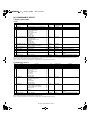
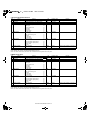
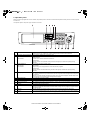
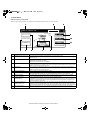
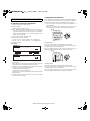
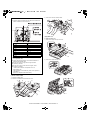
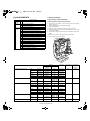
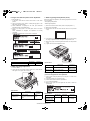
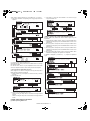
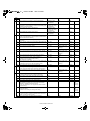
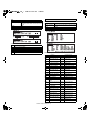
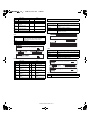
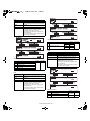
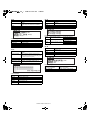
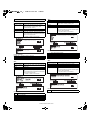
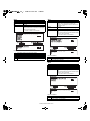
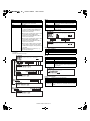
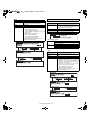
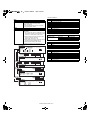
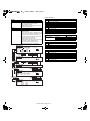
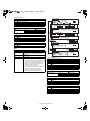
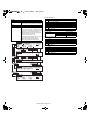
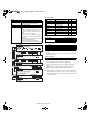
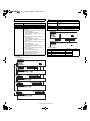
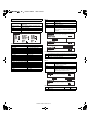
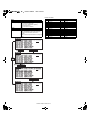
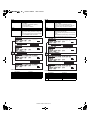
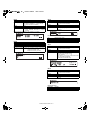
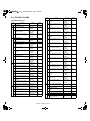
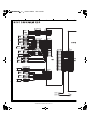
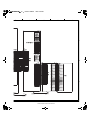
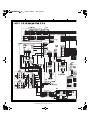
1) Execute SIM 46-2.
(Binary value mode)
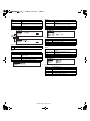
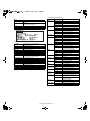
Quality mode
Linked simulation data
AE3.0 (AE)
CH3.0 (Character)
sim46-9
MIX3.0 (Character/Photo)
sim46-10
PH3.0 (Photo)
sim46-11
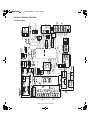
UKOG-0162FCZZ
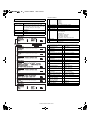
SIMULATION 46-2
EXP. LEVEL SETUP (2). SELECT 0-6, AND PRESS START.
0. TRAY SELECT
2. EXP LEVEL
3. AE 3.0
5. MIX 3.0
1. COPY START
1
1
50
4. CH 3.0
50
1
50
6. PHOTO 3.0
50
Select other than 0 - 2,
and press [START] key.
1
2
3
4
5
6
7
8
9
10
W
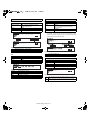
Press [CUSTOM SETTING] key.
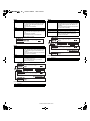
SIMULATION 46-2
EXP. LEVEL SETUP (2),INPUT VALUE 0-99, AND PRESS START.
3. AE 3.0
Select 1, and
Test chart comparison
UKOG-0162FCZZ 1
DENSITY No.
UKOG-0089CSZZ 0.1
DENSITY No.
KODAK GRAY
SCALE
SHARP
CORPORATION
MADE IN JAPAN
50
press [START] key.
2
3
4
0.2
1
5
6
7
8
0.3
2
3
4
9
10
W
0.5 1.9
0
19
A
Press [START] key.
Press [CUSTOM SETTING] key.
Or copying is terminated.
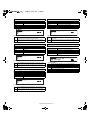
SIMULATION 46-2
EXP. LEVEL SETUP (2). NOW COPYING.
Select 0, and
Press [START] key or
press [START] key.
press [CUSTOME SETTING] key.
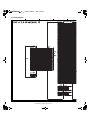
SIMULATION 46-2
EXP. LEVEL SETUP (2). SELECT 1-5, AND PRESS START.
(FEED TRAY)
1. TRAY1
2. TRAY2
3. TRAY3
1
4. TRAY4
5. MFT
Select 2, and
Press [START] key or
press [START] key.
press [CUSTOME SETTING] key.
SIMULATION 46-2
EXP. LEVEL SETUP (2). SELECT 3-6, AND PRESS START.
(EXP. LEVEL SELECT)
1
3. AE 3.0 4. CH 3.0
5. MIX 3.0 6. PHOTO 3.0
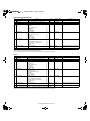
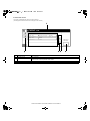
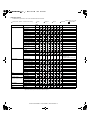
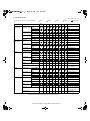
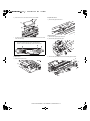
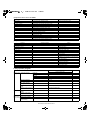
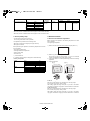
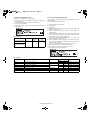
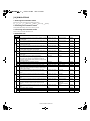
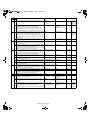
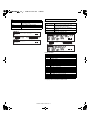
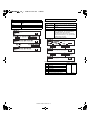
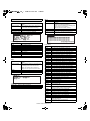
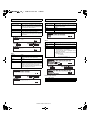
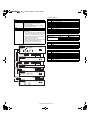
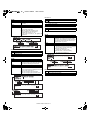
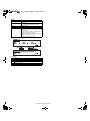
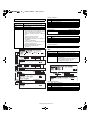
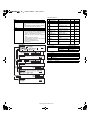
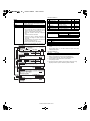
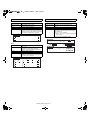
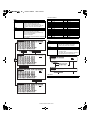
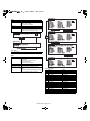
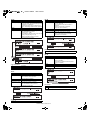
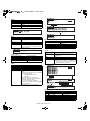
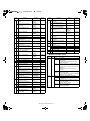
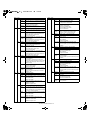
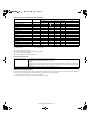
2) Press the COPY button to make a copy.
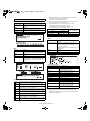
Check that the copy density is as shown in the table below.
If not, change the adjustment value.
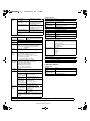
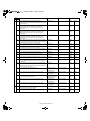
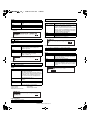
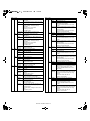
•Adjustment spec
Mode
EXP.
Chart
No.
Adjustment
level
Chart
No.
Adjustment
level
Character
3
3
Copied
2
Not copied
Character/
Photo
3
3
Copied
2
Not copied
Photo
3
Auto
3
Copied
2
Not copied
3
Copied
2
Not copied
If the copy density is too light, increase the adjustment value.
If the copy density is too dark, decrease the adjustment value.
Adjustment range: 30 - 170
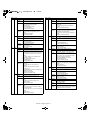
b. Individual adjustment of each copy quality mode
This adjustment is used when a different density level for different copy
AR-M350 ADJUSTMENTS 9-9