1
GE HEALTHCARERAFT
DIRECTION 5394227, REVISION 3
DRAFT (NOVEMBER 17, 2011)
LOGIQ™ S8
SERVICE MANUAL
Section 3-12
Configuring Connectivity
3-12-1
Overview
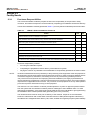
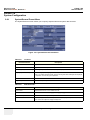
You use Connectivity functionality to set up the connection and communication protocols for the
ultrasound system. This page gives an overview of each of the Connectivity functions. Each function is
described in detail in the following pages.
3-12-2
Structured Reporting
DICOM Structured Reporting provides the results of a procedure as structured data elements (welldefined fields) as opposed to unstructured data (large amounts of text undifferentiated by individual
fields). This greatly improves query capability. DICOM Structured Reporting creates coded clinical data
that can be used for clinical research, outcomes analysis, and disease management.
DICOM Structured Reporting is a standardized format for medical results. LOGIQ S8 supports the
following templates:
•
OB-GYN REPORT TEMPLATES
•
VASCULAR ULTRASOUND REPORT TEMPLATES
•
The system supports selectable vessels with their locations for B-Mode measurements.
•
For Vascular studies (Bypass Graft, UEV Map, LEV Map, LEA/UEA, and Carotid), additional
measurement locations were added. For instance, for a Bypass Graft, there are now
measurements at Inflow, Anast, Thigh, Knee, Calf, Ankle, Graft, RunOff, Pre-Sent, Stent, PostStent, and Outflow locations.
•
ECHOCARDIOGRAPHY PROCEDURE REPORT TEMPLATES
These templates do not support all M&A results for the LOGIQ S8.
3-12-2-1
Supported parameters
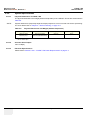
The DICOM supported parameters are listed in the DICOM Conformance Statement at the following
web site under DICOM - Ultrasound:
http://www.gehealthcare.com/usen/interoperability/dicom/
3-12-3
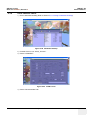
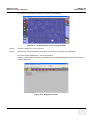
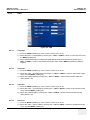
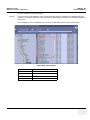
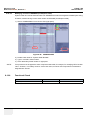
Connectivity Functions
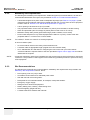
To set up your institution's connectivity, you must login with administrator privileges.
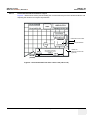
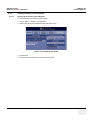
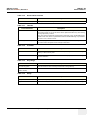
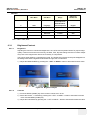
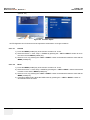
1.) TCPIP: allows you to configure the Internet Protocol.
2.) Device. allows you to set up devices.
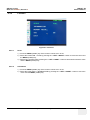
3.) Service: allows you to configure a service (for example, DICOM services such as printers, worklist,
and other services such as video print and standard print) from the list of supported services. This
means that the user can configure a device with the DICOM service(s) that particular device
supports.
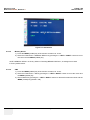
4.) Dataflow: allows you to adjust the settings of the selected dataflow and associated services.
Selecting a dataflow customizes the ultrasound system to work according to the services
associated with the selected dataflow.
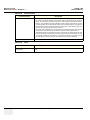
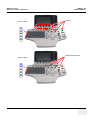
5.) Button: allows you to assign a pre-configured output service (or a set of output services) to the Print
keys on the control panel.
6.) Removable Media: enables formatting (DICOM, database, or blank formatting) and DICOM
verification of removable media.
7.) Miscellaneous: allows you to set up the patient exam menu options, print and store options, and
the order of the columns in the examination list on the Patient menu.
3-44
Section 3-12 - Configuring Connectivity