1
Chapter 8
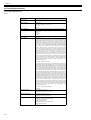
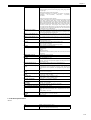
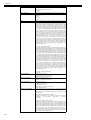
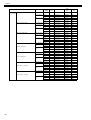
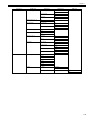
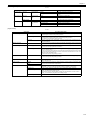
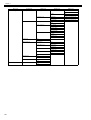
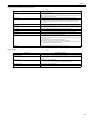
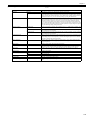
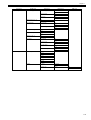
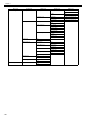
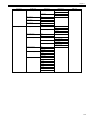
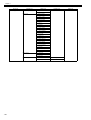
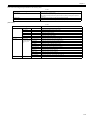
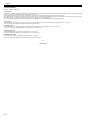
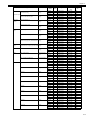
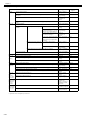
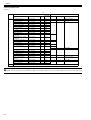
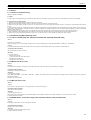
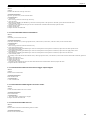
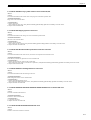
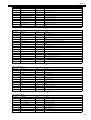
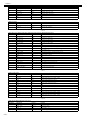
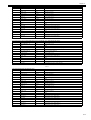
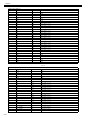
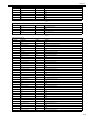
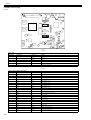
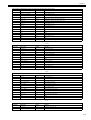
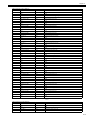
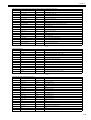
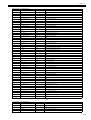
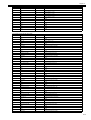
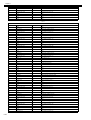
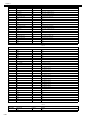
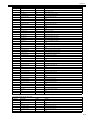
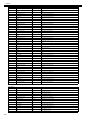
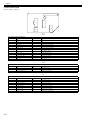
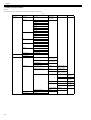
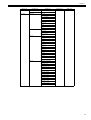
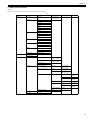
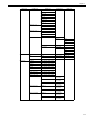
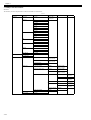
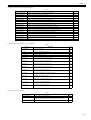
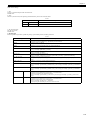
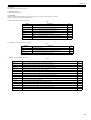
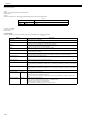
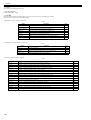
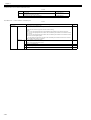
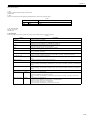
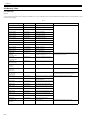
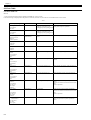
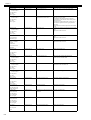
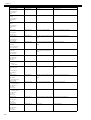
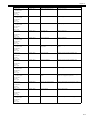
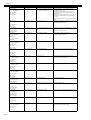
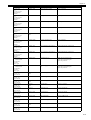
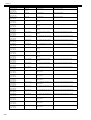
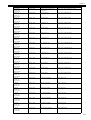
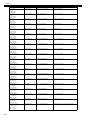
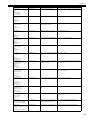
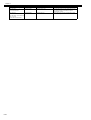
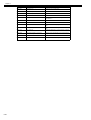
Display massage
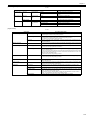
Code*
Condition detected
Action
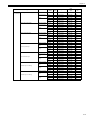
Right printhead
error
Open top cover and
replace the right
printhead.
03800201-2802
Invalid printhead R installed
Replace printhead R
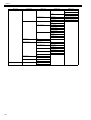
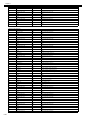
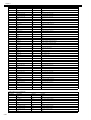
Left printhead
error
Open top cover and
replace the left
printhead.
03800202-280A
Invalid printhead L installed
Replace printhead L
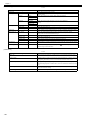
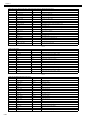
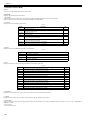
Right printhead
error
Open top cover and
replace the right
printhead.
03800301-2801
Printhead R DI compensation failure
Replace printhead R
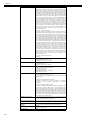
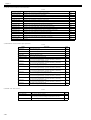
Left printhead
error
Open top cover and
replace the left
printhead.
03800302-2809
Printhead L DI compensation failure
Replace printhead L
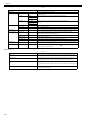
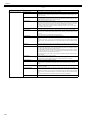
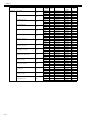
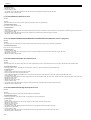
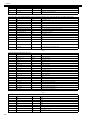
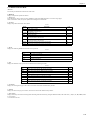
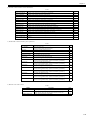
Right printhead
error
Open top cover and
replace the right
printhead.
03800401
-2803
Printhead R EEPROM error
Replace printhead R
Left printhead
error
Open top cover and
replace the left
printhead.
03800402-280B
Printhead L EEPROM error
Replace printhead L
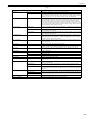
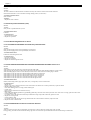
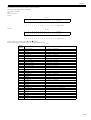
Right printhead
error
Open top cover and
replace the right
printhead.
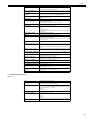
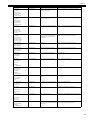
03800201-2812
Wrong printhead model installed on
printhead R
Install printhead PF-03 on printhead R.
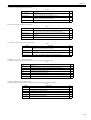
Left printhead
error
Open top cover and
replace the left
printhead.
03800202-2813
Wrong printhead model installed on
printhead L
Install printhead PF-03 on printhead L.
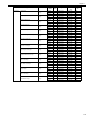
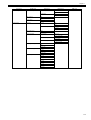
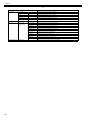
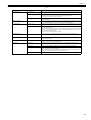
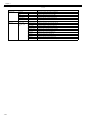
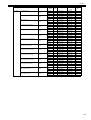
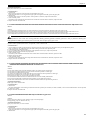
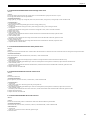
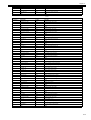
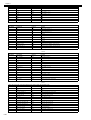
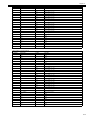
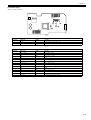
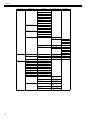
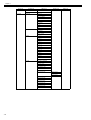
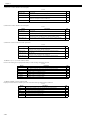
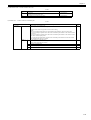
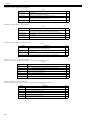
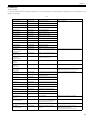
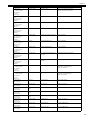
Hardware error.
03800500-2F2F
03800500-2F2F
Non-discharging error
Identify the non-discharging unit
Replace the non-discharging unit
Replace the printheads
03800500-2F30
Non-discharging position adjustment
error
Identify the non-discharging unit
Replace the non-discharging unit
Replace the printheads
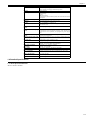
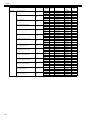
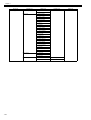
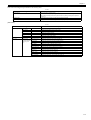
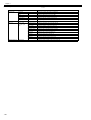
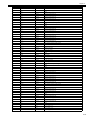
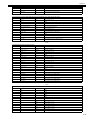
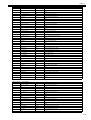
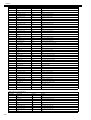
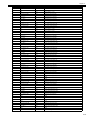
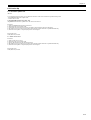
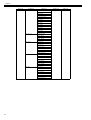
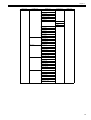
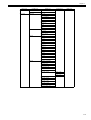
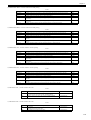
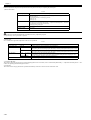
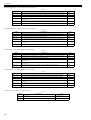
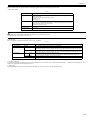
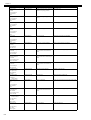
Ink tank is empty.
Press OK and
replace ink tank.
03810104
-2500
Bk ink tank empty
Renew the Bk ink tank
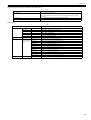
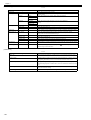
Ink tank is empty.
Press OK and
replace ink tank.
03810101-2501
Y ink tank empty
Renew the Y ink tank
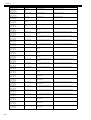
Ink tank is empty.
Press OK and
replace ink tank.
03810102
-2502
M ink tank empty
Renew the M ink tank
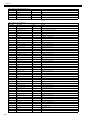
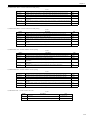
Ink tank is empty.
Press OK and
replace ink tank.
03810103
-2503
C ink tank empty
Renew the C ink tank
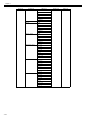
Ink tank is empty.
Press OK and
replace ink tank.
03810112
-2504
PM ink tank empty
Renew the PM ink tank
Ink tank is empty.
Press OK and
replace ink tank.
03810113-2505
PC ink tank empty
Renew the PC ink tank
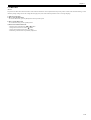
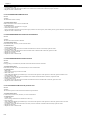
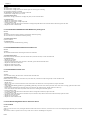
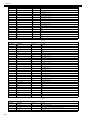
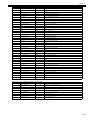
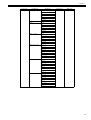
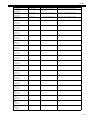
Ink tank is empty.
Press OK and
replace ink tank.
03810106-2506
MBk ink tank empty
Renew the MBk ink tank
Ink tank is empty.
Press OK and
replace ink tank.
03810106-2507
MBk2 ink tank empty
Renew the MBk ink tank
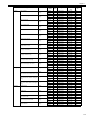
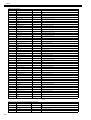
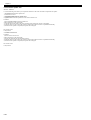
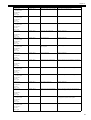
Ink tank is empty.
Press OK and
replace ink tank.
03810105
-2508
GY ink tank empty
Renew the GY ink tank
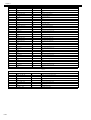
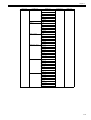
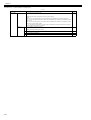
Ink tank is empty.
Press OK and
replace ink tank.
03810115-2509
PGY ink tank empty
Renew the PGY ink tank
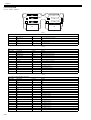
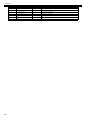
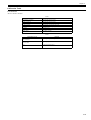
Turn off printer,
wait, then
turn on again.
Hardware error.
03800500-2F30
Turn off printer,
wait, then
turn on again.
8-19