1
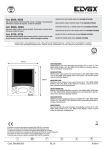
ADJUSTMENT MENU
Chime volume adjustment
ADJUSTMENT MENU
SUB-MENU FOR ADJUSTMENT
OF CHIME LEVEL
1) Press button C to scroll through the adjustment menu
2) Press button D to enter the "adjust chime
volume" sub-menu
SUB-MENU FOR ADJUSTMENT
OF CHIME LEVEL
SUB-MENU FOR ADJUSTMENT
OF CHIME LEVEL
3) Use buttons B and C to select the chime
level, which will be represented by a highlighted bar
76
4) To save the set level, press button D
GB