1
EN
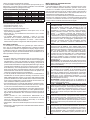
QUICK START
ENGLISH
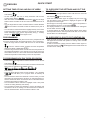
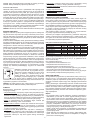
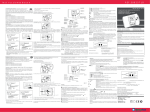
SETTING TIME OF DAY AND DAY OF WEEK
TO OVER-RIDE THE SETTINGS AND PUT THE
BOILER ON
- Press and hold the large selector switch until the icons on the left
start flashing
- Press and hold the large selector switch until the icons on the left
.
-Let the switch go, then turn it slowly clockwise until the time
symbols starts flashing
.
- Click the switch and the hour will start flashing
turn the large
selector switch clockwise to set the correct hour. Press the knob to
exit.
- Turn the large selector switch clockwise and the minutes will flash
turn the selector clockwise to alter the minutes, then push to
exit.
- Turn the selector switch clockwise to highlight the day of the week.
Press large selector switch, then let go, and then turn the selector
switch clockwise to the correct day Monday being 1, Tuesday
being 2 etc.
press again to exit.
start flashing
then let the switch go.
- Press the selector switch again to highlight only the icons, then
turn the selector switch clockwise to highlight the glass icon
then press the switch again.
- Now simply turn the large selector switch until the temperature is
above whatever is shown on the display
.
- The display will flash for 3 seconds then the flame icon will appear
and the boiler will come on .
- To put the heating off, simply turn the large selector switch below
the temperature shown, the temperature will flash for 3 seconds
and the flame icon will disappear.
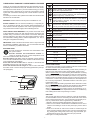
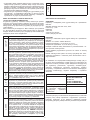
TO OVER-RIDE CLOCK TO PUT HEATING ON
PROGRAMMING
- Press and hold the selector switch for 2 seconds and the icon
will appear and the boiler will operate for heating until it reaches
the next off setting.
- To switch off from this, simply press the selector switch again for
2 seconds and the icon
will disappear and the boiler will be off
until the next on setting.
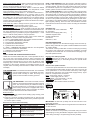
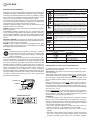
To set the ECOT temperature (this is the economy temperature that
the house will be at when the heating program is in an off position).
- Press the large selector switch until the icons on the left flash
. Turn the selector switch clockwise until the temperature
EC O Ł.
flashes and ECOt is highlighted
- Press the large selector switch and alter the ECOt temperature to
the desired temperature. In the Summer it may only be set at 8°C
and in Winter set at 12°C. The house will now be maintained at this
minimum temperature when heating is set in the off position.
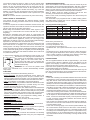
TO PROGRAM EACH DAY OR BLOCK BOOK
- Press and hold the large selector switch until the icons on the left
start flashing
.
- Let the switch go and then turn the switch clockwise until the black
bars at the top adjacent to the radiator symbol
start flashing.
- Press the large selector switch and the numbers 1 to 5 will flash
this will allow you to program times for Monday till
Friday.
- Turn the selector switch anti-clockwise to set the times you want
the heating off and clockwise to set when you want the heating on.
Use the actual time shown as reference and not the black blocks.
Press the large selector switch to exit.
- Turn the selector switch clockwise to highlight 6 and 7 then press
to enter for setting Saturday and Sunday.
- Turn the selector switch anti-clockwise to set the off settings and
clockwise to set the on settings, use the actual time for reference
and not the black blocks. Press the selector switch to exit.
2