1
Funzioni di base • Basic Operation
IT/GB
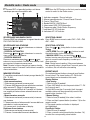
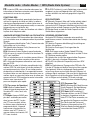
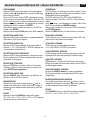
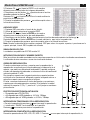
IT ACCENSIONE/SPEGNIMENTO
1. Premere brevemente per accendere l’unità.
2. Premere per più di 2 secondi per spegnere l’unità.
GB
SILENZIAMENTO AUDIO
Premere brevemente per silenziare l’audio.
Note: • Regolando il volume quando l’unità è in silenziamento, l’audio viene ripristinato.
MUTE
Press briefly to cut the sound.
Note: • Doing the operation above again or
adjusting volume will release muting.
TURN ON/OFF THE POWER
1. Press to turn on the unit.
2. Press more than 2 seconds to power off.
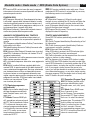
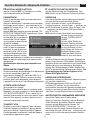
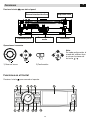
ADJUST THE VOLUME
Rotate the knob on the panel or press
VOL +/- on the remote control to increase
or decrease the volume.
REGOLAZIONE VOLUME
Ruotare la manopola o premere i tasti
VOL+ e VOL- sul telecomando per regolare il volume.
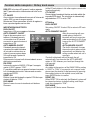
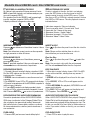
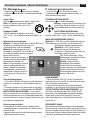
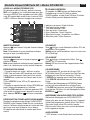
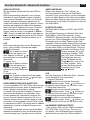
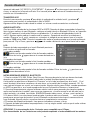
PLAYING SOURCE SELECTION
Method 1 • Short press the SRC button on the panel
or remote control to cycle through all the available
sources.
Method 2 • In any mode, long press the
SRC button on the panel or remote control
to enter main source menu, then use navigate button to select the desired mode,
and press OK to confirm.
Note: • You should stop
switching when the playing
source you desired has been selected and
wait for some seconds, the unit
will auto enter the playing source
mode you have selected.
SELEZIONE SORGENTE DA RIPRODURRE
Metodo 1 • Premere brevemente il tasto SRC sul frontalino o sul telecomando fino a visualizzzare la sorgente
da riprodurre.
Metodo 2 • Premere per oltre 2 secondi
il tasto SRC sul frontalino o sul telecomando fino alla visualizzazione del menù
sorgenti.
Usare i tasti frecce per muoversi
nel menù e confermare la selezione con il tasto OK.
Note: • Non cambiare sorgente
dopo la conferma della selezione, l’unità impiega qualche
secondo per iniziare la riproduzione, attendere fino alla
visualizzazione sul display della
sorgente.
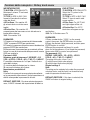
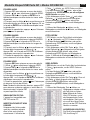
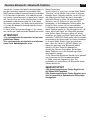
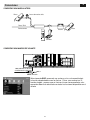
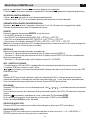
PARKING BRAKE
1. If ‘PRK SW’ cable is connected
to hand brake switch, the video
display of the TFT
monitor will be controlled by driving status, system
setup and input video sources.
2. When the car is moving ahead, if the video disc is
played, the screen appears “DO
NOT WATCH VIDEO WHILE DRIVING”. The above
warning screen will prevent the driver watching images. The passengers at the rear seats can watch
normally.
FRENO A MANO
1. Se il cavo ‘PRK SW’ è collegato al freno a mano, la visualizzazione sullo schermo
dipenderà dallo suo stato.
2. Quando l’auto è in movimento e si riproduce un filmato, sul display compare la scritta “DO NOT WATCH
VIDEO WHILE DRIVING”. Il messaggio avvisa il guidatore che non può guardare il video in movimento,
mentre i passeggeri posteriori possono continuare la
visione se l’unità è collegata ad un monitor da tetto o
poggiatesta.
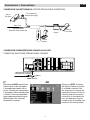
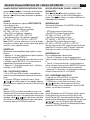
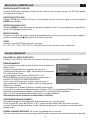
WHEN REVERSE DRIVING
If the rear view video camera is connected, the unit
automatically switches to CAMERA
source during reverse driving. The unit returns to the
original work mode after the reverse
driving is done.
FASE DI RETROMARCIA
Quando è presente la retrocamera l’unità passa automaticamente alla visualizzazione sul display di quest’ultima all’innesto della retromarcia.
L’unità ritornerà nella visualizzazione normale appena
verrà ripristinata la marcia avanti.
7