1
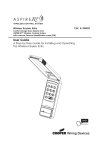
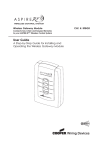
• The ON/OFF switch on the RF9500 will turn a receptacle ON/OFF
when associated with a Z-Wave RF receptacle such as the RF9505-T
or other Z-Wave RF receptacles.
• The ON/OFF switch on the RF9500 will turn the light ON/OFF when
associated with a Z-Wave RF Master Dimmer such as the RF9534-N,
RF9535-N, RF9536-N, RF9537-N and others.
• The UP/DOWN dimmer buttons will control the light level when
associated with a Z-Wave RF Master Dimmer.
Z-Wave Device Network Installation Instructions:
This product may be added to a new or existing Z-Wave network. A
Cooper Wiring Devices Z-Wave device has a blue LED that will blink
when the device is not included in a Z-Wave network. Note: The
RF9500 will only blink for one minute following the installation of the
batteries, or pressing of the button.
To include this device in a Z-Wave network, select the command on
your Z-Wave controller for inclusion (Install, Add Device, Add Node,
Include Device, etc.), then press the switch one time to include it in
the network. The LED will stop blinking after the device is successfully
included in the network.
To exclude this device from a Z-Wave network, select the command
on your Z-Wave controller for exclusion (Uninstall, Remove Device,
Remove Node, Exclude Device, etc.), then press the switch one time
to exclude it from the network. The LED will start blinking.
This product works with other Z-Wave products from different vendors
and product categories as part of the same network.
This product is not a listening node as it is a battery powered device
and is allowed to go to sleep to conserve battery life.
Therefore it will not perform the repeater function typical of other
Z-Wave devices.
Federal Communications Commission Statement
This device complies with Part 15 of the FCC Rules. Operation is
subject to the following two conditions:
1: This device may not cause harmful interference, and
2: This device must accept any interference received, including
interference that may cause undesired operation.
NOTE: This equipment has been tested and found to comply with the
limits for a Class B digital device, pursuant to Part 15 of the FCC Rules.
These limits are designed to provide reasonable protection against
harmful interference in a residential installation. This equipment
generates, uses and can radiate radio frequency energy and, if not
installed and used in accordance with the instructions, may cause
harmful interference to radio communications. However, there is no
guarantee that interference will not occur in a particular installation.
If this equipment does cause harmful interference to radio or
television reception, which can be determined by turning the
equipment off and on, the user is encouraged to try to correct
the interference by one or more of the following measures:
• Reorient or relocate the receiving antenna.
• Increase the separation between the equipment and receiver.
• Connect the equipment into an outlet on a circuit different from
that to which the receiver is connected.
FCC CAUTION:
Any changes or modifications not expressly approved by Cooper
Wiring Devices could void the user’s authority to
operate the equipment.
IN U.S.A.:
203 Cooper Circle
Peachtree City, GA 30269
866-853-4293
www:cooperwiringdevices.com
FRANÇAIS
Instructions pour RF9500
Description explicative du produit :
BOUTON DE
MARCHE/ARRÊT
BOUTON DE
GRADATEUR
Le RF9500 est un appareil à piles qui vous
permet d’installer un interrupteur /
gradateur presque partout où vous le
souhaitez et de contrôler
(marche/arrêt/atténuer/plus d’éclairage)
les charges/l’éclairage câblés aux
appareils ASPIRE RF™ à l’aide d’une
fonction d’association (c’est-à-dire créant 3
voies où un second emplacement n’est
actuellement pas disponible). Le RF9500
peut alors être utilisé pour contrôler sans fils
d’autres appareils RF câblés, comme un
interrupteur, un gradateur ou une prise. Ce
contrôle sans fils est effectué en associant le
RF9500 à d’autres appareils câblés.