1
)Section
('" nn~r;:a+inn
+hic IIni+
- . - . - - ....... -':JI ......... -_ •• -
/
"
F
---------==------------------------------~
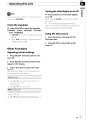
Turning the clock display on or off
CC
ONate
You can also turn loudness on
m
::::J
01'
off by pressing
and holding EQ/LOUD,
• Press CLOCK to turn the clock display
on or off.
Each press of CLOCK turns the clock display
rJ)
::r
on or off,
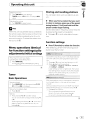
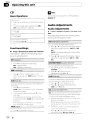
Using the equalizer
• Press EQ/LOUD to select the equalizer.
DYNAMIC-VOCAL-NATURAL-CUSTOM
-FLAT-POWERFUL
• CUSTOM allows you to create a customized
setting,
•
When FLAT is selected no adjustments are
made to the sound,[!J
• The clock display disappears temporarily
when you perform other operations, but the clock
display appears again after 25 seconds,
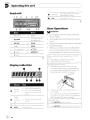
Using the AUX source
1 Insert the stereo mini plug into the
AUX input jack.
2 Press SRC/OFF to select AUX as the
source.[!J
Other Functions
Adjusting initial settings
1 Press SRC/OFF and hold until the unit
turns off.
2 Press SRC/OFF and hold until the clock
appears in the display.
3 Press F (function) to select the initial
setting.
After selecting, perform the following procedures to set the initial setting,
T
2
PI'ess .... or ~ to select the segment of the clock
display you wish to set.
Hour-Minute
Press. or .... to put a ciock right.
Activate thiS setting when uSing auxiliary deVice con,
nected to thiS unit.
Press. or .... to turn auxiliary setting on or off
En
CIJ