1
取扱説明書
No. 99MAL109B3
U-WAVE-R
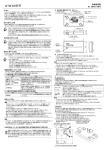
[1] 各部名称・機能及び寸法 (単位:mm)
はじめに
U-WAVE-R は、弊社製 U-WAVE-T(別売)とともに使用することで、デジマチック出力付き測定器の
測定データを無線通信し、パソコンに表示することができます。
U-WAVE-R の性能を十分に発揮させ、長期にわたり良好な状態でご使用いただくために、ご使用
の前にはこの取扱説明書をよくお読みいただき、正しくお使いください。
本書はお読みになった後も大切に保管してください。
U-WAVE-R の仕様及び本書の内容は将来予告なしに変更することがあります。
1.POWER(緑 LED)
2.ERROR(赤 LED)
4.INIT.スイッチ(初期化スイッチ) 5. デバイス ID ラベル
3. USB コネクタ
6. 認証ラベル
5. デバイス ID ラベル
6. 認証ラベル
安全に関するご注意
商品のご使用に当たっては、記載の仕様・機能・使用上の注意に従ってご使用ください。
それ以外でご使用になりますと安全性を損なう恐れがあります。
4. INIT.スイッチ
!
・ 電波により誤動作を引き起こす可能性のある医療機器の近くでは使用しないでください。
警告 ・ U-WAVE-R は、電波を使用しており、電波の到達距離範囲内であっても外来ノイズ等の
影響で通信が途切れる可能性があります。その際の損害防止処置(安全対策)を十分に
行ってください。
・ U-WAVE-R が万一故障した場合の損害防止処置(安全対策)を十分に行ってください。
3. USB コネクタ
海外移転に関するご注意
!
警告
U-WAVE-R は、「外国為替及び外国貿易法の輸出管理令別表第 1 若しくは外国為替令別表
に定める 16 の項」によるキャッチオール規制対象貨物又はプログラムです。また、本取扱
説明書及び U-WAVE クイックマニュアル(No. 99MAL110B)も、キャッチオール規制対象技術
です。製品の輸出や海外移転、非居住者への技術の提供等にあたっては、経済産業省へ
の輸出許可・役務取引許可申請や届出等が必要となる場合がありますので、事前に弊社に
ご相談ください。
1. POWER
(緑 LED)
2. ERROR
電波法に関するご注意
(赤 LED)
U-WAVE-R は、日本・EU加盟国・アメリカ・カナダでご使用になれます。
日本・EU加盟国・アメリカ・カナダ以外でのご使用は法律で禁止されています。
!
警告
・ U-WAVE-R は、電波を利用する為、使用する国において定められている該当規制に
従ってご使用ください。
・ 分解、改造をしないでください。法律で禁止されています。
・ U-WAVE-R に添付されている下記の認証ラベルは剥がさないようにしてください。
ラベルのないものは使用が禁止されています。
・ U-WAVE-R を航空機内で使用しないでください。
航空機内での無線機器の使用は法律で禁止されています。
無線通信環境におけるご注意
U-WAVE-R の性能が、障害物などの環境により十分に発揮できない場合があります
のでご注意ください。障害物の要因となる項目は下記をご参照ください。
1) 本器が通信できなくなる可能性がある場合
項目
コンクリート壁
金属性のパーテーションなど
内容
完全に遮断された状態での通信はできません。
通信速度が低下若しくは通信が遮断される可能性があります。
無線 LAN、ZigBee
Bluetooth などの通信機器
及び電子レンジ
通信速度が低下若しくは通信が遮断される可能性があります。
U-WAVE-R と通信チャネル(バンド ID)及び設置距離をできる
限り離してご使用ください。
工作機械など
放電加工機等の工作機械、搬送用クレーン、アーク溶接等が
稼動している作業現場では、通信速度の低下若しくは通信が
遮断される可能性があります。
[2] ソフトウェアのインストール
U-WAVE-R は、標準付属 CD 収録の専用ソフトウェア「U-WAVEPAK」を使用して、
パソコンに測定データを送信します。
U-WAVE-R をご使用する前に必ず標準付属品の「U-WAVE クイックマニュアル」をご一読し、
「U-WAVEPAK」と「USB ドライバ」のインストールを実施してください。
重要
・ Windows には’Administrator’権限でログインしてください。
・ U-WAVE-R をパソコンに接続する前に必ず U-WAVEPAK をインストールしてください。
・ U-WAVE-R を USB ハブに接続する時は、セルフパワー方式の USB ハブをご使用ください。
・ U-WAVE-R は、パソコンのスタンバイモード又は休止状態に対応しておりません。
各設定を解除してご使用ください。
・ U-WAVEPAK の詳細な操作方法は、付属 CD の’PDF_Manual’フォルダ内の「U-WAVEPAK
ユーザーズマニュアル」をご参照ください。
参照するためには Adobe 社の「Adobe Reader」が必要です。
[3] セットアップ
1)通信情報の設定
U-WAVE-R は、U-WAVEPAK を使用して、通信に必要な情報を設定する必要があります。
(工場出荷時は、何も設定されていません)
設定する情報は下記のとおりです。
名称
内容
U-WAVE-T と U-WAVE-R をグルーピングするための ID です。
グループ ID
同じ ID 同士が通信できます。
バンド ID
使用したい無線バンドの番号です。
データ抜け
監視レベル
U-WAVE-T から U-WAVE-R に送信されるデータには通信する度にインクリメントに
加算される値があります。U-WAVE-R は、その値を監視し、データに抜けがあった
際にパソコンにエラーを通知する機能を有します。
データ抜け監視レベルは、このエラー通知する頻度を規定する値です。
2) 本器が周りの機器に影響を与える可能性がある場合
項目
医療機器
内容
レーザメスやヘルスメータなどの医療機器の近くでは使用しな
いでください。
重要
使用上のご注意
以下の行為、状況は U-WAVE-R の故障、誤動作の原因となりますのでご注意ください。
重要
・ U-WAVE-R は、パソコンからの電源で動作しております。パソコンは、メーカや機種によっては
大きなノイズを発生する場合がありますので、ご使用前に必ずシステム全体で動作確認を
行ってください。
・ 落下などの急激なショックを与えたり、過度の力を加えないでください。
・ 3 ヶ月以上ご使用にならない時は、U-WAVE-R をパソコンより取り外して保管してください。
・ 直射日光のあたる場所、極端に熱い所、寒い所での使用、保管は避けてください。
・ 酸、アルカリなどの溶液や有機溶剤が付着する恐れがある場所での使用、保管は避けてください。
・ 電気ペン等の高電圧機器を使用した場合、電子部品が破壊される場合があります。
・ USB ケーブルに無理な力をかけないよう、また無理な曲げを与えないよう注意してください。
保障
U-WAVE-R は、厳重な品質管理のもとで製造されていますが、お客様の正常な使用状態において、
万一お買い上げの日から 1 年以内に故障した場合には、無償で修理させていただきます。
お求めの代理店、あるいは弊社営業所へご連絡ください。
・ 「U-WAVE クイックマニュアル」及び付属 CD の’PDF_Manual’フォルダ内の「U-WAVEPAK
ユーザーズマニュアル」をご一読し、通信情報を設定してください。
・ U-WAVE-R は、グループ ID とバンド ID が共に同じ設定の U-WAVE-R が近くにあると正常に
動作しません。必ず異なる ID を設定してください。
2)設置方法
U-WAVE-R は、見通しの良い場所に設置し、U-WAVE-T との間に障害物が無いようにしてください。
また、壁などに設置する際は、標準付属品の取付板(No.02AZD815)をご使用ください。
取り付け方法は以下のとおりです。
(1) U-WAVE-R の裏側に取付板を標準付属品である十字穴付なべ P タイトねじ 2 本
(呼び 2.6×6 No. A131-6221CP)で取り付けます。
U-WAVE-R の裏側には、3 箇所に取付板を固定できるようにねじ穴がありますので、
U-WAVE-R が取り付け易い向きに取付板を付けてください。
(2) U-WAVE-R を取り付けたい壁に 2 本のねじなどで取り付けてください。
取り付ける際には下図をご参照頂き、落ちる事の無きようご配慮ください。
・取付板図 (単位:mm)
・ U-WAVE-R への取り付け図
(3 箇所に取り付け可能)
壁に取り付けるための穴(2 箇所)
28
18±0.1
商品または包装に記されたこのシンボルマークは、EU諸国でこの商品を廃棄する時に一般
家庭ゴミと一緒に捨てないようにするためのものです。WEEE(廃電気電子機器)を土壌に埋め
立てする量を減らし環境への影響を低減するために、商品の再利用とリサイクルにご協力
ください。処理方法に関する詳しい内容は、お近くのお買い上げになった小売店や代理店に
お問い合わせください。
)
穴
3(
2- φ
4.5 4.5
3
2φ
6(
穴
)
39
分別処理を行っている EU(欧州)諸国で電気・電子機器の廃棄をする際の注意
U-WAVE-R に取り付けるための穴(2 箇所)
[4]機能
1) 通信機能
U-WAVE-T から受信したデータをパソコンに表示します。
操作手順は、以下のとおりです。
(1) U-WAVE-R をパソコンに USB ケーブルで繋いでください。
(2) U-WAVEPAK を起動してください。
(3) 「U-WAVE クイックマニュアル」及び付属 CD の’PDF_Manual’フォルダ内の
「U-WAVEPAK ユーザーズマニュアル」をご一読し、正しく設定してください。
(4) U-WAVE-T に繋いだ接続ケーブルの DATA スイッチ又は、測定器の DATA スイッチを押し、
データを送信します。
(5) U-WAVE-R は、受信したデータをパソコンに表示すると同時に U-WAVE-T に着信確認を
無線送信します。
(6) U-WAVE-T は、U-WAVE-R からの着信確認を受信し、成否をブザー/LED で確認できます。
重要
・ Windows には’Power Users’以上の権限でログインしてください。
・ U-WAVEPAK は、自動的に測定データをアクティブ状態のアプリケーションソフト(Excel や
word など)に送信します。
複数のアプリケーションソフトを同時に起動するときは、必ずご使用になりたいアプリケーション
ソフトウェアをアクティブ状態にしてください。
・ U-WAVE-R は、緑 LED 点灯状態のとき、U-WAVEPAK が起動してなくても、U-WAVE-T からの
測定データを受信し、着信信号を無線送信します。
測定を開始する前にいるご使用になりたいアプリケーションソフトに測定値が表示されることを
確認してください。
3) 通信状況の確認
データ送信が安定せず、エラーが頻発する。
・ U-WAVE-R と U-WAVE-T の距離が離れていませんか?
・ U-WAVE-R と U-WAVE-T の間に障害物はありませんか?
まず、各器の距離を近づけて試してみてください。U-WAVE-T との間に壁や金属製のパーテー
ション等の障害物があると通信に影響することがあります。
また、U-WAVE-R の位置や向きを変更すると通信し易くなることもあります。
・ 周囲で電子レンジや無線 LAN、Bluetooth を使用していませんか?
2.4GHz を使用した無線機器や家電は、U-WAVE-R で使用される周波数に近いので影響を
与えることがあります。特に医療機器は、電磁妨害によって生命の危険が発生する可能性が
あります。十分距離をとってご使用ください。また、U-WAVEPAK を使用して周辺の使用バンド
状況を確認し、通信品質の良いバンドに変更すると通信が安定することがあります。
付属 CD の’PDF_Manual’フォルダ内の「U-WAVEPAK ユーザーズマニュアル」をご参照
の上、試みてください。
[6]仕様
国(地域)
コード No.
認証番号
送信出力
通信距離
2) 電圧低下警告機能
U-WAVE-R は、パソコンからの供給電源の電圧が低下すると赤LEDが点滅します。
(緑 LED は点灯状態)
このような状態のときは、新しい USB ケーブルに変更してください。
適合規格
3)設定情報の初期化方法
U-WAVE-R をご使用している間に通信ができなくなった場合は、まず 5 項をご参照ください。
それでも通信ができなかった時、設定情報を初期化し、本器を工場出荷状態にして再度セット
アップを試みてください。
下記の手順で初期化してください。
(1) U-WAVEPAK を閉じ、USB ケーブルを本器から引き抜いてください。
(2) U-WAVE-R の INIT.スイッチを押しながら USB ケーブルを本器に再挿入し、スイッチを押したまま
の状態で 3 秒以上お待ちください。初期化されます。
このとき、緑 LED が点滅していることをご確認ください。
(3) 再度セットアップを実施してください。
無線規格
通信周波数
使用バンド
変調方式
無線通信速度
LED 表示
パソコンへの出力
電源供給方式
使用温度(湿度)
保存温度(湿度)
外形寸法
本体質量
重要
1 度、初期化をすると今まで使用していた設定情報がクリアされます。
[5] トラブルシューティング
以下の処置をしても改善されない場合は弊社営業所までご相談ください。
ご連絡先は、付属 CD の’PDF_Manual’フォルダ内の「U-WAVEPAK ユーザーズマニュアル」の
最終ページをご覧ください。
1) U-WAVE-R の確認内容
(1) 緑 LED が点灯(点滅)しない。
・ パソコンの電源は入っていますか?
・ パソコンと USB ケーブルで接続されていますか?
U-WAVE-R は、パソコンから電源の供給を受けるため、パソコンの電源が入った状態で接続
されていないと電源が入りません。接続状態をご確認ください。
・ デバイスドライバがインストールされていますか?
(2) 緑 LED が点灯している状態で赤 LED が点滅する。
・ USB ケーブルに無理な力がかかっていませんか?
USB ケーブルの状況をご確認してください。また USB ケーブル内で断線していることが
考えられますので、新たな USB ケーブルをお試しください。
(3) 緑 LED と赤 LED が交互に点滅したままである。
・ セットアップは完了していますか?
U-WAVEPAK ユーザーズマニュアルをご参照の上、正しくセットアップをしてください。
・ U-WAVE-R の近くにグループ ID とバンド ID が同じ設定のレシーバがありませんか?
異なる ID を再設定してください。
2) U-WAVE-T の確認内容
(1)データ送信が必ず失敗し、赤色 LED が点灯する。
・ 測定器の LCD が計数表示状態ですか?
接続している測定器の表示部が消灯又は、値を設定する状態だと通信できません。
計数表示している状態にしてください。
・ 電池電圧が低下していませんか?
電池電圧が低下している状態だと赤色 LED が点滅しデータ送信しません。
新しい電池に交換してください。
・ U-WAVE-T が正しく測定器に取り付けられていますか?
U-WAVE-T と測定器が接続ケーブルを使用してきちんと繋がっているかご確認ください。
また、特に接続ケーブル(02AZD791A、B)のご使用の際は、必ず接続ケーブルの黒色側を
U-WAVE-T に挿入してください。
・ U-WAVE-T のデバイスIDラベルに記載されているID番号が、U-WAVEPAK 上で接続状態に
なっていますか?
接続状態になっていないと通信しません。「U-WAVE クイックマニュアル」及び付属 CD
の’PDF_Manual’フォルダ内の「U-WAVEPAK ユーザーズマニュアル」をご一読し、正しく設定
てください。
(2)U-WAVE-R 検索が実行できず、橙色 LED の点滅が消えてしまい、赤色 LED が点滅する。
・ U-WAVE-T が正しく測定器に取り付けられていますか?
U-WAVE-T と測定器が接続ケーブルできちんと繋がっていないと U-WAVE-R 検索は実行でき
ません。
また、もしきちんと繋いであるのに U-WAVE-R 検索できない場合は、U-WAVE-T 取扱説明書
内”6 項(2)設定情報の初期化方法“をご参照の上、U-WAVE-T の設定情報を初期化して再度接
続を試みてください。
日本、欧州、アメリカ、カナダ
02AZD810D
005WWCA0167 (日本)
VXU-02AZD810D (アメリカ)
4396B-02AZD810D (カナダ)
1 mW(0dBm)以下
約 20 m(オフィス環境見通し)
日本 ARIB STD-T66
欧州 EN 50371:2002
EN 300 440-1 V1.3.1 and EN 300 440-2 V1.1.2
EN 301 489-01 V1.6.1 and EN 301 489-03 V1.4.1
アメリカ 47 CFR Part 15.247:(Subpart :C)
47 CFR Part 15,(Subpart :B)
カナダ RSS-210 (Issue 7) and RSS-Gen (Issue 2)
ICES 003 (Issue 4)
IEEE802.15.4 準拠
2.405∼2.475GHz
15 CH( 5MHz 間隔 )
DSSS(直接スペクトラム拡散)
250 kbps
緑/赤 2色
USB2.0 12Mbps(USB1.1 相当)
USB バスパワー方式
0 ∼ 40℃(20∼80%RH、非結露)
-10 ∼ 60℃(20∼80%RH、非結露)
140 × 80 × 31.6 (mm)
約 130g
○ 標準付属品
・
・
・
・
・
・
・
U-WAVE-R 取扱説明書(本書) No. 99MAL109B
U-WAVE クイックマニュアル No. 99MAL110B
USB ケーブル(1m) No. C177-008
取付板 No. 02AZD815
十字穴付なべ P タイトねじ呼び 2.6×6 2 ヶ No. A131-2621CP
保証書
U-WAVEPAK No. 02ARB110 (CD 内に下記の内容が梱包されています。)
・ U-WAVEPAK プログラム
・ USB デバイスドライバ
・ データ収集マクロ for U-WAVE
・ U-WAVEPAK ユーザーズマニュアル No. 99MAL216
株式会社ミツトヨ 神奈川県川崎市高津区坂戸 1-20-1
U-WAVE-R
User’s Manual
No.99MAL109B3
Introduction
The U-WAVE-R in conjunction with a Mitutoyo U-WAVE-T (available separately) allows
wireless communication of the measurement data from Digimatic-output interfaced tool to load
it to a personal computer for data display.
To obtain the highest performance and the longest service life from the U-WAVE-R, carefully
read this User’s Manual thoroughly prior to use.
After reading this manual, keep it near the U-WAVE-R for quick reference.
The specifications of the U-WAVE-R and descriptions in this manual are subject to change
without prior notification.
Safety Precautions
Use the U-WAVE-R in conformance with the specifications, functions and precautions for use
given in this manual. If the U-WAVE-R is used in other way, it may jeopardize safety.
!
WARNING
• Do not use the U-WAVE-R near a medical device that has a possibility of causing a
malfunction due to radio waves.
• The U-WAVE-R using an electric wave has a possibility that communication is
interrupted under the influence of external noises, etc., even within the distance of
communication of the electric wave. In this case take sufficient failure prevention
action (security measures).
• In the event the U-WAVE-R should fail, take sufficient failure prevention action
(security measures).
Precautions for Use
The following deeds and situations will cause a failure or malfunction in the U-WAVE-R.
Care should be exercised.
IMPORTANT
• The U-WAVE-R operates on the power supply from a personal computer. A personal
computer may generate large noises depending on the manufacturer and model. Be sure to
verify the whole system operation once prior to use.
• Do not give a sudden shock such as a drop or apply an excessive force to the U-WAVE-R.
• If the U-WAVE-R is not used more than 3 months, disconnect the U-WAVE-R from the
personal computer and store it in a safe place.
• Avoid using or storing the U-WAVE-R at sites which are exposed to direct sunlight,
excessively high or low temperature.
• Avoid using or storing the U-WAVE-R at sites where it may be subject to the adhesion of
solution such as acid and alkali or organic solvent.
• If a high-voltage device such as an electro-spark engraving pen is used for the U-WAVE-R,
the internal electronic parts may be damaged.
• Exercise care so as not to apply an undue force or curvature to the USB cable.
Warranty
In the event that the U-WAVE-R should prove defective in workmanship or material, within
one year from the date of original purchase for use, it will be repaired or replaced, at our
option, free of charge upon its prepaid return to us.
This warranty is effective only where the U-WAVE-R is properly installed and operated in
conformance with the instructions in this manual.
Notes on Export Regulation
!
WARNING
The U-WAVE-R falls into the Catch-All-Controlled Goods or Program under the
Category 16 of the Separate Table 1 of the Export Trade Control Order or the
Category 16 of the Separate Table of the Foreign Exchange Control Order,
based on the Foreign Exchange and Foreign Trade Law of Japan.
Further, this User's Manual and U-WAVE Quick Manual (No. 99MAL110B) also
falls into the Catch-All-Controlled Technology for use of the Catch-All-Controlled
Goods or Program, under the Category 16 of the Separate Table of the Foreign
Exchange Control Order.
If you intend re-exporting or re-providing the product or technology to any party
other than yourself, please consult with Mitutoyo prior to such re-exporting
or re-providing.
Disposal of Old Electrical & Electronic Equipment (Applicable in the European
Union and other European countries with separate collection systems)
This symbol on the U-WAVE-R or on its packaging indicates that the U-WAVE-R shall
not be treated as household waste. To reduce the environmental impact of WEEE
(Waste Electrical and Electronic Equipment) and minimize the volume of WEEE
entering landfills, please reuse and recycle.
For further information, please contact your local dealer or distributors.
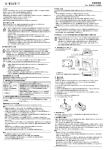
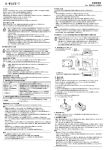
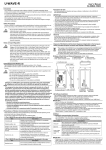
[1] Name of Each Part and External Dimensions (Unit : mm)
1. POWER (Green LED)
4. INIT. Switch (Initialize switch)
2. ERROR (Red LED)
5. Device ID label
3. USB connector
6. Certification label
6. Certification label
Precautions for the Wireless Law
The U-WAVE-R can use in Japan, EU member countries, U.S.A, Canada .
The U-WAVE-R cannot be used in countries other than Japan, EU member countries, U.S.A,
Canada
!
WARNING
4. INIT. switch
• The U-WAVE-R must follow the corresponding regulation which is specified in the
country to use an electric wave.
• Do not disassemble or modify any part of the U-WAVE-R.
• Do not peel off the following certification label stuck on the U-WAVE-R.
The use of any U-WAVE-R without the label is prohibited.
• Do not use the U-WAVE-R in an airplane.
The use of a wireless equipment in the airplane is prohibited.
Changes or modifications not expressly approved by the party responsible
for compliance could void the user’s authority to operate the equipment.
Notes
This equipment has been tested and found to comply with the limits for a Class B
digital device, pursuant to Part 15 of the FCC Rules. These limits are designed to
1. POWER
2. ERROR
5. Device ID label 3. USB connector
provide reasonable protection against harmful interference in a residential installation.
(Green LED)
(Red LED)
This equipment generates, uses and can radiate radio frequency energy and, if not
installed and used in accordance with the instructions, may cause harmful interference
[2] Software Installation
to radio communications, However, there is no guarantee that interference will not
The U-WAVE-R outputs measurement data to a personal computer using the dedicated
occur in a particular installation. If this equipment does cause harmful interference to
software “U-WAVEPAK” included in the CD supplied as a standard accessory.
radio or television reception, which can be determined by turning the equipment off
Before using the U-WAVE-R be sure to read the standard accessory
and on, the user is encouraged to try to correct the interference by one or more of
“U-WAVE QUICK Manual” thoroughly, and then install the “U-WAVEPAK” and “USB Driver”.
IMPORTANT
the following measures:
• Log in to Windows by ‘Administrator’.
-- Reorient or relocate the receiving antenna.
• Be sure to install the U-WAVEPAK before connecting the U-WAVE-R to a personal computer.
-- Increase the separation between the equipment and receiver.
• When connecting the U-WAVE-R to a USB Hub, always use a self-powered USB Hub.
-- Connect the equipment into an outlet on a circuit different from that to which the
• The U-WAVE-R does not support the operation in the Standby or Hibernate of a personal
receiver is connected.
computer. Cancel each setting in the U-WAVE-R prior to use.
-- Consult the dealer or an experienced radio/TV technician for help.
• Please read the “U-WAVEPAK User’s Manual“ in “PDF_Manual” folder of the CD supplied as a
standard accessory for a detailed operation method of U-WAVEPAK.
Precautions on Wireless Communication Environments
“Adobe Reader” of Adobe Systems INC. is necessary to read.
Notice that this performance of the U-WAVE-R may not be fully delivered depending on the
[3] Setup
environment such as a midway obstruction.
1) Setting the communication information
For the items of obstruction factors refer to the following table.
You need to set various information necessary for communication in the U-WAVE-R using
1) The U-WAVE-R may not be able to communicate in the case.
the U-WAVEPAK. (No information is registered default setting.)
Item
Description
The information required to be set is as shown in the following table.
Disables communication if the U-WAVE-R is completely
Item
name
Description
Concrete wall
enclosed with a concrete wall.
ID for grouping the U-WAVE-T and the U-WAVE-R.
Have the possibility of reducing the communication speed
Group ID
Communication is possible between the U-WAVE-T and the U-WAVE-R
Metallic partition, etc.
or blocking communication.
which have the same ID.
Have the possibility of reducing the communication speed
Wireless LAN, Bluetooth,
Band ID
Number of a radio band to be used
or blocking communication. Separate the communication
ZigBee, microwave oven,
The data transmitted from the U-WAVE-T to the U-WAVE-R includes a value
and other communication
channel (band ID) and installation site of each device as far
that is incremented by one each time communication is implemented.
Lack of data
devices
as possible from those of the U-WAVE-R.
The U-WAVE-R monitors this value and has a function to notify the personal
monitoring
computer of a data missing error.
In the worksite operated with machine tools such as electrical
level
A lack of data monitoring level is a value for prescribing how frequently this
discharge Machines, crane for transfer, arc welding etc.,
Machine tools, etc.
error is notified.
have the possibility of reducing the communication speed
or blocking communication.
IMPORTANT
2) The U-WAVE-R may influence on the peripheral equipment in the case
Item
Medical device
Description
Do not use the U-WAVE-R near a medical device such as a
laser surgical knife and a bathroom scale.
• Please read the “U-WAVE Quick manual “ and “U-WAVEPAK User’s Manual“ in “PDF_Manual”
folder of the CD supplied as a standard accessory for setting the communication information.
• The U-WAVE-R will not function properly if a U-WAVE-R with the same group ID and band
ID settings exists nearby. Be sure to set different information for each ID in the U-WAVE-R.
2) Confirmation of U-WAVE-T
2) Installation procedure
(1) Data transmission always fails and the red LED lights up.
• Is the LCD of the Measuring tool put in the count display state?
Communication is not possible if the LCD on the connected Measuring tool is turned off or in
the data entry state. Put the Measuring tool LCD in the count display state.
• Has the battery voltage come down?
If the battery is consumed to a low voltage, the red LED is blinking and data transmission is
disabled.
Replace the battery with a new one.
• Is the U-WAVE-T installed correctly on the Measuring tool?
Recheck that the U-WAVE-T and the Measuring tool are properly mated using the supplied
connecting cable.
Also, when using the specific connecting cable (02AZD791A, B), be sure to mate the
black-marked side of the connecting cable with the U-WAVE-T.
• Figure of how to attach the plate to the U-WAVE-R • Is the device ID described in the label on the U-WAVE-T set in the connecting state on the
U-WAVEPAK?
(Attachable at one of three positions.)
Unless it is in the connecting state, communication is not implemented.
Referring to read the “U-WAVE Quick manual “ and “U-WAVEPAK User’s Manual“ in
“PDF_Manual” folder of the CD supplied as a standard accessory, set up the system
correctly.
Install the U-WAVE-R at a location with a good view and eliminate any obstacle between the
U-WAVE-R and the U-WAVE-T. If installing it on a wall, etc., use the installation board
(No. 02AZD815) from among the standard accessories. To install the U-WAVE-R on a wall,
observe the following procedure.
(1) Attach the mounting plate to the U-WAVE-R backside with cross-recessed head tapping
screws (nominal size 2.6 × 6 No. A131-6221CP 2pcs.) in the standard accessories.
Screw holes are provided on the U-WAVE-R backside so that the mounting plate can be
fixed at one of three positions. Attach the mounting plate at an appropriate position
where the U-WAVE-R is easily mounted.
(2) Install the U-WAVE-R on a wall at a desired location with the two screws.
When installing the U-WAVE-R, refer to the following figure. Carefully install the U-WAVE-R
so that it will not drop from the wall.
• Figure of the installation board(Unit : mm)
Holes for mounting on a wall (2 pieces)
(2) The U-WAVE-R search cannot be executed, blinking orange color LED disappears,
and red LED blinks.
• Is the U-WAVE-T installed correctly on the Measuring tool?
Recheck that the U-WAVE-T and the Measuring tool are properly mated using the supplied
connecting cable.
If U-WAVE-T is installed correctly on the Measuring tool correctly, initialize the setting
information and then retry communication after referring “section 6 (2) in U-WAVE-T manual”
3) Confirmation of Wireless Communication Environments
Holes for attaching to the U-WAVE-R (2 pieces)
[4] Functions
1) Communication Function
The U-WAVE-R displays the data received from the U-WAVE-T.
Observe the following procedure for output operation.
(1) Connect the U-WAVE-R to a personal computer with a USB cable.
(2) Boot the U-WAVEPAK.
(3) Please read the “U-WAVE Quick manual “ and “U-WAVEPAK User’s Manual“ in
“PDF_Manual” folder of the CD supplied as a standard accessory for setting correctly.
(4) Press the DATA switch on the connecting cable connected to the U-WAVE-T or the DATA
switch on a Measuring tool to transmit data.
(5) The U-WAVE-R displays the received data and wireless transmits the confirm signal to
the U-WAVE-T.
(6) U-WAVE-T receives the confirmation signal from U-WAVE-R, and can confirm the success
(or failure) with LED (Buzzer).
Data communication is not stabilized, causing an error frequently.
• Is the U-WAVE-R separated too far from the U-WAVE-T?
• Is there any obstacle between the U-WAVE-R and the U-WAVE-T?
First, bring these instruments close to each other, and then try communication between
them. If an obstacle such as a wall or a metallic partition exists between the U-WAVE-R and
U-WAVE-T, communication may be affected adversely.
Also, the communication condition may be improved by changing the U-WAVE-R location and
orientation.
• Is any microwave oven, wireless LAN, or Bluetooth used nearby?
A wireless communication device or electric household appliance using a frequency of 2.4
GHz, which is close to the frequency used in the U-WAVE-R, might be affected adversely.
Particularly, medical equipment could cause a threat to life due to electromagnetic
interference. Carefully use the U-WAVE-R while separating sufficiently from such
equipment.
Also, check the situation of used bands at the periphery with the U-WAVEPAK and change
the current band to that with better communication quality. It may be possible to stabilize
communication.
Make an attempt on this, referring to “U-WAVEPAK User’s Manual“ in “PDF_Manual” folder of
the CD supplied as a standard accessory.
[6] Specifications
IMPORTANT
• Log in to Windows by ‘Power Users’ or above.
• The U-WAVE-PAK automatically transmits the measurement data to the active application
software (such as Microsoft Excel or Microsoft word). Before booting multiple application
software simultaneously, be sure to activate the application software that you want to use.
• U-WAVE-R receives the data from the U-WAVE-T and wireless transmits the confirmation
signal to the U-WAVE-T, even if U-WAVEPAK doesn't start .
Please confirm measurements are displayed in the application software that is before the
measurement begins that wants to be used.
Country
Code No.
Certification number
Transmission output
Distance of communication
2) Low power supply alarm
Red LED blinks when the voltage of the power supply from the personal computer decreases.
(Green LED is in the state of lighting.)
Please change to a new USB cable at such a state.
A Conformity standard
3) Initializing the setting information
If communication is disabled while using the U-WAVE-R, first refer to section 5.
If communication is still disabled, initialize the information set in section 3 to default settings,
and then retry setup.
Initialize the setting information with the following procedure.
(1) Close U-WAVEPAK activated on the personal computer, and then pull off the cable of the
U-WAVE-R from the USB cable on the computer.
(2) While holding down the INIT. switch on the U-WAVE-R, plug the cable from the U-WAVE-R
into the USB cable on the personal computer again. Wait for 3 seconds or more in this state.
The setting information is initialized. At this time check that the green LED is blinking.
(3) Implement the setup again.
IMPORTANT
Once initialization is performed, the setting information used until then is all cleared.
[5] Troubleshooting
If any trouble is not corrected even when the following actions are taken, contact a Mitutoyo
service center.
Please read the final page of “U-WAVEPAK User’s Manual“ in “PDF_Manual” folder of
the CD supplied as a standard accessory about Mitutoyo service center.
1) Confirmation of U-WAVE-R
(1) The green LED will not light up (or start blinking).
• Is the power to the personal computer turned on?
• Is the USB cable connected between the U-WAVE-R and personal computer?
The U-WAVE-R is supplied with power from the personal computer, and thereby no power
will be supplied to the U-WAVE-R unless the personal computer is turned on. Check the
USB cable for proper connection.
• Is the USB driver installed?
(2) The red LED is blinking with the green LED being lit.
• Is any undue force applied to the USB cable?
Check the connecting condition of the USB cable. Also, the USB cable might be broken
internally. Check it out by using a new USB cable.
(3) The green LED and red LED keep blinking alternately.
• Has setup been completed?
Referring to the U-WAVEPAK User’s Manual, set up the system correctly.
• Does any U-WAVE-R with the same group ID and band ID exist near the U-WAVE-R?
Set different information for each ID in the U-WAVE-R.
Japan, EU member countries, U.S.A, Canada
02AZD810D
005WWCA0167 (Japan)
VXU-02AZD810D (U.S.A)
4396B-02AZD810D (Canada)
Less than 0 dBm (1 mW)
Approx.20 m
(at line-of-sight distance under office environments)
Japan ARIB STD-T66
Europe EN 50371:2002
EN 300 440-1 V1.3.1 and EN 300 440-2 V1.1.2
EN 301 489-01 V1.6.1 and EN 301 489-03 V1.4.1
U.S.A 47 CFR Part 15.247:(Subpart :C)
47 CFR Part 15,(Subpart :B)
Canada RSS-210 (Issue 7) and RSS-Gen (Issue 2)
ICES 003 (Issue 4)
Wireless communication protocol
Communication frequency
Used band
Modulation method
Wireless communication speed
LED display
Output to a personal computer
Power supply system
Operating temperature (humidity)
Storage temperature (humidity)
External dimensions
U-WAVE-R mass
IEEE802.15.4 compatible
2.405 to 2.475 GHz
15 channels (at intervals of 5 MHz)
DSSS (Direct Sequence Spread Spectrum)
250 Kbps
Green/red
USB2.0 12 Mbps (equivalent to USB1.1)
USB bus power system
0 to 40°C (20 to 80%RH, with no condensation)
-10 to 60°C (20 to 80%RH, with no condensation)
140 × 80 × 31.6 (mm)
Approx. 130 g
○ Standard accessories
・ U-WAVE-R User’s Manual (this manual) No. 99MAL109B
・ U-WAVE QUICK Manual No. 99MAL110B
・ USB cable (1m) No. C177-008
・ An Installation board No. 02AZD815
・ Cross-recessed head tapping screws
nominal size 2.6 × 6 No. A131-6221CP 2pcs.
・U-WAVEPAK No.02ARB110 (The following contents bundle into the CD)
・ U-WAVEPAK Program
・ USB Device Driver
・ Data Collection Macro for U-WAVE
・ U-WAVEPAK User’s Manual No. 99MAL216
・ Warranty card
Mitutoyo Corporation
20-1, Sakado 1-Chome, Takatsu-ku, Kawasaki-shi, Kanagawa 213-8533, Japan