1
U-WAVE-R
User’s Manual
No.99MAL109B3
Introduction
The U-WAVE-R in conjunction with a Mitutoyo U-WAVE-T (available separately) allows
wireless communication of the measurement data from Digimatic-output interfaced tool to load
it to a personal computer for data display.
To obtain the highest performance and the longest service life from the U-WAVE-R, carefully
read this User’s Manual thoroughly prior to use.
After reading this manual, keep it near the U-WAVE-R for quick reference.
The specifications of the U-WAVE-R and descriptions in this manual are subject to change
without prior notification.
Safety Precautions
Use the U-WAVE-R in conformance with the specifications, functions and precautions for use
given in this manual. If the U-WAVE-R is used in other way, it may jeopardize safety.
!
WARNING
• Do not use the U-WAVE-R near a medical device that has a possibility of causing a
malfunction due to radio waves.
• The U-WAVE-R using an electric wave has a possibility that communication is
interrupted under the influence of external noises, etc., even within the distance of
communication of the electric wave. In this case take sufficient failure prevention
action (security measures).
• In the event the U-WAVE-R should fail, take sufficient failure prevention action
(security measures).
Precautions for Use
The following deeds and situations will cause a failure or malfunction in the U-WAVE-R.
Care should be exercised.
IMPORTANT
• The U-WAVE-R operates on the power supply from a personal computer. A personal
computer may generate large noises depending on the manufacturer and model. Be sure to
verify the whole system operation once prior to use.
• Do not give a sudden shock such as a drop or apply an excessive force to the U-WAVE-R.
• If the U-WAVE-R is not used more than 3 months, disconnect the U-WAVE-R from the
personal computer and store it in a safe place.
• Avoid using or storing the U-WAVE-R at sites which are exposed to direct sunlight,
excessively high or low temperature.
• Avoid using or storing the U-WAVE-R at sites where it may be subject to the adhesion of
solution such as acid and alkali or organic solvent.
• If a high-voltage device such as an electro-spark engraving pen is used for the U-WAVE-R,
the internal electronic parts may be damaged.
• Exercise care so as not to apply an undue force or curvature to the USB cable.
Warranty
In the event that the U-WAVE-R should prove defective in workmanship or material, within
one year from the date of original purchase for use, it will be repaired or replaced, at our
option, free of charge upon its prepaid return to us.
This warranty is effective only where the U-WAVE-R is properly installed and operated in
conformance with the instructions in this manual.
Notes on Export Regulation
!
WARNING
The U-WAVE-R falls into the Catch-All-Controlled Goods or Program under the
Category 16 of the Separate Table 1 of the Export Trade Control Order or the
Category 16 of the Separate Table of the Foreign Exchange Control Order,
based on the Foreign Exchange and Foreign Trade Law of Japan.
Further, this User's Manual and U-WAVE Quick Manual (No. 99MAL110B) also
falls into the Catch-All-Controlled Technology for use of the Catch-All-Controlled
Goods or Program, under the Category 16 of the Separate Table of the Foreign
Exchange Control Order.
If you intend re-exporting or re-providing the product or technology to any party
other than yourself, please consult with Mitutoyo prior to such re-exporting
or re-providing.
Disposal of Old Electrical & Electronic Equipment (Applicable in the European
Union and other European countries with separate collection systems)
This symbol on the U-WAVE-R or on its packaging indicates that the U-WAVE-R shall
not be treated as household waste. To reduce the environmental impact of WEEE
(Waste Electrical and Electronic Equipment) and minimize the volume of WEEE
entering landfills, please reuse and recycle.
For further information, please contact your local dealer or distributors.
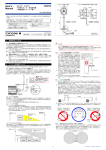
[1] Name of Each Part and External Dimensions (Unit : mm)
1. POWER (Green LED)
4. INIT. Switch (Initialize switch)
2. ERROR (Red LED)
5. Device ID label
3. USB connector
6. Certification label
6. Certification label
Precautions for the Wireless Law
The U-WAVE-R can use in Japan, EU member countries, U.S.A, Canada .
The U-WAVE-R cannot be used in countries other than Japan, EU member countries, U.S.A,
Canada
!
WARNING
4. INIT. switch
• The U-WAVE-R must follow the corresponding regulation which is specified in the
country to use an electric wave.
• Do not disassemble or modify any part of the U-WAVE-R.
• Do not peel off the following certification label stuck on the U-WAVE-R.
The use of any U-WAVE-R without the label is prohibited.
• Do not use the U-WAVE-R in an airplane.
The use of a wireless equipment in the airplane is prohibited.
Changes or modifications not expressly approved by the party responsible
for compliance could void the user’s authority to operate the equipment.
Notes
This equipment has been tested and found to comply with the limits for a Class B
digital device, pursuant to Part 15 of the FCC Rules. These limits are designed to
1. POWER
2. ERROR
5. Device ID label 3. USB connector
provide reasonable protection against harmful interference in a residential installation.
(Green LED)
(Red LED)
This equipment generates, uses and can radiate radio frequency energy and, if not
installed and used in accordance with the instructions, may cause harmful interference
[2] Software Installation
to radio communications, However, there is no guarantee that interference will not
The U-WAVE-R outputs measurement data to a personal computer using the dedicated
occur in a particular installation. If this equipment does cause harmful interference to
software “U-WAVEPAK” included in the CD supplied as a standard accessory.
radio or television reception, which can be determined by turning the equipment off
Before using the U-WAVE-R be sure to read the standard accessory
and on, the user is encouraged to try to correct the interference by one or more of
“U-WAVE QUICK Manual” thoroughly, and then install the “U-WAVEPAK” and “USB Driver”.
IMPORTANT
the following measures:
• Log in to Windows by ‘Administrator’.
-- Reorient or relocate the receiving antenna.
• Be sure to install the U-WAVEPAK before connecting the U-WAVE-R to a personal computer.
-- Increase the separation between the equipment and receiver.
• When connecting the U-WAVE-R to a USB Hub, always use a self-powered USB Hub.
-- Connect the equipment into an outlet on a circuit different from that to which the
• The U-WAVE-R does not support the operation in the Standby or Hibernate of a personal
receiver is connected.
computer. Cancel each setting in the U-WAVE-R prior to use.
-- Consult the dealer or an experienced radio/TV technician for help.
• Please read the “U-WAVEPAK User’s Manual“ in “PDF_Manual” folder of the CD supplied as a
standard accessory for a detailed operation method of U-WAVEPAK.
Precautions on Wireless Communication Environments
“Adobe Reader” of Adobe Systems INC. is necessary to read.
Notice that this performance of the U-WAVE-R may not be fully delivered depending on the
[3] Setup
environment such as a midway obstruction.
1) Setting the communication information
For the items of obstruction factors refer to the following table.
You need to set various information necessary for communication in the U-WAVE-R using
1) The U-WAVE-R may not be able to communicate in the case.
the U-WAVEPAK. (No information is registered default setting.)
Item
Description
The information required to be set is as shown in the following table.
Disables communication if the U-WAVE-R is completely
Item
name
Description
Concrete wall
enclosed with a concrete wall.
ID for grouping the U-WAVE-T and the U-WAVE-R.
Have the possibility of reducing the communication speed
Group ID
Communication is possible between the U-WAVE-T and the U-WAVE-R
Metallic partition, etc.
or blocking communication.
which have the same ID.
Have the possibility of reducing the communication speed
Wireless LAN, Bluetooth,
Band ID
Number of a radio band to be used
or blocking communication. Separate the communication
ZigBee, microwave oven,
The data transmitted from the U-WAVE-T to the U-WAVE-R includes a value
and other communication
channel (band ID) and installation site of each device as far
that is incremented by one each time communication is implemented.
Lack of data
devices
as possible from those of the U-WAVE-R.
The U-WAVE-R monitors this value and has a function to notify the personal
monitoring
computer of a data missing error.
In the worksite operated with machine tools such as electrical
level
A lack of data monitoring level is a value for prescribing how frequently this
discharge Machines, crane for transfer, arc welding etc.,
Machine tools, etc.
error is notified.
have the possibility of reducing the communication speed
or blocking communication.
IMPORTANT
2) The U-WAVE-R may influence on the peripheral equipment in the case
Item
Medical device
Description
Do not use the U-WAVE-R near a medical device such as a
laser surgical knife and a bathroom scale.
• Please read the “U-WAVE Quick manual “ and “U-WAVEPAK User’s Manual“ in “PDF_Manual”
folder of the CD supplied as a standard accessory for setting the communication information.
• The U-WAVE-R will not function properly if a U-WAVE-R with the same group ID and band
ID settings exists nearby. Be sure to set different information for each ID in the U-WAVE-R.