1
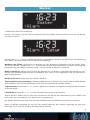
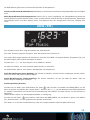
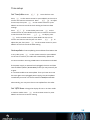
Press and hold MENU/INFO on the unit or press
on the
remote control to enter the DAB menu. You can do Full scan or
Manual tune.
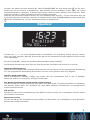
of the FM signal.
The first row of the text is the frequency or the name of FM
station.
In
DAB mode, there are two more items in the main menu:
The second
row is:the
details
of the the
station,
pressthat are listed
tobut
Prune
Station
Enter
to remove
stations
view the signal strength and the programme type of the FM RDS
not
available.
station
and today’s date.
Press : If you/are listeningto
withdynamic
0.05HMz
perin a
DRC
to make
music tuning
with a high
range
step.
noisy environment, you may wish to compress the audio dynamic
Press scan
on the
remote
control
goloud
to next
FMquieter.
station.
range.
This make
quiet
sounds
louder,toand
sounds
In FM
mode,
are off,
twolow
more
items in the main menu:
You
can
then there
turn DRC
or high.
Scan setting: You can set to receive the strong stations only, or
all stations
FM
Audio setting: You can set to receive the stereo or mono FM
signal.
The icon on the top right corner of the display shows the strength
Preset
23