1
MTBMounting and Operating Instructions
MTBMontage- und Betriebsanleitung
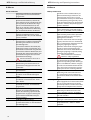
Inhalt
1.1.AllgemeineHinweise
1.1.1.Symbolerklärung
1.1.2.HaftungundGewährleistung
1.1.3.Ersatzteile
1.1.4.Entsorgung
1.1.5.Fehlerbeseitigung
1.2.Sicherheitshinweise
1.2.1.Bedienungsanleitung
1.2.2.Reparaturen
1.3.TransportundLagerung
1.3.1.KontrollebeiAnlieferung
1.3.2.Lagerung
5
5
5
5
5
5
5
6
6
6
6
6
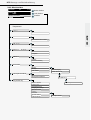
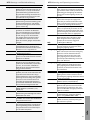
CPS-MTB
2.4.Produktbeschreibung
2.4.1.AufbaudesMeldetableaus
2.5.TechnischeDaten
2.6.Montage
2.6.1.Gerät
2.6.2.ElektrischerAnschluss
2.7.InbetriebnahmedesMeldetableaus
2.7.1.EinschaltendesCPS-MTBs
2.7.2.AusschaltendesCPS-MTBs
2.7.3.Lieferzustand
2.8.Bedienung
2.8.1.Status-LEDs
2.8.2.Menüstruktur
2.8.3.Funktionsteststarten
2.8.4.Betriebsdauertest
2.8.5.Betriebsdauertestabbrechen
2.8.6.Blockieren/Aufheben
2.8.7.Quittieren
2.8.8.Störungsinformationen
2.8.9.Information
2.8.10.Programmierung
2.9.Fehlerbehebung
2.9.1.Kommunikationsfehler
Index
5
5
5
5
5
5
5
6
6
6
6
6
CPS-MTB
8
9
9
10
10
10
13
13
13
13
14
14
15
17
17
17
18
19
20
20
23
28
28
29
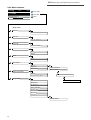
CLS-MTB
3.4.Produktbeschreibung
3.4.1.AufbaudesMeldetableaus
3.5.TechnischeDaten
3.6.Montage
3.6.1.Gerät
3.6.2.ElektrischerAnschluss
3.7.InbetriebnahmedesMeldetableaus
3.7.1.EinschaltendesCLS-MTBs
3.7.2.AusschaltendesCLS-MTBs
3.7.3.Lieferzustand
3.8.Bedienung
3.8.1.Status-LEDs
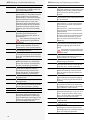
Contents
1.1. General information
1.1.1. Explanation of symbols
1.1.2. Liability and warranty
1.1.3. Spare parts
1.1.4. Disposal
1.1.5. Correction of faults
1.2. Safety instructions
1.2.1. Operating instructions
1.2.2. Repairs
1.3. Transport and storage
1.3.1. Examination on delivery
1.3.2. Storage
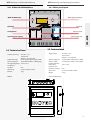
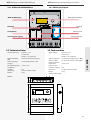
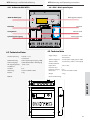
2.4. Product description
2.4.1 Mimic panel layout
2.5. Technical data
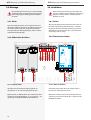
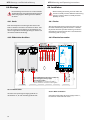
2.6. Installation
2.6.1 Device
2.6.2 Electrical connection
2.7. Commissioning the mimic panel
2.7.1. Switching on the CPS mimic panel
2.7.2. Switching off the CPS mimic panel
2.7.3. Delivery condition
2.8. Operation
2.8.1 Status LEDs
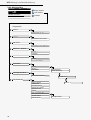
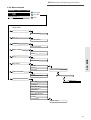
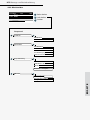
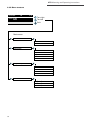
2.8.2. Menu structure
2.8.3. Starting the function test
2.8.4. Battery duration test
2.8.5. Cancelling the battery duration test
2.8.6. Blocking/Releasing
2.8.7. Resetting
2.8.8. Failure information
2.8.9. Information
2.8.10. Programming
2.9. Troubleshooting
2.9.1. Communication failures
Index
8
9
9
10
10
10
13
13
13
13
14
14
16
17
17
17
18
19
20
20
23
28
28
29
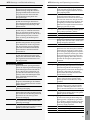
CLS-MTB
32
33
33
34
34
34
38
38
38
38
39
39
3.4. Product description
3.4.1 Mimic panel layout
3.5. Technical data
3.6. Installation
3.6.1 Device
3.6.2 Electrical connection
3.7. Commissioning the mimic panel
3.7.1. Switching on the CLS mimic panel
3.7.2. Switching off the CLS mimic panel
3.7.3. Delivery condition
3.8. Operation
3.8.1 Status LEDs
32
33
33
34
34
34
38
38
38
38
39
39
3