1
E N G LISH
User manual
1
1.1
1.2
1.3
Welcome
4
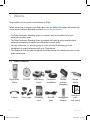
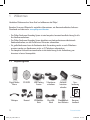
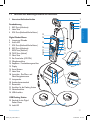
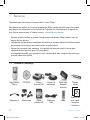
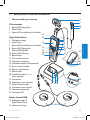
What’s in the box
4
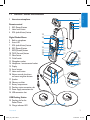
Overview – controls and connections 5
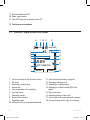
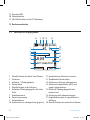
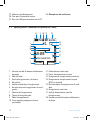
Overview – display indicators and symbols6
2
2.1
2.2
2.2.1
Get started
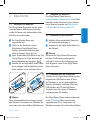
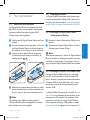
Install the batteries
Recharge the batteries
Recharge the batteries using the Philips
power supply
Recharge the batteries through the USB
cable
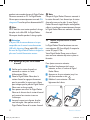
Recharge the batteries through the
docking station
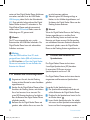
Insert and eject the memory card
Format a new memory card
Activate the Digital Pocket Memo
Set the language
Set the date and time
Power-save mode
2.2.2
2.2.3
2.3
2.4
2.5
2.5.1
2.5.2
2.6
3
3.1
3.1.1
3.1.2
3.1.3
3.2
3.2.1
3.2.2
7
7
7
7
7
8
8
9
9
10
10
10
Using your Conference Recording
System
11
Before recording
11
Conference recording: connect and
position the conference microphones 11
Connect the remote control
12
Interview recording: connect the click-on
interview microphone
12
Recording
13
Create a new recording
13
Add to a recording (append)
14
User manual
crs955_ifu_en-de-fr.indb 3
3.2.3
3.2.4
3.2.5
3.2.6
3.2.7
3.3
3.3.1
3.3.2
3.4
3.4.1
3.4.2
3.4.3
Finish (lock) a recording
Change the recording format
Adjust the microphone sensitivity
Set the sound filter
Monitor recording
Playback
Overview playback functions
Noise reduction
Delete
Delete a file
Delete part of a recording
Delete all dictations
14
14
15
16
16
17
17
18
18
18
19
19
4
Use more of your Conference
Recording System
Use Philips SpeechExec software
Advanced configuration
Download recordings to the PC
Use voice-activated recording
Work with index marks
Insert an index mark
Delete an index mark
Delete all index marks
Assign an author’s name
Display and sound functions
Setting the language
Setting date and time
Backlight
Record lamp
LCD contrast
Device beep
Menu list
20
20
20
21
21
22
22
22
23
23
24
24
24
25
25
26
26
27
4.1
4.1.1
4.1.2
4.2
4.3
4.3.1
4.3.2
4.3.3
4.4
4.5
4.5.1
4.5.2
4.5.3
4.5.4
4.5.5
4.5.6
4.6
3
25/01/2008 12:14:24