1
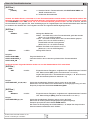
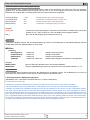
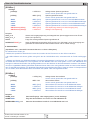
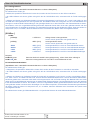
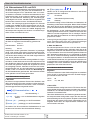
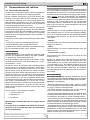
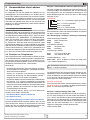
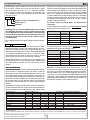
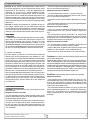
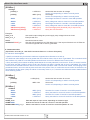
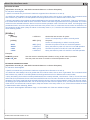
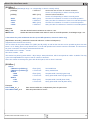
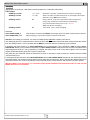
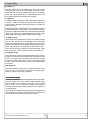
EN About the interface cards Commands to control the output/input Activates/deactivates the power output/input. A logical assignment for OUTP resp. INP is used. It means, that using INP with a power supply, which has an OUTPut, will be ignored. An electronic load will react the same way, but vice versa. OUTPut[:STATe]? OUTPut[:STATe] INPut[:STATe]? INPut[:STATe] -><B0> <B0> ->B0 <B0> Queries the state of the power supply output Switches the power supply output on/off Queries the state of the electronic load input Switches the electronic load input on/off Examples: OUTPON Switches the power output on, but does not reset alarms or warnings and also does not quit them. It means, if an alarm is persistent the command can‘t be executed. INP1 Ditto, but for the input (of an electronic load) Measurement commands Used to read the latest measured results. You are required to pay attention to the averaging settings (see „Averaging“) when using the measurement commands. MEASure [:SCALar] :VOLTage[:DC]? :CURRent[:DC]? :POWer[:DC]? :[ARRay]? -><NRf>Unit -><NRf>Unit -><NRf>Unit -><NRf>Unit, <NRf>Unit … Query: Actual voltage value Query: Actual current value Query: Actual power value Query: Actual voltage value, Actual current value, Actual power value.. Examples: MEAS:CURR? MEAS:ARR? Measures the actual current resp. returns its average value. Returns a device depending number of actual values. For PSI/EL: U, I, P Set value commands Set values can also be read back by attaching a question mark to the command. For the meaning of A, B and A/B mode at the electronic loads please also read the user manual of those devices! I. Voltage set value/ Overvoltage threshold (Specification according to „1999 SCPI Command reference“:19 Source Subsystem) For electronic loads applies: •Specific commands only for electronic loads are supported since firmware 3.01 and up. •the HIGH set value always has to be greater than the LOW set value, else an error is generated. The commands HIGH and LOW are only valid for Level A/B operation and will generate an error in different level control modes. •Query and setting of set values are always dedicated to the currently selected „Level Control“ and the preselected „Mode“. That is, if Level A is active, the set value sent with VOLT is set for Level A etc., but only if mode CV is preselected. Else the set value is ignored and an error is generated. The control mode has to be selected before the device is set into remote operation mode. The other set values, not belonging to the preselected mode, can not be set anymore and have to be preset. Thus, for continuous remote control of the device, we recommend to set the option „Keep set values“ in the setup menu to „no“, hence the set values are reset to default values when switching „Mode“. © 2009, Elektro-Automatik GmbH & Co. KG 69