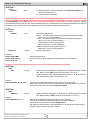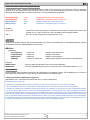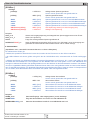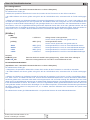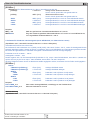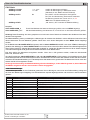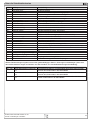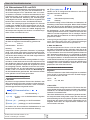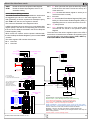
1
Benutzerhandbuch User Manual Schnittstellenkarten Interface Cards USB / RS232 / GPIB / CAN / Analog / Ethernet IF-U1 (USB): IF-R1 (RS232): IF-C1 (CAN): IF-A1 (ANA): IF-G1 (GPIB): IF-E1 (Ethernet): IF-U2 (USB): IF-R2 (RS232): IF-C2 (CAN): IF-E2 (Ethernet): 33 100 212 33 100 213 33 100 214 33 100 215 33 100 216 33 100 218 33 100 220 33 100 221 33 100 222 33 100 223 DE Allgemeines Impressum Bedienungsanleitung Schnittstellenkarten Wichtige Hinweise 41747 Viersen •Bestücken Sie eine oder mehrere Schnittstellenkarten nur in den dafür vorgesehenen Geräten! Eine Öffnung des Gerätes ist nicht erforderlich.Welche Geräte für den Betrieb der Schnittstellenkarten geeignet sind, erfragen Sie bitte bei Ihrem Händler oder Sie lesen es im Benutzerhandbuch Ihres Gerätes nach. Germany •Die Schnittstellenkarten sind nur im ausgeschalteten Elektro-Automatik GmbH & Co. KG Helmholtzstrasse 31-33 Telefon: +(49) 02162 / 37850 Fax: +(49) 02162 / 16230 Web: www.elektroautomatik.de Mail: [email protected] © 2009 Elektro-Automatik Nachdruck, Vervielfältigung oder auszugsweise, zweckentfremdete Verwendung dieser Bedienungsanleitung sind verboten und können bei Nichtbeachtung rechtliche Schritte nach sich ziehen. Zustand (Netzschalter aus) zu bestücken! •Bei Geräten mit zwei Steckplätzen können bis zu zwei Schnittstellenkarten bestückt werden, allerdings ist die Kombination nicht beliebig. Nähere Information im Abschnitt „3.3. Kombination von Schnittstellenkarten“ •Entfernen Sie niemals die Abdeckbleche an den Karten! •Wenn bei Geräten mit zwei Steckplätzen nur eine Karte bestückt wird, so montieren Sie ggf. die Abdeckung wieder über den freien Steckplatz! •Um die Schnittstellenkarten in den dafür vorgesehenen Einschüben zu bestücken, müssen die einschlägigen ESDVorschriften beachtet werden. Stand: Juni 2009 © 2009, Elektro-Automatik GmbH & Co. KG Irrtümer und Änderungen vorbehalten Inhaltsverzeichnis DE Seite 1.Allgemeines 1.1 Verwendung 1.2 Das Gerätekonzept 1.3 Garantie/Reparatur 1.4 Hinweise zur Beschreibung 1.5 Lieferumfang 5 5 5 5 5 5 2. Technische Daten 6 3. Installation 3.1 Sichtprüfung 3.2 Einbau der Schnittstellenkarten 3.3 Kombination von Schnittstellenkarten 7 7 7 7 4.Details zu den Kartentypen 7 4.1 RS232-Karten IF-R1 und IF-R2 8 4.1.1 RS232-Karte konfigurieren 8 4.2 USB-Karten IF-U1 und IF-U2 8 4.2.1 USB-Karte konfigurieren 8 4.3 CAN-Karten IF-C1 und IF-C2 8 4.3.1 CAN-Karte konfigurieren 9 4.4 Analoge Schnittstelle IF-A1 10 4.4.1 Pinbelegung der analogen Schnittstelle (25 pol. Sub-D-Buchse) 10 4.4.2 Allgemeine Hinweise 11 4.4.3 IF-A1 konfigurieren 11 4.5 GPIB-Karte IF-G1 14 4.5.1 Hinweise zur Kommunikation 14 4.5.2 Ansteuerung des Gerätes über GPIB 14 4.5.3 Begriffserläuterung 14 4.5.4 Unterschiede zu den anderen Schnittstellenkarten 14 4.5.5 Firmware-Aktualisierungen 14 4.5.6 Ausführungs- und Übertragungszeiten 14 4.5.7 IF-G1 konfigurieren 14 4.5.8 SCPI-Befehle und Abschlußzeichen 15 4.5.9 Fehlermeldungen23 4.6 Ethernetkarten IF-E1 und IF-E225 4.6.1 Grundeinstellung wiederherstellen25 4.6.2 Ethernetkarte konfigurieren 25 4.6.3 Mit dem Gerät kommunizieren25 4.6.4 Der USB-Port / Firmwareaktualisierung26 4.6.5 Der Resetknopf26 5.Einsatz in anderen Geräteserien27 5.1 Serien EL 3000 / EL 900027 5.2 Serien PS 8000 T/ DT / 2U27 5.3 Serie PSI 800 R27 6.Der System Link Mode (nur PSI 9000)28 6.1 Bedienung des System Link Mode28 6.1.1 Anzeige und Bedienung des Masters28 6.1.2 Anzeige der Slaves28 6.1.3 Spezielle Alarme, Warnungen und Meldungen29 6.2 Konfiguration des System Link Mode29 © 2009, Elektro-Automatik GmbH & Co. KG Irrtümer und Änderungen vorbehalten Inhaltsverzeichnis DE 7.Kommunikation mit dem Gerät 7.1 Begriffserklärungen 7.2 Vorwort 7.3 Allgemeine Hinweise zur Kommunikation 7.4 Hinweise zum USB-Treiber 7.5 Aufbau der Kommunikation 7.6 Übertragungsparameter IF-R1 und IF-U1 7.7 Sollwerte und Istwerte umrechnen 7.8 Telegrammaufbau IF-R1 und IF-U1 7.9 Telegrammaufbau IF-C1 7.9.1 Geteilte Telegramme 7.9.2 Timing von Telegrammen 7.10 Telegrammaufbau IF-G1 7.11 Telegrammaufbau IF-E1 7.11.1 Telegrammbeispiele 30 30 30 30 30 31 31 31 31 32 32 33 33 33 33 8.Kommunikation mit LabView 8.1 Übersicht Labview VIs 8.1.1 Installation 8.1.2 Kurzinfo Kommunikations-VIs 8.1.3 Verwendung 34 34 34 34 34 9.Kommunikation ohne Labview 9.1 Grundlegendes 9.1.1 Hinweis zur Treiber-Bibliothek 9.2 Erstellen von Telegrammen 9.2.1 Das Zeitformat 9.2.2 Tipps 9.2.3 Hilfe bei Problemen 9.3 Kommunikationsobjektlisten 9.3.1 Spaltendefinition 9.3.2 Objektbeispiele- und erläuterungen 9.3.3 Über Profile 9.3.4 Objektliste Serie PSI 9000 9.3.5 Objektliste Serien EL3000A und EL9000A 9.3.6 Objektliste Serien PSI 8000 T/DT/2U 9.3.7 Objektliste Serien PS 8000 T/DT/2U 9.3.8 Objektliste Serie PSI 800R 9.4 Alarme, Fehlercodes und Fehlertypen 35 35 35 35 36 37 37 39 39 39 40 41 44 45 48 49 50 10. Anschlüsse 51 © 2009, Elektro-Automatik GmbH & Co. KG Irrtümer und Änderungen vorbehalten DE Über die Schnittstellenkarten 1. Allgemeines Die Schnittstellenkarten IF-C1, IF-R1, IF-U1 und IF-G1 erlauben eine digitale und die IF-A1 eine analoge Verbindung zu einer Steuereinheit, wie z.B. einem PC oder einer speicherprogrammierbaren Steuerung (SPS). Hierüber können die Geräte überwacht, gesteuert und, je nach Modell, konfiguriert werden. Die Kartentypen IF-U2, IF-R2 und IF-C2 sind größenreduzierte Varianten der 1er Typen und finden nur in bestimmten Geräteserien Einsatz. Die USB-Karte IF-U2 und die RS232-Karte IF-R2 haben weiterhin keine Anschlüsse für den System Link. Nur bei PSI 9000: in Kombination mit einer IF-C1 Einsteckkarte kann ein sogenannter Gateway von der RS232 oder USB Schnittstelle des PCs zum CAN-Bus realisiert werden. Somit wird keine extra Hardware für die Anbindung an einen CAN-Bus benötigt. Über den Gateway können bis zu 30 Geräte über die RS232/USB-Karte und die CAN-Bus-Vernetzung betrieben werden. Nur bei PSI 9000: die Karten IF-R1 und IF-U1 unterstützen die Parallel- und/oder Serienschaltung von mehreren Labornetzteilen (System Link Mode, siehe Handbuch PSI 9000). Wenn das Gerät mit einer Schnittstelle bestückt wurde, wird diese vom Gerät erkannt und das entsprechende Menü zur Konfiguration wird zugänglich. In diesem Menü können die Parameter für die Kommunikation eingestellt werden. Die Einstellungen werden im Gerät abgespeichert, so daß sie nach dem Wiedereinschalten des Geräts nicht erneut gesetzt werden müssen. Die analoge Schnittstelle IF-A1 arbeitet im direkten Zugriff auf das Netzgerät. Hierdurch können schnelle Änderungen der Ausgangswerte unmittelbar beobachtet werden und Sollwerte mit sehr geringer Verzögerung im Rahmen der technischen Daten des angesteuerten Gerätes gesetzt werden. Die digitalen Ein-und Ausgänge sind parametrierbar. 1.1 Verwendung 1.2 Das Gerätekonzept Die Schnittstellenkarten sind steckbar und können in verschiedenen Geräten eingesetzt werden. Durch eine Potentialtrennung von 2000V können auch Geräte mit unterschiedlichen Potentialen miteinander verbunden werden. Die digitalen Karten IF-R1, IF-C1 und IF-U1 unterstützen ein einheitliches, objektorientiertes Kommunikationsprofil. Jedes Serie hat eine eigene Objektliste. Die Plausibilität der gesendeten Objekte wird von jedem Gerät überprüft. Nicht plausible oder falsche Werte generieren ein Fehlertelegramm. Die digitale Karte IF-G1 nutzt den international standardisierten Befehlssatz SCPI. 1.3 Garantie/Reparatur Achtung:Die Schnittstellenkarten dürfen nicht vom Anwender repariert werden! Im Garantiefall oder bei einem Defekt kontaktieren Sie Ihren Händler und klären mit diesem ab, welche weiteren Schritte zu tun sind. Auf die Karten wird die gesetzliche Garantie von zwei Jahren gewährt, die allerdings unabhängig von der Garantie des Gerätes ist, in dem die Karten betrieben werden. 1.4 Hinweise zur Beschreibung In der Beschreibung werden Anzeigeelemente und Bedienelemente unterschiedlich gekennzeichnet. Anzeige Alle Anzeigen, die einen Zustand beschreiben, werden mit diesem Symbol gekennzeichnet Parameter werden hier textlich hervorgehoben Menüpunkte führen entweder auf die nächst tiefere Menü-Auswahlseite oder auf die unterste Ebene, der Parameterseite. {…} Innerhalb geschweifter Klammern werden mögliche Alternativen oder Bereiche der Einstellung/der Anzeige dargestellt. Die Einsteckkarte darf nur in dafür vorgesehenen Geräten eingesetzt werden. Im Lieferumfang sind für die digitalen Schnittstellen sind Labview VIs enthalten, die die Integration in ihre LabViewApplikation erleichtern. 1.5 Lieferumfang 1 x Steckbare Schnittstellenkarte Die Einbindung in andere Applikationen und Entwicklungsumgebungen ist möglich, aber auch sehr komplex. Die Telegrammstruktur wird weiter hinten beschrieben. 1 x Software-CD mit Bedienungsanleitung Der effektive Arbeitsbereich der analogen Eingangs- und Ausgangssignale der IF-A1 ist im Bereich von 0..10V anpassbar. Die digitalen Eingangssignale der IF-A1 sind über Kodierstecker zwischen zwei verschiedenen Schaltschwellen umschaltbar und die Logik im nicht beschalteten Zustand kann vorbestimmt werden. Die digitalen Ausgänge können mit unterschiedlichen Funktionen belegt werden und die Logik invertiert werden. 1 x USB Kabel A-A, 1.8m (nur bei IF-U1/2 und IF-E1/2) © 2009, Elektro-Automatik GmbH & Co. KG Irrtümer und Änderungen vorbehalten 1 x Kurzanleitung 1 x Patchkabel 0,5m 1:1 (nur bei IF-R1/2 und IF-U1/2) 1 x RS232-Kabel 3m (nur bei IF-R1/2) 1 x Programmieradapterkabel für Updates (nur IF-G1) DE Über die Schnittstellenkarten 2. Technische Daten IF-A1 (Analog) Anschluss Allgemein Potentialtrennung2000V Maße Typ 1 (B x H x L)24 x 80 x 100mm Maße Typ 2 (B x H x L)24 x 80 x 45mm Sicherheit EN 60950 EMV-Normen EN61000-6-4, EN 61000-6-2, EN 55022 Klasse B Überspannungskategorie Klasse II Betriebstemperatur 0...40°C Lagertemperatur -20...70°C Luftfeuchtigkeit rel. <80% (ohne Kondensation) IF-R1 / IF-R2 (RS232) Anschlüsse 1 x 9pol. D-Sub-Buchse(weibl.) 2 x RJ45 Buchse (nicht IF-R2) Baudraten 9600Bd, 19200Bd, 38400Bd, 57600Bd Leitungslänge abhängig von der Baudrate, bis zu 15m System Link Mode (nur Geräteserie PSI9000) ja └ max. Anzahl von Modulen 30 └ Busabschluß System Link Mode └ Patchkabel für System Link über Gerätemenü einstellbar 0,5m IF-U1 / IF-U2 (USB) Anschlüsse 1 x USB Buchse Typ A 2x RJ45 Buchse (nicht IF-U2) Standard USB 1.1 Leitungslänge max. 5m System Link Mode (nur Geräteserie PSI9000) ja └ max. Anzahl von Modulen └ Busabschluß System Link Mode └ Patchkabel für System Link 30 über Gerätemenü einstellbar 0,5m IF- C1 / IF-C2 (CAN) Anschlüsse Baudraten Busabschluß 9pol. D-Sub-Buchse (weibl.) 9 pol. D-Sub-Buchse (männl.) Stufen von 20kBd..1MBd über das Gerätemenü einstellbar CAN-Standard V2.0Teil A 25pol. Sub-D-Buchse Analoge Eingänge: Eingangsspannung Maximalbereich Nennbereich Eingangsimpedanz Auflösung VSEL, CSEL, PSEL (RSEL) Relativer Fehler max. VSEL, CSEL, PSEL RSEL (Option) Reaktionszeit1) -5V...+15V 0V…10V 25kΩ < 2mV 0,1% 0,25% < 4ms Analoge Ausgänge: Nennbereich VMON, CMON, PMON 0V…10V Iout max. bei 10V 2mA VREF 1V...10V Iout max. bei 10V 10mA Auflösung VMON, CMON, PMON, VREF < 2mV Relativer Fehler max. VMON, CMON, PMON, VREF 0,1% Stellzeit der analogen Ausgänge < 4ms Hilfsspannung 12…15V Strombegrenzung 50mA Digitale Ausgänge: Typ Ausgangsstrom Maximalwert Nennstrom Ausgangsspannung High Low Reaktionszeit2) Pull-up-Widerstand nach +15V Imax = - 20mA bei Uout = 0,5V 1...10mA +15V < 0,3V < 4ms Digitale Eingänge: Eingangsspannung Maximalbereich bei Kodierung: Low Range ULow UHigh bei Kodierung: High Range ULow UHigh -5V...+30V < 1V > 4V < 5V > 9V Eingangsstrom bei Kodierung Low Range und Default Level = L UE= 0V 0mA UE= 12V +2,6mA UE= 24V +5mA bei Kodierung Low Range und Default Level H UE= 0V -1,5mA UE= 12V +2,2mA UE= 24V +6mA Zur Bestimmung der max. Reaktionszeit eines Sollwertsprungs auf den Geräteausgang muss die Reaktionszeit des Gerätes hinzuaddiert werden Zeit zwischen Auftreten eines Ereignisses, das auf den Ausgang gemeldet werden soll, und der tatsächlichen Meldung © 2009, Elektro-Automatik GmbH & Co. KG Irrtümer und Änderungen vorbehalten DE Über die Schnittstellenkarten bei Kodierung High Range und Default Level = L UE= 0V 0mA UE= 12V +1,6mA UE= 24V +3,5mA bei Kodierung High Range und Default Level = H UE= 0V -1,5mA UE= 12V +0,7mA UE= 24V +4,5mA 3. Installation Reaktionszeit1) Die Karte darf nur im ausgeschalteten Zustand herausgenommen oder eingesteckt werden. Das Gerät muss zu diesem Zweck nicht geöffnet werden. Entfernen Sie die Schrauben bzw. Muttern an der Blindplatte oder der bereits bestückten Karte und entfernen Sie die Platte oder Karte. Führen Sie dann vorsichtig die Karte in die Führung und schieben Sie sie so weit hinein, bis das Blech der Karte auf der Rückwand des Gerätes aufliegt. Wenn zwischen Rückwand und Kartenblech eine Lücke besteht, ist die Karte nicht richtig eingesetzt. Dann auf keinen Fall festschrauben! Die Busverbindungen zwischen mehreren Geräten untereinander oder zu einem PC sind vor dem Einschalten des Geräts zu legen. Nach dem Einschalten wird die Schnittstellenkarte automatisch vom Gerät erkannt. <10ms IF- G1 (GPIB) Anschlüsse24pol. Centronicsbuchse (weibl.) Busstandard IEEE 488.1/2 Leitungslänge (GPIB)2m pro Gerät, 20m insgesamt Kabeltyp (GPIB) Standard GPIB-Kabel IF-E1 / IF-E2 (Ethernet) Anschlüsse Kabeltyp (Ethernet) 1x RJ45 (LAN / WAN) 1x USB, Typ A Twisted pair, Patchkabel, Cat 3 oder höher Protokolle Verwendete Ports (Ethernet) Netzwerkverbindung Übertragungsgeschwindigkeit Ethernet Übertragungsgeschwindigkeit USB VXI11, HTTP 80, 111, 200, 265 10/100 MBit 100 kBaud 57600 Baud 3.1 Sichtprüfung Die Einsteckkarte ist nach der Lieferung auf Beschädigungen zu überprüfen. Sind Beschädigungen erkennbar, darf die Einsteckkarte nicht in ein Gerät eingebaut werden. 3.2 Einbau der Schnittstellenkarten Hinweis zur IF-A1: vor dem Einbau sollten die Kodierbrücken entsprechend den Bedürfnissen gesetzt werden. Siehe auch Abschnitt „4.4.1 IF-A1 konfigurieren“, Absatz „Digitale Eingänge“. Hinweis: sollte die Karte nach dem Einschalten nicht erkannt werden, so ist unter Umständen eine Firmware-Aktualisierung des Gerätes erforderlich. Wenden Sie sich hierfür bitte an Ihren Händler. Achtung!Auf der Karte befinden sich ESD-gefährdete Bauteile. Es sind daher die einschlägigen ESD-Vorsichtsmaßnahmen zu beachten. 3.3 Kombination von Schnittstellenkarten Unbedingt beachten! Bei Geräten, in denen zwei Steckkarten bestückt werden können, gelten folgende Einschränkungen: - niemals zwei Karten gleichen Typs bestücken - IF-R1 und IF-U1 dürfen nicht gleichzeitig im Gerät stecken - IF-G1 darf nicht mit IF-C1 oder IF-E1 kombiniert werden - IF-E1 darf nicht mit IF-U1, IF-R1, IF-C1 oder IF-G1 kombiniert werden 4. Details zu den Kartentypen Die Schnittstellenkarten sind für den Einsatz in unterschiedlichen Geräteserien gedacht. Bedingt durch die Eigenschaften verschiedener Gerätetypen ergeben sich auch unterschiedliche Bedienmöglichkeiten. Hier wird die Konfiguration und Bedienung der Karten am Beispiel eines PSI 9000 Gerätes erklärt. Besonderheiten, die sich auf bestimmte Serien beziehen, werden weiter hinter erläutert. Zeit zwischen Auftreten eines Ereignisses, das auf den Ausgang gemeldet werden soll, und der tatsächlichen Meldung © 2009, Elektro-Automatik GmbH & Co. KG Irrtümer und Änderungen vorbehalten Informationen über die Bedienung und Navigation in den Menüs und Parameterseiten der unterschiedlichen Geräte finden Sie in den zugehörigen Benutzerhandbüchern. DE Über die Schnittstellenkarten 4.1 RS232-Karten IF-R1 und IF-R2 Die RS232 Schnittstellenkarte verbindet das Gerät mit einem Hostrechner (PC) über dessen serielle Schnittstelle, auch COM-Port genannt. Die Baudrate für die serielle Übertragung wird am Gerät eingestellt und muß den gleichen Wert haben, wie die am PC eingestellte. Es ist ein 1:1 Kabel zu benutzen. Auf der Schnittstellenkarte Typ 1 (IF-R1) befindet sich eine weitere serielle Schnittstelle, mit der bei einer Reihen- und/ oder Parallelschaltung der System Link Mode hergestellt wird (siehe auch „6. Der System Link Mode (nur PSI9000)“). Verbinden Sie niemals einen dieser Ports mit einem Ethernet Hub oder Switch oder einem Ethernet Port am PC, nur weil die Buchse von gleicher Art ist! Verbinden Sie niemals einen dieser Ports mit einem Ethernet-Hub oder -Switch oder einem Ethernet-Port am PC, nur weil die Buchse von gleicher Art ist! Für mehr Information zum System Link Mode lesen Sie weiter in „6. Der System Link Mode (nur PSI9000)“. 4.2.1 USB-Karte konfigurieren Die Schnittstelle wird über das Menü konfiguriert. Es ist zwingend erforderlich die Geräteadresse „device node“ einzustellen. Das Gerät kann nur so eindeutig im System identifiziert werden. Über die Adresse wird das Gerät angesprochen. Jedes Gerät muß eine andere Geräteadresse bekommen, wenn mehrere gleichzeitig vom einem Steuergerät gesteuert werden. M 4.1.1 RS232-Karte konfigurieren Die Schnittstelle wird über das Menü konfiguriert. Es ist zwingend erforderlich die Geräteadresse „device node“ einzustellen. Das Gerät kann nur so eindeutig im System identifiziert werden. Über die Adresse wird das Gerät angesprochen. Jedes Gerät muß eine andere Geräteadresse bekommen, wenn mehrere gleichzeitig vom einem Steuergerät gesteuert werden. M +Communication+ device node Grundeinstellung: 1 = {1..30} Es kann eine von 30 Geräteadressen vergeben werden. Slot A : { IF-… } abhängig von der Einsteckkarte Slot B : { IF-… } abhängig von der Einsteckkarte Sie stellen hier die erforderliche Geräteadresse ein und erhalten eine Übersicht über die bestückten Karte(n). Mit Slot {A|B}: IF-R1 + wählen Sie die zu konfigurierende Karte aus und können folgende Parameter verändern: Baudrate Grundeinstellung: 57.6 kBd = {9.6 kBd, 19.2 kBd, 38.4 kBd, 57.6 kBd} Die maximal einzustellende Baudrate ist abhängig von der Leitungslänge. Bei 15m darf die Baudrate auf max. 9.6 kBd eingestellt sein. 1kBd = 1000Bd. 4.2 USB-Karten IF-U1 und IF-U2 Über die USB-Schnittstellenkarte können, in Verbindung mit einem USB-Verteiler (Hub), mehrere Geräte mit einem PC vernetzt werden. Es können somit soviele Geräte an einem USB-Port betrieben werden, wie bei USB möglich sind. Auf der Schnittstellenkarte Typ 1 (IF-U1) befindet sich eine weitere serielle Schnittstelle, mit der bei einer Reihen- und/ oder Parallelschaltung der System Link Mode hergestellt wird. Siehe auch Gerätehandbuch. © 2009, Elektro-Automatik GmbH & Co. KG Irrtümer und Änderungen vorbehalten +Communication+ device node = {1..30} Grundeinstellung: 1 Es kann eine von 30 Geräteadressen vergeben werden. Slot A : { IF-… } abhängig von der Einsteckkarte Slot B : { IF-… } abhängig von der Einsteckkarte Sie stellen hier die erforderliche Geräteadresse ein und erhalten eine Übersicht über die bestückten Karten. Eine weitere Konfiguration der USB-Schnittstellenkarte ist nicht erforderlich. 4.3 CAN-Karten IF-C1 und IF-C2 CAN Standard: V2.0 part A Baudrate: abhängig von der Leitungslänge (10kbit...1Mbit) Besonderheit: Gateway zu RS232 oder USB (nur PSI 9000) Die Kommunikation über den CAN-Bus ist speziell auf die Bedürfnisse von Testsystemen zugeschnitten, wie sie typischerweise in der Automobilindustrie vorkommen. Ein nachträgliches Einfügen von Geräten in eine bestehendes System und die entsprechende Erweiterung einer Applikation sind problemlos möglich. Die Vernetzung der Geräte über den CAN-Bus bietet den Vorteil einer schnelleren Kommunikation und einer störsicheren Bustopologie. Der Treiber-Baustein der CAN-Karte kann bis zu 110 Geräteknoten (bei CAN wird bei Geräten bzw. Geräteadressen von Knoten gesprochen) unterstützen. Die LabView-VIs bzw. das Kommunikationsprotokoll können pro Adreßsegment (RID) 30 Geräte bei max. 31 Adreßsegmenten verwalten. Theoretisch ist so ein Bussystem mit bis zu 110 Geräten möglich, welches mit mindestens vier Adreßsegmenten arbeitet. Die Adreßsegmente sind verschiebbar, damit ein oder mehrere Geräte problemlos in ein bestehendes CAN-Bussystem integriert werden können, ohne daß dieses umkonfiguriert werden muß. DE Über die Schnittstellenkarten 4.3.1 CAN-Karte konfigurieren Die Schnittstelle wird über das Setup-Menü konfiguriert. Es ist zwingend erforderlich die Geräteadresse „device node“ einzustellen. Diese ergibt, zusammen mit dem RID, einen sogenannten Identifier. Das Gerät kann nur so eindeutig im System identifiziert werden. Über diesen Identifier wird das Gerät angesprochen. Jedes Gerät muß eine andere Geräteadresse bekommen, wenn mehrere gleichzeitig vom einem Steuergerät gesteuert werden. M +Communication+ device node = {1..30} Grundeinstellung: 1 Es kann 1 von 30 Geräteadressen vergeben werden. Slot A : { IF-… } abhängig von der Einsteckkarte Slot B : { IF-… } abhängig von der Einsteckkarte Sie stellen hier die erforderliche Geräteadresse ein und erhalten eine Übersicht über die bestückten Karte(n). Mit relocatable ID segment = { 0..31} Grundeinstellung: 0 Verschiebt das Adreßsegment Innerhalb jedes Adreßsegments gibt es 62 frei verteilbare Adressen, wobei hier die bis zu 30 Geräte den unteren Bereich belegen und bei 2 physikalischen Adressen (identifier) pro Gerät (je ein Identifier für Empfang und Senden von Daten am CAN-Knoten) somit die Adressen 2...61 belegen. Die Adressen 0 und 1 jedes Bereiches sind fest für Broadcast-Nachrichten an Geräte in diesem Bereich reserviert. Somit ergeben sich 64 Broadcast-Adressen. Grundsätzlich sind für Broadcast-Nachrichten die Adressen festgelegt: [RID*64 + 0] und [RID*64 + 1]. Beispiel: RID ist auf 5 gesetzt (siehe Setup-Menü der jeweiligen Geräte). Es soll ein Broadcast an die Geräte dieses Adreßsegments gehen. Der Identifier, der sich dadurch ergibt muß dann 5*64 = 320=0x140 bzw. 0x141 (für Lesen) sein. Für Singlecast-Nachrichten belegt jedes Gerät mir seinem „device node“ zwei weitere Adressen: [RID*64 + device node * 2] und [RID*64 + device node * 2 + 1] wählen Sie die zu konfigurierende Karte aus und können folgende Parameter verändern: Beispiel: der RID wurde auf 13, die Geräteadresse (device node) auf 12 gesetzt. Zum Ansprechen des Zielgerätes muß der Identifier 13*64 + 12*2 = 856 (0x358) benutzt werden. Der Identifier 857 (0x359) wird dann für Anfragen benutzt. Baudrate ändern Busabschluss Die üblichen Baudraten werden alle unterstützt. Zu den Baudrateneinstellungen kann der sog. „Sample point“ festgelegt werden, welcher die Datenübertragung bei unterschiedlichen Kabellängen- und qualitäten optimieren soll. Hierbei wird der Abtastzeitpunkt bei Empfang eines Bits verschoben. Der CAN-Bus benötigt an beiden Enden der Leitung einen Abschlusswiderstand von 120 Ohm. Wenn ein Gerät am Ende einer Leitung ist und keine weitere Verbindung zu einem anderen CAN-Knoten herstellt, muß es terminiert werden. Über den Parameter „bus terminate“ können Sie einfach und ohne umständliche hardwaremäßige Kodierung den Bus abschließen. Slot {A|B}: IF-C1 + baudrate Grundeinstellung: 100 kBd sample point: 75% bus terminate = {10 kBd { 60, 65, 70, 75, 80, 85}%, 20 kBd { 60, 65, 70, 75, 80, 85} %, 50 kBd { 60, 65, 70, 75, 80, 85} %, 100 kBd { 60, 65, 70, 75, 80, 85} %, 125 kBd { 58, 68, 70, 75, 81, 87} %, 250 kBd { 58, 68, 70, 75, 81, 87} %, 500 kBd { 58, 66, 75, 83} %, 1 MBd { 58, 66, 75, 83} % } = YES Der Bus wird mit einem 120Ω Abschlußwiderstand abgeschlossen. = NO Das Gerät hat hier keinen Abschluss. Adressbereiche verschieben Falls in ein bestehendes CAN-Bus-System ein oder mehrere Geräte mit einer CAN-Schnittstellenkarte integriert werden sollen, so kann über das „relocatable identifier segment“ (kurz: RID) der Adressbereich der neuen Geräte so verschoben werden, dass die CAN-Adressen (auch identifier genannt) der neuen Geräte mit schon definierten Adressen nicht kollidieren. Der CAN-Bus nach dem Standard V2.0a definiert einen 11 Bit langen Identifier, wodurch sich 2032 zulässige Adressen für Geräte ergeben. Diese 2032 Identifier werden durch das hier verwendete System in 32 Adreßsegmente á 64 Adressen (je eine für Schreiben und Lesen) unterteilt. Der Beginn dieser Adreßsegmente wird mit dem RID festgelegt. © 2009, Elektro-Automatik GmbH & Co. KG Irrtümer und Änderungen vorbehalten Grundeinstellung: NO Gateway-Funktion (nur PSI 9000) CAN= = Client Grundeinstellung: Client Das Gerät wird überwacht und gesteuert über eine externe Steuereinheit (PC, SPS) = Gateway Das Gerät dient zusätzlich als Vermittler für die Verbindung von CAN-Karte und RS232bzw. USB-Karte Über die RS232- oder USB-Karte im Gerät mit der GatewayFunktion (hier PSI 9000) können alle Geräte, die am CANBus angeschlossen sind, also auch Nicht-PSI-9000-Geräte, gesteuert und überwacht werden. Sie benötigen lediglich ein Gerät mit zusätzlich einer IF-R1- oder IF-U1-Schnittstellenkarte, um ein CAN-Bussystem ohne CAN-Masterhardware im PC zu realisieren. Die RS232-und USB-Karten können die Performance des CAN-Bus’ aber nur eingeschränkt ausnutzen. Um den CAN-Bus mit hoher Datenrate und vielen Geräten auszunutzen, empfiehlt es sich eine direkte Ansteuerung durch eine echte CAN-Masterhardware. DE Über die Schnittstellenkarten 4.4 Analoge Schnittstelle IF-A1 4.4.1 Pinbelegung der analogen Schnittstelle (25 pol. Sub-D-Buchse) Pin Name Funktion Beschreibung Pegel Elektr. Eigenschaften 1 AI1 Analoger Eingang: PSEL / RSEL Sollwert Leistung / Widerstand 0..10V entsprechen 0..100% von Pnenn / Rnenn 2 AI3 CSEL Analoger Eingang: Sollwert Strom 0..10V entsprechen 0..100% von Inenn 3 AI2 VSEL Analoger Eingang: Sollwert Spannung 0..10V entsprechen 0..100% von Unenn 4 AO3 PMON Analoger Ausgang: Istwert Leistung 0..10V entsprechen 0..100% von Pnenn 5 AO1 VMON Analoger Ausgang: Istwert Spannung 0..10V entsprechen 0..100% von Unenn 6 AO2 CMON Analoger Ausgang: Istwert Strom 0…10V entsprechen 0..100% von Inenn 7 DO1 CV Digitaler Ausgang: Spannungsregelung aktiv CV aktiv= Low CV nicht aktiv = High 8 DO2 OVP Digitaler Ausgang: Überspannungsfehler OVP = High, keine OVP = Low , 9 DO3 OT Digitaler Ausgang: Übertemperaturfehler OT = HIGH, keine OT = Low 10 DO4 Mains Digitaler Ausgang: Netzspannung OK 11 DO5 Standby Digitaler Ausgang: Ausgang aus 12 DO6 CC Digitaler Ausgang: Stromregelung „CC“ Netzsp. OK= Low I = -10mA4) bei Ulow= 0,3V Netzspg. nicht OK = High max Umax= 0...30V Ausgang aus = Low Kurzschlussfest gegen GND Ausgang ein = High Empfänger: Ulow < 1V; Uhigh > 4V) CC aktiv = Low CC nicht aktiv = High 13 DO7 CP Digitaler Ausgang: Leistungsregelung „CP“ CP aktiv = Low CP nicht aktiv = High 14 AGND SEL2) Bezugspotential der analogen Eingänge Bezug für SEL-Signale 15 16 AGND2) Bezugspotential der analogen Ausgänge Bezug für MON-Signale und VREF 17 N.C. Genauigkeit typ. < 0,1%1) Eingangsimpedanz Ri > 25k Genauigkeit typ. < 0,1%1) bei Imax = +2mA4) Kurzschlussfest gegen GND Quasi-Open-Kollektor mit Pullup-Widerstand gegen Vcc VREF Analoger Ausgang: Referenzspannung 10V Genauigkeit typ. < 0,1%1), Imax = + 8mA4) Kurzschlussfest gegen GND 19 +VCC Hilfsspannung (Bezug: DGnd) 12V…16V Imax = +50mA4) Kurzschlussfest gegen DGND 20 21 DGND2) Bezugspotential digitale Ports SEL-enable Digitaler Eingang: Umschaltung auf externe Schnittstelle (ansonsten lokaler Betrieb) Wenn „Low Level“kodiert: SEL-enable ein = Low offen = High Rem-SB Digitaler Eingang: Ausgang aus Wenn „Low Level“kodiert: REM-SB ein = Low offen = High 18 22 23 AO0 DI1 DI2 24 Reserviert 25 N.C. Bezug +VCC, Steuer- und Meldesignale Kodierbarer Eingangspegel3) 1) ULow = < 1V ; UHigh = > 4V 2) ULow = < 5V ; UHigh = > 9V Kodierbarer Logikpegel im unbeschalteteten Zustand: offen = High-Pegel oder Low-Pegel 1) Immer bezogen auf den 10V Endwert, auch bei eingegrenzten Spannungsbereichen 2) AGND und DGND werden intern an einem bestimmten Punkt verbunden. Unabhängig davon ist AGND SEL auf Pin 14 gelegt. Er wird als gemeinsamer Bezug der Differenzverstärker aller analogen Eingangssignale verwendet. DIx, DOx, +Vcc haben Bezug auf DGND. VREF, VMON, CMON, PMON beziehen sich auf AGND. VSEL, CSEL und PSEL beziehen sich auf AGND SEL. 3) Digitaler Eingang, abhängig von Kodierung: a) Kodierung High Range (hohe Schaltschwelle): Ue = 0V; I = -1,5mA, Ue = 12V; I = +0,7mA; Ue = 24V; I = +4,5mA, Schaltschwellen: ULow = < 5V; UHigh = > 9V b) Kodierung Low Range (niedrige Schaltschwelle): Ue=0V; I = -1,5mA, Ue = 12V; I = 2,2mA, Ue = 24V; I = +6mA, Schaltschwellen: ULow = < 1V; UHigh = > 4V 4) Positive Ströme fließen aus dem Gerät heraus, negative Ströme fließen hinein. © 2009, Elektro-Automatik GmbH & Co. KG Irrtümer und Änderungen vorbehalten 10 DE Über die Schnittstellenkarten 4.4.2 Allgemeine Hinweise Die Schnittstellenkarte IF-A1 ist eine analoge Schnittstelle mit galvanisch getrennten, parametrierbaren, analogen und digitalen Ein- und Ausgängen. Verdeutlichung: Ein/Ausgänge In/Out Parametrierbar bedeutet, daß man die Ein-/Ausgänge an eigene Bedürfnisse anpassen kann, jedoch stets innerhalb des Spannungsbereichs 0...10V. Bei Geräten mit mehr als einem Steckkartenslot (z. B. PSI9000) ist ein Kombi-Betrieb mit einer digitalen Schnittstelle (z. B. IF-U1 (USB)) möglich, um das Gerät beispielsweise über USB zu steuern und über die analoge Schnittstelle analoge Istwerte auszugeben. Oder man steuert das Gerät mit den Sollwerten über die analoge Schnittstelle und erfaßt die Istwerte digital über USB bzw. RS232 oder CAN. Generell gilt: alle Meß- und Überwachungsfunktionen sind immer aktiv, auch bei zwei gesteckten Karten. Nur die Steuerung des Gerätes mit Sollwerten erfordert eine Aktivierung des externen Modus (IF-A1) bzw. des RemoteModus (digitale Schnittstellen), wobei der Remote-Modus (Steuerung des Gerätes durch eine digitale Schnittstelle, siehe vorherige Abschnitte) Vorrang hat. Sollte sich das Gerät im Zustand der Steuerung durch die analoge Schnittstelle befinden (angezeigt im Display durch extern) und die Steuerung des Gerätes durch eine digitale Schnittstelle aktiviert werden, dann schaltet das Gerät um (Remote-Betrieb, angezeigt im Display mit remote). 4.4.3 IF-A1 konfigurieren Die Schnittstelle wird über das Menü konfiguriert. M AI2:CSEL (externer Stromsollwert) AI3:VSEL (externer Spannungssollwert) IF-A1 Netzgeräteseite PSU side AI1:PSEL (externer Leistungssollwert) oder RSEL (externer Ri-Sollwert, optional bei freigeschaltetem U/I/R-Betrieb) +Communication+ Slot A : { IF-… } abhängig von der Einsteckkarte Slot B : { IF-… } abhängig von der Einsteckkarte Sie erhalten hier eine Übersicht über die bestückten Karten. Mit Die minimale und die maximale Eingangsspannung kann vorgegeben werden. Die analogen Eingänge können so an das vorhandene Eingangssignal angepasst werden. Durch die Einschränkung des Spannungsbereiches des Eingangssignals wird die Auflösung verringert. Beträgt die Differenz zwischen Umax und Umin z. B. 1V reduzieren sich Auflösung und Genauigkeit um den Faktor 10. Der erste Wert steht für Umin (min. Eingangsspg.), der zweite für Umax (max. Eingangsspg.). Es gilt: Umin = { 0.00V... 4.00V } Umax = { 4.00V... 10.00V } Der so eingestellte Bereich, z B. 2.00V...8.00V, entspricht 0...100% Sollwert. Eine niedrigere oder höhere Spannung wird jeweils wie Umin oder Umax behandelt. AI1 Grundeinstellung: Psel 0.00 10.00V = {Psel | Rsel} externer Leistungs-/Widerstandssollwert Rsel ist nur verfügbar, wenn der U/I/R-Betrieb freigeschaltet wurde. AI2 Grundeinstellung: 0.00 10.00V = Vsel externer Spannungssollwert AI3 Grundeinstellung: 0.00 10.00V = Csel externer Stromsollwert Analoge Ausgänge Die Istwerte der Spannung, des Stromes und der Leistung werden über analoge Ausgänge ausgegeben. Diese Ausgänge können angepasst werden. Der erste Wert steht für Umin (min. Eingangsspg.), der zweite für Umax (max. Eingangsspg.). Es gilt: Umin = { 0.00V... 4.00V } Umax = { 4.00V... 10.00V } wobei gilt: Umax > Umin Durch die Einschränkung des Spannungsbereichs des Eingangssignals wird die maximale Auflösung des Signals verringert. Beträgt die Differenz zwischen Umax und Umin zum Beispiel 1V, reduzieren sich Auflösung und Genauigkeit um den Faktor 10. Ein Sonderfall ist die Referenzspannung. Sie kann auf einen festen Wert zwischen 1V und 10V eingestellt werden. Slot {A|B}: IF-A1 + AO0 wählen Sie die zu konfigurierende Karte aus und können folgende Parameter verändern: = Vref Analoge Eingänge Analoge Sollwerte werden nur vom Gerät übernommen, wenn es sich im externen Betrieb (angezeigt im Display durch extern) befindet. Die Analogschnittstelle IF-A1 hat drei analoge Eingänge mit folgenden Funktionen: © 2009, Elektro-Automatik GmbH & Co. KG Irrtümer und Änderungen vorbehalten Einstellbare Referenzspannung im Bereich von {1V.. 10V} AO1 = Vmon Grundeinstellung: 0.00V 10.00V Monitor (Istwert) Ausgangsstrom AO3 = Pmon Grundeinstellung: 0.00V 10.00V Monitor (Istwert) Ausgangsspannung AO2 = Cmon Grundeinstellung: 10.00V Grundeinstellung: 0.00V 10.00V Monitor (Istwert) Ausgangsleistung 11 DE Über die Schnittstellenkarten Digitale Eingänge Die Schnittstellenkarte IF-A1 verfügt über drei parametrierbare digitale Eingänge DI1, DI2 und DI3 (noch nicht belegt, Reserve-Eingang). Grundeinstellung: LOW DI1/SEL_enable external = LOW Externe Steuerung über die IF-A1 ist lowaktiv. Wenn der „Default level“ von DI1 mit dem Kodierstecker auf Low gesetzt wurde, ist der externe Modus sofort aktiv, wenn das Gerät eingeschaltet wird. = HIGH Externe Steuerung über die IF-A1 ist highaktiv Standby Grundeinstellung: LOW = LOW Der Eingang ist low-aktiv, Standby wird mit einem Pegel <1V oder <5V (je nach Kodierung) aktiviert. = HIGH Der Eingang ist high-aktiv, Standby wird mit einem Pegel >4V oder >9V (je nach Kodierung) aktiviert. Die Grafik verdeutlicht die Verkettung der diversen Zustände bzw. Bedingungen für Lokal-, Remote- und Extern-Betrieb in Bezug auf das Ein/Ausschalten des Leistungsausganges: Wurde die externe Steuerung aktiviert, kann das Netzgerät über die Eingänge VSEL, CSEL und/oder PSEL gesteuert werden. Dabei werden immer alle Statusmeldungen und die analogen Istwerte ausgegeben. extern Auf dem Display wird die externe Steuerung via Analogschnittstelle gemeldet. DI2/Rem-SB Sie können hiermit den Netzgeräteausgang ein- oder ausschalten, blockieren oder freigeben. Abhängig von der Einstellung Set output kann durch den Eingang DI2/RemSB bestimmt werden, ob der Ausgang abhängig von einer Freigabe durch die ON/OFF-Taste oder exklusiv im „Extern-Betrieb“ (analoge Schnittstelle) bzw. „Remote-Betrieb“ (digitale Schnittstellen) ein- und ausgeschaltet werden kann. Die Freigabe wird in der Anzeige mit auto ON (Einschaltbereitschaft) signalisiert. Bei exklusiver On/Off-Funktion wird der Leistungsausgang direkt über den Eingang DI2/REMSB geschaltet. Vorsicht ist geboten, da dies nicht durch die ON/OFF-Taste an der Front bzw. ein Befehl über eine digitale Schnittstelle beeinflußt werden kann (Ausnahme: Gerät ist im „Lokal-Betrieb“, dann ist der Eingang wirkungslos). Kodierung der Eingänge DI1-3 Stecken Sie die Kurzschlußbrücken so wie in der Grafik gezeigt, um den Eingangsspannungsbereich (siehe auch „2. Technische Daten“) sowie den logischen Level des Einganges im nicht beschalteten Zustand festzulegen. Letzteres ist zu beachten, auch wenn die Eingänge nicht genutzt werden, denn hiermit wird das Verhalten der Eingänge DI1/SEL_enable und DI2/Rem-SB beeinflußt. DI2/Rem-SB Set output Grundeinstellung: enable ON = enable ON Die Freigabe der Einschaltbereitschaft muß mit der ON/OFF-Taste erfolgen. = exclusive Der Netzgeräteausgang kann nur mit dem Eingang DI2/Rem-SB (oder mit einer digitalen Schnittstelle, falls bestückt) ein- bzw. ausgeschaltet werden. Bei Verwendung der Einstellung enable ON muß der Ausgang wenigstens einmal freigegeben werden. Durch die Einstellung Power ON = restore (siehe Konfigurationsmenü des Gerätes) wird der Leistungsausgang nach Netzausfall wieder freigegeben, sofern er es vor dem Netzausfall auch war. Er kann danach ein-/ausgeschaltet werden. Hinweis: der Netzgeräteausgang kann immer (Ausnahme: expliziter Lokal-Betrieb), also auch bei nicht aktiver externer Steuerung, mit DI2/Rem-SB abgeschaltet werden. © 2009, Elektro-Automatik GmbH & Co. KG Irrtümer und Änderungen vorbehalten Default level legt den logischen Level des Einganges im nicht beschalteten Zustand fest. High range wählt den hohen Eingangsspannungsbereich für den jeweiligen Eingang, bei dem „High“ einer Spannung >9V und „Low“ einer Spannung <5V entspricht. Low range wählt den niedrigen Eingangsspannungsbereich für den jeweiligen Eingang, bei dem „High“ einer Spannung >4V und „Low“ einer Spannung <1V entspricht. 12 DE Über die Schnittstellenkarten Beispiele: der Eingang DI2/Rem-SB, der das Gerät in den Standby-Modus schaltet (Ausgang aus), kann mit Low oder High am Eingang DI2 aktiviert werden, jenachdem, was in der Konfiguration ausgewählt wurde. Möglichkeit 1: der Eingang soll mit einem Relais nach GND gezogen werden und den Geräteausgang dadurch ausschalten. Man muß also die Kodierung von DI2 auf „Default level = H“ stecken und die Einstellung Standby = LOW, sowie Set output = enable ON setzen. DO4/Mains OK Grundeinstellung: LOW = { LOW | HIGH } Wenn LOW gewählt wurde, wird der Ausgang gegen GND geschaltet, solange Netzspannung vorhanden ist. Bei HIGH wird er gegen 12...15V gezogen. DO5/Standby Grundeinstellung: LOW = { LOW | HIGH } Wenn LOW gewählt wurde, wird der Ausgang gegen GND geschaltet, sobald der Leistungsausgang ausgeschaltet wird (Standby). Bei HIGH wird er gegen 12...15V gezogen. DO6/CC Grundeinstellung: LOW = { LOW | HIGH } Wenn LOW gewählt wurde, wird der Ausgang gegen GND geschaltet, sobald die Regelung des Netzteils über den Sollwert des Stromes bestimmt wird (CC-Betrieb). Bei HIGH wird er gegen 12...15V gezogen. Möglichkeit 2: der Geräteausgang soll durch eine Not-AusSchaltung abgeschaltet werden (Drahtbruchprinzip). Hierzu muß die Kodierung von DI2 auf „Default level = L“ gesteckt, die Einstellung im Menü auf Standby = LOW gesetzt werden. Als Not-Aus-Schaltung dient für dieses Beispiel ein Relais mit Schließerkontakt nach Vcc. Digitale Ausgänge mit freier Funktionsbelegung Die digitalen Ausgänge DO2, DO3 und DO7 können in ihrer Funktionsbelegung wahlweise konfiguriert und die Logik kann invertiert werden. DO2 DO3 DO7 Grundeinstellung: OVP LOW Grundeinstellung: OT LOW Grundeinstellung: CP LOW Jedem der Ausgänge kann eine der folgenden Funktionen zugewiesen werden: = remote Das Netzgerät wird über eine digitale Schnittstelle ferngesteuert. = OT Übertemperatur wird gemeldet. = CP Das Netzgerät wird über den Sollwert der Leistung geregelt (CP-Betrieb). = Alarm Bei einem Alarm wird das Netzteil automatisch abgeschaltet und dies kann über einen digitalen Ausgang ausgegeben werden. = trip U Auslösung durch Überschreiten der Grenzen U> und/oder U< (siehe Handbuch PSI9000). Digitale Ausgänge mit fester Funktionsbelegung = trip I Die digitalen Ausgänge DO1, DO4, DO5 und DO6 können in ihrer Funktionsbelegung nicht geändert werden. Sie können aber den ausgegebenen Logikpegel invertieren. Auslösung durch Überschreiten der Grenzen I> und/oder I< (siehe Handbuch PSI9000). = trip U+I Auslösung durch Überschreiten der Grenzen U>, U<, I> und/oder I<(siehe Handbuch PSI9000). Es gibt natürlich noch weitere Alternativen. DO1/CV Grundeinstellung: LOW = { LOW | HIGH } Wenn LOW gewählt wurde, wird der Ausgang gegen GND geschaltet, sobald die Regelung des Netzteils über den Sollwert der Spannung bestimmt wird (CV-Betrieb). Bei HIGH wird er gegen 12...15V gezogen. © 2009, Elektro-Automatik GmbH & Co. KG Irrtümer und Änderungen vorbehalten Festlegen des Logikpegels bei Auslösung: = LOWDer Ausgang wird gegen GND gezogen, sobald die ausgewählte Funktion aktiv wird. = HIGHDer Ausgang wird über einen hochohmigen Widerstand gegen +15V gezogen, sobald die ausgewählte Funktion aktiv ist. 13 DE Über die Schnittstellenkarten 4.5 GPIB-Karte IF-G1 4.5.6 Ausführungs- und Übertragungszeiten Die Schnittstellenkarte IF-G1 bietet eine nach IEEE 488.1/2 standardisierte, digitale Schnittstelle (GPIB). Die Zeit zur Protokollumsetzung und die Verarbeitungszeit des geräteinternen Mikrocontrollers sind abhängig vom Befehl und sind der Übertragungszeit hinzuzufügen. Typisch liegen die Zeiten bei: Falls in einem Gerät der Serie PSI 9000 eine weitere Schnittstellenkarte genutzt werden soll, so ist die IF-G1 mit der analogen Schnittstellenkarte IF-A1 oder den digitalen Karten IF-R1 bzw. IF-U1 kombinierbar. Die CAN-Karte IF-C1 darf nicht zusammen mit der IF-G1 betrieben werden! 4.5.1 Hinweise zur Kommunikation Die Karte arbeitet nicht mit dem objektorientierten Kommunikationsprotokoll, sondern mit dem international standardisierten SCPI-Befehlssatz, der textbasiert ist. Das heißt, es wird Klartext im ASCII-Format übertragen, was die Programmierung erleichtert. 4.5.2 Ansteuerung des Gerätes über GPIB Prinzipiell gilt hier die gleiche Vorgehensweise wie bei den anderen digitalen Schnittstellenkarten. Wenn das Gerät über die Karte mit einem PC verbunden und vor der ersten Verwendung konfiguriert wurde, können mit den entsprechenden Befehlen jederzeit der Status sowie Istwerte abgefragt werden. Eine Steuerung des Gerätes (Ein/Aus, Sollwerte setzen usw.) erfordert die Umschaltung in den Fernsteuerbetrieb, was nicht automatisch geschieht. Die benötigten Befehle dazu sind weiter unten beschrieben. Hinweis: mit GPIB können maximal nur 15 Geräte gleichzeitig verbunden werden! 4.5.3 Begriffserläuterung GPIB General Purpose Interface Bus IEEE60488.1 genormte GPIB Schnittstelle zum Hostrechner (ältere Bezeichnungen IEC-Bus, IEC 625 Bus , ANSI Standard MC1.1) SCPI Standard Commands for Programmable Instruments => Standardisierte Kommandosprache zur Kommunikation mit Instrumenten, Messgeräte etc. 4.5.4 Unterschiede zu den anderen Schnittstellenkarten Für die Kommunikationsverbindung zum Hostrechner (PC, SPS o.ä.) wird eine GPIB-Schnittstelle benutzt. Für diese wird die standardisierte Kommandosprache SCPI mit ihren textbasierenden Befehlen verwendet. Das Protokoll unterscheidet sich erheblich von den anderen digitalen Schnittstellenkarten IF-xx. Diese nutzen ein objektorientiertes, nicht standardisiertes, bei allen anderen Schnittstellenkarten einheitliches Kommunikationsprotokoll. 4.5.5 Firmware-Aktualisierungen Das der Packung beiliegende Flachbandkabel dient zum Update der Mikroprozessorfirmware der Karte. Dazu wird das Kabel auf X5 auf die Platine gesteckt und vorsichtig in den Einschub des Gerätes gesteckt. Die Sub-D-Buchse wird mit einem 9poligen Nullmodem-Kabel mit dem PC verbunden und mittels des als Download oder auf Anfrage beim Lieferanten separat erhältlichen Update-Tools aktualisiert, sofern nötig. © 2009, Elektro-Automatik GmbH & Co. KG Irrtümer und Änderungen vorbehalten Zeit zur Protokollumsetzung Tp: 2ms Übertragungszeit zum geräteinternen Mikrocontroller Tü,mc: 0,5ms Verarbeitungszeit des geräteinternen Mikrocontrollers Tv,mc: 2ms Erwartet der Hostrechner eine Antwort vom Gerät, kann sich, abhängig vom Befehl, eine Gesamtzeit von bis zu TAnfrage = Tü ,GPIB + TP + Tü , MC + Tv , MC TAntwort = +Tü , MC + 0,2 • TP + Tü ,GPIB ergeben. Die Übertragungszeit Tü,GPIB des GPIB ist sehr kurz. Sie liegt typisch bei 0,2ms. Es wird aber eine Befehlsintervallzeit >30ms empfohlen. Kleinere Zeiten können zu Kommunikationsfehlern führen. 4.5.7 IF-G1 konfigurieren Die Schnittstelle wird über das Setup-Menü konfiguriert. Es ist erforderlich die Geräteadresse „device node“ einzustellen, da diese gleichbedeutend. Das Gerät kann nur so eindeutig im System identifiziert werden. Über diesen Identifier wird das Gerät angesprochen. Jedes Gerät muß eine andere Geräteadresse bekommen, wenn mehrere gleichzeitig vom einem Steuergerät gesteuert werden. Zugriff auf das Setup-Menü: M +Communication+ device node = {1..30} Grundeinstellung: 1 Es kann eine von 30 Geräteadressen vergeben werden. Slot A : { IF-… } abhängig von der Einsteckkarte Slot B : { IF-… } abhängig von der Einsteckkarte Sie stellen hier die erforderliche Geräteadresse ein und erhalten eine Übersicht über die bestückten Karte(n). Sollten Sie diese Einstellung ändern, ohne das Gerät neu einzuschalten, muß der Befehl *RST gesendet werden, um die Einstellungen zu übernehmen. Achtung! Bei der Geräteserie PSI9000 bis Firmwareversion 3.04 bzw. bei den Geräteserien EL3000/9000 bis Firmwareversion 2.11 wird die Schnittstellenkarte als „IF-C1“, also wie eine CAN-Karte, angezeigt. Sie muß auf 100kBd, kein Busabschluß und RID = 0 eingestellt werden. Ab Firmwareversion 3.05 (PSI) bzw. 2.12 (EL) wird die Karte richtig als IF-G1 erkannt. Achtung! Obwohl bei älteren Geräteserien bzw. Firmwareversionen eine Adresse bis 30 eingestellt werden kann, sollte dies vermieden werden, weil der GPIB nur 15 Geräte unterstützt. Bei Auswahl >15 wird Adresse = Auswahl -16 eingestellt. 14 DE Über die Schnittstellenkarten 4.5.8 SCPI-Befehle und Abschlußzeichen Die SCPI-Befehle werden als Klartext gesendet. Es ist ein Abschlußzeichen zu benutzen, das das Ende der Übertragung kennzeichnet: LF (Line Feed, 0xA, ASCII 10). Eine Übertragung erfordert zuerst eine Mitteilung vom Host (PC/SPS etc). Die IF-G1 antwortet, wenn der Host eine Antwort erwartet. Das ist immer dann der Fall, wenn am Ende des Befehls ein „?“ steht. Befehle, die etwas stellen/setzen sollen, bestehen immer aus dem Befehl selbst und einem oder mehreren Werten. Der Befehl kommt zuerst, der oder die Werte durch Kommas getrennt danach: <BEFEHL><Numeric value>,<Numeric value>... Generell können Befehle in ihrer Kurz- oder Langform gesendet werden. Nachfolgend wird die Kurzform der Befehle in großgeschriebenen Buchstaben angegeben und ist stets ein Teil der Langform. Änderungen ab Firmwareversion 3.03: •Weitere Abschlußzeichen: CR+LF (0xD, 0xA) (ASCII 13, 10) CR+LF+EOI LF+EOI EOI •Befehle können auch in Kleinbuchstaben sein <CHAR> <+INT> <B0> <B1> <B2> <ERR> <SRD> <LF> <Time> ; : [] Syntaxformat Spezifikation nach „1999 SCPI Command reference”. ? Folgende Syntaxformate können in Befehlen bzw. Antworten auftreten: <Numeric value> Der Zahlenwert entspricht dem Zahlenformat im Display des Gerätes und ist abhängig von den Nennwerten des Gerätes. Es gilt: - er wird vom voranstehenden Befehl immer mit einem Leerzeichen getrennt eingeben - Anstatt eines Zahlenwertes können alternativ: MIN (entspricht dem Minimalwert des Parameters ) Achtung! Sollwerte, die höher sind als die Nennwerte des Gerätes, erzeugen einen Fehler! <NR1> Zahlenformat ohne Dezimalpunkt <NR2> Zahlenformat mit Dezimalpunkt <NR3> Zahlenformat mit Dezimalpunkt und Exponent <NRf> enthält<NR1>,<NR2>,<NR3> <NRf+> enthält<NR1>, <NR2>, <NR3> sowie MIN und MAX Unit V Volt A Ampere W Watt OHM Ohm s Sekunden © 2009, Elektro-Automatik GmbH & Co. KG Irrtümer und Änderungen vorbehalten -> 0..255: Dezimalzahl (Ausgabe) #B0000 0000 … #B1111 1111: Binärdarstellung #H00… #HFF: Hexadezimaldarstellung 0..32768: positive Integerzahl (Ausgabe) #B0000 0000 0000 0000… #B0111 1111 1111 1111: Binärdarstellung #H0000… #HFFFF: Hexadezimaldarstellung 1 oder ON: Funktion wird eingeschaltet 0 oder OFF: Funktion wird ausgeschaltet NONE: lokaler Betrieb, eine Umschaltung auf Fernbedienung ist möglich LOCal: nur lokaler Betrieb möglich, Auslesen von Daten ist zulässig REMote: Fernbedienung des Gerätes ist aktiviert ON oder 1: Automatische Messwerterfassung mit x Messpunkten ONCE oder 0: einmalige Messwerterfassung ausgelöst über *TRG mit x Messpunkten Error und Eventnummer (-800 bis 399) String Endezeichen (line feed, 0x0A) [[ddd], [hh], [mm], [s]s.s[s][s][s][s][s][s] Standardformat ist Sekunden (s.s) Das Semikolon wird verwendet, um innerhalb einer Message mehrere Befehle zu senden. Der Doppelpunkt trennt höherwertige Schlüsselwörter von niederwertigeren Schlüsselwörtern Kleinbuchstaben und der Inhalt in rechteckigen Klammern sind optional. Das Fragezeichen kennzeichnet eine Abfrage. Die Abfrage kann gleichzeitig mit einer Datensendung verknüpft werden. Hierbei ist darauf zu achten daß, bevor eine neue Datensendung erfolgt, die Antwort des Systems abgewartet werden muss. Anwort vom Gerät Gerätespezifische Befehle und Parameter Rot: gilt nur für Netzgeräte, jedoch nicht immer alle Modelle Blau: gilt nur für elektroni sche Lasten Schwarz: gilt für alle Geräte Allgemeine IEEE488.2 Befehle *IDN? Liest die Geräteidentifikation aus. Antwort: Benutzerdef. Text , Hersteller, Gerätetyp, Geräteserienummer, Gerätefirmwareversion und Firmwareversion der Schnittstellenkarte <LF> *RST Gerät zurücksetzen durch folgende Prozedur: - Umschaltung in Remote-Betrieb - den Ausgang/Eingang auf AUS setzen - alle Fehlermeldungen des Gerätes zurücksetzen *TRG Triggert einen Messzyklus *CLS Löscht alle Event- und Statusregister des GPIB Controllers 15 DE Über die Schnittstellenkarten *ESE <CHAR> Setzt das Event Status Enable Register *ESE? Liest das Event Status Enable Register *ESR? Liest das Event Status Register, das nach dem Lesen gelöscht wird *SRE <CHAR> Setzt das Service Request Enable Register *SRE? Liest das Service Request Enable Register *STB? Liest das Status Byte Register, das nach dem Lesen gelöscht wird Die Bits des Statusregisters STB im Einzelnen: Bit 0: nicht verwendet Bit 1: nicht verwendet Bit 2: err, Error Queue (Fehlerliste) ist gefüllt; durch Auslesen der Fehlerliste wird diese gelöscht und das Bit zurückgesetzt. Die Liste kann bis zu 4 Fehler speichern Bit 3: ques, Questionable Status Register ist aktiv (ein oder mehrere Ereignisse stehen an) Service Request (SRQ) / Bedienungsruf-Generierung Der GPIB-Controller übernimmt automatisch die Abwicklung, die über das Bit rsv im Statusregister STB ausgelöst wird. Nach der Generierung und anschließender Abfrage mit *STB? vom Host aus wird das Register gelöscht. Der Signallauf wird im Diagramm unten verdeutlicht. Ein SRQ (Bedienrufsignal) wird erzeugt, wenn das Bit rsv im STATUS Register (STB) gesetzt und die zugehörigen Bits für die Ereignisse, die ein SRQ auslösen können, im ServiceRequest-Enable Register (SRE) aktiviert sind. Welche Ereignisse einen Bedienruf auslösen können, wird mit dem Service Request Enable Register durch den Befehl *SRE <CHAR> festgelegt. Bit 4: nicht verwendet Bit 5: esr, das Standard Event Status Register (ESR), maskiert mit dem Event Status Enable Register (ESE), meldet, daß ein oder mehrere Ereignisse anstehen Bit 6: rsv, immer aktiv Bit 7: oper, meldet, daß im Operation Status Register ein oder mehrere Ereignisse anstehen Die Ereignisbits der verschiedenen Register werden zum STB gemeldet, wenn Ereignisse aufgetreten sind, die durch die zugehörigen Bits in den Freigabe-Registern (*ESE, *SRE bzw. STAT:QUES:ENAB, STAT:OPER:ENAB) zugelassen wurden. Enable Questionable Status QUES Positive transition Negative transition OUTPUT Buffer data data data Condition Event 0 CC CV CP CR Reduce Power Fct. at start Fct. stepping Fct. running 1 2 3 4 5 6 7 8 9 10 11 Input / Output on Output Enable 12 13 14 z 0 1 D z 0 1 D z 0 1 D z 0 1 D z 0/1 0/1 0/U z 0 0/0 0/U z 0 0/0 0/U z 0 0/0 0/U 0 0 0 0 0 0 0 0 0 0 0 0 z 1 1 D z 0/1 0/1 0/U 0 0 0 0 0 0 0 0 Condition Enable 0 z 1 1 0 0 2 QYE z 1 3 DDE z 1 4 EXE z 1 5 CME z 1 6 0 0 7 Power on z 1 OPC Event 0 0 0 0 OR 0 0 0 0 Operation Status OPER Event 0 1 2 3 4 5 6 7 LOCAL REMOTE EXTERNAL Function mode Error Queue Error Error 0 <>0 err mav STATUS STB 0 1 2 3 ques 4 5 esr mss oper 6 7 0 0 1 1 0 1 1 1 Service Request Enable SRE 0 0 1 1 0 1 OR 1 rsv Enable Positive transition Negative transition Condition MODE_A MODE_B MODE_AB MODE_BAT MODE_CR1 MODE_CR2 MODE_CV data Standard Event Status Register ESR U = User defined D = Set after power on z = State of the indicated information OPC = OPeration Complete bit EXE= EXecution Error QYE= QuerY Error CME= CoMmand Errors DDE= Device Depend Error 0 0 0 0 0 0 0 0 OR 0 0 0 0 0 0 0 8 9 10 11 12 13 14 0/z 0/z 0/z 0/z 0/z 0/z 0/z 0 z z z 0 z 0 0 0 0 0 0 0/1 0/1 0/1 0 0 0 0 0 1 0 0 0/1 0/1 0/1 0/1 0/1 0/1 0/1 0 1 1 1 0 1 0 0 0/D 0/D 0/D 0/D 0/D 0/D 0/D 0 D D D 0 U 0 0 © 2009, Elektro-Automatik GmbH & Co. KG Irrtümer und Änderungen vorbehalten 0 0 0 0 0 0 0 0 OR 0 0 0 0 0 0 0 Service Request Generation Legende: CC/CV/CP/CR = aktuelle Regelungsart Reduce Power = Leistungsbegrenzung (nur PSI 9000 Serie) Fct. at start/running/stepping = Funktionsmanagerstatus Input / Output on = Eingang bzw. Ausgang des Gerätes ist eingeschaltet Output enable = Einschaltbereitschaft des Ausganges ist aktiviert MODE_A/B/AB/BAT = aktuelle Betriebsart, gewählt am Drehschalter MODE_CR1/CR2 = aktueller Widerstandsbereich (CR1 ist der kleinere) LOCAL = Gerät im Lokalbetrieb, Fernsteuerung ist gesperrt REMOTE = Gerät wird durch digitale Schnittstellenkarte gesteuert EXTERNAL = Gerät wird durch analoge Schnittstellenkarte bzw. Analogschnittstelle am Gerät gesteuert Function mode = Funktionsmanager aktiv 16 DE Über die Schnittstellenkarten Die Bits des ESR sind im Einzelnen: Bit 0: Operation complete, bezieht sich auf die Mittelwertbildung (siehe weiter unten), gesetzt wenn erfolgreich beendet Bit 1: nicht verwendet Bit 2: Anfragefehler (Query error) Bit 3: Device Dependent Error (Hardware defekt etc.); Fehler von -399 bis -300 bzw. 100...399 Bit 4: Execution Error (Strombegrenzung, Grenzwerte überschritten); Fehler von -299 bis -200 Bit 5: Command Error (falscher Befehl); Fehler von -199 bis -100 Bit 6: nicht verwendet Bit 7 Power On (Gerät wurde eingeschaltet) Ereignis- und Statusregister können mit dem Befehl *CLS gelöscht werden. Statusbefehle Das Operation Status Register (OPER) (siehe Grafik auf der vorherigen Seite) speichert das Auftreten von Zuständen (remote, local usw. ) im Register Condition zwischen und gibt diese weiter an das Register Event, sofern diese durch Enable freigegeben sind. Die Masken Positive transition und Negative transition bestimmen, ob die Ereignisse bei einer Low-High-Flanke oder einer High-Low-Flanke ausgegeben werden. Somit kann zum Einen das Auftreten und zum Anderen das Verschwinden eines Zustandes bemerkt werden. Das gleiche Prinzip gilt für das Questionable Status Register (QUES). In der im Bild gezeigten Konfiguration für das OPER würde das Signal „local“ nur bei einer pos. Flanke (Low->High) ein Ereignis ausgeben, das Signal „Function mode“ dagegen auch bei einer neg. Flanke. STATus :OPERation [:EVENT]? -><+INT> :CONDition? -><+INT> :ENABle <+INT> :ENABle? -><+INT> :PTRtransition <+INT> :PTRtransition? -><+INT> :NTRtransition <+INT> :NTRtransition? -><+INT> :QUEStionable [:EVENT]? -><+INT> :CONDition? -><+INT> :ENABle <+INT> :ENABle? -><+INT> :PTRtransition <+INT> :PTRtransition? -><+INT> :NTRtransition <+INT> :NTRtransition? -><+INT> Beispiele: STAT:OPER? STAT:QUES? STAT:OPER:ENAB255 Betriebsabhängige Meldungen Abfrage der Ereignisse im Status Operation Register Zustand der betriebsabhängigen Funktionen abfragen Freigabe des Ereignisses(Event) Abfrage Event, nur bei Übergang von 0 auf 1 Abfrage Event, nur bei Übergang von 1 auf 0 Abfrage Geräte und funktionsspezifische Ereignisse Abfrage der Ereignisse im Questionable Status Register Zustand der Geräte spezifischen Funktionen abfragen Freigabe des Ereignisses(Event) Abfrage Event, nur bei Übergang von 0 auf 1 Abfrage Event, nur bei Übergang von 1 auf 0 Abfrage Abfrage des OPERation Status Event Register Abfrage des QUEStionable Status Event Register Setzt alle Ereignisbits für das OPERation Status Event Register Systembefehle (Spezifikation nach „1999 SCPI Command reference“:19 System Subsystem) [SYSTem:] ERRor:ALL? -><Err>[,<Err>]… ERRor:NEXT? -><Err> © 2009, Elektro-Automatik GmbH & Co. KG Irrtümer und Änderungen vorbehalten Abfrage des Fehlerbuffers, Fehlermeldungen aus Fehlerliste lesen, die Bits err, esr sowie ESR:Condition werden gelöscht. Abfrage letzter Fehler, wenn die Fehlerliste leer wird, werden die Bits err, esr sowie ESR:Condition gelöscht 17 DE Über die Schnittstellenkarten [SYSTem:] LOCK [:STATE] <B0> 1= Setzt das Gerät in Fernsteuerbetrieb, falls SYST:LOCK:OWN? mit „NONE“ beantwortet wird. 0= verlässt den Remotebetrieb Hinweis: die Geräte können, ohne daß sie in den Fernsteuerbetrieb versetzt wurden, nur überwacht werden. Das bedeutet, man kann nur Istwerte und Zustände abfragen. Um Zustände und Sollwerte zu setzen, müssen sie vorher mit LOCK:STATE 1 bzw. *RST (siehe 2.2) in den Fernsteuerbetrieb gesetzt werden. Um dies zu können, darf der Fernsteuerbetrieb nicht gesperrt sein. Über die Bedingungen für Freigabe/Sperre des Fernsteuerbetriebes lesen Sie bitte im Handbuch des Gerätes nach. Die Freigabe kann über den folgenden Befehl abgefragt werden. [SYSTem:] LOCK :OWNer? -><B1> Abfrage des Bedienortes NONE: Das Gerät kann in den Fernsteuerbetrieb geschaltet werden (Bit 8,9,10 =0 in OPER Condition) LOCal: Das Gerät ist lokal und für den Fernsteuerbetrieb gesperrt (Bit 8=1,9=0,10=0 in OPER Condition ) Externbetrieb wird als LOCal gedeutet. (Bit 8=0,9=0,10=1 in OPER Condition) REMote:Das Gerät ist in Remote via IF-G1 (Bit 8=0,9=1,10=0 in OPER Register) VERSion? -><SRD> Abfrage SCPI-Version Beispiele: SYST:LOCK:OWN? SYST:LOCK:STATE1 SYST:LOCKON Fragt den Bedienort ab Setzt das Gerät in den zur Steuerung erforderlichen Fernsteuerbetrieb dito Achtung! Die zwei folgenden Befehle werden nur von der Netzwerkkarte IF-E1 unterstützt! [SYSTem:] DATA :SET <CHAR> Beispiel: SYST:DATA:SET2,1,50,100,0 Eingeschlossenes Telegramm, aufgebaut nach objektorientiertem Protokoll Hier: Daten senden (SET) (siehe auch Abschnitte 7.10 und 9.) Angabe der Bytes kann in Hexadezimalform erfolgen, z. B. #H32 für 0x32, oder aber dezimal (siehe auch Abschnitt 7.10) Schickt das hexadezimale Telegram 0x02 01 32 64 00 an das Gerät. Dieses setzt, wenn das Gerät im Fernsteuerbetrieb ist, die Ausgangsspannung auf 100%. Entspricht prinzipiell dem SCPI-Befehl SOUR:VOLTMAX [SYSTem:] DATA :REQuest <CHAR> Eingeschlossenes Telegramm, aufgebaut nach objektorientiertem Protokoll Hier: Daten abfragen (REQ) (siehe auch Abschnitte 7.10 und 9.) Beispiel: SYST:DATA:REQ2,1,50 Schickt das hexadezimale Telegram 0x02 01 32 an das Gerät. Damit wird der zuletzt gesetzte Ausgangsspannungswert abgefragt. Entspricht prinzipiell dem SCPI-Befehl SOUR:VOLT? Die Antwort ist eine Bytefolge aus Dezimalzahlen, z. B. 100,0. Das entspricht dem Hexwert 0x6400 und bedeutet 100% Sollwert. © 2009, Elektro-Automatik GmbH & Co. KG Irrtümer und Änderungen vorbehalten 18 DE Über die Schnittstellenkarten Befehle zur Steuerung des Ausgangs/Eingangs Leistungseingang bzw. -ausgang aktivieren/deaktivieren. Dabei ist die Zuordnung von OUTP bzw. INP zum Gerätetyp gegeben. D.h., ein Netzgerät hat einen Ausgang und kann hier nur mit OUTP angesprochen werden. Auf INP wird beim Netzgerät nicht reagiert. Bei der elektronischen Last ist es dementsprechend umgekehrt. OUTPut[:STATe]? OUTPut[:STATe] INPut[:STATe]? INPut[:STATe] -><B0> <B0> ->B0 <B0> Abfrage Zustand des Leistungsausgangs Schaltet den Leistungsausgang ein oder aus Abfrage Zustand des Leistungseingangs Schaltet den Leistungseingang ein oder aus Beispiele: OUTPON Schaltet den Leistungsausgang ein, setzt aber nicht die Alarme und Warnungen zurück oder quittiert sie. D.h., steht ein Alarm an, kann der Befehl nicht ausgeführt werden. INP1 Dito, aber für den Eingang (einer elektronischen Last) Meßbefehle Anfrage der aktuellen Istwerte. Bei der Meßwerterfassung müssen die Einstellungen für die Mittelwertbildung beachtet werden Siehe Abschnitt „Mittelwertbildung“ weiter unten. MEASure [:SCALar] :VOLTage[:DC]? :CURRent[:DC]? :POWer[:DC]? :[ARRay]? -><NRf>Unit -><NRf>Unit -><NRf>Unit -><NRf>Unit, <NRf>Unit … Abfrage: Spannungsistwert Abfrage: Stromistwert Abfrage: Leistungsistwert Abfrage: Spannungistwert, Stromistwert, Leistungsistwert... Beispiele: MEAS:CURR? MEAS:ARR? Mißt und liefert den aktuellen Strom bzw. dessen Mittelwert. Gibt eine geräteabhängige Anzahl von Istwerten zurück. Bei PSI/EL sind dies: U, I, P Sollwertbefehle Durch Anhängen eines Fragezeichens können alle Sollwerte auch ausgelesen werden. Für die Bedeutung von Level A, B und A/B bei den elektronischen Lasten bitte auch das Handbuch des Gerätes lesen! I. Spannungssollwert / Überspannungsgrenze (Spezifikation nach „1999 SCPI Command reference“:19 Source Subsystem) Für elektronische Lasten gilt: •Befehle, die speziell für elektronische Lasten sind, werden ab der Firmware 3.01 oder höher unterstützt •der HIGH-Sollwert muß immer größer als der LOW-Sollwert sein, ansonsten wird ein Fehler zurückgegeben. •Abfragen und Setzen von Sollwerten bezieht sich stets auf die gesetzte „Level Control“ und den vorgewählten „Mode“. D.h., wenn Level A aktiv ist, wird mit VOLT der Spannungssollwert für Level A gesetzt usw., wenn auch Mode CV aktiv ist. Ansonsten wird der Sollwert nicht angenommen. Die Befehle HIGH und LOW gelten nur für Level A/B-Betrieb und erzeugen in anderen Modi Fehler. Der jeweilige Modus ist vor dem Wechsel in den Remotebetrieb zu setzen. Die anderen, nicht zum vorgewählten Modus gehörenden Sollwerte können dann nicht mehr geändert werden und sind vorher festzulegen. Es wird daher empfohlen, für dauerhafte Fernsteuerung des Gerätes die Option „Keep set values“ im Setupmenü auf „no“ zu stellen, damit die Sollwerte beim Umschalten des „Mode“ stets zurückgesetzt werden. © 2009, Elektro-Automatik GmbH & Co. KG Irrtümer und Änderungen vorbehalten 19 DE Über die Schnittstellenkarten [SOURce:] VOLTage [:LEVel]? -><NRf>Unit [:LEVel] <NRf+>[Unit] :HIGH <NRf+>[Unit] :HIGH? -><NRf>Unit :LOW <NRf+>[Unit] :LOW? -><NRf>Unit :PROTection[:LEVel] <NRf+>[Unit] :PROTection[:LEVel]? -><NRf>Unit Beispiele: VOLT5.05 VOLT6.91V VOLT? SOUR:VOLT:PROT67 Abfrage letzter Spannungssollwert Level A oder B, jenachdem was gerade aktiv ist Spannungssollwert setzen Level A oder B, jenachdem was gerade aktiv ist Spannungssollwert für Level A im Level A/B-Betrieb setzen Spannungssollwert für Level A im Level A/B-Betrieb abfragen Spannungssollwert für Level B im Level A/B-Betrieb setzen Spannungssollwert für Level B im Level A/B-Betrieb abfragen OVP-Spannung setzen (nur wenn Ausgang aus) Abfrage: OVP-Spannung Setzt 5,05V Ausgangsspannung am Netzgerät bzw. Spannungsgrenze an einer E-Last Setzt 6,91V Spannung Fragt den zuletzt gesetzten Spannungssollwert ab Setzt die Überspannungsgrenze (OVP) auf 67V (nur PSI 9000), wenn der Ausgang ausgeschaltet ist. Ansonsten wird nichts übernommen und ein Fehler erzeugt. II. Stromsollwert (Spezifikation nach „1999 SCPI Command reference“:19 Source Subsystem) Für elektronische Lasten gilt: •Befehle, die speziell für elektronische Lasten sind, werden ab der Firmware 3.01 oder höher unterstützt •der HIGH-Sollwert muß immer größer oder gleich als der LOW-Sollwert sein, ansonsten wird ein Fehler zurückgegeben. •Abfragen und Setzen von Sollwerten bezieht sich stets auf die gesetzte „Level Control“. D.h., wenn Level A aktiv ist, wird mit CURR der Stromsollwert für Level A gesetzt usw. Die Befehle HIGH und LOW gelten nur für Level A/B-Betrieb und erzeugen in anderen Modi Fehler. Der jeweilige Modus ist vor dem Wechsel in den Remotebetrieb zu setzen. Die anderen, nicht zum vorgewählten Modus gehörenden Sollwerte können dann nicht mehr geändert werden und sind vorher festzulegen. Es wird daher empfohlen, für dauerhafte Fernsteuerung des Gerätes die Option „Keep set values“ im Setupmenü auf „no“ zu stellen, damit die Sollwerte beim Umschalten des „Mode“ stets zurückgesetzt werden. [SOURce:] CURRent [:LEVel]? -><NRf>[Unit] [:LEVel] <NRf+>Unit :HIGH <NRf+>[Unit] :HIGH? -><NRf>Unit :LOW <NRf+>[Unit] :LOW? -><NRf>Unit Beispiele: CURR20.00 CURR:HIGH? SOUR:CURR:LOW0.4A Abfrage letzter Stromsollwert Level A oder B, jenachdem was gerade aktiv ist Stromsollwert setzen Level A oder B, jenachdem was gerade aktiv ist Stromsollwert für Level A im Level A/B-Betrieb setzen Stromsollwert für Level A im Level A/B-Betrieb abfragen Stromsollwert für Level B im Level A/B-Betrieb setzen Stromsollwert für Level B im Level A/B-Betrieb abfragen Setzt 20A Eingangs- oder Ausgangsstrom, je nach Gerätetyp Fragt den Stromsollwert von Level A im Level A/B-Betrieb ab Setzt den Stromsollwert Level B für Level A/B-Betrieb auf 0.4A © 2009, Elektro-Automatik GmbH & Co. KG Irrtümer und Änderungen vorbehalten 20 DE Über die Schnittstellenkarten III. Leistungssollwert (Spezifikation nach „1999 SCPI Command reference“:19 Source Subsystem) Für elektronische Lasten gilt: •Befehle, die speziell für elektronische Lasten sind, werden ab der Firmware 3.01 oder höher unterstützt •der HIGH-Sollwert muß immer größer oder gleich als der LOW-Sollwert sein, ansonsten wird ein Fehler zurückgegeben. •Abfragen und Setzen von Sollwerten bezieht sich stets auf die gesetzte „Level Control“. D.h., wenn Level A aktiv ist, wird mit POW der Leistungssollwert für Level A gesetzt usw. Die Befehle HIGH und LOW gelten nur für Level A/B-Betrieb und erzeugen in anderen Modi Fehlermeldungen. Der jeweilige Modus ist vor dem Wechsel in den Remotebetrieb zu setzen. Die anderen, nicht zum vorgewählten Modus gehörenden Sollwerte können dann nicht mehr geändert werden und sind vorher festzulegen. Es wird daher empfohlen, für dauerhafte Fernsteuerung des Gerätes die Option „Keep set values“ im Setupmenü auf „no“ zu stellen, damit die Sollwerte beim Umschalten des „Mode“ stets zurückgesetzt werden. [SOURce:] POWer [:LEVel]? -><NRf>Unit [:LEVel] <NRf+>[Unit] :HIGH <NRf+>[Unit] :HIGH? -><NRf>Unit :LOW <NRf+>[Unit] :LOW? -><NRf>Unit Beispiele: POW:LEV2300 POW:LOWMIN Abfrage letzter Leistungssollwert Level A oder B, jenachdem was gerade aktiv ist Leistungssollwert setzen Level A oder B, jenachdem was gerade aktiv ist Leistungssollwert für Level A im Level A/B-Betrieb setzen Leistungssollwert für Level A im Level A/B-Betrieb abfragen Leistungssollwert für Level B im Level A/B-Betrieb setzen Leistungssollwert für Level B im Level A/B-Betrieb abfragen Setzt das Gerät auf 2300W Leistungsbegrenzung, sofern dieser Wert zulässig ist Setzt den Leistungssollwert für Level B im Level A/B-Betrieb auf 0W IV. Innenwiderstandssollwert (Spezifikation nach „1999 SCPI Command reference“:19 Source Subsystem) Für elektronische Lasten gilt: •Subsysteme, die speziell für elektronische Lasten sind, werden ab der Firmware 3.01 oder höher unterstützt •der HIGH-Sollwert muß immer größer oder gleich als der LOW-Sollwert sein, ansonsten wird ein Fehler zurückgegeben. •Abfragen und Setzen von Sollwerten bezieht sich stets auf die gesetzte „Level Control“ und den vorgewählten „Mode“. D.h., wenn Level A und Mode CR aktiv sind, wird mit RES der Widerstandssollwert für Level A des kleinen Widerstandsbereiches gesetzt usw. Ansonsten wird dieser nicht angenommen und ein Fehler erzeugt. Die Befehle HIGH und LOW gelten nur für Level A/B-Betrieb und erzeugen in anderen Modi Fehlermeldungen. Der jeweilige Modus ist vor dem Wechsel in den Remotebetrieb zu setzen. Die anderen, nicht zum vorgewählten Modus gehörenden Sollwerte können dann nicht mehr geändert werden und sind vorher festzulegen. Es wird daher empfohlen, für dauerhafte Fernsteuerung des Gerätes die Option „Keep set values“ im Setupmenü auf „no“ zu stellen, damit die Sollwerte beim Umschalten des „Mode“ stets zurückgesetzt werden. Für elektronische Lasten gilt: Widerstandsbereich 1 ist jeweils der kleinere der zwei Widerstandsbereiche. © 2009, Elektro-Automatik GmbH & Co. KG Irrtümer und Änderungen vorbehalten 21 Über die Schnittstellenkarten DE [SOURce:] RESistance (Für Widerstandsbereich 1 oder 2, jenachdem was aktiv ist) [:LEVel]? -><NRf>Unit Abfrage letzter Widerstandssollwert Level A oder B, jenachdem was gerade aktiv ist [:LEVel] <NRf+>[Unit] Widerstandssollwert setzen Level A oder B, jenachdem was gerade aktiv ist :HIGH <NRf+>[Unit] Leistungssollwert für Level A im Level A/B-Betrieb setzen :HIGH? -><NRf>Unit Leistungssollwert für Level A im Level A/B-Betrieb abfragen :LOW <NRf+>[Unit] Leistungssollwert für Level B im Level A/B-Betrieb setzen :LOW? -><NRf>Unit Leistungssollwert für Level B im Level A/B-Betrieb abfragen Beispiele: RES1.300 RES:HIGH? Stellt den gewünschten Innenwiderstandssollwert auf 1,3Ω ein. Fragt den zuletzt eingestellten Widerstandssollwert von Level A im Level A/B-Betrieb ein, vom vorgewählten Widerstandsbereich 1 oder 2. V. Sollwerte für Pulsbreite und Anstiegszeit (Level A/B-Betrieb, nur elektronische Lasten) (Spezifikation nach „1999 SCPI Command reference“:19 Source Subsystem) Unterstützt ab Firmware 3.01 oder höher. Die Sollwerte für die Pulsbreiten von A (HIGH) und B (LOW), siehe auch Punkte I. bis IV., sowie die Anstiegszeit können jederzeit abgefragt werden. Setzen ist jedoch nur zulässig, wenn Level A/B-Betrieb und Fernsteuerung aktiviert wurden. Die Zeiten sind grundsätzlich in Sekunden anzugeben. Die Wertebereiche sind wie folgt festgelegt: Pulsbreite A bzw. B: 0.0005s ... 100.0s Anstiegszeit: 0.0003s ... 0.2s Daraus ergeben sich, für die Gesamtperiode (Pulsbreite A + B), 100µs...200s Periodendauer, was 10kHz...0,005Hz entspricht. Der Duty Cycle ist von 50µs...100s einstellbar, was 0,025%...99,975% entspricht. Hinweis: Zeitwerte müssen immer mit Nachkommastelle angegeben werden, ansonsten wird ein Fehler zurückgegeben. [SOURce:] PULSe :TRANsition[:LEADing] <Time>[Unit] Anstiegs-/Abfallzeit setzen :TRANsition[:LEADing]? -><Time>Unit Anstiegs-/Abfallzeit abfragen :WIDTh :HIGH <Time>[Unit] Pulsbreite Level A (höherer Level) setzen :HIGH? -><Time>Unit Pulsbreite Level A (höherer Level) abfragen :WIDTh :LOW <Time>[Unit] Pulsbreite Level B (niederer Level) setzen :LOW? -><Time>Unit Pulsbreite Level B (niederer Level) abfragen Beispiele: PULS:TRAN0.1s Setzt 100ms Anstiegs/Abfallzeit, unabhängig von der Periodendauer PULS:WIDT:HIGH50.0 Setzt 50s Pulsbreite für Level A Mittelwertbildung (Spezifikation nach „1999 SCPI Command reference“:4 Calculate Subsystem) © 2009, Elektro-Automatik GmbH & Co. KG Irrtümer und Änderungen vorbehalten 22 DE Über die Schnittstellenkarten CALCulate :AVERage:COUNt? -><1..100> :AVERage:COUNt <1..100> :AVERage:AUTO B2 :AVERage:STATe B0 Beispiele: CALC:AVER:COUN8 CALC:AVER:STATOFF Anzahl der Messungen abfragen Anzahl der Messungen pro Meßzyklus setzen (Standard ist 100, *RST hat keinen Einfluss) Bei „ONCE“ wird ein Messzyklus durchgeführt Bei „ON“ wird die Messung automatisch wiederholt Die Messung bezieht sich immer auf Uist, Iist, Pist *RST bricht die Mittelwertbildung ab „ON“ startet, „OFF“ beendet die Mittelwertbildung Es wird der Mittelwert der letzten 8 Messungen geliefert, wenn mit MEAS: abgefragt Hält die Mittelwertbildung der Meßwerte an, es wird immer nur der letzte Meßwerte geliefert. Achtung! Diese Einstellung wird nicht gespeichert und wird nach einem Reset bzw. Neustart des Gerätes auf den Standardwert zurückgesetzt. Die Mittelwertbildung macht pro Meßzyklus x Messungen der Istwerte des Gerätes in einem definierten Intervall und aus diesen Meßwerten wird ein Mittelwert gebildet. Dieser kann nach einem Meßzyklus mit dem MEAS: Befehl abgefragt werden. Ist die Betriebsart CALC:AVER:STAT ON gesetzt, wird bei CALC:AVER:AUTO ONCE nach einem *TRG ein Messzyklus gestartet, der abhängig von CALC:AVER:COUNT x-mal misst, bevor er das OPC Bit im Status Event Status Register ESR setzt. Dieses wiederum, falls das Bit freigeschaltet (enabled) ist, meldet den Zustand über das esr Bit im Status Register STB. Das Statusregister STB generiert bei GPIB automatisch einen Bedienaufruf. Erst dann dürfen die Messwerte ausgelesen werden. Wenn sie zu früh gelesen werden, meldet die Schnittstelle ERR -200, Execution error. Sind die Einstellungen CALC:AVER:STAT auf ON und CALC:AVER:AUTO auf ON gesetzt, wird fortwährend nach Ende eines Messzyklusses eine neuer Messzyklus initiiert. Die Messwerte und der Status des Gerätes werden alle 20ms erfasst, so daß bei der Standardeinstellung von 100 Messpunkten alle 2000ms OPC gesetzt wird. Die Messwerte können nach dem Setzen des Bit OPC ausgelesen werden. Achtung! Die Verwendung der Mittelwertbildung erfordert die Abfrage, ob das OPC Bit gesetzt ist, bevor Meßwerte mit MEAS: ausgelesen werden. Sonst wird ein Fehler ausgegeben. 4.5.9 Fehlermeldungen Fehlermeldungen werden in einer Fehlerliste gesammelt. Das err Bit zeigt an, wenn eine neue Fehlermeldung vorliegt und wird über den Bedienungsruf abgefragt. Die Fehlerliste kann separat abgefragt werden und wird durch Lesen automatisch gelöscht. <ERR> 0 -100 -101 -102 -103 -108 -109 -113 -120 -131 -141 Meldung “No error“ “Command error“ “Invalid character” “Syntax error“ “Invalid separator“ “Parameter not allowed” “Missing parameter“ “Undefined header“ “Numeric data error” “Invalid suffix” “Invalid character data“ © 2009, Elektro-Automatik GmbH & Co. KG Irrtümer und Änderungen vorbehalten Beschreibung Error Queue leer, es liegt kein Fehler vor Falscher SCPI Befehl Ungültiges Zeichen im Befehlsstring Syntaxfehler Ungültiges Trennzeichen Parameter nicht erlaubt Parameter fehlt Befehl unbekannt Fehler im Zahlenformat Falsche Einheit Nicht erlaubtes Zeichen wurde übertragen 23 DE Über die Schnittstellenkarten <ERR> -151 -200 -201-203 Meldung “Invalid string data“ “Execution error“ “Invalid while in local” „Command protected“ Beschreibung Befehlstext nicht korrekt Ausführungsfehler Gerät ist in Lokalbetrieb (Remote ist gesperrt) Zugriff auf Seq.-steuerelementen verweigert Freischaltung fehlt Zugriff auf Funktionsdefinitionen verweigert Zuviele Daten übermittelt nicht zulässiger Parameter empfangen Speicherüberlauf max. CAN-Nodes überschritten / CAN-Node unbekannt / kein Gateway Hardware fehlt bzw. wurde nicht erkannt Objekt nicht definiert Schreib-Leserechte verletzt, kein Zugriff Zugriff auf Menüparam. nur bei OUTPUT OFF Zugriff auf Sollwert verweigert (Gerät im Slave-Betrieb) Wert überschreitet das obere Limit Wert überschreitet das untere Limit Objektlänge nicht korrekt Zeitformat ist falsch Fehler- und Ereignispuffer ist übergelaufen Zusammenfassung von Kommunikationsfehlern (siehe auch 9.2.3): Framing Fehler Prüfsumme nicht korrekt etc. bei RS232: Parityfehler wurde erkannt -223 -224 -225 -240 -241 -220 -221 “Too much data“ “Illegal parameter value” “Out of memory” “Hardware error” „Hardware missing” “Parameter error” “Settings conflict“ -222 “Data out of range” -223 -232 -350 -360 “Too much data“ “Invalid format“ “Queue overflow” “Communication error” -361 -362 -363 -365 “Parity error in program message“ “Framing error in program message“ “Input buffer overrun“ Empfangsbuffer ist übergelaufen “Time out error“ Zeitüberschreitung beim Senden/Empfangen Weitere Fehlermeldungen ergeben sich aus den geräteabhängigen Alarmen, Warnungen und Meldungen (siehe auch das Geräte-Handbuch wegen der Definition und das Handbuch zur Schnittstellenkarte wegen der Meldung): <ERR> 100 - 199 Meldung siehe Alarmtabelle im Abschnitt 9.4 200 - 299 siehe Alarmtabelle im Abschnitt 9.4 300 - 399 siehe Alarmtabelle im Abschnitt 9.4 © 2009, Elektro-Automatik GmbH & Co. KG Irrtümer und Änderungen vorbehalten Beschreibung nur Anzeige, die Zehner- und Einerstellen des Fehlercodes sind identisch mit den Fehlercodes in der Alarmtabelle Warnungen, die Zehner- und Einerstellen des Fehlercodes sind identisch mit den Fehlercodes in der Alarmtabelle Alarme, die Zehner- und Einerstellen des Fehlercodes sind identisch mit den Fehlercodes in der Alarmtabelle 24 DE Über die Schnittstellenkarten 4.6 Ethernetkarten IF-E1 und IF-E2 Die Ethernet- bzw. Netzwerkkarte verbindet das Gerät direkt mit einem Hostrechner (PC) oder über Hubs/Switches. Je nach Verbindungsart ist ein Patchkabel oder ein Crossover-Kabel zu verwenden. Die Ethernetschnittstelle mit ihrer RJ45-Buchse kann nicht konfiguriert werden und arbeitet daher mit automatischer Erkennung der Verbindungsgeschwindigkeit von 10 oder 100 MBit. Welche eingestellt wird, bestimmt der Hostrechner bzw. die Netzwerkhardware. Hinweis: die Übertragungsgeschwindigkeit für Ethernet (10Mbit oder 100MBit) ist nicht gleichzusetzen mit der Geschwindigkeit, mit der mit dem Gerät selbst kommuniziert werden kann. Diese ist intern auf 100kBit festgelegt und dementsprechend ergeben sich Antwort- und Ausführungszeiten. Siehe auch Abschnitt 4.5.6. 4.6.1 Grundeinstellung wiederherstellen Die Karte benötigt für die Verbindung nur drei Parameter, die ab Werk auf folgende Grundeinstellung gesetzt sind: IP: 10.0.0.1 0.0.0.0 Gespeichert werden geänderte Parameter im jeweiligen Gerät, nicht auf der Karte selbst. Die Karte liest die Einstellungen beim Einschalten des Gerätes aus dem Gerät aus und benutzt diese solange wie das Gerät eingeschaltet ist bzw. bis sie geändert werden. Sollte der Anwender einmal die zuletzt gewählte IP vergessen haben, ist das Gerät zuerst nicht mehr ansprechbar. Bei den Geräten der Serie PSI 8000 und PSI 9000 kann die IP auch über das grafische Setupmenü eingestellt und somit auch abgefragt werden. Alternativ können die drei Verbindungsparameter auf ihre Grundeinstellung zurückgesetzt werden, indem im laufenden Betrieb der Resetknopf an der Schnittstellenkarte gedrückt wird. Die Parameter werden sofort geändert und ins Gerät geschrieben. 4.6.2 Ethernetkarte konfigurieren I. Am Gerät Die Karte im ausgeschalteten Zustand des Gerätes in den dafür vorgesehenen Einschub schieben und das Gerät einschalten. Im Setup-Menü können dann, sofern vorhanden, Verbindungsparameter eingestellt werden. M +Communication + device node = {1..30} wählen Sie die zu konfigurierende Karte aus und können folgende Parameter verändern: IP: IP-Adresse SNM: Subnetzmask (Subnet mask) GW: Gateway Die Auswahl erfolgt mit den Pfeiltasten am Bedienfeld, die Einstellung mit dem linken Drehgeber. Bei der Serie PSI 8000 kann durch Druck auf den Drehgeber zwischen kleiner und großer Einstellschrittweite der Zahlen gewechselt werden. Bei Geräteserien, wo die Verbindungsparameter nicht am Gerät eingestellt werden können, ist dies zunächst über den USB-Port und das mitgelieferte Tool zu erledigen. Danach kann das Gerät übers Netzwerk und die eingestellte IP angesprochen werden. Achtung! Die generell gültigen Vorgaben für Netzwerke und deren Parameter gelten auch hier. Falsche Einstellungen führen dazu, daß das Gerät nicht ansprechbar ist. II. Über die Webseite Subnetzmaske:255.0.0.0 Gateway: Mit Slot {A|B}: IF-E1 + Grundeinstellung: 1 Es kann 1 von 30 Geräteadressen vergeben werden. Slot A : { IF-… } abhängig von der Einsteckkarte Slot B : { IF-… } abhängig von der Einsteckkarte Die Netzwerkparameter können nicht bei allen Geräten am Gerät voreingestellt werden. Alternativ dazu gibt es die Möglichkeit, diese über die Webseite (siehe auch Abschnitt 4.6.3) einzustellen. Dazu muß die zuletzt gesetzte IP bekannt sein. Werkseitig ist diese auf 10.0.0.1 eingestellt, im Zweifel kann sie vor erneuter Einstellung mittels des Resetknopfes zurückgesetzt werden. Im Browserfenster der Webseite auf CONFIGURATION klicken, die gewünschten Parameter wie im angezeigten Format eingeben und mit dem SEND-Knopf bestätigen. Die neuen Parameter werden dann im Gerät gespeichert und sofort übernommen. 4.6.3 Mit dem Gerät kommunizieren Allgemein Die Kommunikation mit dem Gerät erfolgt über verschiedene Ports, die ggf. in einem Router oder einer Firewall freigegegen werden müssen. Die sind: HTTP: 80 VXI11: 111, 200, 265 I. Über HTTP Die Netzwerkkarte verfügt über einen HTTP-Server. Bei Aufruf der Geräte-IP über einen Browser erscheint eine grafische Oberfläche, die Geräteinformationen wie Typ, Nennwerte, Sollwerte und Istwerte liefert. Über diese Webseite kann das Gerät ferngesteuert werden, bei entsprechender Konfiguration sogar über das Internet. Dies ist allerdings nicht zu empfehlen, da jeder auf das Gerät Zugriff hätte, der dessen IP kennt bzw. herausfindet. So ein Angreifer könnte dann aus Spaß Sollwerte verstellen und somit Schaden anrichten. Sie stellen hier die erforderliche Geräteadresse ein und erhalten eine Übersicht über die bestückten Karte(n). © 2009, Elektro-Automatik GmbH & Co. KG Irrtümer und Änderungen vorbehalten 25 DE Über die Schnittstellenkarten Die Fernsteuerung erfolgt SCPI-Befehlen, die mit dem VXI11Protokoll übertragen werden. Die dazu benötigten Ports sind oben beschrieben. Der Befehlssatz ist im Abschnitt 4.5.8 zu finden. Damit sich die Fernsteuerung des Gerätes nicht mit mehreren Usern überschneidet, sollte das Gerät vom ersten Anwender für alleinigen Zugriff gesperrt werden. Dies erfolgt mit dem „Lock“-Knopf auf der Webseite. Der Zugriff wird entweder über den Knopf „Unlock“ wieder freigegeben oder nach 10 Minuten automatisch, wenn keine Eingabe von Befehlen mehr erfolgt. Dies gilt natürlich auch, wenn der Browser geschlossen wird, ohne den Zugriff wieder freizugeben. Ein anderer Anwender hätte dann den Zugriff erst 10 Minuten nach der letzten Eingabe des vorherigen Anwenders, weil die IP des vorherigen Anwenders solange gespeichert wird und dem Zugriffsstatus zugeordnet bleibt. 4.6.4 Der USB-Port / Firmwareaktualisierung Der zusätzliche USB-Port dient zur alternativen Ansteuerung des Gerätes über USB und den in Abschnitt 4.6.3, Absatz IV gegebenen Bedingungen. Er dient weiterhin zur Firmwareaktualisierung des Gerätes bzw. der Netzwerkkarte selbst. Für die Firmwareaktualisierung werden ein entsprechendes Updatetool und die passende Firmware benötigt, beides ist bei dem Händler zu beziehen, der das Gerät geliefert hat. 4.6.5 Der Resetknopf Dient zur Wiederherstellung der Grundeinstellung. Siehe auch Abschnitt 4.6.1. Die Befehle werden, ähnlich wie bei GPIB, als ASCIITextstrings in die Kommandozeile eingegeben und mit Klick auf den Knopf „Send“ abgeschickt. In einer Antwortbox werden angefragte Werte und eventuelle Fehler angezeigt. II. Über LabView In LabView gibt es standardmäßig VIs für VXI11-Kommunikation. Diese sind entsprechend den dafür geltenden Vorgaben zu benutzen. Anleitungen dazu sind ggf. im Internet zu finden. Ansonsten gelten die gleichen Bedingungen wie bei Zugriff auf das Gerät über HTTP. Die Zugriffssperre wird hier nur dann gesetzt, wenn der Anwender, der das Gerät fernsteuern möchte, es wie gehabt in den Fernsteuerbetrieb setzt (*RST oder LOCK 1). Freigabe des Zugriffs erfolgt automatisch nach 10 Minuten bzw. mit Beendigung der Fernsteuerung. Wird die Zugriffsperre automatisch beendet, bleibt das Gerät allerdings im Fernsteuerbetrieb. Dieser kann dann von einem anderen Anwender fortgeführt bzw.beendet werden. Dieser Anwender hat dann zunächst keinen exklusiven Zugriff, daher empfiehlt es sich bei Übernahme der Fernsteuerung stets die Fernsteuerung zunächst zu beenden und erneut zu starten. III. Über andere Programmiersprachen Generell auch wie bei LabView oder HTTP, der Anwender muß nur dafür sorgen, daß die ASCII-Befehle der SCPISprache über das VXI11-Protokoll an das Gerät gesendet werden. IV. Über die USB-Schnittstelle Die Ethernetkarte verfügt über eine weitere Schnittstelle, einen USB-Port Typ A. Dieser funktioniert wie bei der Schnittstellenkarte IF-U1. Siehe auch Abschnitt 4.2 Es gelten hier aber andere Bedingungen: - kein SCPI, kein VXI11, kein HTTP, keine Webseite - Übertragungsgeschwindigkeit fest auf 57600 Baud - USB-Treiber wird benötigt - Kommunikation über LabView und andere Sprachen nur über die in Abschnitt 7 beschriebene, objektorientierte Kommunikation bzw. LabView-VIs © 2009, Elektro-Automatik GmbH & Co. KG Irrtümer und Änderungen vorbehalten 26 DE Über die Schnittstellenkarten 5. Einsatz in anderen Geräteserien 5.1 Serien EL 3000 / EL 9000 Die elektronischen Lasten der Serien EL3000 und EL9000 unterstützen folgende Schnittstellenkarten: IF-U1, IF-R1, IF-C1, IF-G1, IF-E1 Hinweis zur IEEE-Karte IF-G1: Bei Geräten mit Firmwareversion 2.11 oder niedriger wird die Karte als IF-C1 (CAN-Karte) erkannt und muß auf folgende Einstellungen konfiguriert werden: - CAN Baudrate: 100kBd - Bus termination: no - Relocatable ID: 0 Bei den Geräten der Serien EL3000 und EL9000 können Sie die Schnittstellenkarten über das Setup-Menü (Drehschalter Level Control auf Setup) konfigurieren, sofern erforderlich. Je nach bestückter Karte (die elektronischen Lasten haben nur einen Steckplatz) erscheint eine andere Auswahl an Parametern. Die Parameter und deren Werte sind gleich zu denen in Abschnitt 4.1 bis 4.5, bis auf die Ausnahme, daß bei CAN kein Sample point eingestellt wird. Dieser ist hier auf ca. 85% festgelegt. Für die USB- und die IEEE-Karte gibt es keine einstellbaren Parameter. 5.2 Serien PS 8000 T/ DT / 2U Die Karte wird in Geräten mit Firmwareversion 2.14 oder niedriger zwar erkannt, aber nicht richtig unterstützt. Wir empfehlen daher ein Update. Bitte kontaktieren Sie Ihren Händler. Zugriff des Geräte-Setups über die Taste Fine (>2s drücken bei Ausgang „aus“), Einstellungen siehe Gerätemanual. Die GPIB-, die USB- und die Netzwerkkarte werden nicht konfiguriert bzw. können am Gerät nicht konfiguriert werden. Bei Geräten mit Firmwareversion 3.01 oder höher sind keine Einschränkungen vorhanden. 5.3 Serie PSI 800 R Die generelle Funktion der Schnittstellenkarten ist bei den elektronischen Lasten gleich zu den Netzgeräten der Serie PSI9000. Beziehen Sie sich daher auf die vorhergehenden Abschnitte. Hier kommen die verkürzten Karten vom Typ 2 zum Einsatz. Einstellungen zu den Karten siehe Gerätemanual bzw. Abschnitt 4. Menüstruktur und -navigation beim PSI 800 R sind ähnlich zur Serie PSI 9000. Der Unterschied besteht nur in der Menüführung und der Tatsache, daß diese Geräte teilweise andere Funktionen unterstützen. EL 3000/9000 Menü-Beispiel CAN-Karte: Card found: IF-C1 CAN Baudrate: 10kBd Card found: IF-C1 CAN Relocatable ID: 13 Card found: IF-C1 CAN Bus terminate: yes EL 3000/9000 Menü-Beispiel RS232-Karte: Card found: IF-R1 RS232 Baudrate: 9600Bd © 2009, Elektro-Automatik GmbH & Co. KG Irrtümer und Änderungen vorbehalten 27 DE Über die Schnittstellenkarten 6. Der System Link Mode (nur PSI 9000) 6.1 Bedienung des System Link Mode Der System Link Mode unterstützt die Reihen- und Parallelschaltung. Ohne die zusätzliche Schnittstelle (SIO2) zeigt jedes Gerät die eigenen Istwerte an, wenn die Master-SlaveReihen- oder Parallelschaltung oder die Parallelschaltung über den Share-Bus angewendet wird. Sollwerte und Istwerte müssen somit bei der Reihenschaltung mit der Anzahl der in Reihe geschalteten Geräte multipliziert werden, da nur der Sollwert der einzelnen Gerätes einstellbar ist. Bei der Parallelschaltung verhält sich der Stromsollwert in Analogie zum Spannungssollwert bei der Serienschaltung. 6.1.1 Anzeige und Bedienung des Masters Über den System Link Mode werden die Istwerte zur zentralen Bedieneinheit (Master) und die Sollwerte zu den untergeordneten Modulen (Slaves) übertragen. Die einzelnen Istwerte und Sollwerte aller miteinander verbundenen Geräte werden vom Master angezeigt und gestellt, so daß das Stromversorgungssystem sich wie ein Einzelgerät verhält. Desweiteren werden einfache Meldungen, Warnungen und Alarme vom Slave zum Master weitergegeben. Über den Master können solche Warnungen und Alarme quittiert werden. Die Schnittstelle unterstützt bis zu 30 miteinander verbundene Geräte. Bei der Parallelschaltung sollten nicht mehr als zehn Geräte parallel geschaltet werden. Beispiel: Über das Mastergerät können die Sollwerte und alle anderen Einstellmöglichkeiten auf das gesamte Stromversorgungssystem bezogen werden. Die Anzeige des Masters zeigt die Istwerte des Systems an. Die Konfiguration des Masters bestimmt das Geräteverhalten. Alle Einstellwerte können wie bei einem Einzelgerät eingestellt werden. Der Master stellt die in Reihe ( s2) und die parallel (p2) geschalteten Geräte dar. 6.1.2 Anzeige der Slaves Sofern eine Onlineverbindung mit dem Master besteht, zeigt der Slave dies an. Jedes Gerät muß konfiguriert werden; welches der Master ist und wie die Slaves verteilt sind, damit der Master „weiß“, wer mit wem in Reihe und wer parallel geschaltet ist. Es werden vier PSI 9080-100 zusammengeschaltet. Jedes der vier Netzteile kann 3kW Leistung liefern. Bei einer Reihenschaltung von jeweils zwei parallel geschalteten Geräten ergibt sich eine maximale Spannung von 160V und ein maximaler Strom von 200A bei einer Gesamtleistung von maximal 12kW. Beispiel: der Slave ist online und der Leistungsausgang des Systems ist ausgeschaltet. Über die Taste kann der Slave bei ausgeschaltetem Ausgang „offline“ gesetzt werden, ist dann also nicht mehr mit dem Master verbunden. Jetzt ist es möglich, die Einstellungen zur Konfiguration vorzunehmen. M Über die MENU-Taste wird von der Betriebsanzeige in die Menüebene gewechselt. LINK Über die LINK-Taste kann der Slave wieder mit dem Master „online“ geschaltet werden. © 2009, Elektro-Automatik GmbH & Co. KG Irrtümer und Änderungen vorbehalten 28 DE Über die Schnittstellenkarten 6.1.3 Spezielle Alarme, Warnungen und Meldungen S Der Master meldet, dass nicht mehr alle Slaves online sind. M Alarm vom Slave Ein Alarm wird ausgelöst, wenn ein Slave nicht mehr adressiert werden kann während der Master den Ausgang eingeschaltet hatte. Zum Beispiel wenn die Verbindung unterbrochen oder der Slave über den Netzschalter ausgeschaltet wurde. S-PH S-PH Ein Alarm oder eine Warnung mit „Auto ON“ Funktion wird gemeldet, wenn die Verbindung zum Slave fehlt, falls der Slave ausgeschaltet wurde oder seine Spannungs-versorgung weggefallen ist. Ein Warnung mit „Auto ON“ Funktion schaltet den Ausgang ab bis der Fehler behoben ist. Das Stromversorgungssystem schaltet den Ausgang automatisch wieder ein. Der Fehler ist zu quittieren und wird, falls er nach der Quittierung immer noch besteht, in eine Meldung umgewandelt. Die Meldung erlischt, sobald der Fehler behoben ist bzw. entfällt. Ob nun ein Alarm oder eine Warnung mit „Auto ON“ ausgeführt wird, hängt von der Einstellung „Wiedereinschaltung bei Power On“ ab (siehe Benutzerhandbuch PSI 9000, Abschnitt „Betriebsparameter definieren“). Power ON Grundeinstellung: OFF = OFFLeistungsausgang bleibt nach Netzwiederkehr oder beim Einschalten des Gerätes ausgeschaltet. = restore Leistungsausgang schaltet sich nach Netzwiederkehr oder beim Einschalten des Gerätes automatisch ein, wenn er vor Wegfall des Netz oder vor dem letzten Ausschalten eingeschaltet war. S-OV Bei einem oder mehreren Slaves hat der OVP (Overvoltage Protection) eine Alarmmeldung ausgelöst. Der Ausgang wird abgeschaltet. Er kann erst nach Quittierung der Meldung wieder eingeschaltet werden. 6.2 Konfiguration des System Link Mode Um den System Link Mode nutzen zu können, müssen die zusätzlichen Schnittstellen (SIO2) auf den IF-U1 oder IFR1-Karten miteinander, unabhängig von der Serien- oder Parallelschaltung, über ein handelsübliches Patchkabel CAT5 mit RJ45 Steckern verbunden werden. Die Endgeräte erhalten einen Busabschluß, der über die Parameterseite eingestellt werden muss. Slot {A|B}: IF-R1 {IF-U1} + SIO2 Grundeinstellung: not used = not available Die SIO2 Schnittstelle ist nicht verfügbar. = not used Die SIO2 Schnittstelle wird nicht verwendet. = {Master|Slave} Das Gerät wird als „Master“ oder Slave definiert. Die folgenden zwei Parameter sind nur sichtbar, wenn das Gerät als Master definiert wurde. Matrix of modules Bei den nachfolgenden Einstellungen ist dem Master bekannt zugeben, wieviele Geräte in Reihe und/oder parallel liegen. serial ={1..x} S-OT S-OT parallel Ein Alarm oder eine Warnung mit „Auto ON“ Funktion wurde ausgelöst, da ein oder mehrere Slaves eine Übertemperatur ihres Leistungsteils festgestellt haben und melden. Ob nun ein Alarm oder eine Warnung mit „Auto ON“ ausgeführt wird, hängt von der Einstellung „Wiedereinschaltung bei Power On“ ab (siehe Benutzerhandbuch PSI 9000, Abschnitt „Betriebsparameter definieren“). OT disappear Grundeinstellung: auto ON Die Anzahl der zum Master in Reihe geschalteten Geräte ist hier anzugeben. Es gilt die maximal zulässige Isolationsspannung zu beachten, wodurch nicht beliebig viele Geräte in Reihe geschaltet werden dürfen! ={1..30} Grundeinstellung: 1 Grundeinstellung: 1 Die Anzahl der zum Master parallel geschalteten Geräte, unabhängig davon ob diese direkt zum Master verbunden sind, ist hier anzugeben. Die zwei folgenden Parameter erscheinen nur, wenn das Gerät als Slave definiert wurde: Position of module Bei den nachfolgenden Einstellungen wird die Position des Gerätes in der Reihen- und Parallelschaltung festgelegt. Innerhalb des Stromversorgungssystems darf eine Position nur einmal vergeben werden. serial Grundeinstellung: 1 = OFFLeistungsausgang bleibt auch nach Abkühlen des Gerätes ausgeschaltet. ={1..x} = Auto ON Leistungsausgang schaltet sich nach Abkühlen des Gerätes bzw. nach Unterschreitung der Übertemperaturschwelle automatisch wieder ein. Es gilt die maximal zulässige Isolationsspannung zu beachten, wodurch nicht beliebig viele Geräte in Reihe geschaltet werden dürfen! © 2009, Elektro-Automatik GmbH & Co. KG Irrtümer und Änderungen vorbehalten Die Position innerhalb der Verschaltung der Geräte ist anzugeben. 29 DE Über die Schnittstellenkarten parallel ={1..30} Grundeinstellung: 1 Die Position innerhalb der Verschaltung der Geräte ist anzugeben. Beispiel: zum Master ist ein Gerät in Reihe geschaltet und zu diesem Gerät noch drei weitere parallel. Diese vier parallel geschalteten Geräte müssen dann für serial den Wert 2 bekommen und für parallel aufsteigende Werte von 1...4, wobei die 4 dem entferntesten Gerät zugewiesen wird. Siehe auch das Bild für ein anderes Beispiel: 7. Kommunikation mit dem Gerät Dieser Abschnitt 7. bezieht sich nicht auf die textbasierende Kommunikation mit SCPI-Befehlen bei der GPIBKarte IF-G1 oder der Netzwerkkarte IF-E1! 7.1 Begriffserklärungen Telegramm: Kette von Bytes, mit unterschiedlicher Länge. Wird entweder zum Gerät gesendet oder vom Gerät empfangen. Singlecast: Anfrage bzw. einfaches Senden an ein einzelnes Gerät. Bei in Reihe vernetzten Geräten, z.B. bei CAN, geht das Telegramm an alle Geräte, wird aber nur von dem adressierten Gerät akzeptiert. Betrifft nur CAN. Broadcast: Anfrage bzw. einfaches Senden an alle Geräte. Das heißt, alle am PC mittels der Schnittstellenkarten angeschlossenen Geräte bekommen nahezu gleichzeitig das Telegramm. Betrifft CAN. Multicast: wie Broadcast, aber nur an eine bestimmte Gruppe von Geräten, die durch das verschiebbare Adreßsegment (RID) bestimmt wird. Betrifft nur CAN. Achtung! Die Position serial=1/parallel=1 ist fest an den Master vergeben. Das als Slave konfigurierte Gerät wird diese Einstellung nicht übernehmen. Die Schnittstelle SIO2 benötigt an den beiden Endgeräten einen Busabschluß. Der Busabschluß kann über das Bedienmenü eingestellt werden. bus terminate Grundeinstellung: NO =NO Kein Busabschluß. =YES Die SIO2 Schnittstelle wird abgeschlossen. Objekt: beschreibt mit seinen Eigenschaften die Objektadresse und löst definierte Aktionen auf dem Zielgerät aus. Nachricht (Message): Datenpaket bei CAN, wie ein Telegramm. 7.2 Vorwort Das Kommunikationsprotokoll mit seiner objektorientierten Telegrammstruktur ist sehr komplex. Es wird daher empfohlen, nach Möglichkeit die fertigen LabView-Bausteine zu benutzen. Die Anwendung des Protokolls in anderen Entwicklungsumgebungen, wie z.B. Visual Basic, C oder .NET, erfordert Programmierkenntnisse über die Einrichtung und Verwendung von Hardwareschnittstellen wie CAN oder USB und das Ansprechen der entsprechenden Treiber. Hier wird nur auf den Aufbau des Datenpakets (des Telegramms) eingegangen und nicht darauf, wie es richtig an das Gerät übertragen wird. 7.3 Allgemeine Hinweise zur Kommunikation Die Firmware der verschiedenen Geräte, die mit den Schnittstellenkarten gesteuert werden sollen, ist so programmiert, daß sie die Gegebenheiten und Probleme, die sich bei der Ansteuerung von mehreren Geräten ergeben, so weit wie möglich beachtet. Daher ist es nicht möglich, zu jeder Zeit und bei jedem Zustand des Gerätes alle Objekte zu verwenden. So sind zum Beispiel die Daten für den Funktionsmanager der Serie PSI 9000 (siehe Benutzerhandbuch) nur im Standby des Gerätes transferierbar, ansonsten kommt eine Fehlermeldung zurück. Diese enthält einen Fehlercode, der unter Anderem darauf hinweist, daß sich das Gerät möglicherweise nicht im Standby befindet. 7.4 Hinweise zum USB-Treiber Der Hersteller des USB-Chips bietet für Windows 98/ME zwei Treiber an, die auch auf der beliegenden CD im Ordner software\usb_driver\ zu finden sind. Einer ist ein reiner USBTreiber und der andere erstellt auf dem PC pro USB-Karte einen virtuellen COM-Port (VCP-Treiber). Für Windows XP/2003/Vista sind die zwei Treiber in einem kombiniert. © 2009, Elektro-Automatik GmbH & Co. KG Irrtümer und Änderungen vorbehalten 30 DE Über die Schnittstellenkarten Die VCP-Funktion ist standardmäßig aktiviert. 7.7 Sollwerte und Istwerte umrechnen Bei Programmierung eigener Anwendungen mit LabView ist, je nach installiertem Treiber bzw. jenachdem welcher Treiber genutzt werden soll, das USB- oder RS232-Kommunikations-VI zu verwenden. Die Einbindung des VCP-Treibers ist generell einfacher, dafür ist dieser Treiber anfälliger für Fehler und Verbindungsprobleme. Außerdem wird für jedes Gerät mit USB-Karte durch diesen Treiber ein neuer COM-Port eingerichtet, was die Verwaltung erschwert. Beim USB-Treiber ist es dagegen erforderlich, eigene Routinen zu erstellen, die die Kommunikation mit der USB-Hardware verwalten und den Transport der Kommunikationsdaten unseres System sicherstellen. Diese Routinen werden von uns nicht angeboten. Beispielcode ist aber auf der Webseite des Herstellers FTDI unter www.ftdichip.com zu finden. Die USB-Hardware heißt FT232BL. Die Sollwerte und Istwerte (siehe Kommunikationsobjektliste) werden, mit wenigen Ausnahmen, als Prozentwert übertragen, wobei 0x6400 = 100% entspricht. Wenn also ein Gerät eine Nennausgangsspannung von 80V hat, dann würde der übertragene Spannungsistwert beim Wert 0x3200 der Spannung 40V entsprechen. 7.5 Aufbau der Kommunikation Beispiel: Nennwert des Gerätes ist 80V, der prozentuale Istwert kam als 0x2454 = 9300. Nach der Formel ergibt sich Istwert = (80 * 9300) / 25600 = 29,06V. Die Kommunikation mit den zu steuernden Geräten basiert auf diesen drei Telegrammformen: a) einfache Sendung: es wird ein Objekt gesendet, das einen Wert, z.B. Spannung, setzen soll. Sofern dies im momentanen Betriebszustand des Gerätes zulässig ist, wird das Objekt akzeptiert und ausgeführt. Das Gerät sendet keine Antwort. Falls die Ausführung momentan nicht zulässig ist, kommt eine Fehlermeldung. b) Anfrage: es wird mittels eines Objekts eine Anfrage an das Gerät gesendet, worauf man eine Antwort erwartet. Ist die Anfrage für den momentanen Betriebszustand des Gerätes zulässig, wird sie ausgeführt und die Antwort gesendet, die als Inhalt die angefragten Daten enthält. Falls nicht , wird als Antwort eine Fehlermeldung gesendet. c) Ereignis: ist eine Fehlermeldung, die unaufgefordert vom Gerät gesendet wird, z.B. wenn der Zugriff auf ein Objekt nicht möglich ist oder durch äußere Einflüsse eine Störung der Datenkommunikation auftritt und das Gerät das Telegramm nicht erkennen kann bzw. falsch erkennt (Daten verstümmelt). Enthält einen Fehlercode. 7.6 Übertragungsparameter IF-R1 und IF-U1 Bei der seriellen Übertragung eines Bytes über die RS232Karte werden folgende Bits übertragen: Das Highbyte ist die Prozentzahl (0x64 = dezimal 100) und das Lowbyte die Nachkommastellen der Prozentzahl. Man muß die eingehenden Istwerte sowie die ausgehenden Sollwerte daher umrechnen. Istwert= Nennwert d. Gerätes * Prozent-Istwert 25600 Prozent-Sollwert= 25600 * Sollwert Nennwert d. Gerätes Beispiel: der Sollwert soll 25,36V sein, der Nennwert d. Gerätes ist 80V. Nach der Formel ergibt sich: Prozent-Sollwert = (25600 * 25,36) / 80 = 8115 = 0x1FB3. Das dezimale Ergebnis muß für die Hexzahl normal gerundet werden. 7.8 Telegrammaufbau IF-R1 und IF-U1 Die Schnittstellenkarten IF-R1 und IF-U1 arbeiten mit einer gleichen, die Karte IF-C1 mit einer leicht abgewandelten Telegrammstruktur. Lesen Sie im Abschnitt 7.8 weiter, wenn Sie eine IF-C1 Karte benutzen. Das Telegramm hat den folgenden Aufbau SD + DN + OBJ + DATEN + CS und setzt sich aus diesen Bytes zusammen: Byte 0: SD (start delimiter) Der Startdelimiter zeigt den Beginn eines Telegramms an, die Länge der Daten, den Absender und den Telegrammtyp. Bits 0-3: Datenlänge (Bytes 3-18) Startbit + 8 Datenbits + Paritätsbit + Stoppbit Geben die Datenlänge - 1 der Daten im Telegramm an. Das Parität wird auf ungerade (engl.=odd) geprüft. Bei einer Anfrage steht hier die Länge -1 der zurückerwarteten Daten. Die USB-Karte arbeitet intern im Gerät mit der Übertragungscharakteristik der RS232-Karte. Für beide Kartentypen sind zur Konfiguration am jeweiligen Windowstreiber folgende Parameter mindestens zu setzen: Baudrate: 9600Bd-57600Bd (57600Bd fest für USB) Parität: ungerade Stoppbits: 1 © 2009, Elektro-Automatik GmbH & Co. KG Irrtümer und Änderungen vorbehalten Bit 4: Richtung 0 = Nachricht vom Gerät an die Steuereinheit 1 = Nachricht von der Steuereinheit an das Gerät Bit 5: 0 = Singlecast, Nachricht an einen bestimmten Empfänger 1 = Broadcast/Multicast, Rundnachricht an mehr als einen Teilnehmer 31 DE Über die Schnittstellenkarten Bits 6+7: Sendungstyp [RID*64 + device node * 2] und 00= reserviert 01= Anfrage von Daten 10= Antwort auf eine Anfrage 11= Daten senden (ohne vorherige Anfrage)* [RID*64 + device node * 2 + 1], * kann auch aus Richtung des Gerätes auftreten Mit einer CAN-Nachricht (Message) können maximal 8 Bytes übertragen werden. Das erste Byte wird belegt durch die Adresse des Kommunikationsobjekts. Danach können bis zu 7 Datenbytes folgen (siehe Kommunikationsobjektliste). Um ein Objekt mit einem 16 Byte großen Datenbereich zu schicken sind also mindestens 3 Nachrichten nötig. Siehe auch weiter unten. Byte 1: DN (device node) Über den Geräteknoten, den device node, wird das Gerät in den Bussystemen adressiert. Ein Geräteknoten darf innerhalb eines Bussystems nur einmalig vergeben werden. Wertebereich: 1...30, andere sind nicht gültig. Bei CAN berechnet sich aus dem Geräteknoten die CAN-ID, mehr dazu in Abschnitt 7.8. Byte 2: OBJ (object) Die Kommunikationsobjekte eines Gerätes werden über die hier angegebene Zahl adressiert. In der Kommunikationsobjektliste (siehe Abschnitt 9.3) werden die weitere Funktion(en) oder Eigenschaften der Objekte beschrieben. Byte 3 - 18: Daten Der Datenbereich kann 1-16 Bytes lang sein, die Länge des Telegramms variiert also. Bei einer Anfrage (PC -> Gerät) werden keine Daten übermittelt, der Datenbereich entfällt dann und ab Byte 3 folgt direkt die Checksumme, siehe unten. Nur bei einer Antwort (Netzgerät -> PC) oder einem Ereignis werden Daten übermittelt. Wort x: CS (check sum) Die Position der Prüfsumme (check sum) ist stets am Ende des Telegramms. Die Prüfsumme wird über die einfache Addition aller Bytes des Telegramms gebildet. Sie ist zwei Bytes lang. Das Highbyte wird vor dem Lowbyte gesendet. Beispiel für ein Telegramm: An ein Gerät mit Geräteadresse 1 soll das Objekt 71 gesendet werden (Istwerte anfragen). Das Telegramm müßte dann so aussehen (Hexwerte): 55 01 47 00 9D Die zu erwartende Antwort könnte so aussehen: 85 01 47 64 00 1E 00 50 00 01 9F (das ergibt 80V, 30A und 2400W bei einem Netzgerät mit 80V, 100A und 3000W, wie z.B. PSI9080-100) Siehe auch nächsten Abschnitt für die Umrechnung der Werte. Weitere Beispiele in Abschnitt 9. 7.9 Telegrammaufbau IF-C1 Die Schnittstellenkarte IF-C1 unterstützt den CAN-Standard 2.0a. Das erweiterte Adreßformat wird nicht verwendet. Der CAN-Treiberbaustein benötigt für eine Übertragung den Identifier, bis zu 8 Datenbytes und die Datenlänge. Der Identifier ist 11 Bit (CAN 2.0a) lang und wird durch den device node, das verschiebbare Adreßsegment RID (Relocatable IDentifier) und den Typ der Nachricht gebildet. Für jedes Gerät sind zwei Identifier vorgegeben (siehe auch Abschnitt 4.3.1): © 2009, Elektro-Automatik GmbH & Co. KG Irrtümer und Änderungen vorbehalten wobei der erste Identifier nur für Objekte benutzt wird, die Daten senden (Typ: Sendung) und der zweite (+1) für Objekte, die Daten anfragen (Typ: Anfrage). Die anzugebende Datenlänge bezieht sich nur auf das aktuell zu sendende (oder empfangende) Telegramm. Es können in einem CAN-Telegramm grundsätzlich nur bis zu 8 Bytes übertragen werden. Lesen Sie dazu auch den Abschnitt über „Geteilte Telegramme“. Zwei Beispiele: a) das Gerät soll in den Remote-Betrieb gesetzt werden, dieser ist erforderlich, um das Gerät zu steuern und Sollwerte zu senden. Der device node wurde am Gerät auf 15 und die RID auf 3 gesetzt. Da nur gesendet wird, ist der Nachrichtentyp Sendung. Es ergibt sich ein Identifier von 3 * 64 + 15 * 2 = 222d oder 0xDE, laut obenstehender Formel. Nach der Objektliste im Abschnitt 9 wird das Objekt 54 (hex: 0x36) mit den Datenbytes 0x10 (Maske) und 0x10 (set remote) benötigt. Die sich ergebende Datenlänge ist 3. Somit sehen die zu sendenden CAN-Daten so aus: ID DL DATEN DE 03 36 10 10 b) wollte man den Zustand des Gerätes nicht setzen, sondern abfragen, so wird laut der obigen Formel hier nun der Identifier 0xDF verwendet und zwecks einer Anfrage reicht die Objektnummer allein als Datum aus. Die sich ergebende CAN-Nachricht für die Abfrage des Gerätezustands sieht dann so aus: DF 01 36 und die Antwort müßte dann so aussehen: DF 01 36 10 10 7.9.1 Geteilte Telegramme Bei einem geteilten Telegramm, d.h. einem Telegramm, das sich aus mehreren Nachrichten zusammensetzt (nur möglich bei Objekten im „String“-Format), wird nach der Objektadresse eine weitere Kennung eingefügt. Die Kennung der ersten Nachricht ist 0xFF, der zweiten Nachricht ist 0xFE und die dritte Nachricht ist 0xFD. Diese Kennung hilft dabei, diese Telegramme als aufgeteilt zu identifizieren und deren Dateninhalt nach Empfang wieder richtig zusammen zu setzen. Die Reihenfolge der Nachrichten ist nicht fest vorgegeben. Bei Verwendung der Gateway-Funktion (nur PSI9000) werden die geteilten Telegramme nicht vom Gateway zusammengesetzt. Dies muss in der übergeordneten Steuereinheit geschehen. 32 DE Über die Schnittstellenkarten 7.9.2 Timing von Telegrammen Singlecast: Nach jeder Anfrage benötigt das Gerät typisch 5ms und maximal 50ms für eine Antwort. Grundsätzlich darf unmittelbar nach der Antwort wieder gesendet werden. Nach dem Empfangen eines Ereignisses (Antworten ohne Anfrage) muss mindestens 50 ms gewartet werden. Empfohlen wird eine Zeit von 100 ms, damit das Gerät nicht zu sehr durch die Kommunikation ausgebremst wird. Bei der Gateway-Funktion (nur PSI9000) muß zudem die Übermittlung der Telegramme von einem Bussystem auf das andere Bussystem berücksichtigt werden. Hier kann sich die Antwort bis zu 200 ms verzögern. Nach dem Empfangen einer Fehlermeldung sollte mindestens 100ms gewartet werden. Broadcast: Nach jeder Rundumanfrage können die Busteilnehmer nur nacheinander antworten. Abhängig vom Bussystem, der Baudrate und der Anzahl der angesprochenen Busteilnehmer, sowie dem zusätzlichen anderen Datenverkehr wird sich die Antwort mehr oder weniger verzögern. Da die Zeit nur individuell zu spezifizieren ist, kann sie in erster Annäherung mit Busteilnehmeranzahl * Antwortzeit beim Singlecast angenommen werden. In den meisten Fällen wird die Antwortzeit aber wesentlich kürzer sein. 7.10Telegrammaufbau IF-G1 Der Telegrammaufbau für die textbasierende Kommunikation über eine IEEE-Karte ist im Abschnitt 4.5.7 beschrieben. 7.11Telegrammaufbau IF-E1 Die Netzwerkkarte arbeitet über den Ethernetport mit SCPIBefehlen, die mit VXI11-Protokoll transportiert werden und im Abschnitt 4.5.8 beschrieben sind. Besonderheit ist hier, daß es zwei zusätzliche SCPI-Befehle gibt, die ein Telegramm, aufgebaut nach dem objektorientierten Kommunikationsprotokoll, transportieren können. Der Sinn dieses Befehls ist es, Kommandos an das Gerät zu senden für die es keinen entsprechenden SCPI-Befehl gibt. So kann man über das binäre Protokoll z. B. den Funktionsmanager der Geräteserien PSI 9000 und PSI 8000 steuern, laden und abfragen, was mit SCPI-Befehlen nicht möglich wäre. Um dies zu tun ist ein hexadezimales Telegramm mit dem Aufbau DL, ON, DATEN zu erstellen und mittels des SYST:DATA and das Gerät zu senden. Wichtig! Alle Bytes müssen durch Kommas getrennt angegeben werden. DATEN ist nur erforderlich, wenn ein Werte oder mehrere an das Gerät gesendet werden. Bei einer Anfrage gibt die Datenlänge DL an, wieviele Bytes erwartet werden. Dies ist nötig, weil unterschiedliche Geräteserien unterschiedliche Objekte (Befehle) besitzen können und der Anwender für das angesprochene Gerät und das verwendete Objekt die Datenlänge aus der Objekttabelle herauszusuchen und hier anzugeben hat. Objektlisten siehe Abschnitt 9.3. Eine falsch angegebene Datenlänge führt zu einem Fehler. Beispiel zur Datenlänge bei einer Anfrage: es soll Objekt 0 angefragt werden (Gerätetyp). Die Antwort wäre ein String mit der maximalen Länge von 16 Bytes (inlusive EOL-Zeichen). Also wird als Datenlänge 16 angegeben. Der zweite Wert, ON, ist die Objektnummer. Diese stellt ein Ziel dar für die nachfolgenden Daten. Objektnummer und Daten bilden zusammen einen Stell-Befehl. Über den USB-Port können Befehle nur mit dem binären Protokoll (siehe Abschnitte 7.4 bis 7.8 und 9.2) transportiert werden, wie bei anderen digitalen Karten IF-U1 und IF-R1. 7.11.1Telegrammbeispiele Beispiel 1: Es soll die Bytefolge 0x4700 als Spannungssollwert transportiert werden. Laut der Objektliste für z. B. ein PSI 9000 Gerät ist der Spannungssollwert Objekt 50. Der sich dann ergebende SCPI-Befehl könnte so aussehen: SYST:DATA:SET2,50,71,0 Alternativ kann die Angabe in Hexadezimalform erfolgen: SYST:DATA:SET#H02,#H32,#H47,#H00 Beispiel 2: Es sollen die Istwerte angefragt werden. Dazu wird eine Anfrage (Request) gestellt. Laut Objektliste ist Objekt 71 zu nehmen, die Anzahl der angefragten Bytes ist 6. Die Anfrage sieht dann also so aus: SYST:DATA:REQ6,71 Das Gerät antwortet dann z. B. 6 Bytes in dezimaler Form: 67,37,21,127,24,16 Zwei Bytes ergeben jeweils einen 16Bit-Wert, der einen Istwert in Prozent darstellt. Die sechs Bytes ergeben in hexadezimaler Form und jeweils zusammengefaßt: 0x4325, 0x157F, 0x1810 In der festgelegten Reihenfolge ist der erste der Spannungsistwert, der zweite der Stromistwert und der dritte der Leistungsistwert. Umrechnung der Prozentwerte in Realwerte siehe Abschnitt 7.7. Wir unterscheiden hier grundsätzlich zwischen Telegrammen, die nur etwas senden (SYST:DATA:SET) und welche, die etwas abfragen (SYST:DATA:REQ). Siehe Befehlsliste im Abschnitt 4.5.8. Bei einer Sendung gibt die Datenlänge DL an, wie lang DATEN in Bytes ist. Stimmt die Länge der tatsächlich gesendeten Daten nicht mit der Angabe DL überein, wird ein Fehler zurückgegeben. © 2009, Elektro-Automatik GmbH & Co. KG Irrtümer und Änderungen vorbehalten 33 DE LabView-Unterstützung 8. Kommunikation mit LabView 8.1 Übersicht Labview VIs Zur Integration der Geräte in eigene Labview-Applikationen werden mehrere Labview VIs zur Verfügung gestellt. Mit den virtuellen Instrumenten (VI) ist eine einfache Einbindung und Programmierung einer Anwendung möglich, ohne dass der Anwender sich in die unteren Ebenen der Kommunikation einarbeiten muß. Sie erleichterten das Einfügen in bestehende Anwendungen oder die Erstellung eines anwenderspezifischen Programms. Um die Funktionen der VIs nutzen zu können, wird die Softwareentwicklungsumgebung Labview der Firma National Instruments benötigt. Die bereitgestellten Labview VIs sind kompatibel mit der Version 7.0 oder höher. Auf Anfrage können auch VIs bereitgestellt werden, die mit LabView 6.1 kompatibel sind. Folgende minimale Systemvoraussetzungen sollten erfüllt sein: 8.1.2 Kurzinfo Kommunikations-VIs Die Kommunikations-VIs dienen als Schnittstellentreiber für die unterschiedlichen Bussysteme. Diese VIs sind die Basis der Standard-VIs. Ohne eine im Hintergrund laufende Kommunikation können die Geräte nicht angesprochen werden. Daher müssen diese VIs zwangsweise in der Applikation verwendet werden und zwar vor der Benutzung eines der anderen VIs. Für jede verwendete Schnittstelle gibt es ein eigenes VI. Hier nur eine Übersicht der VIs, eine genauere Beschreibung aller VIs befindet sich in der LabView-Hilfedatei zu den VIs, die sich auf der beiliegenden CD und bei den installierten VIs befindet. - CAN.vi Lesen/Schreiben von Kommunikationsobjekten über das CAN-Protokoll und IF-C1. Ist nicht ohne weiteres lauffähig, da noch die Standard-CAN-VIs des Hardwareherstellers eingesetzt werden müssen, von dem Sie Ihre CAN-Hardware haben. - RS232.vi - Pentium 3 Prozessor mit 256 MB Hauptspeicher - Windows Betriebssystem (Win98 oder WinXP) Lesen/Schreiben von Kommunikationsobjekten über RS232 (COM-Port) und IF-R1. Updates können über die Webseite www.elektroautomatik. de heruntergeladen werden, sofern verfügbar. - USB.vi 8.1.1 Installation Um die Labview VIs in Ihre Umgebung einzubinden lesen Sie bitte die Installationshinweise in der Datei „installation_deutsch.pdf“ auf der beiliegenden CD. Nach der Installation finden Sie die VIs in LabView normalerweise im Kontextmenü unter „Instrumenten-I/O -> Instrumententreiber -> IF-XX“. Es gibt VIs, die nur für Geräte der Serie PSI9000 gedacht sind und auch nur mit diesen funktionieren. Diese haben das Kürzel PSI9 vor dem Namen und auch im VI-Icon. Dann gibt es welche nur für die elektronische Lasten der Serien EL3000 und EL9000. Diese haben das Kürzel EL vor dem Namen und auch im VI-Icon. Weitere VIs ohne besonderes Kürzel sind gemeinsam nutzbar. Funktion und Benutzung sind im Handbuch zu den VIs beschrieben. Dieses rufen Sie wie gewohnt über die LabView-Hilfe auf oder direkt aus dem Ordner „\software\labview_7+\“ auf der CD. Je nach Windowsversion kann es, auf Grund von Sicherheitseinstellungen des Internetexplorers, nötig sein, die Datei vor dem Öffnen auf die Festplatte zu kopieren, damit Sie den Inhalt sehen können. Die VIs werden in drei Kategorien unterteilt: 1. Kommunikation-VIs 2. Standard-VIs 3. Spezial-VIs Wichtig! Bitte verwenden Sie stets die richtigen VIs für Ihr Gerät. Lesen Sie auch die LabView VIs Hilfedatei auf der beiliegenden CD, um einen Überblick über die Handhabung der VIs zu bekommen. © 2009, Elektro-Automatik GmbH & Co. KG Irrtümer und Änderungen vorbehalten Lesen/Schreiben von Kommunikationsobjekten über den USB und IF-U1 - Communication_layer.vi Kernanwendung der Kommunikation, benötigt eins der anderen drei VIs. Bei den VIs „RS232“ und „USB“ können bis zu 29 weitere Netzteile gesteuert werden, falls das angesprochene Gerät als Gateway zum CAN-Bus parametriert wurde (siehe „4.3 CAN-Karte IF-C1“). Die Gateway-Funktion ist nur bei geringem Datenverkehr über den CAN-Bus empfehlenswert, denn die Kommunikation direkt über den CAN-Bus ist leistungfähiger. Dazu wird allerdings eine CAN-Karte im PC benötigt. 8.1.3 Verwendung Zur Funktion der einzelnen VIs lesen Sie bitte auch die LabView-Hilfedatei, die Sie nach der Installation der VIs im Pfad im Unterordner \data finden oder auf der beiliegenden CD finden. Wichtig! Es gilt folgendes: - die Kommunikations-VIs (CAN.vi, USB.vi, RS232.vi, jeweils nur eins dieser auf einmal nutzbar) sowie das communication_layer.vi müssen verwendet werden - die Kommunikations-VIs dürfen nicht in einer Sequenz, einem Case oder einer Schleife plaziert werden - zum Ansprechen eines Gerätes ist nach dem Start der Kommunikation das Gerät zunächst mit psi9_init.vi bzw. el_init.vi zu initialisieren, dies sollte nur einmal ausgeführt werden - alle anderen VIs können während der Laufzeit beliebig verwendet werden (in einer Schleife z.B.), denn die Kommunikation verwaltet den zeitlichen Ablauf selbsttätig und gibt eventuell auftretende Fehlermeldungen zurück - parallel plazierte VIs, die z. B. bei mehreren Geräten gleichzeitig Istwerte abfragen sollen, werden intern nacheinander abgearbeitet, da die Kommunikation immer nur ein Gerät ansprechen kann, auch bei Broadcast; dies gilt für USB und RS232, bei IEEE gibt es kein Broadcast. 34 DE Programmierung 9. Kommunikation ohne Labview 9.1 Grundlegendes Im Folgenden wird auf den Aufbau der Telegramme, die Abhängigkeiten der Kommunikation vom Zustand des zu steuernden Gerätes und Probleme mit der Kommunikation eingegangen, ohne detailliert zu erläutern, wie z. B. bei USB der USB-Treiber anzusprechen ist bzw. wie eine komplette CAN-Nachricht gebildet wird. Dies ist vom Anwender und abhängig von der Einsatzsituation unserer Geräte selbst in Erfahrung zu bringen. 9.1.1 Hinweis zur Treiber-Bibliothek Auf der beiliegenden CD befindet sich im Ordner \manuals\ other\ftdi ein PDF, daß die Funktionen zum Ansprechen des Treibers beschreibt. Generell gilt, daß ein Gerät (in dem Fall die USB-Hardware) zuerst zu öffnen ist (FT_Open o.ä.), dann zu konfigurieren (FT_SetBaudRate, FT_SetDataCharacteristics und eventuell noch andere) und dann geschrieben (FT_Write) oder gelesen werden (FT_GetQueueStatus, FT_Read) kann. Wird das Gerät nicht mehr benutzt, sollte es geschlossen werden (FT_Close), wobei davon abgeraten wird, Öffnen und Schließen für jeden Schreib-Lese-Zyklus zu machen. Die Funktionen FT_Write und FT_Read dienen zum Transport der Telegrammbytes der eigentlichen Kommunikation, die in den nächsten Abschnitten beschrieben wird. 9.2 Erstellen von Telegrammen Das Programmieren der unterschiedlichen Geräte, in denen die Schnittstellenkarten verwendet werden, erfolgt stets nach dem gleichen Schema, wenngleich sich Anzahl und Funktion der Kommunikationsobjekte, die durch eine bestimmte Geräteserie unterstützt werden, unterscheiden. Generell gilt: - Überwachung (Monitoring), also reine Abfrage von Istwerten und Status, ist immer möglich. Die Geräte benötigen dazu keinen Remote-Modus - Setzen von Zuständen und Sollwerten (Controlling) erfordert die Aktivierung des Remote-Modus (remote = ferngesteuert durch eine digitale Schnittstelle) - der Remote-Modus kann durch bestimmte Umstände blockiert werden, z. B. expliziter Lokalbetrieb (nur PSI9000) oder wenn sich ein Gerät in einer Betriebsart befindet, die keinen Remote-Modus zuläßt bzw. eine derartige Anfrage ignoriert. Näheres dazu entnehmen Sie bitte der Bedienungsanleitung Ihres Gerätes. Um ein Gerät zu steuern, sprich z. B. einen Sollwert zu senden und zu setzen, müssen Sie 1. den Remote-Modus aktivieren (Objekt 54) 2. den Sollwert senden 3. den Eingang/Ausgang einschalten (wenn nicht bereits) Der Remote-Modus sollte verlassen werden, wenn er nicht mehr benötigt wird. Solange er aber aktiviert ist, kann das Gerät nicht oder nur bedingt manuell bedient werden. Der Modus wird in der Anzeige des Gerätes angezeigt. © 2009, Elektro-Automatik GmbH & Co. KG Irrtümer und Änderungen vorbehalten Beispiel 1: Remote-Modus aktivieren über IF-R1/IF-U1 Nach der Vorgabe des Telegrammformats (siehe auch 7.5) ist das erste Byte der Startdelimiter, der von der Richtung des Telegramms und dem Anfragetyp abhängig ist. Für dieses Beispiel ergibt sich ein SD von 0xD1, in Bits zerlegt sieht das so aus: 11 01 00 01 Bits 0...3: 1 = es werden 2 Bytes gesendet Bit 4: 1 = vom PC gesendet Bit 5: 0 = Singlecast Bit 6+7: 11 = Daten senden Alternativ zum bitweisen Zusammensetzen kann man sich das vereinfachen, indem man Hexwerte addiert. Ausgehend von Bit 6+7 ergibt sich folgendes: SD = Sendungstyp + Castform + Richtung + Datenlänge wobei Sendungstyp entweder 0xC0 0x40 Daten senden oder Anfrage und Castform entweder 0x00 0x20 Singlecast oder Broadcast und Richtung entweder 0x10 0x00 vom PC ans Gerät oder vom Gerät an den PC und die Datenlänge - 1 von 0x00...0x0F bis zu 16 Bytes am Stück (bei CAN siehe „7.6.1 Geteilte Telegramme“). Die Datenlänge entspricht der Anzahl der gesendeten Bytes -1!! Immer beachten!! Die Geräteadresse des anzusprechenden Gerätes ist beispielsweise 5, das zu benutzende Objekt 54 (als Hexwert 0x36), die Maske für den Remote-Modus (siehe auch Tabelle in 9.3) ist 0x10 und das Steuerbyte für Remote auch 0x10. Somit ergibt sich dieses Telegramm: D1 05 36 10 10 01 2C Zum Umkehren des Ganzen, also der Deaktivierung, ist dann D1 05 36 10 00 01 1C zu senden. Die Maske bleibt natürlich gleich, nur das Steuerbyte ändert sich. Beispiel 2: Istwerte abfragen über CAN Bei CAN entfallen der Startdelimiter SD und die Checksumme CS, somit benötigen wir nur das Objekt, laut Tabelle 71 (hex = 0x47), den Identifier ID (Berechnungsbeispiel siehe Abschnitt 7.6) und die Länge der zu sendenden Bytes. Bei der CAN-Nachricht zählt das Objekt zur Datenlänge, daher ergibt sich hier eine Datenlänge von 1, weil hier nur das Objekt zur Anfrage der Istwerte gesendet wird. Weiter nächste Seite... 35 DE Programmierung Geräteadresse (device node) auch hier 5, der RID sei mal auf 8 gesetzt. Gemäß der Formel aus Abschnitt 7.6 ergibt sich ein Identifier von 8 * 64 + 5 * 2 +1 = 523 (hex = 0x20B). Die +1 deshalb, weil es eine Anfrage ist. Wir schicken also an ID 0x20B ein Byte. Die CAN-Nachricht sieht dann für den User so aus: 02 0B 01 47 Objekt 71 (0x47), Anfrage Istwert Datenlänge = 1 Identifier Achtung! Das ist nicht die Byte/Bitaufteilung, die über den CAN-Bus übertragen wird. Ein CAN-Controller fügt, je nach Betriebsart, diverse Steuerbits in die Nachricht ein und hängt an das Ende eine Checksumme. Hier wird nur gezeigt, was man als User an den CAN-Controller schicken müßte. Eine mögliche Antwort auf diese Anfrage könnte so aussehen: deckt sich nicht immer mit der Auflösung der Zeitwerte am Gerät. Für diesen Fall werden an das Gerät gesendete Zeitwerte gerundet. Ein Beispiel: es wird der Zeitwert 0x23E7 an eine elektronische Last geschickt. Das sind laut Tabelle 999 x 1µs = 999µs. Die manual am Gerät einstellbare Zeit in diesem Zeitbereich ist aber 0,95ms oder 1ms. Die 999µs werden auf 950µs abgerundet. Deswegen wird auch, wenn der Zeitwert zurückgelesen wird, nicht 0x23E7 sondern 0x23B6 (=950) geantwortet. Es werden nicht von jedem Gerät alle Zeitschlüssel verwendet. Für die elektronischen Lasten und die Anstiegszeit (Objekt 92) gilt, gemäß der Tabelle unten: Zeitbereich Schrittweite am Gerät 30µs ... 99µs 1µs 0,10ms ... 0,99ms 10µs 1,0ms ... 9,9ms 100µs 10ms ... 99ms 1ms 100ms ... 200ms 1ms Zeitbereichsschlüssel** 0x2000 0x2000 0x3000 0x6000 0x7000 02 0B 06 64 00 0A 00 42 AA ** Werte, die von der Schrittweite abweichen, werden bei Empfang vom Gerät abgerundet Gleicher Identifier, Datenlänge ist 6, weil immer drei 16-BitIstwerte übertragen werden. Die Istwerte werden als Prozentzahlen übertragen und müssen entsprechend des Typs des Gerätes zurückgerechnet werden. Siehe dafür Abschnitt „7.7 Sollwerte und Istwerte umrechnen“. Für eine EL 9080200 ergäben sich hier 100% für Spannung (=80V), 10% für Strom (=20A) und 66,7% für die Leistung (=1600W). Für die elektronischen Lasten und die Pulsbreite (Objekte 90 und 91) gilt, gemäß der Tabelle unten: Die Gerätenennwerte, also Nennstrom, Nennleistung und Nennspannung, können mit entsprechenden Objekten aus dem Gerät gelesen werden und zur Umrechnung benutzt werden. 9.2.1 Das Zeitformat Dieses Zeitformat läßt mit einem 16bit-Wert Zeiten zwischen 1µs und 100h zu. Zeitwerte werden vom Gerät, an das sie übertragen werden, auf Plausibilität geprüft. Zu hohe bzw. zu niedrige Werte werden nicht akzeptiert und es wird mit einer Fehlermeldung geantwortet. Die oberen 4 Bits des 16Bit-Wertes werden als Maske für den Zeitbereich genutzt, die restlichen Bits für den Zeitwert selbst. Das Zeitformat wird für das Lesen und Setzen von Werten gleichermaßen benutzt. Zeitbereich Schrittweite am Gerät 0,05ms ... 0,95ms 50µs 1,00ms ... 9,95ms 50µs 10ms ... 99,9ms 100µs 100ms ... 999ms 1ms 1,00s ... 9,99s 10ms 10,0s ... 100s 100ms Zeitbereichsschlüssel** 0x2000 0x3000 0x6000 0x7000 0x4000 0x9000 ** Werte, die von der Schrittweite abweichen, werden bei Empfang vom Gerät abgerundet Beispiel 1: Sie möchten bei einer elektronischen Last die Anstiegszeit auf 75ms setzen. Bei 75ms ist die Auflösung an der Last 1ms. Es ist der also Zeitbereich 0x6000 zu nehmen. Dessen Auflösung ist 0,1ms, daher ergibt sich ein Wert von 750 (75ms : 0,1ms), das entspricht 0x2EE. Mit dem Schlüssel müßte dann also 0x62EE als Zeitwert für die Anstiegszeit (Objekt 92) gesendet werden. LabView-Nutzer müssen die Zeit anders vorgeben, siehe VI-Beschreibung. Das Zeitformat ist gültig für alle Geräte, bei denen irgendeine Funktion Zeitwerte benutzt, sofern diese fernsteuerbar/auslesbar. Die Auflösung der Zeitbereiche in der Tabelle unten Zeitschlüssel * Bits 15..13(1 oder 15..12(2 0x2000 (1 0x3000 (2 0x6000 (1 0x7000 (2 0x0000 (1 0x4000 (1 0x8000 (1 0x9000 (2 0xC000 (1 Zeitwert (Bits 11..0) Auflösung min.(dez) min.(hex) max.(dez) max.(hex) 0 0x00 999 0x3E7 1us 100 0x64 999 0x3E7 10us 100 0x64 999 0x3E7 100us 100 0x64 999 0x3E7 1ms 0 0x00 4999 0x1387 2ms 100 0x64 5999 0x176F 10ms 1 0x01 3599 0xE0F 1s 100 0x64 1000 0x3E8 100ms 60 0x3C 5999 0x176F 1m resultierende Zeitbereich 0 ... 0,999ms 1ms ... 9,99ms 10ms ... 99,9ms 100ms ... 999ms 0 ... 9,998s 1,00s ... 59,99s 1s ... 59min:59s 10,0s ... 100,0s 01:00h ... 99:59h Tabelle: Zeitformat * Wenn der Schlüssel ausmaskiert werden soll, um empfangene Zeitwerte in reale Zeitwerte umzurechnen, sind entweder die Bits 15...13 oder 15..12 relevant, je nach Zeitbereich © 2009, Elektro-Automatik GmbH & Co. KG Irrtümer und Änderungen vorbehalten 36 DE Programmierung Beispiel 2: Der Zeitwert des Batterietests (elektronische Last) wird ausgelesen und soll umgerechnet werden. Beim Batterietest ist die Auflösung 1s. Da die Zeitbereiche die Auflösung von 1s nur bis zu 1 Stunde zulassen und darüber hinaus in Minuten aufgelöst wird, würde der Zeitwert 0x8743 einer Zeit von 1859s oder 30m59s entsprechen, der Zeitwert 0xC532 dann 1330m oder 22h10m. Die Sekunden werden im Zeitbereich 0xC000 nicht angegeben, man würde also eine Minute lang immer den gleichen Zeitwert geliefert bekommen. Beispiel 3: Setzen der Pulsbreite für A (Objekt 90) auf 5s. Laut obiger Tabelle ergibt sich der Zeitbereichsschlüssel 0x4000. Mit der für diesen Zeitbereich geltenden Auflösung von 10ms ergibt sich der Wert 500 (5s : 0,01s), in hexadezimal 0x1F4. Der resultierende Zeitwert wäre daher 0x41F4. 9.2.2 Tipps I. Geräteadresse eines Gerätes ermitteln (nicht bei GPIB) Wenn Sie z. B. ein Gerät über USB steuern möchten und dessen Geräteadresse nicht kennen, können Sie zuerst eine Anfrage mit der Broadcastadresse 0 stellen, z. B. die Geräteklasse abfragen. Das Gerät wird in der Antwort dann die am Gerät eingestellte Adresse (device node) mitsenden, die dann für zukünftige Befehle verwendet werden kann. II. Remote und Standby Mit dem Objekt 54 wird der Fernsteuerbetrieb (Remote) aktiviert oder der Eingang/Ausgang des Gerätes ein- bzw. ausgeschaltet. Die Verwendung des Objektes und der Maske lassen es zwar zu, daß im Steuerbyte beides gleichzeitig gesetzt/zurückgesetzt werden kann, dies ist aber nicht zu empfehlen! Setzen des Eingangs/Ausgangs erfordert, daß bereits Remote aktiv ist und sollte daher nach der Aktivierung von Remote durch erneutes Senden des Objektes 54 geschehen. Natürlich nur mit dem entsprechende Bit. Beim Beenden des Fernsteuerbetriebes umgekehrt genauso. Wenn Sie beide Bits gleichzeitig setzen, kann es vorkommen, daß das Gerät zuerst den Ausgang/Eingang setzen will, bevor Remote aktiv ist und das wird mit einer Fehlermeldung quittiert. Daher ist es auch sinnvoll, nach dem Setzen des Ausgangs/Eingangs, dessen Status durch das Objekt 70 zurückzulesen. 9.2.3 Hilfe bei Problemen Problem: Das Gerät läßt sich gar nicht ansprechen bzw. antwortet nicht. Mögliche Ursachen bei USB • Für die USB-Karte wird ein Treiber benötigt, prüfen Sie ob dieser korrekt installiert ist und ob Sie das Gerät im Windows Gerätemanager gelistet sehen. • Es wird die falsche Geräteadresse (device node) verwendet, um das Gerät anzusprechen. Mögliche Ursachen bei RS232 • Für die RS232-Karte wird kein 1:1 Kabel verwendet. • Es wird die falsche Geräteadresse (device node) verwendet, um das Gerät anzusprechen. • Für Gerät und PC unterschiedliche Baudraten o.ä. eingestellt. • Das verwendete Kabel ist zu lang für die eingestellte Baudrate (siehe auch Abschnitt 2.). Mögliche Ursachen bei GPIB • Wenn sich mehrere Geräte am IEEE-Bus befinden sind möglicherweise eine oder mehrere Adressen doppelt belegt. • Es wird die falsche Syntax verwendet, z. B. reagiert eine elektronische Last auf den Befehl OUTP nicht, da sie einen Eingang hat, oder es werden Befehle verwendet, die für das angesprochene Gerät nicht gültig sind. Mögliche Ursachen bei CAN: • Es wird die falsche CAN-ID verwendet. Siehe Abschnitt 4.3.1 für die Berechnung der korrekten CAN-ID. • Falsche Baudrate eingestellt oder falschen Sample point gewählt (nur bei PSI 9000, siehe Gerätehandbuch). • Das Gerät ist am Ende des Busses und nicht terminiert. Problem: Es wurden mehrere Anfragen gestellt, aber nicht alle wurden beantwortet Ursache: Die Anfragen wurden zu schnell nacheinander gestellt. In Abhängigkeit von der verwendeten Übertragungsartund geschwindigkeit und der Verarbeitungszeit des Befehls im Gerät ist zwischen zwei Befehlen eine gewisse Zeit zu warten. Faustformel: Wartezeit = Übertragungszeit + Ausführungszeit Die Ausführungszeit liegt bei typ. 5-20ms, jenachdem ob nur angefragt wurde oder etwas gesetzt werden soll. Problem: Sollwerte oder Status werden nicht gesetzt Mögliche Ursachen • Das angesprochene Geräte befindet sich nicht im Fernsteuerbetrieb oder kann nicht in diesen gesetzt werden, weil dies für den momentanen Zustand nicht zulässig ist oder eine andere Bedingung für das Setzen eines Status ist nicht erfüllt (siehe auch Abschnitt 9.) • Die gesendeten Werte sind falsch (zu groß, zu klein) oder deren Standardwertebereich (0...0x6400 bei Spannung, Strom usw.) ist zusätzlich durch Grenzwerte (nur bei PSI 9000) eingeschränkt. Es wird dann eine Fehlermeldung gesendet. • Der USB-Treiber kann als reiner USB-Treiber benutzt werden oder auch für jedes Gerät einen COM-Port erzeugen, für den man dann nicht den USB-Treiber ansprechen muß (nicht LabView) bzw. das RS232.vi statt des USB.vi benutzen muß (LabView). © 2009, Elektro-Automatik GmbH & Co. KG Irrtümer und Änderungen vorbehalten 37 DE Programmierung Problem: Eine Fehlermeldung wurde zurückgegeben Fehlermeldungen sollten stets darauf hinweisen, wo der Fehler liegt. In der nachstehenden Tabelle befindet sich eine Übersicht über mögliche Fehlermeldungen, die vom anzusprechenden Gerät an den PC geschickt werden können. Manche Fehler sind bedingt durch eine fehlerhafte Anfrage/Sendung, andere können ohne Aufforderung vom Gerät kommen. Sie dienen als Hinweis und zur Fehlerfindung. Fehlermeldungen haben Telegrammformat, d.h. sie bestehen aus Startdelimiter, Objektnummer (hier als Kennzeichnung für einen Fehler immer 0xFF) und Datenbereich. Der Datenbereich enthält den Fehlercode. Beispiel: wenn man z. B. mit Objekt 50 bei einem Gerät die Spannung setzen will und das Gerät nicht im RemoteModus ist, dann würde sich bei einer Geräteadresse 7 das Fehlertelegramm C0 07 FF 09 01 CF ergeben. Erläuterungen zu einigen Fehlercodes: Code 0x7: die Objektnummer im Telegramm an das Gerät ist dem Gerät unbekannt. Code 0x8: die Länge des Datenfeldes im Telegramm ist in der Objektliste definiert. Dieser Fehler kommt z. B., wenn ein Sollwert (immer 2 Bytes bei Typ „Int“) gesendet werden soll, das Datenfeld aber nur ein Byte enthielt. Selbst wenn der Startdelimiter die richtige Telegrammlänge enthält, dies dient zusätzlich zum Schutz, daß falsche Werte gesetzt werden. Code 0x9: es wurde z. B. ein Objekt zum Setzen eines Sollwertes gesendet, das Gerät ist aber nicht im Fernsteuerbetrieb. Daher nur Leserecht, kein Schreibrecht. Fehlercode Hex. Dez. 1 1 2 2 3 3 4 4 5 5 6 6 7 7 8 8 9 9 0A 10 0B 11 0C 12 0D 13 0E 14 0F 15 10 16 11 17 12 18 13 19 14 20 20 32 21 33 22 34 30 48 31 49 32 50 33 51 34 52 36 54 37 55 Beschreibung RS232: Paritätsfehler RS232: Frame Error (Startbit o. Stopbit nicht erkannt) Prüfsumme nicht korrekt Startdelimiter falsch CAN: max. Nodes überschritten CAN: Node unbekannt/keine Gatewayfunktion Objekt nicht definiert Objektlänge nicht korrekt Schreib-Leserechte verletzt, kein Zugriff CAN: Gateway überlastet CAN: Gateway-Sendepuffer voll CAN: geteilte Message abgebrochen CAN: Messagebuffer überlaufen CAN: String-Startkennzeichen nicht korrekt Gerät ist in "Local" Modus CAN-Treiber-IC: Stuffing Fehler CAN-Treiber-IC: CRC-Summenfehler CAN-Treiber-IC: Übertragungsfehler CAN: erwartete Datenlänge stimmt nicht CAN-Treiber-IC: Puffer voll Gateway: CAN Stuffing Fehler Gateway: CAN CRC-Summenfehler Gateway: CAN Übertragungsfehler Obere Grenze des Objektes überschritten Untere Grenze des Objektes unterschritten Zeitdefinition nicht eingehalten Zugriff auf Menüparameter nur bei "Ausgang aus" Zugriff auf Sequenzsteuerelemente verweigert Zugriff auf Funktionsdaten verweigert Zugriff auf Sollwert verweigert (Gerät im Slavemodus) Legende Kommunikationsfehler Userfehler Interner Fehler Codes 0xB/0xD/0x14: Nachrichten werden erst aus dem Nachrichtenspeicher gelöscht, wenn sie ausgeführt wurden. Kommen sie zu schnell herein und können nicht ausgeführt werden, ist der Speicher irgendwann voll und kann keine neuen Nachrichten mehr aufnehmen. Code 0xE: bei CAN werden Strings gesondert übertragen. Wenn deren Länge größer als 8 Zeichen ist, müssen geteilte CAN-Nachrichten verwendet werden und der Anfang des Datenfeldes im Telegramm das String-Startkennzeichen 0xFF, 0xFE usw. enthalten. Siehe auch 7.7.1. Codes 0x30/0x31: beziehen sich auf Sollwerte. Alle Sollwerte haben eine obere und untere Grenze, die z. B. bei einem PSI 9000 Netzgerät einstellbar sind. Standardmäßig ist die obere für z. B. einen Stromsollwert 0x6400 und die untere ist 0. Grenzen gelten auch für Zeitwerte. Code 0x32: für einen Zeitwert wurde der falsche Zeitbereich gewählt. Die obere und untere Grenze werden dadurch nicht verletzt, jedoch dieser Fehler erzeugt. Code 0x35: ist auf freischaltbare Codes 0x36/0x37: Bedingungen für den Zugriff nicht eingehalten. Siehe Objektliste und die Zugriffsbedingungen in Spalte 4. © 2009, Elektro-Automatik GmbH & Co. KG Irrtümer und Änderungen vorbehalten 38 DE Programmierung 9.3 Kommunikationsobjektlisten 9.3.1 Spaltendefinition Diese Liste ist die Referenz für die Erstellung eigener Applikationen abseits von LabView, die unsere Geräte steuern sollen. Die 1. Spalte ist die Objektnummer (=Objektadresse, dezimal). Diese Nummer muss im Telegramm dem Byte OBJ zugewiesen werden. Die 7.Spalte wird zur Maskierung von Daten des Typs „char“ verwendet. Die Maske (immer 1. Datenbyte im Datenfeld) gibt an, welche Bits überschrieben werden können. Die Maske ist erforderlich, damit eben nur die Bits verändert werden, die man verändern möchte. Das 2. Datenbyte gibt an, welche Bits geändert werden sollen. Objekte anderen Datentyps verwenden keine Maske. Die 8. + 9. Spalte erläutern genauer die einzelnen Informationen im Telegrammteil Daten. Die 3. Spalte gibt Auskunft darüber, ob das Objekt gelesen oder auch geschrieben werden kann (=setzen). Lesen, also reines Anfragen, ist immer zulässig. Man könnte es auch Monitoring nennen. Das Setzen von Sollwerten oder Status dagegen erfordert eine Freigabe, d.h. das Gerät ist momentan nicht „local“ oder anderweitig gesperrt, und die vorherige Aktivierung der Fernsteuerung (siehe 9.2). Manche Objekte verwenden ein Zeitformat. Lesen Sie im Abschnitt 9.2.1 mehr über dessen Definition. Die 4. Spalte beschreibt eine besondere Zugriffsbedingung für ein Objekt. Die Ausführung des Objekts ist zusätzlich von einer der unten genannten Voraussetzungen abhängig. Ist diese nicht gegeben, wird das Objekt nicht ausgeführt und das Gerät sendet als Antwort eine Fehlermeldung, die einen Fehlercode enthält. Bedeutung der Bedingungswerte: Alle Angaben sind dezimal, sofern nicht mit 0x am Anfang als hexadezimal gekennzeichnet. 1 = Der Ausgang/Eingang des Gerätes muß abgeschaltet sein (Objekt wird nur vom Gerät akzeptiert, wenn der Leistungsausgang/eingang auf OFF steht) 2 = Option „Innenwiderstand“ muß freigeschaltet sein* (Objekt wird nur vom Gerät akzeptiert, wenn die Option Innenwiderstandsregelung freigeschaltet ist) 3 = Übertragung des Funktionsablaufs ist freigeschaltet* (Objekt wird nur vom Gerät akzeptiert, wenn es vorher durch ein anderes Objekt angewiesen wurde, daß Daten für den Funktionsmanager gesetzt werden sollen) 4 = Funktionsmanager aktiviert* (Objekt wird nur vom Gerät akzeptiert, wenn der Funktionsmanager aktiv ist, sprich am Gerät über das Menü oder über ein anderes Objekt aufgerufen wurde) 5 = Funktionsmanager nicht aktiviert* (Objekt wird nur vom Gerät akzeptiert, wenn der Funktionsmanager nicht aktiviert ist) * nur bei Serie PSI 9000 Achtung! Es ist generell erforderlich das Gerät vor dem Senden von Objekten, die Werte im Gerät ändern, in den Fernsteuerbetrieb (Remote) zu setzen. Die 5. Spalte gibt den Typ der Daten im Telegrammteil Daten an. Es werden allgemein bekannte Datentypen verwendet. Die 6.Spalte gibt die Datenlänge des Telegrammteils Daten an. Bei Objekten mit dem Datentyp „string“ bezieht sich die Angabe auf die maximal mögliche Länge. Der String muß entweder mit „EOL“ (end of line = 0) abgeschlossen werden oder endet nach der Übertragung der maximal angegebenen Bytes. Strings werden bei CAN in bis zu drei geteilten Nachrichten übertragen. Siehe auch „7.5.2 Telegrammaufbau IF-C1“. © 2009, Elektro-Automatik GmbH & Co. KG Irrtümer und Änderungen vorbehalten 9.3.2 Objektbeispiele- und erläuterungen Eine Beschreibung der Spalten finden Sie im Abschnitt 9.3.1. Wichtig! Die Maske in Spalte 7 ist im Telegramm stets hinter der Objektnummer und vor dem Steuerbyte anzugeben (wo verwendet). Die in der Tabelle angegebene Maske ist für entweder für alle Bits (Hauptmaske), die geändert werden können (wenn nur eine angegeben ist) oder ist einzelnen Bits oder Bitgruppen zugeordnet. Wenn man einzelne Bits ändern will, muß die passende Maske benutzt werden. Beispiel: bei Objekt 54 ist die Maske 0x51, also für die Bits 0, 4 und 6. Möchte man Bit 0 ändern, so ist Maske 0x01 zu benutzen. Die Maske wird auch bei einer Antwort mitgesendet, wenn Objekte vom Typ „char“ angefragt werden, die beim Senden eine Maske erfordern. Das erste Antwortbyte ist dann die Maske und das zweite das Statusbyte. Die Maske kann hierbei ignoriert werden. I. Funktionsmanager (Objekte 54, 56, 73,74,75,78, 90-146) Beim Funktionsmanager ist die Reihenfolge der Objekte wichtig. Da Ansteuerung und Konfiguration hier recht aufwendig sind, finden Sie näheres dazu in der Datei „an001_function_manager_de_en.pdf“ im Ordner \manuals auf der beiliegenden CD. II. Objekt 54 Schaltet das Gerät in Fernsteuerbetrieb (vorrangig) oder schaltet den Eingang/Ausgang, je nach Gerät, ein oder aus. Die Maske muß beim Senden als erstes Datenbyte mitgesendet werden und die Bits maskieren, die gesetzt/ gelöscht werden soll. Beispiel: Fernsteuerung aktivieren -> Bit 4 ->Wertigkeit Bit 4 = 0x10 -> Maske 0x10 -> Steuerbyte auch 0x10. Das Objekt 0x32 enthält also die Daten 0x1010. Fernsteuerung deaktivieren genauso: Maske 0x10 -> Steuerbyte 0x00 -> Daten: 0x1000. Generell gilt: Eingang/Ausgang und Fernsteuerbetrieb nie gleichzeitig setzen, obwohl möglich. Beim Auslesen wird die Hauptmaske (siehe Objektliste) auch mitgesendet, hat aber nur informativen Charakter. 39 Programmierung DE III. Objekt 56 Die Bits dürfen hier, verständlicherweise, nur einzeln gesetzt sein. Ansonsten werden die gewünschten Aktionen nicht oder nicht richtig ausgeführt. IV. Objekt 73 Der Zeitstempel ist nur bei Nutzung des Funktionsmanagers verfügbar, ansonsten 0. Er gibt einen Zählwert zurück, der die abgelaufene Zeit der Funktion in 2ms-Schritten darstellt. Da Integerwert, startet er nach 65536 x 2ms wieder bei 0. Er ersetzt hier den Leistungsistwert. V. Objekt 77 Das Auslesen des Alarmbuffers löscht diesen. Da er sehr klein ist (3 Ereignisse), werden die ersten drei aufgetretenen Fehler gespeichert und weitere überschreiben jeweils den zuletzt aufgetretenen auf Index 1. Beispiel für einen Fehler aus Index 1: 0x0120 -> bedeutet mit Fehlertyp 0x01, daß der Fehler noch anliegt und der Fehlercode 0x20 besagt (siehe Tabelle in Abschnitt 9.4), daß es ein Übertemperaturfehler im oberen Leistungsteil eines Netzgerätes PSI 9000 (mehrphasiges Modell) ist. VI. Objekte 39-47 Beziehen sich auf Abschnitt 7.6 des PSI 9000 Handbuches. Ereignisse, die durch die überwachten Werte ausgelöst werden, erzeugen je nach Konfiguration (Objekte 44-46) Alarme, Warnungen oder Meldungen im Alarmbuffer, der wiederum mit Objekt 77 (siehe oben) ausgelesen wird. Die Zeit, die hier vorzugeben ist, ist eine Verzögerungszeit, nach der ein Ereignis ausgelöst wird. Zeitbereich 2ms...100h. Zeitformat siehe Abschnitt 9.2.1. VII. Objekte 21-29 Hiermit werden Sollwertsätze geladen (preset list), wie Sie sie auch am Gerät auswählen und konfigurieren können. Jedoch können hier keine Sollwertsätze ausgewählt werden, um ferngesteuert Sollwertsprünge zu erzeugen. Dazu sind dann andere Objekte zu verwenden, die Sollwerte setzen. VIII. Objekt 90 Dieses Objekt gehört zum Funktionsmanager, siehe auch I. Hier können nur die Bits 0, 2 und 5 geschrieben werden, die anderen sind nur lesbar. 9.3.3 Über Profile Die Geräteserien PSI 8000 und PSI 9000 haben mehr als ein Benutzerprofil. Bis zu vier können abgelegt und abgerufen werden. Jedes Profil enthält z. B. einen Liste mit Sollwertsätzen. Das bedeutet, daß der Anwender zu beachten hat, welches Profil gewählt ist, wenn Werte für die Sollwertsätze geschrieben bzw. gelesen werden sollen. Die zu einem Profil gehörigen Werte (und somit Objekte) sind in den Objektlisten farbig markiert, sofern es sich um eine Geräteserie handelt, die mehr als ein Profil hat. © 2009, Elektro-Automatik GmbH & Co. KG Irrtümer und Änderungen vorbehalten 40 DE Programmierung ----------------------------------------1 string string float float float float string string string string string string string string string string string string string int char 7 8 Daten / Data ro ro ro ro ro ro ro rw ro ro ro ro ro ro ro ro ro ro ro ro rw 6 Maske bei Typ 'char' / Mask for type 'char' Gerätetyp / Device type Geräteseriennummer / Device serial no. Gerätenennspannung / Nominal voltage Gerätenennstrom / Nominal current Gerätenennleistung / Nominal power Max. Innenwiderstand / Max. internal resistance Artikelnummer / Order no. Benutzertext / User text Hersteller / Manufacturer Softwareversion / Software version Kartentyp / Interface type Slot A Seriennummer / Serial no. Slot A Artikelnummer / Order no. Slot A Softwareversion / Software version Slot A Kartentyp / Interface type Slot B Seriennummer / Serial no. Slot B Artikelnummer / Order no. Slot B Softwareversion/ Software version Slot B 2. Softwareversion / 2nd software version Geräteklasse / Device class Laden und Speichern von Profilen / Save and load of profiles 5 Datenlänge / Data length in Bytes Beschreibung / Description 0 1 2 3 4 5 6 7 8 9 10 11 12 13 14 15 16 17 18 19 20 4 Zugriffsbedingung / Access condition 3 Zugriff / Access 2 Objekt / Object 1 Datentyp / Data type 9.3.4 Objektliste Serie PSI 9000 16 16 4 4 4 4 16 16 16 16 16 16 16 16 16 16 16 16 16 2 2 0x07 0x20 0x40 0x80 21 Freigabe Sollwertsatz / Enable preset list no. rw 1 char 22 23 24 25 26 27 28 29 30 31 32 33 34 35 36 Sollwertsatz [0] / Preset list [0] U+I Sollwertsatz [1] / Preset list [1] U+I Sollwertsatz [2] / Preset list [2] U+I Sollwertsatz [3] / Preset list [3] U+I Sollwertsatz [0] / Preset list [0] P+R Sollwertsatz [1] / Preset list [1] P+R Sollwertsatz [2] / Preset list [2] P+R Sollwertsatz [3] / Preset list [3] P+R Max. einstellbare Spg. / Max. adjustable voltage Min. einstellbare Spg. / Min. adjustable voltage Max. einstellbarer Strom / Max. adjustable current Min. einstellbarer Strom / Min. adjustable current Max. einstellbare Leistung / Max. adjustable power Max. einstellb. Widerstand/ Max. adj. resistance Profileinstellungen / Profile settings rw rw rw rw rw rw rw rw rw rw rw rw rw rw rw 1 1 1 1 1 1 1 1 1 1 1 1 1 1+2 1 int int int int int int int int int int int int int int char 38 39 40 42 43 44 OVP Grenze / OVP threshold Überspannungsgrenze +Zeit / U> threshold +time Unterspannungsgrenze + Zeit / U< threshold +time Überstromgrenze +Zeit / I> threshold +time Unterstromgrenze +Zeit / I< threshold +time Überwachung U / Supervise U settings rw rw rw rw rw rw 1 1 1 1 1 1 int int int int int char 45 Überwachung I / Supervise I settings rw 1 char 46 Überwachung Soll-Istvergleich/ Supervise step resp. settings rw 1 char 47 Soll-Istvergleich Toleranz+Zeit / Set-act. comparison tolerance + time rw 1 int 50 51 52 53 54 rw rw rw rw rw int int int int char Sollwert U / Set value U Sollwert I / Set value I Sollwert P / Set value P Sollwert R / Set value R Steuerung des Netzteils / Power supply control ------2 --- 56 Steuerung des Funktionsman. / Control of function manager rw 4 char 58 Stoppunkt der Funktion / Stop point of function rw 4 int © 2009, Elektro-Automatik GmbH & Co. KG Irrtümer und Änderungen vorbehalten 2 0x01 0x02 0x04 0x08 4 4 4 4 4 4 4 4 2 2 2 2 2 2 2 0x03 9 Beispiel oder weitere Erklärung / Example or further description Bit 0..2: : Bit 5: Bit 6: Bit 7: PSI 9080-050 + EOL (EOL= End of Line) 10000001 + EOL Unenn / Unom = 80.0 (Fließkommazahl / Floating point number IEEE754 Standard) Inenn / Inom = 50.0 (Fließkommazahl / Floating point number IEEE754 Standard) Pnenn / Pnom = 1500.0 (Fließkommazahl / Floating point number IEEE754 Standard) Rnenn /Rnom = 16.00 (Fließkommazahl / Floating point number IEEE754 Standard) 15200768 + EOL Max. 15 alphanumerische Zeichen / Max. 15 characters + EOL Herstellername / Manufacturer's name + EOL V2.01 09.08.06 + EOL IF-R1 10100001 + EOL 33100213 + EOL V3.01 + EOL EOL 10101001 + EOL 33100214 + EOL EOL V2.02 01.01.08 + EOL 1 Auswahl der Profilnummer / Select profile no. 0 = default; 1 = Profile 1; 2 = Profile 2; 3 = Profile 3; 4 = Profile 4 Lade gewähltes Profil / Load selected profile (1...4) Speichern des akt. Profils nach Platz x / Save current profile to memory x Vorgang noch nicht beendet / Profile load/save are busy Bit 0: Bit 1: Bit 2: Bit 3: Word 0: Word 1: Sollwertsatz 1 ist freigegeben / Preset list no. 1 is enabled Sollwertsatz 2 ist freigegeben / Preset list no. 2 is enabled Sollwertsatz 3 ist freigegeben / Preset list no. 3 is enabled Sollwertsatz 4 ist freigegeben / Preset list no. 4 is enabled Spgs.-Sollwert (% von Unenn* 256) / Set voltage ( % of Unom* 256) (% von Inenn* 256) / Set current (% of Inom*256) Word 0: Word 1: Leistungssollwert (% von Pnenn*256) / Set power (% of Pnom *256) Innenwiderstand (% von Rnenn *256) / Set resistance (% of Rnom *256) Stromsollwert Spannungsgrenze (% von Unenn* 256) / Voltage limit (% of Unom* 256) Spannungsgrenze (% von Unenn* 256) / Voltage limit (% of Unom* 256) Stromgrenze (% von Inenn* 256) / Current limit (% of Inom*256) Stromgrenze (% von Inenn* 256) / Current limit (% of Inom*256) Leistungsgrenze (% von Pnenn*256) / Power limit (% of Pnom *256) Innenwiderstandsgrenze(% von Rnenn *256) / Resistance limit (% of Rnom *256) Bit 0+1: Betriebsart / Set operation mode : 00 = U/I/P mode 01 = U/I/R 0x08 Bit 3 : Übertemperaturabschaltung / Reaction after overtemperature : 0= OT Alarm disappear: OFF; 1= OT Alarm disappear: Auto ON 0x10 Bit 4: Netzwiederkehr / Reaction after power-on : 0= Power ON: OFF , 1= Power ON = auto ON 0xC0 Bit 6+7: Einstellvarianten von Sollwerten / Mode for set values : 00 = direct adjust of set value; 01 = adjust set value with return : 10 = set value via preset list 2 Spannungswert (% von Unenn* 256) / Voltage value (% of Unom* 256) 4 Word 0: Spannungswert (% von Unenn* 256) / Voltage value (% of Unom* 256) Word 1: Zeit / Time (siehe Zeitformat / see format of time values) 4 4 Word 0: Stromwert (% von Inenn* 256) / Current value(% of Inom* 256) Word 1: Zeit / Time (siehe Zeitformat/ see format of time values) 4 2 0x03 Bit 1+2: U> 00=keine / none; 01= nur Anzeige / indicate only 0x30 Bit 4+5: U< 10=Warnung / Warning; 11 = Alarm 2 0x03 Bit 1+2: I> 00=keine / none; 01= nur Anzeige / indicate only 0x30 Bit 4+5: I< 10=Warnung / Warning; 11 = Alarm 2 0x03 Bit 1+2: 00=keine / none; 01= nur Anzeige / indicate only 0x30 : 10=Warnung / Warning; 11 = Alarm Bit 4+5: 00=dU; 01=di; 10= dP 6 Word 0: Toleranz (% von Nennwert* 256) / Tolerance ( % of nom. value* 256) Word 1: Tsr Zeit / Time (siehe Zeitformat/ see format of time values) Word 2: Tsf Zeit / Time (siehe Zeitformat/ see format of time values) 2 Spannungssollwert (% von Unenn* 256) / Set value of voltage (% of Unom* 256) 2 Stromsollwert (% von Inenn* 256)/ Set value of current (% of Inom*256) 2 Leistungssollwert (% von Pnenn*256) / Set value of power (% of Pnom *256) 2 Innenwiderstandssollwert (% von Rnenn *256) / Set value of resistance (% of Rnom *256) 2 0x01 Bit 0: Leistungsausgang ein/aus / Power output on/off 0x02 Bit 1: Alarme quittieren / Acknowledge alarms 0x10 Bit 4: Setzt in Fernbetriebmodus / Sets into remote state 0x40 Bit 6: Funktionsmanager aktivieren / Activate function manger 2 0x01 Bit 0: ESC Verlasse Funktiosmanager / Leave function manager mode 0x01 Bit 0: NEW Setzt den Fkt.-gen.auf den Startpunkt zurück / Reset fct. man. to start 0x02 Bit 1: STEP Führt den nächsten Seq.punkt aus / Proceed to the next seq.-point 0x04 Bit 3: STOP Hält den laufenden Fkt.man. an/ Halt the function manager 0x08 Bit 4: RUN+GO Startet den Funktionsmanager / Start the function manager 4 Byte 1: 1 = Stoppunktfunktion aktiv setzen / Set stop point active Byte 2: Stopp nach x Wiederholungen d. Funktion / Stop after x repetitions of fct Byte 3: Stopp nach xWiederholungen der Sequenz / Stop after x repetitions of seq. Byte 4: High nibble: Seq.nr. / Seq. no.; Low nibble: Seq.-punkt / Seq. point 41 DE ro int 7 2 71 Istwerte / Actual values ro --- int 6 72 Aktuelle Sollwerte / Momentary set values ro --- int 6 73 Istwerte U+I mit Zeitstempel / Actual values U+I with time stamp ro --- int 6 74 Status der Funktionssteuerung / State of function control ro 4 char 75 Status des Funktionsablaufs / State of the executed function ro 4 int 2 0x01 0x02 0x04 0x08 6 77 Meldungen des Gerätes / Device notifications ro --- int 6 78 Absolute Zeit des Fkt-Ablaufs / Total time of executed fct. 80 System Link Konfiguration 1 / System Link configuration 1 ro ro 4 --- long char 4 2 0x60 81 System Link Konfiguration 2 / System Link configuration 2 ro --- char 90 Funktion speichern & Status abfragen / Store function & query status rw 1+5 char 91 Funktionsablauf konfigurieren / Setup of function rw 1+3 int 2 0x1F 0xE0 2 0x01 0x02 0x10 0x20 --6 92 93 94 95 96 97 98 99 rw rw rw rw rw rw rw rw int int int int int int int int 6 6 6 6 6 6 6 6 Einstellungen 1.Sequenz / Setup of 1st sequence Einstellungen 2.Sequenz / Setup of 2nd sequence Einstellungen 3.Sequenz / Setup of 3rd sequence Einstellungen 4.Sequenz / Setup of 4th sequence Einstellungen 5.Sequenz / Setup of 5th sequence 1.Sequenzpkt. der 1.Seq. / 1st seq.point of 1st sequence 2.Sequenzpkt. der 1.Seq. / 2nd seq.point of 1st sequence 3.Sequenzpkt. der 1.Seq. / 3rd seq.point of 1st sequence © 2009, Elektro-Automatik GmbH & Co. KG Irrtümer und Änderungen vorbehalten 1+3 1+3 1+3 1+3 1+3 1+3 1+3 1+3 8 Daten / Data 6 Maske bei Typ 'char' / Mask for type 'char' 4 --- 5 Datenlänge / Data length in Bytes Beschreibung / Description 70 Gerätezustand / Device state 3 Zugriffsbedingung / Access condition 2 Zugriff / Access Objekt / Object 1 Datentyp / Data type Programmierung 9 Beispiel oder weitere Erklärung / Example or further description Byte 0: Bit 0+1: Bit 2: Bit 3: Bit 5: Bit 6: Bit 7: Byte 1: Bit 0: Bit 1+2: Bit 3: Bit 4: Bit 5: Bit 7: Gerätezustand abfragen / Query device state 00 = freier Zugriff / free access; 01= Remote; 10= External; 11=Local 1 = System Link Mode aktiv / active System Link Mode: 0 = Master; 1 = Slave 1 = über IF-Ax gesteuert / Controlled by IF-Ax 1 = Funktionsmanager aktiv / Function manager active 1 = Menü aktiv / Menu active Word 0: Word 1: Word 2: Word 0: Word 1: Word 2: Word 0: Word 1: Word 2: Bit 0: NEW Bit 1: STEP Bit 2: STOP Bit 3: RUN Byte 0: Byte 1: Byte 2: Byte 3: Word 2: Spannungsistwert (% von Unenn* 256) / Actual voltage value (% of Unom* 256) Stromistwert (% von Inenn* 256) / Actual current value (% of Inom*256) Leistungsistwert (% von Pnenn*256) / Actual power value (% of Pnom *256) Spannungssollwert (% von Unenn* 256) / Set value of voltage value (% of Unom* 256) Stromsollwert (% von Inenn* 256) / Set value of current (% of Inom*256) Leistungssollwert (% von Pnenn*256) / Set value of power (% of Pnom *256) Spannungswert (% von Unenn* 256) / Voltage value (% of Unom* 256) Stromwert (% von Inenn* 256) / Current value (% of Inom*256) Zähler vergangener 2ms Schritte (16 Bit) / Counted value (16 bit) of elapsed 2ms steps Funktionsablauf am Start / Function flow is at the starting point Abarbeitung eines Sequenzpunktes / Execute until next point Funktionsablauf wurde angehalten / Function flow stopped Funktionsmanager läuft / Function manager is running Enthält Wert von Objekt 74 / Contains value of object 74 Bisherige Wiederholungen der Funktion / Repetitions of current function Bisherige Wiederholungen der Sequenz / Repetitions of current sequence Highnibble: Seq.nr. / Seq. no.; Lownibble: Seq.-punkt / Seq. point Unterer Teil der Gesamtzeit der laufenden Fkt. (ms) / Lower part of the total time of running fct.(ms) 1. Alarmkategorie / Alarm category 1. Alarmcode 2. Alarmkategorie / Alarm category 2. Alarmcode 3. Alarmkategorie / Alarm category 3. Alarmcode (siehe Alarmcodetabelle / see alarm code table) Gesamtzeit der laufenden Fkt. (ms) / Total time of running fct. (ms) 00 oder / or 01 = System Link Mode nicht eingestellt / not activated 10= System Link Mode: Gerät ist Slave / Device is slave 11= System Link Mode: Gerät ist Master / Device is master Byte 0: Byte 1: Byte 2: Byte 3: Byte 4: Byte 5: Bit: 5+6 1 = Ausgang eingeschaltet / Output on Reglerstatus / controller state: 00=CV; 01=CR; 10= CC; 11= CP 1 = Leistungsreduktion / Power is reduced 1 = Alarm aktiv / Alarm active 1 = "Auto On" (Ausgang einschaltbereit) / "Auto On" state unlocked 1 = alle Slaves sind online / all slaves are online Bit: 0…4 Bit: 5...7 Bit: 0 Bit: 2 Bit: 4 Bit: 5 Bit: 6 Byte 0: Bit 0..2 Byte 0: Bit 4..6 Byte 1: Bit 0..2 Byte 1: Bit 4..6 Byte 2: Bit 0..2 Byte 2: Bit 7 Byte 3: Word 2: (Bytes 4+5) Word 0: Word 1: Word 2: Anzahl der parallelen Geräte / Number of parallel devices Anzahl der Reihenschaltung / Number of serial connections Freigabe zur Übertragung / Enable transmission of function data Speichere Daten des Funktionsablaufs / Save function data Gerät im Funktionsmanagerbetrieb / Device in function manager mode Wechsle in den Funktionsmanager / Switch to function manager Funktionsmanager arbeitet / Function manager busy 1. abzuarbeitende Seq. (1 bis 5) / 1st sequence (1 to 5) to process in fct. 2. abzuarbeitende Seq. (1 bis 5) / 2nd sequence (1 to 5) to process in fct 3. abzuarbeitende Seq. (1 bis 5) / 3rd sequence (1 to 5) to process in fct. 4. abzuarbeitende Seq. (1 bis 5) / 4th sequence (1 to 5) to process in fct. 5. abzuarbeitende Seq. (1 bis 5) / 5th sequence (1 to 5) to process in fct. 0= UIP Mode; 1= UIR Mode ( nur wenn freigeschaltet / only if unlocked) auf 0 setzen / set to 0 Wiederholungen des Funktionsablaufs / Repetitions of function Bereich: 1..255; 255 =unendlich / Range: 1..255; 255= infinite Leistungsgrenze (% von Pnenn*256) / Power limit (% of Pnom *256) Innenwiderstand (% von Rnenn *256) / Rresistance (% of Rnom *256) Wiederholungen der Sequenz / Repetitions of the sequence Bereich 1..255; 255 =unendlich / Range: 1..255; 255= endless Word 0: Word 1: Word 2: Zeit / Time (siehe Zeitformat / see format of time values) Spannungswert (% von Unenn* 256) / Voltage value (% of Unom* 256) Stromwert (% von Inenn* 256) / Current value(% of Inom* 256) 42 DE 100 101 102 103 104 105 106 107 108 109 110 111 112 113 114 115 116 117 118 119 120 121 122 123 124 125 126 127 128 129 130 131 132 133 134 135 136 137 138 139 140 141 142 143 144 145 146 rw rw rw rw rw rw rw rw rw rw rw rw rw rw rw rw rw rw rw rw rw rw rw rw rw rw rw rw rw rw rw rw rw rw rw rw rw rw rw rw rw rw rw rw rw rw rw 1+3 1+3 1+3 1+3 1+3 1+3 1+3 1+3 1+3 1+3 1+3 1+3 1+3 1+3 1+3 1+3 1+3 1+3 1+3 1+3 1+3 1+3 1+3 1+3 1+3 1+3 1+3 1+3 1+3 1+3 1+3 1+3 1+3 1+3 1+3 1+3 1+3 1+3 1+3 1+3 1+3 1+3 1+3 1+3 1+3 1+3 1+3 6 int int int int int int int int int int int int int int int int int int int int int int int int int int int int int int int int int int int int int int int int int int int int int int int 7 6 6 6 6 6 6 6 6 6 6 6 6 6 6 6 6 6 6 6 6 6 6 6 6 6 6 6 6 6 6 6 6 6 6 6 6 6 6 6 6 6 6 6 6 6 6 6 8 Daten / Data 4.Sequenzpkt. der 1.Seq. / 4th seq.point of 1st sequence 5.Sequenzpkt. der 1.Seq. / 5th seq.point of 1st sequence 6.Sequenzpkt. der 1.Seq. / 6th seq.point of 1st sequence 7.Sequenzpkt. der 1.Seq. / 7th seq.point of 1st sequence 8.Sequenzpkt. der 1.Seq. / 8st seq.point of 1st sequence 9.Sequenzpkt. der 1.Seq. / 9th seq.point of 1st sequence 10.Sequenzpkt. der 1.Seq. / 10th seq.point of 1st sequence 1.Sequenzpkt. der 2.Seq. / 1st seq.point of 2nd sequence 2.Sequenzpkt. der 2.Seq. / 2nd seq.point of 2nd sequence 3.Sequenzpkt. der 2.Seq. / 3rd seq.point of 2nd sequence 4.Sequenzpkt. der 2.Seq. / 4th seq.point of 2nd sequence 5.Sequenzpkt. der 2.Seq. / 5th seq.point of 2nd sequence 6.Sequenzpkt. der 2.Seq. / 6th seq.point of 2nd sequence 7.Sequenzpkt. der 2.Seq. / 7th seq.point of 2nd sequence 8.Sequenzpkt. der 2.Seq. / 8th seq.point of 2nd sequence 9.Sequenzpkt. der 2.Seq. / 9th seq.point of 2nd sequence 10.Sequenzpkt. der 2.Seq. / 10th seq.point of 2nd sequence 1.Sequenzpkt. der 3.Seq. / 1st seq.point of 3rd sequence 2.Sequenzpkt. der 3.Seq. / 2nd seq.point of 3rd sequence 3.Sequenzpkt. der 3.Seq. / 3rd seq.point of 3rd sequence 4.Sequenzpkt. der 3.Seq. / 4th seq.point of 3rd sequence 5.Sequenzpkt. der 3.Seq. / 5th seq.point of 3rd sequence 6.Sequenzpkt. der 3.Seq. / 6th seq.point of 3rd sequence 7.Sequenzpkt. der 3.Seq. / 7th seq.point of 3rd sequence 8.Sequenzpkt. der 3.Seq. / 8th seq.point of 3rd sequence 9.Sequenzpkt. der 3.Seq. / 9th seq.point of 3rd sequence 10.Sequenzpkt. der 3.Seq. / 10th seq.point of 3rd sequence 1.Sequenzpkt. der 4.Seq. / 1st seq.point of 4th sequence 2.Sequenzpkt. der 4.Seq. / 2nd seq.point of 4th sequence 3.Sequenzpkt. der 4.Seq. / 3rd seq.point of 4th sequence 4.Sequenzpkt. der 4.Seq. / 4th seq.point of 4th sequence 5.Sequenzpkt. der 4.Seq. / 5th seq.point of 4th sequence 6.Sequenzpkt. der 4.Seq. / 6th seq.point of 4th sequence 7.Sequenzpkt. der 4.Seq. / 7th seq.point of 4th sequence 8.Sequenzpkt. der 4.Seq. / 8th seq.point of 4th sequence 9.Sequenzpkt. der 4.Seq. / 9th seq.point of 4th sequence 10.Sequenzpkt. der 4.Seq. / 10th seq.point of 4th sequence 1.Sequenzpkt. der 5.Seq. / 1st seq.point of 5th sequence 2.Sequenzpkt. der 5.Seq. / 2nd seq.point of 5th sequence 3.Sequenzpkt. der 5.Seq. / 3rd seq.point of 5th sequence 4.Sequenzpkt. der 5.Seq. / 4th seq.point of 5th sequence 5.Sequenzpkt. der 5.Seq. / 5th seq.point of 5th sequence 6.Sequenzpkt. der 5.Seq. / 6th seq.point of 5th sequence 7.Sequenzpkt. der 5.Seq. / 7th seq.point of 5th sequence 8.Sequenzpkt. der 5.Seq. / 8th seq.point of 5th sequence 9.Sequenzpkt. der 5.Seq. / 9th seq.point of 5th sequence 10.Sequenzpkt. der 5.Seq. / 10th seq.point of 5th sequence 4 Maske bei Typ 'char' / Mask for type 'char' Beschreibung / Description 5 Datenlänge in Bytes / Data length in Bytes 3 Zugriffsbedingung / Access condition 2 Zugriff / Access Objekt / Object 1 Datentyp / Data type Programmierung Word 0: Word 1: Word 2: 9 Beispiel oder weitere Erklärung / Example or further description Zeit / Time (siehe Zeitformat / see format of time values) Spannungswert (% von Unenn* 256) / Voltage value (% of Unom* 256) Stromwert (% von Inenn* 256) / Current value(% of Inom* 256) Legende / Legend: ro = Nur lesen / Read only bei freigeschalteter Option / only if option is unlocked rw = Schreiben und Lesen / Read and write int = 16 bit Wert / value Teil des aktuellen Profils / Part of current profile char = 8 bit Wert / value float = 32 bit Fließkommazahl / Floating point number Bezogen auf den Funktionsmanager / Related to the function manager string = Zeichenkette mit 0x00 am Ende / String with 0x00 at the end long = 32 bit Wert / value © 2009, Elektro-Automatik GmbH & Co. KG Irrtümer und Änderungen vorbehalten 43 DE Programmierung ro ro ro ro ro ro rw ro ro ro ro ro ro ro ro rw rw rw rw rw rw 7 8 Daten / Data Gerätetyp / Device type Geräteseriennummer / Device serial no. Gerätenennspannung / Nominal voltage Gerätenennstrom / Nominal current Gerätenennleistung / Nominal power Artikelnummer / Order no. Benutzertext / User text Hersteller / Manufacturer Softwareversion / Software version Kartentyp / Interface type Slot A Seriennummer / Serial no. Slot A Artikelnummer / Order no. Slot A Softwareversion / Software version Slot A Geräteklasse / Device class Widerstandsbereich 1 / Resistance range 1 Batterietest: Entladeschlußspannung / Battery test: Discharge threshold voltage Level A: Sollwert für U / Set value for U 1) Level A: Sollwert für I / Set value for I Level A: Sollwert für P / Set value for P Level A: Sollwert für kleinen R-Bereich / Set value for small R range Steuerung der Last / Load control 6 Datenlänge / Data length in Bytes Beschreibung / Description 0 1 2 3 4 6 7 8 9 10 11 12 13 19 37 41 50 51 52 53 54 5 Datentyp / Data type 3 Zugriff / Access 2 Objekt / Object 1 Maske bei Typ 'char' / Mask for type 'char' 9.3.5 Objektliste Serien EL3000A und EL9000A string 16 string 13 float 4 float 4 float 4 2) string 9/16 string 16 string 11/13 2) string 16 string 13 string 13 string 16 string 7 int 2 float 4 int 2 int 2 int 2 int 2 int 2 char 2 0x01 Bit 0: 0x0E Bit 1-3: 0x10 Bit 4: 0x60 Bit 5+6: 55 57 59 60 61 62 63 64 65 66 67 68 69 70 Level A: Sollwert für großen R-Bereich / Set value for large R range Widerstandsbereich 2 / Resistance range 2 1) Level B: Sollwert für U / Set value for U Level B: Sollwert für I / Set value for I Level B: Sollwert für P / Set value for P Level B: Sollwert für kleinen R-Bereich / Set value for small R range Level B: Sollwert für großen R-Bereich / Set value for large R range Batterietest: Zeitstempel / Battery test: Elapsed time Batterietest: Sollwert für I / Battery test: Set value for I Batterietest: Sollwert für P / Battery test: Set value for P Batterietest: Sollwert für kleinen R-Bereich / Battery test: Set value for small R range Batterietest: Sollwert für großen R-Bereich / Battery test: Set value for large R range Batterietest: Istwert Ah-Zähler / Battery test: Actual value of Ah counter Gerätezustand / Device state rw ro rw rw rw rw rw ro rw rw rw rw ro ro int float int int int int int int int int int int float int 2 4 2 2 2 2 2 2 2 2 2 2 4 2 Byte 0: Bit 0+1: Bit 4: Bit 5+6: Bit 7: Byte 1: Bit 0: Bit 1+2: Bit 3-5: 71 Istwerte / Actual values ro int 6 77 Fehlermeldungen / Alarm buffer ro int 6 rw rw rw rw rw rw rw rw rw rw rw rw rw 2 2 2 2 2 2 2 2 2 2 2 2 2 80 81 82 83 84 85 86 87 88 89 90 91 92 1) Level A/B: Sollwert Level A für U / Set value level A for U Level A/B: Sollwert Level A für I / Set value level A for I Level A/B: Sollwert Level A für P / Set value level A for P Level A/B: Sollwert Level A für R1 range / Set value level A for R1 range Level A/B: Sollwert Level A für R2 range / Set value level A for R2 range 1) Level A/B: Sollwert Level B für U / Set value level B for U Level A/B: Sollwert Level B für I / Set value level B for I Level A/B: Sollwert Level B für P / Set value level B for P Level A/B: Sollwert Level B für R1 / Set value level B for R1 range Level A/B: Sollwert Level B für R2 / Set value level B for R2 range Level A/B: Sollwert Level A Pulszeit / Set value level A pulse width Level A/B: Sollwert Level B Pulszeit / Set value level B pulse width Level A/B: Sollwert Anstiegszeit / Set value rise time int int int int int int int int int int int int int Word 0: Word 1: Word 2: Byte 0: Byte 1: Byte 2: Byte 3: Byte 4: Byte 5: 9 Beispiel oder weitere Erkärung / Example or further description EL 3160-060 + EOL (EOL= End of Line, 0x00) 100201001 + EOL Unenn / Unom = 160.0 (Floating point number IEEE754 Standard) Inenn / Inom = 60.0 (Floating point number IEEE754 Standard) Pnenn / Pnom = 400.0 (Floating point number IEEE754 Standard) 35320200 + EOL Herstellername / Manufacturer's name + EOL V2.01 09.08.06 + EOL IF-R1 200610002 + EOL 33100213 + EOL EOL 2 = EL3000 / EL9000 Rnenn / Rnom = 10.0 (Floating point number IEEE754 Standard) Spannungssollwert (% von Unenn * 256) / Set value of voltage (% of Unom * 256) Spannungssollwert (% von Unenn * 256) / Set value of voltage (% of Unom * 256) Stromwert (% von Inenn * 256)/ Current value (% of Inom * 256) Leistungswert (% von Pnenn * 256) / Power value (% of Pnom * 256) Innenwiderstand (% von 10R * 256) / Resistance (% of 10R * 256) 1= Lasteingang einschalten / Switch input on 2) Regelungsart vorwählen / Choose regulation mode : 000 = CC, 001 = CV, 010 = CP 011 = CR1 (kleiner Widerstandsbereich / smaller resistance range) 100 = CR2 (großer Widerstandsbereich / larger resistance range) 1= Setzt in Fernsteuermodus / Sets into remote mode 2) Steuerungsart wählen / Choose control mode : 00 = Level A, 01 = Battery, 10 = Level A/B, 11 = Level B Innenwiderstand (% von 400R * 256) / Resistance (% of 400R * 256) Rnenn / Rnom = 400.0 (Floating point number IEEE754 Standard) Spannungswert (% von Unenn * 256) / Voltage value (% of Unom * 256) Stromwert (% von Inenn * 256) / Current value (% of Inom * 256) Leistungswert (% von Pnenn * 256) / Power value (% of Pnom * 256) Innenwiderstand (% von Bereich 1 * 256) / Resistance (% of range 1 * 256) Innenwiderstand (% von Bereich 2 * 256) / Resistance (% of range 2 * 256) Zeitwert (siehe Zeitformat) / Time value (see time format description) Stromwert (% von Inenn * 256) / Current value (% of Inom * 256) Leistungswert (% von Pnenn * 256) / Power value (% of Pnom * 256) Innenwiderstand (% von Bereich 1 * 256) / Resistance (% of range 1 * 256) Innenwiderstand (% von Bereich 2 * 256) / Resistance (% of range 2 * 256) Fließkommazahl / Floating point number IEEE754 Standard Gerätezustand abfragen / Query device state 00 = freier Zugriff / free access; 01= Remote; 10= External; 11=Local 1 = Batteriest läuft / Battery test running 00 = Level A aktiv / active 01 = Batterietestmodus aktiv / Battery test mode active 10 = Level AB aktiv / active 11 = Level B aktiv /active 1 = Setupmenü aktiv / Setup menu active 1 = Ausgang eingeschaltet / Output on Reglerstatus / controller state: 00=CV; 01=CR; 10= CC; 11= CP Gewählte Regelungsart / Chosen regulation mode 000 = CR1, 001 = CR2, 010 = CP, 011 = CC, 100 = CV Spannungsistwert (% von Unenn* 256) / Actual voltage (% of Unom* 256) Stromistwert (% von Inenn* 256) / Actual current (% of Inom*256) Leistungsistwert (% von Pnenn*256) / Actual power (% of Pnom *256) Letzer Fehlertyp / Last error type Letzer Fehlercode / Last error code 2. Fehlertyp / Error type 2. Fehlercode / Error code 3. Fehlertyp / Error type 3. Fehlercode / Error code (siehe Fehlertabelle / see error table) Spannungswert (% von Unenn * 256) / Voltage value (% of Unom * 256) Stromwert (% von Inenn * 256)/ Current value (% of Inom * 256) Leistungswert (% von Pnenn * 256) / Power value (% of Pnom * 256) Innenwiderstand (% von Bereich 1 * 256) / Resistance (% of range 1 * 256) Innenwiderstand (% von Bereich 2 * 256) / Resistance (% of range 2 * 256) Spannungswert (% von Unenn * 256) / Voltage value (% of Unom * 256) Stromwert (% von Inenn * 256) / Current value (% of Inom * 256) Leistungswert (% von Pnenn * 256) / Power value (% of Pnom * 256) Innenwiderstand (% von Bereich 1 * 256) / Resistance (% of range 1 * 256) Innenwiderstand (% von Bereich 2 * 256) / Resistance (% of range 2 * 256) Zeitwert (siehe Zeitformat) / Time value (see time format description) Zeitwert (siehe Zeitformat) / Time value (see time format description) Zeitwert (siehe Zeitformat) / Time value (see time format description) Legende / Legend: ro = Nur lesen / Read only rw = Schreiben und Lesen / Read and write nur setzbar im CV-Modus / only settable in CV mode 2) neu bzw. geändert ab Firmware 3.01 / new or changed since firmware 3.01 1) int = 16 bit Wert / value char = 8 bit Wert / value float = 32 bit Fließkommazahl / Floating point number string = Zeichenkette mit 0x00 am Ende / String with 0x00 at the end Es gilt / It applies: CV erfordert Spannungssollwert / CV requires a voltage set value Der Spannungssollwert kann nicht gesetzt werden, wenn nicht CV-Regelungsart gewählt / The voltage set value can't be set if not CV regulation mode is chosen Im Batterietestbetrieb ist CV Modus nicht möglich / CV mode is not available for battery test mode © 2009, Elektro-Automatik GmbH & Co. KG Irrtümer und Änderungen vorbehalten 44 DE Programmierung ----------------------------1 string string float float float float string string string string string string string string char 7 8 Daten / Data ro ro ro ro ro ro ro r/w ro ro ro ro ro ro rw 6 Maske bei Typ 'char' / Mask for type 'char' Gerätetyp / Device type Geräteseriennummer / Device serial no. Gerätenennspannung / Nominal voltage Gerätenennstrom / Nominal current Gerätenennleistung / Nominal power Max. Innenwiderstand / Max. internal resistance Artikelnummer / Order no. Benutzertext / User text Hersteller / Manufacturer Softwareversion / Software version Kartentyp / Interface type Slot A Seriennummer / Serial no. Slot A Artikelnummer / Order no. Slot A Softwareversion / Software version Slot A Speichern von Profilen / Save and load of profiles 5 Datenlänge / Data length in Bytes Beschreibung / Description 0 1 2 3 4 5 6 7 8 9 10 11 12 13 20 4 Zugriffsbedingung / Access condition 3 Zugriff / Access 2 Objekt / Object 1 Datentyp / Data type 9.3.6 Objektliste Serien PSI 8000 T/DT/2U 16 16 4 4 4 4 16 16 16 16 16 16 16 16 2 0x07 0x20 0x40 0x80 21 Freigabe Sollwertsatz / Enable preset list no. rw 1 char 22 23 24 25 26 27 28 29 30 31 32 33 34 35 36 rw rw rw rw rw rw rw rw rw rw rw rw rw rw rw int int int int int int int int int int int int int int char Sollwertsatz [0] / Preset list [0] U+I Sollwertsatz [1] / Preset list [1] U+I Sollwertsatz [2] / Preset list [1] U+I Sollwertsatz [3] / Preset list [1] U+I Sollwertsatz [0] / Preset list [0] P+R Sollwertsatz [1] / Preset list [1] P+R Sollwertsatz [2] / Preset list [1] P+R Sollwertsatz [3] / Preset list [1] P+R Max. einstellbare Spg. / Max. adjustable voltage Min. einstellbare Spg. / Min. adjustable voltage Max. einstellbarer Strom / Max. adjustable current Min. einstellbarer Strom / Min. adjustable current Max. einstellbare Leistung / Max. adjustable power Max. einstellb. Widerstand / Max. adj. resistance Profileinstellungen / Profile settings 1 1 1 1 1 1 1 1 1 1 1 1 1 1+2 1 2 0x01 0x02 0x04 0x08 4 4 4 4 4 4 4 4 2 2 2 2 2 2 2 0x01 0x02 0x08 0x10 38 39 40 42 43 44 OVP Grenze / OVP threshold Überspannungsgrenze +Zeit / U> threshold +time Unterspannungsgrenze + Zeit / U< threshold +time Überstromgrenze +Zeit / I> threshold +time Unterstromgrenze +Zeit / I< threshold +time Überwachung U / Supervise U settings 1 1 1 1 1 1 int int int int int char 45 Überwachung I / Supervise I settings rw 1 char 46 Überwachung Soll-Istvergleich/ Supervise step resp. settings rw 1 char 47 Soll-Istvergleich Toleranz+Zeit / Set-act. comparison tolerance + time rw 1 int 6 50 51 52 53 54 rw rw rw rw rw int int int int char 2 2 2 2 2 0x01 0x02 0x10 0x40 2 0x01 0x01 0x02 0x08 0x10 4 Sollwert U / Set value U Sollwert I / Set value I Sollwert P / Set value P Sollwert R / Set value R Steuerung des Netzteils / Power supply control rw rw rw rw rw rw ------2 --- 56 Steuerung des Funktionsman. / Control of function manager rw 4 char 58 Stoppunkt der Funktion / Stop point of function rw 4 int © 2009, Elektro-Automatik GmbH & Co. KG Irrtümer und Änderungen vorbehalten 2 4 4 4 4 2 0x03 0x30 2 0x03 0x30 2 0x03 0x30 9 Beispiel oder weitere Erklärung / Example or further description Bit 0..2: : Bit 5: Bit 6: Bit 7: PSI 8032-20T + EOL (EOL= End of Line) 10455002 + EOL Unenn / Unom = 32.0 (Fließkommazahl / Floating point number IEEE754 Standard) Inenn / Inom = 20.0 (Fließkommazahl / Floating point number IEEE754 Standard) Pnenn / Pnom = 640.0 (Fließkommazahl / Floating point number IEEE754 Standard) Rnenn / Rnom = 16.00 (Fließkommazahl / Floating point number IEEE754 Standard) 09200403 + EOL Max. 15 alphanumerische Zeichen / Max. 15 characters + EOL Herstellername / Manufacturer's name + EOL V2.01 09.08.06 + EOL IF-R1 10420005 + EOL 33100213 + EOL V3.01 + EOL Auswahl der Profilnummern / Select profile no. 0 = default; 1 = Profile 1; 2 = Profile 2; 3 = Profile 3; 4 = Profile 4 Lade gewähltes Profil / Load selected profile (1...4) Speichern des akt. Profils nach Platz x / Save current profile to memory x Vorgang noch nicht beendet / Profile load/save are busy Bit 0: Bit 1: Bit 2: Bit 3: Word 0: Word 1: Sollwertsatz 1 ist freigegeben / Preset list no. 1 is enabled Sollwertsatz 2 ist freigegeben / Preset list no. 2 is enabled Sollwertsatz 3 ist freigegeben / Preset list no. 3 is enabled Sollwertsatz 4 ist freigegeben / Preset list no. 4 is enabled Spgs.-Sollwert (% von Unenn* 256) / Set voltage ( % of Unom* 256) Stromsollwert (% von Inenn* 256) / Set current (% of Inom*256) Word 0: Word 1: Leistungssollwert (% von Pnenn*256) / Set power (% of Pnom *256) Innenwiderstand (% von Rnenn *256) / Set resistance (% of Rnom *256) Bit 0: : Bit 1: : Bit 3 : : Bit 4: : Word 0: Word 1: Word 0: Word 1: Spannungsgrenze (% von Unenn* 256) / Voltage limit (% of Unom* 256) Spannungsgrenze (% von Unenn* 256) / Voltage limit (% of Unom* 256) Stromgrenze (% von Inenn* 256) / Current limit (% of Inom*256) Stromgrenze (% von Inenn* 256) / Current limit (% of Inom*256) Leistungsgrenze (% von Pnenn*256) / Power limit (% of Pnom *256) Innenwiderstandsgrenze(% von Rnenn *256) / Resistance limit (% of Rnom *256) Betriebsart / Set operation mode 0 = U/I/P mode 1 = U/I/R Option: Innenwiderstandsregelung / Internal resistance control 1 = freigeschaltet / unlocked Übertemperaturabschaltung / Reaction after overtemperature 0= OT Alarm disappear: OFF; 1= OT Alarm disappear: Auto ON Netzwiederkehr / Reaction after power-on 0= Power ON: OFF , 1= Power ON = auto ON Spannungswert (% von Unenn* 256) / Voltage value (% of Unom* 256) Spannungswert (% von Unenn* 256) / Voltage value (% of Unom* 256) Zeit / Time (siehe Zeitformat / see format of time values) Stromwert (% von Inenn* 256) / Current value(% of Inom* 256) Zeit / Time (siehe Zeitformat/ see format of time values) Bit 1+2: U> Bit 4+5: U< Bit 1+2: I> Bit 4+5: I< Bit 1+2: : Bit 4+5: Word 0: Word 1: Tsr Word 2: Tsf 00=keine / none; 01= nur Anzeige / indicate only 10=Warnung / Warning; 11 = Alarm 00=keine / none; 01= nur Anzeige / indicate only 10=Warnung / Warning; 11 = Alarm 00=keine / none; 01= nur Anzeige / indicate only 10=Warnung / Warning; 11 = Alarm 00=dU; 01=di; 10= dP Toleranz (% von Nennwert* 256) / Tolerance ( % of nom. value* 256) Zeit / Time (siehe Zeitformat/ see format of time values) Zeit / Time (siehe Zeitformat/ see format of time values) Spannungssollwert (% von Unenn* 256) / Set value of voltage (% of Unom* 256) Stromsollwert (% von Inenn* 256)/ Set value of current (% of Inom*256) Leistungssollwert (% von Pnenn*256) / Set value of power (% of Pnom *256) Innenwiderstandssollwert (% von Rnenn *256) / Set value of resistance (% of Rnom *256) Bit 0: Leistungsausgang ein/aus / Power output on/off Bit 1: Alarme quittieren / Acknowledge alarms Bit 4: Setzt in Fernbetriebmodus / Sets into remote state Bit 6: Funktionsmanager aktivieren / Activate function manger Bit 0: ESC Verlasse Funktionsmanager / Leave function manager mode Bit 0: NEW Setzt den Fkt.-gen.auf den Startpunkt zurück / Reset fct. man. to start Bit 1: STEP Führt den nächsten Seq.punkt aus / Proceed to the next seq.-point Bit 3: STOP Hält den laufenden Fkt.man. an/ Halt the function manager Bit 4: Startet den Funktionsmanager / Start the function manager RUN+GO Byte 1: 1 = Stoppunktfunktion aktiv setzen / Set stop point active Byte 2: Stopp nach x Wiederholungen d. Funktion / Stop after x repetitions of fct Byte 3: Stopp nach xWiederholungen der Sequenz / Stop after x repetitions of seq. Byte 4: High nibble: Seq.nr. / Seq. no.; Low nibble: Seq.-punkt / Seq. point 45 DE ro int 7 2 71 Istwerte / Actual values ro --- int 6 72 Aktuelle Sollwerte / Momentary set values ro --- int 6 73 Istwerte U+I mit Zeitstempel / Actual values U+I with time stamp ro --- int 6 74 Status der Funktionssteuerung / State of function control ro 4 char 75 Status des Funktionsablaufs / State of the executed function ro 4 int 2 0x01 0x02 0x04 0x08 6 77 Meldungen des Gerätes / Device notifications ro --- int 6 78 Absolute Zeit des Fkt-Ablaufs / Total time of executed fct. 91 Funktionsablauf konfigurieren / Setup of function ro 4 rw 1+3 long int 4 6 92 93 94 95 96 97 98 99 100 101 102 103 104 105 106 107 108 109 110 111 112 113 114 115 rw rw rw rw rw rw rw rw rw rw rw rw rw rw rw rw rw rw rw rw rw rw rw rw int int int int int int int int int int int int int int int int int int int int int int int int 6 6 6 6 6 6 6 6 6 6 6 6 6 6 6 6 6 6 6 6 6 6 6 6 Einstellungen 1.Sequenz / Setup of 1st sequence Einstellungen 2.Sequenz / Setup of 2nd sequence Einstellungen 3.Sequenz / Setup of 3rd sequence Einstellungen 4.Sequenz / Setup of 4th sequence Einstellungen 5.Sequenz / Setup of 5th sequence 1.Sequenzpkt. der 1.Seq. / 1st seq.point of 1st sequence 2.Sequenzpkt. der 1.Seq. / 2nd seq.point of 1st sequence 3.Sequenzpkt. der 1.Seq. / 3rd seq.point of 1st sequence 4.Sequenzpkt. der 1.Seq. / 4th seq.point of 1st sequence 5.Sequenzpkt. der 1.Seq. / 5th seq.point of 1st sequence 6.Sequenzpkt. der 1.Seq. / 6th seq.point of 1st sequence 7.Sequenzpkt. der 1.Seq. / 7th seq.point of 1st sequence 8.Sequenzpkt. der 1.Seq. / 8st seq.point of 1st sequence 9.Sequenzpkt. der 1.Seq. / 9th seq.point of 1st sequence 10.Sequenzpkt. der 1.Seq. / 10th seq.point of 1st sequence 1.Sequenzpkt. der 2.Seq. / 1st seq.point of 2nd sequence 2.Sequenzpkt. der 2.Seq. / 2nd seq.point of 2nd sequence 3.Sequenzpkt. der 2.Seq. / 3rd seq.point of 2nd sequence 4.Sequenzpkt. der 2.Seq. / 4th seq.point of 2nd sequence 5.Sequenzpkt. der 2.Seq. / 5th seq.point of 2nd sequence 6.Sequenzpkt. der 2.Seq. / 6th seq.point of 2nd sequence 7.Sequenzpkt. der 2.Seq. / 7th seq.point of 2nd sequence 8.Sequenzpkt. der 2.Seq. / 8th seq.point of 2nd sequence 9.Sequenzpkt. der 2.Seq. / 9th seq.point of 2nd sequence © 2009, Elektro-Automatik GmbH & Co. KG Irrtümer und Änderungen vorbehalten 1+3 1+3 1+3 1+3 1+3 1+3 1+3 1+3 1+3 1+3 1+3 1+3 1+3 1+3 1+3 1+3 1+3 1+3 1+3 1+3 1+3 1+3 1+3 1+3 8 Daten / Data 6 Maske bei Typ 'char' / Mask for type 'char' 4 --- 5 Datenlänge / Data length in Bytes Beschreibung / Description 70 Gerätezustand / Device state 3 Zugriffsbedingung / Access condition 2 Zugriff / Access Objekt / Object 1 Datentyp / Data type Programmierung 9 Beispiel oder weitere Erklärung / Example or further description Byte0: Bit 0+1: Bit 5: Bit 6: Bit 7: Byte1: Bit 0: Bit 1+2: Bit 3: Bit 4: Bit 5: Bit 7: Word 0: Word 1: Word 2: Word 0: Word 1: Word 2: Word 0: Word 1: Word 2: Gerätezustand abfragen / Query device state 00 = freier Zugriff / free access; 01= Remote; 10= External; 11=Local 1 = über IF-Ax gesteuert / Controlled by IF-Ax 1 = Funktionsmanager aktiv / Function manager active 1 = Menü aktiv / Menu active Word 0: Word 1: Word 2: Leistungsgrenze (% von Pnenn*256) / Power limit (% of Pnom *256) Innenwiderstand (% von Rnenn *256) / Rresistance (% of Rnom *256) Wiederholungen der Sequenz / Repetitions of the sequence Bereich 1..255; 255 =unendlich / Range: 1..255; 255= endless Word 0: Word 1: Word 2: Zeit / Time (siehe Zeitformat / see format of time values) Spannungswert (% von Unenn* 256) / Voltage value (% of Unom* 256) Stromwert (% von Inenn* 256) / Current value(% of Inom* 256) 1 = Ausgang eingeschaltet / Output on Reglerstatus / controller state: 00=CV; 01=CR; 10= CC; 11= CP 1 = Leistungsreduktion / Power is reduced 1 = Alarm aktiv / Alarm active 1 = "Auto On" (Ausgang einschaltbereit) / "Auto On" state unlocked 1 = alle Slaves sind online / all slaves are online Spannungsistwert (% von Unenn* 256) / Actual voltage value (% of Unom* 256) Stromistwert (% von Inenn* 256) / Actual current value (% of Inom*256) Leistungsistwert (% von Pnenn*256) / Actual power value (% of Pnom *256) Spannungssollwert (% von Unenn* 256) / Set value of voltage value (% of Unom* 256) Stromsollwert (% von Inenn* 256) / Set value of current (% of Inom*256) Leistungssollwert (% von Pnenn*256) / Set value of power (% of Pnom *256) Spannungswert (% von Unenn* 256) / Voltage value (% of Unom* 256) Stromwert (% von Inenn* 256) / Current value (% of Inom*256) Unterer Teil der Gesamtzeit der laufenden Fkt. (2ms Schritte) / Lower part of the total time of running fct. (2ms units) Bit 0: NEW Funktionsablauf am Start / Function flow is at the starting point Bit 1: STEP Abarbeitung eines Sequenzpunktes / Execute until next point Bit 2: STOP Funktionsablauf wurde angehalten / Function flow stopped Bit 3: RUN Funktionsmanager läuft / Function manager is running Byte 0: Enthält Wert von Objekt 74 / Contains value of object 74 Byte 1: Bisherige Wiederholungen der Funktion / Repetitions of current function Byte 2: Bisherige Wiederholungen der Sequenz / Repetitions of current sequence Byte 3: Highnibble: Seq.nr. / Seq. no.; Lownibble: Seq.-punkt / Seq. point Word 2: Unterer Teil der Gesamtzeit der laufenden Fkt. (ms) / Lower part of the total time of running fct.(ms) Byte 0: 1. Alarmkategorie / Alarm category Byte 1: 1. Alarmcode Byte 2: 2. Alarmkategorie / Alarm category Byte 3: 2. Alarmcode Byte 4: 3. Alarmkategorie / Alarm category Byte 5: 3. Alarmcode (siehe Alarmcodetabelle / see alarm code table) Gesamtzeit der laufenden Fkt.(ms) / Total time of running fct.(ms) Byte 0: Bit 0..2 1. abzuarbeitende Seq. (1 bis 5) / 1st sequence (1 to 5) to process in fct. Bit 4..6 2. abzuarbeitende Seq. (1 bis 5) / 2nd sequence (1 to 5) to process in fct Byte 1: Bit 0..2 3. abzuarbeitende Seq. (1 bis 5) / 3rd sequence (1 to 5) to process in fct. Bit 4..6 4. abzuarbeitende Seq. (1 bis 5) / 4th sequence (1 to 5) to process in fct. Byte 2: Bit 0..2 5. abzuarbeitende Seq. (1 bis 5) / 5th sequence (1 to 5) to process in fct. Bit 7 0= UIP Mode; 1= UIR Mode ( nur wenn freigeschaltet / only if unlocked) Byte 3: auf 0 setzen / set to 0 Word 2: Wiederholungen des Funktionsablaufs / Repetitions of function (Bytes 4+5) Bereich: 1..255; 255 =unendlich / Range: 1..255; 255= infinite 46 DE 116 117 118 119 120 121 122 123 124 125 126 127 128 129 130 131 132 133 134 135 136 137 138 139 140 141 142 143 144 145 146 rw rw rw rw rw rw rw rw rw rw rw rw rw rw rw rw rw rw rw rw rw rw rw rw rw rw rw rw rw rw rw 1+3 1+3 1+3 1+3 1+3 1+3 1+3 1+3 1+3 1+3 1+3 1+3 1+3 1+3 1+3 1+3 1+3 1+3 1+3 1+3 1+3 1+3 1+3 1+3 1+3 1+3 1+3 1+3 1+3 1+3 1+3 6 int int int int int int int int int int int int int int int int int int int int int int int int int int int int int int int 7 6 6 6 6 6 6 6 6 6 6 6 6 6 6 6 6 6 6 6 6 6 6 6 6 6 6 6 6 6 6 6 8 Daten / Data 10.Sequenzpkt. der 2.Seq. / 10th seq.point of 2nd sequence 1.Sequenzpkt. der 3.Seq. / 1st seq.point of 3rd sequence 2.Sequenzpkt. der 3.Seq. / 2nd seq.point of 3rd sequence 3.Sequenzpkt. der 3.Seq. / 3rd seq.point of 3rd sequence 4.Sequenzpkt. der 3.Seq. / 4th seq.point of 3rd sequence 5.Sequenzpkt. der 3.Seq. / 5th seq.point of 3rd sequence 6.Sequenzpkt. der 3.Seq. / 6th seq.point of 3rd sequence 7.Sequenzpkt. der 3.Seq. / 7th seq.point of 3rd sequence 8.Sequenzpkt. der 3.Seq. / 8th seq.point of 3rd sequence 9.Sequenzpkt. der 3.Seq. / 9th seq.point of 3rd sequence 10.Sequenzpkt. der 3.Seq. / 10th seq.point of 3rd sequence 1.Sequenzpkt. der 4.Seq. / 1st seq.point of 4th sequence 2.Sequenzpkt. der 4.Seq. / 2nd seq.point of 4th sequence 3.Sequenzpkt. der 4.Seq. / 3rd seq.point of 4th sequence 4.Sequenzpkt. der 4.Seq. / 4th seq.point of 4th sequence 5.Sequenzpkt. der 4.Seq. / 5th seq.point of 4th sequence 6.Sequenzpkt. der 4.Seq. / 6th seq.point of 4th sequence 7.Sequenzpkt. der 4.Seq. / 7th seq.point of 4th sequence 8.Sequenzpkt. der 4.Seq. / 8th seq.point of 4th sequence 9.Sequenzpkt. der 4.Seq. / 9th seq.point of 4th sequence 10.Sequenzpkt. der 4.Seq. / 10th seq.point of 4th sequence 1.Sequenzpkt. der 5.Seq. / 1st seq.point of 5th sequence 2.Sequenzpkt. der 5.Seq. / 2nd seq.point of 5th sequence 3.Sequenzpkt. der 5.Seq. / 3rd seq.point of 5th sequence 4.Sequenzpkt. der 5.Seq. / 4th seq.point of 5th sequence 5.Sequenzpkt. der 5.Seq. / 5th seq.point of 5th sequence 6.Sequenzpkt. der 5.Seq. / 6th seq.point of 5th sequence 7.Sequenzpkt. der 5.Seq. / 7th seq.point of 5th sequence 8.Sequenzpkt. der 5.Seq. / 8th seq.point of 5th sequence 9.Sequenzpkt. der 5.Seq. / 9th seq.point of 5th sequence 10.Sequenzpkt. der 5.Seq. / 10th seq.point of 5th sequence 4 Maske bei Typ 'char' / Mask for type 'char' Beschreibung / Description 5 Datenlänge / Data length in Bytes 3 Zugriffsbedingung / Access condition 2 Zugriff / Access Objekt / Object 1 Datentyp / Data type Programmierung Word 0: Word 0: Word 1: Word 2: 9 Beispiel oder weitere Erklärung / Example or further description Zeit / Time (siehe Zeitformat / see format of time values) Zeit / Time (siehe Zeitformat / see format of time values) Spannungswert (% von Unenn* 256) / Voltage value (% of Unom* 256) Stromwert (% von Inenn* 256) / Current value(% of Inom* 256) Legende / Legend: ro = Nur lesen / Read only Geräte mit Leistungseinstellung / Models with power adjustment rw = Schreiben und Lesen / Read and write int = 16 bit Wert / value bei freigeschalteter Option / only if option is unlocked char = 8 bit Wert / value float = 32 bit Fließkommazahl / Floating point number Teil des aktuellen Profils / Part of current profile string = Zeichenkette mit 0x00 am Ende / String with 0x00 at the end long = 32 bit Wert / value Bezogen auf den Funktionsmanager / Related to the function manager © 2009, Elektro-Automatik GmbH & Co. KG Irrtümer und Änderungen vorbehalten 47 DE Programmierung 6 7 8 Daten / Data 5 Maske bei Typ 'char' / Mask for type 'char' 4 Datenlänge / Data length in Bytes 3 ro ro ro ro ro ro rw ro ro ro ro ro ro rw - string string int int int string string string string string string string string int 23 Sollwertsatz [0] / Memory [0] P+UVL rw - int 4 24 Sollwertsatz [1] / Memory [1] U+I+OVP rw - int 6 25 Sollwertsatz [1] / Memory [1] P+UVL rw - int 4 26 Sollwertsatz [2] / Memory [2] U+I+OVP rw - int 6 27 Sollwertsatz [2] / Memory [2] P+UVL rw - int 4 28 Sollwertsatz [3] / Memory [3] U+I+OVP rw - int 6 29 Sollwertsatz [3] / Memory [3] P+UVL rw - int 4 30 Sollwertsatz [4] / Memory [4] U+I+OVP rw - int 6 31 Sollwertsatz [4] / Memory [4] P+UVL rw - int 4 38 50 51 52 54 rw rw rw rw rw - int int int int char ro - int 2 2 2 2 2 0x01 Bit 0: 0x10 Bit 4: 2 Byte0: Bit 0+1: Bit 7: Byte1: Bit 0: Bit 1+2: Bit 4: 6 Word 0: Word 1: Word 2: 6 Word 0: Word 1: 6 Byte 0: Byte 1: Byte 2: Byte 3: Byte 4: Byte 5: Objekt / Object Datentyp / Data type 2 Zugriffsbedingung / Access condition 1 Zugriff / Access 9.3.7 Objektliste Serien PS 8000 T/DT/2U 0 1 2 3 4 6 7 8 9 10 11 12 13 22 Beschreibung / Description Gerätetyp / Device type Geräteseriennummer / Device serial no. Gerätenennspannung / Nominal voltage Gerätenennstrom / Nominal current Gerätenennleistung / Nominal power Artikelnummer / Order no. Benutzertext / User text Hersteller / Manufacturer Softwareversion / Software version Kartentyp / Interface type Slot A Seriennummer / Serial no. Slot A Artikelnummer / Order no. Slot A Softwareversion / Software version Slot A Sollwertsatz [0] / Memory [0] U+I+OVP OVP Grenze / OVP threshold Sollwert U / Set value U Sollwert I / Set value I Sollwert P / Set value P Steuerung des Netzteils / Power supply control 70 Gerätezustand / Device state 71 Istwerte / Actual values ro - int 72 Aktuelle Sollwerte von ext. / Momentary set values of ext. ro - int 77 Fehlermeldungen / Alarm buffer ro - int 16 16 4 4 4 16 16 16 16 16 16 16 16 6 9 Beispiel oder weitere Erkärung / Example or further description Word 0: Word 1: Word 2: Word 0: Word 1: PS8065-10 + EOL (EOL= End of Line 0x00) 2008000000 + EOL Unenn / Unom = 65.0 (Fließkommazahl / Floating point number IEEE754 Standard) Inenn / Inom = 10.0 (Fließkommazahl / Floating point number IEEE754 Standard) Pnenn / Pnom = 650.0 (Fließkommazahl / Floating point number IEEE754 Standard) 09200120 + EOL Max. 15 alphanumerische Zeichen / Max. 15 characters + EOL Herstellername / Manufacturer's name + EOL V2.01 09.08.06 + EOL IF-R1 + EOL 200610002 + EOL 33100213 + EOL V3.01 + EOL Spgs.-Sollwert (% von Unenn * 256) / Set value of voltage ( % of Unom * 256) Stromsollwert (% von Inenn * 256) / Set value of current (% of Inom * 256) Überspgs.-Sollwert (% von 1,1*Unenn * 256) / Overvoltage (% of 1.1 Unom * 256) Leistungssollwert (% von Pnenn * 256) / Set value of power ( % of Pnom * 256) Unterspannungsschwelle (% von Unenn * 256) / Undervoltage threshold (% of Unom * 256) Word 0: Word 1: Word 2: Word 0: Word 1: Spgs.-Sollwert (% von Unenn * 256) / Set value of voltage ( % of Unom * 256) Stromsollwert (% von Inenn * 256) / Set value of current (% of Inom * 256) Überspgs.-Sollwert (% von 1,1*Unenn * 256) / Overvoltage (% of 1.1 Unom * 256) Leistungssollwert (% von Pnenn * 256) / Set value of power ( % of Pnom * 256) Unterspannungsschwelle (% von Unenn * 256) / Undervoltage threshold (% of Unom * 256) Word 0: Word 1: Word 2: Word 0: Word 1: Spgs.-Sollwert (% von Unenn * 256) / Set value of voltage ( % of Unom * 256) Stromsollwert (% von Inenn * 256) / Set value of current (% of Inom * 256) Überspgs.-Sollwert (% von 1,1*Unenn * 256) / Overvoltage (% of 1.1 Unom * 256) Leistungssollwert (% von Pnenn * 256) / Set value of power ( % of Pnom * 256) Unterspannungsschwelle (% von Unenn * 256) / Undervoltage threshold (% of Unom * 256) Word 0: Word 1: Word 2: Word 0: Word 1: Spgs.-Sollwert (% von Unenn * 256) / Set value of voltage ( % of Unom * 256) Stromsollwert (% von Inenn * 256) / Set value of current (% of Inom * 256) Überspgs.-Sollwert (% von 1,1*Unenn * 256) / Overvoltage (% of 1.1 Unom * 256) Leistungssollwert (% von Pnenn * 256) / Set value of power ( % of Pnom * 256) Unterspannungsschwelle (% von Unenn * 256) / Undervoltage threshold (% of Unom * 256) Word 0: Word 1: Word 2: Word 0: Word 1: Spgs.-Sollwert (% von Unenn * 256) / Set value of voltage ( % of Unom * 256) Stromsollwert (% von Inenn * 256) / Set value of current (% of Inom * 256) Überspgs.-Sollwert (% von 1,1*Unenn * 256) / Overvoltage (% of 1.1 Unom * 256) Leistungssollwert (% von Pnenn * 256) / Set value of power ( % of Pnom * 256) Unterspannungsschwelle (% von Unenn * 256) / Undervoltage threshold (% of Unom * 256) Überspgs.-Sollwert (% von 1,1*Unenn * 256) / Overvoltage (% of 1.1 Unom * 256) Spannungssollwert (% von Unenn * 256) / Set value of voltage (% of Unom * 256) Stromsollwert (% von Inenn * 256) / Set value of current (% of Inom * 256) Leistungssollwert (% von Pnenn*256) / Set value of power (% of Pnom *256) 1 = Leistungsausgang ein / Switch power output on 1 = Umschalten in Fernsteuerbetrieb / Switch to remote control 00 = freier Zugriff / free access; 01 = Remote; 10 = External; 11 = Local 1 = Settings-Menü aktiv / Settings menu active 1 = Leistungsausgang eingeschaltet / Power output on Reglerstatus / controller state: 00 = CV; 10 = CC; 11 = CP 1 = Alarm aktiv / Alarm active Spannungsistwert (% von Unenn * 256) / Actual voltage (% of Unom * 256) Stromistwert (% von Inenn * 256) / Actual current (% of Inom * 256) Leistungsistwert (% von Pnenn * 256) / Actual power (% of Pnom * 256) Spannungssollwert (% von Unenn * 256) / Set value of voltage (% of Unom * 256) Stromsollwert (% von Inenn * 256) / Set value of current (% of Inom * 256) 1. Alarmkategorie / Alarm category 1. Alarmcode 2. Alarmkategorie / Alarm category 2. Alarmcode 3. Alarmkategorie / Alarm category 3. Alarmcode (siehe Alarmcodetabelle / see alarm code table) Legende / Legend: ro = Nur lesen / Read only nur / only PS 8000 DT+2U r/w = Schreiben und Lesen / Read and write int = 16 bit Wert / value Setzen nur bei Geräten mit Leistungseinstellung / Settable only at models with power adjustment char = 8 bit Wert / value float = 32 bit Fließkommazahl / Floating point number string = Zeichenkette mit 0x00 am Ende / String with 0x00 at the end © 2009, Elektro-Automatik GmbH & Co. KG Irrtümer und Änderungen vorbehalten 48 DE Programmierung 5 6 7 8 Maske bei Typ 'char' / Mask for type 'char' Daten / Data 4 Datenlänge / Data length in Bytes 3 0 Gerätetyp / Device type 1 Geräteseriennummer / Device serial no. 2 Gerätenennspannung / Nominal voltage 3 Gerätenennstrom / Nominal current 4 Gerätenennleistung / Nominal power 5 Max. Innenwiderstand / Max. internal resistance 6 Artikelnummer / Order no. 7 Benutzertext / User text 8 Hersteller / Manufacturer 9 Softwareversion / Software version 10 Kartentyp / Interface type 11 Seriennummer / Serial no. Slot 12 Artikelnummer / Order no. Slot 13 Softwareversion / Software version Slot 19 Geräteklasse / Device class 38 OVP Grenze / OVP threshold ro rw ro ro ro ro ro rw ro ro ro ro ro ro ro rw - string string float float float float string string string string string string string string int int 50 Sollwert U / Set value U 51 Sollwert I / Set value I 54 Steuerung des Netzteils / Power supply control rw rw rw - int int char 70 Gerätezustand / Device state ro - int Objekt / Object Datentyp / Data type 2 Zugriffsbedingung / Access condition 1 Zugriff / Access 9.3.8 Objektliste Serie PSI 800R Beschreibung / Description 71 Istwerte / Actual values ro - int 72 Aktuelle Sollwerte / Momentary set values ro - int 77 Meldungen des Gerätes / Device notifications ro - int 16 16 4 4 4 4 16 16 16 16 16 16 16 16 2 2 2 2 2 0x11 Bit 0: Bit 4: 2 Byte0: Bit 0+1: Bit 7: Byte1: Bit 0: Bit 1+2: Bit 4: 6 Word 0: Word 1: Word 2: 6 Word 0: Word 1: 6 Byte 0: Byte 1: Byte 2: Byte 3: Byte 4: Byte 5: 9 Beispiel oder weitere Erkärung / Example or further description PS8065-10 + EOL (EOL= End of Line 0x00) 2008000000 + EOL Unenn / Unom = 65.0 (Fließkommazahl / Floating point number IEEE754 Standard) Inenn / Inom = 10.0 (Fließkommazahl / Floating point number IEEE754 Standard) Pnenn / Pnom = 650.0 (Fließkommazahl / Floating point number IEEE754 Standard) Rnenn /Rnom=16.00 (Fließkommazahl / Floating point number IEEE754 Standard) 09200120 + EOL Max. 15 alphanumerische Zeichen / Max. 15 characters + EOL Herstellername / Manufacturer's name + EOL V2.01 09.08.06 + EOL IF-R1 + EOL 200610002 + EOL 33100213 + EOL V3.01 + EOL 4 = PSI800R Überspannungssollwert (% von 1,1 * Unenn * 256) / Overvoltage set value (% of 1.1 * Unom * 256) Spannungssollwert (% von Unenn * 256) / Set value of voltage (% of Unom * 256) Stromsollwert (% von Inenn * 256) / Set value of current (% of Inom * 256) 1 = Leistungsausgang ein / Switch power output on 1 = Umschalten in Fernsteuerbetrieb / Switch to remote control 00 = freier Zugriff / free access; 01 = Remote; 10 = External; 11 = Local 1 = Settings-Menü aktiv / Settings menu active 1 = Leistungsausgang eingeschaltet / Power output on Reglerstatus / controller state: 00 = CV; 10 = CC; 11 = CP 1 = Alarm aktiv / Alarm active Spannungsistwert (% von Unenn * 256) / Actual voltage (% of Unom * 256) Stromistwert (% von Inenn * 256) / Actual current (% of Inom * 256) Leistungsistwert (% von Pnenn * 256) / Actual power (% of Pnom * 256) Spannungssollwert (% von Unenn * 256) / Set value of voltage (% of Unom * 256) Stromsollwert (% von Inenn * 256) / Set value of current (% of Inom * 256) 1. Alarmkategorie / Alarm category 1. Alarmcode 2. Alarmkategorie / Alarm category 2. Alarmcode 3. Alarmkategorie / Alarm category 3. Alarmcode (siehe Alarmcodetabelle / see alarm code table) Legende / Legend: ro = Nur lesen / Read only rw = Schreiben und Lesen / Read and write int = 16 bit Wert / value char = 8 bit Wert / value float = 32 bit Fließkommazahl / Floating point number string = Zeichenkette mit 0x00 am Ende / String with 0x00 at the end © 2009, Elektro-Automatik GmbH & Co. KG Irrtümer und Änderungen vorbehalten 49 DE Programmierung 9.4 Alarme, Fehlercodes und Fehlertypen Was ist ein Fehlertyp? Fehlercode Error code Anzeigetext Display Fehlerbeschreibung / Description 0 Kein Fehler / No error 1 OV Überspannung am Ausgang (Eingang) / Overvoltage at output (input) 2 OT Übertemperatur im Gerät / Overtemperature inside the device 3 SYS Systemfehler / System error 4 U> Obere Spannungsgrenze überschritten / Upper voltage threshold exceeded 5 U< Untere Spannungsgrenze unterschritten / Lower voltage threshold exceeded 6 I> Obere Stromgrenze überschritten / Upper current threshold exceeded 7 I< Untere Stromgrenze unterschritten / Lower current threshold exceeded 8 SIO System Link Mode: Kommunikation gestört / Communication disturbed 9 MS1 System Link Mode: Ein oder mehrere Gerät sind "offline" / One or more units are offline Über die Unterscheidung bzw. die Bedeutung von Alarmen, Warnungen und Meldungen bei Netzgeräten der Serie PSI 9000 lesen Sie bitte im Benutzerhandbuch nach. Die Serien EL3000/9000 benutzen nur Alarme und den Fehlertyp 0x01 bzw. 0x02. Fehlertypen: 0x01 - Alarm ist momentan aktiv 10 S-OV System Link Mode: Slave meldet Überspannung / Slave is reporting an overvoltage 11 S-OT System Link Mode: Slave meldet Übertemperatur / Slave is reporting overtemperature 12 S-PH System Link Mode: Slave meldet Netzfehler / Slave is reporting mains voltage error 13 S-PD System Link Mode: Slave ist in Leistungsbegrenzung / Slave reduces max output power 0x10 - Warnung momentan aktiv 14 S-? 17 F01 System Link Mode: Slave antwortet nicht / Slave does not answer Interner Fehler / Internal error 0x20 - Warnung nicht mehr aktiv 19 F03 Interner Fehler / Internal error 20 CAN CAN: Kommunikation gestört / Communication disturbed 0x40 - Meldung steht an 21 FCT Funktionsmanager: Funktion konnte nicht gesetzt werden / Function manager: function could not be set 22 UDU Überwachung Sprungantwort: Anstieg U / Step response supervision: U rise 23 UDD Überwachung Sprungantwort: Abfall U / Step response supervision: U fall 24 IDU Überwachung Sprungantwort: Anstieg I / Step response supervision: I rise 25 IDD Überwachung Sprungantwort: Abfall I / Step response supervision: I fall 26 PDU Überwachung Sprungantwort: Anstieg P / Step response supervision: P rise 27 PDD Überwachung Sprungantwort: Abfall P / Step response supervision: P fall 28 PH1 Phasenausfall oberes Leistungsteil / Phase loss of upper power stage 29 PH Phasenausfall unteres bzw. mittleres Leistungsteil / Phase loss of lower resp. middle power stage 30 PH3 Phasenausfall unteres Leistungsteil / Phase loss of lower power stage 32 OT1 Übertemperatur oberes Leistungsteil / Overtemperature of upper power stage 33 OT Übertemperatur unteres bzw. mittleres Leistungsteil / Overtemperature of lower resp. middle power stage 34 OT3 Übertemperatur unteres Leistungsteil / Overtemperature of lower power stage nur bei Mehrphasengeräten / only at multi-phase models © 2009, Elektro-Automatik GmbH & Co. KG Irrtümer und Änderungen vorbehalten 0x02 - Alarm ist nicht mehr aktiv Der Fehlertyp wird bei Anfrage, ob Fehler aufgetreten sind (siehe Kommunikationsobjektliste), vom Gerät zusammen mit dem Fehlercode gesendet und kann somit ausgewertet werden. Warnungen und Meldungen habe geringere Priorität als Alarme, werden ggf. überschrieben und sind daher weniger wichtig bzw. können sogar ignoriert werden. Siehe auch Abschnitt 9.3.2 und Objekt 77. 50 DE Übersichten 10. Anschlüsse IF-C1 CAN1 Hinweis: Die Anschlüsse der CAN-Karte sind parallel geschaltet CAN2 IF-R1 Hinweis: RS232 Die System Link Ports sind nur nutzbar mit Netzgeräten der Serie PSI9000. Niemals EthernetKabel hier einstecken! System Link Ports IF-U1 System Link Ports USB A 1 12 1 24 13 IF-A1 IF-G1 IF-E1 LAN Reset © 2009, Elektro-Automatik GmbH & Co. KG Irrtümer und Änderungen vorbehalten USB A 51 EN About & Copyright Important! User manual for interface cards •Only equip the interface card(s) in units which are designed Elektro-Automatik GmbH & Co. KG Helmholtzstrasse 31-33 41747 Viersen to be used with them! It is not required to open the unit. Information about which devices are capable of running these interface cards can be requested from your local dealer or read in the user manual of the devices. •Only equip the interface card(s) while the unit is switched off by the mains switch! Germany Phone: +49 (0)2162 / 37850 Fax: +49 (0)2162 / 16230 Web: www.elektroautomatik.de Mail: [email protected] © 2009 Elektro-Automatik Reprint, duplication or partly, wrong use of this user manual are prohibited and might be followed by legal consequences. •Units featuring two slots might be equipped with two cards, but you can’t combine them arbitrarily. For detailed information see section „3.3 Combination of interface cards“ •Never remove the covers from the cards! •If only one card is equipped in units with two slots it is recommended to install the default slot cover to the open slot. This protects the unit from additional dust pollution and ensures correct air circulation with the internal fans. •Use and follow the common ESD provisions when installing and removing the interface cards! Date: June, 2009 © 2009, Elektro-Automatik GmbH & Co. KG 52 Index EN Page 1.General 1.1 Usage 1.2 The concept 1.3 Warranty/Repair 1.4 Used symbols 1.5 Scope of delivery 55 55 55 55 55 55 2. Technical specifications 56 3. Installation 3.1 After unpacking 3.2 Inserting a card 3.3 Combining interface cards 57 57 57 57 4.Details about the cards 4.1 RS232 cards IF-R1 and IF-R2 4.1.1 Configuring the RS232 card 4.2 USB cards IF-U1 and IF-U2 4.2.1 Configuring the USB card 4.3 CAN cards IF-C1 and IF-U2 4.3.1 Configuring the CAN card 4.4 Analogue interface IF-A1 4.4.1 Pin assignment of the analogue interface (25-pole D-Sub socket) 4.4.2 General 4.4.3 Configuring the IF-A1 4.5 GPIB card IF-G1 4.5.1 Notes about the communication 4.5.2 Controlling a device via GPIB 4.5.3 Terms explained 4.5.4 Differences to the other interface cards 4.5.5 Firmware updates 4.5.6 Transmission and execution times 4.5.7 Configuring the IF-G1 4.5.8 SCPI commands and Delimiter 4.5.9 Errors 4.6 Ethernet cards IF-E1 and IF-E2 4.6.1 Reset default parameters 4.6.2 Configuring the Ethernet card 4.6.3 Communicating with the device 4.6.4 The USB port / Firmware updates 4.6.5 The reset button 57 58 58 58 58 58 59 60 60 61 61 64 64 64 64 64 64 64 64 65 74 75 75 75 75 76 76 5.Operation in other device series 5.1 Electronic loads EL 3000 / EL 9000 5.2 Series PS 8000 T/ DT / 2U 5.3 Series PSI 800 R 77 77 77 77 6.The System Link Mode (only PSI9000) 6.1 Handling the System Link Mode 6.1.1 Display and handling of the master 6.1.2 Display of the slaves 6.1.3 Special alarms, warnings and signals 6.2 Configuration of the System Link Mode 78 78 78 78 79 79 © 2009, Elektro-Automatik GmbH & Co. KG 53 Index EN 7.Communication with the device 7.1 Terms explained 7.2 Prologue 7.3 General notes about the communication 7.4 About the USB driver 7.5 Structure of the communication 7.6 Transmission settings IF-R1 and IF-U1 7.7 Translating set/actual values 7.8 Telegram structure IF-R1 and IF-U1 7.9 Message structure for the IF-C1 7.9.1 Split messages 7.9.2 Timing of messages 7.10 Message structure IF-G1 7.11 Message structure IF-E1 7.11.1 Telegram examples 80 80 80 80 80 81 81 81 81 82 82 82 83 83 83 8.Communication with LabView 8.1 Overview about the Labview VIs 8.1.1 Installation 8.1.2 Short info Communication VIs 8.1.3 Usage 84 84 84 84 84 9.Communication without LabView 9.1 General 9.1.1 Note about the driver library 9.2 Guide to create telegrams 9.2.1 The time format 9.2.2 Tips 9.2.3 Trouble-shooting 9.3 Communication object lists 9.3.1 Column definition 9.3.2 Object examples and explanations 9.3.3 About profiles 9.3.4 Object list for PSI 9000 series 9.3.5 Object list for EL3000A / EL9000A series 9.3.6 Object list for PSI 8000 T/DT/2U series 9.3.7 Object list for PS 8000 T/DT/2U series 9.3.8 Object list for PSI 800R series 9.4 Alarms, error codes and error types 85 85 85 85 86 87 87 89 89 89 90 91 94 95 98 99 100 10. Connectors 101 © 2009, Elektro-Automatik GmbH & Co. KG 54 EN About the interface cards 1. General 1.2 The concept The interface cards IF-R1, IF-C1, IF-U1 and IF-G1 provide a digital and the IF-A1 an analogue connection to a control unit like a PC or PLC. Devices like, for example, a power supply can be monitored, controlled and configured using the cards and the proper software. The interface cards are pluggable and can thus be used where needed. They are compatible to various types of devices, such as electronic loads. Due to the electrical isolation of 2000V you can also connect multiple devices with different potentials. The models IF-U2, IF-R2 and IF-C2 are shortened versions of the 1-types and may only be used in certain series. The USB card IF-U2 and the RS232 card IF-R2 feature no System Link connectors. The digital cards IF-R1, IF-C1 and IF-U1 support a unique communication protocol, which is object orientated. Every series has its dedicated object list, which differs depending on the features. The transmitted objects are checked for validity and plausibility. Non-plausible or erroneous values and objects result in an error which is sent as an answer telegram. PSI 9000 series only: in combination with an IF-C1 card the user can realise a gateway from the RS232 or USB port of the PC to a CAN bus. Thus no extra hardware is required to connect the PC to CAN. The gateway allows to control up to 30 units in line by the RS232/USB and CAN cards. PSI 9000 only: the cards IF-R1 and IF-U1 additionally support the parallel and/or series connection of multiple laboratory power supplies to a true master-slave system (System Link Mode). If a device has been equipped with an interface card, it is automatically recognized and the corresponding setup menus are available for configuration. Those setup menus differ from model to model and are used to set up parameters for the communication. The settings are stored inside the unit. The digital card IF-G1 uses the international standard command language SCPI (Standard Commands for Programmable Intruments). 1.3 Warranty/Repair Attention: The interface card must not be repaired by the user! In case of warranty or a defect please contact your local dealer to get informed about the next steps. The cards are conceded with a statutory warranty of two years (for Germany), which is independent from the warranty (and its duration) of the device they are used in. 1.4 Used symbols The analogue interface card IF-A1 is directly accessing the power supply. This allows fast monitoring of actual values and fast setting (with a very short delay) of set values, within the nominal values of the device. The digital inputs and outputs parameterisable. 1.1 Usage The interface cards must only be equipped in units which are designed for them. A set of Labview VIs is included in the package, which will simplify the use and implementation of the interface cards in the LabView IDE. The implementation in other applications and environments is possible, but also very complex. The telegram structure is explained in detail in one of the following sections. The voltage range of the analogue input and output signals of the IF-A1 is customisable between 0 and 10V. The digital inputs can be switched between two different voltage ranges for the logical level and the default logical level can be predefined for the case that these inputs are not used. In the following description the display and operating elements are marked differently by symbols. = Displayed only, all elements which are only displayed and which represent a state are marked with this symbol = Parameter, changeable values, are marked with this symbol and are emphasised = Menu items, selectable, lead to the next sublevel or to the bottom level with parameters Brackets {…} mark possible options or adjustment ranges for parameters. 1.5 Scope of delivery 1 x Pluggable interface card 1 x Software CD with user manuals 1 x Short installation guide 1 x Patch cable 0.5m 1:1 (only at IF-R1/2 and IF-U1/2) 1 x USB cable A-A, 1.8m (only at IF-U1/2 and IF-E1/2) 1 x RS232 cable 3m (only at IF-R1/2) 1 x Adapter cable for firmware updates (only at IF-G1) © 2009, Elektro-Automatik GmbH & Co. KG 55 EN About the interface cards 2. Technical specifications IF-A1 (Analogue) Connectors General Analogue inputs: Electrical isolation2000V Input voltage range Maximum range Nominal range Input impedance Resolution VSEL, CSEL, PSEL (RSEL) Relative error VSEL, CSEL, PSEL RSEL (Option) Response time1) Dimensions Type 1 (W x H x L)24 x 80 x 100mm Dimensions Type 2 (W x H x L)24 x 80 x 45mm Safety EN 60950 EMI Standards EN61000-6-4, EN 61000-6-2, EN 55022 Class B Overvoltage category Class II Operation temperature 0...40°C Storage temperature Relative humidity Connectors 1 x 9-pole D-Sub socket (f.) 2 x RJ45 socket (not IF-R2) 9600Bd, 19200Bd, 38400Bd, 57600Bd depending on the baud rate, up to 15m System Link Mode (only with series PSI 9000) yes Connectors 1 x USB socket type A 2x RJ45 socket (not IF-U2) Standard USB 1.1 Digital outputs: Cable length max. 5m Input voltage Maximum range if set to: Level=LOW ULow UHigh if set to: Level=HIGH ULow UHigh └ Bus termination 30 settable in the unit’s menu └ Patch cable 0.5m IF-U1 / IF-U2 (USB) System Link Mode (only with series PSI 9000) yes └ Max. number of units └ Bus termination 30 settable in the unit’s menu └ Patch cable 0.5m IF- C1 / IF-C2 (CAN) Connectors Bus termination pull-up resistor to +15V Imax = -20mA at Uout = 0.5V 1...10mA +15V < 0.3V < 4ms -5V...+30V < 1V > 4V < 5V > 9V ...continued 9-pole D-Sub socket (f.) 9- pole D-Sub socket (m.) Baud rates 0.1% 0.25% < 4ms Digital outputs: Type Output current Maximal Nominal Output voltage High Low Response time2) └ Max. number of units < 2mV Nominal output voltage range VMON, CMON, PMON 0V…10V Iout max. at 10V 2mA VREF 1V...10V Iout max. at 10V 10mA Resolution VMON, CMON, PMON, VREF < 2mV Relative error VMON, CMON, PMON, VREF 0.1% Settling time of the analogue outputs < 4ms Auxiliary voltage 12…15V Current max. 50mA <80% (w/o condensation) IF-R1 / IF-R2 (RS232) Cable length -5V...+15V 0V…10V 25kΩ Analogue outputs: -20...70°C Baud rates 25-pol D-Sub socket(f.) 20kBd...1MBd in steps settable in the unit’s menu CAN standard V2.0 part A © 2009, Elektro-Automatik GmbH & Co. KG In order to calculate the total response time of a step change, from an analogue interface input to the power output you need to add the response time of the device to this time. Time between occurence of the event, which is about to be notified, and the moment the notification is executed. 56 EN About the interface cards Input current if set to Low Range and Default Level = L Uin= 0V Uin= 12V Uin= 24V if set to Low Range and Default Level = H Uin= 0V Uin= 12V Uin= 24V if set to High Range and Default Level = L Uin= 0V Uin= 12V Uin= 24V if set to High Range and Default Level = H Uin= 0V Uin= 12V Uin= 24V Response time1) 3. Installation 0mA +2.6mA +5mA -1.5mA +2.2mA +6mA 0mA +1.6mA +3.5mA -1.5mA +0.7mA +4.5mA < 10ms IF- G1 (GPIB) Terminals24pole Centronics socket (female) Bus standard IEEE 488.1/2 Cable length (GPIB)2m per device, 20m total Cable type (GPIB) Standard GPIB cable After unpacking, check the pluggable interface card(s) for signs of physical damage. If any damage can be found do not use and insert the card into any device! 3.2 Inserting a card The card(s) must only be inserted while the unit is completely switched off. The unit does not have to be opened. Remove the screws from the slot cover or from an already equipped card and remove the cover/card. Insert the new card with caution until the card plate touches the rear side of the unit. If there is space between the rear side and the card plate, do not tighten the screws, because the card is not placed correctly! The wiring between the PC and/or other units has also be done before the unit is switched on again. The card(s) will be automatically detected by the device after powering it on and can now be configured. Note about the IF-A1: before equipping the card, you should set the jumpers correctly. Refer to „4.4.1 Configuring the IFA1“, subsection „Digital inputs“. Note: in case the card is not recognized after switching the unit on, it might be necessary to update the firmware of your device. Please contact your dealer for further information. Caution! There are components on the card which are sensitive for ESD. You must follow the general ESD provisions when handling and installing a card. IF-E1 / IF-E2 (Ethernet) Terminals Cable type (Ethernet) 3.1 After unpacking 1x RJ45 (LAN / WAN) 1x USB, type A Twisted pair, patch cable, Cat 3 or higher Protocols Used ports (Ethernet) Network connection Transmission speed Ethernet Transmission speed USB VXI11, HTTP 80, 111, 200, 265 10/100 MBit 100 kBaud 57600 Baud 3.3 Combining interface cards At models with more than one card slot following restrictions apply: - never equip two cards of the same type - the cards IF-R1 and IF-U1 must not be equipped together - IF-G1 must not be combined with IF-C1 or IF-E1 - IF-E1 must not be combined with IF-C1, IF-G1, IF-R1 or IF-U1 4. Details about the cards The interface cards are designed to be used in various type of device series. Depending on the typical features of a certain device type, like for example an electronic load, the resulting operability will change. This section handles the configuration and handling of the cards by example of the PSI 9000 series. But there are specific characteristics at other device series which are explained farther below. Information about the handling and navigation in the menus and parameter pages of the various device types is available the corresponding user manuals. Time between occurance of an event, that has to be signalised to an output, and the moment it is signalised. © 2009, Elektro-Automatik GmbH & Co. KG 57 EN About the interface cards 4.1 RS232 cards IF-R1 and IF-R2 The RS232 interface card links the power supply with a controlling unit (PC) via its serial port, also called COM port. The settings of this serial connection have to be configured on both ends to the same values. At the power supply this is done in the setup menu. A 1:1 cable has to be used. The card type 1 (IF-R1) features an additional serial interface which is used to link multiple power supplies in order to build the System Link Mode. More information about it in section „6. The System Link Mode (only PSI9000)“. Never connect any of these ports to an Ethernet hub or switch or Ethernet port of a PC! Never connect any of these ports to an Ethernet hub or switch or Ethernet port of a PC! More information about it in section „4.5 System Link Mode“. 4.2.1 Configuring the USB card The interface card is configured in the setup menu. It is absolutely necessary to choose and set a unique device address, also called „device node“, for every connected or linked unit. Only then a unit can be identified and controlled correctly. The address is used to access a unit. Activate the menu with M 4.1.1 Configuring the RS232 card The interface card is configured in the setup menu. It is absolutely necessary to choose and set a unique device address, also called „device node“, for every connected or linked unit. Only then a unit can be identified and controlled correctly. This address is used to access a device. Activate the menu with M = {1..30} device node = {1..30} Default: 1 Choose one of up to 30 device nodes Slot A : { IF-… } depending on the equipped card Slot B : { IF-… } depending on the equipped card + Communication + device node + Communication + Default: 1 Here you set the desired device node and you also get an overview which cards are currently installed. A further configuration of the USB card is not required. Choose one of up to 30 device nodes Slot A : { IF-… } depends on the equipped card Slot B : { IF-… } depends on the equipped card Here you set the desired device node and you also get an overview which cards are currently installed. By selecting a card with Slot {A|B}: IF-R1 + you enter the configuration menu for that particular card. Each card has to be configured individually. You can now setup the parameters: Baud rate Default: 57.6 kBd = {9.6 kBd, 19.2 kBd, 38.4 kBd, 57.6 kBd} The selected baud rate has to be determined in dependency of the used cable length. At 15m a maximum of 9.6 kBd is strongly recommended. 1kBd = 1000Bd. 4.2 USB cards IF-U1 and IF-U2 4.3 CAN cards IF-C1 and IF-U2 CAN Standard: V2.0 part A Cable length: depending on the baud rate Specialty: Gateway to RS232 card or USB card The communication over the CAN bus is specifically designed to suit the needs of test applications and systems, like for instance in the automotive industry. A subsequent implementation into existing systems and the modification of a related software application is possible and unproblematic. The networking of CAN devices provides the advantage of a faster communication and a fail-safe bus topology. The driver chip on the CAN card can support up to 110 device nodes (the term device node is used for addresses of CAN units). The LabView VIs resp. the communication protocol can handle up to 30 units per address segment (RID). Thus it is theoretically possible to set up a bus system of up to 110 units, which will operate with at least 4 address segments. The address segments are relocatable, so that the one or multiple devices can be implemented into an existing CAN bus without the need to reconfigure the whole system. The USB interface works similiar to the RS232 card, but it is more comfortable when connecting multiple units to a PC via an USB hub. You can connect and control up to any number (limited by the USB specs) of units with only one PC and one USB port. The card type 1 (IF-U1) features an additional serial interface which is used to link multiple power supplies in order to build the System Link Mode. © 2009, Elektro-Automatik GmbH & Co. KG 58 EN About the interface cards 4.3.1 Configuring the CAN card The interface card is configured in the setup menu. It is absolutely necessary to choose and set a unique device address, also called „device node“, for every connected or linked unit. Only then a unit can be identified and controlled correctly. This address is used to access a unit. Activate the menu with M + Communication + device node = {1..30} Default: 1 Choose one of up to 30 device nodes Slot A : { IF-… } depending on the equipped card Slot B : { IF-… } depending on the equipped card Here you set the desired device node and you also get an overview which cards are currently installed. By selecting a card with Slot {A|B}: IF-C1 + you enter the configuration menu for that particular card. Each card has to be configured individually. You can now setup the parameters: Setting the baud rate relocatable ID segment = { 0..31} Default: 0 Select (relocate) the address range Inside of every address segment are 62 freely assignable addresses, whereas the up to 30 units are using the lower range and with 2 physical adresses (identifiers, one each for sending and querying data) per unit they are taking the addresses from 2...61. The addresses 0 and 1 of every address range are reserved for broadcast messages. This results in 32*2 broadcast addresses. For broadcast messages the addresses are static: [RID*64 + 0] and [RID*64 + 1]. Example: the RID is set to 5 (also see setup menu of your device). A broadcast shall be sent to all units of this address range. The identifier hence calculates as 5*64 = 320 = 0x140, or 0x141 for queries. For singlecast messages every „device node“ is occupying another two addresses: [RID*64 + device node * 2] and [RID*64 + device node * 2 + 1] Example: the RID was set to 13, the device address (node) to 12. In order to send a message to that device, the identifier has to be: 13*64 + 12*2 = 856 (0x358). The identifier 857 (0x359) is used for queries. Bus termination All common baud rates are supported. For each baud rate setting the so-called „Sample point“ can be chosen, which is used to optimise the data transmission for various cable lengths and qualities. It adjusts the point of time when a transmitted bit is sampled. The CAN bus requires a termination resistor of 120 Ohms on both ends of the line. If a unit is located at the end of the chain/line and it is not connected to a next unit, it has to be terminated. The parameter „bus terminate“ is used to easily set the termination without any circumstancial hardware termination by jumpers. baudrate bus terminate Default: 100 kBd sample point: 75% = {10 kBd { 60, 65, 70, 75, 80, 85}%, 20 kBd { 60, 65, 70, 75, 80, 85} %, 50 kBd { 60, 65, 70, 75, 80, 85} %, 100 kBd { 60, 65, 70, 75, 80, 85} %, 125 kBd { 58, 68, 70, 75, 81, 87} %, 250 kBd { 58, 68, 70, 75, 81, 87} %, 500 kBd { 58, 66, 75, 83} %, 1 MBd { 58, 66, 75, 83} % } Relocating address segments In case that devices are retrofitted with a CAN card and implemented into an existing CAN bus system, the „relocatable identifier segment“ (short: RID) is used to relocate the address segment in order to adapt the addresses of the new unit(s) to the address range of the already exisiting units or to set it away from that range to not collide. The CAN bus after the standard V2.0a defines an 11 bits long address (=identifier). This results in a total of 2048 identifiers, while from 2032 can be chosen. Those 2048 identifiers are seperated into 32 address segments of 64 addresses. The starting address is determined by the RID. © 2009, Elektro-Automatik GmbH & Co. KG =YES =NO Default: NO The bus is terminated with a 120Ω resistor. No termination is done. Gateway function (only PSI9000) CAN =Client Default: Client The device is monitored and controlled by an external unit, like a PC or a SPS =Gateway The interface card additionally serves as a gateway between the CAN and RS232/USB cards The RS232 or USB card inside the device which is assigned as the gateway (here: PSI 9000) allows the user to control and monitor all further units, which are linked to that particular device by CAN. All that is needed is a device with an extra IF-R1 or IF-U1 interface card to set up a CAN bus system. Both cards, RS232 and USB, can only utilise the high performance of the CAN bus very poorly. In order to use the CAN bus with full performance (high data rate) and many devices, it is recommended to directly control the bus with a CAN master hardware. 59 EN About the interface cards 4.4 Analogue interface IF-A1 4.4.1 Pin assignment of the analogue interface (25-pole D-Sub socket) Pin Name Function Description Level Electrical specifications 1 AI1 PSEL / RSEL Analogue input: Set value power / resistance 0..10V correspond to 0..100% von Pnom / Rnom 2 AI3 CSEL Analogue input: Set value current 0..10V correspond to 0..100% von Inom 3 AI2 VSEL Analogue input: Set value voltage 0..10V correspond to 0..100% von Unom 4 AO3 PMON Analogue output: Actual value power 0..10V correspond to 0..100% von Pnom 5 AO1 VMON Analogue output: Actual value voltage 0..10V correspond to 0..100% von Unom 6 AO2 CMON Analogue output: Actual value current 0…10V correspond to 0..100% von Inom 7 DO1 CV Digital output: Constant voltage operation CV active = Low CV not active= High 8 DO2 OVP Digital output: Overvoltage protection active OVP = High No OVP = Low 9 DO3 OT Digital output: Overtemperature error OT = HIGH No OT = Low 10 DO4 Mains Digital output: Mains voltage OK Mains OK = Low Mains not OK = High 11 DO5 Standby Digital output: Output off Output off = Low Output on = High 12 DO6 CC Digital output: Constant current operation „CC“ CC active = Low CC not active= High 13 DO7 CP Digital output: Constant power operation „CP“ CP active = Low CP not active = High 14 AGND SEL2) Reference potential of the analogue inputs Reference for SEL signals 15 16 AGND2) Reference potential of the analogue outputs Reference for MON signals and VREF 17 N.C. Accuracy typ. < 0.1%1) Input impedance Ri > 25k Accuracy typ < 0.1%1) at Imax = +2mA4) Short-circuit-proof against GND Quasi open collector with pull-up resistor against VCC Imax = -10mA4) at Ulow= 0.3V Umax= 0...30V Short-circuit-proof against GND Receiver: Ulow < 1V; Uhigh > 4V) VREF Analogue output: Reference voltage 10V Accuracy typ < 0.1%1), Imax = + 8mA4) Short-circuit-proof against GND 19 +VCC Auxiliary voltage (Reference: DGND) 12V…16V Imax = +50mA4) Short-circuit-proof against DGND 20 21 DGND2) Reference potential of the digital ports SEL-enable Digital input: Switch-over to external interface (else: local operation) Jumper set to „Low Level“: SEL-enable on = Low SEL-enable off = High Rem-SB Digital input: Output off Jumper set to „Low Level“: Output on = Low Output off = High 18 22 23 AO0 DI1 DI2 24 Reserved 25 N.C. Reference for +VCC, control and notification signals Presettable input level (High/Low range):3) 1) ULow = < 1V ; UHigh = > 4V or 2) ULow = < 5V ; UHigh = > 9V Presettable logic level if input is not wired: open = High Level or Low Level 1) Always related to the 10V end voltage, even if the voltage range is limitted 2) AGND and DGND are connected internally. AGND SEL at Pin 14 is inpedendent. It serves as reference for the difference amplifiers of all analogue inputs. DIx, DOx, +Vcc are referenced to DGND. VREF, VMON, CMON, PMON are referenced to AGND. VSEL, CSEL und PSEL are referenced to AGND SEL. 3) Digital input, depending on the preset with the jumpers: a) Setting High Range (high threshold): Uin = 0V; I = -1.5mA, Uin = 12V; I = +0.7mA; Uin = 24V; I = +4.5mA, Thresholds: ULow = < 5V; UHigh = > 9V b) Setting Low Range (low threshold): Uin= 0V; I = -1.5mA, Uin = 12V; I = 2.2mA, Uin = 24V; I = +6mA, Thresholds: ULow = < 1V; UHigh = > 4V 4) Positive currents are flowing out of the device, negative currents are flowing into it. © 2009, Elektro-Automatik GmbH & Co. KG 60 EN About the interface cards 4.4.2 General AI2:CSEL (external set value for current) The interface IF-A1 is an analogue interface with galvanically isolated, customisable, analogue and digital inputs and outputs. Visualisation: AI3:VSEL (external set value for voltage) IF-A1 Netzgeräteseite PSU side Ein/Ausgänge In/Out Customisable means, that you can customise these inputs and outputs to your needs, but always within a voltage range of 0...10V. At devices with two extension card slots (eg. PSI9000) it is possible to combine the IF-A1 with a digital interface card (eg. IF-U1 (USB)), in order to control, for example, the device by USB and put out actual values via the analogue outputs of the analogue card. Or vice versa, you control the device by analogue set values and read out and log the actual values to a PC via RS232, CAN or USB. The minimum and maximum input voltage can be preset. The analogue inputs can be adapted the input signal this way. By limitting the standard voltage range of 0...10V to a lower value the resolution is also lowered. Example: if the voltage range is set to 1V difference between Umax and Umin, resolution and accuracy will be reduced by the factor 10. The first value stands for Umin (minimum input voltage), the second for Umax (maximum input voltage). It applies: Umin = { 0.00V...4.00V } Umax = { 4.00V...10.00V } The adjusted voltage range, for example 2.00V...8.00V, corresponds to 0...100% set value. A higher or lower voltage is treated as either Umin or Umax. AI1 Default: Psel 0.00 10.00V = {Psel | Rsel} external set value for power/resistance Rsel is only available if U/I/R mode is unlocked. Generally applies: all monitoring and surveillance features are permanently active, even if two card (one digital, one analogue) are equipped. Only the control of the device with set values requires the activation of the external mode (IFA1) resp. of the remote mode (digital interfaces), whereas the remote mode (control by a digital interface card) has priority. In case the device is in control by the analogue interface (external mode, indicated in the display by extern) and the control of the device via a digital interface is activated, the device will switch to remote mode (indicated in the display by remote). AI2 4.4.3 Configuring the IF-A1 Umin = { 0.00V...9.00V } Umax = { 4.00V...10.00V } wobei gilt: Umax > Umin The interface is configured in the communication menu: Default: 0.00 10.00V = Vsel external set value for voltage AI3 Default: 0.00 10.00V = Csel external set value for current Analogue outputs The actual values of output voltage, current and power are led out to the analogue outputs. These outputs can be adapted to custom requirements. The first value stands for Umin (minimum output voltage), the second for Umax (maximum output voltage). It applies: Slot A : { IF-… } Name of 1st interface card (if equipped) By limitting the standard voltage range of 0...10V to a lower value the resolution is also lowered. Example: if the voltage range is set to 1V difference between Umax and Umin, resolution and accuracy will be reduced by the factor 10. Slot B : { IF-… } Name of 2nd interface card (if equipped) The reference voltage is an exception. It can be set to a value between 1V and 10V. M + Communication + Here you can see an overview of the equipped cards. With: Slot {A|B}: IF-A1 + AO0 = Vref Adjustable reference voltage in a range of {1V...10V}. the analogue interface card is selected for configuration. Following parameters can be set: AO1 Analogue inputs AO2 Analogue set values are only accepted by the device if it is in external mode (indicated in the display by extern). = Cmon The analogue interface IF-A1 has three analogue inputs with these features: = Vmon Default: 0.00V 10.00V Monitor (actual value) output voltage Default: 0.00V 10.00V Monitor (actual value) output current AO3 = Pmon Default: 10.00V Default: 0.00V 10.00V Monitor (actual value) output power AI1:PSEL (external set value for power) or RSEL (external set value for inner resistance, optional with unlocked U/I/R operation) © 2009, Elektro-Automatik GmbH & Co. KG 61 EN About the interface cards Digital inputs Standby The interface card IF-A1 has three parameterisable digital inputs DI1, DI2 and DI3(not used, reserved). = LOW The input is low active, standby is activated with a voltage level <1V or <5V (depending on the jumper setting) = HIGH The input is high active, standby is activated with a voltage level >4V or >9V (depending on the jumper setting). DI1/SEL_enable Default: LOW external = LOW External control of the device by IF-A1 is low active. If the default logical level of DI1 is set to LOW by the jumper on the PCB, the external control will be instantly active when switching the device on. = HIGH External control of the device by IF-A1 is high active. Default: LOW The figure shows the chaining of the various states and conditions for local, remote and external mode when switching the power output on or off: After the external control has been actived, the power supply can be controlled by the inputs VSEL, CSEL and/or PSEL. The status signale and analogue actual values are always put out. extern The display indicates, that the device is in external control by the analogue interface. DI2/Rem-SB You can switch the power supply output on and off, enable or block it with this input. Depending on the setting Set output, the input DI2/Rem-SB determines whether the output is controlled exclusively in external mode (by analogue interface) respectively remote mode (by digital interface) or if it requires to be enabled by the ON/OFF key. The enabling is indicated in the display with auto ON. Using the exclusive On/Off setting, the power output is directly controlled by the input DI2/Rem-SB. Attention! This can‘t be interrrupted by the ON/OFF key on the front or by a command from a digital interface card (exception: the device is in „local“ mode, then the input is ignored). Jumper settings for DI1-3 The jumpers DI1-3 on the PCB are used to preset the physical behaviour of these inputs. The selector „Default level“ defines the default logical level of the corresponding input. That means, if the default logical level is set to High, the input has to be pulled actively to Low by an external application (eg. relay) in order to change its logical level. The default logical level requires attention, since it defines the behaviour of the power supply by the control signals SEL_enable and Rem-SB. DI2/Rem-SB Set output Default: enable ON = enable ON The ON/OFF key has to be used to enable the input = exclusive The power supply output can only be switched on and off by the input DI2/ Rem-SB or via a digital interface card (if equipped) When using the setting enable ON, the output needs to be enabled at least once. By the setting Power ON = restore (see configuration menu of your device) the power output will be automatically enabled after a mains loss, if it has been enabled before the mains loss occured. It can then be switched on or off as normal. Note: the power supply output can always (exception: explicit local mode) be shut down with the input DI2/Rem-SB, even if external mode is not active. Default level defines the logical level of the input if not wired. High range selects the high input voltage range for the input. A „high“ corresponds to a voltage of >9V and a „low“ to a voltage of <5V. Low range selects the low input voltage range for the input. A „high“ corresponds to a voltage of >4V and a „low“ to a voltage of <1V. © 2009, Elektro-Automatik GmbH & Co. KG 62 EN About the interface cards Examples: the input DI2/Rem-SB, which is used to switch the power output on and off (standby), can be activated with LOW or HIGH, depending on what has been configured in the setup. Example 1: the input shall be pulled to GND by a relay (maker contact) and switch the power output off. Hence you need to configure the jumper for DI2 to „Default level = H“ and use the settings Standby = LOW and Set output = enable ON. The output of the power supply can then be switched by the relay. DO4/Mains OK Default: LOW = { LOW | HIGH } If LOW has been selected, the output is pulled to GND as long as the mains voltage is present. If HIGH has been selected, the output is pulled to 12...15V. DO5/Standby Default: LOW = { LOW | HIGH } If LOW has been selected, the output is pulled to GND if the power output of the device is off (standby). If HIGH has been selected, the output is pulled to 12...15V. DO6/CC Default: LOW = { LOW | HIGH } If LOW has been selected, the output is pulled to GND as soons as the regulation mode of the power supply is determined by the set value of current (CC operation). If HIGH has been selected, the output is pulled to 12...15V. Example 2: the output shall be shut off by an emergency circuit. The jumper for DI2 needs to be set to „Default level =L“ and the setting Standby = LOW. This example uses a relay with a maker contact to Vcc. Digital outputs with user-definable functionality The digital output DO2, DO3 and DO7 can be configured as desired and the logical level can be inverted. DO2 DO3 DO7 Default: OVP LOW Default: OT LOW Default: CP LOW One of the following functions can be assigned to each of the outputs: = remote Indicates that the power supply is remotelycontrolled via a digital interface card. = OT Indicates an overtemperature error. = CP Indicates that the power supply regulated by the set value of power (CP operation). = Alarm Indicates that an alarm has happened. The output of the power supply is automatically shut down and the alarm can be indicated by this output. = trip U Triggered by overstepping of the limits U> and/or U< (see user‘s guide of PSI9000). Digital outputs with determined functionality = trip I The digital outputs DO1, DO4, DO5 and DO6 can not be user-defined in their functionality, but they can invert the logical output level. Triggered by overstepping of the limits I> and/or I< (see user‘s guide of PSI9000). = trip U+I Triggered by overstepping of the limits U>, U<, I> and/or I< (see user‘s guide of PSI9000). There are, of course, many other possible combinations. Defining the logical level when triggered/indicated: DO1/CV Default: LOW = { LOW | HIGH } If LOW has been selected, the output is pulled to GND as soon as the regulation mode of the power supply is determined by the set value of voltage (CV operation). If HIGH has been selected, the output is pulled to 12...15V. © 2009, Elektro-Automatik GmbH & Co. KG = LOWThe output is pulled against GND as soon as the selected function becomes active. The logical level is inverted, if the condition is not true. = HIGHThe output is pulled against +15V by a high resistance resistor as soon as the selected function is active. The logical level is inverted, if the condition is not true. 63 EN About the interface cards 4.5 GPIB card IF-G1 4.5.6 Transmission and execution times The interface card IF-G1 offers a standardised, digital interface (GPIB) according to IEEE 488.1/2. Its installation is described on the short install guide that is included in the package. The SCPI protocol needs to be translated into the internal one and thus consumes some time. In case a second card is used inside a device of the series PSI 9000, the IF-G1 can only be combined with the analogue card IF-A1 or the digital cards IF-R1 and IF-U1. It must not be plugged together with the CAN interface card IF-C1! 4.5.1 Notes about the communication This card does not use the object orientated communication protocol, it uses the internationally standardised SCPI command set. SCPI uses plain text in ASCII format, which can simplify programming. 4.5.2 Controlling a device via GPIB In principle, the procedure to access and control our devices is the same as with the other digital cards. Once the GPIB card is connected to a PC and has been configured, you can easily query status and actual values from the device. Controlling the device, like setting the input/output on or off or sending set values, requires to activate the remote control mode. This doesn‘t happen automatically. The corresponding commands are described below. Note: with GPIB you can link only up to 15 units on one bus! 4.5.3 Terms explained The protocol translation time and the execution time of the device‘s internal microcontroller are dependent on the command and have to be added to the transmission time. Typical values are: Time of protocol translation TP: 2ms Transmission time to the internal microcontroller TT,MC: 0.5ms Execution time of the internal microcontroller TE,MC: 2ms In case the host PC is expecting a response, a total time of TRequest = TT ,GPIB + TP + TT , MC + TE , MC TResponse = +TT , MC + 0,2 • TP + TT ,GPIB command sent. can result, depending on the The transmission time TGPIB of the GPIB bus is very short and lies at typical 200μs. The recommended command interval time is >30ms. Smaller times can lead to execution errors. 4.5.7 Configuring the IF-G1 The card is configured in the setup menu. Note: it is definitely necessary to choose a unique „device node“ (=address) for every unit that is connected to the same PC. Only then the device can be identified and addressed correctly. Accessing the setup menu: GPIB General Purpose Interface Bus IEEE60488.1 standardises GPIB interface to a host computer (older synonyms: IEC bus, IEC 625 bus , ANSI standard MC1.1) SCPI Standard Commands for Programmable Instruments => a standardised command language for communication with instrumentes, measuring equipment etc. 4.5.4 Differences to the other interface cards For the communication connection to the host computer (PC, SPC or similiar) a GPIB interface and the text based command set SCPI are used. The protocol differs very much from the other interface cards IF-xx. These are all using an object orientated, not standardised communication protocol, which has been unified for any other digital interface card. 4.5.5 Firmware updates The package includes a flat ribbon cable that is used for firmware updates of the microprocessor. In order to update, plug the cable to X5 on the PCB, insert the card carefully into the device again and connect the Sub-D plug to a PC via a 9pole Sub-D cable of „null modem“ type. A seperately obtainable update tool can either be downloaded from your supplier‘s website or is obtained by request. © 2009, Elektro-Automatik GmbH & Co. KG M + Communication + device node Default: 1 = {1..30} One out of 30 device nodes can be set Remind, that only 15 units can be used on one bus line! Slot A : { IF-… } depends on the card type Slot B : { IF-… } depends on the card type Here you can set the device node and get an overview of the installed card(s). In case the settings are changed without restarting the device, you are required to send the *RST command in order to submit the new settings. Attention! At power supply series PSI 9000 up to firmware version 3.04 resp. at electronic load series EL3000/9000 upto firmware version 2.11, the interface card is detected as „IF-C1“, i.e. as CAN card. Then it must be set to 100kBd, no bus termination and RID = 0, in order to work. From firmware version 3.05 (PSI) resp. 2.12 (EL) on the card is detected correctly as IF-G1. 64 EN About the interface cards 4.5.8 SCPI commands and Delimiter SCPI commands are sent as plain text. The end has to be marked with a delimiter: LF (Line Feed, 0xA, ASCII 10). A transmission from the device requires to first sent a message from the host (PC/SPC etc). The IF-G1 will reply, if the host expects a reply. This is the case, if the end of the command is a „?“. Commands that have to set a state or a value always consist of the command itself and one or multiple values, seperated by commas. Example: <COMMAND><Numeric value>,<Numeric value>... You can sent any command in its short or complete form. In the following section the short form is given in capital letters and is always a part of the complete form. Changes since firmware version 3.03: •More delimiters accepted: CR+LF (0xD, 0xA)(ASCII 13, 10) CR+LF+EOI LF+EOI EOI •Commands can also be given in lowercase letters Syntax format <+INT> <B0> <B1> <B2> <ERR> <SRD> <LF> <Time> ; : [] ? Specification according „1999 SCPI Command reference”. Following syntax formats can occur in commands and/or replies: <Numeric value> This numeric value corresponds to the value in the display of the device and depends on the nominal values of the device. It applies: - the value must be sent after the command and seperated by a space - instead of a numeric value you can also use MIN (corresponds to the minimum value of the parameter) Attention! Set values bigger than nominal values will return an error! <NR1> Numeric value without decimal place <NR2> Numeric value with decimal place <NR3> Numeric value with decimal place and exponent <NRf> Contains <NR1>,<NR2>,<NR3> <NRf+> Contains <NR1>, <NR2>, <NR3> as well as MIN and MAX Unit V Volt A Ampere W Watt OHM Ohm s Seconds <CHAR> 0..255: Decimal number (output) #B0000 0000 … #B1111 1111: Binary view #H00… #HFF: Hexadecimal view © 2009, Elektro-Automatik GmbH & Co. KG -> 0..32768: positive integer number (output) #B0000 0000 0000 0000… #B0111 1111 1111 1111: binary view #H0000… #HFFFF: Hexadecimal view 1 or ON: Function is activated 0 or OFF: Function is deactivated. NONE: local operation, switching to remote control is possible LOCal: local operation, reading of data is possible REMote: remote control of the device is allowed ON or 1: automatic measurement with x rounds ONCE or 0: one-shot measurement with x rounds, triggered by *TRG Error and event number (-800 to 399) String End of line token (line feed, 0x0A) [[ddd], [hh], [mm], [s]s.s[s][s][s][s][s][s] Standard format is in seconds (s.s) The semicolon is used to seperate multiple command within a message The colon is used to seperate major keywords from minor keywords Small letters and items in rectangular brackets are optional The question mark identifies a query. The query can be combined with a data transmission. Here you need to take care to wait for response of the system before sending data Reply from the device Device specific commands and parameters Red: only compatible with power supplies (not every model) Blue: only compatible with electronic loads Black: compatible to any device Common IEEE488.2 commands *IDN? Returns the device identification, consisting of: User text, device vendor, device name, device serial number, device firmware version, serial number(s) and firmware version(s) of plugged interface cards<LF> *RST Resets the device by doing this: - setting it into remote control mode (if allowed) - setting output/input to OFF - resetting all past alarms of the device *TRG Triggers a measurement *CLS Clears all event and status registers of the GPIB controller *ESE <CHAR> Sets the Event Status Enable Register *ESE? Reads the Event Status Enable Register *ESR? Reads the Event Status Register, which is cleared after reading *SRE <CHAR> Sets the Service Request Enable Register 65 EN About the interface cards *SRE? Reads the Service Request Enable Register *STB? Reads the Status Byte Register, which is cleared after reading Bit 2: err, Error queue full; this queue is cleared by reading it and the bit is also reset. The list can hold up to 4 of the last errors Service Request (SRQ) generation Bit 3: ques, Questionable status register is active (on or more events have occured) The GPIB controller automatically handles the actions that are triggered by the bit rsv in the status register STB. After generating a service request and subsequent query with *STB? from the host, the register is cleared. The scheme is illustrated in the diagramm below. A SRQ is generated as soon as the bit rsv in the Status Byte register (STB) is set and the corresponding bits for events that can cause a SRQ are activated in the Service Request Enable Register (SRE). Which events can cause a service request is selected with the Service Request Enable Register by the command *SRE <CHAR>. The status register STB consists of these bits: Bit 4: Not used Bit 5: esr, the standard Event Status Register (ESR), masked by the Event Status Enable Register (ESE), is signalising that one or more events have occured Bit 6: rsv, always active Bit 7: oper, signalises, that one or more events have occured and are stored in the Operation Status Register The event bits of the various registers report to the STB, if events have occured that are enabled to be reported, by the corresponding bits in the enable registers (*ESE, *SRE resp. STAT:QUES:ENAB, STAT:OPER:ENAB). Bit 0: Not used Bit 1: Not used Enable Questionable Status QUES Positive transition Negative transition OUTPUT Buffer data data data Condition Event 0 CC CV CP CR Reduce Power 1 2 3 4 5 Fct. at start Fct. stepping Fct. running 6 7 8 9 10 11 Input / Output on Output Enable 12 13 14 z 0 1 D z 0 1 D z 0 1 D z 0 1 D z 0/1 0/1 0/U z 0 0/0 0/U z 0 0/0 0/U z 0 0/0 0/U 0 0 0 0 0 0 0 0 0 0 0 0 z 1 1 D z 0/1 0/1 0/U 0 0 0 0 0 0 0 0 Condition Enable 0 z 1 1 0 0 2 QYE z 1 3 DDE z 1 4 EXE z 1 5 CME z 1 6 0 0 7 Power on z 1 OPC Event 0 0 0 0 OR 0 0 0 0 Operation Status OPER Event 0 1 2 3 4 5 6 7 LOCAL REMOTE EXTERNAL Function mode Error Queue Error Error 0 <>0 err mav STATUS STB 0 1 2 3 ques 4 5 esr mss oper 6 7 0 0 1 1 0 1 1 1 Service Request Enable SRE 0 0 1 1 0 1 OR 1 rsv Enable Positive transition Negative transition Condition MODE_A MODE_B MODE_AB MODE_BAT MODE_CR1 MODE_CR2 MODE_CV data Standard Event Status Register ESR U = User defined D = Set after power on z = State of the indicated information OPC = OPeration Complete bit EXE= EXecution Error QYE= QuerY Error CME= CoMmand Errors DDE= Device Depend Error 0 0 0 0 0 0 0 0 OR 0 0 0 0 0 0 0 8 9 10 11 12 13 14 0/z 0/z 0/z 0/z 0/z 0/z 0/z 0 z z z 0 z 0 0 0 0 0 0 0/1 0/1 0/1 0 0 0 0 0 1 0 0 0/1 0/1 0/1 0/1 0/1 0/1 0/1 0 1 1 1 0 1 0 0 0/D 0/D 0/D 0/D 0/D 0/D 0/D 0 D D D 0 U 0 0 © 2009, Elektro-Automatik GmbH & Co. KG 0 0 0 0 0 0 0 0 OR 0 0 0 0 0 0 0 Service Request Generation Legend: CC/CV/CP/CR = currently active regulation mode Reduce Power = power derating active (PSI 9000 series only) Fct. at start/running/stepping = function manager status Input / Output on = Input resp. output of the device is on Output enable = auto-on for the output is activated MODE_A/B/AB/BAT = actual operation mode, chosen by the rotary switch MODE_CR1/CR2 = currently selected resistance range (CR1 is the smaller one) LOCAL = device is in local mode, remote control is not allowed REMOTE = device is remotely controlled by a digital interface card EXTERNAL = device is controlled by the analogue interface card resp. the built-in analog interface Function mode = function manager active 66 EN About the interface cards The bits of the ESR are as follows: Bit 0: Operation complete, relates to averaging feature (see below), is set if averaging completed successfully Bit 1: Not used Bit 2: Query error Bit 3: Device Dependent Error (Hardware defective etc.); errors from -399 to -300 resp. 100...399 Bit 4: Execution Error (current limitation, other limits exceeded); errors from -299 to -200 Bit 5: Command Error; Errors from -199 to -100 Bit 6: Not used Bit 7 Power On (device was turned on) Event and status registers can be cleared by using the command *CLS. Status commands The Operation Status Register (OPER) (see diagram on previous page) stores the several status (remote, local etc. ) in register Condition and forwards them to the register Event, as long as they are enabled by Enable. The masks Positive transition and Negative transition determine if the events are triggered by a rising edge or a falling edge. This can be used to sense the appearance and/or disappearance of a status. The same applies for the Questionable Status Register (QUES). The configuration for the OPER, as shown in the diagram, would cause an event only if the signal „local“ changes from low to high. The signal „Function mode“, on the other hand, would cause the event also at a falling edge. STATus :OPERation [:EVENT]? -><+INT> :CONDition? -><+INT> :ENABle <+INT> :ENABle? -><+INT> :PTRtransition <+INT> :PTRtransition? -><+INT> :NTRtransition <+INT> :NTRtransition? -><+INT> :QUEStionable [:EVENT]? -><+INT> :CONDition? -><+INT> :ENABle <+INT> :ENABle? -><+INT> :PTRtransition <+INT> :PTRtransition? -><+INT> :NTRtransition <+INT> :NTRtransition? -><+INT> Examples: STAT:OPER? STAT:QUES? STAT:OPER:ENAB255 Operation depending status Queries the events in the Status Operation Register Query OPER event conditions Enable events for OPER Query Event will be triggered only at rising edge Query Event will be triggered only at falling edge Query Device and function specific events Query the events in the Questionable Status Register Query QUES event conditions Enable events for QUES Query Event will be triggered only at rising edge Query Event will be triggered only at falling edge Query Queries the OPERation Status Event Register Queries the QUEStionable Status Event Register Enables all events for the OPERation Status Event register © 2009, Elektro-Automatik GmbH & Co. KG 67 EN About the interface cards System commands [SYSTem:] ERRor:ALL? -><Err>[,<Err>]… Queries the error queue, used to read out error descriptions and codes; the bits err, esr and ESR:Condition are cleared ERRor:NEXT? -><Err> Queries only the last error from the queue; if the queue is empty, bits err, esr and ESR:Condition are cleared LOCK [:STATE] <B0> 1= puts the device into remote control mode, if SYST:LOCK:OWN? would beanswered with „NONE“ 0= exits remote control mode, returns to normal device operation Note: the device can only be monitored, if not in remote mode. This means, you can only query actual values and status. In order to set status, modes and set values, you need to switch the device to remote mode with LOCK: STATE 1 or *RST (see 2.2). In order to do so, the remote mode must not be blocked. More information about conditions, blocks and modes can be found in the user manual of your device. The lock state can be queried by this command: [SYSTem:] LOCK :OWNer? -><B1> Get the current lock state NONE: if returned, the device can be put to remote mode (Bits 8,9,10 =0 in OPER:Condition) LOCal: device is in local mode and blocked for remote mode (Bits 8=1,9=0,10=0 in OPER:Condition ) External mode is interpreted as LOCal. (Bit 8=0,9=0,10=1 in OPER:Condition) REMote:the device is in remote mode via IF-G1 (Bit 8=0,9=1,10=0 in OPER Register) VERSion? -><SRD> Query SCPI-Version Examples: SYST:LOCK:OWN? SYST:LOCK:STAT1 SYST:LOCKON Queries the lock state to determine if remote mode is allowed Puts the device in remote control mode (setting of values allowed now) Ditto Attention! The following two commands are only supported by the network card IF-E1! [SYSTem:] DATA :SET <CHAR> Example: SYST:DATA:SET2,1,50,100,0 Transport encapsulated telegram in binary format Here: Send data (SET) (also see sections 7.10 and 9.) Bytes can be given as hexadecimals, e.g. #H32 for 0x32, or decimals Send the hexadecimal telegram 0x02 01 32 64 00 to the device. If device is in remote control, it will set the output voltage to 100%. Corresponds to the SCPI command SOUR:VOLTMAX [SYSTem:] DATA :REQuest <CHAR> Example: SYST:DATA:REQ2,1,50 © 2009, Elektro-Automatik GmbH & Co. KG Transport encapsulated telegram in binary format Here: Request data (also see sections 7.10 and 9.) Send the hexadecimal telegram 0x02 01 32 to the device. This request the voltage set value. Corresponds to the SCPI command SOUR:VOLT? The response will be two values, for example 100,0. They corrrespond to the hexadecimal value 0x6400 and means 100% set value. 68 EN About the interface cards Commands to control the output/input Activates/deactivates the power output/input. A logical assignment for OUTP resp. INP is used. It means, that using INP with a power supply, which has an OUTPut, will be ignored. An electronic load will react the same way, but vice versa. OUTPut[:STATe]? OUTPut[:STATe] INPut[:STATe]? INPut[:STATe] -><B0> <B0> ->B0 <B0> Queries the state of the power supply output Switches the power supply output on/off Queries the state of the electronic load input Switches the electronic load input on/off Examples: OUTPON Switches the power output on, but does not reset alarms or warnings and also does not quit them. It means, if an alarm is persistent the command can‘t be executed. INP1 Ditto, but for the input (of an electronic load) Measurement commands Used to read the latest measured results. You are required to pay attention to the averaging settings (see „Averaging“) when using the measurement commands. MEASure [:SCALar] :VOLTage[:DC]? :CURRent[:DC]? :POWer[:DC]? :[ARRay]? -><NRf>Unit -><NRf>Unit -><NRf>Unit -><NRf>Unit, <NRf>Unit … Query: Actual voltage value Query: Actual current value Query: Actual power value Query: Actual voltage value, Actual current value, Actual power value.. Examples: MEAS:CURR? MEAS:ARR? Measures the actual current resp. returns its average value. Returns a device depending number of actual values. For PSI/EL: U, I, P Set value commands Set values can also be read back by attaching a question mark to the command. For the meaning of A, B and A/B mode at the electronic loads please also read the user manual of those devices! I. Voltage set value/ Overvoltage threshold (Specification according to „1999 SCPI Command reference“:19 Source Subsystem) For electronic loads applies: •Specific commands only for electronic loads are supported since firmware 3.01 and up. •the HIGH set value always has to be greater than the LOW set value, else an error is generated. The commands HIGH and LOW are only valid for Level A/B operation and will generate an error in different level control modes. •Query and setting of set values are always dedicated to the currently selected „Level Control“ and the preselected „Mode“. That is, if Level A is active, the set value sent with VOLT is set for Level A etc., but only if mode CV is preselected. Else the set value is ignored and an error is generated. The control mode has to be selected before the device is set into remote operation mode. The other set values, not belonging to the preselected mode, can not be set anymore and have to be preset. Thus, for continuous remote control of the device, we recommend to set the option „Keep set values“ in the setup menu to „no“, hence the set values are reset to default values when switching „Mode“. © 2009, Elektro-Automatik GmbH & Co. KG 69 EN About the interface cards [SOURce:] VOLTage [:LEVel] ? -><NRf>Unit [:LEVel] <NRf+>[Unit] :HIGH <NRf+>[Unit] :HIGH? -><NRf>Unit :LOW <NRf+>[Unit] :LOW? -><NRf>Unit :PROTection[:LEVel] <NRf+>[Unit] :PROTection[:LEVel]? -><NRf>Unit Examples: VOLT5.05 VOLT6.91V VOLT? SOUR:VOLT:PROT67 Queries the last set value for voltage Level A or B, depending on what is currently active Set voltage Level A or B, depending on what is currently active Set voltage set value for Level A in Level A/B operation Query voltage set value for Level A in Level A/B operation Set voltage set value for Level B in Level A/B operation Query voltage set value for Level B in Level A/B operation Set overvoltage (OVP) threshold (only if output is off) Query the OVP threshold Sets 5,05V output voltage at a power supply resp. voltage limit at an e-load Example with unit Queries the last set value Sets the OVP threshold to 67V (PSI 9000 only), if the output of the device is off. Else the command is ignored and an error is generated. II. Current set value (Specification according to „1999 SCPI Command reference“:19 Source Subsystem) For electronic loads applies: •Specific commands only for electronic loads are supported since firmware 3.01 and up. •the HIGH set value always has to be greater than the LOW set value, else an error is generated. The commands HIGH and LOW are only valid for Level A/B operation and will return an error in different level control modes. •Query and setting of set values are always dedicated to the currently selected „Level Control“. That is, if Level A is active, the set value sent with CURR is set for Level A etc. Else the set value is ignored and an error is generated. The control mode has to be selected before the device is set into remote operation mode. The other set values, not belonging to the preselected mode, can not be set anymore and have to be preset. Thus, for continuous remote control of the device, we recommend to set the option „Keep set values“ in the setup menu to „no“, hence the set values are reset to default values when switching „Mode“. [SOURce:] CURRent [:LEVel]? -><NRf>[Unit] [:LEVel] <NRf+>Unit Queries the last set value for current Level A or B, depending on what is currently active Set current Level A or B, depending on what is currently active [SOURce:] CURRent :HIGH <NRf+>[Unit] Set value for current of Level A in Level A/B operation :HIGH? -><NRf>Unit Query set value for current of Level A in Level A/B operation :LOW <NRf+>[Unit] Set value for current of Level B in Level A/B operation :LOW? -><NRf>Unit Query set value for current of Level B in Level A/B operation Examples: CURR20.00 Sets 20A output or input current, depending on the device type CURR:HIGH? Queries the Level A set value for current in Level A/B operation SOUR:CURR:LOW0.4A Sets the set value for current of Level B in Level A/B operation to 0.4A © 2009, Elektro-Automatik GmbH & Co. KG 70 EN About the interface cards III. Power set value (Specification according to „1999 SCPI Command reference“:19 Source Subsystem) For electronic loads applies: •Specific commands only for electronic loads are supported since firmware 3.01 and up. •the HIGH set value always has to be greater than the LOW set value, else an error is generated. The commands HIGH and LOW are only valid for Level A/B operation and will generate an error in different level control modes. •Querying and setting of set values are always dedicated to the currently selected „Level Control“. That is, if Level A is active, the set value sent with POW is set for Level A etc. Else the set value is ignored and an error is generated. The control mode has to be selected before the device is set into remote operation mode. The other set values, not belonging to the preselected mode, can not be set anymore and have to be preset. Thus, for continuous remote control of the device, we recommend to set the option „Keep set values“ in the setup menu to „no“, hence the set values are reset to default values when switching „Mode“. [SOURce:] POWer [:LEVel]? -><NRf>Unit [:LEVel] <NRf+>[Unit] :HIGH <NRf+>[Unit] :HIGH? -><NRf>Unit :LOW <NRf+>[Unit] :LOW? -><NRf>Unit Examples: POW:LEV2300W POW:LOWMIN Queries the last set value for power Level A or B, depending on what is currently active Set power Level A or B, depending on what is currently active Set value for power of Level A in Level A/B operation Query set value for power of Level A in Level A/B operation Set value for power of Level B in Level A/B operation Query set value for power of Level B in Level A/B operation Sets the device to 2300W power limitation, as long as this value is permitted. Sets the power set value of Level B in Level A/B operation to 0W. IV. Internal resistance set value (Specification according to „1999 SCPI Command reference“:19 Source Subsystem) For electronic loads applies: •Specific commands only for electronic loads are supported since firmware 3.01 and up. •the HIGH set value always has to be greater than the LOW set value, else an error is generated. The commands HIGH and LOW are only valid for Level A/B operation and will generate an error in different level control modes. •Query and setting of set values are always dedicated to the currently selected „Level Control“. That is, if Level A is active and mode CR is preselected, the set value sent with RES is set for Level A etc. Else the set value is ignored and an error is generated. The control mode has to be selected before the device is set into remote operation mode. The other set values, not belonging to the preselected mode, can not be set anymore and have to be preset. Thus, for continuous remote control of the device, we recommend to set the option „Keep set values“ in the setup menu to „no“, hence the set values are reset to default values when switching „Mode“. For electronic loads applies: Resistance range 1 is the smaller one of the two resistance ranges © 2009, Elektro-Automatik GmbH & Co. KG 71 EN About the interface cards [SOURce:] RESistance (Resistange range 1 or 2, depending on what is currently active) [:LEVel]? -><NRf>Unit Queries the last set value for internal resistance Level A or B, depending on what is currently active [:LEVel] <NRf+>[Unit] Sets the internal resistance Level A or B, depending on what is currently active :HIGH <NRf+>[Unit] Set value for resistance of Level A in Level A/B operation :HIGH? -><NRf>Unit Query set value for resistance of Level A in Level A/B operation :LOW <NRf+>[Unit] Set value for resistance of Level B in Level A/B operation :LOW? -><NRf>Unit Query set value for resistance of Level B in Level A/B operation Examples: RES1.300 RES:HIGH? Sets the desired internal resistance set value to 1.3Ω. Queries the least set resistance set value of Level A in Level A/B operation, of resistange range 1 or 2. V. Set values for pulse width and rise time (Level A/B operation, electronic loads only) (Specification according „1999 SCPI Command reference“:19 Source Subsystem) Supported since firmware 3.01 and up. The set values for the pulse widths of A (HIGH) and B (LOW), as well as the rise time can be queried anytime. Also see items I. to IV. Setting them is only allowed if the, if Level A/B operation and remote control are activated. The time has to be given in seconds. The ranges are determined like this: Pulse width A or B: 0.0005s ... 100.0s Rise time: 0.0003s ... 0.2s This results in a period (=pulse width A + B) of 100µs...200s period time, which corresponds to 10kHz...0,005Hz. The duty cycle is thus adjustable from 50µs to 100s or 0,025% to 99,975%. Note: time values must always be given with decimal place, else an error is returned. [SOURce:] PULSe :TRANsition[:LEADing] :TRANsition[:LEADing]? :WIDTh :HIGH :HIGH? :WIDTh :LOW :LOW? Examples: PULS:TRAN0.1s PULS:WIDT:HIGH50.0 <Time>[Unit] -><Time>Unit Set rise/fall time Query rise/fall time <Time>[Unit] -><Time>Unit Set pulse width Level A (higher level) Query pulse width Level A (higher level) <Time>[Unit] -><Time>Unit Set pulse width Level B (lower level) Query pulse width Level B (lower level) Sets 100ms rise/fall time, independently from the period time Sets 50s pulse width for Level A © 2009, Elektro-Automatik GmbH & Co. KG 72 EN About the interface cards Averaging (Specification according to „1999 SCPI Command reference“:4 Calculate Subsystem) CALCulate :AVERage:COUNt? -><1..100> :AVERage:COUNt <1..100> :AVERage:AUTO B2 :AVERage:STATe B0 Examples: CALC:AVER:COUN8 CALC:AVER:STATOFF Queries the number of measurements used for averaging Set the number of measurements for an averaged actual value (Default is 100, *RST has no effect) Using „ONCE“, only one measurement will be performed Using „ON“ repeats the measurement automatically The measurements always are for Uact, Iact, Pact *RST cancels the averaging „ON“ starts, „OFF“ stops averaging If actual values are queried with MEAS:, the average value of the last 8 measurements is returned Stops averaging, only the last measured values is delivered. Attention! This setting is not saved. It is reset to its default value 100 after a restart of the device. The averaging performs x measurements of all actual values within a certain interval and these measurements are used to form the average value. It can be queried with the MEAS: command, after the measuring cycle is finished. If averaging has been turned on by CALC:AVER:STAT ON, a measurement cycle is started by *TRG (at setting CALC: AVER:AUTO ONCE), which measures depending on CALC:AVER:COUNT x times before the OPC bit in the status Event Status Register ESR is set. This is signalising, if enabled, the state via the esr bit in the status register STB. The status register STB automatically generates a service request call. Only after this, the measured values are allowed to be read. In case they‘re read too early, the interface will return ERR -200, Execution error. If averaging has been turned on with CALC:AVER:STAT ON and CALC:AVER:AUTO ON was set, the measurement cycle does auto-repeat. The measured values and the device status are recorded every 20ms, so that at the default setting of 10 measurements the OPC is set every 2000ms. The measured values can be read out, after bit OPC has been queried. Attention! When using averaging, it is required to query the bit OPC before the measured values are read out with MEAS. Else an error is returned. © 2009, Elektro-Automatik GmbH & Co. KG 73 EN About the interface cards 4.5.9 Errors Errors are collected in an error queue. The err bit indicates, if a new error has occured. It can be queried with a service request call. The error queue is queried seperately and is automatically cleared when read. <ERR> 0 -100 -101 -102 -103 -108 -109 -113 -120 -131 -141 -151 -200 -201-203 Message “No error“ “Command error“ “Invalid character” “Syntax error“ “Invalid separator“ “Parameter not allowed” “Missing parameter“ “Undefined header“ “Numeric data error” “Invalid suffix” “Invalid character data“ “Invalid string data“ “Execution error“ “Invalid while in local” „Command protected“ -223 -224 -225 -240 -241 -220 -221 “Too much data“ “Illegal parameter value” “Out of memory” “Hardware error” „Hardware missing” “Parameter error” “Settings conflict“ -222 -223 -232 -350 -360 “Data out of range” “Too much data“ “Invalid format“ “Queue overflow” “Communication error” -361 -362 -363 -365 “Parity error in program message“ “Framing error in program message“ “Input buffer overrun“ “Time out error“ Description Error queue empty, no error present Invalid command used ...in the command string Command unknown or unit General error, used for various situations Device is local, so remote mode is blocked Access to sequence control denied or Feature not enabled (R mode) Access to functions parameters denied max. CAN nodes exceeded / CAN node unknown/ no gateway Object not defined Read-write law violated, no access Access to menu only when OUTPUT OFF Access to set values denied (device is in slave mode) Values exceeds upper or lower limit Object length not correct Time format wrong Error and event buffer overflow Various communication errors (also see 9.2.3): Framing error Checksum not correct etc. at RS232: Parity error Further error messages result from device depending alarms, warnings and notifications (see user manual of your device for detailed information and the user manual of the interface card too, for the message): <ERR> 100 - 199 200 - 299 300 - 399 Message see alarm table in 9.4 of the interface card user manual see alarm table in 9.4 of the interface card user manual see alarm table in 9.4 of the interface card user manual © 2009, Elektro-Automatik GmbH & Co. KG Description displayed only, the ones and tens columns of the error code are identical to the error code in the table warnings, the ones and tens columns of the error code are identical to the error code in the table alarms, the ones and tens columns of the error code are identical to the error code in the table 74 EN About the interface cards 4.6 Ethernet cards IF-E1 and IF-E2 You can now setup the parameters: The Ethernet or network card connects the device directly to a host PC or via Ethernet hubs/switches. According to the connection type, a patch cable or crossover cable has to be used. The Ethernet interface with its RJ45 socket can not be configured, thus it works in automatic mode, which will detect the connection speed of 10 or 100 MBit. Which is then finally used will be defined by the host PC‘s setttings or the network hardware. IP: IP address SNM: Subnet mask GW: Gateway Note: the connection speed of Ethernet (10Mbit or 100MBit) is not equivalent to the communication speed when communicating with the device itself. This speed is internally set to 100kBit and thus results in certain response and execution times. Also see section 4.5.6 4.6.1 Reset default parameters The card only required three basic parameters, which are defined to these default settings when delivered: IP: 10.0.0.1 The selection is done with the arrow buttons on the control panel, the adjustment is done with the left rotary encoder. At the series PSI 8000, the rotary encoder is also a pushbutton, which can be used to switch between coarse and fine adjustment steps. At device series which do not allow to configure IP etc. on the device, we supply a small tool which can setup the parameters via the USB interface. After settings the parameters, the Ethernet connection can be used by IP. Attention! General provisions and regulations regarding network topology and setup do apply here. Wrong settings will lead to network problems and inaccessible device. 4.6.3 Communicating with the device Subnet mask:255.0.0.0 General Gateway: The communication with the device is done via several ports, which are particularly required to be configured for a router or firewall. These are: 0.0.0.0 If these parameters are changed, they‘re stored inside the device, not on the card. The card will read them out after every start and use them as long as the device is powered or until the parameters are changed. In case the user has forgot the IP, the device becomes inaccessible for the first moment. At the device series PSI 8000 and PSI 9000 the parameters can also be set and read out in the graphical setup menu of the device. Alternatively, the three basic parameters can be reset to default by the little reset button on the card, while it is running. The default values are instantly set and stored inside the device. 4.6.2 Configuring the Ethernet card Plug the card into the dedicated slot while the device is switched off, and switch the device on again. The connection parameters can be configured in the setup menu, depending on the device series: M +Communication + device node = {1..30} Default: 1 Choose one of up to 30 device nodes Slot A : { IF-… } depends on the equipped card Slot B : { IF-… } depends on the equipped card Here you set the desired device node and you also get an overview which cards are currently installed. By selecting a card with HTTP: 80 VXI11: 111, 200, 265 I. Via HTTP The network card features a HTTP server. When accessing the IP of the device by a web browser, a graphical user interface appears which will give information about the device, such as device type, nominal values, actual values and set values. This web site can be used to remotely control the device. With the appropriate configuration even via the internet. We do not recommend to control the device via the internet, because everyone would have access to the device who knows its IP or finds out and could do harm by changing set values. Remote control is done with SCPI commands which are transferred using the VXI11 protocol. The required ports are told above and the command set is identical to the one in section 4.5.8. In order to avoid multiple users accessing the device at once, one user can lock the device access to his IP by using the Lock button on the web site. The access is either unlocked by the Unlock button or automatically after 10 minutes of idling. This also applies if the browser is closed without unlocking the access before. A different user would then have access to the device only 10 minutes after the last action of the previous user. Slot {A|B}: IF-E1 + you enter the configuration menu for that particular card. Each card has to be configured individually. © 2009, Elektro-Automatik GmbH & Co. KG 75 About the interface cards EN The commands are input as plain ASCII strings into the command line, just as with GPIB, and sent by clicking the Send button. The error and response box below the command line will report errors and show requested values. II. Via LabView LabView has implemented VIs for VXI11 communication by default. These can be used according to their given handling instruction. Further information about VXI11 can be found in the internet. Apart from that, the same conditions like when accessing the device via HTTP apply. The access lock is here only set if the user sets the device into remote control mode (*RST or LOCK 1). Unlocking the access is also done automatically after 10 minutes resp. when the remote control is terminated. In case the access lock is terminated automatically, the device remains in remote control. Now any user can take over the control. From that moment, the next user won‘t have exclusive access because the access lock is not set. We thus recommend to terminate remote control and activate it again when taking over device access. III. Via other programming languages Generally the same as with LabView or HTTP. The user has to provide the appropriate communication with VXI11 protocol, transporting the SCPI commands as correct ASCII strings to the device. IV. Via the USB port The Ethernet card features an additional interface, a USB port of type A. This interface works identically to the IF-U1 USB card. Also see section 4.2 But different conditions do apply here: - no SCPI, no VXI11, no HTTP, no website - transmission speed is tied to 57600 Baud - USB driver required - Communication via LabView and other languages only by the object orientated communication protocol (see section 7.) resp. the corresponding LabView VIs. 4.6.4 The USB port / Firmware updates The additional USB port can be used as an alternative way of communication with the device following the given conditions in section 4.6.3, paragraph IV. It is also used to update the firmware of the device or the Ethernet card itself. Firmware updates are done with a special update tool and a new firmware version, which are obtainable from the supplier of your hardware upon request. 4.6.5 The reset button Is used to reset the network parameters of the device to defaults. Also see section 4.6.1. © 2009, Elektro-Automatik GmbH & Co. KG 76 EN About the interface cards 5. Operation in other device series 5.1 Electronic loads EL 3000 / EL 9000 The electronic loads of the series EL3000 and EL9000 support the following interface cards: IF-U1, IF-R1, IF-C1, IF-G1 Note about the GPIB card IF-G1: at devices with firmware version 2.11 or older the card is detected as IF-C1 (CAN card) and must be configured to following settings: - CAN Baudrate: 100kBd - Bus termination: no - Relocatable ID: 0 Also, in devices with firmware version 2.14 or lower, the card is not correctly supported. We recommend an update. Please contact your dealer. At firmware version 3.01 or higher there are no limitations. The general functionality of the interface cards is the same if used in a power supply. The amount of features is limited, but also different. Depending on which card is equipped (the electronic loads feature only one card slot) a different selection of parameters is available. The parameters and their values are identical to the ones explained in section 4.1 to 4.3, with the exception that no Sample point can be set at CAN. There are also no settable parameters for the USB and IEEE cards. 5.2 Series PS 8000 T/ DT / 2U Access to the device setup via pushbutton Fine (press >2s while output is „off“), for details of settings see user manual of the device. The GPIB and USB cards are not configured. 5.3 Series PSI 800 R The shortened type 2 cards are used here. Setup and c configuration are explained in the user manual of the device and also in section 4 (menu structure and handling of PSI 800 R series is similiar to PSI 9000 series). Please refer to the previous sections for detailed information about the interface cards. You can configure the interface cards in the setup menu of the devices. This is activated by turning the switch Level Control to position Setup. EL 3000/9000 Menu example of the CAN card: Card found: IF-C1 CAN Baudrate: 10kBd Card found: IF-C1 CAN Relocatable ID: 13 Card found: IF-C1 CAN Bus terminate: yes EL 3000/9000 Menu example RS232 card: Card found: IF-R1 RS232 Baudrate: 9600Bd © 2009, Elektro-Automatik GmbH & Co. KG 77 EN About the interface cards 6. The System Link Mode (only PSI9000) 6.1 Handling the System Link Mode The System Link Mode (only at series PSI9000) supports the parallel and serial connection. Without an extra interface any device will display its own actual/set values and errors, when using the devices in master-slave configuration in parallel or series or in parallel with the Share bus. The set value and actual value of voltage has to be multiplied by the number of serially connected units. The parallel connection acts analogously to the serial connection. Here the current set value and actual value have to be multiplied. 6.1.1 Display and handling of the master The master unit is used to adjust the set values for the whole system and to display the summed up set values and actual values. The configuration of the master defines the „behaviour“ of the whole system. All values can be set like at a single unit. The System Link Mode transfers the actual values from the slaves to a definable master and the set values vice versa. The master displays and sums up all actual and set values, so that the connected devices act like a single unit. There are also signals, warnings and alarms of all slaves indicated. The master also displays the number of units connect in serial The System Link Mode supports up to 30 connected units. But it is recommended not to link more than 10 units when using parallel connection. 6.1.2 Display of the slaves Example: Four devices PSI 9080-100 shall be linked. Each of them can deliver 3kW power. If you serially connect two sets of units which are connected in parallel, it results in a maximum voltage of 160V and a maximum current of 200A while the whole set can deliver up to 12kW power. ( s2) and parallel ( p2). See below the display of a slave as long it is „online“ with the master. Any device in the linked system has to be set up for the System Link mode. You need to speficy which unit will be master and how the slave units are distributed, so that the master „knows“ which are connected in series and which in parallel. Example: the slave is online and the power output of the system is in standy (switched off). The (1,2) shows that this slave is directly connected to the master in parallel (2). If the output is switched off, a slave can be set offline with this key and is then not linked to the master anymore. Now it can be configured. M The MENU key activates the menu. LINK The LINK key is used to set the slave online with the master again. © 2009, Elektro-Automatik GmbH & Co. KG 78 EN About the interface cards 6.1.3 Special alarms, warnings and signals M S The master indicates that not all slaves are online. S- ? Alarm from a slave An alarm is generated if a slave can’t be contacted anymore while the master has set the power output to ON. It can occur if the System Link is broken or if the slave has been switched off by the mains switch. S-PH S-PH An alarm or a warning with „Auto ON“ setting is indicated if the connection to a slave is lost in case that the slave has been switched off or a mains voltage loss has occured. A warning with „Auto ON“ setting switches the power output off until the cause of the failure/error is removed or has gone. The system will then automatically switch the output on again. The error has to be acknowledged and will turn into a signal if it still persists. The signal vanishes if the error is removed or gone. If there will be an alarm or warning with „Auto ON“ depends on the setting „Reactivation after power ON“ (see user manual of series PSI 9000, section „Defining operation parameters“). Power ON Power output is automatically set to the last state it had before the unit was switched off or before a mains voltage loss occured. This can be ON or OFF. S-OT S-OT S-OV One or multiple slaves have notified an overvoltage protection error. The power output will be switched OFF and can only be switched ON again after the alarm has been acknow-ledged. 6.2 Configuration of the System Link Mode In order to use the System Link Mode it first has to be set up and configured. The extra ports (SIO2) on the cards IF-R1 or IF-U1 have to be linked to a corresponding port of the next unit. A CAT5 patch cable is included in the package. The end units will be terminated by a setting in the parameter setup page. Enter the menu of any device, activate the communication menu and select the card to configure: Slot {A|B}: IF-R1 {IF-U1} + SIO2 The following two parameters only appear if the device is defined as Master: Matrix of modules Here you „tell“ the master how many units are connected in parallel or series. serial = {1..x} The allowed number of serially connected units also depends on the maximum acceptable isolation voltage! = {1..30} warning with „Auto ON“ setting is indicated, if one or multiple slaves experienced and notified an overtemperature in the power stages. If there will be an alarm or warning with „Auto ON“ depends on the setting „Reactivation after power ON“ (see user manual of series PSI 9000, section „Defining operation parameters“). OT disappear = Auto ON The power output is automatically switched ON again after the overtemperature has disappeared and the power stage is cooled down. © 2009, Elektro-Automatik GmbH & Co. KG Default: 1 Set the number of units which are connected in parallel, not matter if directly to the master or not. The following two parameters only appear, if the device is defined as Slave: Position of module The parameters here define the position of a slave unit within the system. Every position within a system of serially or parallel connected devices must be unique! Default: auto ON = OFFThe power output will stay switched OFF after the overtemperature has disappeared and the power stage is cooled down. Default: 1 Set the number of units connected in series to the master, no matter if directly or not (see figure below). parallel An alarm or Default: not used = not available The SIO2 ports are not available. = not used The SIO2 ports are not used. = {Master|Slave} The unit is defined as master or slave Default: OFF = OFFPower output is off (standby) after return of the mains voltage or after the unit has been switched ON. = restore serial Default: 1 = {1..x}Set the position of the device in the system (see figure below). The allowed number of serially connected units also depends on the maximum acceptable isolation voltage! 79 EN About the interface cards parallel Default: 1 ={1..30}Set the position of the device in the system. Example: one slave device is connected in series to the master and three additional slaves are connected in parallel to that one slave. Those four devices in parallel have to be set to 2 for the value serial and to 1...4 for the value parallel. Also see the figure for another example: 7. Communication with the device Section 7. does not relate to the text based communication with SCPI commands at the GPIB card IF-G1 or the network card IF-E1! 7.1 Terms explained Telegram: Chain of bytes with varying length. Is either sent to or received from the device. Singlecast: Query or simple message to a single unit. If devices are linked in a chain, like for instance at CAN, this telegram is received by all units, but only accepted by the adressed one. Only related to CAN. Broadcast: Query or simple message to all units. This means any unit connected to the PC, no matter if by USB, CAN or RS232, is receiving this message at once. Only related to CAN. Multicast: similiar to broadcast, but only for a certain group of units, addressed by the relocatable identifier (RID). Only related to CAN. Attention! The position serial=1/parallel=1 is dedicated to the master and may not be set for a slave unit, which won’t accept it anyway. The SIO2 port also requires a termination if the slave unit is at the end (one of the two ports is left blank). The termination is set with this parameter: bus terminate Default: NO = NO No termination. = YES The SIO2 is terminated. Object: with its properties it describes the object address and initiates defined reactions at the target unit. Message: CAN specific data packet 7.2 Prologue The communication protocol with its object orientated telegram structure is very complex. It is thus recommended to use the ready-made LabView components. The integration into other environments like Visual Basic, C or .NET requires programming knowledge about the setup and use of hardware interfaces like CAN or USB and the adressing of its drivers. Here we only explain the structure of the data packet (the telegram) and not how it is transmitted correctly. 7.3 General notes about the communication The firmware of the different types of devices is programmed to consider any circumstances, as far as possible, that may occur when controlling multiple units at once. Thus it is not always possible to perform any action at any time and any state of the device. For example, the data of the function manager of the series PSI 9000 (see user manual) are only transmittable in standby state of the unit. Else an error message would be returned, which is pointing the user to the fact that the device is not in standby mode. 7.4 About the USB driver The manufacturer of the USB chip on the IF-U1 card offers two seperate drivers for Windows 98/ME, which are combined in one driver for Windows XP/2003/Vista. One of them is a genuine USB driver, the other one creates a virtual serial COM port (VCP) for every USB card that is connected. While using LabView to create custom applications, you need to choose which driver you want to install on Win98/ME. If the VCP driver is used and thus the COM port, you need to place the RS232 communication VI for the USB card. On Windows XP/2000/Vista systems you just need to decide, which driver to use and select the communication VIs accordingly. It means is, either the RS232 VI or the USB VI. By default, the VCP functionality of the combined driver is enabled. © 2009, Elektro-Automatik GmbH & Co. KG 80 EN About the interface cards The implementation of the VCP driver is easier, but this driver is more susceptible to communication problems and errors. It also creates a new COM port for every USB card, which complicates the port management. The USB driver requires the user to create own routines, which handle the USB low level communication, in order to ensure the proper transport of the communication data of our system. These routines are not offered by us. Sample code is available on the web site of the manufacturer FTDI, at www.ftdichip.com. The USB chip is named FT232B Actual value = Nom. value * Percentage act. value Example: Nom. value of the device is 80V, the percentage actual value came in as 0x2454 = 9300. It results in: Actual value = (80 * 9300) / 25600 = 29.06V Percentage set value = 7.5 Structure of the communication The communication with the controlled units is based on these telegram types: a) Simple message: an object is sent, which shall for instance set the output voltage. As long as this action is permitted by the current state of the device, the object is accepted and executed. The device won’t send any answer. If it’s not permitted it will send an answer, an error message. b) Query: a query is sent by using a certain object, for instance „get actual values“, and an answer is expected. If the query is permitted for the current state of the device it is executed and answered. The answer contains the requested data. If not permitted it will send an error message as answer. c) Event: is an error message, which is sent by the device without request, for example if the access to an object is not permitted or if the previous message was not recognized by any reason, like if it was crippled by external interferences. Contains an error code. 7.6 Transmission settings IF-R1 and IF-U1 At the serial transmission of one byte with the RS232 card following bits are sent: Start bit + 8 Data bits + Parity bit + Stop bit The parity is checked for „odd“. The USB card is internally working with the RS232 characteristic For both card types it is required to set at least these transmission parameters for the particular driver: Baud rate: 9600Bd-57600Bd (56700Bd only for USB) Parity: Stop bits: odd 1 25600 25600 * Set value Nom. value of the device Example: the set value for voltage shall be 25.36V, the nom. value of the device is 80V. With the formula it results in: Percentage set value = (25600 * 25.36) / 80 = 8115 = 0x1FB3. You need to, of course, round the decimal value for the hex value. 7.8 Telegram structure IF-R1 and IF-U1 The interface cards IF-R1 and IF-U1 are using the same telegram structure, the one of the CAN card IF-C1 is different. Read below if you‘re using a IF-C1 card. The telegram is structured like this SD + DN + OBJ + DATA + CS and is built by these bytes: Byte 0: SD (start delimiter) The start delimiter determines how to handle the telegram furthermore. Meaning of the bits: Bits 0-3: Data length (Bytes 3-18) Define the data length - 1 of the data in the telegram. At a query the data length of the expected data is given here. Bit 4 0= Telegram from device to control unit 1= Telegram from control unit to device Bit 5 0= Singlecast, telegram to a certain device node 1= Broadcast/Multicast, telegram to all device nodes Bits 6+7: Transmission type 00 = Reserved 01 = Query data 10 = Answer to a query 7.7 Translating set/actual values 11 = Send data (without previous request)* The set values and actual values (see communication object list) are, with a few exceptions, transmitted as percentage values, whereas 0x6400 corresponds to 100%. If a device has a nominal voltage of 80V and the queried actual value is 0x3200 (0x32 = 50 = 50%) then it corresponds to 40V output voltage. * can also occur from the device The high byte is the percentage number (0x64 = decimal 100) and the low byte is the decimal place of it. You need to translate the outgoing set values and the incoming actual values before they can be used. © 2009, Elektro-Automatik GmbH & Co. KG Byte 1: DN (device node) The device node identifies and adresses devices inside a bus system. Each node number must only be assigned once. This is used to address a particular device. Value range: 1...30, others are invalid. Using CAN, the CAN ID is calculated from the device node. See section 7.9 for details. Byte 2: OBJ The communication objects for a device are addressed by this byte. In the communication object list (see section 9.3) the objects and their function(s) are explained in detail. 81 EN About the interface cards Byte 3 - 18: Data field Two examples: The data field can be 1-16 bytes long, hence the length of the telegram varies. If a query is sent (PC -> device) and no data is sent, the data range is not used and the checksum of the telegram (see below) follows directly after byte 2. Only if an answer (device -> PC)is sent, even if it is an event, there will be data of a specific length. a) the device has to be set to remote mode. This is required to control the device by a status command or to set values. The device node was set to 15 and the RID to 3. The message is of „send only“ type. The identifier calculates as 3 * 64 + 15 * 2 = 222D or 0xDE after to the above formula. According to the object list in section 9 we use object 54 (hex: 0x36) with the data bytes 0x10 (mask) and 0x10 (set remote). The resulting data length is 3. The CAN message requires these bytes: Word x: CS (check sum) The check sum is always located at the end of the telegram. It is built by the simple addition of all bytes of the telegram. It is two bytes long. The high byte is placed before the low byte. Example of a telegram: Object no. 71 (query actual values) shall be sent to a device with device node 1. The telegram has to look like this (hexadecimal values): ID DL DATA DE 03 36 10 10 In case you don‘t want to set the state, but query it, the identifier 0xDF is used (query type= +1) and because it is a query, the object alone is sufficient as data. The bytes for the CAN message are like this: DF 01 36 55 01 47 00 9D and the answer should be like this: The expected answer could look like this: DF 01 36 10 10 85 01 47 64 00 1E 00 50 00 01 9F (this results in 80V, 30A and 2400W at a 80V, 100A and 3000W power supply, like for example the PSI9080-100) Also see next section for the conversion of set values and actual values. More examples in section 9. 7.9 Message structure for the IF-C1 The interface card IF-C1 supports the CAN V2.0a standard. The extended address format is not used. The CAN driver chip requires the identifier, up to 8 data bytes and the data length for a transmission. The identifier is 11 bits long (CAN 2.0a) and specified by the device node, the relocatable identifier segment (RID) and the type of the message. For every unit we define two identifiers (see also section 4.3.1): [RID*64 + device node * 2] and [RID*64 + device node * 2 + 1], whereas the first identifier is used for „send only“ messages and the second one (+1) for query messages. A message can contain a maximum of 8 bytes. The first byte is the number of the communication object. After this you can put up to 7 data bytes (see communication object list). In order to send an object with a 16 bytes long data field it is thus required to send at least three message and the data field has to be split up over those three messages. See below for more. The data length is only related to the telegram that is about to be sent (or received) next. In a CAN telegram there are basically up to 8 bytes transmittable. See also the section about split telegrams. © 2009, Elektro-Automatik GmbH & Co. KG 7.9.1 Split messages A split message is a message, which is split into multiple messages (only possible for objects in „string“ format). After the object number (=object address) an extra identifier is inserted. The extra identifier of the first message is 0xFF, for the second message it is 0xFE and 0xFD for the third one. The order of these messages is not specified. The telegram has to be composed again later from these messages. When using the gateway function the split telegrams are not composed by the gateway. This has to be done by a superior control unit. 7.9.2 Timing of messages Singlecast : After every query the device typically needs between 5ms and maximum 50ms for the answer. Basically you are allowed to send queries directly after another. But if an event was received it is required to wait at least 50ms. A time of 100 ms is recommended in order to not slow down the device’s operation by too heavy communication. When using the gateway function you need to consider the time that will be consumed by transferring the telegram from one bus system to the other. The answer may be delayed up to 200ms here. After receiving an error message over this gateway you should consider to wait at least 100ms until the next transmission. 82 EN LabView support Broadcast: 7.11.1Telegram examples After every broadcast query all bus sharing units can only answer consecutively. Depending on the bus system, the baud rate and the number of units, as well as the extra bus traffic the answers can be delayed more or less. The time is not specifiable and can only be estimated by the formula bus sharing units * response time at singlecast. In most cases the response time will be shorter. Example 1: 7.10Message structure IF-G1 The message structure for the text based communication via a GPIB card is described in section 4.5.7. 7.11Message structure IF-E1 Via the Ethernet port, the network card is working only with SCPI commands which are transmitted by VXI11 protocol. They‘re described in section 4.5.8. Specialty is here that there are two extra commands that can transport a telegram in form of the object orientated communication protocol (also called binary protocol), which we also use. Purpose of the commands is send objects to the device which don‘t have an equivalent in the SCPI language. Using the binary telegram format, the user could for example control, load or save the function manager feature of a PSI 9000 power supply. In order to do so, the special commands SYST:DATA:SET and SYST:DATA:REQ are used. They transport a binary telegram of this structure: DL, ON, DATA Important! All bytes must be seperated by commas. DATA is only required when sending a value or values to the device. The byte sequence 0x4700 shall be transported to the device as voltage set value. According to the object list, the voltage set value for e.g. a PSI 9000 is object 50. The resulting SCPI command may look like this: SYST:DATA:SET2,50,71,0 Alternatively, the values could be given as hexadecimal: SYST:DATA:SET#H02,#H32,#H47,#H00 Example 2: The actual values are going to be requested. This is done by a request command (REQ). According to object list, object 71 will return the actual values by six bytes. The request command must thus look like this: SYST:DATA:REQ6,71 The device will then return six decimal bytes: 67,37,21,127,24,16 Two bytes form a 16 bit value, representing an actual value in percentage. All six bytes, combined and in hexadecimal format will turn out like this: 0x4325, 0x157F, 0x1810 The order is defined, so the first value is the actual voltage, the second one the actual current and the third one is the actual power. For calculation of these percentage values into real values refer to section 7.7. We basically differentiate between telegrams, that only send values to the device (SYST:DATA:SET) and telegrams that only request values from the device (SYST:DATA:REQ). See command list in section 4.5.8. When sending data to the device, the DL (data length) byte defines the number of values of DATA. In case the number of DATA bytes does not match the number given by DL, an error is returned. When requesting something, DL defines the number of bytes that are expected as response. This is required, because different device series have different objects (commands). So the user has to take the DL of a certain object from the object list and use it here. For object lists refer to section 9.3. A wrong data length will return an error. Example for the data length: object 0 is about to be requested. According to the object lists, object 0 is a string of max. 16 bytes. So the DL must be 16. The second value, ON, is the object number. This number defines the target for the subsequent data. Together they form a set command. Via the USB port only the binary protocol (see sections 7.4 to 7.8 and 9.2) can be used, like with the other digital cards IF-U1 und IF-R1. © 2009, Elektro-Automatik GmbH & Co. KG 83 EN LabView support 8. Communication with LabView 8.1 Overview about the Labview VIs For an easy integration of multiple and even different devices into existing LabView applications we provide a set of Labview VIs. Those virtual instruments (VI) enable a simple implementation into and the programming of an application without the need for the user to learn about the lower levels of communication. In order to use the functionality of these VIs it is required to use and run the software development tool LabView from the company National Instruments. The LabView VIs support the use in version 7.0 or higher. VIs compatible to LabView 6.1 can be obtained by request. 8.1.2 Short info Communication VIs The communication VIs serve as a sort of drivers for the various bus systems, respectively interface types. These VIs are the basis of the standard VIs. Without the communication running in the background no device can be addressed. Hence you must use the communication VIs and start them before any standard VI is used. Every type of interface uses its own VI. This is just an overview about the communication VIs, detailed information about every VI can be found in the user manual of the VI set. - CAN.vi Read/write communication objects with the CAN protocol with card IF-C1. Will not run by default, because the user has to insert the standard CAN VIs of his CAN hardware, which are delivered by the manufacturer of the hardware. - RS232.vi Following minimum system requirements have to be considered: Read/write communication objects over RS232 (serial COM port) with card IF-R1. - Pentium 3 CPU with 256 MB memory - Windows operating system (Win98 and WinXP) - USB.vi Updates of these VIs can be downloaded from our website www.elektroautomatik.de, if available. 8.1.1 Installation To install and use the VIs in LabView in your environment, please read the file „installation_english.pdf“ on the included CD for instructions. After the installation you can find the VIs in the context menu of the LabView IDE in „Instrument I/O -> Instrument drivers -> IF-XX“. Some VIs are only for devices of series PSI9000 and will only work with these. They got the abbreviation PSI9 in front of their file name and also in their VI icons. Other VIs are only for the electronic loads of the series EL3000 and EL9000. These use the abbreviation EL in front of their names and in their icons. Usage and functionality are described in the user manual for the VIs. You can access it the usual way via the LabView context help or directly from the CD in the folder „\software\labview_7+\“. Depending on the Windows version it can be necessary to copy the help file to a local hard drive in order to read it correctly. We distinguish three categories of VIs: 1. Communication VIs 2. Standard VIs 3. Special VIs Important! Always use the proper VIs for your device. Please read the LabView VIs help file on the included CD in order to get an overview and a clue about the handling. © 2009, Elektro-Automatik GmbH & Co. KG Read/write communication objects over USB with card IFU1. - Communication_layer.vi Core VI of the communication, uses one of the other three VIs. With the VIs „RS232“ and „USB“ you can control up to 29 further devices, if the device which is connected to the PC is configured as gateway (only PSI 9000 series) to the CAN bus (see „4.3 CAN card IF-C1“). The gateway feature is only recommended for low bus traffic. The direct communication with the CAN bus from a master device (PC) is much more efficient and faster. But this requires an extra CAN master card in the PC. 8.1.3 Usage For the functionality of the single VIs please also read the LabView help file which can be found in the subfolder \data after you have installed the VIs, or on the included CD. Important! Following applies: - the communication VIs (CAN.vi, USB.vi, RS232.vi, only one usable at once), as well as the communication_layer. vi must be used - the communication VIs must not be placed inside a sequence, case or loop - in order to contact and control a device after the communication has started, it first requires to be initialised with psi9_init. vi resp. el_init.vi; this should only be done one time - all other VIs can be arbitrarily used at runtime (in a loop, for example), because the communication manages the data flow and returns error messages, in case of problems - parallelly placed VIs which are used to query actual values of several devices at once are still processed subsequently, because the communication can only contact one device at once, even at broadcast messages; this applies for USB and RS232, since there is no broadcast at IEEE 84 EN Programming 9. Communication without LabView 9.1 General The following sections deal about the composition of the communication telegrams, the dependency of the communication from the state of a device and the problems related to that topic, without explaining how to use the USB driver when using the USB card or how to build a complete CAN message when using the CAN card. This has to be learned and done by the user. 9.1.1 Note about the driver library On the included CD, in the folder \manuals\other\ftdi, there is a PDF, that describes the functions of the USB driver in detail. In general it applies that a device, in this case the USB hardware, has to be opened first (FT_Open or similiar), then configured (FT_SetBaudRate, FT_SetDataCharacteristics etc.) and then written (FT_Write) or read (FT_GetQueueStatus, FT_Read). As soon as the device is not used anymore it is advised to close it (FT_Close), while it is advised not to open and close it for every read-write cycle. Configuration of the USB hardware needs to be done only once as long as it is powered. The functions FT_Write and FT_Read serve to transport the actual telegram bytes of the object orientated communication described in the following sections. 9.2 Guide to create telegrams The programming of the various devices, in which the interface cards are used, always follows the same scheme. It only differs in number and functionality of the communication objects that are supported by a specific device series. Generally applies: - Monitoring, i.e. only querying actual values and status, is always possible. The devices don‘t require the remote mode. - Setting of status and set values (controlling) requires the activation of the remote mode (remote in this case means that the device is remotely controlled via a digital interface card) - The remote mode can be blocked by certain circumstances. For instance, the explicit local operation (only PSI 9000) or a different mode the device is in and which does not allow remote control. For further details refer to the user manual of your device. In order to start controlling a device, for example by sending a set value, you need to 1. activate the remote mode (object 54) 2. send the set value 3. set the output/input to on (if not already) The remote mode should be left again, if not used any further. As long as it is active, the device can not operated manually or only restrictedly. The mode is indicated in the display. © 2009, Elektro-Automatik GmbH & Co. KG Example 1: Activating the remote via IF-R1/IF-U1 According to the telegram format (also see 7.5), the first byte is the start delimiter, which depends on the type and direction of the telegram. For this example the SD will be 0xD1, and look like this in single bits : 11 01 00 01 Bits 0...3: 1 = two bytes are sent Bit 4: 1 = direction from PC Bit 5: 0 = Singlecast Bits 6+7: 11 = Send data Alternatively to the bitwise assembly, this can be simplified by using hex values. Starting from bits 6 + 7 we get: SD = Message type + Cast type + Direction + Length whereas the message type is either 0xC0 0x40 Send data or Query data and the cast type is either 0x00 0x20 Singlecast or Broadcast and the direction is either 0x10 0x00 from PC to the device or from device to the PC and the data length - 1 can be 0x00...0x0F up to 16 bytes of data (at CAN see „7.6.1 Splitted messages“) Always note, that the data length is defined as number of bytes to send -1!!! The address (node) of the contacted device is 5, the object to use is 54 (in hexadecimal 0x36), the mask for the remote mode (also see table in section 9.3) is 0x10 and the control byte for remote mode is also 0x10. Then we get this telegram: D1 05 36 10 10 01 2C In order to reverse this command, means deactivation of the remote mode, you need to send D1 05 36 10 00 01 1C. The mask stays the same, only the control byte changes. Example 2: Querying actual values via CAN card Using CAN, the start delimiter SD and the check sum CS, are not used. So we only need the object, according to the table it is 71 (hex = 0x47), the identifier ID (for calculation example see section 7.6) and the length of the bytes to send. In a CAN message, the object is included in the data length, so this message would have a data length of 1, because we only send the object that queries the actual values. The device address (node) is 5, the RID is 8. According to the formula from section 7.6 the identifier calculates as 8 * 64 + 5 * 2 +1 = 523 (hex = 0x20B). The +1 is because it is a message of type „query“. 85 EN Programming We now send one byte to ID 0x20B. The CAN message has to look like this: 02 0B 01 47 For electronic loads and the rise time (object 92) applies, according to the big table below: Time range Object 71 (0x47), queries actual values Data length = 1 Identifier Attention! This is NOT the bit combination of the CAN message which is truely sent over the CAN bus. A CAN controller merges various bits into it and adds a checksum to it. These are only the bytes that are sent to the CAN controller unit. An answer to this query could look like this: 02 0B 06 64 00 0A 00 42 AA Same identifier, data length is 6, because three actual value of 16 bits size each are sent. The actual values are transmitted as percentage values and need to be translated to real values. See section „7.7 Translating set/actual values“ for details. For an EL 9080-200 the actual values would translate to 100% for voltage (=80V), 10% for current (=20A) and 66,7% for power (=1600W). The nominal values for power, current and voltage can be read out from the device with the proper objects and used to translate the actual values to real values. 9.2.1 The time format The time format represents times from 1µs to 100h by a 16 bit value. Such time stamps are checked by the device they are sent to for being correct. Values that are too high or too low are not accepted and will return an error message. The upper 4 bits are used as a mask to determine the time range, the rest of the bits represent the time value. This time format is used to write (i.e. set) or read time values. It applies for any device that feature a function related to time, as long as this time values is settable/readable. The resolution of the time ranges in the table below does not necessarily match the resolution of the device they‘re sent to. In this case, the values are rounded down. An example: a time value of 0x23E7 is sent. This represents 999 x 1µs = 999µs. The manually adjustable time value of the device in this time range is but 0.95ms or 1ms. The 999µs are rounded down to 950µs. Hence there will be 0x23B6 returned (=950) when read back, instead of the sent 0x23E7. 30µs ... 99µs 0,10ms ... 0,99ms 1,0ms ... 9,9ms 10ms ... 99ms 100ms ... 200ms Step width of device 1µs 10µs 100µs 1ms 1ms Mask for time range** 0x2000 0x2000 0x3000 0x6000 0x7000 ** Values differing from the step width are rounded For electronic loads and the pulse width (objects 90 and 91) applies, according to the big table below: Time range 0,05ms ... 0,95ms 1,00ms ... 9,95ms 10ms ... 99,9ms 100ms ... 999ms 1,00s ... 9,99s 10,0s ... 100s Step width of device 50µs 50µs 100µs 1ms 10ms 100ms Mask for time range** 0x2000 0x3000 0x6000 0x7000 0x4000 0x9000 ** Values differing from the step width are rounded Example 1: the rise time for an electronic load shall be set to 75ms. The step width of the time range on the load, where the 75ms belong to, is 1ms. So we need to use the 0x6000 time range. Its resolution is 0.1ms, so it results in a time value of 750 (75ms : 0.1ms). This translates to 0x2EE. Together with the mask you get a value of 0x62EE as time value for the rise time (object 92). LabView users need to provide the time in a different way, see VI documentation. Example 2: the time value of the battery test (only with electronic loads) has been read and shall now be translated to the normal time format. The overall resolution of the battery test time is 1s. Since the time ranges allow 1s resolution only up to 1h, the time above 1h is given in minutes and hours. A value of, for example, 0x8743 would translate into 1859s or 30m59s, whereas a value of 0xC532 would translate to 1330m or 22h10m. The seconds are omitted in this time range, so you would always read out the same time value during 1 minute. Not all devices use all of the masks in the table below. Mask * Bits 15..13(1 or 15..12(2 0x2000 (1 0x3000 (2 0x6000 (1 0x7000 (2 0x0000 (1 0x4000 (1 0x8000 (1 0x9000 (2 0xC000 (1 Time value (bits 11..0) Resolution min.(dec) min.(hex) max.(dec) max.(hex) 0 0x00 999 0x3E7 1us 100 0x64 999 0x3E7 10us 100 0x64 999 0x3E7 100us 100 0x64 999 0x3E7 1ms 0 0x00 4999 0x1387 2ms 100 0x64 5999 0x176F 10ms 1 0x01 3599 0xE0F 1s 100 0x64 1000 0x3E8 100ms 60 0x3C 5999 0x176F 1m Resulting time range 0 ... 0,999ms 1ms ... 9,99ms 10ms ... 99,9ms 100ms ... 999ms 0 ... 9,998s 1,00s ... 59,99s 1s ... 59min:59s 10,0s ... 100,0s 01:00h ... 99:59h Table: Time format * If the mask is used to translate time values into real time, either bits 15...13 or 15..12 are relevant, depending on the used time range © 2009, Elektro-Automatik GmbH & Co. KG 86 EN Programming Example 3: Setting the pulse witdh for A (object 90) to 5s. According to the table above the time range mask is 0x4000. In combination with the resolution of 10ms for this time range, a value of 500 (5s : 0.01s), in hex 0x1F4, results. The total resulting time value then would be 0x41F4. 9.2.2 Tips I. Detecting a device node (not with GPIB) If you want to, for example, control a device via USB and you don‘t know the device‘s node, you could for example use the broadcast node 0 and query the device class. The device or the devices will answer with its/their own device node, that has/have been set at the device(s). The device node(s) can be furthermore used to control and distinguish the devices. II. Remote and standby The object 54 is used to either activate/deactive the remote control operation or the input/output of a device. The object can be used to activate both at once, but it is strongly not recommended to do so, because setting the input/output requires the remote control operation already being active and thus would generate an error message. You should rather activate remote control first with the corresponding bit set in the control byte and then control the input/output by sending object 54 a second time with a different control byte. When deactivating remote control it simply goes vice versa. It is also useful to read back the state of the device with object 70, in order to check if object 54 has been set correctly Possible causes with GPIB • If multiple device are connected to a IEEE bus, one or more device addresses might be double. • A wrong syntax is used. For example, an electronic load does not react to the command OUTP, because it features an input. Or the command was not valid for the type of device you tried to contact. Possible causes with CAN: • The wrong CAN ID is used. See section 4.3.1 for the calculation of the correct CAN ID. • Wrong baudrate set or wrong sample point selected (only at PSI 9000, see user manual) • The device is located at the end of the bus and is not terminated Problem: Multiple queries were sent, but not all of them were answered Cause: The queries have been sent subsequently too fast. Depending on the communication type and speed and the execution time of the device, you need to include a certain latency between two queries. Rule of thumb: Latency = Transmission time + Execution time The execution time lies at typ. 5-20ms, depending if there only was a query or if something has to be set. The transmission time can be calculated from the baudrate and number of bits that are sent. Problem: Set values and status are not set Possible causes 9.2.3 Trouble-shooting Problem: The device does not react or respond to commands Possible causes with USB • The USB card requires a driver. Check if the driver is installed correctly and if you can find the card in the Windows device manager in the section of „USB controllers“. • The USB driver can be used as genuine USB driver or it can additionally create a virtual COM port for every USB card that is connected to the PC, depending on the driver config. So the USB device can also be used as a RS232 hardware. Using LabView, this only requires to replace the USB.vi with the RS232.vi. • The wrong device node (=address) is used to communicate with the device. Possible causes with RS232 • You are not using a 1:1 cable for the RS232 card. • The wrong device node (=address) is used to communicate with the device. • Device and PC are configured to different baudrates etc. • The communication cable is too long for the configured baudrate (also see section 2.). © 2009, Elektro-Automatik GmbH & Co. KG • The contacted device is not in remote control mode or can‘t currently be set to this mode, because it might not be allowed in this very moment or any other condition for setting the device into remote control is not fulfilled (also see section 9.) • the sent values are wrong (too high, too low) or the standard value range (0...0x6400 for voltage, current etc.) is additionally limited by limit values (only at PSI 9000). An error message is sent in this case. Problem: An error message has been returned Error messages are there to point to where the cause of the error lies. The table below gives an overview about possible error codes and their meanings, which can be returned from the device to the PC. Some errors are caused by erroneous queries/sendings, others might come unrequestedly from the device. They serve as hint and for trouble-shooting purposes. Error messages are in telegram format, i.e. they are composed of a start delimiter, object number (to identify an error, 0xFF is used as object number) and data field. The data field contains the error code. Example: in case you want to set the voltage with object 50 and the device is not in remote control mode, you would receive the error message C0 07 FF 09 01 CF from a device with device node 7. 87 EN Programming Explanation of some error codes: Fehlercode Hex. Dez. Beschreibung the object number used in the telegram is 1 Code 1 0x7: RS232: Paritätsfehler unknown to the device. is because noterkannt) all device types 2 2 RS232: Frame ErrorThis (Startbit o. Stopbit nicht 3 use all 3 object Prüfsumme nicht korrekt numbers. 4 4 Startdelimiter falsch of the data field in the telegram is 5 Code 5 0x8: CAN:the max.length Nodes überschritten 6 defined 6 CAN: unbekannt/keine Gatewayfunktion in theNode object list. This error code will be returned if 7 7 Objekt nicht definiert a set value, which is always 2 bytes because of type „int“, 8 8 Objektlänge nicht korrekt should have been sent but the data field 9 9 Schreib-Leserechte verletzt, kein Zugriff only contained one 0A byte.10Even CAN: Gateway if the start überlastet delimiter contained the correct telegram 0B length. 11 This CAN:is Gateway-Sendepuffer voll setting wrong values. a protection against 0C 12 CAN: geteilte Message abgebrochen 0D Code 13 0x9: CAN: anMessagebuffer object to setüberlaufen a set value has been sent, but the 0E 14 CAN: String-Startkennzeichen nicht korrekt device is not in remote control mode. In this state you only 0F 15 Gerät ist in "Local" Modus permission,Stuffing but no write permission. You need to 10 have 16read CAN-Treiber-IC: Fehler 11 set the 17 device CAN-Treiber-IC: CRC-Summenfehler to remote control mode first. 12 18 CAN-Treiber-IC: Übertragungsfehler Messages are deleted from the 13 Codes 19 0xB/0xD/0x14: CAN: erwartete Datenlänge stimmt nicht 14 message 20 CAN-Treiber-IC: Puffer vollexecuted. In case they come buffer, if correctly 20 in too 32 fast, Gateway: CAN Stuffing Fehler this buffer will overflow and can not receive any 21 33 Gateway: CAN CRC-Summenfehler 22 more 34messages. Gateway: CAN Übertragungsfehler 30 48 Obere Grenze des Objektes überschritten Code 0xE: Strings have to be transferred differently when 31 49 Untere Grenze des Objektes unterschritten If the string length is greater than 8 characters, 32 using 50 CAN. Zeitdefinition nicht eingehalten haveZugriff to use messages are designated with the 33 you 51 aufsplit Menüparameter nurthat bei "Ausgang aus" 34 string 52 start Zugriff auf Sequenzsteuerelemente verweigert tokens 0xFF, 0xFE etc. Also see 7.7.1. 36 54 Zugriff auf Funktionsdaten verweigert 37 Codes 55 0x30/0x31: Zugriff auf Sollwert verweigert (Gerät imto Slavemodus) these are related set values. All set values have an upper and a lower limit, which are defineable atKommunikationsfehler the PSI 9000 power supplies. The default upper limit for set values is 0x6400 and the lower limit is 0. Userfehler Legende Interner Fehler Limits also apply to time values. Error code Hex. Dec. 1 1 2 2 3 3 4 4 5 5 6 6 7 7 8 8 9 9 0A 10 0B 11 0C 12 0D 13 0E 14 0F 15 10 16 11 17 12 18 13 19 14 20 20 32 21 33 22 34 30 48 31 49 32 50 33 51 34 52 36 54 37 55 Description RS232: Parity error RS232: Frame Error (Startbit or Stopbit incorrect) Check sum incorrect Start delimiter incorrect CAN: max. nodes exceeded CAN: node unknown/no gateway present Object not defined Object length incorrect Read/Write permissions violated, no access CAN: Gateway overload CAN: Gateway send buffer full CAN: Split message aborted CAN: Message buffer overflow CAN: String identifier incorrect Device is in "local" mode CAN driver chip: Stuffing error CAN driver chip: CRC sum error CAN driver chip: Form error CAN: expected data length incorrect CAN driver chip: Buffer full Gateway: CAN Stuffing error Gateway: CAN CRC check error Gateway: CAN form error Upper limit of object exceeded Lower limit of object exceeded Time definition not observed Access to menu parameter only in standby Access to sequence control denied Access to function data denied Access to set value denied (device is in slave mode) Legend Communication error User error Internal error Code 0x32: a time value using the wrong time range has been sent. The upper or lower limits are not exceeded by the value, but it still causes this error. Codes 0x36/0x37: Conditions for the access to these data are not fulfilled. See object list about the access conditions in column 4. © 2009, Elektro-Automatik GmbH & Co. KG 88 EN Programming 9.3 Communication object lists Columns 8 & 9 explain details about the data field content. 9.3.1 Column definition Some objects use a two-byte time format, which is explained in section 9.2.1. This list is the reference when creating user-defined applications apart from LabView, which are intended to control our various devices. The 1st column contains the object number (=object address). This number has to be assigned to the byte OBJ in the telegram. The 3rd column defines if the object is read only, i.e. it can only be queried from the device or if it can also be written. Reading is always possible, also called monitoring. Setting values or status requires enabling of the remote control mode (if device is not in „local mode“ or similiar). Also see 9.2. The 4th column defines a special access condition of an object. The execution of these objects additionally depends on one of the below conditions. If the condition is not given, the object is not executed and the device will return an error message which contains an error code. Meaning of the numbers: 1 = The output/input of the device has to be switched off (The object is only accepted and executed by the device if the power output/input is in standby mode) 9.3.2 Object examples and explanations A description of the object list columns can be found in section 9.3.1. All numbers are in decimal, if not marked as hexadecimal by a leading 0x. Important! The mask in column 7 has to be placed at the first byte position in the data field of a telegram, directly behind the object number and before the control byte (at certain objects). The mask given in the table is either a main mask which stands for all bits that can be changed (if only one mask is given) or dedicated to a certain bit or group of bits. In order to change single bits or groups of bits, the correct mask has to be used. Example: the mask of object 54 is 0x51, means for the bits 0, 4 and 6. If bit 0 shall be changed, you need to use mask 0x01. The mask is also returned when querying objects that use a mask. Then the first byte of the answer is always the mask the second one the status byte, while the mask can be ignored. 2 = Option „Internal resistance“ has to be unlocked* (The object is only accepted and executed by the device if the option „Internal resistance“ is unlocked) 3 = Transfer of the function data has to be enabled* (The object is only accepted and executed by the device if it has been instructed before by a different object to receive and set function data) 4 = Function manager activated* (The object is only accepted and executed by the device if the function manager has already been activated manually in the device menu or by a different object) 5 = Function manager not activated* (The object is only accepted and executed by the device if the function manager is not active) * only at series PSI 9000 I. Function manager (objects 54, 56, 73, 74, 75, 78, 90-146) When using the function manager, the order of using the objects becomes very important. Since setup and control of the function manager is complex it is not handled here, but in an external PDF file named „an001_function_manager_ de_en.pdf“, which you can also find on the included CD in the folder \manuals. II. Object 54 Switches the device into remote control operation (primarily) or switches the power input/output, depending on the device type, on or off. The mask has to be defined and sent always, describing the bit(s) to set or unset. Attention! It is generally required to set the device into remote control mode before sending objects that will change any value on the device. Example: Activate remote control -> Bit 4 ->Value of bit 4 = 0x10 -> Mask 0x10 -> control byte also 0x10. The object 0x32 will then contain the data 0x1010. Deactivate remote control, the same way: Mask 0x10 -> Control byte 0x00 -> data 0x1000. The 5th column defines the type of the data in the data field of the telegram. Commonly known data types are used. Generally applies: Never set input/output and remote control simultaneously, though it‘s possible by the bits. The 6th column defines the data length of the data field. At objects with data type „string“ this byte defines the maximum length of the string. The string has to be terminated with an EOL (end of line, =0 ) or it ends after the given number of bytes. Strings are transmitted in up to three split telegrams when using CAN. See also „7.5.2 Telegram structure IFC1“. When reading objects that require a mask, the main mask is also returned, but is only of informative value. III. Object 56 The bits are here, understandably, only allowed to be set individually. Else the actions are not executed properly. The 7th column is used to mask out data of type „char“. The mask defines which bits may be set or unset. In the telegram, the first byte of the data field is the mask and the second byte is the control byte, which will be masked by the first byte. It defines the bits that will be changed. Objects of other data types do not use a mask. © 2009, Elektro-Automatik GmbH & Co. KG 89 Programming EN IV. Object 73 The time stamp ist only available when using the function manager, else it will be 0. It represents a counter‘s value of the elapsed time in 2ms steps. Because it is an integer value, the counter will restart at 0 after 65536 x 2ms. The time stamp replaces the actual value of power. V. Object 77 Reading the alarm buffer will clear it. Because it only stores 3 events, means errors/alarms, the first three events are held and the subsequent events will always overwrite the most recent one. Example: the object returned 0x0120 in the first two bytes in the data field (index 1 of the buffer) -> error type 0x01 means, that the error still persists and error code 0x20 says (see table section 9.4), that is is an overtemperature error in the upper power stage of a multi-phase PSI 9000 power supply. VI. Objects 39-47 These objects are related to the section 7.6 of the PSI 9000 user manual. Events that are triggered by the supervised values will generate an error of type alarm, warning or notification (see PSI 9000 user manual for definition) in the alarm buffer, depending on the configuration with objects 44-46. The time to give here is a latency for the event trigger. Valid time range: 2ms...100h. For time format see section 9.2.1. VII. Objects 21-29 These objects are used to load preset lists into the device, just like you can enter and modify directly at the device. But there is no further control possible, like selecting a preset or switching between presets in order to generate voltage jumps. In order to perform such actions, other objects have to be used. VIII. Object 90 This object belongs to the function manager, also see I. Only bits 0, 2 and 5 can be written (because of the given main mask), the other bits are only readable. 9.3.3 About profiles The device series PSI 8000 and PSI 9000 feature more than one user profile. Up to 4 can be stored and recalled. Every profile contains a set of settings and also a set of preset lists. It means, the user has to be aware which profile is currently selected when writing preset lists into the device or reading them. The settings and values that belong to a profile, represented by the objects are colored in the object lists, if the list is for a device series that features multiple user profiles. © 2009, Elektro-Automatik GmbH & Co. KG 90 EN Programming ----------------------------------------1 string string float float float float string string string string string string string string string string string string string int char 7 8 Daten / Data ro ro ro ro ro ro ro rw ro ro ro ro ro ro ro ro ro ro ro ro rw 6 Maske bei Typ 'char' / Mask for type 'char' Gerätetyp / Device type Geräteseriennummer / Device serial no. Gerätenennspannung / Nominal voltage Gerätenennstrom / Nominal current Gerätenennleistung / Nominal power Max. Innenwiderstand / Max. internal resistance Artikelnummer / Order no. Benutzertext / User text Hersteller / Manufacturer Softwareversion / Software version Kartentyp / Interface type Slot A Seriennummer / Serial no. Slot A Artikelnummer / Order no. Slot A Softwareversion / Software version Slot A Kartentyp / Interface type Slot B Seriennummer / Serial no. Slot B Artikelnummer / Order no. Slot B Softwareversion/ Software version Slot B 2. Softwareversion / 2nd software version Geräteklasse / Device class Laden und Speichern von Profilen / Save and load of profiles 5 Datenlänge / Data length in Bytes Beschreibung / Description 0 1 2 3 4 5 6 7 8 9 10 11 12 13 14 15 16 17 18 19 20 4 Zugriffsbedingung / Access condition 3 Zugriff / Access 2 Objekt / Object 1 Datentyp / Data type 9.3.4 Object list for PSI 9000 series 16 16 4 4 4 4 16 16 16 16 16 16 16 16 16 16 16 16 16 2 2 0x07 0x20 0x40 0x80 21 Freigabe Sollwertsatz / Enable preset list no. rw 1 char 22 23 24 25 26 27 28 29 30 31 32 33 34 35 36 Sollwertsatz [0] / Preset list [0] U+I Sollwertsatz [1] / Preset list [1] U+I Sollwertsatz [2] / Preset list [2] U+I Sollwertsatz [3] / Preset list [3] U+I Sollwertsatz [0] / Preset list [0] P+R Sollwertsatz [1] / Preset list [1] P+R Sollwertsatz [2] / Preset list [2] P+R Sollwertsatz [3] / Preset list [3] P+R Max. einstellbare Spg. / Max. adjustable voltage Min. einstellbare Spg. / Min. adjustable voltage Max. einstellbarer Strom / Max. adjustable current Min. einstellbarer Strom / Min. adjustable current Max. einstellbare Leistung / Max. adjustable power Max. einstellb. Widerstand/ Max. adj. resistance Profileinstellungen / Profile settings rw rw rw rw rw rw rw rw rw rw rw rw rw rw rw 1 1 1 1 1 1 1 1 1 1 1 1 1 1+2 1 int int int int int int int int int int int int int int char 38 39 40 42 43 44 OVP Grenze / OVP threshold Überspannungsgrenze +Zeit / U> threshold +time Unterspannungsgrenze + Zeit / U< threshold +time Überstromgrenze +Zeit / I> threshold +time Unterstromgrenze +Zeit / I< threshold +time Überwachung U / Supervise U settings rw rw rw rw rw rw 1 1 1 1 1 1 int int int int int char 45 Überwachung I / Supervise I settings rw 1 char 46 Überwachung Soll-Istvergleich/ Supervise step resp. settings rw 1 char 47 Soll-Istvergleich Toleranz+Zeit / Set-act. comparison tolerance + time rw 1 int 50 51 52 53 54 rw rw rw rw rw int int int int char Sollwert U / Set value U Sollwert I / Set value I Sollwert P / Set value P Sollwert R / Set value R Steuerung des Netzteils / Power supply control ------2 --- 56 Steuerung des Funktionsman. / Control of function manager rw 4 char 58 Stoppunkt der Funktion / Stop point of function rw 4 int © 2009, Elektro-Automatik GmbH & Co. KG 2 0x01 0x02 0x04 0x08 4 4 4 4 4 4 4 4 2 2 2 2 2 2 2 0x03 9 Beispiel oder weitere Erklärung / Example or further description Bit 0..2: : Bit 5: Bit 6: Bit 7: PSI 9080-050 + EOL (EOL= End of Line) 10000001 + EOL Unenn / Unom = 80.0 (Fließkommazahl / Floating point number IEEE754 Standard) Inenn / Inom = 50.0 (Fließkommazahl / Floating point number IEEE754 Standard) Pnenn / Pnom = 1500.0 (Fließkommazahl / Floating point number IEEE754 Standard) Rnenn /Rnom = 16.00 (Fließkommazahl / Floating point number IEEE754 Standard) 15200768 + EOL Max. 15 alphanumerische Zeichen / Max. 15 characters + EOL Herstellername / Manufacturer's name + EOL V2.01 09.08.06 + EOL IF-R1 10100001 + EOL 33100213 + EOL V3.01 + EOL EOL 10101001 + EOL 33100214 + EOL EOL V2.02 01.01.08 + EOL 1 Auswahl der Profilnummer / Select profile no. 0 = default; 1 = Profile 1; 2 = Profile 2; 3 = Profile 3; 4 = Profile 4 Lade gewähltes Profil / Load selected profile (1...4) Speichern des akt. Profils nach Platz x / Save current profile to memory x Vorgang noch nicht beendet / Profile load/save are busy Bit 0: Bit 1: Bit 2: Bit 3: Word 0: Word 1: Sollwertsatz 1 ist freigegeben / Preset list no. 1 is enabled Sollwertsatz 2 ist freigegeben / Preset list no. 2 is enabled Sollwertsatz 3 ist freigegeben / Preset list no. 3 is enabled Sollwertsatz 4 ist freigegeben / Preset list no. 4 is enabled Spgs.-Sollwert (% von Unenn* 256) / Set voltage ( % of Unom* 256) (% von Inenn* 256) / Set current (% of Inom*256) Word 0: Word 1: Leistungssollwert (% von Pnenn*256) / Set power (% of Pnom *256) Innenwiderstand (% von Rnenn *256) / Set resistance (% of Rnom *256) Stromsollwert Spannungsgrenze (% von Unenn* 256) / Voltage limit (% of Unom* 256) Spannungsgrenze (% von Unenn* 256) / Voltage limit (% of Unom* 256) Stromgrenze (% von Inenn* 256) / Current limit (% of Inom*256) Stromgrenze (% von Inenn* 256) / Current limit (% of Inom*256) Leistungsgrenze (% von Pnenn*256) / Power limit (% of Pnom *256) Innenwiderstandsgrenze(% von Rnenn *256) / Resistance limit (% of Rnom *256) Bit 0+1: Betriebsart / Set operation mode : 00 = U/I/P mode 01 = U/I/R 0x08 Bit 3 : Übertemperaturabschaltung / Reaction after overtemperature : 0= OT Alarm disappear: OFF; 1= OT Alarm disappear: Auto ON 0x10 Bit 4: Netzwiederkehr / Reaction after power-on : 0= Power ON: OFF , 1= Power ON = auto ON 0xC0 Bit 6+7: Einstellvarianten von Sollwerten / Mode for set values : 00 = direct adjust of set value; 01 = adjust set value with return : 10 = set value via preset list 2 Spannungswert (% von Unenn* 256) / Voltage value (% of Unom* 256) 4 Word 0: Spannungswert (% von Unenn* 256) / Voltage value (% of Unom* 256) Word 1: Zeit / Time (siehe Zeitformat / see format of time values) 4 4 Word 0: Stromwert (% von Inenn* 256) / Current value(% of Inom* 256) Word 1: Zeit / Time (siehe Zeitformat/ see format of time values) 4 2 0x03 Bit 1+2: U> 00=keine / none; 01= nur Anzeige / indicate only 0x30 Bit 4+5: U< 10=Warnung / Warning; 11 = Alarm 2 0x03 Bit 1+2: I> 00=keine / none; 01= nur Anzeige / indicate only 0x30 Bit 4+5: I< 10=Warnung / Warning; 11 = Alarm 2 0x03 Bit 1+2: 00=keine / none; 01= nur Anzeige / indicate only 0x30 : 10=Warnung / Warning; 11 = Alarm Bit 4+5: 00=dU; 01=di; 10= dP 6 Word 0: Toleranz (% von Nennwert* 256) / Tolerance ( % of nom. value* 256) Word 1: Tsr Zeit / Time (siehe Zeitformat/ see format of time values) Word 2: Tsf Zeit / Time (siehe Zeitformat/ see format of time values) 2 Spannungssollwert (% von Unenn* 256) / Set value of voltage (% of Unom* 256) 2 Stromsollwert (% von Inenn* 256)/ Set value of current (% of Inom*256) 2 Leistungssollwert (% von Pnenn*256) / Set value of power (% of Pnom *256) 2 Innenwiderstandssollwert (% von Rnenn *256) / Set value of resistance (% of Rnom *256) 2 0x01 Bit 0: Leistungsausgang ein/aus / Power output on/off 0x02 Bit 1: Alarme quittieren / Acknowledge alarms 0x10 Bit 4: Setzt in Fernbetriebmodus / Sets into remote state 0x40 Bit 6: Funktionsmanager aktivieren / Activate function manger 2 0x01 Bit 0: ESC Verlasse Funktiosmanager / Leave function manager mode 0x01 Bit 0: NEW Setzt den Fkt.-gen.auf den Startpunkt zurück / Reset fct. man. to start 0x02 Bit 1: STEP Führt den nächsten Seq.punkt aus / Proceed to the next seq.-point 0x04 Bit 3: STOP Hält den laufenden Fkt.man. an/ Halt the function manager 0x08 Bit 4: RUN+GO Startet den Funktionsmanager / Start the function manager 4 Byte 1: 1 = Stoppunktfunktion aktiv setzen / Set stop point active Byte 2: Stopp nach x Wiederholungen d. Funktion / Stop after x repetitions of fct Byte 3: Stopp nach xWiederholungen der Sequenz / Stop after x repetitions of seq. Byte 4: High nibble: Seq.nr. / Seq. no.; Low nibble: Seq.-punkt / Seq. point 91 EN ro int 7 2 71 Istwerte / Actual values ro --- int 6 72 Aktuelle Sollwerte / Momentary set values ro --- int 6 73 Istwerte U+I mit Zeitstempel / Actual values U+I with time stamp ro --- int 6 74 Status der Funktionssteuerung / State of function control ro 4 char 75 Status des Funktionsablaufs / State of the executed function ro 4 int 2 0x01 0x02 0x04 0x08 6 77 Meldungen des Gerätes / Device notifications ro --- int 6 78 Absolute Zeit des Fkt-Ablaufs / Total time of executed fct. 80 System Link Konfiguration 1 / System Link configuration 1 ro ro 4 --- long char 4 2 0x60 81 System Link Konfiguration 2 / System Link configuration 2 ro --- char 90 Funktion speichern & Status abfragen / Store function & query status rw 1+5 char 91 Funktionsablauf konfigurieren / Setup of function rw 1+3 int 2 0x1F 0xE0 2 0x01 0x02 0x10 0x20 --6 92 93 94 95 96 97 98 99 rw rw rw rw rw rw rw rw int int int int int int int int 6 6 6 6 6 6 6 6 Einstellungen 1.Sequenz / Setup of 1st sequence Einstellungen 2.Sequenz / Setup of 2nd sequence Einstellungen 3.Sequenz / Setup of 3rd sequence Einstellungen 4.Sequenz / Setup of 4th sequence Einstellungen 5.Sequenz / Setup of 5th sequence 1.Sequenzpkt. der 1.Seq. / 1st seq.point of 1st sequence 2.Sequenzpkt. der 1.Seq. / 2nd seq.point of 1st sequence 3.Sequenzpkt. der 1.Seq. / 3rd seq.point of 1st sequence © 2009, Elektro-Automatik GmbH & Co. KG 1+3 1+3 1+3 1+3 1+3 1+3 1+3 1+3 8 Daten / Data 6 Maske bei Typ 'char' / Mask for type 'char' 4 --- 5 Datenlänge / Data length in Bytes Beschreibung / Description 70 Gerätezustand / Device state 3 Zugriffsbedingung / Access condition 2 Zugriff / Access Objekt / Object 1 Datentyp / Data type Programming 9 Beispiel oder weitere Erklärung / Example or further description Byte 0: Bit 0+1: Bit 2: Bit 3: Bit 5: Bit 6: Bit 7: Byte 1: Bit 0: Bit 1+2: Bit 3: Bit 4: Bit 5: Bit 7: Gerätezustand abfragen / Query device state 00 = freier Zugriff / free access; 01= Remote; 10= External; 11=Local 1 = System Link Mode aktiv / active System Link Mode: 0 = Master; 1 = Slave 1 = über IF-Ax gesteuert / Controlled by IF-Ax 1 = Funktionsmanager aktiv / Function manager active 1 = Menü aktiv / Menu active Word 0: Word 1: Word 2: Word 0: Word 1: Word 2: Word 0: Word 1: Word 2: Bit 0: NEW Bit 1: STEP Bit 2: STOP Bit 3: RUN Byte 0: Byte 1: Byte 2: Byte 3: Word 2: Spannungsistwert (% von Unenn* 256) / Actual voltage value (% of Unom* 256) Stromistwert (% von Inenn* 256) / Actual current value (% of Inom*256) Leistungsistwert (% von Pnenn*256) / Actual power value (% of Pnom *256) Spannungssollwert (% von Unenn* 256) / Set value of voltage value (% of Unom* 256) Stromsollwert (% von Inenn* 256) / Set value of current (% of Inom*256) Leistungssollwert (% von Pnenn*256) / Set value of power (% of Pnom *256) Spannungswert (% von Unenn* 256) / Voltage value (% of Unom* 256) Stromwert (% von Inenn* 256) / Current value (% of Inom*256) Zähler vergangener 2ms Schritte (16 Bit) / Counted value (16 bit) of elapsed 2ms steps Funktionsablauf am Start / Function flow is at the starting point Abarbeitung eines Sequenzpunktes / Execute until next point Funktionsablauf wurde angehalten / Function flow stopped Funktionsmanager läuft / Function manager is running Enthält Wert von Objekt 74 / Contains value of object 74 Bisherige Wiederholungen der Funktion / Repetitions of current function Bisherige Wiederholungen der Sequenz / Repetitions of current sequence Highnibble: Seq.nr. / Seq. no.; Lownibble: Seq.-punkt / Seq. point Unterer Teil der Gesamtzeit der laufenden Fkt. (ms) / Lower part of the total time of running fct.(ms) 1. Alarmkategorie / Alarm category 1. Alarmcode 2. Alarmkategorie / Alarm category 2. Alarmcode 3. Alarmkategorie / Alarm category 3. Alarmcode (siehe Alarmcodetabelle / see alarm code table) Gesamtzeit der laufenden Fkt. (ms) / Total time of running fct. (ms) 00 oder / or 01 = System Link Mode nicht eingestellt / not activated 10= System Link Mode: Gerät ist Slave / Device is slave 11= System Link Mode: Gerät ist Master / Device is master Byte 0: Byte 1: Byte 2: Byte 3: Byte 4: Byte 5: Bit: 5+6 1 = Ausgang eingeschaltet / Output on Reglerstatus / controller state: 00=CV; 01=CR; 10= CC; 11= CP 1 = Leistungsreduktion / Power is reduced 1 = Alarm aktiv / Alarm active 1 = "Auto On" (Ausgang einschaltbereit) / "Auto On" state unlocked 1 = alle Slaves sind online / all slaves are online Bit: 0…4 Bit: 5...7 Bit: 0 Bit: 2 Bit: 4 Bit: 5 Bit: 6 Byte 0: Bit 0..2 Byte 0: Bit 4..6 Byte 1: Bit 0..2 Byte 1: Bit 4..6 Byte 2: Bit 0..2 Byte 2: Bit 7 Byte 3: Word 2: (Bytes 4+5) Word 0: Word 1: Word 2: Anzahl der parallelen Geräte / Number of parallel devices Anzahl der Reihenschaltung / Number of serial connections Freigabe zur Übertragung / Enable transmission of function data Speichere Daten des Funktionsablaufs / Save function data Gerät im Funktionsmanagerbetrieb / Device in function manager mode Wechsle in den Funktionsmanager / Switch to function manager Funktionsmanager arbeitet / Function manager busy 1. abzuarbeitende Seq. (1 bis 5) / 1st sequence (1 to 5) to process in fct. 2. abzuarbeitende Seq. (1 bis 5) / 2nd sequence (1 to 5) to process in fct 3. abzuarbeitende Seq. (1 bis 5) / 3rd sequence (1 to 5) to process in fct. 4. abzuarbeitende Seq. (1 bis 5) / 4th sequence (1 to 5) to process in fct. 5. abzuarbeitende Seq. (1 bis 5) / 5th sequence (1 to 5) to process in fct. 0= UIP Mode; 1= UIR Mode ( nur wenn freigeschaltet / only if unlocked) auf 0 setzen / set to 0 Wiederholungen des Funktionsablaufs / Repetitions of function Bereich: 1..255; 255 =unendlich / Range: 1..255; 255= infinite Leistungsgrenze (% von Pnenn*256) / Power limit (% of Pnom *256) Innenwiderstand (% von Rnenn *256) / Rresistance (% of Rnom *256) Wiederholungen der Sequenz / Repetitions of the sequence Bereich 1..255; 255 =unendlich / Range: 1..255; 255= endless Word 0: Word 1: Word 2: Zeit / Time (siehe Zeitformat / see format of time values) Spannungswert (% von Unenn* 256) / Voltage value (% of Unom* 256) Stromwert (% von Inenn* 256) / Current value(% of Inom* 256) 92 EN 100 101 102 103 104 105 106 107 108 109 110 111 112 113 114 115 116 117 118 119 120 121 122 123 124 125 126 127 128 129 130 131 132 133 134 135 136 137 138 139 140 141 142 143 144 145 146 rw rw rw rw rw rw rw rw rw rw rw rw rw rw rw rw rw rw rw rw rw rw rw rw rw rw rw rw rw rw rw rw rw rw rw rw rw rw rw rw rw rw rw rw rw rw rw 1+3 1+3 1+3 1+3 1+3 1+3 1+3 1+3 1+3 1+3 1+3 1+3 1+3 1+3 1+3 1+3 1+3 1+3 1+3 1+3 1+3 1+3 1+3 1+3 1+3 1+3 1+3 1+3 1+3 1+3 1+3 1+3 1+3 1+3 1+3 1+3 1+3 1+3 1+3 1+3 1+3 1+3 1+3 1+3 1+3 1+3 1+3 6 int int int int int int int int int int int int int int int int int int int int int int int int int int int int int int int int int int int int int int int int int int int int int int int 7 6 6 6 6 6 6 6 6 6 6 6 6 6 6 6 6 6 6 6 6 6 6 6 6 6 6 6 6 6 6 6 6 6 6 6 6 6 6 6 6 6 6 6 6 6 6 6 8 Daten / Data 4.Sequenzpkt. der 1.Seq. / 4th seq.point of 1st sequence 5.Sequenzpkt. der 1.Seq. / 5th seq.point of 1st sequence 6.Sequenzpkt. der 1.Seq. / 6th seq.point of 1st sequence 7.Sequenzpkt. der 1.Seq. / 7th seq.point of 1st sequence 8.Sequenzpkt. der 1.Seq. / 8st seq.point of 1st sequence 9.Sequenzpkt. der 1.Seq. / 9th seq.point of 1st sequence 10.Sequenzpkt. der 1.Seq. / 10th seq.point of 1st sequence 1.Sequenzpkt. der 2.Seq. / 1st seq.point of 2nd sequence 2.Sequenzpkt. der 2.Seq. / 2nd seq.point of 2nd sequence 3.Sequenzpkt. der 2.Seq. / 3rd seq.point of 2nd sequence 4.Sequenzpkt. der 2.Seq. / 4th seq.point of 2nd sequence 5.Sequenzpkt. der 2.Seq. / 5th seq.point of 2nd sequence 6.Sequenzpkt. der 2.Seq. / 6th seq.point of 2nd sequence 7.Sequenzpkt. der 2.Seq. / 7th seq.point of 2nd sequence 8.Sequenzpkt. der 2.Seq. / 8th seq.point of 2nd sequence 9.Sequenzpkt. der 2.Seq. / 9th seq.point of 2nd sequence 10.Sequenzpkt. der 2.Seq. / 10th seq.point of 2nd sequence 1.Sequenzpkt. der 3.Seq. / 1st seq.point of 3rd sequence 2.Sequenzpkt. der 3.Seq. / 2nd seq.point of 3rd sequence 3.Sequenzpkt. der 3.Seq. / 3rd seq.point of 3rd sequence 4.Sequenzpkt. der 3.Seq. / 4th seq.point of 3rd sequence 5.Sequenzpkt. der 3.Seq. / 5th seq.point of 3rd sequence 6.Sequenzpkt. der 3.Seq. / 6th seq.point of 3rd sequence 7.Sequenzpkt. der 3.Seq. / 7th seq.point of 3rd sequence 8.Sequenzpkt. der 3.Seq. / 8th seq.point of 3rd sequence 9.Sequenzpkt. der 3.Seq. / 9th seq.point of 3rd sequence 10.Sequenzpkt. der 3.Seq. / 10th seq.point of 3rd sequence 1.Sequenzpkt. der 4.Seq. / 1st seq.point of 4th sequence 2.Sequenzpkt. der 4.Seq. / 2nd seq.point of 4th sequence 3.Sequenzpkt. der 4.Seq. / 3rd seq.point of 4th sequence 4.Sequenzpkt. der 4.Seq. / 4th seq.point of 4th sequence 5.Sequenzpkt. der 4.Seq. / 5th seq.point of 4th sequence 6.Sequenzpkt. der 4.Seq. / 6th seq.point of 4th sequence 7.Sequenzpkt. der 4.Seq. / 7th seq.point of 4th sequence 8.Sequenzpkt. der 4.Seq. / 8th seq.point of 4th sequence 9.Sequenzpkt. der 4.Seq. / 9th seq.point of 4th sequence 10.Sequenzpkt. der 4.Seq. / 10th seq.point of 4th sequence 1.Sequenzpkt. der 5.Seq. / 1st seq.point of 5th sequence 2.Sequenzpkt. der 5.Seq. / 2nd seq.point of 5th sequence 3.Sequenzpkt. der 5.Seq. / 3rd seq.point of 5th sequence 4.Sequenzpkt. der 5.Seq. / 4th seq.point of 5th sequence 5.Sequenzpkt. der 5.Seq. / 5th seq.point of 5th sequence 6.Sequenzpkt. der 5.Seq. / 6th seq.point of 5th sequence 7.Sequenzpkt. der 5.Seq. / 7th seq.point of 5th sequence 8.Sequenzpkt. der 5.Seq. / 8th seq.point of 5th sequence 9.Sequenzpkt. der 5.Seq. / 9th seq.point of 5th sequence 10.Sequenzpkt. der 5.Seq. / 10th seq.point of 5th sequence 4 Maske bei Typ 'char' / Mask for type 'char' Beschreibung / Description 5 Datenlänge in Bytes / Data length in Bytes 3 Zugriffsbedingung / Access condition 2 Zugriff / Access Objekt / Object 1 Datentyp / Data type Programming Word 0: Word 1: Word 2: 9 Beispiel oder weitere Erklärung / Example or further description Zeit / Time (siehe Zeitformat / see format of time values) Spannungswert (% von Unenn* 256) / Voltage value (% of Unom* 256) Stromwert (% von Inenn* 256) / Current value(% of Inom* 256) Legende / Legend: ro = Nur lesen / Read only bei freigeschalteter Option / only if option is unlocked rw = Schreiben und Lesen / Read and write int = 16 bit Wert / value Teil des aktuellen Profils / Part of current profile char = 8 bit Wert / value float = 32 bit Fließkommazahl / Floating point number Bezogen auf den Funktionsmanager / Related to the function manager string = Zeichenkette mit 0x00 am Ende / String with 0x00 at the end long = 32 bit Wert / value © 2009, Elektro-Automatik GmbH & Co. KG 93 EN Programming ro ro ro ro ro ro rw ro ro ro ro ro ro ro ro rw rw rw rw rw rw 7 8 Daten / Data Gerätetyp / Device type Geräteseriennummer / Device serial no. Gerätenennspannung / Nominal voltage Gerätenennstrom / Nominal current Gerätenennleistung / Nominal power Artikelnummer / Order no. Benutzertext / User text Hersteller / Manufacturer Softwareversion / Software version Kartentyp / Interface type Slot A Seriennummer / Serial no. Slot A Artikelnummer / Order no. Slot A Softwareversion / Software version Slot A Geräteklasse / Device class Widerstandsbereich 1 / Resistance range 1 Batterietest: Entladeschlußspannung / Battery test: Discharge threshold voltage Level A: Sollwert für U / Set value for U 1) Level A: Sollwert für I / Set value for I Level A: Sollwert für P / Set value for P Level A: Sollwert für kleinen R-Bereich / Set value for small R range Steuerung der Last / Load control 6 Datenlänge / Data length in Bytes Beschreibung / Description 0 1 2 3 4 6 7 8 9 10 11 12 13 19 37 41 50 51 52 53 54 5 Datentyp / Data type 3 Zugriff / Access 2 Objekt / Object 1 Maske bei Typ 'char' / Mask for type 'char' 9.3.5 Object list for EL3000A / EL9000A series string 16 string 13 float 4 float 4 float 4 2) string 9/16 string 16 string 11/13 2) string 16 string 13 string 13 string 16 string 7 int 2 float 4 int 2 int 2 int 2 int 2 int 2 char 2 0x01 Bit 0: 0x0E Bit 1-3: 0x10 Bit 4: 0x60 Bit 5+6: 55 57 59 60 61 62 63 64 65 66 67 68 69 70 Level A: Sollwert für großen R-Bereich / Set value for large R range Widerstandsbereich 2 / Resistance range 2 1) Level B: Sollwert für U / Set value for U Level B: Sollwert für I / Set value for I Level B: Sollwert für P / Set value for P Level B: Sollwert für kleinen R-Bereich / Set value for small R range Level B: Sollwert für großen R-Bereich / Set value for large R range Batterietest: Zeitstempel / Battery test: Elapsed time Batterietest: Sollwert für I / Battery test: Set value for I Batterietest: Sollwert für P / Battery test: Set value for P Batterietest: Sollwert für kleinen R-Bereich / Battery test: Set value for small R range Batterietest: Sollwert für großen R-Bereich / Battery test: Set value for large R range Batterietest: Istwert Ah-Zähler / Battery test: Actual value of Ah counter Gerätezustand / Device state rw ro rw rw rw rw rw ro rw rw rw rw ro ro int float int int int int int int int int int int float int 2 4 2 2 2 2 2 2 2 2 2 2 4 2 Byte 0: Bit 0+1: Bit 4: Bit 5+6: Bit 7: Byte 1: Bit 0: Bit 1+2: Bit 3-5: 71 Istwerte / Actual values ro int 6 77 Fehlermeldungen / Alarm buffer ro int 6 rw rw rw rw rw rw rw rw rw rw rw rw rw 2 2 2 2 2 2 2 2 2 2 2 2 2 80 81 82 83 84 85 86 87 88 89 90 91 92 1) Level A/B: Sollwert Level A für U / Set value level A for U Level A/B: Sollwert Level A für I / Set value level A for I Level A/B: Sollwert Level A für P / Set value level A for P Level A/B: Sollwert Level A für R1 range / Set value level A for R1 range Level A/B: Sollwert Level A für R2 range / Set value level A for R2 range 1) Level A/B: Sollwert Level B für U / Set value level B for U Level A/B: Sollwert Level B für I / Set value level B for I Level A/B: Sollwert Level B für P / Set value level B for P Level A/B: Sollwert Level B für R1 / Set value level B for R1 range Level A/B: Sollwert Level B für R2 / Set value level B for R2 range Level A/B: Sollwert Level A Pulszeit / Set value level A pulse width Level A/B: Sollwert Level B Pulszeit / Set value level B pulse width Level A/B: Sollwert Anstiegszeit / Set value rise time int int int int int int int int int int int int int Word 0: Word 1: Word 2: Byte 0: Byte 1: Byte 2: Byte 3: Byte 4: Byte 5: 9 Beispiel oder weitere Erkärung / Example or further description EL 3160-060 + EOL (EOL= End of Line, 0x00) 100201001 + EOL Unenn / Unom = 160.0 (Floating point number IEEE754 Standard) Inenn / Inom = 60.0 (Floating point number IEEE754 Standard) Pnenn / Pnom = 400.0 (Floating point number IEEE754 Standard) 35320200 + EOL Herstellername / Manufacturer's name + EOL V2.01 09.08.06 + EOL IF-R1 200610002 + EOL 33100213 + EOL EOL 2 = EL3000 / EL9000 Rnenn / Rnom = 10.0 (Floating point number IEEE754 Standard) Spannungssollwert (% von Unenn * 256) / Set value of voltage (% of Unom * 256) Spannungssollwert (% von Unenn * 256) / Set value of voltage (% of Unom * 256) Stromwert (% von Inenn * 256)/ Current value (% of Inom * 256) Leistungswert (% von Pnenn * 256) / Power value (% of Pnom * 256) Innenwiderstand (% von 10R * 256) / Resistance (% of 10R * 256) 1= Lasteingang einschalten / Switch input on 2) Regelungsart vorwählen / Choose regulation mode : 000 = CC, 001 = CV, 010 = CP 011 = CR1 (kleiner Widerstandsbereich / smaller resistance range) 100 = CR2 (großer Widerstandsbereich / larger resistance range) 1= Setzt in Fernsteuermodus / Sets into remote mode 2) Steuerungsart wählen / Choose control mode : 00 = Level A, 01 = Battery, 10 = Level A/B, 11 = Level B Innenwiderstand (% von 400R * 256) / Resistance (% of 400R * 256) Rnenn / Rnom = 400.0 (Floating point number IEEE754 Standard) Spannungswert (% von Unenn * 256) / Voltage value (% of Unom * 256) Stromwert (% von Inenn * 256) / Current value (% of Inom * 256) Leistungswert (% von Pnenn * 256) / Power value (% of Pnom * 256) Innenwiderstand (% von Bereich 1 * 256) / Resistance (% of range 1 * 256) Innenwiderstand (% von Bereich 2 * 256) / Resistance (% of range 2 * 256) Zeitwert (siehe Zeitformat) / Time value (see time format description) Stromwert (% von Inenn * 256) / Current value (% of Inom * 256) Leistungswert (% von Pnenn * 256) / Power value (% of Pnom * 256) Innenwiderstand (% von Bereich 1 * 256) / Resistance (% of range 1 * 256) Innenwiderstand (% von Bereich 2 * 256) / Resistance (% of range 2 * 256) Fließkommazahl / Floating point number IEEE754 Standard Gerätezustand abfragen / Query device state 00 = freier Zugriff / free access; 01= Remote; 10= External; 11=Local 1 = Batteriest läuft / Battery test running 00 = Level A aktiv / active 01 = Batterietestmodus aktiv / Battery test mode active 10 = Level AB aktiv / active 11 = Level B aktiv /active 1 = Setupmenü aktiv / Setup menu active 1 = Ausgang eingeschaltet / Output on Reglerstatus / controller state: 00=CV; 01=CR; 10= CC; 11= CP Gewählte Regelungsart / Chosen regulation mode 000 = CR1, 001 = CR2, 010 = CP, 011 = CC, 100 = CV Spannungsistwert (% von Unenn* 256) / Actual voltage (% of Unom* 256) Stromistwert (% von Inenn* 256) / Actual current (% of Inom*256) Leistungsistwert (% von Pnenn*256) / Actual power (% of Pnom *256) Letzer Fehlertyp / Last error type Letzer Fehlercode / Last error code 2. Fehlertyp / Error type 2. Fehlercode / Error code 3. Fehlertyp / Error type 3. Fehlercode / Error code (siehe Fehlertabelle / see error table) Spannungswert (% von Unenn * 256) / Voltage value (% of Unom * 256) Stromwert (% von Inenn * 256)/ Current value (% of Inom * 256) Leistungswert (% von Pnenn * 256) / Power value (% of Pnom * 256) Innenwiderstand (% von Bereich 1 * 256) / Resistance (% of range 1 * 256) Innenwiderstand (% von Bereich 2 * 256) / Resistance (% of range 2 * 256) Spannungswert (% von Unenn * 256) / Voltage value (% of Unom * 256) Stromwert (% von Inenn * 256) / Current value (% of Inom * 256) Leistungswert (% von Pnenn * 256) / Power value (% of Pnom * 256) Innenwiderstand (% von Bereich 1 * 256) / Resistance (% of range 1 * 256) Innenwiderstand (% von Bereich 2 * 256) / Resistance (% of range 2 * 256) Zeitwert (siehe Zeitformat) / Time value (see time format description) Zeitwert (siehe Zeitformat) / Time value (see time format description) Zeitwert (siehe Zeitformat) / Time value (see time format description) Legende / Legend: ro = Nur lesen / Read only rw = Schreiben und Lesen / Read and write nur setzbar im CV-Modus / only settable in CV mode 2) neu bzw. geändert ab Firmware 3.01 / new or changed since firmware 3.01 1) int = 16 bit Wert / value char = 8 bit Wert / value float = 32 bit Fließkommazahl / Floating point number string = Zeichenkette mit 0x00 am Ende / String with 0x00 at the end Es gilt / It applies: CV erfordert Spannungssollwert / CV requires a voltage set value Der Spannungssollwert kann nicht gesetzt werden, wenn nicht CV-Regelungsart gewählt / The voltage set value can't be set if not CV regulation mode is chosen Im Batterietestbetrieb ist CV Modus nicht möglich / CV mode is not available for battery test mode © 2009, Elektro-Automatik GmbH & Co. KG 94 EN Programming ----------------------------1 string string float float float float string string string string string string string string char 7 8 Daten / Data ro ro ro ro ro ro ro r/w ro ro ro ro ro ro rw 6 Maske bei Typ 'char' / Mask for type 'char' Gerätetyp / Device type Geräteseriennummer / Device serial no. Gerätenennspannung / Nominal voltage Gerätenennstrom / Nominal current Gerätenennleistung / Nominal power Max. Innenwiderstand / Max. internal resistance Artikelnummer / Order no. Benutzertext / User text Hersteller / Manufacturer Softwareversion / Software version Kartentyp / Interface type Slot A Seriennummer / Serial no. Slot A Artikelnummer / Order no. Slot A Softwareversion / Software version Slot A Speichern von Profilen / Save and load of profiles 5 Datenlänge / Data length in Bytes Beschreibung / Description 0 1 2 3 4 5 6 7 8 9 10 11 12 13 20 4 Zugriffsbedingung / Access condition 3 Zugriff / Access 2 Objekt / Object 1 Datentyp / Data type 9.3.6 Object list for PSI 8000 T/DT/2U series 16 16 4 4 4 4 16 16 16 16 16 16 16 16 2 0x07 0x20 0x40 0x80 21 Freigabe Sollwertsatz / Enable preset list no. rw 1 char 22 23 24 25 26 27 28 29 30 31 32 33 34 35 36 rw rw rw rw rw rw rw rw rw rw rw rw rw rw rw int int int int int int int int int int int int int int char Sollwertsatz [0] / Preset list [0] U+I Sollwertsatz [1] / Preset list [1] U+I Sollwertsatz [2] / Preset list [1] U+I Sollwertsatz [3] / Preset list [1] U+I Sollwertsatz [0] / Preset list [0] P+R Sollwertsatz [1] / Preset list [1] P+R Sollwertsatz [2] / Preset list [1] P+R Sollwertsatz [3] / Preset list [1] P+R Max. einstellbare Spg. / Max. adjustable voltage Min. einstellbare Spg. / Min. adjustable voltage Max. einstellbarer Strom / Max. adjustable current Min. einstellbarer Strom / Min. adjustable current Max. einstellbare Leistung / Max. adjustable power Max. einstellb. Widerstand / Max. adj. resistance Profileinstellungen / Profile settings 1 1 1 1 1 1 1 1 1 1 1 1 1 1+2 1 2 0x01 0x02 0x04 0x08 4 4 4 4 4 4 4 4 2 2 2 2 2 2 2 0x01 0x02 0x08 0x10 38 39 40 42 43 44 OVP Grenze / OVP threshold Überspannungsgrenze +Zeit / U> threshold +time Unterspannungsgrenze + Zeit / U< threshold +time Überstromgrenze +Zeit / I> threshold +time Unterstromgrenze +Zeit / I< threshold +time Überwachung U / Supervise U settings 1 1 1 1 1 1 int int int int int char 45 Überwachung I / Supervise I settings rw 1 char 46 Überwachung Soll-Istvergleich/ Supervise step resp. settings rw 1 char 47 Soll-Istvergleich Toleranz+Zeit / Set-act. comparison tolerance + time rw 1 int 6 50 51 52 53 54 rw rw rw rw rw int int int int char 2 2 2 2 2 0x01 0x02 0x10 0x40 2 0x01 0x01 0x02 0x08 0x10 4 Sollwert U / Set value U Sollwert I / Set value I Sollwert P / Set value P Sollwert R / Set value R Steuerung des Netzteils / Power supply control rw rw rw rw rw rw ------2 --- 56 Steuerung des Funktionsman. / Control of function manager rw 4 char 58 Stoppunkt der Funktion / Stop point of function rw 4 int © 2009, Elektro-Automatik GmbH & Co. KG 2 4 4 4 4 2 0x03 0x30 2 0x03 0x30 2 0x03 0x30 9 Beispiel oder weitere Erklärung / Example or further description Bit 0..2: : Bit 5: Bit 6: Bit 7: PSI 8032-20T + EOL (EOL= End of Line) 10455002 + EOL Unenn / Unom = 32.0 (Fließkommazahl / Floating point number IEEE754 Standard) Inenn / Inom = 20.0 (Fließkommazahl / Floating point number IEEE754 Standard) Pnenn / Pnom = 640.0 (Fließkommazahl / Floating point number IEEE754 Standard) Rnenn / Rnom = 16.00 (Fließkommazahl / Floating point number IEEE754 Standard) 09200403 + EOL Max. 15 alphanumerische Zeichen / Max. 15 characters + EOL Herstellername / Manufacturer's name + EOL V2.01 09.08.06 + EOL IF-R1 10420005 + EOL 33100213 + EOL V3.01 + EOL Auswahl der Profilnummern / Select profile no. 0 = default; 1 = Profile 1; 2 = Profile 2; 3 = Profile 3; 4 = Profile 4 Lade gewähltes Profil / Load selected profile (1...4) Speichern des akt. Profils nach Platz x / Save current profile to memory x Vorgang noch nicht beendet / Profile load/save are busy Bit 0: Bit 1: Bit 2: Bit 3: Word 0: Word 1: Sollwertsatz 1 ist freigegeben / Preset list no. 1 is enabled Sollwertsatz 2 ist freigegeben / Preset list no. 2 is enabled Sollwertsatz 3 ist freigegeben / Preset list no. 3 is enabled Sollwertsatz 4 ist freigegeben / Preset list no. 4 is enabled Spgs.-Sollwert (% von Unenn* 256) / Set voltage ( % of Unom* 256) Stromsollwert (% von Inenn* 256) / Set current (% of Inom*256) Word 0: Word 1: Leistungssollwert (% von Pnenn*256) / Set power (% of Pnom *256) Innenwiderstand (% von Rnenn *256) / Set resistance (% of Rnom *256) Bit 0: : Bit 1: : Bit 3 : : Bit 4: : Word 0: Word 1: Word 0: Word 1: Bit 1+2: U> Bit 4+5: U< Bit 1+2: I> Bit 4+5: I< Bit 1+2: : Bit 4+5: Word 0: Word 1: Tsr Word 2: Tsf Bit 0: Bit 1: Bit 4: Bit 6: Bit 0: ESC Bit 0: NEW Bit 1: STEP Bit 3: STOP Bit 4: RUN+GO Byte 1: Byte 2: Byte 3: Byte 4: Spannungsgrenze (% von Unenn* 256) / Voltage limit (% of Unom* 256) Spannungsgrenze (% von Unenn* 256) / Voltage limit (% of Unom* 256) Stromgrenze (% von Inenn* 256) / Current limit (% of Inom*256) Stromgrenze (% von Inenn* 256) / Current limit (% of Inom*256) Leistungsgrenze (% von Pnenn*256) / Power limit (% of Pnom *256) Innenwiderstandsgrenze(% von Rnenn *256) / Resistance limit (% of Rnom *256) Betriebsart / Set operation mode 0 = U/I/P mode 1 = U/I/R Option: Innenwiderstandsregelung / Internal resistance control 1 = freigeschaltet / unlocked Übertemperaturabschaltung / Reaction after overtemperature 0= OT Alarm disappear: OFF; 1= OT Alarm disappear: Auto ON Netzwiederkehr / Reaction after power-on 0= Power ON: OFF , 1= Power ON = auto ON Spannungswert (% von Unenn* 256) / Voltage value (% of Unom* 256) Spannungswert (% von Unenn* 256) / Voltage value (% of Unom* 256) Zeit / Time (siehe Zeitformat / see format of time values) Stromwert (% von Inenn* 256) / Current value(% of Inom* 256) Zeit / Time (siehe Zeitformat/ see format of time values) 00=keine / none; 01= nur Anzeige / indicate only 10=Warnung / Warning; 11 = Alarm 00=keine / none; 01= nur Anzeige / indicate only 10=Warnung / Warning; 11 = Alarm 00=keine / none; 01= nur Anzeige / indicate only 10=Warnung / Warning; 11 = Alarm 00=dU; 01=di; 10= dP Toleranz (% von Nennwert* 256) / Tolerance ( % of nom. value* 256) Zeit / Time (siehe Zeitformat/ see format of time values) Zeit / Time (siehe Zeitformat/ see format of time values) Spannungssollwert (% von Unenn* 256) / Set value of voltage (% of Unom* 256) Stromsollwert (% von Inenn* 256)/ Set value of current (% of Inom*256) Leistungssollwert (% von Pnenn*256) / Set value of power (% of Pnom *256) Innenwiderstandssollwert (% von Rnenn *256) / Set value of resistance (% of Rnom *256) Leistungsausgang ein/aus / Power output on/off Alarme quittieren / Acknowledge alarms Setzt in Fernbetriebmodus / Sets into remote state Funktionsmanager aktivieren / Activate function manger Verlasse Funktionsmanager / Leave function manager mode Setzt den Fkt.-gen.auf den Startpunkt zurück / Reset fct. man. to start Führt den nächsten Seq.punkt aus / Proceed to the next seq.-point Hält den laufenden Fkt.man. an/ Halt the function manager Startet den Funktionsmanager / Start the function manager 1 = Stoppunktfunktion aktiv setzen / Set stop point active Stopp nach x Wiederholungen d. Funktion / Stop after x repetitions of fct Stopp nach xWiederholungen der Sequenz / Stop after x repetitions of seq. High nibble: Seq.nr. / Seq. no.; Low nibble: Seq.-punkt / Seq. point 95 EN ro int 7 2 71 Istwerte / Actual values ro --- int 6 72 Aktuelle Sollwerte / Momentary set values ro --- int 6 73 Istwerte U+I mit Zeitstempel / Actual values U+I with time stamp ro --- int 6 74 Status der Funktionssteuerung / State of function control ro 4 char 75 Status des Funktionsablaufs / State of the executed function ro 4 int 2 0x01 0x02 0x04 0x08 6 77 Meldungen des Gerätes / Device notifications ro --- int 6 78 Absolute Zeit des Fkt-Ablaufs / Total time of executed fct. 91 Funktionsablauf konfigurieren / Setup of function ro 4 rw 1+3 long int 4 6 92 93 94 95 96 97 98 99 100 101 102 103 104 105 106 107 108 109 110 111 112 113 114 115 rw rw rw rw rw rw rw rw rw rw rw rw rw rw rw rw rw rw rw rw rw rw rw rw int int int int int int int int int int int int int int int int int int int int int int int int 6 6 6 6 6 6 6 6 6 6 6 6 6 6 6 6 6 6 6 6 6 6 6 6 Einstellungen 1.Sequenz / Setup of 1st sequence Einstellungen 2.Sequenz / Setup of 2nd sequence Einstellungen 3.Sequenz / Setup of 3rd sequence Einstellungen 4.Sequenz / Setup of 4th sequence Einstellungen 5.Sequenz / Setup of 5th sequence 1.Sequenzpkt. der 1.Seq. / 1st seq.point of 1st sequence 2.Sequenzpkt. der 1.Seq. / 2nd seq.point of 1st sequence 3.Sequenzpkt. der 1.Seq. / 3rd seq.point of 1st sequence 4.Sequenzpkt. der 1.Seq. / 4th seq.point of 1st sequence 5.Sequenzpkt. der 1.Seq. / 5th seq.point of 1st sequence 6.Sequenzpkt. der 1.Seq. / 6th seq.point of 1st sequence 7.Sequenzpkt. der 1.Seq. / 7th seq.point of 1st sequence 8.Sequenzpkt. der 1.Seq. / 8st seq.point of 1st sequence 9.Sequenzpkt. der 1.Seq. / 9th seq.point of 1st sequence 10.Sequenzpkt. der 1.Seq. / 10th seq.point of 1st sequence 1.Sequenzpkt. der 2.Seq. / 1st seq.point of 2nd sequence 2.Sequenzpkt. der 2.Seq. / 2nd seq.point of 2nd sequence 3.Sequenzpkt. der 2.Seq. / 3rd seq.point of 2nd sequence 4.Sequenzpkt. der 2.Seq. / 4th seq.point of 2nd sequence 5.Sequenzpkt. der 2.Seq. / 5th seq.point of 2nd sequence 6.Sequenzpkt. der 2.Seq. / 6th seq.point of 2nd sequence 7.Sequenzpkt. der 2.Seq. / 7th seq.point of 2nd sequence 8.Sequenzpkt. der 2.Seq. / 8th seq.point of 2nd sequence 9.Sequenzpkt. der 2.Seq. / 9th seq.point of 2nd sequence © 2009, Elektro-Automatik GmbH & Co. KG 1+3 1+3 1+3 1+3 1+3 1+3 1+3 1+3 1+3 1+3 1+3 1+3 1+3 1+3 1+3 1+3 1+3 1+3 1+3 1+3 1+3 1+3 1+3 1+3 8 Daten / Data 6 Maske bei Typ 'char' / Mask for type 'char' 4 --- 5 Datenlänge / Data length in Bytes Beschreibung / Description 70 Gerätezustand / Device state 3 Zugriffsbedingung / Access condition 2 Zugriff / Access Objekt / Object 1 Datentyp / Data type Programming 9 Beispiel oder weitere Erklärung / Example or further description Byte0: Bit 0+1: Bit 5: Bit 6: Bit 7: Byte1: Bit 0: Bit 1+2: Bit 3: Bit 4: Bit 5: Bit 7: Word 0: Word 1: Word 2: Word 0: Word 1: Word 2: Word 0: Word 1: Word 2: Gerätezustand abfragen / Query device state 00 = freier Zugriff / free access; 01= Remote; 10= External; 11=Local 1 = über IF-Ax gesteuert / Controlled by IF-Ax 1 = Funktionsmanager aktiv / Function manager active 1 = Menü aktiv / Menu active Word 0: Word 1: Word 2: Leistungsgrenze (% von Pnenn*256) / Power limit (% of Pnom *256) Innenwiderstand (% von Rnenn *256) / Rresistance (% of Rnom *256) Wiederholungen der Sequenz / Repetitions of the sequence Bereich 1..255; 255 =unendlich / Range: 1..255; 255= endless Word 0: Word 1: Word 2: Zeit / Time (siehe Zeitformat / see format of time values) Spannungswert (% von Unenn* 256) / Voltage value (% of Unom* 256) Stromwert (% von Inenn* 256) / Current value(% of Inom* 256) 1 = Ausgang eingeschaltet / Output on Reglerstatus / controller state: 00=CV; 01=CR; 10= CC; 11= CP 1 = Leistungsreduktion / Power is reduced 1 = Alarm aktiv / Alarm active 1 = "Auto On" (Ausgang einschaltbereit) / "Auto On" state unlocked 1 = alle Slaves sind online / all slaves are online Spannungsistwert (% von Unenn* 256) / Actual voltage value (% of Unom* 256) Stromistwert (% von Inenn* 256) / Actual current value (% of Inom*256) Leistungsistwert (% von Pnenn*256) / Actual power value (% of Pnom *256) Spannungssollwert (% von Unenn* 256) / Set value of voltage value (% of Unom* 256) Stromsollwert (% von Inenn* 256) / Set value of current (% of Inom*256) Leistungssollwert (% von Pnenn*256) / Set value of power (% of Pnom *256) Spannungswert (% von Unenn* 256) / Voltage value (% of Unom* 256) Stromwert (% von Inenn* 256) / Current value (% of Inom*256) Unterer Teil der Gesamtzeit der laufenden Fkt. (2ms Schritte) / Lower part of the total time of running fct. (2ms units) Bit 0: NEW Funktionsablauf am Start / Function flow is at the starting point Bit 1: STEP Abarbeitung eines Sequenzpunktes / Execute until next point Bit 2: STOP Funktionsablauf wurde angehalten / Function flow stopped Bit 3: RUN Funktionsmanager läuft / Function manager is running Byte 0: Enthält Wert von Objekt 74 / Contains value of object 74 Byte 1: Bisherige Wiederholungen der Funktion / Repetitions of current function Byte 2: Bisherige Wiederholungen der Sequenz / Repetitions of current sequence Byte 3: Highnibble: Seq.nr. / Seq. no.; Lownibble: Seq.-punkt / Seq. point Word 2: Unterer Teil der Gesamtzeit der laufenden Fkt. (ms) / Lower part of the total time of running fct.(ms) Byte 0: 1. Alarmkategorie / Alarm category Byte 1: 1. Alarmcode Byte 2: 2. Alarmkategorie / Alarm category Byte 3: 2. Alarmcode Byte 4: 3. Alarmkategorie / Alarm category Byte 5: 3. Alarmcode (siehe Alarmcodetabelle / see alarm code table) Gesamtzeit der laufenden Fkt.(ms) / Total time of running fct.(ms) Byte 0: Bit 0..2 1. abzuarbeitende Seq. (1 bis 5) / 1st sequence (1 to 5) to process in fct. Bit 4..6 2. abzuarbeitende Seq. (1 bis 5) / 2nd sequence (1 to 5) to process in fct Byte 1: Bit 0..2 3. abzuarbeitende Seq. (1 bis 5) / 3rd sequence (1 to 5) to process in fct. Bit 4..6 4. abzuarbeitende Seq. (1 bis 5) / 4th sequence (1 to 5) to process in fct. Byte 2: Bit 0..2 5. abzuarbeitende Seq. (1 bis 5) / 5th sequence (1 to 5) to process in fct. Bit 7 0= UIP Mode; 1= UIR Mode ( nur wenn freigeschaltet / only if unlocked) Byte 3: auf 0 setzen / set to 0 Word 2: Wiederholungen des Funktionsablaufs / Repetitions of function (Bytes 4+5) Bereich: 1..255; 255 =unendlich / Range: 1..255; 255= infinite 96 EN 116 117 118 119 120 121 122 123 124 125 126 127 128 129 130 131 132 133 134 135 136 137 138 139 140 141 142 143 144 145 146 rw rw rw rw rw rw rw rw rw rw rw rw rw rw rw rw rw rw rw rw rw rw rw rw rw rw rw rw rw rw rw 1+3 1+3 1+3 1+3 1+3 1+3 1+3 1+3 1+3 1+3 1+3 1+3 1+3 1+3 1+3 1+3 1+3 1+3 1+3 1+3 1+3 1+3 1+3 1+3 1+3 1+3 1+3 1+3 1+3 1+3 1+3 6 int int int int int int int int int int int int int int int int int int int int int int int int int int int int int int int 7 6 6 6 6 6 6 6 6 6 6 6 6 6 6 6 6 6 6 6 6 6 6 6 6 6 6 6 6 6 6 6 8 Daten / Data 10.Sequenzpkt. der 2.Seq. / 10th seq.point of 2nd sequence 1.Sequenzpkt. der 3.Seq. / 1st seq.point of 3rd sequence 2.Sequenzpkt. der 3.Seq. / 2nd seq.point of 3rd sequence 3.Sequenzpkt. der 3.Seq. / 3rd seq.point of 3rd sequence 4.Sequenzpkt. der 3.Seq. / 4th seq.point of 3rd sequence 5.Sequenzpkt. der 3.Seq. / 5th seq.point of 3rd sequence 6.Sequenzpkt. der 3.Seq. / 6th seq.point of 3rd sequence 7.Sequenzpkt. der 3.Seq. / 7th seq.point of 3rd sequence 8.Sequenzpkt. der 3.Seq. / 8th seq.point of 3rd sequence 9.Sequenzpkt. der 3.Seq. / 9th seq.point of 3rd sequence 10.Sequenzpkt. der 3.Seq. / 10th seq.point of 3rd sequence 1.Sequenzpkt. der 4.Seq. / 1st seq.point of 4th sequence 2.Sequenzpkt. der 4.Seq. / 2nd seq.point of 4th sequence 3.Sequenzpkt. der 4.Seq. / 3rd seq.point of 4th sequence 4.Sequenzpkt. der 4.Seq. / 4th seq.point of 4th sequence 5.Sequenzpkt. der 4.Seq. / 5th seq.point of 4th sequence 6.Sequenzpkt. der 4.Seq. / 6th seq.point of 4th sequence 7.Sequenzpkt. der 4.Seq. / 7th seq.point of 4th sequence 8.Sequenzpkt. der 4.Seq. / 8th seq.point of 4th sequence 9.Sequenzpkt. der 4.Seq. / 9th seq.point of 4th sequence 10.Sequenzpkt. der 4.Seq. / 10th seq.point of 4th sequence 1.Sequenzpkt. der 5.Seq. / 1st seq.point of 5th sequence 2.Sequenzpkt. der 5.Seq. / 2nd seq.point of 5th sequence 3.Sequenzpkt. der 5.Seq. / 3rd seq.point of 5th sequence 4.Sequenzpkt. der 5.Seq. / 4th seq.point of 5th sequence 5.Sequenzpkt. der 5.Seq. / 5th seq.point of 5th sequence 6.Sequenzpkt. der 5.Seq. / 6th seq.point of 5th sequence 7.Sequenzpkt. der 5.Seq. / 7th seq.point of 5th sequence 8.Sequenzpkt. der 5.Seq. / 8th seq.point of 5th sequence 9.Sequenzpkt. der 5.Seq. / 9th seq.point of 5th sequence 10.Sequenzpkt. der 5.Seq. / 10th seq.point of 5th sequence 4 Maske bei Typ 'char' / Mask for type 'char' Beschreibung / Description 5 Datenlänge / Data length in Bytes 3 Zugriffsbedingung / Access condition 2 Zugriff / Access Objekt / Object 1 Datentyp / Data type Programming Word 0: Word 0: Word 1: Word 2: 9 Beispiel oder weitere Erklärung / Example or further description Zeit / Time (siehe Zeitformat / see format of time values) Zeit / Time (siehe Zeitformat / see format of time values) Spannungswert (% von Unenn* 256) / Voltage value (% of Unom* 256) Stromwert (% von Inenn* 256) / Current value(% of Inom* 256) Legende / Legend: ro = Nur lesen / Read only Geräte mit Leistungseinstellung / Models with power adjustment rw = Schreiben und Lesen / Read and write int = 16 bit Wert / value bei freigeschalteter Option / only if option is unlocked char = 8 bit Wert / value float = 32 bit Fließkommazahl / Floating point number Teil des aktuellen Profils / Part of current profile string = Zeichenkette mit 0x00 am Ende / String with 0x00 at the end long = 32 bit Wert / value Bezogen auf den Funktionsmanager / Related to the function manager © 2009, Elektro-Automatik GmbH & Co. KG 97 EN Programming 6 7 8 Daten / Data 5 Maske bei Typ 'char' / Mask for type 'char' 4 Datenlänge / Data length in Bytes 3 ro ro ro ro ro ro rw ro ro ro ro ro ro rw - string string int int int string string string string string string string string int 23 Sollwertsatz [0] / Memory [0] P+UVL rw - int 4 24 Sollwertsatz [1] / Memory [1] U+I+OVP rw - int 6 25 Sollwertsatz [1] / Memory [1] P+UVL rw - int 4 26 Sollwertsatz [2] / Memory [2] U+I+OVP rw - int 6 27 Sollwertsatz [2] / Memory [2] P+UVL rw - int 4 28 Sollwertsatz [3] / Memory [3] U+I+OVP rw - int 6 29 Sollwertsatz [3] / Memory [3] P+UVL rw - int 4 30 Sollwertsatz [4] / Memory [4] U+I+OVP rw - int 6 31 Sollwertsatz [4] / Memory [4] P+UVL rw - int 4 38 50 51 52 54 rw rw rw rw rw - int int int int char ro - int 2 2 2 2 2 0x01 Bit 0: 0x10 Bit 4: 2 Byte0: Bit 0+1: Bit 7: Byte1: Bit 0: Bit 1+2: Bit 4: 6 Word 0: Word 1: Word 2: 6 Word 0: Word 1: 6 Byte 0: Byte 1: Byte 2: Byte 3: Byte 4: Byte 5: Objekt / Object Datentyp / Data type 2 Zugriffsbedingung / Access condition 1 Zugriff / Access 9.3.7 Object list for PS 8000 T/DT/2U series 0 1 2 3 4 6 7 8 9 10 11 12 13 22 Beschreibung / Description Gerätetyp / Device type Geräteseriennummer / Device serial no. Gerätenennspannung / Nominal voltage Gerätenennstrom / Nominal current Gerätenennleistung / Nominal power Artikelnummer / Order no. Benutzertext / User text Hersteller / Manufacturer Softwareversion / Software version Kartentyp / Interface type Slot A Seriennummer / Serial no. Slot A Artikelnummer / Order no. Slot A Softwareversion / Software version Slot A Sollwertsatz [0] / Memory [0] U+I+OVP OVP Grenze / OVP threshold Sollwert U / Set value U Sollwert I / Set value I Sollwert P / Set value P Steuerung des Netzteils / Power supply control 70 Gerätezustand / Device state 71 Istwerte / Actual values ro - int 72 Aktuelle Sollwerte von ext. / Momentary set values of ext. ro - int 77 Fehlermeldungen / Alarm buffer ro - int 16 16 4 4 4 16 16 16 16 16 16 16 16 6 9 Beispiel oder weitere Erkärung / Example or further description Word 0: Word 1: Word 2: Word 0: Word 1: PS8065-10 + EOL (EOL= End of Line 0x00) 2008000000 + EOL Unenn / Unom = 65.0 (Fließkommazahl / Floating point number IEEE754 Standard) Inenn / Inom = 10.0 (Fließkommazahl / Floating point number IEEE754 Standard) Pnenn / Pnom = 650.0 (Fließkommazahl / Floating point number IEEE754 Standard) 09200120 + EOL Max. 15 alphanumerische Zeichen / Max. 15 characters + EOL Herstellername / Manufacturer's name + EOL V2.01 09.08.06 + EOL IF-R1 + EOL 200610002 + EOL 33100213 + EOL V3.01 + EOL Spgs.-Sollwert (% von Unenn * 256) / Set value of voltage ( % of Unom * 256) Stromsollwert (% von Inenn * 256) / Set value of current (% of Inom * 256) Überspgs.-Sollwert (% von 1,1*Unenn * 256) / Overvoltage (% of 1.1 Unom * 256) Leistungssollwert (% von Pnenn * 256) / Set value of power ( % of Pnom * 256) Unterspannungsschwelle (% von Unenn * 256) / Undervoltage threshold (% of Unom * 256) Word 0: Word 1: Word 2: Word 0: Word 1: Spgs.-Sollwert (% von Unenn * 256) / Set value of voltage ( % of Unom * 256) Stromsollwert (% von Inenn * 256) / Set value of current (% of Inom * 256) Überspgs.-Sollwert (% von 1,1*Unenn * 256) / Overvoltage (% of 1.1 Unom * 256) Leistungssollwert (% von Pnenn * 256) / Set value of power ( % of Pnom * 256) Unterspannungsschwelle (% von Unenn * 256) / Undervoltage threshold (% of Unom * 256) Word 0: Word 1: Word 2: Word 0: Word 1: Spgs.-Sollwert (% von Unenn * 256) / Set value of voltage ( % of Unom * 256) Stromsollwert (% von Inenn * 256) / Set value of current (% of Inom * 256) Überspgs.-Sollwert (% von 1,1*Unenn * 256) / Overvoltage (% of 1.1 Unom * 256) Leistungssollwert (% von Pnenn * 256) / Set value of power ( % of Pnom * 256) Unterspannungsschwelle (% von Unenn * 256) / Undervoltage threshold (% of Unom * 256) Word 0: Word 1: Word 2: Word 0: Word 1: Spgs.-Sollwert (% von Unenn * 256) / Set value of voltage ( % of Unom * 256) Stromsollwert (% von Inenn * 256) / Set value of current (% of Inom * 256) Überspgs.-Sollwert (% von 1,1*Unenn * 256) / Overvoltage (% of 1.1 Unom * 256) Leistungssollwert (% von Pnenn * 256) / Set value of power ( % of Pnom * 256) Unterspannungsschwelle (% von Unenn * 256) / Undervoltage threshold (% of Unom * 256) Word 0: Word 1: Word 2: Word 0: Word 1: Spgs.-Sollwert (% von Unenn * 256) / Set value of voltage ( % of Unom * 256) Stromsollwert (% von Inenn * 256) / Set value of current (% of Inom * 256) Überspgs.-Sollwert (% von 1,1*Unenn * 256) / Overvoltage (% of 1.1 Unom * 256) Leistungssollwert (% von Pnenn * 256) / Set value of power ( % of Pnom * 256) Unterspannungsschwelle (% von Unenn * 256) / Undervoltage threshold (% of Unom * 256) Überspgs.-Sollwert (% von 1,1*Unenn * 256) / Overvoltage (% of 1.1 Unom * 256) Spannungssollwert (% von Unenn * 256) / Set value of voltage (% of Unom * 256) Stromsollwert (% von Inenn * 256) / Set value of current (% of Inom * 256) Leistungssollwert (% von Pnenn*256) / Set value of power (% of Pnom *256) 1 = Leistungsausgang ein / Switch power output on 1 = Umschalten in Fernsteuerbetrieb / Switch to remote control 00 = freier Zugriff / free access; 01 = Remote; 10 = External; 11 = Local 1 = Settings-Menü aktiv / Settings menu active 1 = Leistungsausgang eingeschaltet / Power output on Reglerstatus / controller state: 00 = CV; 10 = CC; 11 = CP 1 = Alarm aktiv / Alarm active Spannungsistwert (% von Unenn * 256) / Actual voltage (% of Unom * 256) Stromistwert (% von Inenn * 256) / Actual current (% of Inom * 256) Leistungsistwert (% von Pnenn * 256) / Actual power (% of Pnom * 256) Spannungssollwert (% von Unenn * 256) / Set value of voltage (% of Unom * 256) Stromsollwert (% von Inenn * 256) / Set value of current (% of Inom * 256) 1. Alarmkategorie / Alarm category 1. Alarmcode 2. Alarmkategorie / Alarm category 2. Alarmcode 3. Alarmkategorie / Alarm category 3. Alarmcode (siehe Alarmcodetabelle / see alarm code table) Legende / Legend: ro = Nur lesen / Read only nur / only PS 8000 DT+2U r/w = Schreiben und Lesen / Read and write int = 16 bit Wert / value Setzen nur bei Geräten mit Leistungseinstellung / Settable only at models with power adjustment char = 8 bit Wert / value float = 32 bit Fließkommazahl / Floating point number string = Zeichenkette mit 0x00 am Ende / String with 0x00 at the end © 2009, Elektro-Automatik GmbH & Co. KG 98 EN Programming 5 6 7 8 Maske bei Typ 'char' / Mask for type 'char' Daten / Data 4 Datenlänge / Data length in Bytes 3 0 Gerätetyp / Device type 1 Geräteseriennummer / Device serial no. 2 Gerätenennspannung / Nominal voltage 3 Gerätenennstrom / Nominal current 4 Gerätenennleistung / Nominal power 5 Max. Innenwiderstand / Max. internal resistance 6 Artikelnummer / Order no. 7 Benutzertext / User text 8 Hersteller / Manufacturer 9 Softwareversion / Software version 10 Kartentyp / Interface type 11 Seriennummer / Serial no. Slot 12 Artikelnummer / Order no. Slot 13 Softwareversion / Software version Slot 19 Geräteklasse / Device class 38 OVP Grenze / OVP threshold ro rw ro ro ro ro ro rw ro ro ro ro ro ro ro rw - string string float float float float string string string string string string string string int int 50 Sollwert U / Set value U 51 Sollwert I / Set value I 54 Steuerung des Netzteils / Power supply control rw rw rw - int int char 70 Gerätezustand / Device state ro - int Objekt / Object Datentyp / Data type 2 Zugriffsbedingung / Access condition 1 Zugriff / Access 9.3.8 Object list for PSI 800R series Beschreibung / Description 71 Istwerte / Actual values ro - int 72 Aktuelle Sollwerte / Momentary set values ro - int 77 Meldungen des Gerätes / Device notifications ro - int 16 16 4 4 4 4 16 16 16 16 16 16 16 16 2 2 2 2 2 0x11 Bit 0: Bit 4: 2 Byte0: Bit 0+1: Bit 7: Byte1: Bit 0: Bit 1+2: Bit 4: 6 Word 0: Word 1: Word 2: 6 Word 0: Word 1: 6 Byte 0: Byte 1: Byte 2: Byte 3: Byte 4: Byte 5: 9 Beispiel oder weitere Erkärung / Example or further description PS8065-10 + EOL (EOL= End of Line 0x00) 2008000000 + EOL Unenn / Unom = 65.0 (Fließkommazahl / Floating point number IEEE754 Standard) Inenn / Inom = 10.0 (Fließkommazahl / Floating point number IEEE754 Standard) Pnenn / Pnom = 650.0 (Fließkommazahl / Floating point number IEEE754 Standard) Rnenn /Rnom=16.00 (Fließkommazahl / Floating point number IEEE754 Standard) 09200120 + EOL Max. 15 alphanumerische Zeichen / Max. 15 characters + EOL Herstellername / Manufacturer's name + EOL V2.01 09.08.06 + EOL IF-R1 + EOL 200610002 + EOL 33100213 + EOL V3.01 + EOL 4 = PSI800R Überspannungssollwert (% von 1,1 * Unenn * 256) / Overvoltage set value (% of 1.1 * Unom * 256) Spannungssollwert (% von Unenn * 256) / Set value of voltage (% of Unom * 256) Stromsollwert (% von Inenn * 256) / Set value of current (% of Inom * 256) 1 = Leistungsausgang ein / Switch power output on 1 = Umschalten in Fernsteuerbetrieb / Switch to remote control 00 = freier Zugriff / free access; 01 = Remote; 10 = External; 11 = Local 1 = Settings-Menü aktiv / Settings menu active 1 = Leistungsausgang eingeschaltet / Power output on Reglerstatus / controller state: 00 = CV; 10 = CC; 11 = CP 1 = Alarm aktiv / Alarm active Spannungsistwert (% von Unenn * 256) / Actual voltage (% of Unom * 256) Stromistwert (% von Inenn * 256) / Actual current (% of Inom * 256) Leistungsistwert (% von Pnenn * 256) / Actual power (% of Pnom * 256) Spannungssollwert (% von Unenn * 256) / Set value of voltage (% of Unom * 256) Stromsollwert (% von Inenn * 256) / Set value of current (% of Inom * 256) 1. Alarmkategorie / Alarm category 1. Alarmcode 2. Alarmkategorie / Alarm category 2. Alarmcode 3. Alarmkategorie / Alarm category 3. Alarmcode (siehe Alarmcodetabelle / see alarm code table) Legende / Legend: ro = Nur lesen / Read only rw = Schreiben und Lesen / Read and write int = 16 bit Wert / value char = 8 bit Wert / value float = 32 bit Fließkommazahl / Floating point number string = Zeichenkette mit 0x00 am Ende / String with 0x00 at the end © 2009, Elektro-Automatik GmbH & Co. KG 99 EN Programming 9.4 Alarms, error codes and error types What is an error type? Fehlercode Error code Anzeigetext Display Fehlerbeschreibung / Description 0 Kein Fehler / No error 1 OV Überspannung am Ausgang (Eingang) / Overvoltage at output (input) 2 OT Übertemperatur im Gerät / Overtemperature inside the device 3 SYS Systemfehler / System error 4 U> Obere Spannungsgrenze überschritten / Upper voltage threshold exceeded 5 U< Untere Spannungsgrenze unterschritten / Lower voltage threshold exceeded 6 I> Obere Stromgrenze überschritten / Upper current threshold exceeded 7 I< Untere Stromgrenze unterschritten / Lower current threshold exceeded 8 SIO System Link Mode: Kommunikation gestört / Communication disturbed 9 MS1 System Link Mode: Ein oder mehrere Gerät sind "offline" / One or more units are offline 10 S-OV System Link Mode: Slave meldet Überspannung / Slave is reporting an overvoltage 11 S-OT System Link Mode: Slave meldet Übertemperatur / Slave is reporting overtemperature 12 S-PH System Link Mode: Slave meldet Netzfehler / Slave is reporting mains voltage error 13 S-PD System Link Mode: Slave ist in Leistungsbegrenzung / Slave reduces max output power 14 S-? 17 F01 System Link Mode: Slave antwortet nicht / Slave does not answer Interner Fehler / Internal error 19 F03 Interner Fehler / Internal error 20 CAN CAN: Kommunikation gestört / Communication disturbed 21 FCT Funktionsmanager: Funktion konnte nicht gesetzt werden / Function manager: function could not be set 22 UDU Überwachung Sprungantwort: Anstieg U / Step response supervision: U rise 23 UDD Überwachung Sprungantwort: Abfall U / Step response supervision: U fall 24 IDU Überwachung Sprungantwort: Anstieg I / Step response supervision: I rise 25 IDD Überwachung Sprungantwort: Abfall I / Step response supervision: I fall 26 PDU Überwachung Sprungantwort: Anstieg P / Step response supervision: P rise 27 PDD Überwachung Sprungantwort: Abfall P / Step response supervision: P fall 28 PH1 Phasenausfall oberes Leistungsteil / Phase loss of upper power stage 29 PH Phasenausfall unteres bzw. mittleres Leistungsteil / Phase loss of lower resp. middle power stage 30 PH3 Phasenausfall unteres Leistungsteil / Phase loss of lower power stage 32 OT1 Übertemperatur oberes Leistungsteil / Overtemperature of upper power stage 33 OT Übertemperatur unteres bzw. mittleres Leistungsteil / Overtemperature of lower resp. middle power stage 34 OT3 Übertemperatur unteres Leistungsteil / Overtemperature of lower power stage nur bei Mehrphasengeräten / only at multi-phase models © 2009, Elektro-Automatik GmbH & Co. KG About the meaning and the differences of alarms, warnings and notifications at power supplies of the series PSI 9000 please refer to the user manual. Other device types like the electronic loads only use error type 0x01 or 0x02. Error types: 0x01 - Alarm is currently active 0x02 - Alarm is not active anymore 0x10 - Warning currently active 0x20 - Warning not active anymore 0x40 - Notification only The error type wil be returned, together with an error code, if the alarm buffer is queried from the device and can be analysed. Warnings and notifications have lower priority than alarms, are particularly overwritten and thus have to be considered as either less important or not important at all. Also see section 9.3.2 and object 77. 100 EN Overviews 10. Connectors Note: IF-C1 CAN1 The connectors of the CAN card are connected in parallel CAN2 IF-R1 Note: RS232 The System Link ports are only usable with power supplies of the series PSI9000. Never connect Ethernet cables here! System Link Ports IF-U1 System Link Ports USB A 1 12 1 24 13 IF-A1 IF-G1 IF-E1 LAN Reset © 2009, Elektro-Automatik GmbH & Co. KG USB A 101 EA-Elektro-Automatik GmbH & Co. KG Entwicklung - Produktion - Vertrieb Helmholtzstraße 31-33 41747 Viersen Telefon: 02162 / 37 85-0 Telefax: 02162 / 16 230 [email protected] www.elektroautomatik.de