1
Chapter 17: PROMGen
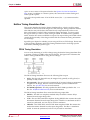
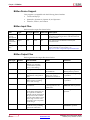
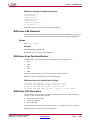
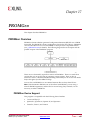
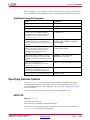
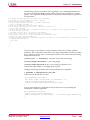
Here is the multiple file syntax:
promgen -d hexaddress0 filename filename
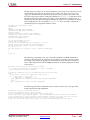
Here is the multiple -d options syntax:
promgen -d hexaddress1 filename -d hexaddress2 filename...
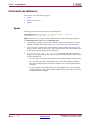
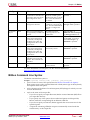
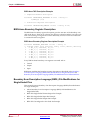
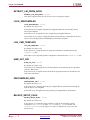
-data_file (Add Data Files)
This option specifies the direction, starting address, and data file names to add into the
PROM file. These files will be added to the PROM as is, with no additional formatting.
Syntax
-data_file up|down hex_address file [ file ...
]
up specifies that the file should be loaded up from the specified address.
down specifies that the file should be loaded down from the specified address.
hex_address the hexadecimal starting address for loading the listed files.
file is a file to load. You can list more than one file. Separate files names by spaces. Files
will be loaded in the order listed.
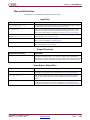
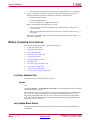
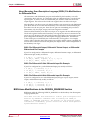
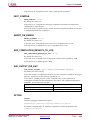
-data_width (Specify PROM Data Width)
This option specifies the data width of the PROM for which the output PROM file is
being created. For example, -data_width 8 specifies a byte-wide PROM.
Syntax
-data_width 8|16|32
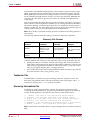
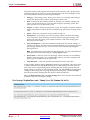
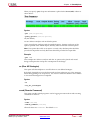
Specifying a data width of 16 or 32 affects the output PROM file in two ways:
•
Instructs PROMGen to expand the address space of the PROM by a factor or 2 or 4,
based on a specified data width of 16 or 32.
•
Instructs PROMGen to change the bit and byte order in the bitstreams to a
pre-determined order for bitstreams belonging to Virtex-4, Virtex-5, Spartan-6,
Virtex-6, 7 series, and Zynq devices.
The default setting for the -data_width option is 8.
Note The expanded address space applies to bit files and data files. The reordering of
bits and bytes applies only to certain bit files and does not apply to any data files.
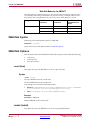
The option values are available for architectures as shown below:
•
-data_width 8 is available for all supported FPGA architectures
•
-data_width 16 is available for Virtex-5, Spartan-6, Virtex-6, 7 series, and Zynq
devices
•
-data_width 32 is available for Virtex-4, Virtex-5, Spartan-6, Virtex-6, 7 series,
and Zynq devices
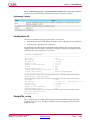
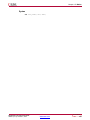
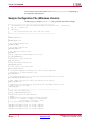
-f (Execute Commands File)
This option executes the command line arguments in the specified command_file.
Syntax
-f command_file
Command Line Tools User Guide
UG628 (v14.7) October 2, 2013
Send Feedback
www.xilinx.com
267