1
Entering waypoints
Your Element stores locations as a list of waypoints which you may choose to navigate to
individually and/or link together into a saved route. The Element has enough memory to
record 250 waypoints, and a route may enchain up to 50 waypoints. Here is how to store
locations in your Element as waypoints.
Note: see page 4 for a visual guide to help you with text entry.
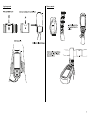
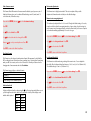
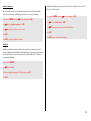
Press and hold MENU, then use
Use
to select Waypoints. Press OK.
to select Edit. Press OK.
Press F1 to create a new waypoint.
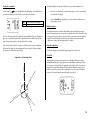
Spell out Ager take-off using
to select the letters and F1 / F2 to move back and
forth. Use RTE to toggle capital letters and special characters. Holding down RTE will
also delete a character. Press OK to move on to the next page.
Select N and enter 42° 2.765' for the latitude. Press OK.
Select E and enter 00° 44.774' for the longitude. Press OK.
Enter 1565 m for the Ager take-off waypoint altitude. Press OK.
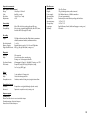
Copy down the information. You can also save the waypoints as a WPT file by selecting
the option FormatGEO (GpsDump) and clicking Download. In a future firmware update
for the Element, you will be able to drag-and-drop this file directly into your Element. For
now, you will enter the navigation information manually.
WP01
WP02
WP03
WP04
WP05
WP06
Ager take-off
Vilanova de M
Knoll
Ridge
Santa Fe
Organya
N
N
N
N
N
N
42°02.765′
42°00.631′
42°03.624′
42°10.894′
42°12.276′
42°13.147′
E
E
E
E
E
E
0°44.774′
0°54.179′
1°01.746′
1°04.590′
1°18.458′
1°19.339′
1565 m
813 m
1135 m
1451 m
759 m
549 m
The waypoint named Ager take-off is now saved. Repeat this procedure to enter the
other waypoints.
Press ESC to return to the Main Setup Menu.
Creating a route
To follow your planned cross country flight, you will need to create a route that tells the
Element how you want to fly over the waypoints. Note that saving a route creates a file
stored separately from the waypoint list already in the device's memory.
Press and hold MENU, then select Route. Press OK.
Select Edit. Press OK.
19













![2 Appuyez sur la touche [OK].](http://vs1.manualzilla.com/store/data/006390790_1-bc76b5eeca6bb9eb269e6d2802379648-150x150.png)