1
NetBootLoader
AM4100
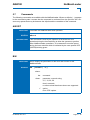
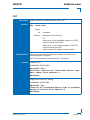
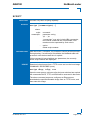
SQ
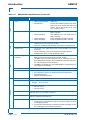
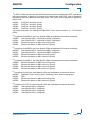
FUNCTION:
SYNTAX:
Set or display the boot sequence
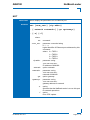
sq [<num1><num2><num3><num4>]
where:
sq
<num1>
command
parameter: numeric string: “0, 1, 2, 3”
ID number of image to be booted
PRELIMINARY
<num2>
parameter: numeric string: “0, 1, 2, 3”
ID number of image to be booted
<num3>
parameter: numeric string: “0, 1, 2, 3”
ID number of image to be booted
<num4>
parameter: numeric string: “0, 1, 2, 3”
ID number of image to be booted
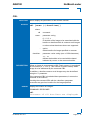
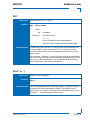
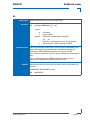
DESCRIPTION:
USAGE:
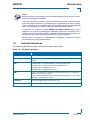
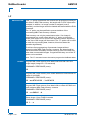
Up to four bootable images may be programmed into the NBL Flash
memory. The boot sequence defines to the NetBootLoader the order
in which images are to be accessed when booting. The
NetBootLoader starts with “<num1>” and continues until a valid
image is found. In the case that a valid image is not found, the
NetBootLoader stops searching and waits for operator intervention.
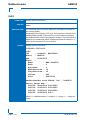
All four number parameters must be defined even if there is not an
image in the NBL Flash memory with that ID number.
Any given ID number may only be used once: e.g. a sequence of
0120 is not permitted.
The default sequence is 0123 if the boot sequence has not been
programmed.
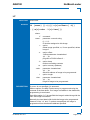
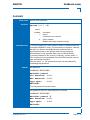
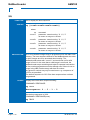
Display the current boot sequence setting.
COMMAND / RESPONSE:
sq <cr>
Bootsequence: 0 - 3 - 1 - 2
Set the boot sequence to 3201.
COMMAND / RESPONSE(none):
sq 3201
Page 5 - 42
ID 36126, Rev. 2.0