1
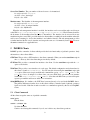
Command line option: -cy
Available values: OFF, FIXED, DYNAMIC
Default value: OFF
Subscription Covering: To enable subscription covering.
In configuration file: padres.covering.subscription
Command line option: -s
Available values: OFF, LAZY, ACTIVE
Default value: OFF
Advertisement Covering: To enable advertisement covering.
In configuration file: padres.covering.advertisement
Command line option: -a
Available values: OFF, ACTIVE
Default value: OFF
Publication Conformation: With this enabled, publishers can publish only after issuing matching advertisements.
In configuration file: padres.pub.conformcheck
Command line option: -pubc
Available values: ON, OFF
Default value: ON
Publication Tracing: To enable tracing of publications by class name.
In configuration file: padres.traceall
Command line option: None
Available values: ON, OFF
Default value: OFF
Console Interface: Whether to enable a console interface to the broker. The command line option does not
accept any argument.
In configuration file: padres.consoleinterface
Command line option: -cli
Available values: ON, OFF
Default value: OFF
Heartbeat: Whether to exchange heartbeat messages periodically between neighbors.
In configuration file: padres.heartbeat
Command line option: -h
Available values: ON, OFF
Default value: OFF
Web Management Interface: Whether to enable a management interface to the broker.
In configuration file: padres.managementinterface
Command line option: -m
Available values: ON, OFF
Default value: OFF
Web Management Interface Configuration: Specifies property file to be used to setup the properties of
the management interface.
In configuration file: padres.mipropertyfile
6