1
Working with the web portal
Launching web portal applications
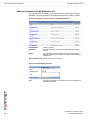
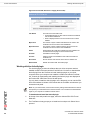
New Directory
Logout
Delete
Rename
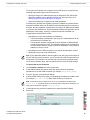
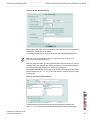
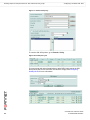
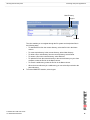
The view enables you to navigate through the file system and manipulate files in
the following ways:
9
FortiGate SSL VPN User Guide
01-30005-0348-20070911
•
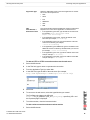
To download a file from the current directory, select the file link in the Name
column.
•
To create a subdirectory in the current directory, select New directory.
•
To delete a file or subdirectory from the current directory, select Delete.
•
To rename a file in the current directory, select Rename.
•
To upload a file from the remote directory to the current directory on your client
computer, select the file link in the Name column.
•
To access a subdirectory, select the file link in the Name column.
•
When the current directory is a subdirectory, you can select Up to switch to the
parent directory.
To end the SMB/CIFS session, select Logout.
51